door lock BMW Z4 SDRIVE35I ROADSTER 2010 User Guide
[x] Cancel search | Manufacturer: BMW, Model Year: 2010, Model line: Z4 SDRIVE35I ROADSTER, Model: BMW Z4 SDRIVE35I ROADSTER 2010Pages: 254, PDF Size: 8.04 MB
Page 50 of 254
Transporting children safely
48
Transporting children safely
The right place for children
Do not leave children unattended in the
vehicle; otherwise, they could endanger
themselves and/or other persons by opening
the doors, for example.<
Children on the passenger seat
Always transport children under the age
of 13 or smaller than 5 ft/150 cm in a child
restraint system suitable for their age, weight
and size, and with the passenger airbag deacti-
vated. Otherwise, there is an increased risk of
injury in the event of an accident or if the airbags
deploy.<
Children 13 years of age or older must be buck-
led in with a safety belt as soon as there no
longer is any child restraint system that is
appropriate for their age, size and weight.
For more information on automatic deactivation
of the passenger airbags refer to page86.
Installing child restraint
systems
After installing a child restraint system on
the passenger seat, make sure that the
front and side airbags for the passenger are
deactivated; otherwise, there is an increased
risk of injury if the airbags deploy.
Observe the child restraint system manufac-
turer's instructions when selecting, installing
and using child restraint systems. Otherwise,
the protective effect may be diminished.<
Standard child restraint systems are designed
to be secured with a lap belt or with the lap-belt
section of a lap-and-shoulder belt. Incorrectly
or improperly installed child restraint systems
can increase the risk of injury to children.
Always follow the installation instructions for
the system with the greatest care.
On the passenger seat
After installing a child restraint system on
the passenger seat, make sure that the
front and side airbags for the passenger are
deactivated; otherwise, there is an increased
risk of injury if the airbags deploy.<
Seat position
Before installing a child restraint system, move
the passenger seat as far back and up
* as pos-
sible to obtain the best possible position for
the belt.
Backrest width*
The backrest width of the passenger seat
must be at its widest possible setting. Do
not change the setting after installing the child
seat. Otherwise, the child seat's stability on the
passenger seat is limited.<
1.Adjust the backrest width to its widest set-
ting, refer to page43.
2.Install the child seat.
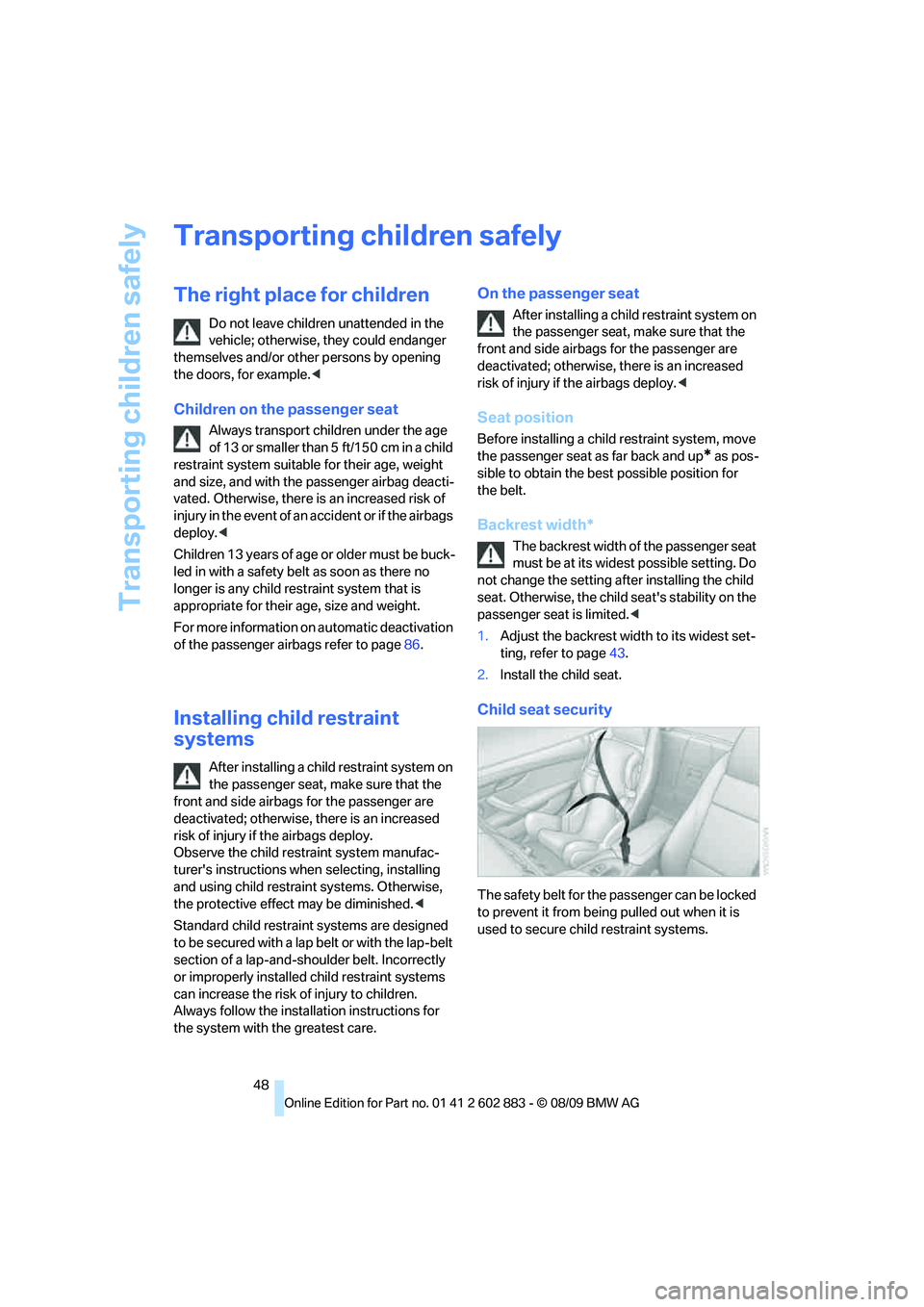
Child seat security
The safety belt for the passenger can be locked
to prevent it from being pulled out when it is
used to secure child restraint systems.
Page 52 of 254
Driving
50
Driving
Ignition lock
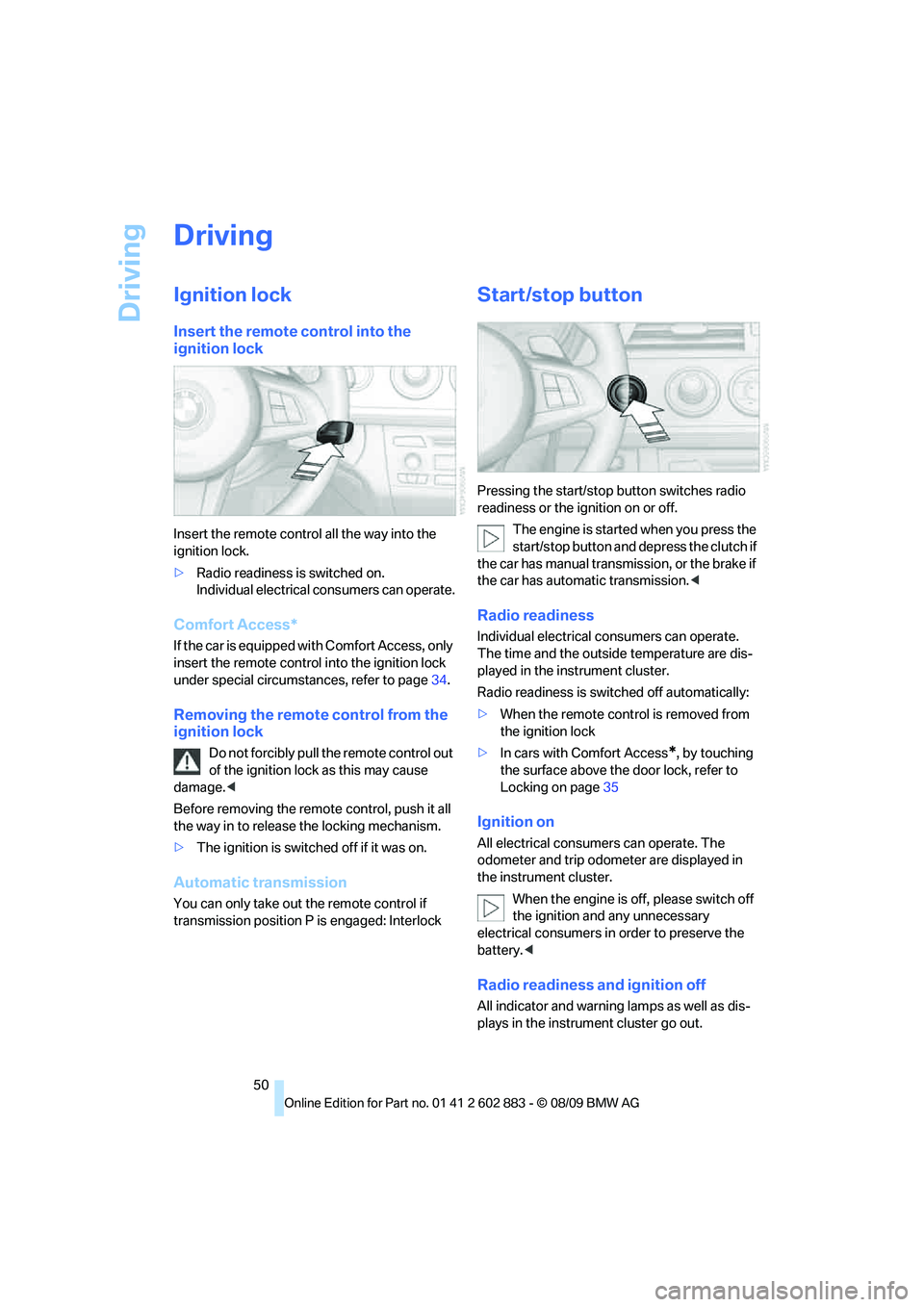
Insert the remote control into the
ignition lock
Insert the remote control all the way into the
ignition lock.
>Radio readiness is switched on.
Individual electrical consumers can operate.
Comfort Access*
If the car is equipped with Comfort Access, only
insert the remote control into the ignition lock
under special circumstances, refer to page34.
Removing the remote control from the
ignition lock
Do not forcibly pull the remote control out
of the ignition lock as this may cause
damage.<
Before removing the remote control, push it all
the way in to release the locking mechanism.
>The ignition is switched off if it was on.
Automatic transmission
You can only take out the remote control if
transmission position P is engaged: Interlock
Start/stop button
Pressing the start/stop button switches radio
readiness or the ignition on or off.
The engine is started when you press the
start/stop button and depress the clutch if
the car has manual transmission, or the brake if
the car has automatic transmission.<
Radio readiness
Individual electrical consumers can operate.
The time and the outside temperature are dis-
played in the instrument cluster.
Radio readiness is switched off automatically:
>When the remote control is removed from
the ignition lock
>In cars with Comfort Access
*, by touching
the surface above the door lock, refer to
Locking on page35
Ignition on
All electrical consumers can operate. The
odometer and trip odometer are displayed in
the instrument cluster.
When the engine is off, please switch off
the ignition and any unnecessary
electrical consumers in order to preserve the
battery.<
Radio readiness and ignition off
All indicator and warning lamps as well as dis-
plays in the instrument cluster go out.
Page 59 of 254
Controls
57Reference
At a glance
Driving tips
Communications
Navigation
Entertainment
Mobility
P Park
The rear wheels are locked.
P is engaged automatically when the following
conditions are met:
>The driver's door is opened while the
engine is running, your safety belt is not fas-
tened and neither the brake pedal nor the
accelerator are activated.
>The engine is switched off unless N is
engaged and the remote control is in the
ignition lock.
>The remote control is removed from the
ignition lock.
Kickdown
T o a cc ele ra te ra pidly, e.g., when passing, press
the accelerator down past the resistance point.
This provides maximum acceleration.
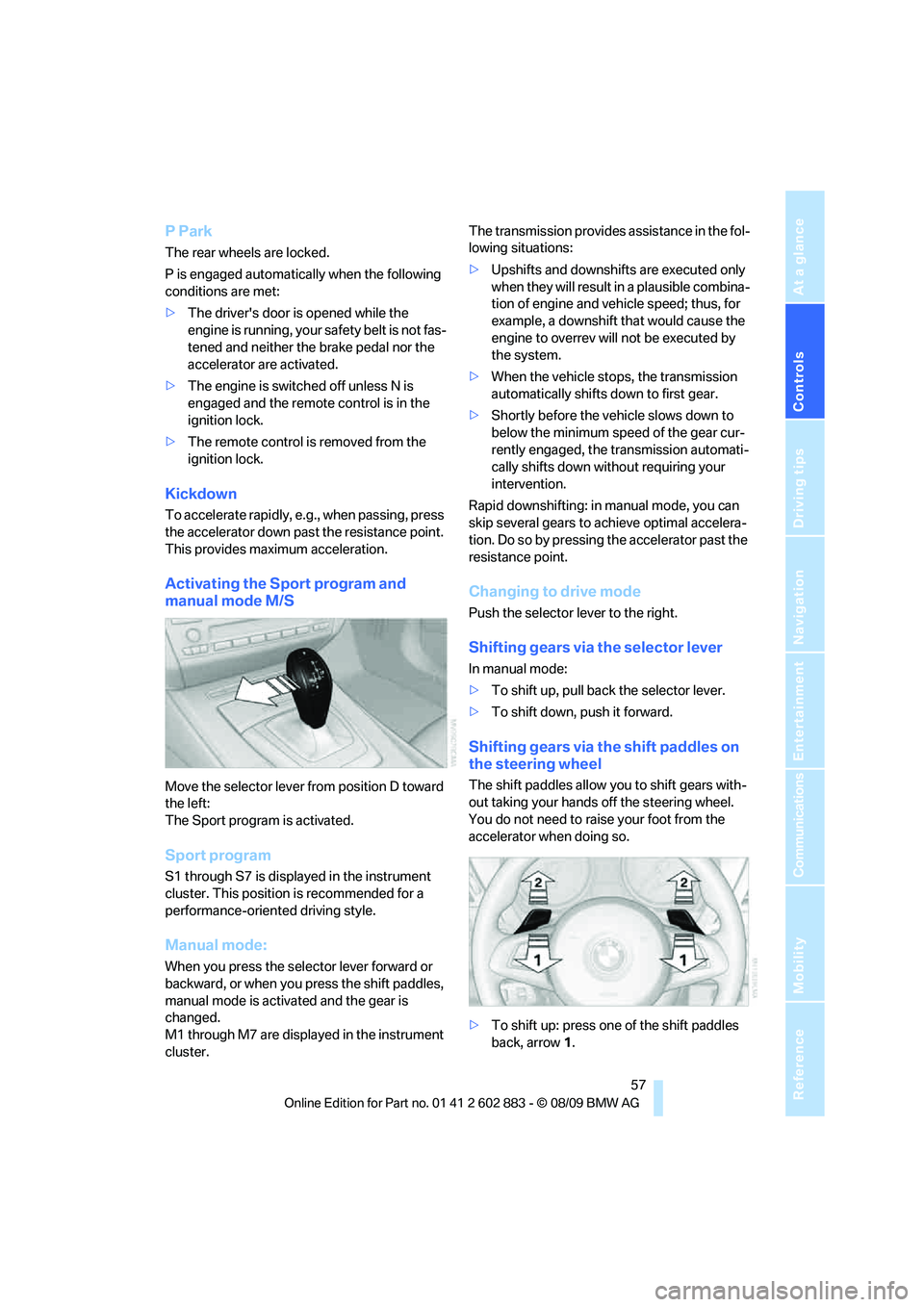
Activating the Sport program and
manual mode M/S
Move the selector lever from position D toward
the left:
The Sport program is activated.
Sport program
S1 through S7 is displayed in the instrument
cluster. This position is recommended for a
performance-oriented driving style.
Manual mode:
When you press the selector lever forward or
backward, or when you press the shift paddles,
manual mode is activated and the gear is
changed.
M1 through M7 are displayed in the instrument
cluster.The transmission provides assistance in the fol-
lowing situations:
>Upshifts and downshifts are executed only
when they will result in a plausible combina-
tion of engine and vehicle speed; thus, for
example, a downshift that would cause the
engine to overrev will not be executed by
the system.
>When the vehicle stops, the transmission
automatically shifts down to first gear.
>Shortly before the vehicle slows down to
below the minimum speed of the gear cur-
rently engaged, the transmission automati-
cally shifts down without requiring your
intervention.
Rapid downshifting: in manual mode, you can
skip several gears to achieve optimal accelera-
tion. Do so by pressing the accelerator past the
resistance point.
Changing to drive mode
Push the selector lever to the right.
Shifting gears via the selector lever
In manual mode:
>To shift up, pull back the selector lever.
>To shift down, push it forward.
Shifting gears via the shift paddles on
the steering wheel
The shift paddles allow you to shift gears with-
out taking your hands off the steering wheel.
You do not need to raise your foot from the
accelerator when doing so.
>To shift up: press one of the shift paddles
back, arrow1.
Page 90 of 254
Lamps
88
Lamps
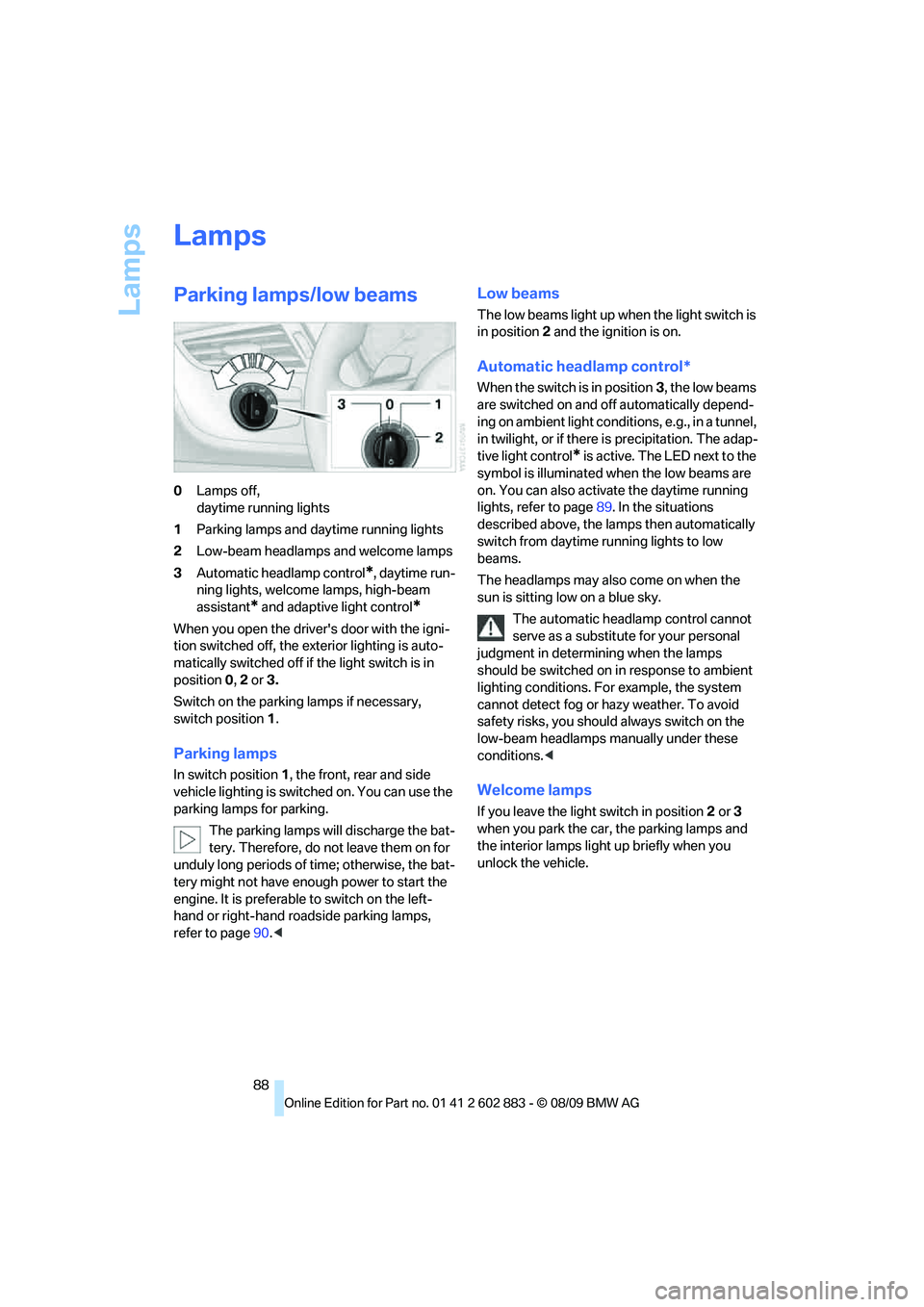
Parking lamps/low beams
0Lamps off,
daytime running lights
1Parking lamps and daytime running lights
2Low-beam headlamps and welcome lamps
3Automatic headlamp control
*, daytime run-
ning lights, welcome lamps, high-beam
assistant
* and adaptive light control*
When you open the driver's door with the igni-
tion switched off, the exterior lighting is auto-
matically switched off if the light switch is in
position 0, 2 or 3.
Switch on the parking lamps if necessary,
switch position 1.
Parking lamps
In switch position1, the front, rear and side
vehicle lighting is switched on. You can use the
parking lamps for parking.
The parking lamps will discharge the bat-
tery. Therefore, do not leave them on for
unduly long periods of time; otherwise, the bat-
tery might not have enough power to start the
engine. It is preferable to switch on the left-
hand or right-hand roadside parking lamps,
refer to page90.<
Low beams
The low beams light up when the light switch is
in position 2 and the ignition is on.
Automatic headlamp control*
When the switch is in position3, the low beams
are switched on and off automatically depend-
ing on ambient light conditions, e.g., in a tunnel,
in twilight, or if there is precipitation. The adap-
tive light control
* is active. The LED next to the
symbol is illuminated when the low beams are
on. You can also activate the daytime running
lights, refer to page89. In the situations
described above, the lamps then automatically
switch from daytime running lights to low
beams.
The headlamps may also come on when the
sun is sitting low on a blue sky.
The automatic headlamp control cannot
serve as a substitute for your personal
judgment in determining when the lamps
should be switched on in response to ambient
lighting conditions. For example, the system
cannot detect fog or hazy weather. To avoid
safety risks, you should always switch on the
low-beam headlamps manually under these
conditions.<
Welcome lamps
If you leave the light switch in position 2 or 3
when you park the car, the parking lamps and
the interior lamps light up briefly when you
unlock the vehicle.
Page 106 of 254
Practical interior accessories
104 Observe the following when connecting:
>Do not use force when plugging the con-
nector into the USB audio interface.
>Do not connect devices such as fans or
lamps to the USB audio interface.
>Do not connect a USB hard drive.
>Do not use the USB interface to recharge
external devices.
Center armrest
Storage compartment
The center armrest contains either two cup-
holders, a compartment or the cover for the
snap-in adapter
*, depending on the equipment
version.
Locking the storage compartment*
When you lock the vehicle from the outside, the
storage compartment in the center armrest is
locked as well.
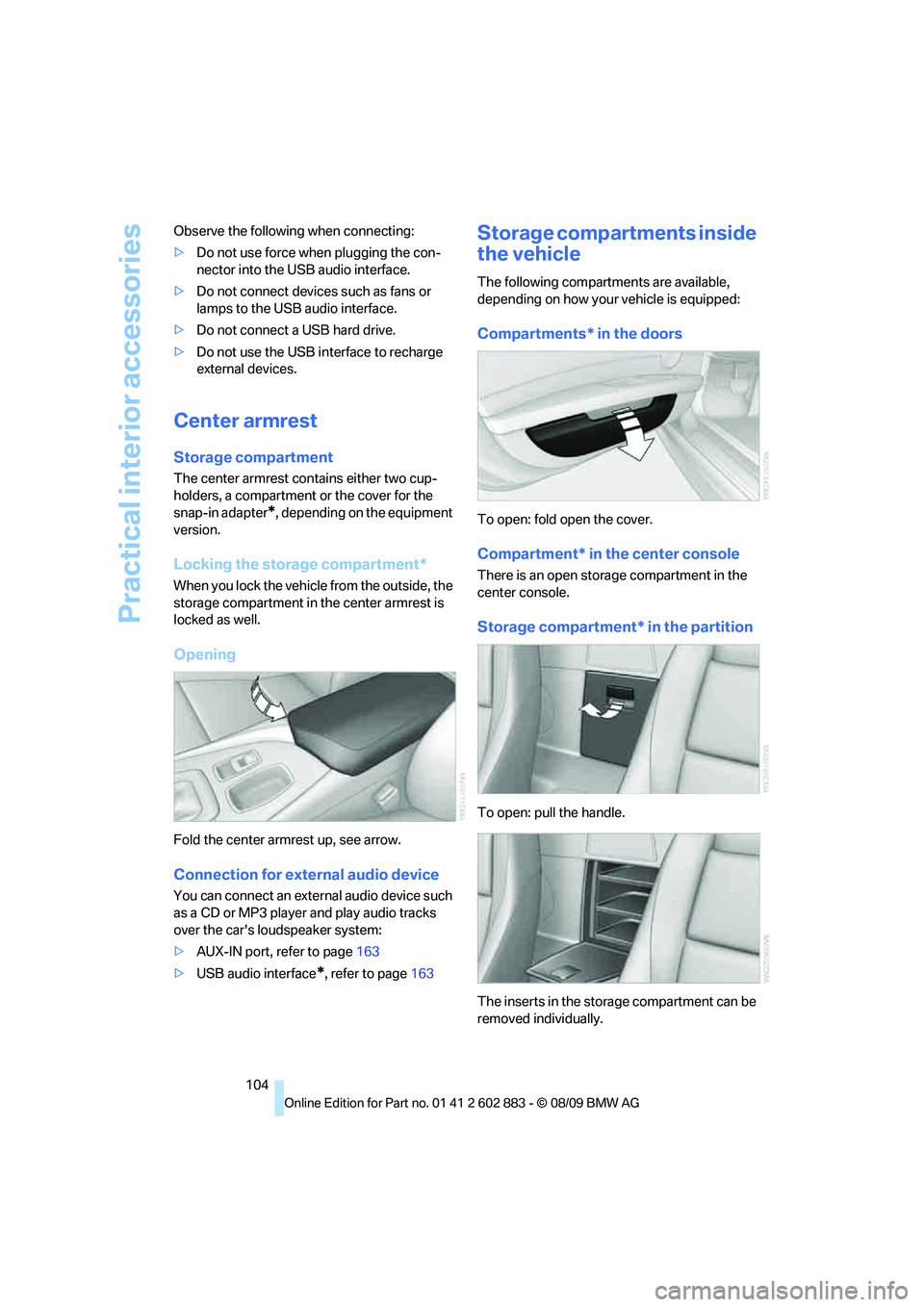
Opening
Fold the center armrest up, see arrow.
Connection for external audio device
You can connect an external audio device such
as a CD or MP3 player and play audio tracks
over the car's loudspeaker system:
>AUX-IN port, refer to page163
>USB audio interface
*, refer to page163
Storage compartments inside
the vehicle
The following compartments are available,
depending on how your vehicle is equipped:
Compartments* in the doors
To open: fold open the cover.
Compartment* in the center console
There is an open storage compartment in the
center console.
Storage compartment* in the partition
To open: pull the handle.
The inserts in the storage compartment can be
removed individually.
Page 186 of 254
BMW Assist
184
BMW Assist
BMW Assist*
BMW Assist provides a number of different ser-
vices. For example, the position data of the
vehicle can be transmitted to the BMW Assist
Response Center when an Emergency
Request
* is sent.
Many BMW Assist services depend on the con-
tract individually agreed upon.
After your contract has expired, the BMW
Assist system will be deactivated by the BMW
Assist Response Center without your having to
visit a BMW center. After the BMW Assist sys-
tem has been deactivated, no BMW Assist ser-
vices will be available. The BMW Assist system
can be reactivated by a BMW center after a new
contract has been signed.
Requirements
>The installed BMW Assist system is logged
in to a wireless communications network.
This network must be capable of transmit-
ting the services.
>To transmit position data, the vehicle must
be able to determine the current position.
>To activate and update BMW Assist, a GPS
signal must be available.
>The BMW Assist service contract was
signed with your BMW center or with the
BMW Assist Response Center. The service
must have been fully enabled.
>BMW Assist is activated.
Services offered
>Emergency Request: when you press the
SOS button, a connection is established to
the BMW Assist Response Center. The
BMW Assist Response Center then speaks
with you and takes further steps to help you.>Automatic Collision Notification: under cer-
tain conditions, a connection is established
to the BMW Assist Response Center after a
serious accident. If possible, the BMW
Assist Response Center then speaks with
you and takes further steps to help you.
>Enhanced Roadside Assistance: BMW
Roadside Assistance
* can be contacted if
assistance is needed in the event of a
breakdown. If possible, the vehicle data
and position data are transmitted during
this call.
>Customer Relations: connection with Cus-
tomer Relations for information on all
aspects of your vehicle.
>TeleService: data on your vehicle's service
status or required inspections are transmit-
ted to your BMW center, either automati-
cally before a service due date or when you
request a BMW service appointment.
>Remote Door Unlock: the BMW Assist
Response Center provides assistance if, for
example, the remote control is not available
and the vehicle needs to be opened.
>Stolen Vehicle Recovery: after you report
that your vehicle was stolen to the police,
the BMW Assist Response Center can
determine its position.
>In addition to these services, the optional
Convenience Plan offers concierge service
and information for route planning, traffic
and weather. A limited number of calls can
be made via the BMW Assist Response
Center with Critical Calling, for example, if
the mobile phone is not available or dis-
charged.
Press the SOS button to contact the BMW
Assist Response Center.
*
Page 210 of 254
Care
208
Care
Care products
Regular cleaning and care contributes signifi-
cantly to the value retention of your BMW.
BMW recommends cleaning and caring for your
vehicle with products that are approved by
BMW for this purpose.
Your BMW center will be happy to advise you on
the products and services available for cleaning
and caring for your BMW.
Original BMW CareProducts have been
material-tested, laboratory-checked and
proven in the field, and offer optimal care and
protection for your vehicle.<
Do not use cleaners that contain alcohol
or solvents as these may result in
damage.<
Cleaning agents can contain substances
that are dangerous or hazardous to your
health. Therefore, follow the warning and safety
instructions on the packaging. When cleaning
inside the vehicle, always open the doors or
windows of the vehicle. In enclosed areas, pro-
vide for sufficient ventilation. Only use products
designed for cleaning vehicles.<
Exterior care
Washing the vehicle
Especially during the winter months,
ensure that the vehicle is washed more
frequently. Heavy soiling and road salt can lead
to vehicle damage.<
After washing the vehicle, apply the
brakes briefly to dry them; otherwise,
water can reduce braking efficiency over the
short term and brake discs can corrode.<
Automatic car washes
Preference should be given to cloth car washes.
Do not use high-pressure car washes;
otherwise, water may drip into the vehicle
around the windows.<
Before driving into a car wash, ensure that it is
suitable for your BMW. Check the following:
>Dimensions of your vehicle, refer
to page227.
>If necessary: fold in the exterior mirrors,
refer to page45.
>Maximum permissible tire width.
Avoid car washes with guide rail heights
over 4 in/10 cm; otherwise, there is dan-
ger of damaging chassis parts.<
Preparations before driving into an automatic
car wash:
>Unscrew the rod antenna
*.
>Deactivate the rain sensor
* to avoid unin-
tentional activation of the wipers.
>Remove additional attachments, e.g., spoil-
ers or telephone antennas, if there is a pos-
sibility that they could be damaged.
Automatic transmission
Before driving into an automatic car wash, per-
form the following steps to ensure that the vehi-
cle can roll:
1.Insert the remote control, even with Com-
fort Access, into the ignition lock.
2.Move the selector lever to position N.
3.Release the parking brake.
4.Switch off the engine.
5.Leave the remote control in the ignition lock
so that the vehicle can roll.
Page 236 of 254
Short commands for the voice activation system
234
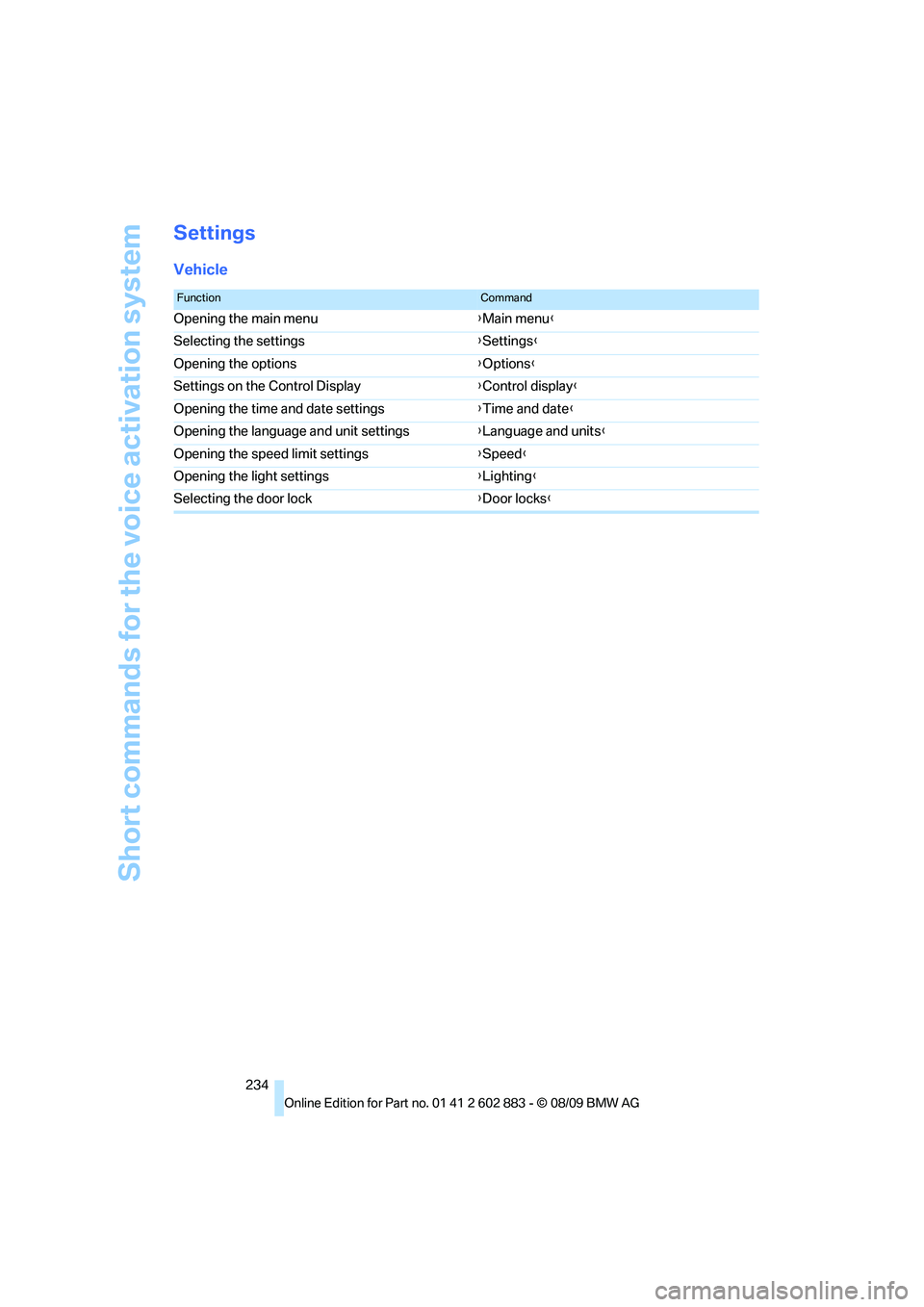
Settings
Vehicle
FunctionCommand
Opening the main menu{Main menu}
Selecting the settings{Settings}
Opening the options{Options}
Settings on the Control Display{Control display}
Opening the time and date settings{Time and date}
Opening the language and unit settings{Language and units}
Opening the speed limit settings{Speed}
Opening the light settings{Lighting}
Selecting the door lock{Door locks}
Page 241 of 254
Reference 239
At a glance
Controls
Driving tips
Communications
Navigation
Entertainment
Mobility
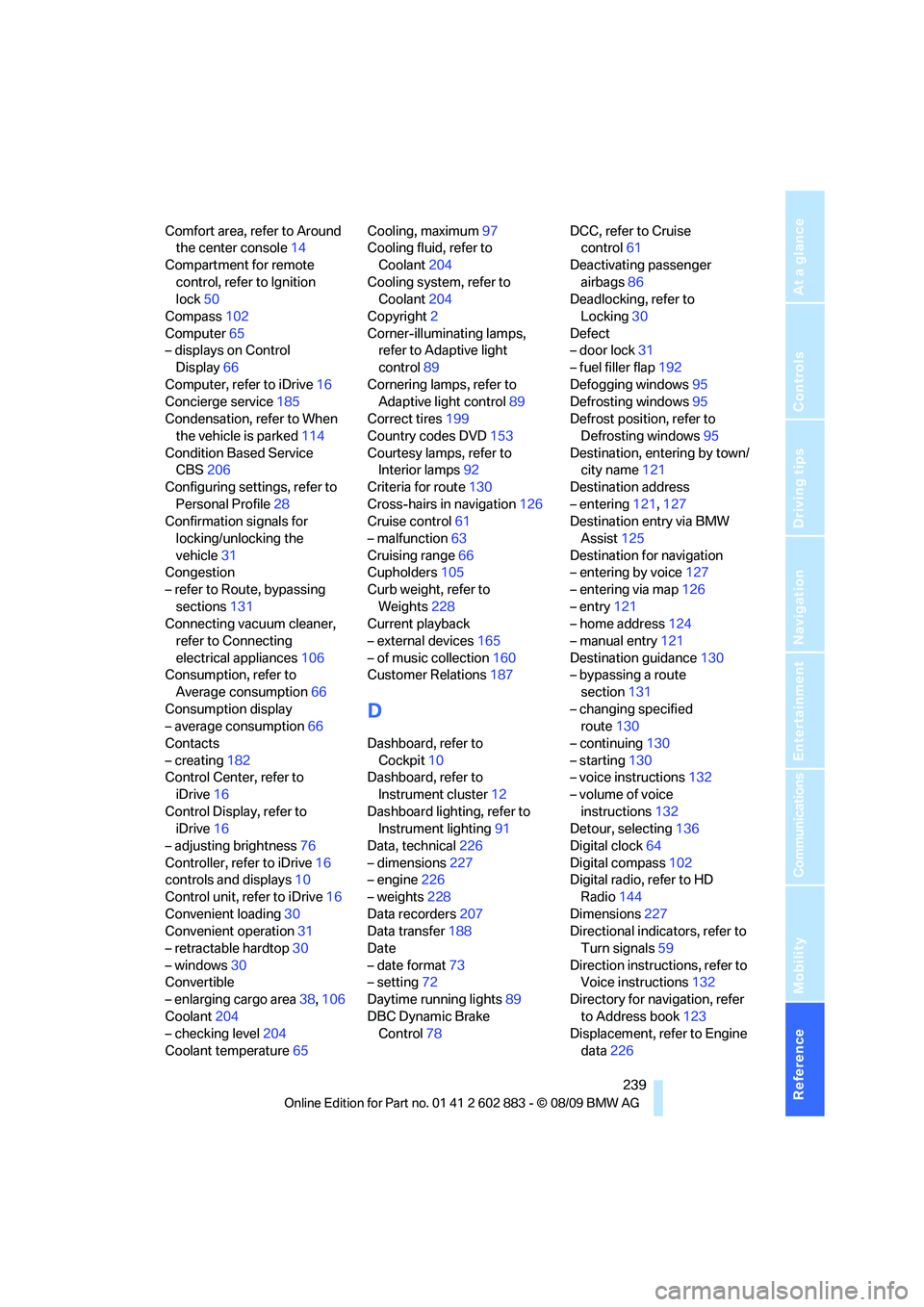
Comfort area, refer to Around
the center console14
Compartment for remote
control, refer to Ignition
lock50
Compass102
Computer65
– displays on Control
Display66
Computer, refer to iDrive16
Concierge service185
Condensation, refer to When
the vehicle is parked114
Condition Based Service
CBS206
Configuring settings, refer to
Personal Profile28
Confirmation signals for
locking/unlocking the
vehicle31
Congestion
– refer to Route, bypassing
sections131
Connecting vacuum cleaner,
refer to Connecting
electrical appliances106
Consumption, refer to
Average consumption66
Consumption display
– average consumption66
Contacts
– creating182
Control Center, refer to
iDrive16
Control Display, refer to
iDrive16
– adjusting brightness76
Controller, refer to iDrive16
controls and displays10
Control unit, refer to iDrive16
Convenient loading30
Convenient operation31
– retractable hardtop30
– windows30
Convertible
– enlarging cargo area38,106
Coolant204
– checking level204
Coolant temperature65Cooling, maximum97
Cooling fluid, refer to
Coolant204
Cooling system, refer to
Coolant204
Copyright2
Corner-illuminating lamps,
refer to Adaptive light
control89
Cornering lamps, refer to
Adaptive light control89
Correct tires199
Country codes DVD153
Courtesy lamps, refer to
Interior lamps
92
Criteria for route130
Cross-hairs in navigation126
Cruise control61
– malfunction63
Cruising range66
Cupholders105
Curb weight, refer to
Weights228
Current playback
– external devices165
– of music collection160
Customer Relations187
D
Dashboard, refer to
Cockpit10
Dashboard, refer to
Instrument cluster12
Dashboard lighting, refer to
Instrument lighting91
Data, technical226
– dimensions227
– engine226
– weights228
Data recorders207
Data transfer188
Date
– date format73
– setting72
Daytime running lights89
DBC Dynamic Brake
Control78DCC, refer to Cruise
control61
Deactivating passenger
airbags86
Deadlocking, refer to
Locking30
Defect
– door lock31
– fuel filler flap192
Defogging windows95
Defrosting windows95
Defrost position, refer to
Defrosting windows95
Destination, entering by town/
city name121
Destination address
– entering121,127
Destination entry via BMW
Assist125
Destination for navigation
– entering by voice127
– entering via map126
– entry121
– home address124
– manual entry121
Destination guidance130
– bypassing a route
section131
– changing specified
route130
– continuing130
– starting130
– voice instructions132
– volume of voice
instructions132
Detour, selecting136
Digital clock64
Digital compass102
Digital radio, refer to HD
Radio144
Dimensions227
Directional indicators, refer to
Turn signals59
Direction instructions, refer to
Voice instructions132
Directory for navigation, refer
to Address book123
Displacement, refer to Engine
data226
Page 242 of 254
Everything from A to Z
240 Display, refer to iDrive
controls16
Display lighting, refer to
Instrument lighting91
Displays
– on the Control Display16
Displays, refer to Instrument
cluster12
Displays and controls10
Disposal
– coolant204
– remote control battery36
– vehicle battery216
Distance remaining to service,
refer to Service
requirements69
Distance warning, refer to
Park Distance Control
PDC77
Door key, refer to Remote
control with integrated
key28
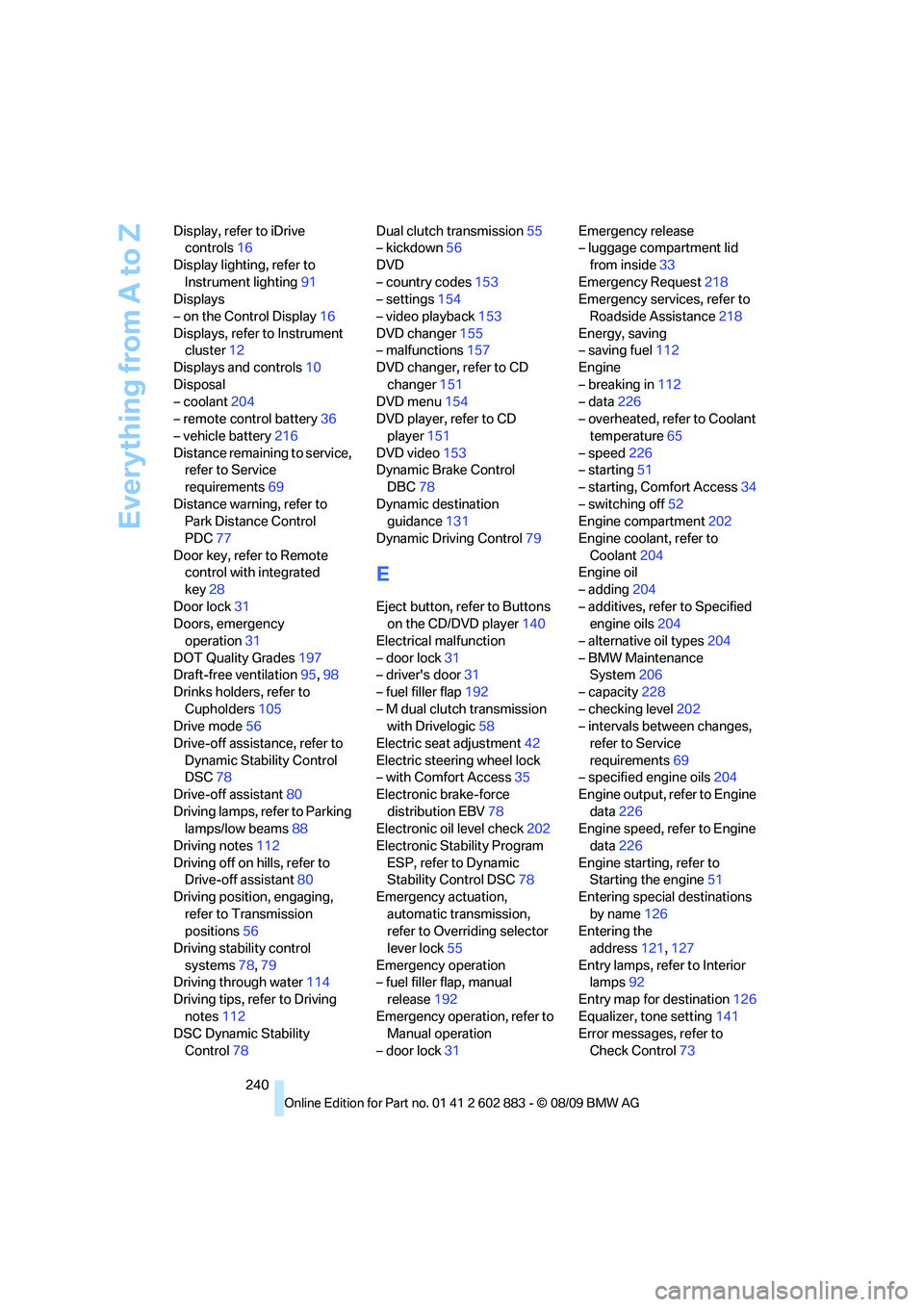
Door lock31
Doors, emergency
operation31
DOT Quality Grades197
Draft-free ventilation95,98
Drinks holders, refer to
Cupholders105
Drive mode56
Drive-off assistance, refer to
Dynamic Stability Control
DSC78
Drive-off assistant80
Driving lamps, refer to Parking
lamps/low beams88
Driving notes112
Driving off on hills, refer to
Drive-off assistant80
Driving position, engaging,
refer to Transmission
positions56
Driving stability control
systems78,79
Driving through water114
Driving tips, refer to Driving
notes112
DSC Dynamic Stability
Control78Dual clutch transmission55
– kickdown56
DVD
– country codes153
– settings154
– video playback153
DVD changer155
– malfunctions157
DVD changer, refer to CD
changer151
DVD menu154
DVD player, refer to CD
player151
DVD video153
Dynamic Brake Control
DBC78
Dynamic destination
guidance131
Dynamic Driving Control79
E
Eject button, refer to Buttons
on the CD/DVD player140
Electrical malfunction
– door lock31
– driver's door31
– fuel filler flap192
– M dual clutch transmission
with Drivelogic58
Electric seat adjustment42
Electric steering wheel lock
– with Comfort Access35
Electronic brake-force
distribution EBV78
Electronic oil level check202
Electronic Stability Program
ESP, refer to Dynamic
Stability Control DSC78
Emergency actuation,
automatic transmission,
refer to Overriding selector
lever lock55
Emergency operation
– fuel filler flap, manual
release192
Emergency operation, refer to
Manual operation
– door lock31Emergency release
– luggage compartment lid
from inside33
Emergency Request218
Emergency services, refer to
Roadside Assistance218
Energy, saving
– saving fuel112
Engine
– breaking in112
– data226
– overheated, refer to Coolant
temperature65
– speed226
– starting51
– starting, Comfort Access34
– switching off52
Engine compartment202
Engine coolant, refer to
Coolant204
Engine oil
– adding204
– additives, refer to Specified
engine oils204
– alternative oil types204
– BMW Maintenance
System206
– capacity228
– checking level202
– intervals between changes,
refer to Service
requirements69
– specified engine oils204
Engine output, refer to Engine
data226
Engine speed, refer to Engine
data226
Engine starting, refer to
Starting the engine51
Entering special destinations
by name126
Entering the
address121,127
Entry lamps, refer to Interior
lamps92
Entry map for destination126
Equalizer, tone setting141
Error messages, refer to
Check Control73