check engine light BMW Z4 SDRIVE35I ROADSTER 2010 Owners Manual
[x] Cancel search | Manufacturer: BMW, Model Year: 2010, Model line: Z4 SDRIVE35I ROADSTER, Model: BMW Z4 SDRIVE35I ROADSTER 2010Pages: 254, PDF Size: 8.04 MB
Page 15 of 254
At a glance
13Reference
Controls
Driving tips
Communications
Navigation
Entertainment
Mobility
Indicator and warning lamps
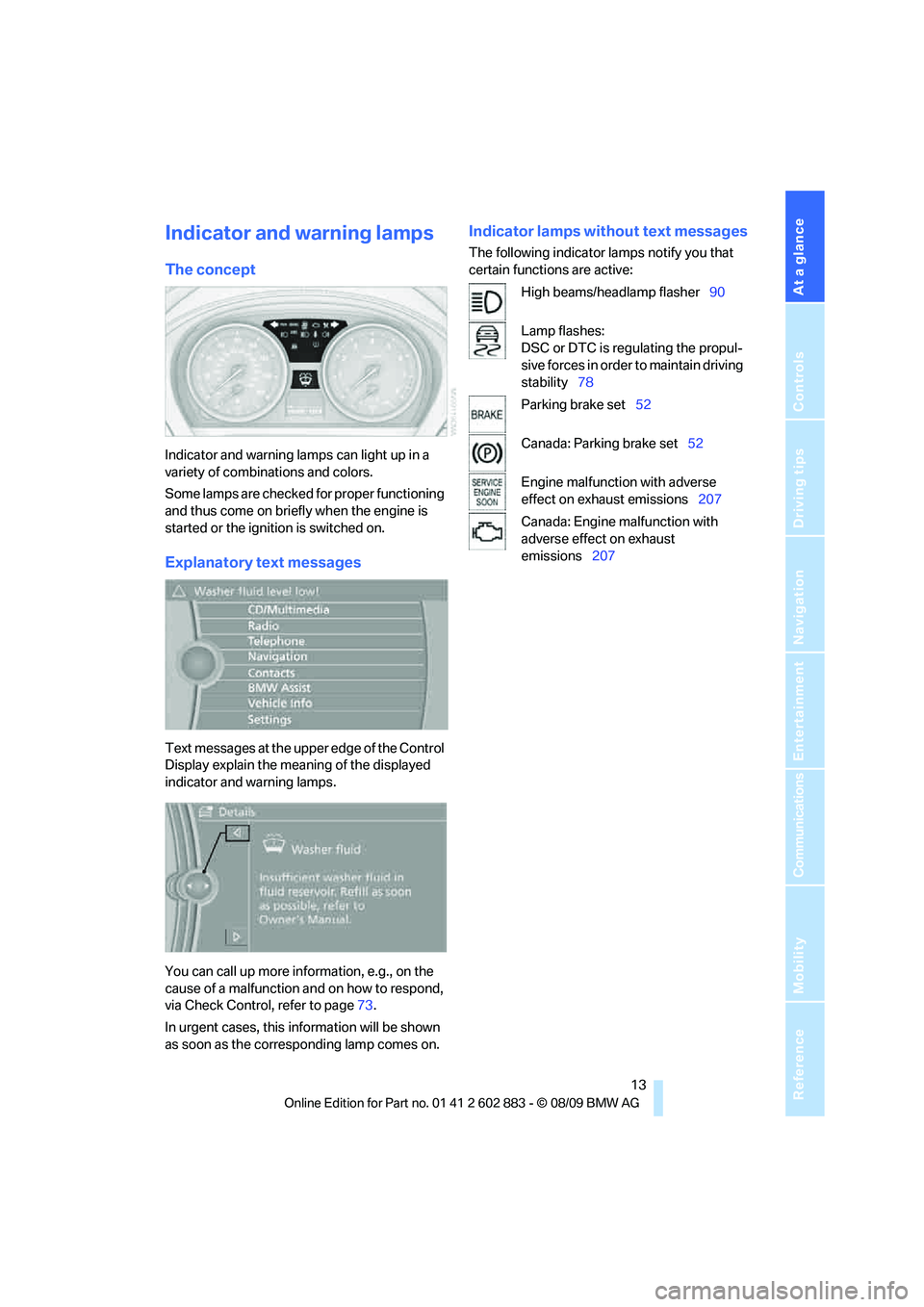
The concept
Indicator and warning lamps can light up in a
variety of combinations and colors.
Some lamps are checked for proper functioning
and thus come on briefly when the engine is
started or the ignition is switched on.
Explanatory text messages
Text messages at the upper edge of the Control
Display explain the meaning of the displayed
indicator and warning lamps.
You can call up more information, e.g., on the
cause of a malfunction and on how to respond,
via Check Control, refer to page73.
In urgent cases, this information will be shown
as soon as the corresponding lamp comes on.
Indicator lamps without text messages
The following indicator lamps notify you that
certain functions are active:
High beams/headlamp flasher90
Lamp flashes:
DSC or DTC is regulating the propul-
sive forces in order to maintain driving
stability78
Parking brake set52
Canada: Parking brake set52
Engine malfunction with adverse
effect on exhaust emissions207
Canada: Engine malfunction with
adverse effect on exhaust
emissions207
Page 38 of 254
Opening and closing
36
Before driving a vehicle with automatic
transmission into a car wash
1.Insert the remote control into the ignition
switch.
2.Depress the brake.
3.Move the selector lever to position N.
4.Switch off the engine.
The vehicle can roll.
Malfunction
Comfort Access may malfunction due to local
radio waves. If this happens, open or close the
vehicle via the buttons on the remote control or
using the integrated key. To start the engine
afterward, insert the remote control into the
ignition switch.
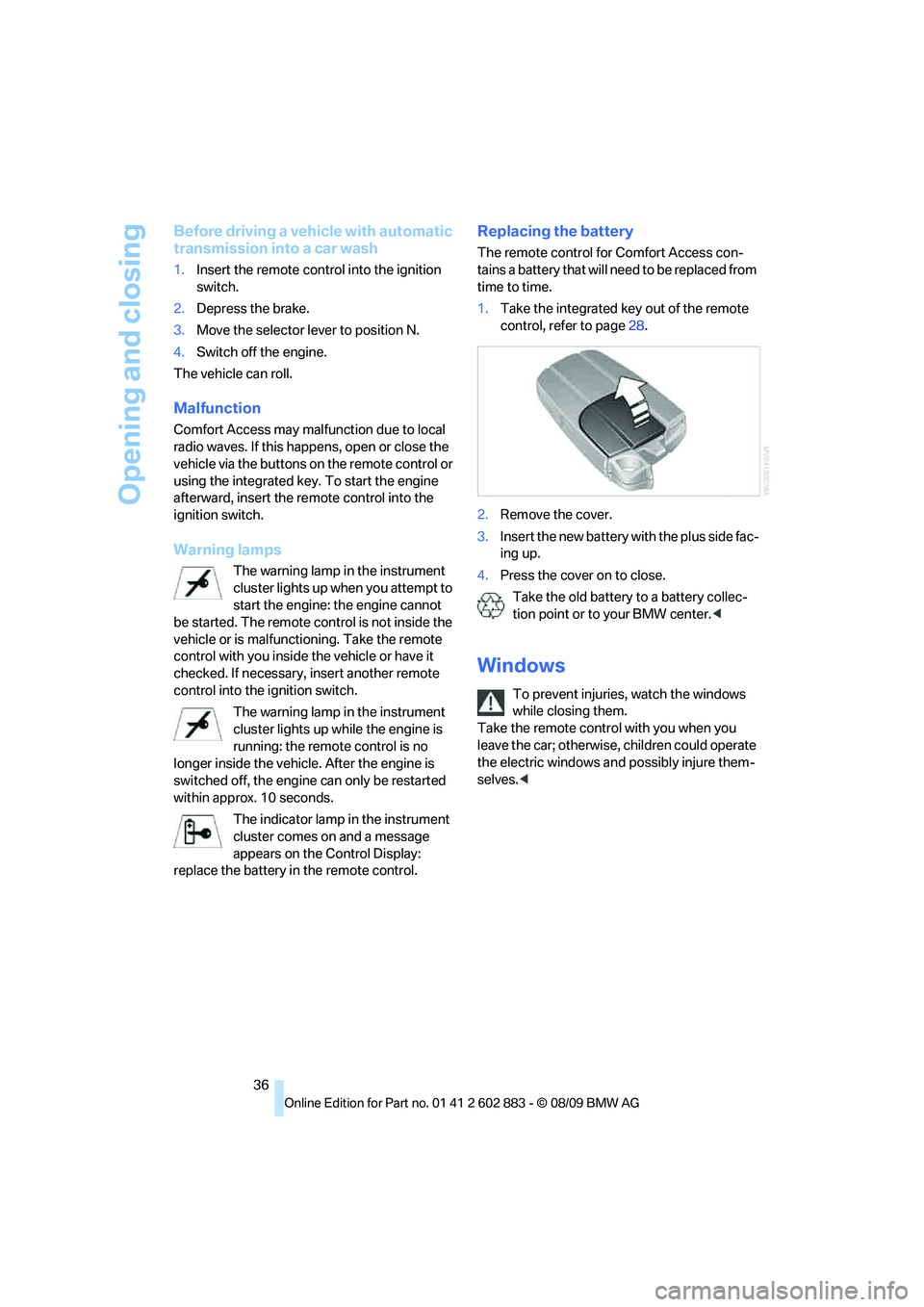
Warning lamps
The warning lamp in the instrument
cluster lights up when you attempt to
start the engine: the engine cannot
be started. The remote control is not inside the
vehicle or is malfunctioning. Take the remote
control with you inside the vehicle or have it
checked. If necessary, insert another remote
control into the ignition switch.
The warning lamp in the instrument
cluster lights up while the engine is
running: the remote control is no
longer inside the vehicle. After the engine is
switched off, the engine can only be restarted
within approx. 10 seconds.
The indicator lamp in the instrument
cluster comes on and a message
appears on the Control Display:
replace the battery in the remote control.
Replacing the battery
The remote control for Comfort Access con-
tains a battery that will need to be replaced from
time to time.
1.Take the integrated key out of the remote
control, refer to page28.
2.Remove the cover.
3.Insert the new battery with the plus side fac-
ing up.
4.Press the cover on to close.
Take the old battery to a battery collec-
tion point or to your BMW center.<
Windows
To prevent injuries, watch the windows
while closing them.
Take the remote control with you when you
leave the car; otherwise, children could operate
the electric windows and possibly injure them-
selves.<
Page 67 of 254
Controls
65Reference
At a glance
Driving tips
Communications
Navigation
Entertainment
Mobility
Coolant temperature
A warning lamp will come on if the coolant, and
therefore the engine, becomes too hot. In addi-
tion, a message will appear on the Control
Display.
Check coolant level, refer to page204.
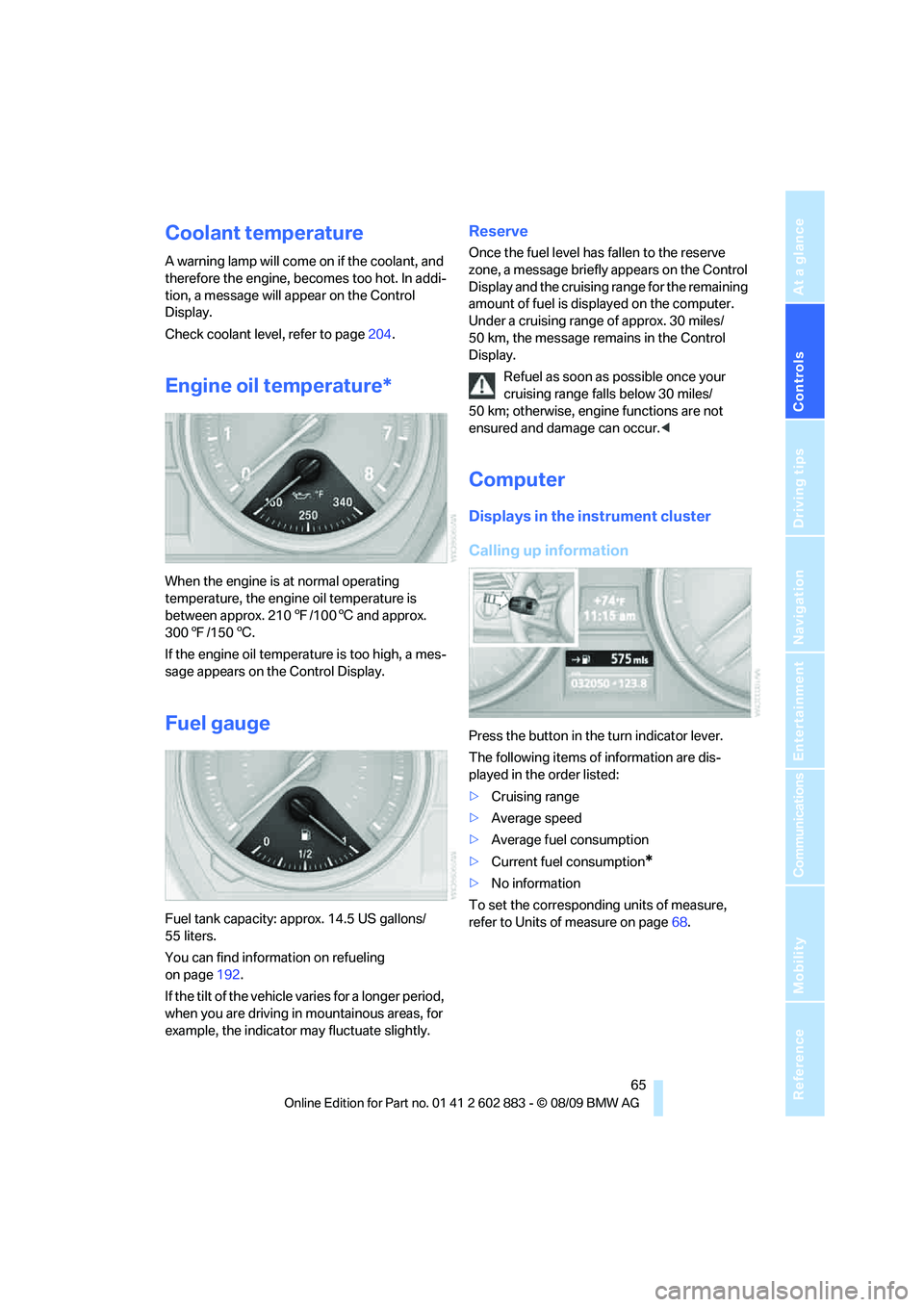
Engine oil temperature*
When the engine is at normal operating
temperature, the engine oil temperature is
between approx. 2107/1006 and approx.
3007/1506.
If the engine oil temperature is too high, a mes-
sage appears on the Control Display.
Fuel gauge
Fuel tank capacity: approx. 14.5 US gallons/
55 liters.
You can find information on refueling
on page192.
If the tilt of the vehicle varies for a longer period,
when you are driving in mountainous areas, for
example, the indicator may fluctuate slightly.
Reserve
Once the fuel level has fallen to the reserve
zone, a message briefly appears on the Control
Display and the cruising range for the remaining
amount of fuel is displayed on the computer.
Under a cruising range of approx. 30 miles/
50 km, the message remains in the Control
Display.
Refuel as soon as possible once your
cruising range falls below 30 miles/
50 km; otherwise, engine functions are not
ensured and damage can occur.<
Computer
Displays in the instrument cluster
Calling up information
Press the button in the turn indicator lever.
The following items of information are dis-
played in the order listed:
>Cruising range
>Average speed
>Average fuel consumption
>Current fuel consumption
*
>No information
To set the corresponding units of measure,
refer to Units of measure on page68.
Page 70 of 254
Controls overview
68
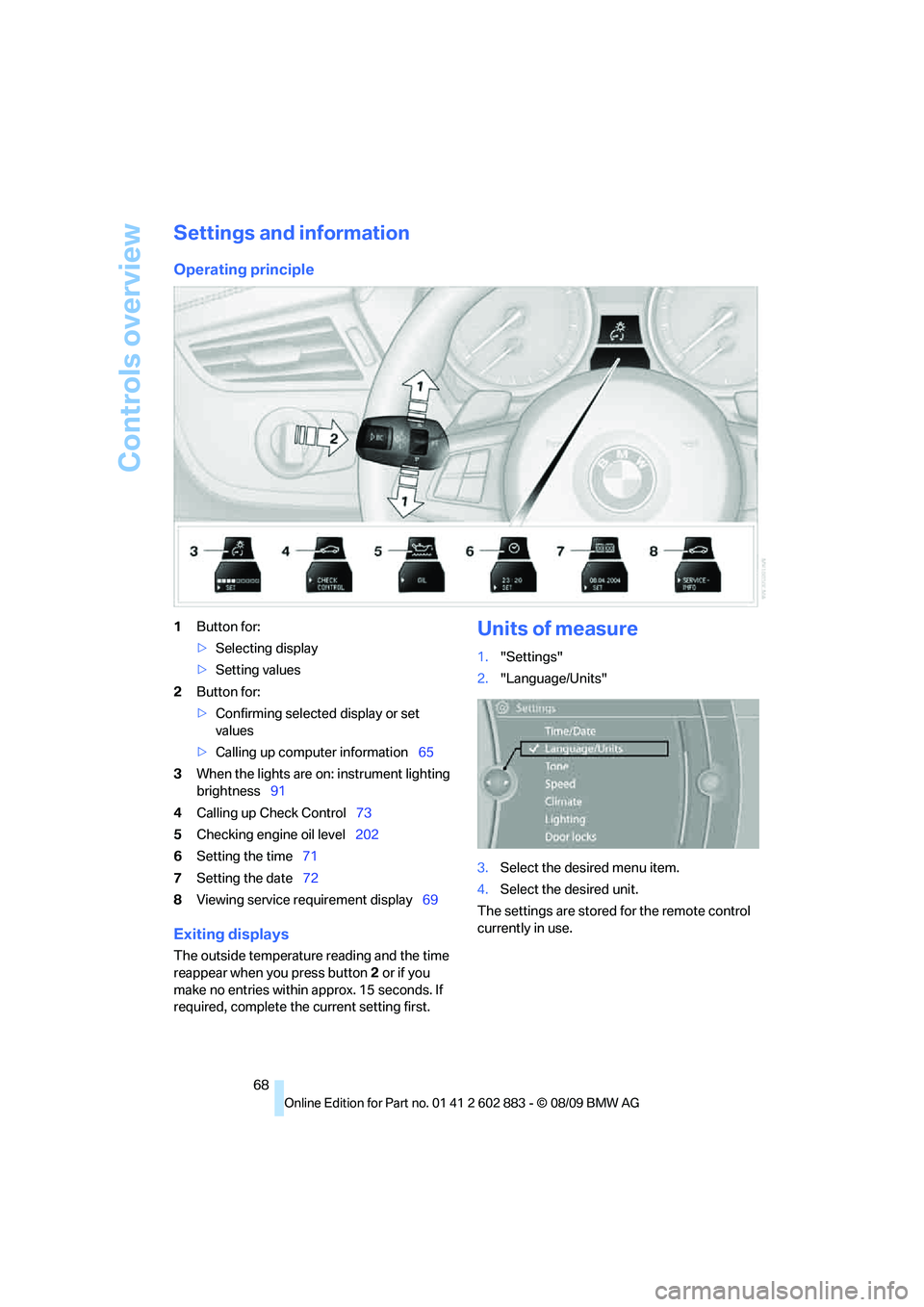
Settings and information
Operating principle
1Button for:
>Selecting display
>Setting values
2Button for:
>Confirming selected display or set
values
>Calling up computer information65
3When the lights are on: instrument lighting
brightness91
4Calling up Check Control73
5Checking engine oil level202
6Setting the time71
7Setting the date72
8Viewing service requirement display69
Exiting displays
The outside temperature reading and the time
reappear when you press button2 or if you
make no entries within approx. 15 seconds. If
required, complete the current setting first.
Units of measure
1."Settings"
2."Language/Units"
3.Select the desired menu item.
4.Select the desired unit.
The settings are stored for the remote control
currently in use.
Page 174 of 254
Telephone
172
Following the initial pairing
>The mobile phone is detected/connected in
the vehicle within 2 minutes if the engine is
running or the ignition is switched on.
>As soon as a mobile phone is detected by
the vehicle, the phone book entries stored
on the SIM card or on your mobile phone are
transmitted to the vehicle. This transmis-
sion is dependent on your mobile phone,
refer to the operating instructions of the
mobile phone if necessary, and can take
several minutes.
>Four mobile phones can be paired.
>Specific settings may be necessary in some
mobile phones, e.g., authorization or a
secure connection, refer to the mobile
phone operating instructions.
If not all phone book entries are displayed:
>Transfer all phone book entries from the
SIM card to the mobile phone, if necessary.
>Phone book entries with special characters
may not be displayed.
Checks to perform if pairing is
unsuccessful
>Is the mobile phone supported by the
mobile phone preparation package? You
can obtain information on the Internet at:
www.bmw.com/bluetooth.
>Do the Bluetooth passkeys on the mobile
phone and vehicle match? The same Blue-
tooth passkey must be entered on the
mobile phone's display and via iDrive.
>Did it take you more than 30 seconds to
enter the Bluetooth passkey? Then repeat
the pairing procedure.
>Are too many Bluetooth devices connected
to the mobile phone? If so, delete the con-
nections with other devices on the mobile
phone.
>Is the mobile phone no longer responding?
Switch the mobile phone off and on or
briefly disconnect the power supply.>Repeat the pairing procedure.
>If all items on the list have been checked
and the mobile phone still cannot be paired,
please contact Customer Relations.
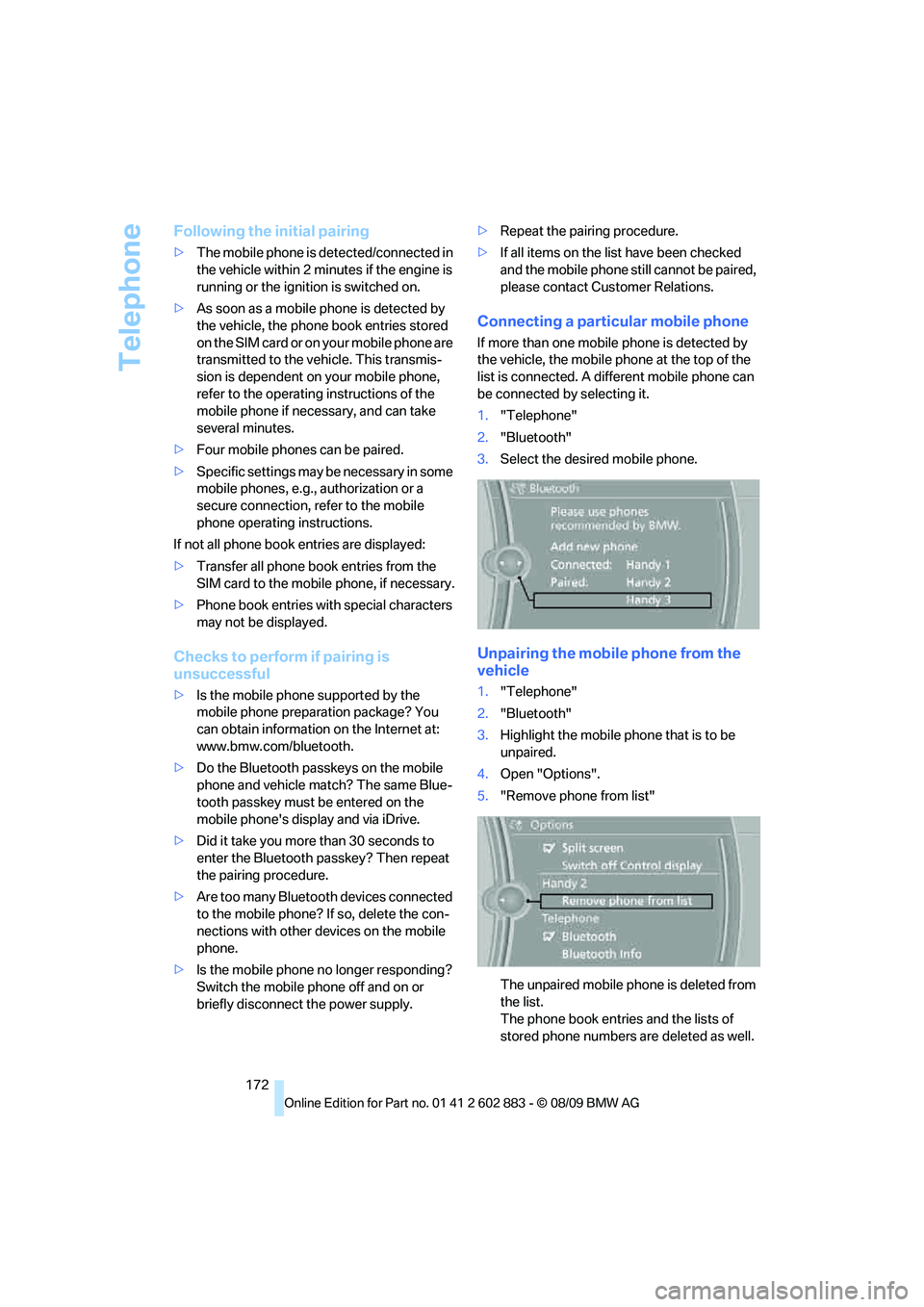
Connecting a particular mobile phone
If more than one mobile phone is detected by
the vehicle, the mobile phone at the top of the
list is connected. A different mobile phone can
be connected by selecting it.
1."Telephone"
2."Bluetooth"
3.Select the desired mobile phone.
Unpairing the mobile phone from the
vehicle
1."Telephone"
2."Bluetooth"
3.Highlight the mobile phone that is to be
unpaired.
4.Open "Options".
5."Remove phone from list"
The unpaired mobile phone is deleted from
the list.
The phone book entries and the lists of
stored phone numbers are deleted as well.
Page 206 of 254
Under the hood
204 >"Measurement inactive. Have this
checked."
Do not add engine oil. You can continue
your journey. Note the newly calculated dis-
tance remaining to the next oil service, refer
to page69. Have the system checked as
soon as possible.
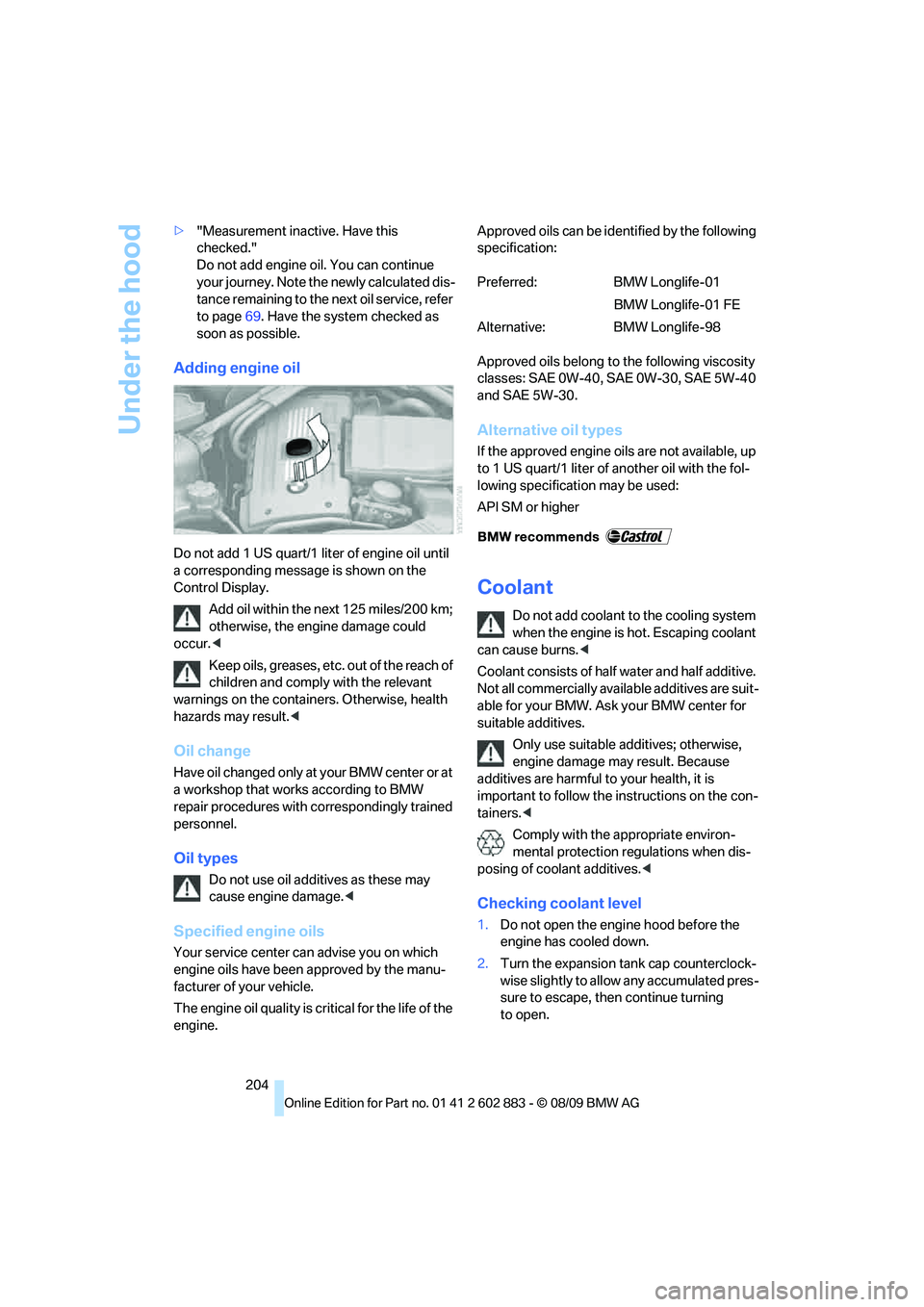
Adding engine oil
Do not add 1 US quart/1 liter of engine oil until
a corresponding message is shown on the
Control Display.
Add oil within the next 125 miles/200 km;
otherwise, the engine damage could
occur.<
Keep oils, greases, etc. out of the reach of
children and comply with the relevant
warnings on the containers. Otherwise, health
hazards may result.<
Oil change
Have oil changed only at your BMW center or at
a workshop that works according to BMW
repair procedures with correspondingly trained
personnel.
Oil types
Do not use oil additives as these may
cause engine damage.<
Specified engine oils
Your service center can advise you on which
engine oils have been approved by the manu-
facturer of your vehicle.
The engine oil quality is critical for the life of the
engine.Approved oils can be identified by the following
specification:
Approved oils belong to the following viscosity
classes: SAE 0W-40, SAE 0W-30, SAE 5W-40
and SAE 5W-30.
Alternative oil types
If the approved engine oils are not available, up
to 1 US quart/1 liter of another oil with the fol-
lowing specification may be used:
API SM or higher
Coolant
Do not add coolant to the cooling system
when the engine is hot. Escaping coolant
can cause burns.<
Coolant consists of half water and half additive.
Not all commercially available additives are suit-
able for your BMW. Ask your BMW center for
suitable additives.
Only use suitable additives; otherwise,
engine damage may result. Because
additives are harmful to your health, it is
important to follow the instructions on the con-
tainers.<
Comply with the appropriate environ-
mental protection regulations when dis-
posing of coolant additives.<
Checking coolant level
1.Do not open the engine hood before the
engine has cooled down.
2.Turn the expansion tank cap counterclock-
wise slightly to allow any accumulated pres-
sure to escape, then continue turning
to open.
Preferred: BMW Longlife-01
BMW Longlife-01 FE
Alternative: BMW Longlife-98
Page 209 of 254
Mobility
207Reference
At a glance
Controls
Driving tips
Communications
Navigation
Entertainment
Socket for Onboard
Diagnosis OBD
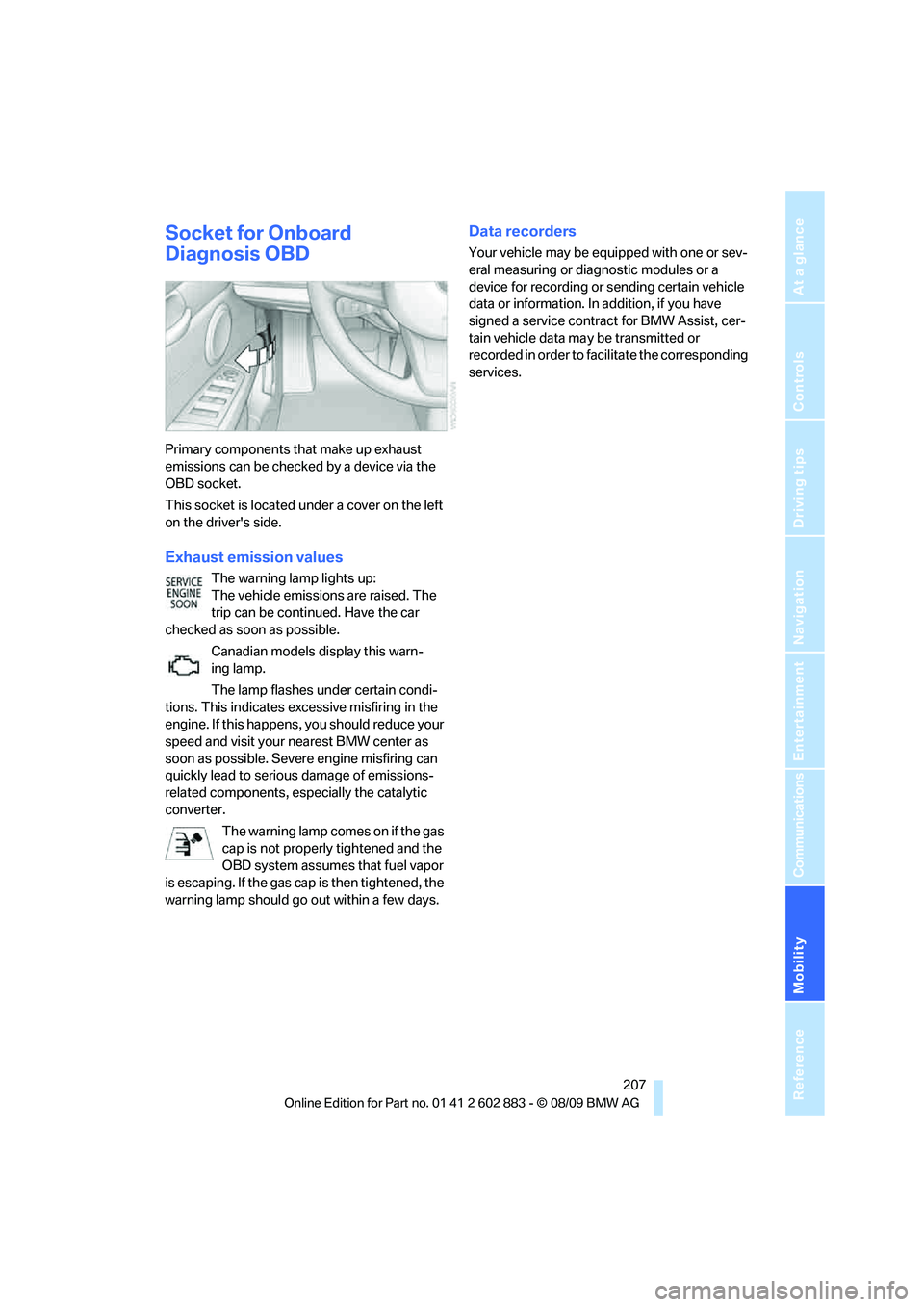
Primary components that make up exhaust
emissions can be checked by a device via the
OBD socket.
This socket is located under a cover on the left
on the driver's side.
Exhaust emission values
The warning lamp lights up:
The vehicle emissions are raised. The
trip can be continued. Have the car
checked as soon as possible.
Canadian models display this warn-
ing lamp.
The lamp flashes under certain condi-
tions. This indicates excessive misfiring in the
engine. If this happens, you should reduce your
speed and visit your nearest BMW center as
soon as possible. Severe engine misfiring can
quickly lead to serious damage of emissions-
related components, especially the catalytic
converter.
The warning lamp comes on if the gas
cap is not properly tightened and the
OBD system assumes that fuel vapor
is escaping. If the gas cap is then tightened, the
warning lamp should go out within a few days.
Data recorders
Your vehicle may be equipped with one or sev-
eral measuring or diagnostic modules or a
device for recording or sending certain vehicle
data or information. In addition, if you have
signed a service contract for BMW Assist, cer-
tain vehicle data may be transmitted or
recorded in order to facilitate the corresponding
services.
Page 222 of 254
Giving and receiving assistance
220 2.Attach one terminal clamp of the plus/+
jumper cable to the positive terminal of the
battery or a starting-aid terminal of the vehi-
cle providing assistance.
3.Attach the second terminal clamp of the
plus/+ jumper cable to the positive terminal
of the battery or a starting-aid terminal of
the vehicle to be started.
4.Attach one terminal clamp of the minus/–
jumper cable to the negative terminal of the
battery or to an engine or body ground of
the assisting vehicle.
Your BMW has a special nut as body ground
or negative pole.
5.Attach the second terminal clamp of the
minus/– jumper cable to the negative termi-
nal of the battery or to the engine or body
ground of the vehicle to be started.
Starting the engine
1.Start the engine of the donor vehicle and
allow it to run for a few minutes at slightly
increased idle speed.
2.Start the engine on the other vehicle in the
usual way.
If the first start attempt is not successful,
wait a few minutes before another attempt
in order to allow the discharged battery to
recharge.
3.Let the engines run for a few minutes.
4.Disconnect the jumper cables by reversing
the above connecting sequence.
If necessary, have the battery checked and
recharged.
Never use spray fluids to start the
engine.<
Tow-starting, towing away
Observe the applicable laws and regula-
tions for tow-starting and towing
vehicles.<
Do not transport any passengers other
than the driver in a vehicle that is being
towed.<
Using a tow fitting
The screw-in tow fitting must always be carried
in the car. It can be screwed in at the front or
rear of the BMW.
It is stored in the onboard vehicle tool kit under-
neath the floor panel in the cargo area, refer
to page212.
Use only the towing eyelet supplied with
the vehicle and screw it in firmly until it
stops. Use the tow fitting for towing on paved
roads only. Avoid lateral loading of the tow fit-
ting, e.g., do not lift the vehicle by the tow fitting.
Otherwise, the tow fitting and the vehicle could
be damaged.<
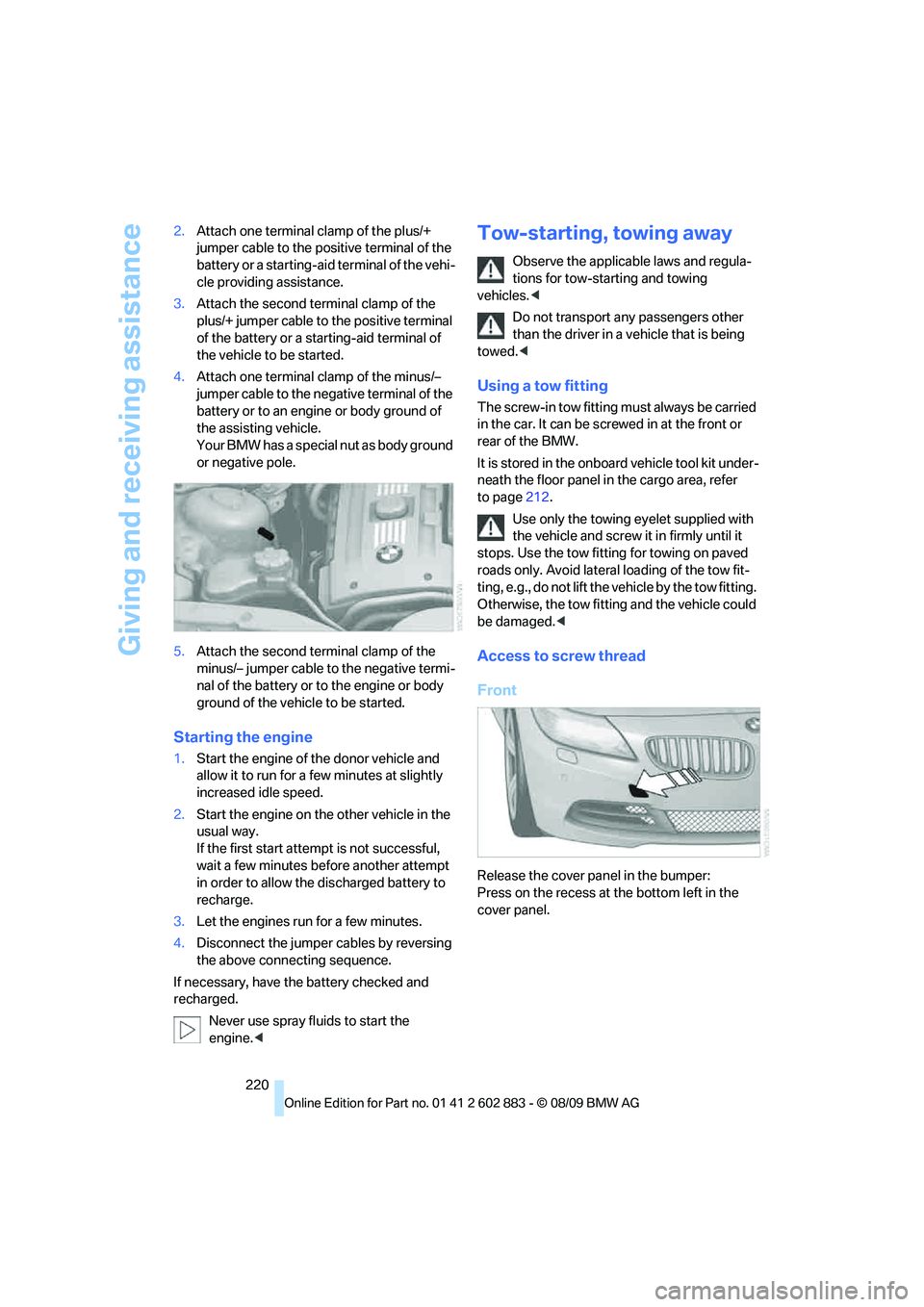
Access to screw thread
Front
Release the cover panel in the bumper:
Press on the recess at the bottom left in the
cover panel.
Page 240 of 254
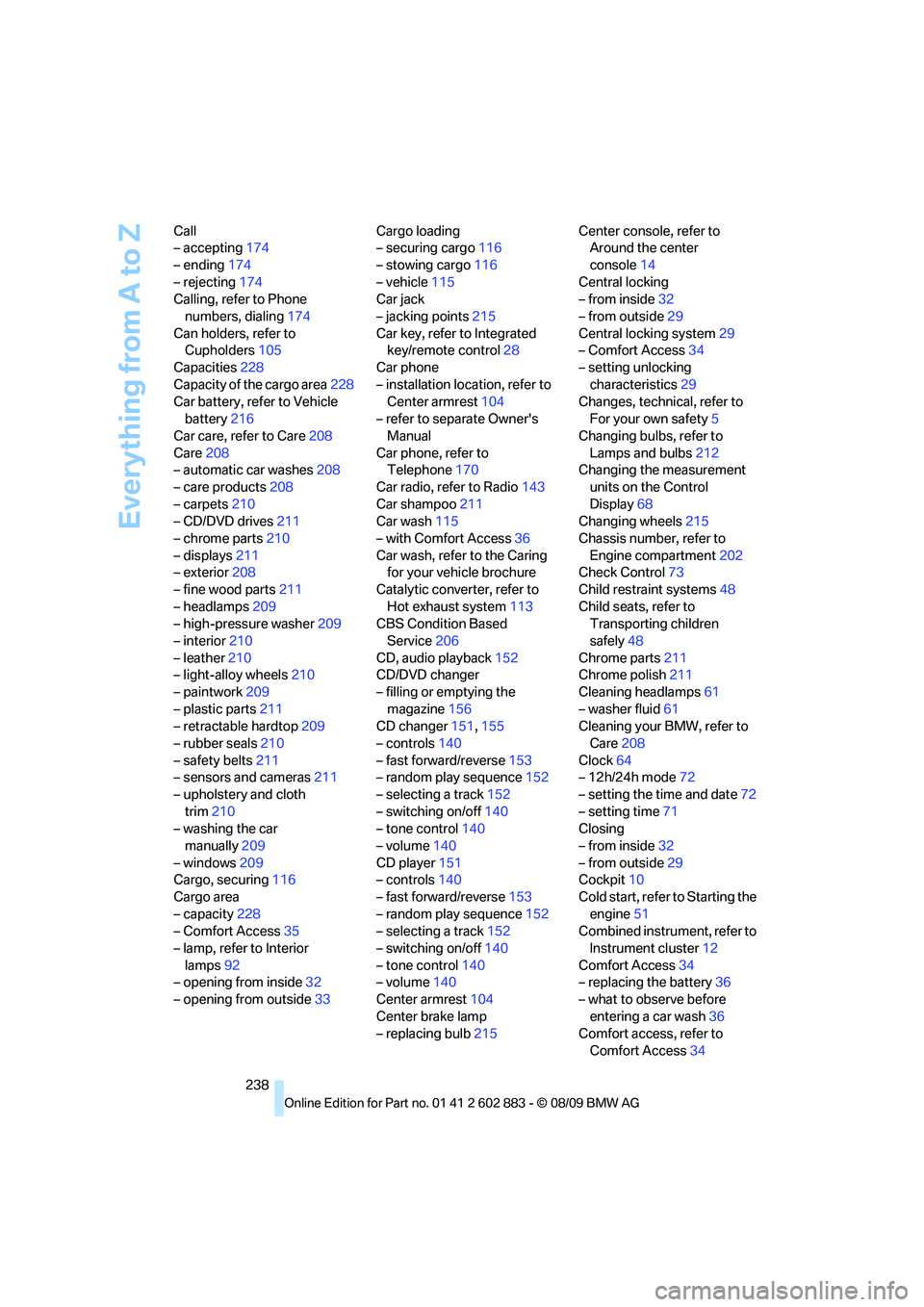
Everything from A to Z
238 Call
– accepting174
– ending174
– rejecting174
Calling, refer to Phone
numbers, dialing174
Can holders, refer to
Cupholders105
Capacities228
Capacity of the cargo area228
Car battery, refer to Vehicle
battery216
Car care, refer to Care208
Care208
– automatic car washes208
– care products208
– carpets210
– CD/DVD drives211
– chrome parts210
– displays211
– exterior208
– fine wood parts211
– headlamps209
– high-pressure washer209
– interior210
– leather210
– light-alloy wheels210
– paintwork209
– plastic parts211
– retractable hardtop209
– rubber seals210
– safety belts211
– sensors and cameras211
– upholstery and cloth
trim210
– washing the car
manually209
– windows209
Cargo, securing116
Cargo area
– capacity228
– Comfort Access35
– lamp, refer to Interior
lamps92
– opening from inside32
– opening from outside33Cargo loading
– securing cargo116
– stowing cargo116
– vehicle115
Car jack
– jacking points215
Car key, refer to Integrated
key/remote control28
Car phone
– installation location, refer to
Center armrest
104
– refer to separate Owner's
Manual
Car phone, refer to
Telephone170
Car radio, refer to Radio143
Car shampoo211
Car wash115
– with Comfort Access36
Car wash, refer to the Caring
for your vehicle brochure
Catalytic converter, refer to
Hot exhaust system113
CBS Condition Based
Service206
CD, audio playback152
CD/DVD changer
– filling or emptying the
magazine156
CD changer151,155
– controls140
– fast forward/reverse153
– random play sequence152
– selecting a track152
– switching on/off140
– tone control140
– volume140
CD player151
– controls140
– fast forward/reverse153
– random play sequence152
– selecting a track152
– switching on/off140
– tone control140
– volume140
Center armrest104
Center brake lamp
– replacing bulb215Center console, refer to
Around the center
console14
Central locking
– from inside32
– from outside29
Central locking system29
– Comfort Access34
– setting unlocking
characteristics29
Changes, technical, refer to
For your own safety5
Changing bulbs, refer to
Lamps and bulbs212
Changing the measurement
units on the Control
Display68
Changing wheels215
Chassis number, refer to
Engine compartment202
Check Control73
Child restraint systems48
Child seats, refer to
Transporting children
safely48
Chrome parts211
Chrome polish211
Cleaning headlamps61
– washer fluid61
Cleaning your BMW, refer to
Care208
Clock64
– 12h/24h mode72
– setting the time and date72
– setting time71
Closing
– from inside32
– from outside29
Cockpit10
Cold start, refer to Starting the
engine51
Combined instrument, refer to
Instrument cluster12
Comfort Access34
– replacing the battery36
– what to observe before
entering a car wash36
Comfort access, refer to
Comfort Access34
Page 241 of 254
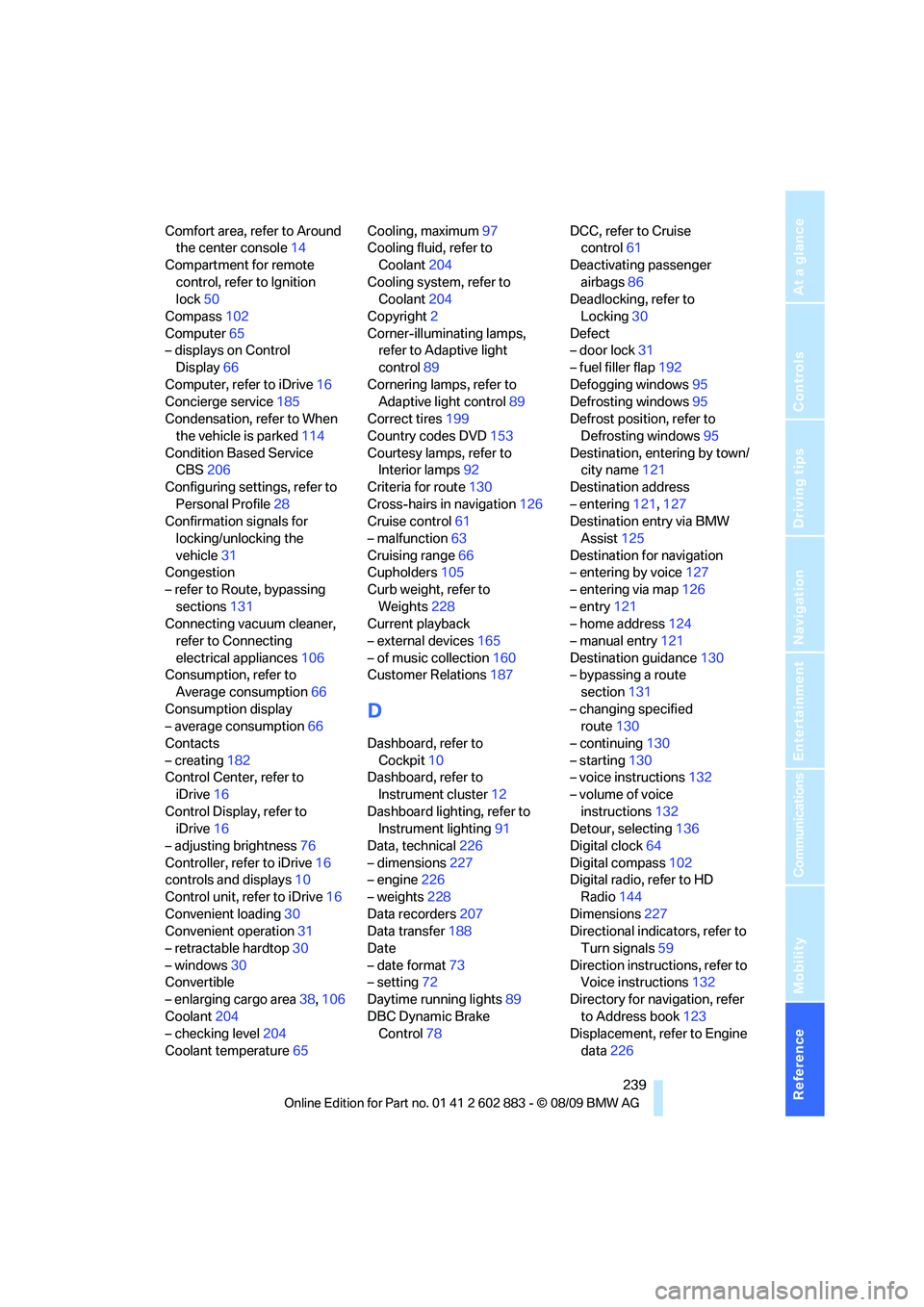
Reference 239
At a glance
Controls
Driving tips
Communications
Navigation
Entertainment
Mobility
Comfort area, refer to Around
the center console14
Compartment for remote
control, refer to Ignition
lock50
Compass102
Computer65
– displays on Control
Display66
Computer, refer to iDrive16
Concierge service185
Condensation, refer to When
the vehicle is parked114
Condition Based Service
CBS206
Configuring settings, refer to
Personal Profile28
Confirmation signals for
locking/unlocking the
vehicle31
Congestion
– refer to Route, bypassing
sections131
Connecting vacuum cleaner,
refer to Connecting
electrical appliances106
Consumption, refer to
Average consumption66
Consumption display
– average consumption66
Contacts
– creating182
Control Center, refer to
iDrive16
Control Display, refer to
iDrive16
– adjusting brightness76
Controller, refer to iDrive16
controls and displays10
Control unit, refer to iDrive16
Convenient loading30
Convenient operation31
– retractable hardtop30
– windows30
Convertible
– enlarging cargo area38,106
Coolant204
– checking level204
Coolant temperature65Cooling, maximum97
Cooling fluid, refer to
Coolant204
Cooling system, refer to
Coolant204
Copyright2
Corner-illuminating lamps,
refer to Adaptive light
control89
Cornering lamps, refer to
Adaptive light control89
Correct tires199
Country codes DVD153
Courtesy lamps, refer to
Interior lamps
92
Criteria for route130
Cross-hairs in navigation126
Cruise control61
– malfunction63
Cruising range66
Cupholders105
Curb weight, refer to
Weights228
Current playback
– external devices165
– of music collection160
Customer Relations187
D
Dashboard, refer to
Cockpit10
Dashboard, refer to
Instrument cluster12
Dashboard lighting, refer to
Instrument lighting91
Data, technical226
– dimensions227
– engine226
– weights228
Data recorders207
Data transfer188
Date
– date format73
– setting72
Daytime running lights89
DBC Dynamic Brake
Control78DCC, refer to Cruise
control61
Deactivating passenger
airbags86
Deadlocking, refer to
Locking30
Defect
– door lock31
– fuel filler flap192
Defogging windows95
Defrosting windows95
Defrost position, refer to
Defrosting windows95
Destination, entering by town/
city name121
Destination address
– entering121,127
Destination entry via BMW
Assist125
Destination for navigation
– entering by voice127
– entering via map126
– entry121
– home address124
– manual entry121
Destination guidance130
– bypassing a route
section131
– changing specified
route130
– continuing130
– starting130
– voice instructions132
– volume of voice
instructions132
Detour, selecting136
Digital clock64
Digital compass102
Digital radio, refer to HD
Radio144
Dimensions227
Directional indicators, refer to
Turn signals59
Direction instructions, refer to
Voice instructions132
Directory for navigation, refer
to Address book123
Displacement, refer to Engine
data226