window BMW Z8 2000 Owners Manual
[x] Cancel search | Manufacturer: BMW, Model Year: 2000, Model line: Z8, Model: BMW Z8 2000Pages: 172, PDF Size: 1.9 MB
Page 9 of 172

Contents
Overview
Controls and features
Cockpit14
Instrument cluster16
Indicator and warning lamps18
Hazard warning flashers22
Warning triangle22
First-aid kit22
Refueling23
Fuel quality24
Tire inflation pressure24
Locks and security systems:
Keys28
Electronic vehicle
immobilizer29
Central locking system30
Opening and closing Ð from
outside30
Using the key30
Using the remote control31
Opening and closing Ð from
inside34
Luggage compartment lid35
Alarm system36
Electric power windows38
The automatic convertible
top39
Adjustments:
Seats43
Steering wheel45
Mirrors45
Car Memory, Key Memory46
Passenger safety systems:
Safety belts48
Airbags49
Child restraints51
Child seat safety52
Driving:
Steering/Ignition lock53
Starting the engine54
Turning the engine off54
Parking brake55
Manual transmission56
Turn signal indicator/Headlamp
flasher56
Wiper/Washer system57
Rear window defroster58
Cruise control59
Everything under control:
Odometer60
Tachometer60
Fuel gauge60
Coolant temperature gauge61
Service Interval Display61
Clock62
Multi-Information Radio (MIR)62
Technology for safety and
driving convenience:
Dynamic Stability Control
(DSC)63
Dynamic Driving Control64
Tire Pressure Warning (RDW)65
Contents
Page 16 of 172

15n
IndexDataTechnologyRepairsCar careControlsOverview
Cockpit
1
d
Turn signal indicator56
>
Parking lamps68
>
High beams68
>
Headlamp flasher56
2 Side lamps/Low beams67
3 Washer/Wiper system57
4 Hazard warning flashers22
5 Central locking system30
6 Rear window defroster for the
hardtop58
7 Shift lever56
To engage reverse gear, press the
lever to the left and overcome the
slight resistance you will encounter
8 Cruise control59
9 Adjusting the steering wheel45
10 Horn: the entire surface functions as
the horn
11 Rear foglamps68
12 Unlocking the hood104
13
d
Unlocking the luggage compart-
ment lid35
>
Unlocking the fuel filler door23
Page 27 of 172
26n
Locks and security systems:
Keys28
Electronic vehicle
immobilizer29
Central locking system30
Opening and closing Ð from
outside30
Using the key30
Using the remote control31
Opening and closing Ð from
inside34
Luggage compartment lid35
Alarm system36
Electric power windows38
The automatic convertible
top39
Adjustments:
Seats43
Steering wheel45
Mirrors45
Car Memory, Key Memory46
Passenger safety systems:
Safety belts48
Airbags49
Child restraints51
Child seat safety52
Controls
Page 28 of 172
Overview
Controls and features
Operation, care
and maintenance
Owner service procedures
Technical data
Index Advanced technology
27n
IndexDataTechnologyRepairsCar careControlsOverview
Driving:
Steering/Ignition lock53
Starting the engine54
Turning the engine off54
Parking brake55
Manual transmission56
Turn signal indicator/Headlamp
flasher56
Wiper/Washer system57
Rear window defroster58
Cruise control59
Everything under control:
Odometer60
Tachometer60
Fuel gauge60
Coolant temperature gauge61
Service Interval Display61
Clock62
Multi-Information Radio (MIR)62
Technology for safety and
driving convenience:
Dynamic Stability Control
(DSC)63
Dynamic Driving Control64
Tire Pressure Warning (RDW)65Lamps:
Side lamps/Low beams67
Instrument lighting67
High beams/Parking lamps68
Rear foglamp68
Interior lamps68
Reading lamps69
Controlling the climate for
pleasant driving:
Heating and ventilation/
Air conditioning70
Seat heating75
Interior conveniences:
Glove compartment76
Storage compartments76
Beverage can holder78
Cellular phone79
Ashtray79
Cigarette lighter80
Loading and transporting:
Cargo loading81
Page 31 of 172
30n
Central locking system Opening and closing Ð from outside The conceptThe central locking system is ready for
operation whenever the driver's door is
closed. The system engages and re-
leases the locks on the:
>Doors
>Luggage compartment lid
>Fuel filler door
>Glove compartment
>Storage shelf for the cellular phone.
The central locking system can be
operated:
>From outside via the driver's door
lock, or by using the remote control
>From inside by pressing a button.
If you initiate central locking from in-
side, neither the fuel filler door, glove
compartment, nor the storage shelf for
the cellular phone are locked (refer to
page 34).
If you do set it from outside, the anti-
theft alarm is automatically activated as
well. This prevents the door handles
from unlocking the doors. The alarm
system is also activated or deactivated.
If locked from inside, the central locking
system unlocks automatically in the
event of an accident. In addition, the
hazard warning flashers and interior
lamps come on.
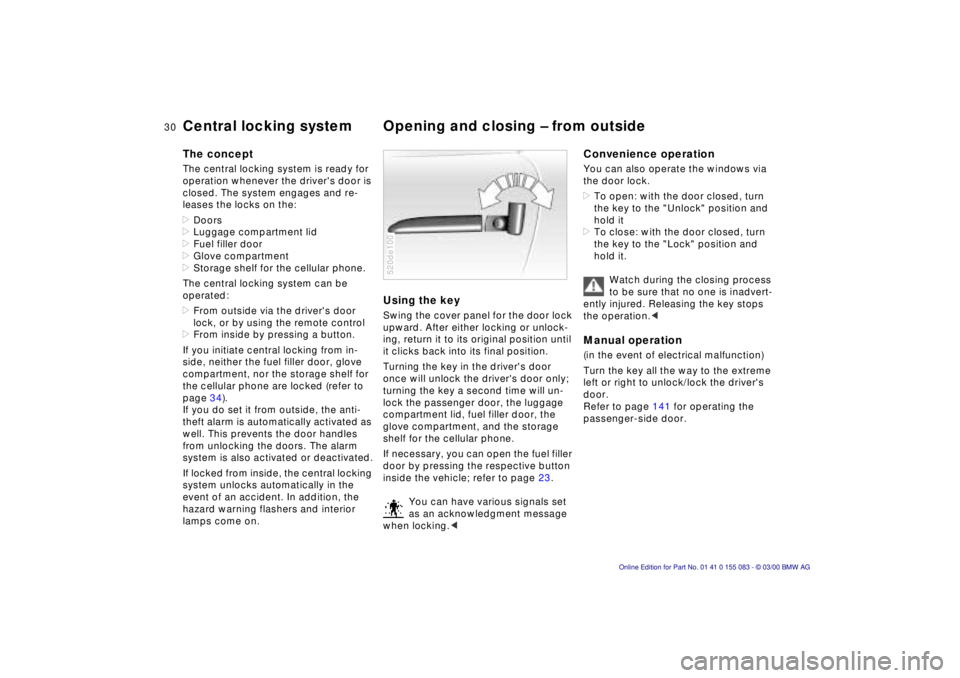
Using the keySwing the cover panel for the door lock
upward. After either locking or unlock-
ing, return it to its original position until
it clicks back into its final position.
Turning the key in the driver's door
once will unlock the driver's door only;
turning the key a second time will un-
lock the passenger door, the luggage
compartment lid, fuel filler door, the
glove compartment, and the storage
shelf for the cellular phone.
If necessary, you can open the fuel filler
door by pressing the respective button
inside the vehicle; refer to page 23.
You can have various signals set
as an acknowledgment message
when locking.<520de100
Convenience operationYou can also operate the windows via
the door lock.
>To open: with the door closed, turn
the key to the "Unlock" position and
hold it
>To close: with the door closed, turn
the key to the "Lock" position and
hold it.
Watch during the closing process
to be sure that no one is inadvert-
ently injured. Releasing the key stops
the operation.
left or right to unlock/lock the driver's
door.
Refer to page 141 for operating the
passenger-side door.
Page 33 of 172
32n
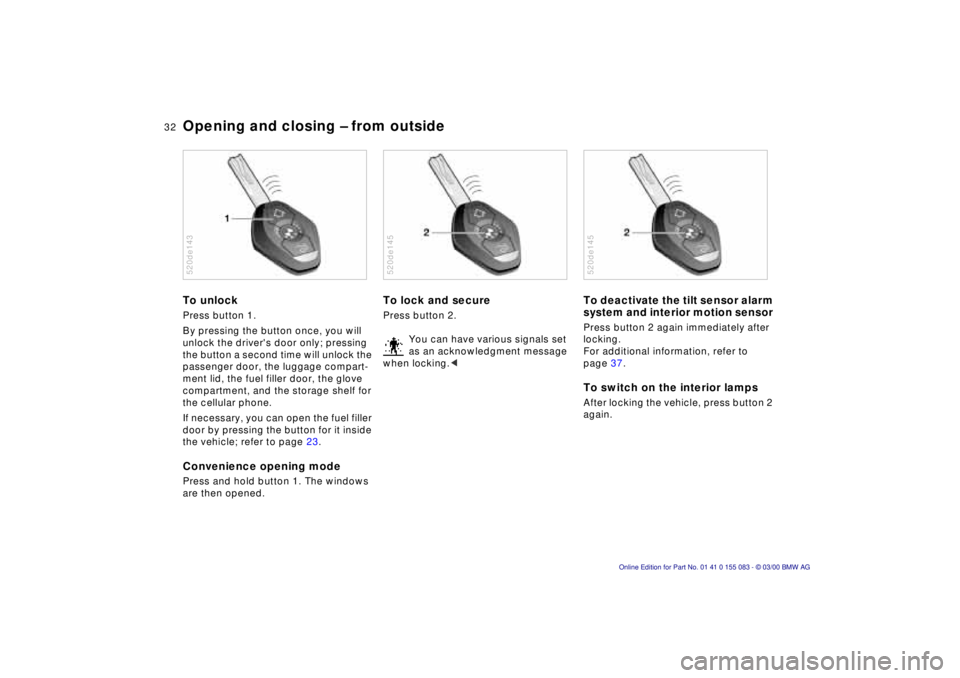
Opening and closing Ð from outsideTo unlock Press button 1.
By pressing the button once, you will
unlock the driver's door only; pressing
the button a second time will unlock the
passenger door, the luggage compart-
ment lid, the fuel filler door, the glove
compartment, and the storage shelf for
the cellular phone.
If necessary, you can open the fuel filler
door by pressing the button for it inside
the vehicle; refer to page 23.Convenience opening modePress and hold button 1. The windows
are then opened.520de143
To lock and secure Press button 2.
You can have various signals set
as an acknowledgment message
when locking.<520de145
To deactivate the tilt sensor alarm
system and interior motion sensor Press button 2 again immediately after
locking.
For additional information, refer to
page 37.To switch on the interior lamps After locking the vehicle, press button 2
again.520de145
Page 36 of 172
35n
IndexDataTechnologyRepairsCar careControlsOverview
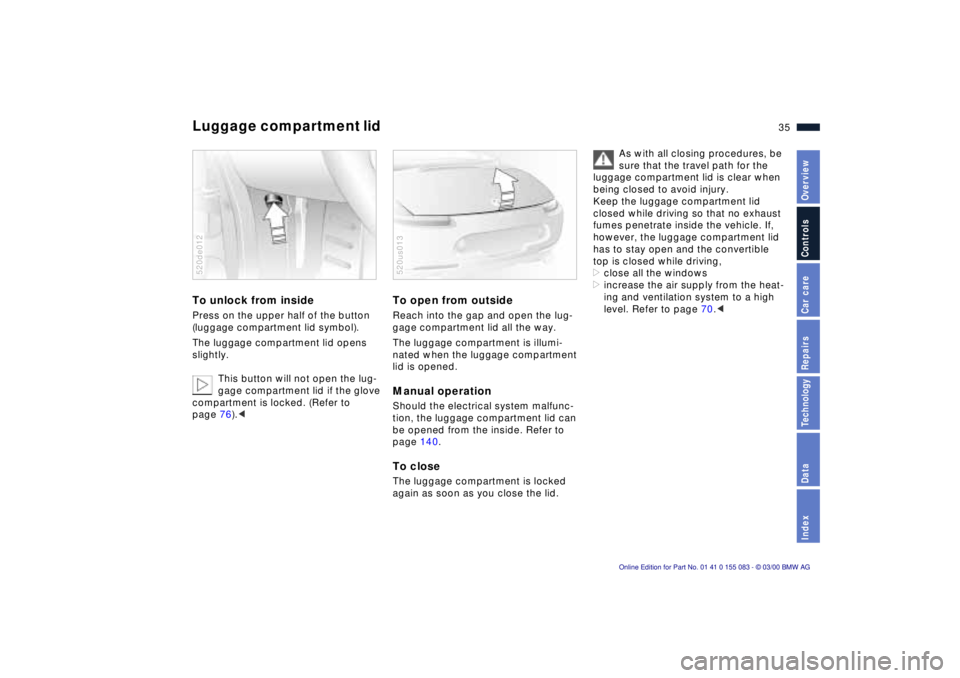
Luggage compartment lid To unlock from inside Press on the upper half of the button
(luggage compartment lid symbol).
The luggage compartment lid opens
slightly.
This button will not open the lug-
gage compartment lid if the glove
compartment is locked. (Refer to
page 76).<520de012
To open from outsideReach into the gap and open the lug-
gage compartment lid all the way.
The luggage compartment is illumi-
nated when the luggage compartment
lid is opened. Manual operation Should the electrical system malfunc-
tion, the luggage compartment lid can
be opened from the inside. Refer to
page 140. To close The luggage compartment is locked
again as soon as you close the lid.520us013
As with all closing procedures, be
sure that the travel path for the
luggage compartment lid is clear when
being closed to avoid injury.
Keep the luggage compartment lid
closed while driving so that no exhaust
fumes penetrate inside the vehicle. If,
however, the luggage compartment lid
has to stay open and the convertible
top is closed while driving,
>close all the windows
>increase the air supply from the heat-
ing and ventilation system to a high
level. Refer to page 70.<
Page 38 of 172

37n
IndexDataTechnologyRepairsCar careControlsOverview
Alarm system>If the indicator lamp flashes for
10 seconds when the system is dis-
armed, an attempted entry has been
detected in the period since the sys-
tem was armed.
Following triggering of an alarm, the
indicator lamp will flash continuously.Avoiding unintentional alarms The tilt alarm sensor and interior motion
sensor may be switched off at the same
time to prevent a false alarm from being
triggered (in garages with elevator
ramps, for instance), or when the vehi-
cle is transported by trailer or train:
Lock the vehicle twice (= arm the sys-
tem) by pressing button 2 on the re-
mote control twice in succession (refer
to page 32), or lock the vehicle twice
with the key (refer to page 30).
The indicator lamp lights up briefly and
then flashes continuously. The tilt alarm
sensor and the interior motion sensor
are deactivated as long as the system is
armed.
Interior motion sensorIn order for the interior motion sensor
to function properly, the windows and
the luggage compartment lid must be
closed.
Nevertheless, you should deactivate
the interior motion sensor (refer to the
previous column) if
>children or animals are left in the
vehicle
>windows should remain open.
For US vehicles only:
The interior motion sensor is not
installed on US models as it has not re-
ceived FCC (Federal Communications
Comission) approval.<
Page 39 of 172
38n
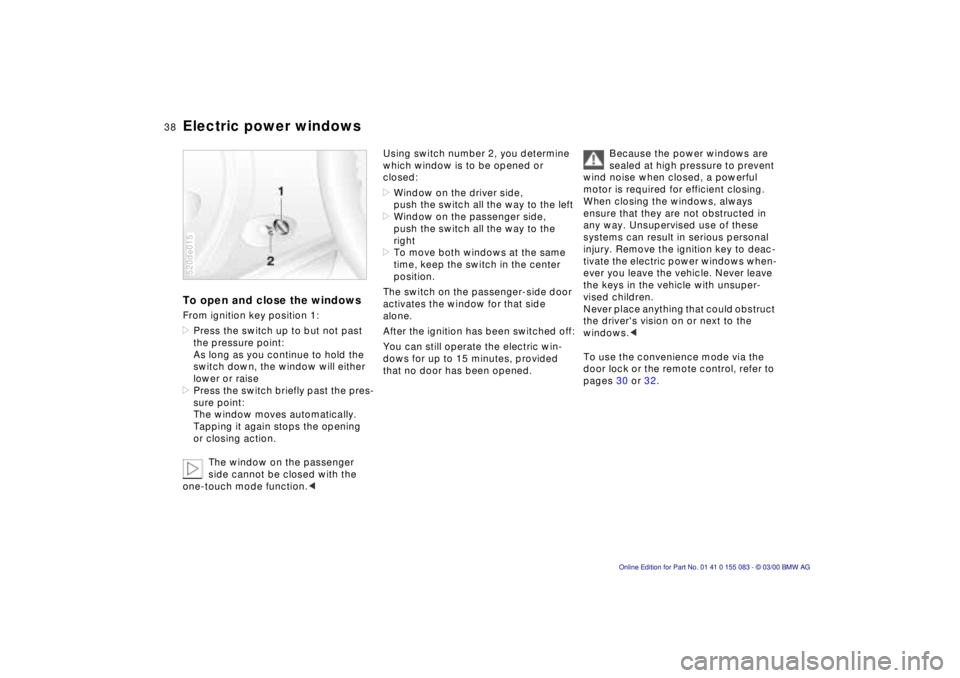
Electric power windowsTo open and close the windowsFrom ignition key position 1:
>Press the switch up to but not past
the pressure point:
As long as you continue to hold the
switch down, the window will either
lower or raise
>Press the switch briefly past the pres-
sure point:
The window moves automatically.
Tapping it again stops the opening
or closing action.
The window on the passenger
side cannot be closed with the
one-touch mode function.<520de015
Using switch number 2, you determine
which window is to be opened or
closed:
>Window on the driver side,
push the switch all the way to the left
>Window on the passenger side,
push the switch all the way to the
right
>To move both windows at the same
time, keep the switch in the center
position.
The switch on the passenger-side door
activates the window for that side
alone.
After the ignition has been switched off:
You can still operate the electric win-
dows for up to 15 minutes, provided
that no door has been opened. Because the power windows are
sealed at high pressure to prevent
wind noise when closed, a powerful
motor is required for efficient closing.
When closing the windows, always
ensure that they are not obstructed in
any way. Unsupervised use of these
systems can result in serious personal
injury. Remove the ignition key to deac-
tivate the electric power windows when-
ever you leave the vehicle. Never leave
the keys in the vehicle with unsuper-
vised children.
Never place anything that could obstruct
the driver's vision on or next to the
windows.<
To use the convenience mode via the
door lock or the remote control, refer to
pages 30 or 32.
Page 42 of 172
41n
IndexDataTechnologyRepairsCar careControlsOverview
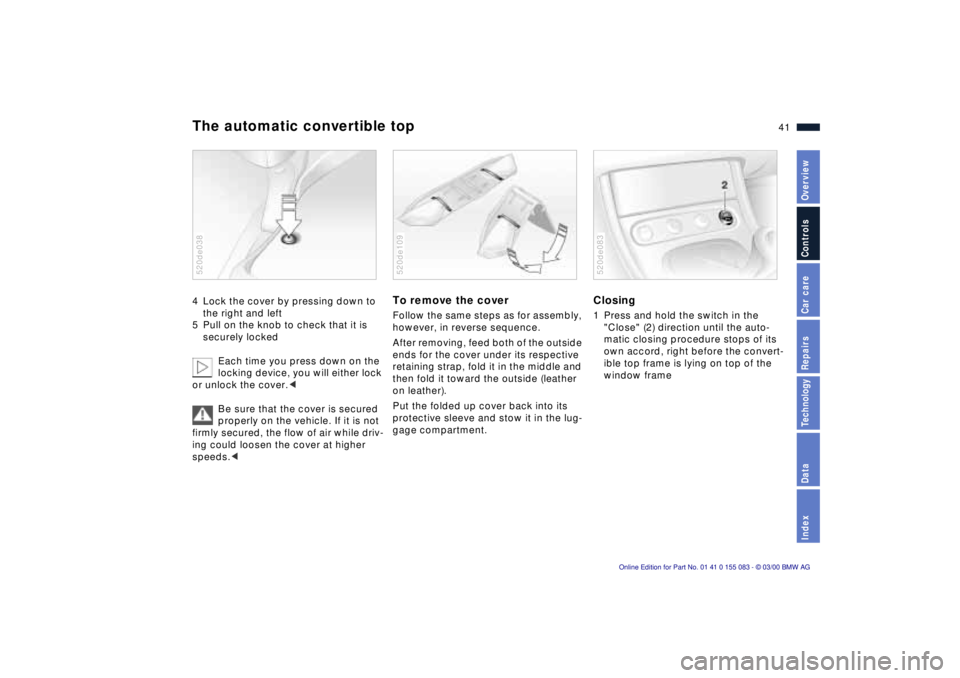
The automatic convertible top4 Lock the cover by pressing down to
the right and left
5 Pull on the knob to check that it is
securely locked
Each time you press down on the
locking device, you will either lock
or unlock the cover.<
Be sure that the cover is secured
properly on the vehicle. If it is not
firmly secured, the flow of air while driv-
ing could loosen the cover at higher
speeds.<520de038
To remove the cover Follow the same steps as for assembly,
however, in reverse sequence.
After removing, feed both of the outside
ends for the cover under its respective
retaining strap, fold it in the middle and
then fold it toward the outside (leather
on leather).
Put the folded up cover back into its
protective sleeve and stow it in the lug-
gage compartment.520de109
Closing1 Press and hold the switch in the
"Close" (2) direction until the auto-
matic closing procedure stops of its
own accord, right before the convert-
ible top frame is lying on top of the
window frame520de083