key BMW Z8 2001 Owner's Manual
[x] Cancel search | Manufacturer: BMW, Model Year: 2001, Model line: Z8, Model: BMW Z8 2001Pages: 170, PDF Size: 1.64 MB
Page 58 of 170
58n
Manual transmission
Turn signal/Headlamp flasher
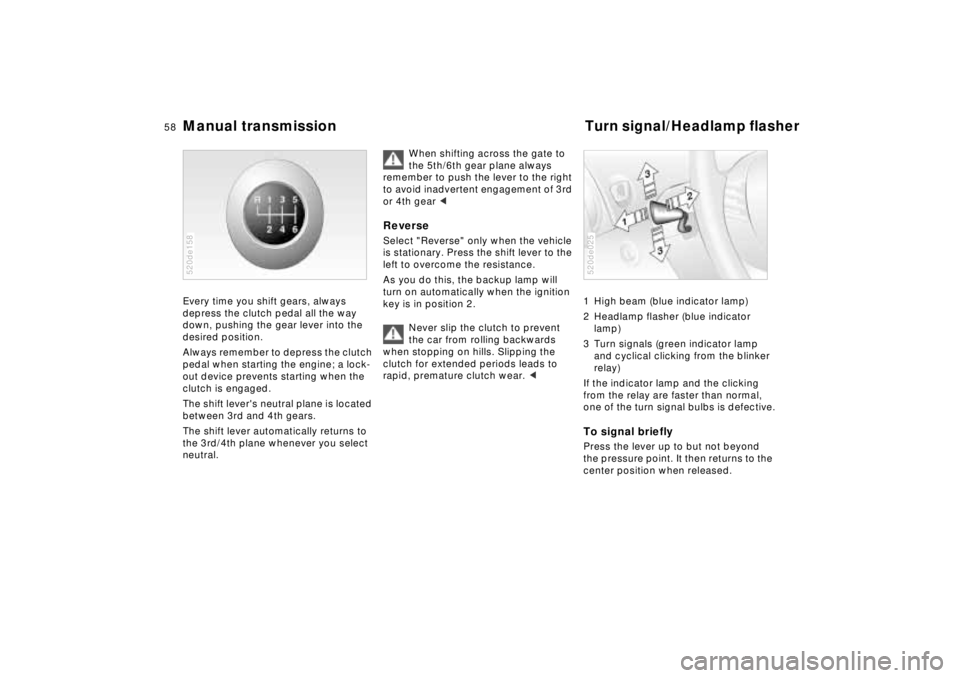
Every time you shift gears, always
depress the clutch pedal all the way
down, pushing the gear lever into the
desired position.
Always remember to depress the clutch
pedal when starting the engine; a lock-
out device prevents starting when the
clutch is engaged.
The shift lever's neutral plane is located
between 3rd and 4th gears.
The shift lever automatically returns to
the 3rd/4th plane whenever you select
neutral. 520de158
When shifting across the gate to
the 5th/6th gear plane always
remember to push the lever to the right
to avoid inadvertent engagement of 3rd
or 4th gear <
Reverse Select "Reverse" only when the vehicle
is stationary. Press the shift lever to the
left to overcome the resistance.
As you do this, the backup lamp will
turn on automatically when the ignition
key is in position 2.
Never slip the clutch to prevent
the car from rolling backwards
when stopping on hills. Slipping the
clutch for extended periods leads to
rapid, premature clutch wear. <
1 High beam (blue indicator lamp)
2 Headlamp flasher (blue indicator
lamp)
3 Turn signals (green indicator lamp
and cyclical clicking from the blinker
relay)
If the indicator lamp and the clicking
from the relay are faster than normal,
one of the turn signal bulbs is defective.To signal brieflyPress the lever up to but not beyond
the pressure point. It then returns to the
center position when released.520de025
Page 59 of 170
59n
IndexDataTechnologyRepairsCar careControlsOverview
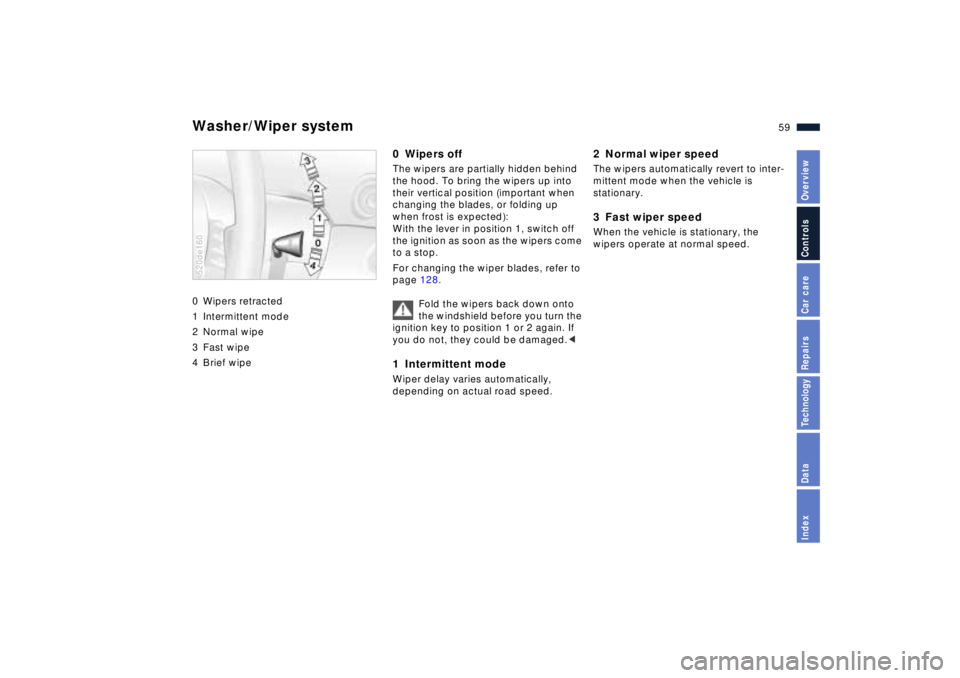
Washer/Wiper system 0 Wipers retracted
1 Intermittent mode
2 Normal wipe
3 Fast wipe
4 Brief wipe520de160
0 Wipers offThe wipers are partially hidden behind
the hood. To bring the wipers up into
their vertical position (important when
changing the blades, or folding up
when frost is expected):
With the lever in position 1, switch off
the ignition as soon as the wipers come
to a stop.
For changing the wiper blades, refer to
page 128.
Fold the wipers back down onto
the windshield before you turn the
ignition key to position 1 or 2 again. If
you do not, they could be damaged.<1 Intermittent mode Wiper delay varies automatically,
depending on actual road speed.
2 Normal wiper speedThe wipers automatically revert to inter-
mittent mode when the vehicle is
stationary.3 Fast wiper speedWhen the vehicle is stationary, the
wipers operate at normal speed.
Page 60 of 170
60n
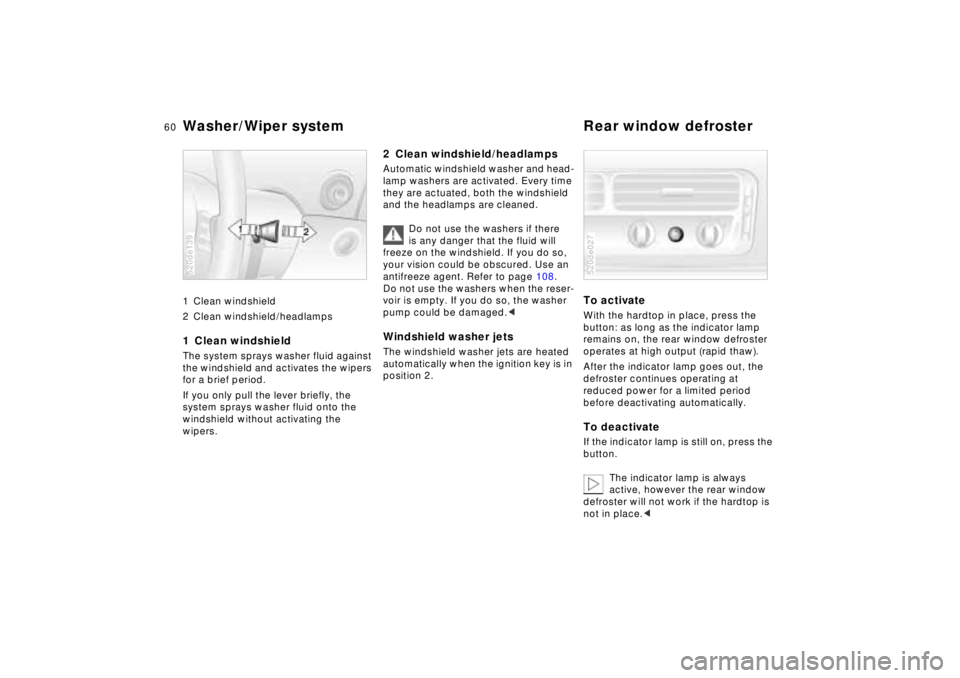
Washer/Wiper system Rear window defroster 1 Clean windshield
2 Clean windshield/headlamps 1 Clean windshield The system sprays washer fluid against
the windshield and activates the wipers
for a brief period.
If you only pull the lever briefly, the
system sprays washer fluid onto the
windshield without activating the
wipers.520de139
2 Clean windshield/headlamps Automatic windshield washer and head-
lamp washers are activated. Every time
they are actuated, both the windshield
and the headlamps are cleaned.
Do not use the washers if there
is any danger that the fluid will
freeze on the windshield. If you do so,
your vision could be obscured. Use an
antifreeze agent. Refer to page 108.
Do not use the washers when the reser-
voir is empty. If you do so, the washer
pump could be damaged.
position 2.
To activateWith the hardtop in place, press the
button: as long as the indicator lamp
remains on, the rear window defroster
operates at high output (rapid thaw).
After the indicator lamp goes out, the
defroster continues operating at
reduced power for a limited period
before deactivating automatically. To deactivateIf the indicator lamp is still on, press the
button.
The indicator lamp is always
active, however the rear window
defroster will not work if the hardtop is
not in place.<520de027
Page 61 of 170
61n
IndexDataTechnologyRepairsCar careControlsOverview
Cruise control You can store and automatically main-
tain any desired vehicle speed above
approx. 20 mph (30 km/h).
Refrain from using the cruise
control on twisting roads, when
high traffic density prevents driving at a
constant speed, and when driving on
slippery (snow, rain, ice) or loose
(gravel, sand) road surfaces.< 520de061
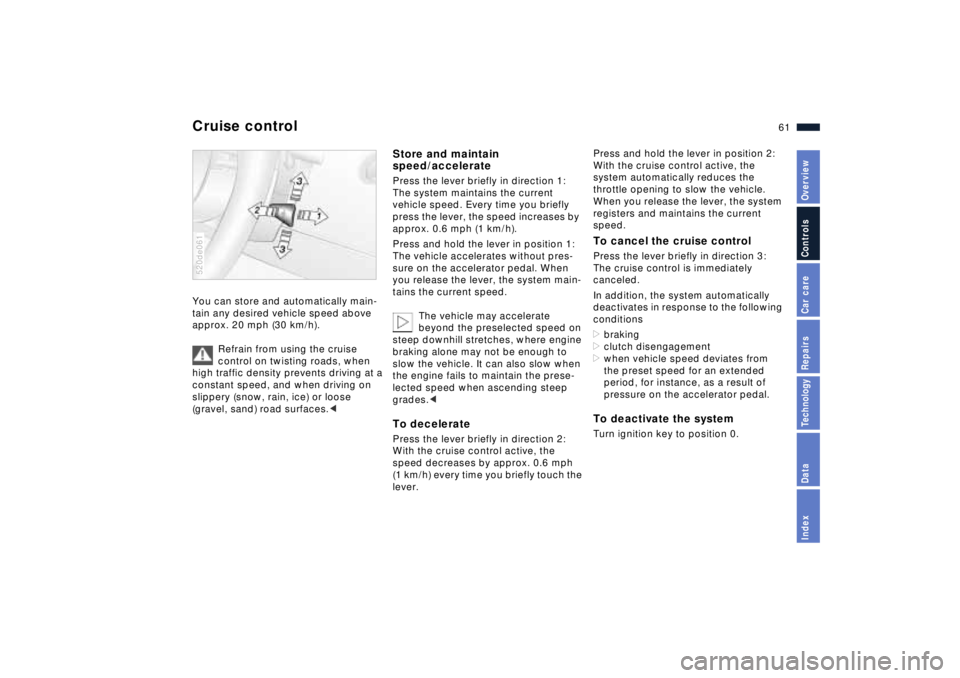
Store and maintain
speed/acceleratePress the lever briefly in direction 1:
The system maintains the current
vehicle speed. Every time you briefly
press the lever, the speed increases by
approx. 0.6 mph (1 km/h).
Press and hold the lever in position 1:
The vehicle accelerates without pres-
sure on the accelerator pedal. When
you release the lever, the system main-
tains the current speed.
The vehicle may accelerate
beyond the preselected speed on
steep downhill stretches, where engine
braking alone may not be enough to
slow the vehicle. It can also slow when
the engine fails to maintain the prese-
lected speed when ascending steep
grades.< To deceleratePress the lever briefly in direction 2:
With the cruise control active, the
speed decreases by approx. 0.6 mph
(1 km/h) every time you briefly touch the
lever.
Press and hold the lever in position 2:
With the cruise control active, the
system automatically reduces the
throttle opening to slow the vehicle.
When you release the lever, the system
registers and maintains the current
speed.To cancel the cruise controlPress the lever briefly in direction 3:
The cruise control is immediately
canceled.
In addition, the system automatically
deactivates in response to the following
conditions
>braking
>clutch disengagement
>when vehicle speed deviates from
the preset speed for an extended
period, for instance, as a result of
pressure on the accelerator pedal. To deactivate the system Turn ignition key to position 0.
Page 62 of 170
62n
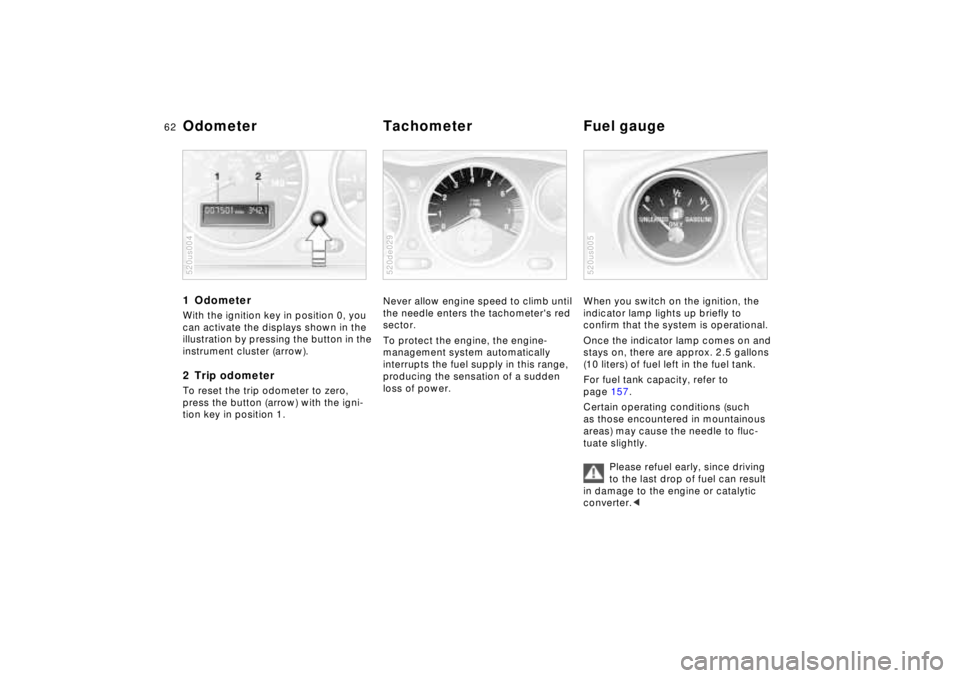
1 Odometer With the ignition key in position 0, you
can activate the displays shown in the
illustration by pressing the button in the
instrument cluster (arrow).2 Trip odometerTo reset the trip odometer to zero,
press the button (arrow) with the igni-
tion key in position 1.520us004
Never allow engine speed to climb until
the needle enters the tachometer's red
sector.
To protect the engine, the engine-
management system automatically
interrupts the fuel supply in this range,
producing the sensation of a sudden
loss of power.520de029
When you switch on the ignition, the
indicator lamp lights up briefly to
confirm that the system is operational.
Once the indicator lamp comes on and
stays on, there are approx. 2.5 gallons
(10 liters) of fuel left in the fuel tank.
For fuel tank capacity, refer to
page 157.
Certain operating conditions (such
as those encountered in mountainous
areas) may cause the needle to fluc-
tuate slightly.
Please refuel early, since driving
to the last drop of fuel can result
in damage to the engine or catalytic
converter.<520us005
Odometer Tachometer Fuel gauge
Page 63 of 170
63n
IndexDataTechnologyRepairsCar careControlsOverview
Coolant temperature gauge Service Interval Display BlueThe engine is still cold. Drive at
moderate engine and vehicle speeds.RedWhen you switch on the ignition, the
warning lamp comes on briefly to
confirm that the system is operational.
If the lamp comes on in the course of
normal vehicle operation, the engine
has overheated. Turn it off immediately
and let it cool down.520de031
Between the blue and red zonesNormal operating range. It is not
unusual for the needle to rise as far as
the edge of the red zone in response
to high outside temperatures or severe
operating conditions.
For checking coolant level, refer to
page 111.
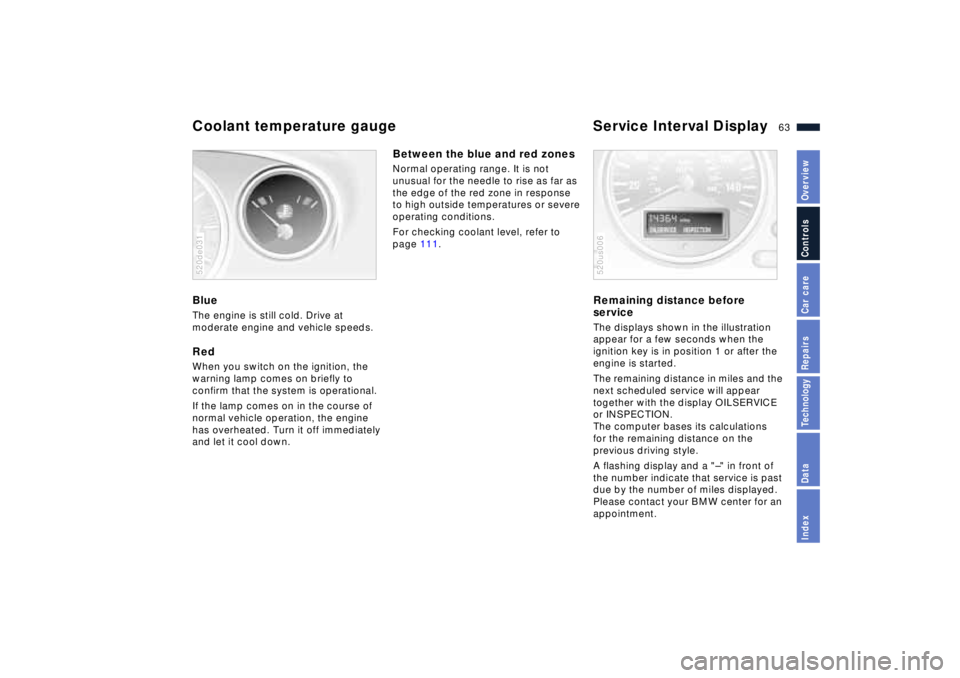
Remaining distance before
serviceThe displays shown in the illustration
appear for a few seconds when the
ignition key is in position 1 or after the
engine is started.
The remaining distance in miles and the
next scheduled service will appear
together with the display OILSERVICE
or INSPECTION.
The computer bases its calculations
for the remaining distance on the
previous driving style.
A flashing display and a "Ð" in front of
the number indicate that service is past
due by the number of miles displayed.
Please contact your BMW center for an
appointment.520us006
Page 64 of 170
64n
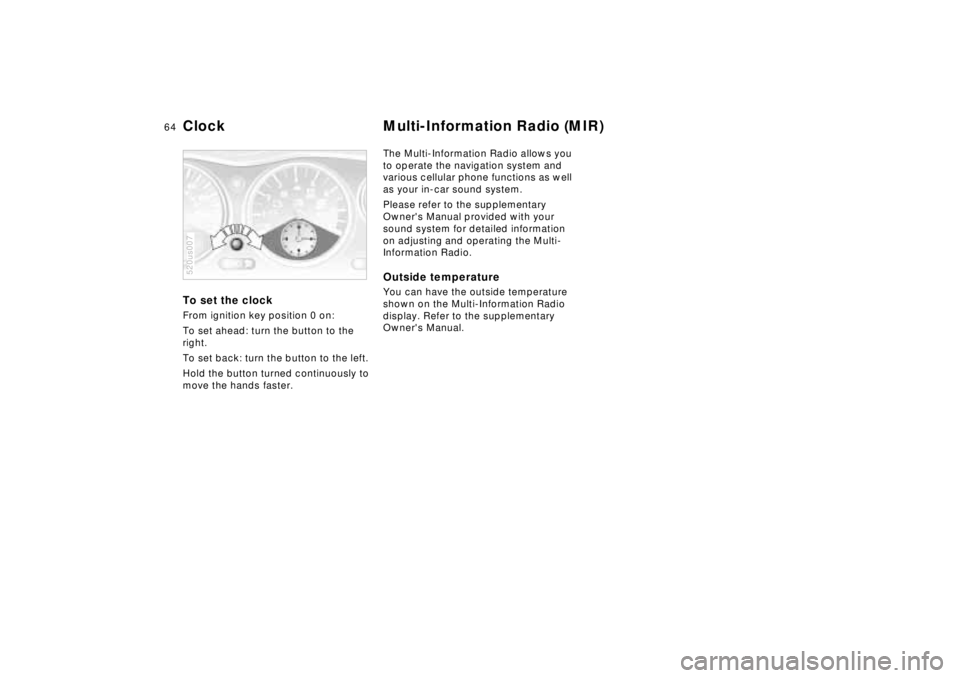
To set the clock From ignition key position 0 on:
To set ahead: turn the button to the
right.
To set back: turn the button to the left.
Hold the button turned continuously to
move the hands faster.520us007
The Multi-Information Radio allows you
to operate the navigation system and
various cellular phone functions as well
as your in-car sound system.
Please refer to the supplementary
Owner's Manual provided with your
sound system for detailed information
on adjusting and operating the Multi-
Information Radio. Outside temperature You can have the outside temperature
shown on the Multi-Information Radio
display. Refer to the supplementary
Owner's Manual.
Clock Multi-Information Radio (MIR)
Page 67 of 170
67n
IndexDataTechnologyRepairsCar careControlsOverview
Tire Pressure Warning (RDW)The conceptRDW monitors the tire pressure in all
four wheels while driving. The system
provides an alert whenever the inflation
pressure drops significantly in one of
the tires.
For RDW to "learn" the correct tire infla-
tion pressure, check the inflation pres-
sure in all tires, comparing them with
the values in the inflation pressure table
(refer to page 27), and make correc-
tions as necessary. Then activate the
system.
The indicator lamp within the in-
strument cluster flashes to alert
you to substantial pressure loss
in any of the tires.
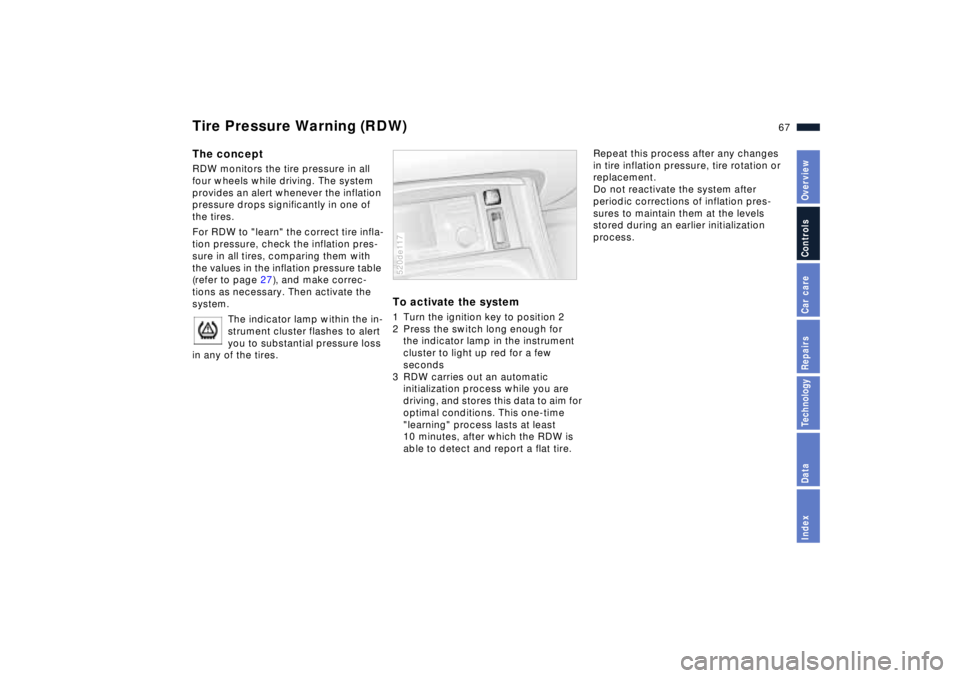
To activate the system 1 Turn the ignition key to position 2
2 Press the switch long enough for
the indicator lamp in the instrument
cluster to light up red for a few
seconds
3 RDW carries out an automatic
initialization process while you are
driving, and stores this data to aim for
optimal conditions. This one-time
"learning" process lasts at least
10 minutes, after which the RDW is
able to detect and report a flat tire.520de117
Repeat this process after any changes
in tire inflation pressure, tire rotation or
replacement.
Do not reactivate the system after
periodic corrections of inflation pres-
sures to maintain them at the levels
stored during an earlier initialization
process.
Page 69 of 170
69n
IndexDataTechnologyRepairsCar careControlsOverview
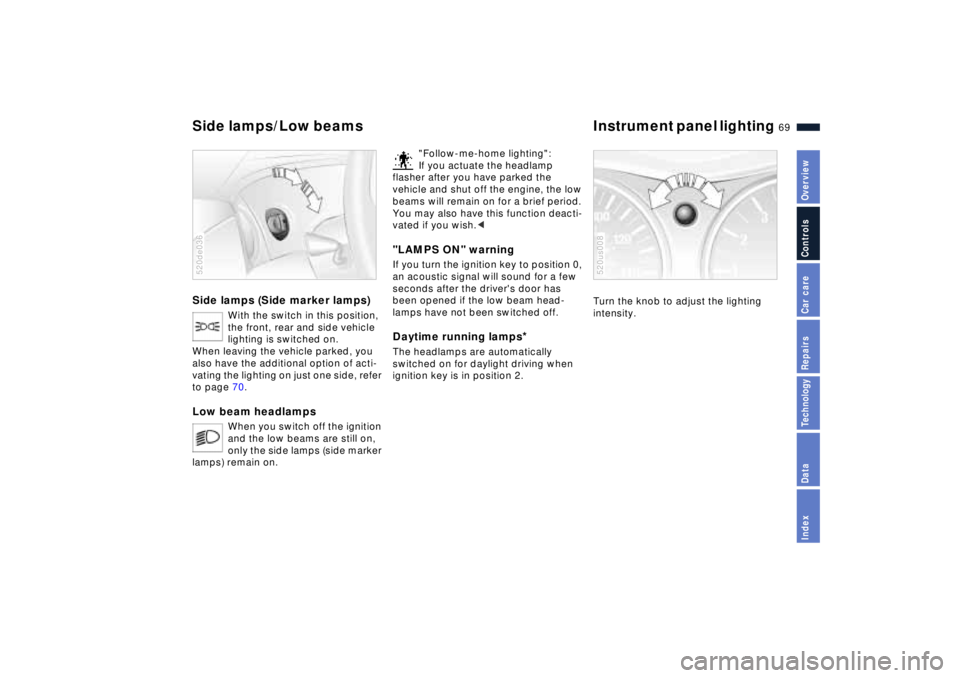
Side lamps (Side marker lamps)
With the switch in this position,
the front, rear and side vehicle
lighting is switched on.
When leaving the vehicle parked, you
also have the additional option of acti-
vating the lighting on just one side, refer
to page 70.
Low beam headlamps
When you switch off the ignition
and the low beams are still on,
only the side lamps (side marker
lamps) remain on.
520de036
"Follow-me-home lighting":
If you actuate the headlamp
flasher after you have parked the
vehicle and shut off the engine, the low
beams will remain on for a brief period.
You may also have this function deacti-
vated if you wish.<
"LAMPS ON" warningIf you turn the ignition key to position 0,
an acoustic signal will sound for a few
seconds after the driver's door has
been opened if the low beam head-
lamps have not been switched off.Daytime running lamps
*
The headlamps are automatically
switched on for daylight driving when
ignition key is in position 2.
Turn the knob to adjust the lighting
intensity.520us008
Side lamps/Low beams Instrument panel lighting
Page 70 of 170
70n
High beams/Parking lamps
Rear fog lamp Interior lamps
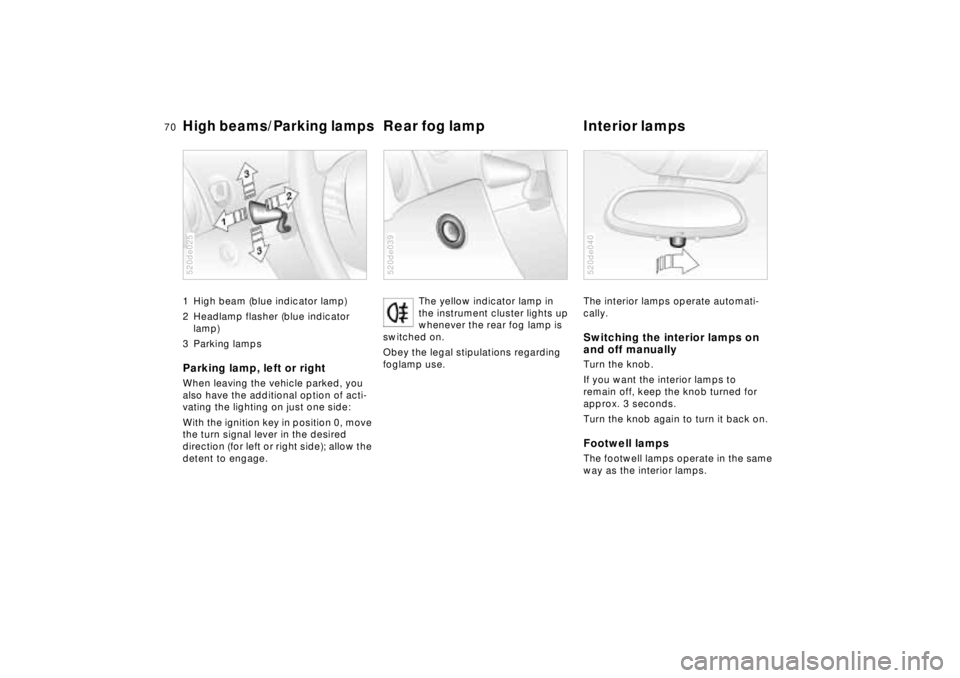
1 High beam (blue indicator lamp)
2 Headlamp flasher (blue indicator
lamp)
3 Parking lampsParking lamp, left or rightWhen leaving the vehicle parked, you
also have the additional option of acti-
vating the lighting on just one side:
With the ignition key in position 0, move
the turn signal lever in the desired
direction (for left or right side); allow the
detent to engage.520de025
The yellow indicator lamp in
the instrument cluster lights up
whenever the rear fog lamp is
switched on.
Obey the legal stipulations regarding
foglamp use.
520de039
The interior lamps operate automati-
cally.Switching the interior lamps on
and off manuallyTurn the knob.
If you want the interior lamps to
remain off, keep the knob turned for
approx. 3 seconds.
Turn the knob again to turn it back on.Footwell lampsThe footwell lamps operate in the same
way as the interior lamps.520de040