light BMW Z8 2002 User Guide
[x] Cancel search | Manufacturer: BMW, Model Year: 2002, Model line: Z8, Model: BMW Z8 2002Pages: 174, PDF Size: 2.37 MB
Page 43 of 174
43n
IndexDataTechnologyRepairsCar careControlsOverview
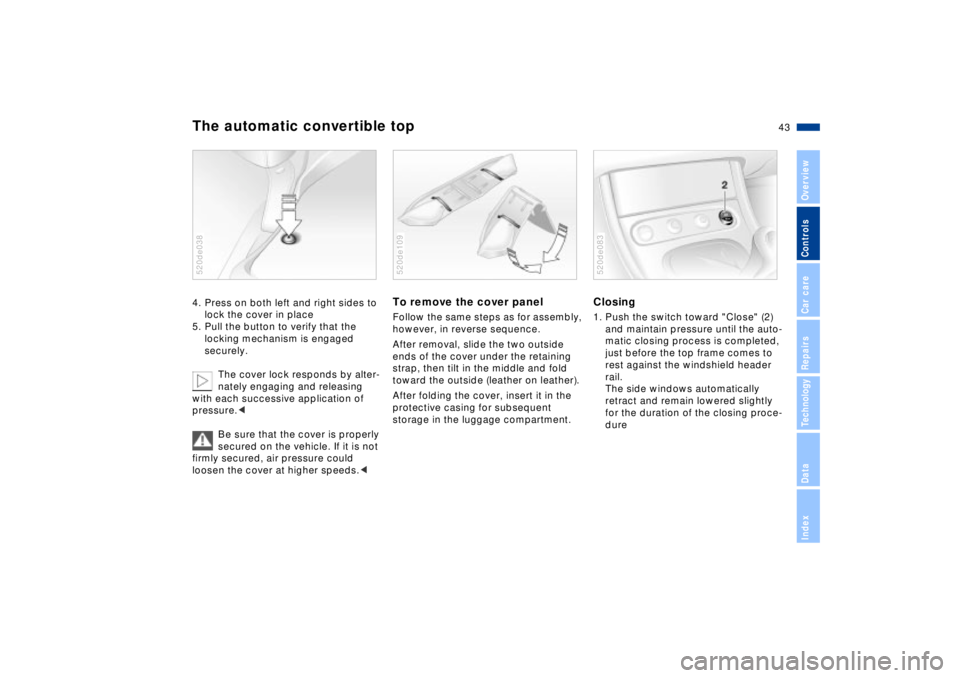
The automatic convertible top4. Press on both left and right sides to
lock the cover in place
5. Pull the button to verify that the
locking mechanism is engaged
securely.
The cover lock responds by alter-
nately engaging and releasing
with each successive application of
pressure.<
Be sure that the cover is properly
secured on the vehicle. If it is not
firmly secured, air pressure could
loosen the cover at higher speeds.<520de038
To remove the cover panelFollow the same steps as for assembly,
however, in reverse sequence.
After removal, slide the two outside
ends of the cover under the retaining
strap, then tilt in the middle and fold
toward the outside (leather on leather).
After folding the cover, insert it in the
protective casing for subsequent
storage in the luggage compartment.520de109
Closing1. Push the switch toward "Close" (2)
and maintain pressure until the auto-
matic closing process is completed,
just before the top frame comes to
rest against the windshield header
rail.
The side windows automatically
retract and remain lowered slightly
for the duration of the closing proce-
dure520de083
Page 45 of 174
45n
IndexDataTechnologyRepairsCar careControlsOverview
For maximum safety when adjusting the
seating position, please observe the
following:
Never try to adjust your seat while
driving the vehicle. The seat could
respond with un unexpected move-
ment, and the ensuing loss of vehicle
control could lead to an accident.
Be sure that the safety belt remains
firmly against your body at all times. In
the event of a frontal impact, a loose lap
belt could slide over the hips, leading to
abdominal injury. In addition, the safety
belt's restraint effectiveness is reduced
if the belt is worn loosely.
Never ride with the backrest reclined to
an extreme angle (especially important
for the passenger to remember). If you
do so, there is a risk that you will slide
under the safety belt in an accident,
thus reducing the protection provided
by the safety belt.<
Correct sitting postureTo reduce strain on the spinal column,
sit all the way back in the seat and rest
your back fully against the backrest.
The ideal sitting posture is achieved
with your head extending from your
spine in a straight line.
For long-distance driving, you may wish
to increase the backrest tilt-angle
slightly to reduce muscular tension.
You should be able to grasp the
steering wheel at its highest point with
your arms slightly bent.
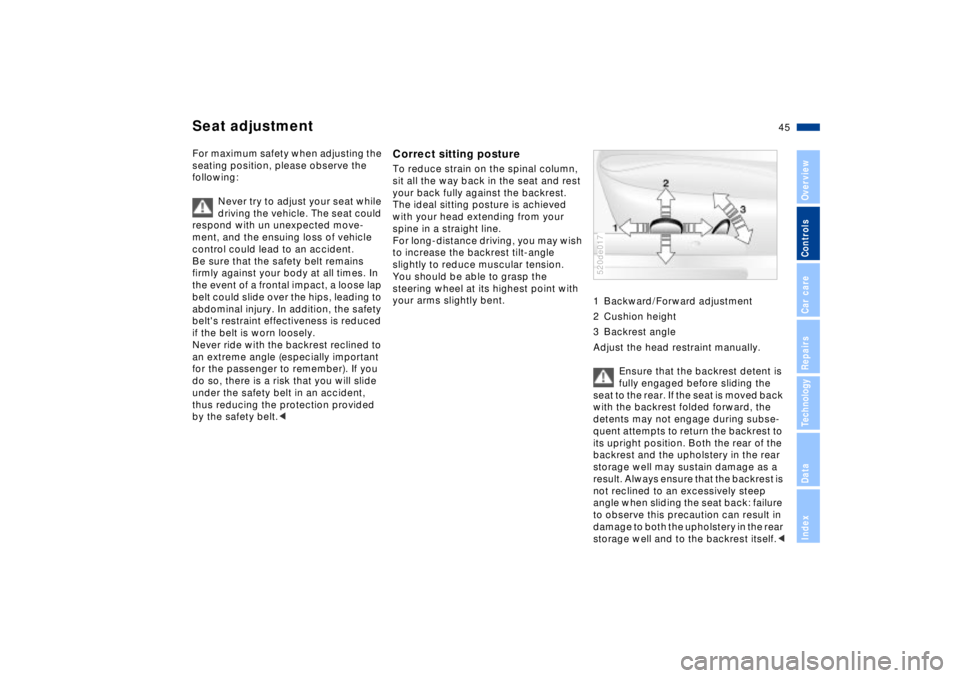
1 Backward/Forward adjustment
2 Cushion height
3 Backrest angle
Adjust the head restraint manually.
Ensure that the backrest detent is
fully engaged before sliding the
seat to the rear. If the seat is moved back
with the backrest folded forward, the
detents may not engage during subse-
quent attempts to return the backrest to
its upright position. Both the rear of the
backrest and the upholstery in the rear
storage well may sustain damage as a
result. Always ensure that the backrest is
not reclined to an excessively steep
angle when sliding the seat back: failure
to observe this precaution can result in
damage to both the upholstery in the rear
storage well and to the backrest itself.<
520de017
Seat adjustment
Page 48 of 174

48n
Mirrors Exterior mirrors1 Switch for 4-way adjustment
2 Selection switch for changing
between mirrors, switch either all the
way to the left or the right520de018
You can also adjust the mirrors manu-
ally by pressing against the outer edges
of their lenses.
When estimating the distance
between yourself and other traffic,
bear in mind that the objects reflected
in the mirror are closer than they
appear. This means that estimates of
the distance to following traffic should
not be regarded as precise.
tion 2.
Interior rearview mirror with
automatic dimmer This mirror automatically responds to
ambient light and headlight glare from
following vehicles by dimming through
an infinitely-variable range. The
dimming function is regulated by two
photocells; one is integrated in the
mirror's frame (arrow), while the other is
located at an offset position on the rear
of the mirror. 520de019
Page 51 of 174
51n
IndexDataTechnologyRepairsCar careControlsOverview
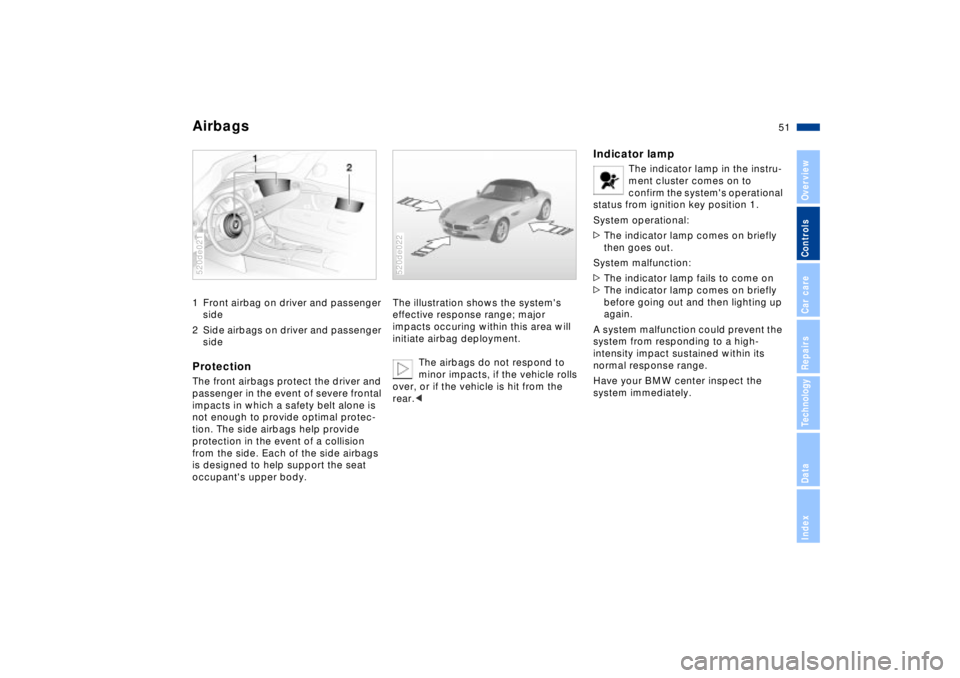
Airbags 1 Front airbag on driver and passenger
side
2 Side airbags on driver and passenger
sideProtectionThe front airbags protect the driver and
passenger in the event of severe frontal
impacts in which a safety belt alone is
not enough to provide optimal protec-
tion. The side airbags help provide
protection in the event of a collision
from the side. Each of the side airbags
is designed to help support the seat
occupant's upper body.520de021
The illustration shows the system's
effective response range; major
impacts occuring within this area will
initiate airbag deployment.
The airbags do not respond to
minor impacts, if the vehicle rolls
over, or if the vehicle is hit from the
rear.<520de022
Indicator lamp
The indicator lamp in the instru-
ment cluster comes on to
confirm the system's operational
status from ignition key position 1.
System operational:
>The indicator lamp comes on briefly
then goes out.
System malfunction:
>The indicator lamp fails to come on
>The indicator lamp comes on briefly
before going out and then lighting up
again.
A system malfunction could prevent the
system from responding to a high-
intensity impact sustained within its
normal response range.
Have your BMW center inspect the
system immediately.
Page 55 of 174
55n
IndexDataTechnologyRepairsCar careControlsOverview
Your vehicle is equipped with an elec-
trically powered steering lock mecha-
nism.To activate the electrical power
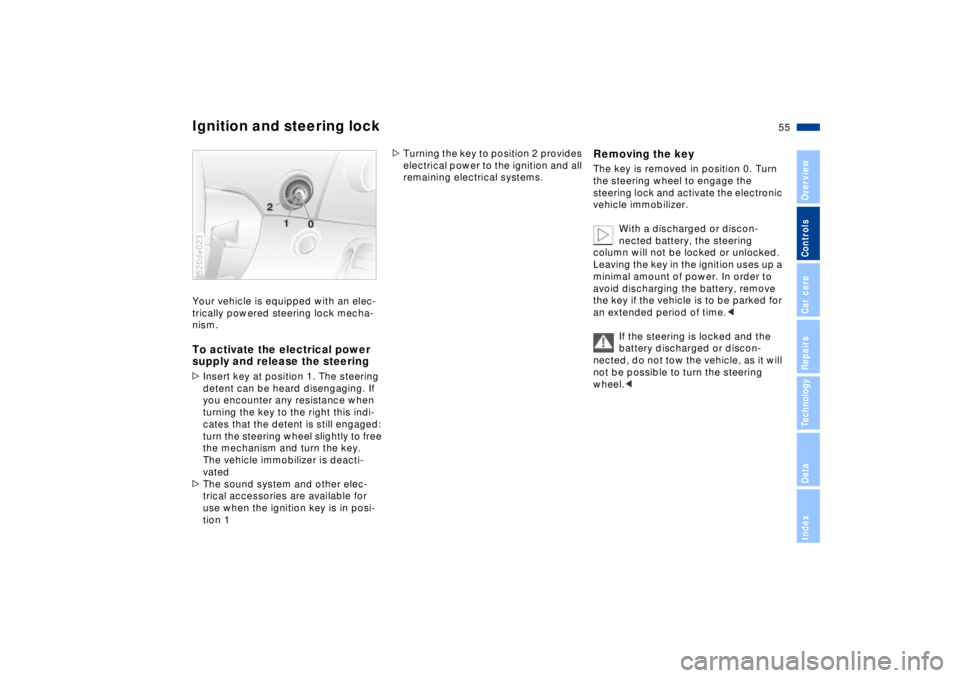
supply and release the steering>Insert key at position 1. The steering
detent can be heard disengaging. If
you encounter any resistance when
turning the key to the right this indi-
cates that the detent is still engaged:
turn the steering wheel slightly to free
the mechanism and turn the key.
The vehicle immobilizer is deacti-
vated
>The sound system and other elec-
trical accessories are available for
use when the ignition key is in posi-
tion 1 520de023
>Turning the key to position 2 provides
electrical power to the ignition and all
remaining electrical systems.
Removing the key The key is removed in position 0. Turn
the steering wheel to engage the
steering lock and activate the electronic
vehicle immobilizer.
With a discharged or discon-
nected battery, the steering
column will not be locked or unlocked.
Leaving the key in the ignition uses up a
minimal amount of power. In order to
avoid discharging the battery, remove
the key if the vehicle is to be parked for
an extended period of time.<
If the steering is locked and the
battery discharged or discon-
nected, do not tow the vehicle, as it will
not be possible to turn the steering
wheel.<
Ignition and steering lock
Page 57 of 174
57n
IndexDataTechnologyRepairsCar careControlsOverview
Switching off the engine Parking brake Turn ignition key to position 1 or 0.
Never remove the ignition key
while the vehicle is rolling. If you
do so, the ignition lock would engage
when the steering wheel is turned.
When you leave the vehicle, always
remove the ignition key and engage the
steering lock.
Always engage the parking brake when
parking on hills and inclined surfaces,
as first gear or reverse may not provide
adequate resistance to rolling.<
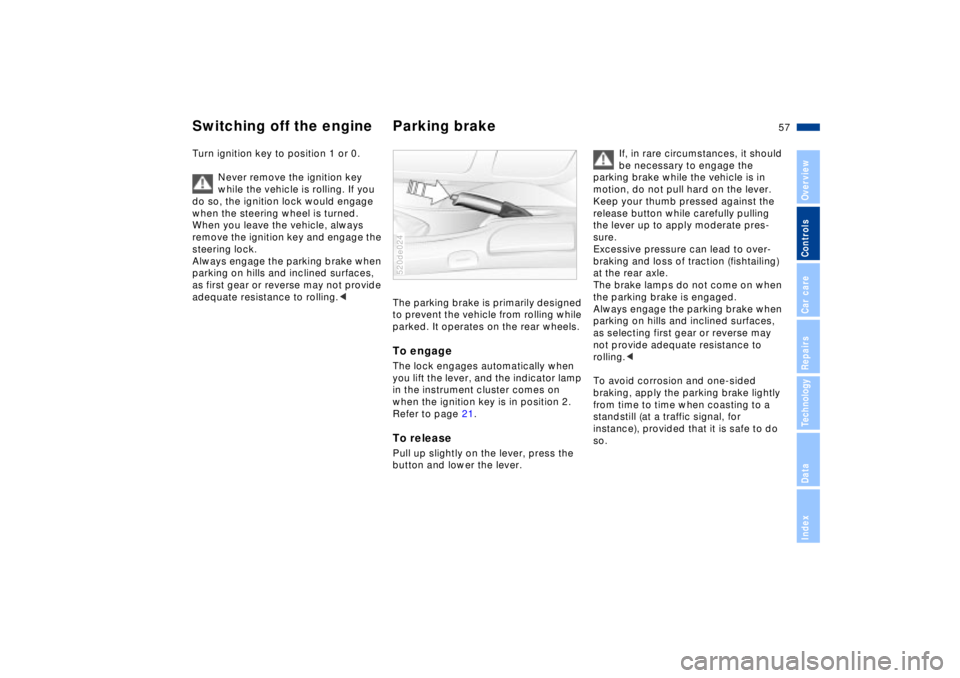
The parking brake is primarily designed
to prevent the vehicle from rolling while
parked. It operates on the rear wheels. To engage The lock engages automatically when
you lift the lever, and the indicator lamp
in the instrument cluster comes on
when the ignition key is in position 2.
Refer to page 21.To releasePull up slightly on the lever, press the
button and lower the lever. 520de024
If, in rare circumstances, it should
be necessary to engage the
parking brake while the vehicle is in
motion, do not pull hard on the lever.
Keep your thumb pressed against the
release button while carefully pulling
the lever up to apply moderate pres-
sure.
Excessive pressure can lead to over-
braking and loss of traction (fishtailing)
at the rear axle.
The brake lamps do not come on when
the parking brake is engaged.
Always engage the parking brake when
parking on hills and inclined surfaces,
as selecting first gear or reverse may
not provide adequate resistance to
rolling.<
To avoid corrosion and one-sided
braking, apply the parking brake lightly
from time to time when coasting to a
standstill (at a traffic signal, for
instance), provided that it is safe to do
so.
Page 62 of 174
62n
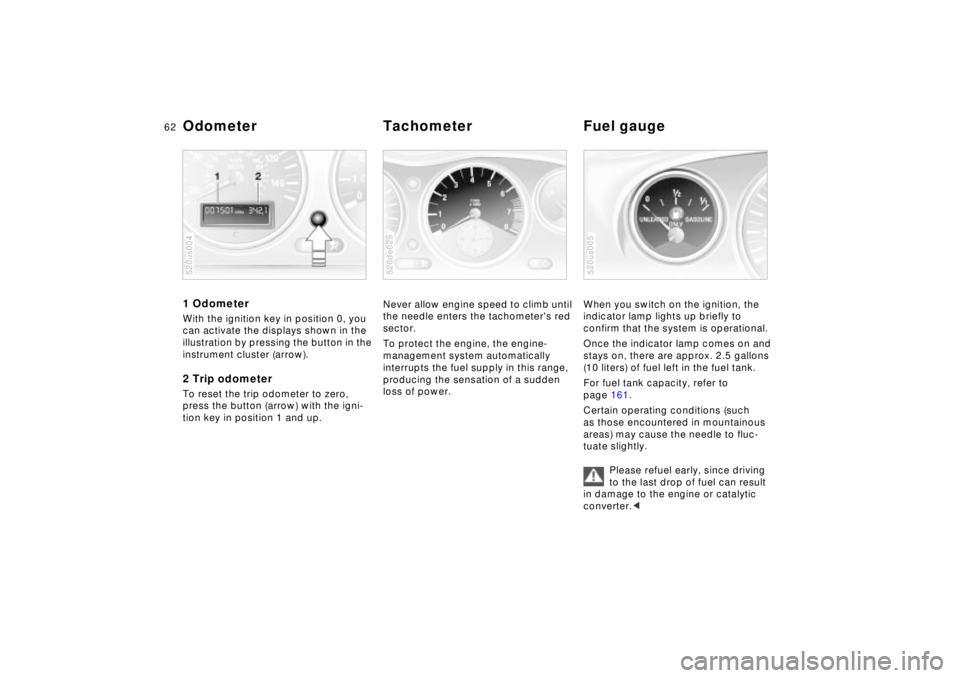
1 Odometer With the ignition key in position 0, you
can activate the displays shown in the
illustration by pressing the button in the
instrument cluster (arrow).2 Trip odometerTo reset the trip odometer to zero,
press the button (arrow) with the igni-
tion key in position 1 and up.520us004
Never allow engine speed to climb until
the needle enters the tachometer's red
sector.
To protect the engine, the engine-
management system automatically
interrupts the fuel supply in this range,
producing the sensation of a sudden
loss of power.520de029
When you switch on the ignition, the
indicator lamp lights up briefly to
confirm that the system is operational.
Once the indicator lamp comes on and
stays on, there are approx. 2.5 gallons
(10 liters) of fuel left in the fuel tank.
For fuel tank capacity, refer to
page 161.
Certain operating conditions (such
as those encountered in mountainous
areas) may cause the needle to fluc-
tuate slightly.
Please refuel early, since driving
to the last drop of fuel can result
in damage to the engine or catalytic
converter.<520us005
Odometer Tachometer Fuel gauge
Page 67 of 174
67n
IndexDataTechnologyRepairsCar careControlsOverview
Dynamic Performance Flat Tire MonitorSport mode recognitionActivating:
In ignition position 2, press the button.
The indicator lamp will come on.
Deactivating:
Whenever the indicator lamp is on, it
will go out if you press the button again.
The conceptThe Flat Tire Monitor keeps track of the
inflation pressures in all four wheels as
you drive. The system provides an alert
whenever the inflation pressure has
dropped significantly in one of the tires.
To initialize the Flat Tire Monitor with
the correct inflation pressures, start by
ensuring that all of the vehicle's tires
are inflated to the pressures specified
in the inflation pressure table on
page 27. Now you can activate the
system.
The indicator lamp within the
instrument cluster flashes to
alert you to substantial pres-
sure loss in any of the tires.
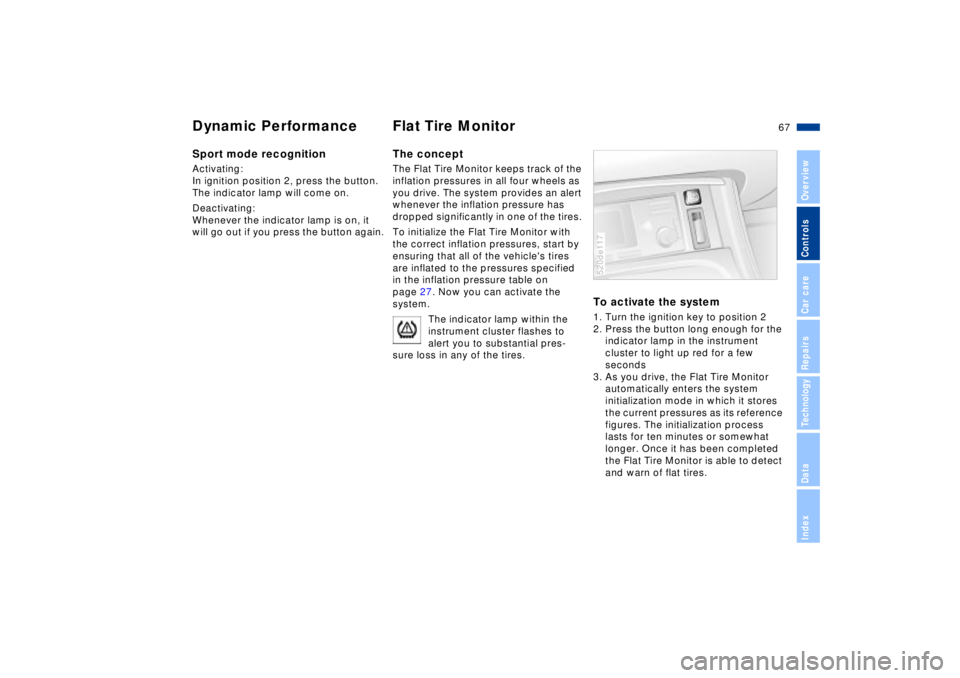
To activate the system1. Turn the ignition key to position 2
2. Press the button long enough for the
indicator lamp in the instrument
cluster to light up red for a few
seconds
3. As you drive, the Flat Tire Monitor
automatically enters the system
initialization mode in which it stores
the current pressures as its reference
figures. The initialization process
lasts for ten minutes or somewhat
longer. Once it has been completed
the Flat Tire Monitor is able to detect
and warn of flat tires.520de117
Page 69 of 174
69n
IndexDataTechnologyRepairsCar careControlsOverview
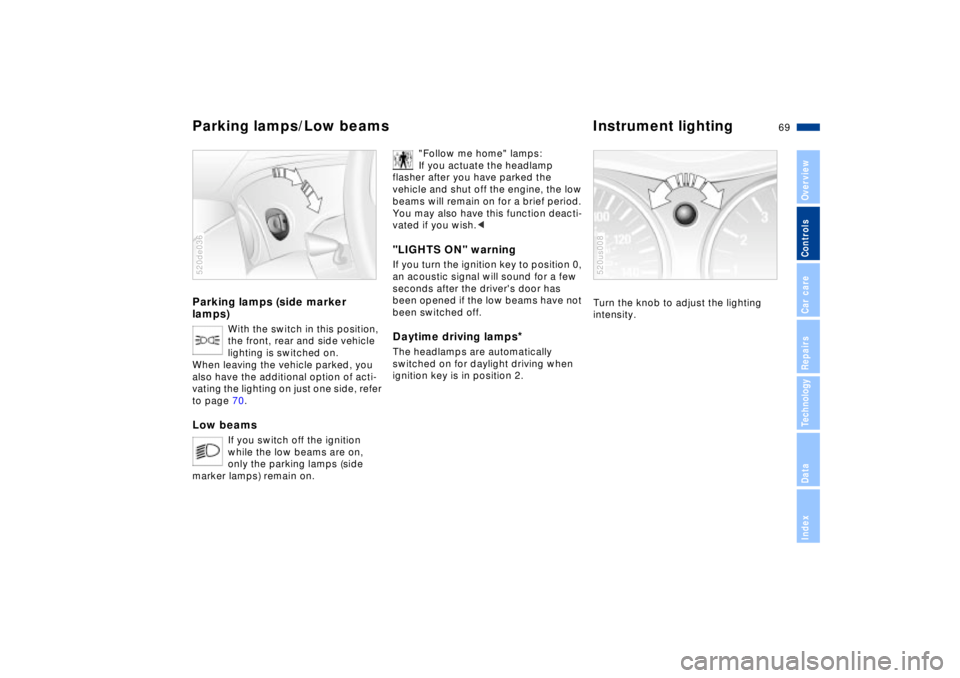
Parking lamps (side marker
lamps)
With the switch in this position,
the front, rear and side vehicle
lighting is switched on.
When leaving the vehicle parked, you
also have the additional option of acti-
vating the lighting on just one side, refer
to page 70.
Low beams
If you switch off the ignition
while the low beams are on,
only the parking lamps (side
marker lamps) remain on.
520de036
"Follow me home" lamps:
If you actuate the headlamp
flasher after you have parked the
vehicle and shut off the engine, the low
beams will remain on for a brief period.
You may also have this function deacti-
vated if you wish.<
"LIGHTS ON" warningIf you turn the ignition key to position 0,
an acoustic signal will sound for a few
seconds after the driver's door has
been opened if the low beams have not
been switched off.Daytime driving lamps
*
The headlamps are automatically
switched on for daylight driving when
ignition key is in position 2.
Turn the knob to adjust the lighting
intensity.520us008
Parking lamps/Low beams Instrument lighting
Page 70 of 174
70n
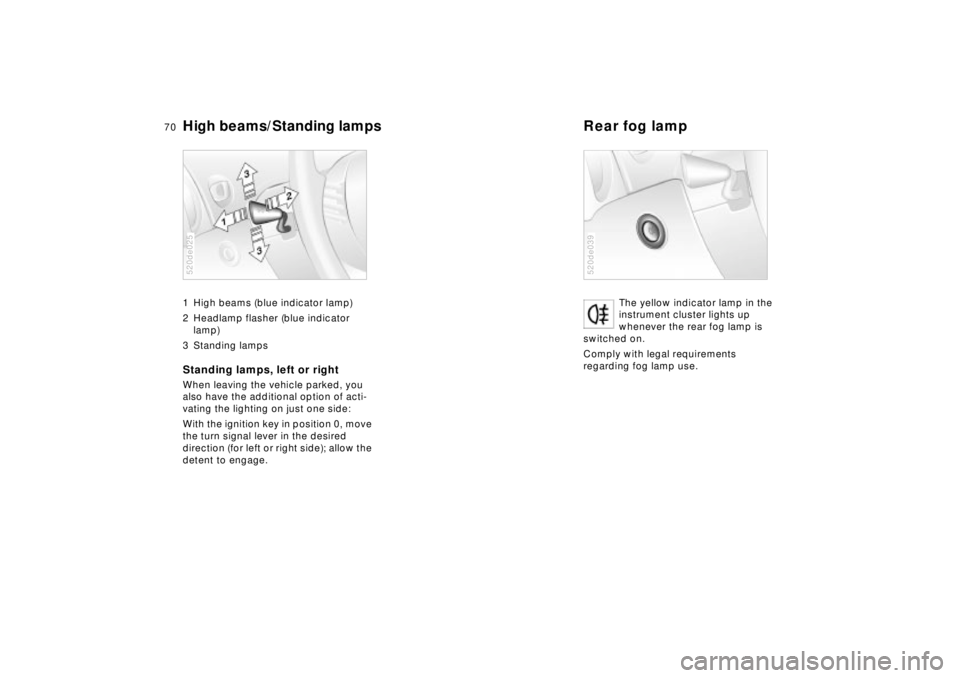
High beams/Standing lamps Rear fog lamp 1 High beams (blue indicator lamp)
2 Headlamp flasher (blue indicator
lamp)
3 Standing lampsStanding lamps, left or rightWhen leaving the vehicle parked, you
also have the additional option of acti-
vating the lighting on just one side:
With the ignition key in position 0, move
the turn signal lever in the desired
direction (for left or right side); allow the
detent to engage.520de025
The yellow indicator lamp in the
instrument cluster lights up
whenever the rear fog lamp is
switched on.
Comply with legal requirements
regarding fog lamp use.
520de039