door lock BUICK CASCADA 2018 Owner's Manual
[x] Cancel search | Manufacturer: BUICK, Model Year: 2018, Model line: CASCADA, Model: BUICK CASCADA 2018Pages: 303, PDF Size: 5.87 MB
Page 65 of 303

Buick Cascada Owner Manual (GMNA-Localizing-U.S-11373983) - 2018 -
CRC - 7/10/17
64 Seats and Restraints without airbag inflation, after an
event that exceeds a predetermined
threshold. After turning the ignition
off and then on again, the fuel
system will return to normal
operation; the doors can be locked,
the interior lamps can be turned off,
and the hazard warning flashers can
be turned off using the controls for
those features. If any of these
systems are damaged in the crash
they may not operate as normal.
{ WarningA crash severe enough to inflate
the airbags may have also
damaged important functions in
the vehicle, such as the fuel
system, brake and steering
systems, etc. Even if the vehicle
appears to be drivable after a
moderate crash, there may be
concealed damage that could
make it difficult to safely operate
the vehicle.
(Continued) Warning (Continued) Use caution if you should attempt
to restart the engine after a crash
has occurred.
In many crashes severe enough to
inflate the airbag, windshields are
broken by vehicle deformation.
Additional windshield breakage may
also occur from the front outboard
passenger airbag.
.
Airbags are designed to inflate
only once. After an airbag
inflates, you will need some new
parts for the airbag system.
If you do not get them, the
airbag system will not be there
to help protect you in another
crash. A new system will include
airbag modules and possibly
other parts. The service manual
for the vehicle covers the need
to replace other parts.
.
The vehicle has a crash sensing
and diagnostic module which
records information after a
crash. See Vehicle Data Recording and
Privacy 0 278 and Event Data
Recorders 0 278 .
.
Let only qualified technicians
work on the airbag system.
Improper service can mean that
the airbag system will not work
properly. See your dealer for
service.
Roll Bars
{ WarningVehicle rollovers are
unpredictable and dangerous
events that may result in injury or
death regardless of the roll bar or
any other feature. No feature can
fully protect an occupant in every
crash, including a rollover.
The roll bars are under covers
behind the rear head restraints. The
roll bars are designed to deploy if
the sensing system predicts that the
vehicle is about to roll over on its
side. In addition, the roll bars are
Page 94 of 303
Buick Cascada Owner Manual (GMNA-Localizing-U.S-11373983) - 2018 -
CRC - 7/10/17
Instruments and Controls 93
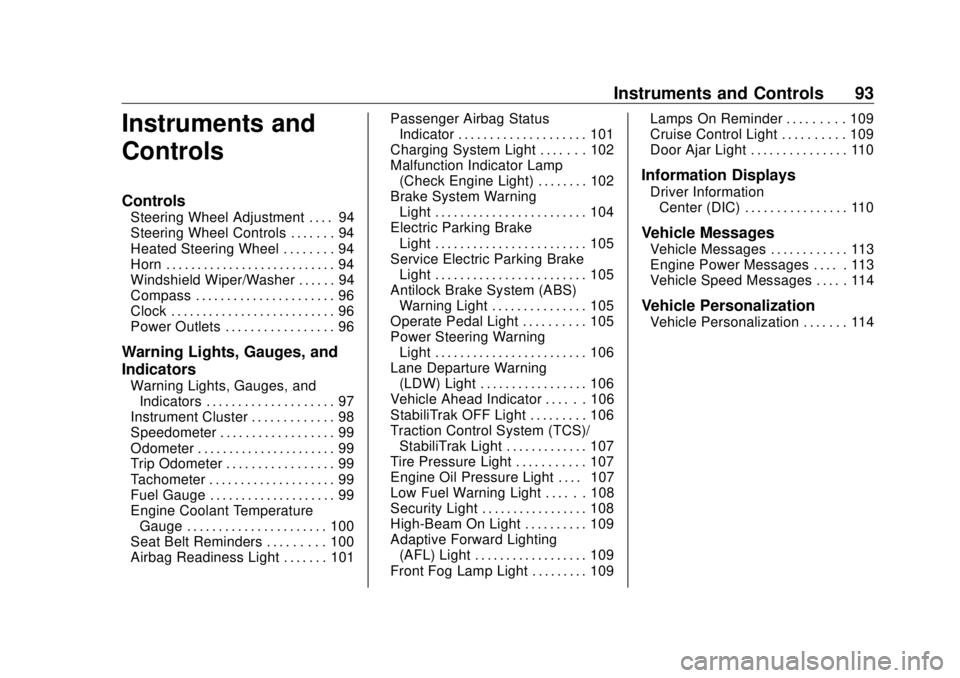
Instruments and
Controls Controls Steering Wheel Adjustment . . . . 94
Steering Wheel Controls . . . . . . . 94
Heated Steering Wheel . . . . . . . . 94
Horn . . . . . . . . . . . . . . . . . . . . . . . . . . . 94
Windshield Wiper/Washer . . . . . . 94
Compass . . . . . . . . . . . . . . . . . . . . . . 96
Clock . . . . . . . . . . . . . . . . . . . . . . . . . . 96
Power Outlets . . . . . . . . . . . . . . . . . 96
Warning Lights, Gauges, and
Indicators Warning Lights, Gauges, and
Indicators . . . . . . . . . . . . . . . . . . . . 97
Instrument Cluster . . . . . . . . . . . . . 98
Speedometer . . . . . . . . . . . . . . . . . . 99
Odometer . . . . . . . . . . . . . . . . . . . . . . 99
Trip Odometer . . . . . . . . . . . . . . . . . 99
Tachometer . . . . . . . . . . . . . . . . . . . . 99
Fuel Gauge . . . . . . . . . . . . . . . . . . . . 99
Engine Coolant Temperature
Gauge . . . . . . . . . . . . . . . . . . . . . . 100
Seat Belt Reminders . . . . . . . . . 100
Airbag Readiness Light . . . . . . . 101 Passenger Airbag Status
Indicator . . . . . . . . . . . . . . . . . . . . 101
Charging System Light . . . . . . . 102
Malfunction Indicator Lamp
(Check Engine Light) . . . . . . . . 102
Brake System Warning
Light . . . . . . . . . . . . . . . . . . . . . . . . 104
Electric Parking Brake
Light . . . . . . . . . . . . . . . . . . . . . . . . 105
Service Electric Parking Brake
Light . . . . . . . . . . . . . . . . . . . . . . . . 105
Antilock Brake System (ABS)
Warning Light . . . . . . . . . . . . . . . 105
Operate Pedal Light . . . . . . . . . . 105
Power Steering Warning
Light . . . . . . . . . . . . . . . . . . . . . . . . 106
Lane Departure Warning
(LDW) Light . . . . . . . . . . . . . . . . . 106
Vehicle Ahead Indicator . . . . . . 106
StabiliTrak OFF Light . . . . . . . . . 106
Traction Control System (TCS)/
StabiliTrak Light . . . . . . . . . . . . . 107
Tire Pressure Light . . . . . . . . . . . 107
Engine Oil Pressure Light . . . . 107
Low Fuel Warning Light . . . . . . 108
Security Light . . . . . . . . . . . . . . . . . 108
High-Beam On Light . . . . . . . . . . 109
Adaptive Forward Lighting
(AFL) Light . . . . . . . . . . . . . . . . . . 109
Front Fog Lamp Light . . . . . . . . . 109 Lamps On Reminder . . . . . . . . . 109
Cruise Control Light . . . . . . . . . . 109
Door Ajar Light . . . . . . . . . . . . . . . 110
Information Displays Driver Information
Center (DIC) . . . . . . . . . . . . . . . . 110
Vehicle Messages Vehicle Messages . . . . . . . . . . . . 113
Engine Power Messages . . . . . 113
Vehicle Speed Messages . . . . . 114
Vehicle Personalization Vehicle Personalization . . . . . . . 114
Page 97 of 303
Buick Cascada Owner Manual (GMNA-Localizing-U.S-11373983) - 2018 -
CRC - 7/10/17
96 Instruments and Controls With Rainsense, if the transmission
is in N (Neutral) and the vehicle
speed is very slow, the wipers will
automatically stop at the base of the
windshield.
The wiper operations return to
normal when the transmission is no
longer in N (Neutral) or the vehicle
speed has increased.
n L : Pull the windshield wiper
lever toward you to spray windshield
washer fluid and activate the wipers.
The wipers will continue until the
lever is released or the maximum
wash time is reached. When the
windshield wiper lever is released,
additional wipes may occur
depending on how long the
windshield washer had been
activated. See Washer Fluid 0 188
for information on filling the
windshield washer fluid reservoir. { WarningIn freezing weather, do not use
the washer until the windshield is
warmed. Otherwise the washer
fluid can form ice on the
windshield, blocking your vision.
Compass The vehicle may have a compass
display on the Driver Information
Center (DIC). The compass receives
its heading and other information
from the Global Positioning
System (GPS) antenna,
StabiliTrak ®
, and vehicle speed
information.
The compass system is designed to
operate for a certain number of
miles or degrees of turn before
needing a signal from the GPS
satellites. When the compass
display shows CAL, drive the
vehicle for a short distance in an
open area where it can receive a
GPS signal. The compass system will automatically determine when a
GPS signal is restored and provide
a heading again.
Clock The infotainment system controls
are used to access the time and
date settings through the menu
system. The clock menu can only
be used with the radio while the
ignition is turned on or in ACC/
ACCESSORY. See “ Time and Date
Settings ” under “ Configuration
Menu ” in the Infotainment Manual.
Power Outlets The accessory power outlets can be
used to plug in electrical equipment,
such as a cell phone or MP3 player.
There is one accessory power outlet
on the center stack below the
climate controls and one on the rear
of the center console. These outlets
are powered when the ignition is on
or in ACC/ACCESSORY, or until the
driver door is opened within
Page 118 of 303
Buick Cascada Owner Manual (GMNA-Localizing-U.S-11373983) - 2018 -
CRC - 7/10/17
Instruments and Controls 117Symbols
See Assistance Systems for Parking
or Backing 0 162 .
Select to enable or disable.
Guide Lines
See Assistance Systems for Parking
or Backing 0 162 .
Select to enable or disable.
Display Off
Select to turn the display off. The
display will return when any controls
on the radio center stack are
pressed or the infotainment screen
is touched.
Map Settings
See “ Map Settings ” in the
infotainment manual.
Vehicle Settings
Select and the following may
display:
.
Climate and Air Quality
.
Comfort and Convenience
.
Collision Detection Systems .
Lighting
.
Power Door Locks
.
Remote Lock/Unlock/Start
.
Return to Factory Settings?
Climate and Air Quality Select and the following may
display:
.
Auto Fan Speed
.
Remote Start Auto Heat Seat
.
Auto Rear Defog
Auto Fan Speed
Choose the blower speed setting.
Select High, Medium, or Low.
Remote Start Auto Heat Seat
When on, this feature will turn the
heated seats on when using remote
start on cold days.
Select to enable or disable.
Auto Rear Defog
When on, this feature turns on the
rear window defogger at vehicle
start when the interior temperature
is cold and fog is likely. The auto rear defog function can be disabled
by selecting
1 . When off, the
feature can be turned on by
selecting
1 . See “ Rear Window
Defogger ” under Dual Automatic
Climate Control System 0 129 .
Select to enable or disable.
Comfort and Convenience Select and the following may
display:
.
Chime Volume
.
Button Chime
Chime Volume
This allows the selection of the
chime volume level.
Select Low or High.
Button Chime
This allows the Button Chime
feature to be turned on or off.
Select to enable or disable.
Page 119 of 303
Buick Cascada Owner Manual (GMNA-Localizing-U.S-11373983) - 2018 -
CRC - 7/10/17
118 Instruments and Controls Collision Detection Systems Select and the following may
display:
.
Park Assist
Park Assist
This allows the Parking Assist
feature to be turned on or off.
Select Off or On.
Lighting Select and the following may
display:
.
Vehicle Locator Lights
.
Exit Lighting
Vehicle Locator Lights
This allows the vehicle locator lights
to be turned on or off.
Select to enable or disable.
Exit Lighting
This allows the selection of how
long the exterior lamps stay on
when leaving the vehicle when it is
dark outside. Select Off, 30 Seconds, 1 Minute,
or 2 Minutes.
Power Door Locks Select and the following may
display:
.
Open Door Anti Lock Out
.
Auto Door Unlock
.
Delay Door Lock
Open Door Anti Lock Out
When on, this feature will keep the
driver door from locking until the
door is closed. If this feature is
turned on, the Delay Door Lock
menu will not be available.
Select to enable or disable.
Auto Door Unlock
This allows selection of which doors
will automatically unlock when the
vehicle is shifted into P (Park).
Select All Doors, Driver Door, or Off.
Delay Door Lock
When on, this feature will delay the
locking of the doors. See Delayed
Locking 0 28 . Select to enable or disable.
Remote Lock/Unlock/Start Select and the following may
display:
.
Remote Unlock Feedback
.
Remote Lock Feedback
.
Remote Door Unlock
Remote Unlock Feedback
When on, the exterior lamps will
flash when unlocking the vehicle
with the RKE transmitter.
Select Flash Lights or Off.
Remote Lock Feedback
This allows selection of what
feedback is provided when
unlocking the vehicle with the RKE
transmitter.
Select Lights and Horn, Lights Only,
Horn Only, or Off.
Remote Door Unlock
This allows selection of which doors
will unlock on the first press of
K on
the RKE transmitter. If Driver Door
Page 120 of 303
Buick Cascada Owner Manual (GMNA-Localizing-U.S-11373983) - 2018 -
CRC - 7/10/17
Instruments and Controls 119is selected, all doors will unlock on
the second press of
K within
five seconds of the prior press.
Select Driver Door or All Doors.
Return to Factory Settings? This returns all of the vehicle
personalization settings to the
factory settings.
Select Yes or No.
Page 148 of 303

Buick Cascada Owner Manual (GMNA-Localizing-U.S-11373983) - 2018 -
CRC - 7/10/17
Driving and Operating 147malfunction indicator lamp as may
be required for emission inspection
purposes. The transmission is also
unlocked in this position.
The battery could be drained if the
key is left in the ACC/ACCESSORY
or on position with the engine off.
The vehicle might not start if the
battery is allowed to drain for an
extended period of time.
3 : This position starts the engine.
When the engine starts, release the
key. The ignition switch will return to
on for normal driving.
A warning tone sounds when the
driver door is opened if the ignition
is still in ACC/ACCESSORY and the
key is in the ignition.
If the ignition becomes difficult to
turn, see Keys 0 21 .
Key Lock Release
The vehicle is equipped with an
electronic key lock release. The key
lock release is designed to prevent
ignition key removal unless the shift
lever is in P (Park). The key lock release is always
functional except in the case of an
uncharged or low voltage (less than
9-volt) battery. If the vehicle has an
uncharged battery or a battery with
low voltage, try charging or jump
starting the battery. See Jump
Starting - North America 0 235 .
If charging or jump starting the
battery does not work, locate the
hole below the ignition lock. Insert a
flat bladed tool or another key from
the key chain into the opening.
When the lever can be felt, actuate
the lever toward the driver, and
remove the key from the ignition. Starting the Engine Move the shift lever to P (Park) or
N (Neutral). To restart the vehicle
when it is already moving, use
N (Neutral) only.
CautionDo not try to shift to P (Park) if the
vehicle is moving. If you do, you
could damage the transmission.
Shift to P (Park) only when the
vehicle is stopped.
CautionIf you add electrical parts or
accessories, you could change
the way the engine operates. Any
resulting damage would not be
covered by the vehicle warranty.
See Add-On Electrical Equipment
0 172 .
Page 170 of 303
Buick Cascada Owner Manual (GMNA-Localizing-U.S-11373983) - 2018 -
CRC - 7/10/17
Driving and Operating 169
Fuels in Foreign
Countries The U.S., Canada, and Mexico post
fuel octane ratings in anti-knock
index (AKI). For fuel not to use in a
foreign country, see “ Prohibited
Fuels ” in Fuel 0 167 .
Fuel Additives To keep fuel systems clean, TOP
TIER detergent gasoline is
recommended. See Fuel 0 167 .
If TOP TIER detergent gasoline is
not available, one bottle of GM Fuel
System Treatment Cleaner added to
the fuel tank at every engine oil
change, can help. GM Fuel System
Treatment Cleaner is the only
gasoline additive recommended by
General Motors. It is available at
your dealer. Filling the Tank
{ WarningFuel vapors and fuel fires burn
violently and can cause injury or
death.
.
To help avoid injuries to you
and others, read and follow
all the instructions on the
fuel pump island.
.
Turn off the engine when
refueling.
.
Keep sparks, flames, and
smoking materials away
from fuel.
.
Do not leave the fuel pump
unattended.
.
Do not use a cell phone
while refueling.
.
Do not re-enter the vehicle
while pumping fuel.
.
Keep children away from
the fuel pump and never let
children pump fuel.
(Continued) Warning (Continued) .
Fuel can spray out if the fuel
cap is opened too quickly.
This spray can happen if the
tank is nearly full, and is
more likely in hot weather.
Open the fuel cap slowly
and wait for any hiss noise
to stop, then unscrew the
cap all the way.
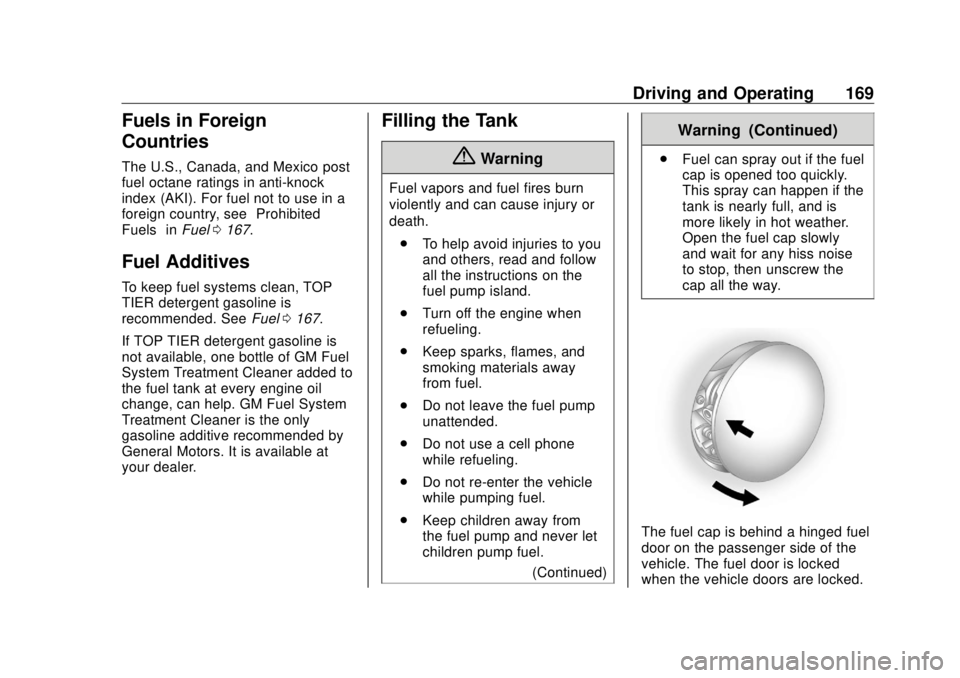
The fuel cap is behind a hinged fuel
door on the passenger side of the
vehicle. The fuel door is locked
when the vehicle doors are locked.
Page 171 of 303

Buick Cascada Owner Manual (GMNA-Localizing-U.S-11373983) - 2018 -
CRC - 7/10/17
170 Driving and Operating Press
K on the RKE transmitter to
unlock. To open the fuel door, push
and release the rearward center
edge of the door.
Turn the fuel cap counterclockwise
to remove. While refueling, hang the
tethered fuel cap from the hook on
the fuel door.
{ Warning
Overfilling the fuel tank by more
than three clicks of a standard fill
nozzle may cause:
(Continued) Warning (Continued) .
Vehicle performance issues,
including engine stalling and
damage to the fuel system.
.
Fuel spills.
.
Potential fuel fires.
Be careful not to spill fuel. Wait a
few seconds after you have finished
pumping before removing the
nozzle. Clean fuel from painted
surfaces as soon as possible. See
Exterior Care 0 241 .
When replacing the fuel cap, turn it
clockwise until it clicks. Make sure
the cap is fully installed. The
diagnostic system can determine if
the fuel cap has been left off or
improperly installed. This would
allow fuel to evaporate into the
atmosphere. See Malfunction
Indicator Lamp (Check Engine
Light) 0 102 .{ WarningIf a fire starts while you are
refueling, do not remove the
nozzle. Shut off the flow of fuel by
shutting off the pump or by
notifying the station attendant.
Leave the area immediately.
CautionIf a new fuel cap is needed, be
sure to get the right type of cap
from your dealer. The wrong type
of fuel cap may not fit properly,
may cause the malfunction
indicator lamp to light, and could
damage the fuel tank and
emissions system. See
Malfunction Indicator Lamp
(Check Engine Light) 0 102 .
Page 207 of 303

Buick Cascada Owner Manual (GMNA-Localizing-U.S-11373983) - 2018 -
CRC - 7/10/17
206 Vehicle Care
The vehicle may not be equipped
with all of the fuses, relays, and
features shown.
Fuses Usage
1 Displays
2 Body control module/
Exterior lamps
3 Body control module/
Exterior lamps Fuses Usage
4 Infotainment system
5 Infotainment system/
Instrument cluster
6 Power outlet
7 Power outlet
8 Body control module/
Left low-beam
headlamp Fuses Usage
9 Body control module/
Right low-beam
headlamp
10 Body control module/
Door locks
11 Interior fan
12 Driver power seat
13 Passenger power seat
14 Diagnostic connector
15 Airbag
17 A/C system
18 Service diagnose
19 Body control module/
Brake lamps/Reverse
lamps/Interior lamps
20 –
21 Instrument panel
22 Ignition
23 Body control module
24 Body control module
25 –