manual radio set BUICK CENTURY 1994 Owners Manual
[x] Cancel search | Manufacturer: BUICK, Model Year: 1994, Model line: CENTURY, Model: BUICK CENTURY 1994Pages: 308, PDF Size: 16.3 MB
Page 123 of 308
Part 3 Comfort Controls and Audio Systems
In this part you’ll find out how to operate the comfort control systems and audio systems offered with your Buick .
Be sure to read about the particular system supplied with your vehicle .
Part 3 includes:
Comfort Control System .......................................................... i22
Airconditioner ............................................................... 122
Ventilation
................................................................... 123
Heater and Defroster
........................................................... 123
RearWindowDefogger
........................................................ 123
Audiosystems
.................................................................... 125
Radio Controls
....................................................... 126. 128. 130
TapePlayerControls ........................................................... 130
CDPlayerControls
............................................................ 132
Care of Cassette Tape Player and Tapes
............................................ 136
CareofCompactDiscs
......................................................... 136
Power Antenna Mast Care
...................................................... 137
ProCarManuals.com
Page 128 of 308
To help avoid hearing loss or damage:
Adjust the volume control to the lowest setting.
Increase volume slowly until you hear comfortably
and clearly.
NOTICE:
Before you add any sound equipment to your
vehicle
-- like a tape player, CB radio, mobile
telephone or two-way radio
-- be sure you can
add what you want. If you can,
it's very important
to do
it properly. Added sound equipment may
interfere with the operation
of your vehicle's
engine, Delco@ radio or other systems, and even
damage them. And, your vehicle's systems may
interfere with the operation of sound equipment
that has been added improperly.
So, before adding sound equipment, check with
your dealer and be sure to check Federal rules
covering mobile radio and telephone units.
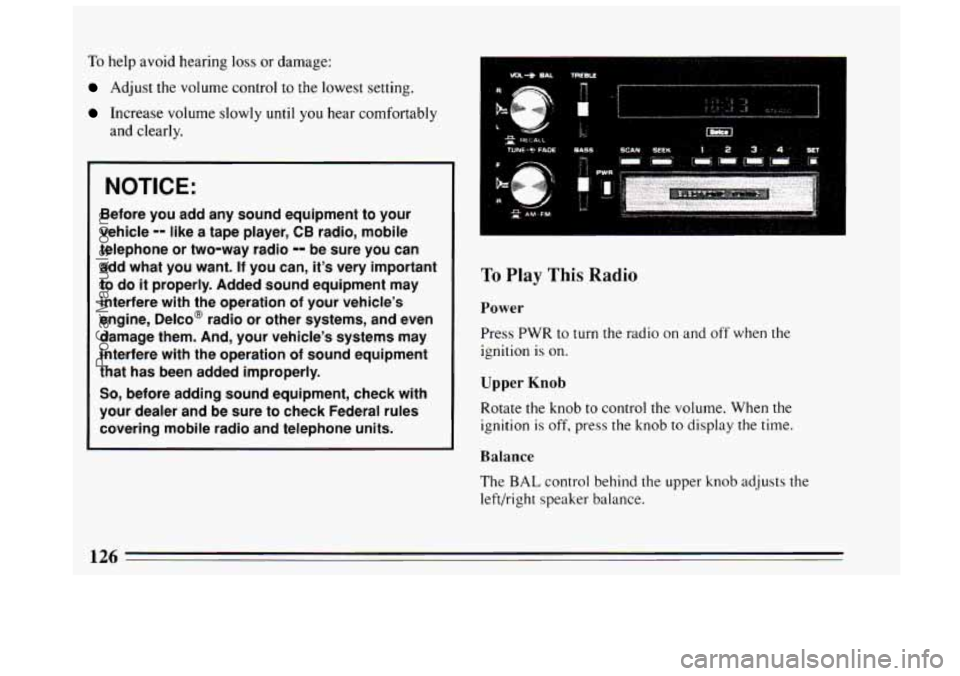
To Play This Radio
Power
Press PWR to turn the radio on and off when the
ignition is on.
Upper Knob
Rotate the knob to control the volume. When the
ignition is off, press the knob to display the time.
Balance
The BAL control behind the upper knob adjusts the
left/right speaker balance.
126
ProCarManuals.com
Page 129 of 308
Lower Knob Pushbuttons
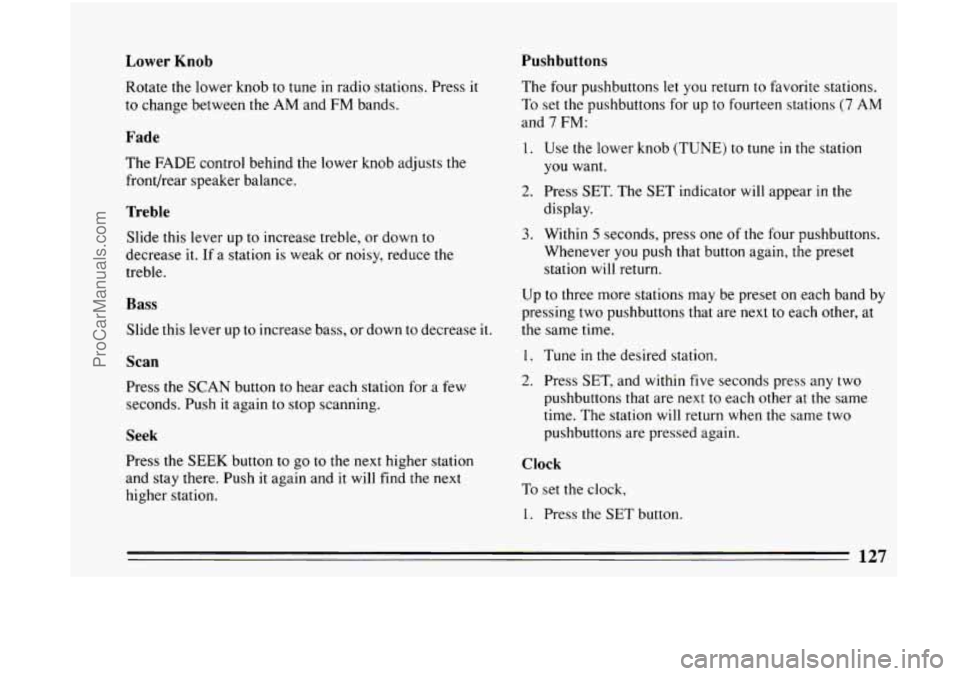
Rotate
the lower knob to tune in radio stations. Press it
to change between the AM and FM bands.
Fade
The FADE control behind the lower knob adjusts the
front/rear speaker balance.
Treble
Slide this lever up to increase treble, or down to
decrease it. If a station is weak or noisy, reduce the
treble.
Bass
Slide this lever up to increase bass, or down to decrease it.
Scan
Press the SCAN button to hear each station for a few
seconds. Push it again to stop scanning.
Seek
rress the SEEK button to go to the next higher station
and stay there. Push
it again and it will find the next
higher station. The
four pushbuttons let you return to favorite stations.
To set the pushbuttons for up
to fourteen stations (7 AM
and
7 FM:
1. Use the lower knob (TUNE) to tune in the station
you want.
display.
3. Within 5 seconds, press one of the four pushbuttons.
Whenever you push that button again, the preset
station will return.
2. Press SET. The SET indicator will appear in the
Up to three more stations may be preset on each band by
pressing two pushbuttons that are next to each other, at
the same time.
1. Tune in the desired station.
2. Press SET, and within five seconds press any two
pushbuttons that are next to each other at the same
time. The station will return when the same two
pushbuttons are pressed again.
Clock
To set the clock,
1. Press the SET button.
127
ProCarManuals.com
Page 131 of 308
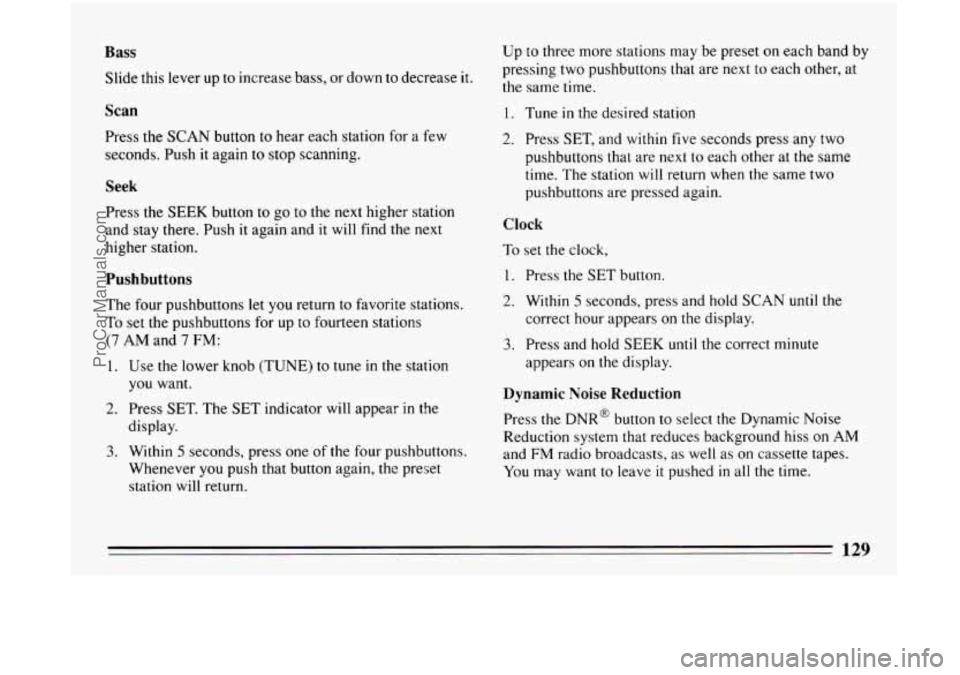
Bass
Slide this lever up to increase bass, or down to decrease it.
Scan
Press the SCAN button to hear each station for a few
seconds. Push it again
to stop scanning.
Seek
Press the SEEK button to go to the next higher station
and stay there. Push
it again and it will find the next
higher station.
Pushbuttons
The four pushbuttons let you return to favorite stations.
To set
the pushbuttons for up to fourteen stations
(7 AM and 7 FM:
1. Use the lower knob (TUNE) to tune in the station
you want.
display.
3. Within 5 seconds, press one of the four pushbuttons.
Whenever
you push that button again, the preset
station will return.
2. Press SET. The SET indicator will appear in the Up
to three more stations may be
preset on each band by
pressing two pushbuttons that are next
to each other, at
the same time.
1. Tune in the desired station
2. Press SET, and within five seconds press any two
pushbuttons
that are next to each other at the same
time. The station will return when the same two
pushbuttons are pressed again.
Clock
To set the clock,
1. Press the SET button.
2. Within 5 seconds, press and hold SCAN until the
correct hour appears on the display.
3. Press and hold SEEK until the correct minute
appears on the display.
Dynamic Noise Reduction
Press the DNR@ button to select the Dynamic Noise
Reduction system that reduces background hiss on AM
and
FM radio broadcasts, as well as on cassette tapes.
You may want to leave
it pushed in all the time.
129
ProCarManuals.com
Page 132 of 308
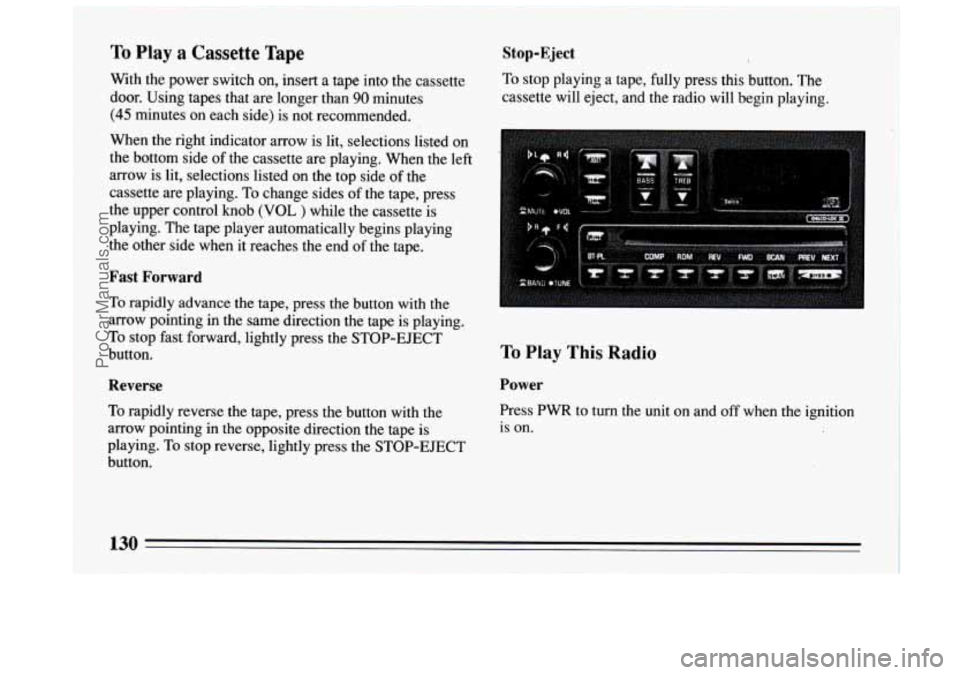
To Play a Cassette Tape
With the power switch on, insert a tape into the cassette
door. Using tapes that are longer than
90 minutes
(45 minutes on each side) is not recommended.
When the right indicator arrow is lit, selections listed on
the bottom side of the cassette are playing. When the left
arrow is lit, selections listed on the top side of the
cassette are playing. To change sides of the tape, press
the upper control
knob (VOL ) while the cassette is
playing. The tape player automatically begins playing
the other side when it reaches the end
of the tape.
Fast Forward
To rapidly advance the tape, press the button with the
arrow pointing in the same direction the tape is playing.
To stop fast forward, lightly press the STOP-EJECT
button.
Reverse
To rapidly reverse the tape, press the button with the
arrow pointing in the opposite direction the tape
is
playing. To stop reverse, lightly press the STOP-EJECT
button.
Stop-Eject
To stop playing a tape, fully press this button. The
cassette will eject, and the radio will begin playing.
To Play This Radio
Power
Press PWR to turn the unit on and off when the ignition
is
on.
130
ProCarManuals.com
Page 133 of 308
Upper Knob
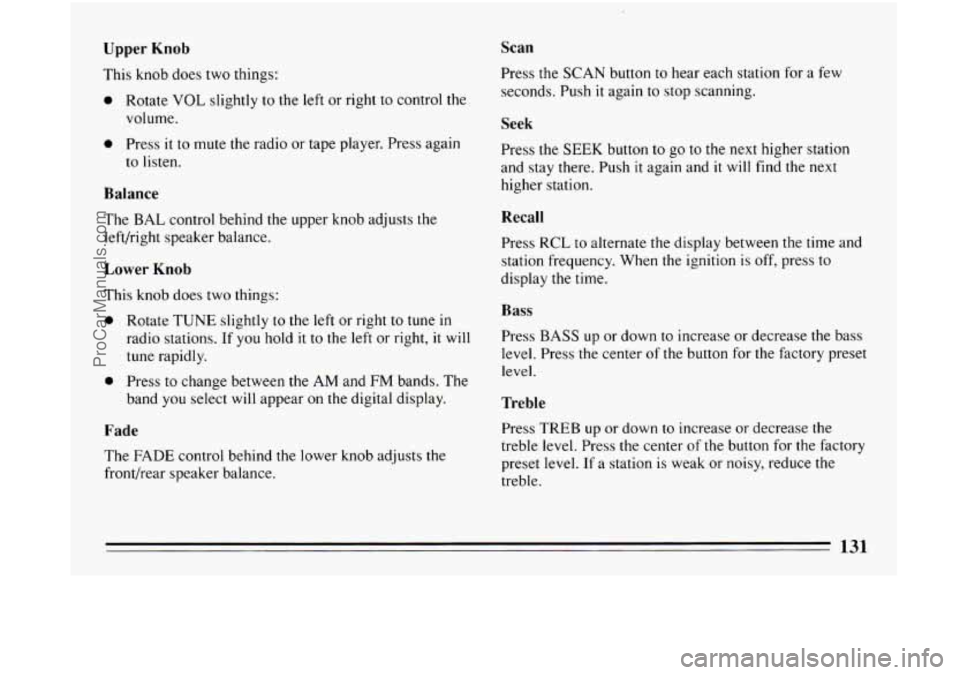
This knob does two things:
0 Rotate VOL slightly to the left or right to control the
volume.
0 Press it to mute the radio or tape player. Press again
to listen.
Balance
The BAL control behind the upper knob adjusts the
left/right speaker balance.
Lower Knob
This knob does two things:
0 Rotate TUNE slightly to the left or right to tune in
radio stations. If you hold it to the left or right, it will
tune rapidly.
0 Press to change between the AM and FM bands. The
band you select will appear on the digital display.
Fade
The FADE control behind the lower knob adjusts the
front/rear speaker balance.
Scan
Press the SCAN button to hear each station for a few
seconds. Push
it again to stop scanning.
Seek
Press the SEEK button to go to the next higher station
and stay there. Push
it again and it will find the next
higher station.
Recall
Press RCL to alternate the display between the time and
station frequency. When the ignition
is off, press to
display the time.
Bass
Press BASS up or down to increase or decrease the bass
level. Press the center of
the button for the factory preset
level.
Treble
Press TREB up or down to increase or decrease the
treble level. Press
the center of the button for the factory
preset level.
If a station is weak or noisy, reduce the
treble.
131
ProCarManuals.com
Page 134 of 308
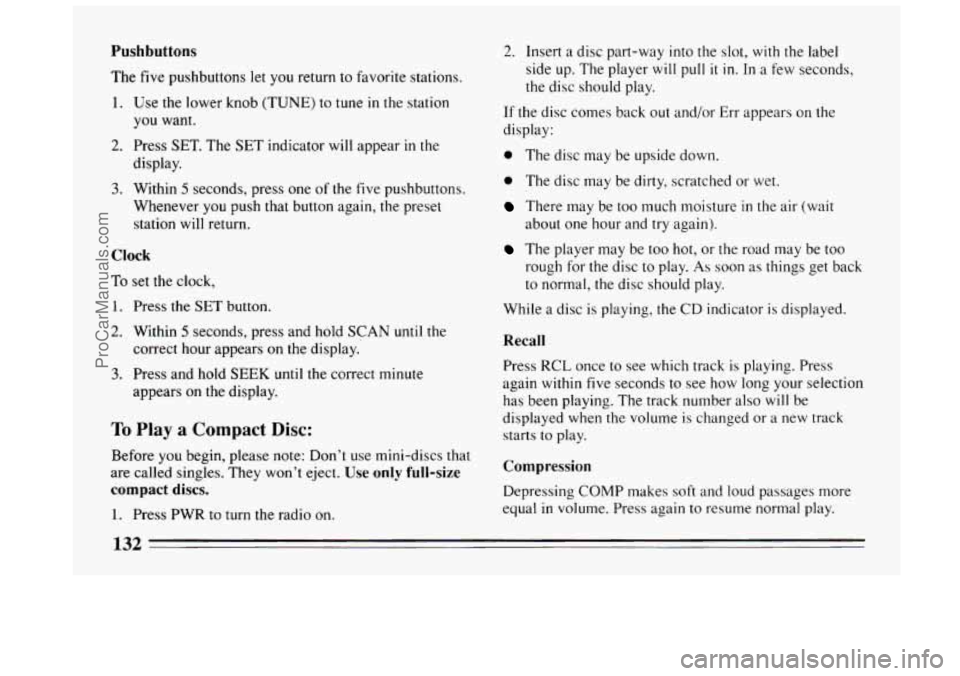
Pushbuttons
The five pushbuttons let you return to favorite stations.
1. Use the lower knob (TUNE) to tune in the station
you want.
display.
2. Press SET. The SET indicator will appear in the
3. Within 5 seconds, press one of the five pushbuttons.
Whenever
you push that button again, the preset
station
will return.
Clock
To set the clock,
1. Press the SET button.
2. Within 5 seconds, press and hold SCAN until the
correct hour appears on the display.
3. Press and hold SEEK until the correct minute
appears on the display.
To Play a Compact Disc:
Before you begin, please note: Don’t use mini-discs that
are called singles. They won’t eject.
Use only full-size
compact discs.
1. Press PWR to turn the radio on.
2. Insert a disc part-way into the slot, with the label
side up. The player will
pull it in. In a few seconds,
the disc should play.
If the disc comes back out and/or Err appears
on the
display:
0 The disc may be upside down.
0 The disc may be dirty, scratched or wet.
There may be too much moisture in the air (wait
The player may be too hot, or the road may be too
about
one hour and try again).
rough for the disc to play.
As soon as things get back
to normal, the disc should play.
While
a disc is playing, the CD indicator is displayed.
Recall
Press RCL once to see which track is playing. Press
again within five seconds to see how long your selection
has been playing. The track number also will be
displayed when
the volume is changed or a new track
starts to play.
Compression
Depressing COMP makes soft and loud passages more
equal
in volume. Press again to resume normal play.
132
ProCarManuals.com
Page 136 of 308
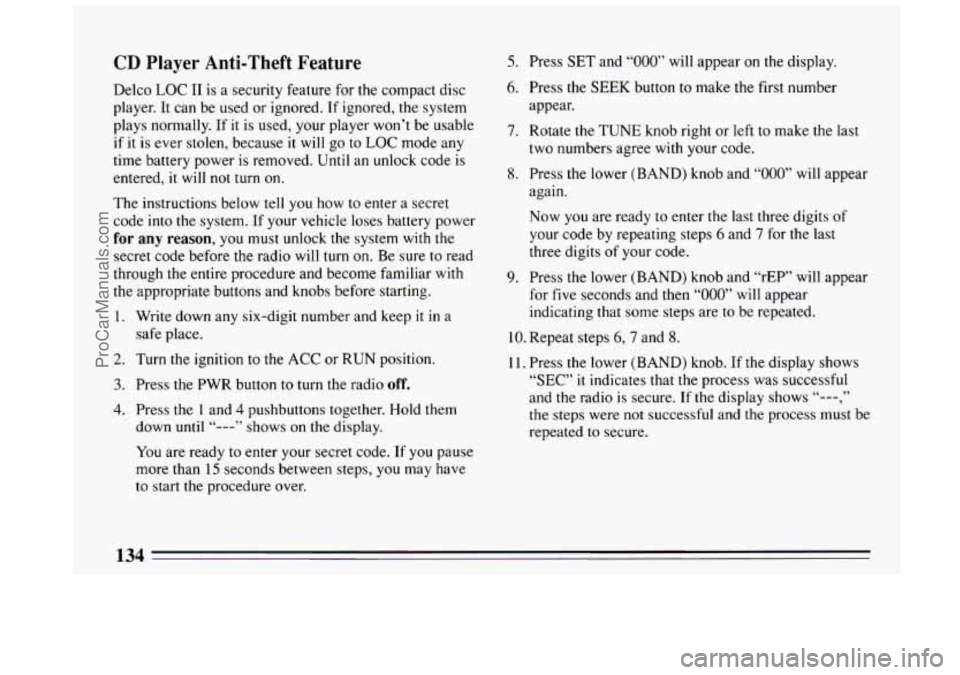
CD Player Anti-Theft Feature
Delco LOC I1 is a security feature for the compact disc
player.
It can be used or ignored. If ignored, the system
plays normally. If it is used, your player won’t be usable
if
it is ever stolen, because it will go to LOC mode any
time battery power
is removed. Until an unlock code is
entered, it will
not turn on.
The instructions below tell you how to enter a secret
code into the system. If your vehicle loses battery power
for any reason, you must unlock the system with the
secret code before the radio will turn on. Be sure to read
through
the entire procedure and become familiar with
the appropriate buttons and knobs before starting.
1. Write down any six-digit number and keep it in
a
safe place.
2. Turn the ignition to the ACC or RUN position.
3. Press the PWR button to turn the radio off.
4. Press the 1 and 4 pushbuttons together. Hold them
down
until “---” shows on the display.
You are ready to enter your secret code. If you pause
more than
15 seconds between steps, you may have
to start the procedure over.
5. Press SET and “000” will appear on the display.
6. Press the SEEK button to make the first number
appear.
7. Rotate the TUNE knob right or left to make the last
two numbers agree with your code.
8. Press the lower (BAND) knob and “000” will appear
again.
Now you are ready to enter the last three digits of
your code by repeating steps
6 and 7 for the last
three digits
of your code.
9. Press the lower (BAND) knob and “rEP” will appear
for
five seconds and then “000” will appear
indicating that some steps are to be repeated.
10. Repeat steps 6,7 and 8.
11. Press the lower (BAND) knob. If the display shows
“SEC” it indicates that the process was successful
and the radio is secure. If
the display shows “---,”
the steps were not successful and the process must be
repeated
to secure.
134
ProCarManuals.com
Page 137 of 308
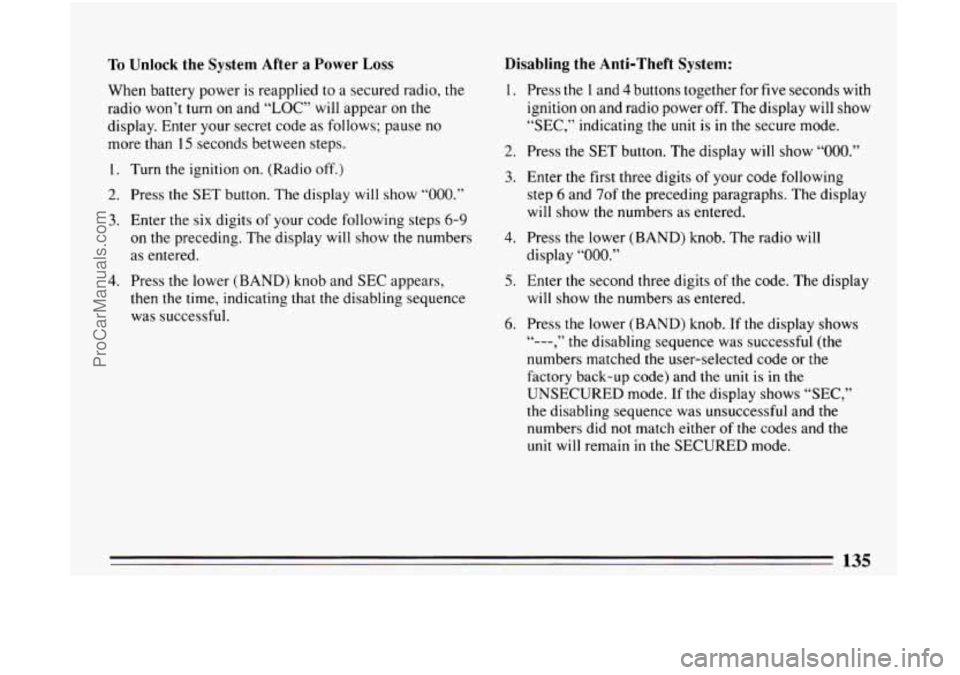
To Unlock the System After a Power Loss
When battery power is reapplied to a secured radio, the
radio won’t turn on and “LOC” will appear on the
display. Enter your secret code as follows; pause no
more than
15 seconds between steps.
1. Turn the ignition on. (Radio off.)
2. Press the SET button. The display will show “000.”
3. Enter the six digits of your code following steps 6-9
on the preceding. The display will show the numbers
as entered.
4. Press the lower (BAND) knob and SEC appears,
then the time, indicating that the disabling sequence
was successful.
Disabling the Anti-Theft System:
1.
2.
3.
4.
5.
6.
Press the I and 4 buttons together for five seconds with
ignition on and radio power off. The display will show
“SEC,” indicating the unit is in the secure mode.
Press the
SET button. The display will show “OOO.”
Enter the first three digits of your code following
step
6 and 7of the preceding paragraphs. The display
will show the numbers as entered.
Press the lower (BAND) knob. The radio will
display
“000.”
Enter the second three digits of the code. The display
will show
the numbers as entered.
Press the lower (BAND) knob.
If the display shows
numbers matched the user-selected code or
the
factory back-up code) and the unit is in the
UNSECURED mode. If
the display shows “SEC,”
the disabling sequence was unsuccessful and the numbers did
not match either of the codes and the
unit will remain in the SECURED mode.
“--- , ” the disabling sequence was successful (the
135
ProCarManuals.com
Page 294 of 308
System. Anti-lock Warning Light ................. 114
System Warning Light
......................... 113
Wear
....................................... 230
Brakes. Trailer
.................................. 168
Braking in Emergencies
........................... 147
Break-In. New Vehicle ............................ 74
Bulb Chart
...................................... 258
Bulb Replacement ....................... .232.233. 234
Bulbs. Halogen
.................................. 232
Braking
........................................ 144
Canadian Roadside Assistance
................... -286
Capacities and Specifications Chart
.............. 259. 260
Carbon Monoxide
................................ 86
Cargo Security Cover
............................. 105
Carrier. Luggage
................................ 106
Cassette Tape Player
............................. 125
Cassette Tape Player Care
......................... 136
Cautions. Safety
.................................. 10
CB Radio. Adding
............................... 126
Cellular Telephone. Adding
........................ 126
Chains. Tire
.................................... 244
Changing a Flat Tire
.............................. 194
Checking Brake Fluid
.................................. 228
Engine Coolant
............................... 223
Engineoil
................................... 213
Power Steering Fluid
.......................... 226
Restraint Systems
.............................. 63
Transaxle Fluid
............................... 220 Underhood
.................................. 212
Windshield Washer Fluid
....................... 227
Chemical Paint Spotting
........................... 251
Child Restraints
.................................. 50
Children and Safety Belts ......................... -48
Circuit Breakers and Fuses ........................ 254
City Driving
.................................... 156
Cleaner. Air .................................... 218
Cleaning Aluminum Wheels
............................ 250
Antenna
..................................... 137
Cassette Player
............................... 136
Fabric
...................................... 245
Glass ....................................... 248
Inside Your Buick
............................. 245
Leather
..................................... 248
Outside Your Buick
........................... 249
Power Antenna
............................... 137
Safety Belts
.................................. 248
Instrumentpanel
.............................. 248
Underbody Maintenance
........................ 251
vinyl
....................................... 247
White Sidewall Tires
........................... 250
Windshield and Wiper Blades
.................... 249
Clock Setting
............................ 127.129. 132
Comfort Controls
................................ 121
Compact Disc Care
.............................. 136
Compact Spare Tire
.............................. 205
Compartment. Rear Locking Storage
................. 108
Control of a Vehicle
.............................. 144
Controls. Features and
............................. 65
Cigarette Lighter
................................ 109
292
..... _- ...
ProCarManuals.com