door BUICK CENTURY 2003 Owner's Guide
[x] Cancel search | Manufacturer: BUICK, Model Year: 2003, Model line: CENTURY, Model: BUICK CENTURY 2003Pages: 344, PDF Size: 2.57 MB
Page 86 of 344
Power Windows
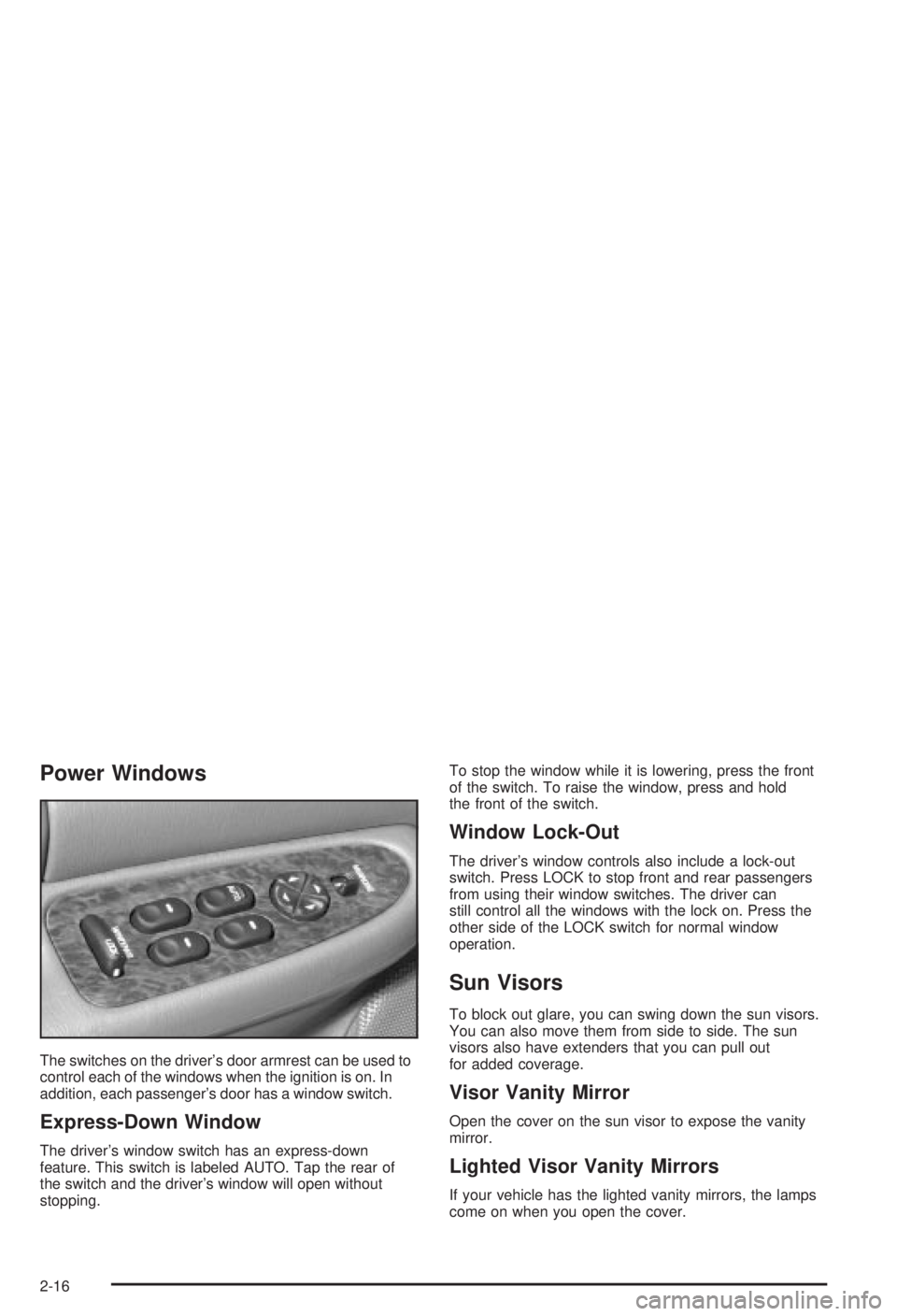
The switches on the driver's door armrest can be used to
control each of the windows when the ignition is on. In
addition, each passenger's door has a window switch.
Express-Down Window
The driver's window switch has an express-down
feature. This switch is labeled AUTO. Tap the rear of
the switch and the driver's window will open without
stopping.To stop the window while it is lowering, press the front
of the switch. To raise the window, press and hold
the front of the switch.
Window Lock-Out
The driver's window controls also include a lock-out
switch. Press LOCK to stop front and rear passengers
from using their window switches. The driver can
still control all the windows with the lock on. Press the
other side of the LOCK switch for normal window
operation.
Sun Visors
To block out glare, you can swing down the sun visors.
You can also move them from side to side. The sun
visors also have extenders that you can pull out
for added coverage.
Visor Vanity Mirror
Open the cover on the sun visor to expose the vanity
mirror.
Lighted Visor Vanity Mirrors
If your vehicle has the lighted vanity mirrors, the lamps
come on when you open the cover.
2-16
Page 90 of 344
Notice:If your key seems stuck in LOCK and you
can't turn it, be sure you are using the correct key;
if so, is it all the way in? If it is, then turn the
steering wheel left and right while you turn the key
hard. Turn the key only with your hand. Using a
tool to force it could break the key or the ignition
switch. If none of these works, then your vehicle
needs service.
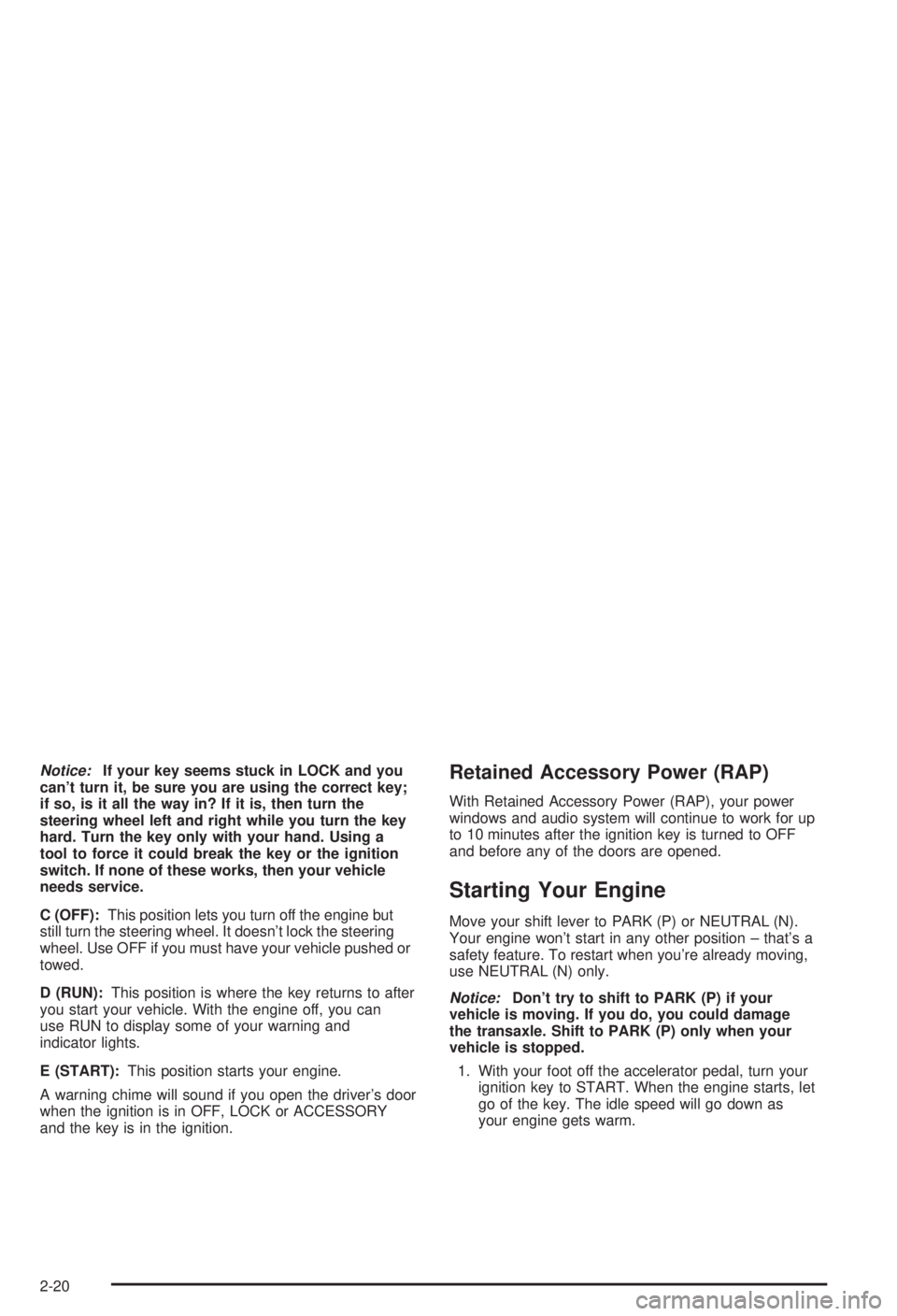
C (OFF):This position lets you turn off the engine but
still turn the steering wheel. It doesn't lock the steering
wheel. Use OFF if you must have your vehicle pushed or
towed.
D (RUN):This position is where the key returns to after
you start your vehicle. With the engine off, you can
use RUN to display some of your warning and
indicator lights.
E (START):This position starts your engine.
A warning chime will sound if you open the driver's door
when the ignition is in OFF, LOCK or ACCESSORY
and the key is in the ignition.Retained Accessory Power (RAP)
With Retained Accessory Power (RAP), your power
windows and audio system will continue to work for up
to 10 minutes after the ignition key is turned to OFF
and before any of the doors are opened.
Starting Your Engine
Move your shift lever to PARK (P) or NEUTRAL (N).
Your engine won't start in any other position ± that's a
safety feature. To restart when you're already moving,
use NEUTRAL (N) only.
Notice:Don't try to shift to PARK (P) if your
vehicle is moving. If you do, you could damage
the transaxle. Shift to PARK (P) only when your
vehicle is stopped.
1. With your foot off the accelerator pedal, turn your
ignition key to START. When the engine starts, let
go of the key. The idle speed will go down as
your engine gets warm.
2-20
Page 103 of 344
Outside Power Mirrors
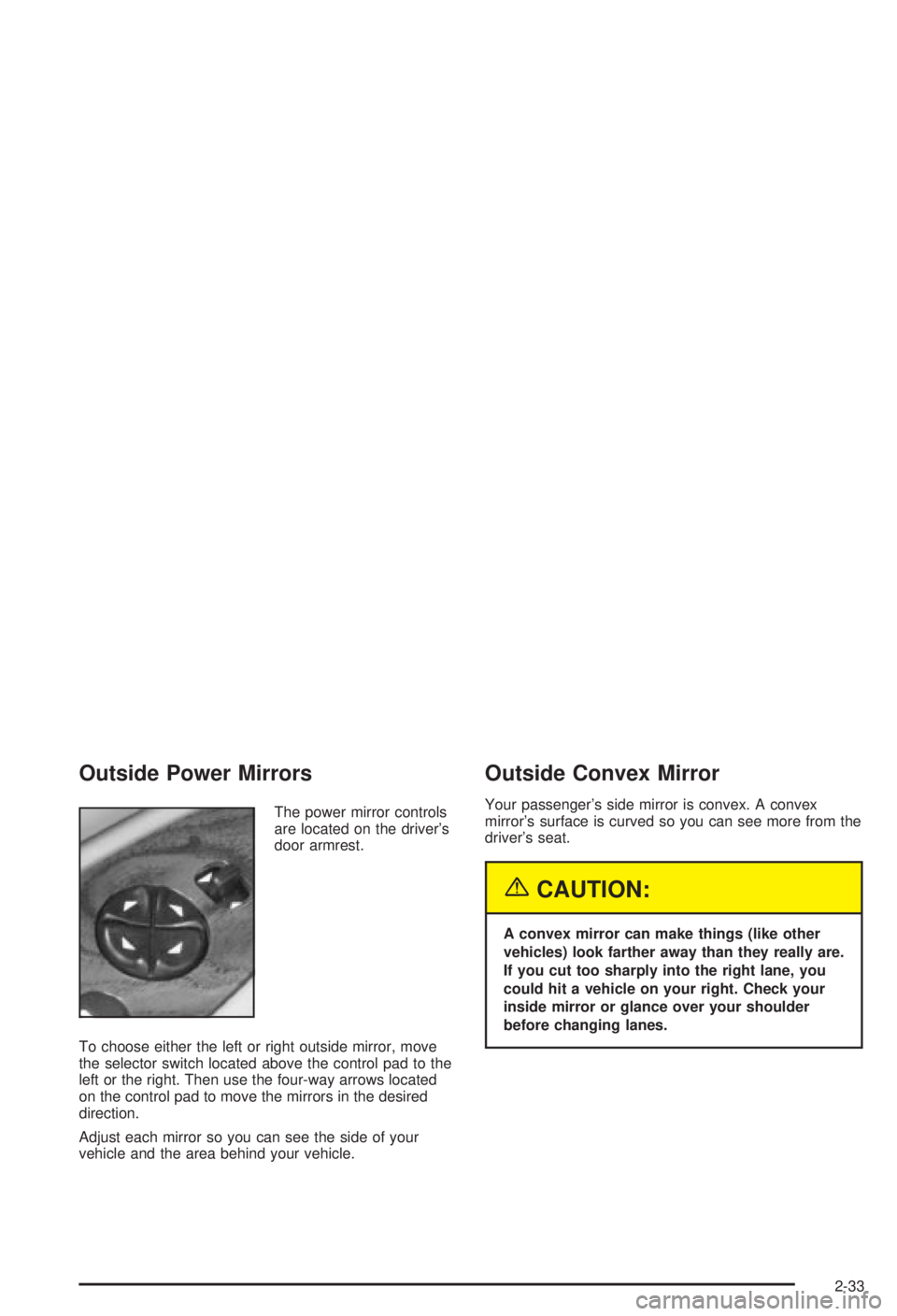
The power mirror controls
are located on the driver's
door armrest.
To choose either the left or right outside mirror, move
the selector switch located above the control pad to the
left or the right. Then use the four-way arrows located
on the control pad to move the mirrors in the desired
direction.
Adjust each mirror so you can see the side of your
vehicle and the area behind your vehicle.
Outside Convex Mirror
Your passenger's side mirror is convex. A convex
mirror's surface is curved so you can see more from the
driver's seat.
{CAUTION:
A convex mirror can make things (like other
vehicles) look farther away than they really are.
If you cut too sharply into the right lane, you
could hit a vehicle on your right. Check your
inside mirror or glance over your shoulder
before changing lanes.
2-33
Page 104 of 344
OnStaržSystem
OnStaržuses global positioning system (GPS) satellite
technology, wireless communications, and call centers
to provide you with a wide range of safety, security,
information and convenience services. An OnStar
ž
subscription plan is included in the price of your vehicle.
You can upgrade or extend your OnStaržservices to
meet your needs.
A complete OnStar
žuser's guide and the terms and
conditions of the OnStaržSubscription Service
Agreement are included in your vehicle's glove box
literature. For more information, visit www.onstar.com,
contact OnStar
žat 1-888-4-ONSTAR (1-888-466-7827),
or press the blue OnStaržbutton to speak to an
OnStaržadvisor 24 hours a day, 7 days a week.
OnStaržServices
OnStaržprovides a number of service plans. Some of
the services currently provided by OnStaržare:
·Automatic Noti®cation of Air Bag Deployment
·Emergency Services
·Roadside Assistance Stolen Vehicle Tracking
·AccidentAssist
·Remote Door Unlock
·Remote Diagnostics
·Online and Personal Concierge Services
·Route Support
·RideAssist
·Information and Convenience Services
2-34
Page 105 of 344
OnStaržPersonal Calling
With OnStaržPersonal Calling, you have a safer way to
stay connected while driving. It's a hands-free wireless
phone that's integrated into your vehicle. You can place
calls nationwide using voice-activated dialing with no
contracts, no roaming charges and no access fees. To
®nd out more about OnStar
žPersonal Calling, refer
to the OnStaržuser's guide in your vehicle's glove box,
or call OnStaržat 1-888-4-ONSTAR (1-888-466-7827).
OnStaržVirtual Advisor
With OnStaržVirtual Advisor you can listen to the news,
entertainment and informative topics, such as traffic
and weather reports. You are able to listen and reply to
your e-mail through your vehicle's speakers.
A completed Subscription Service Agreement is required
prior to delivery of OnStar
žservices and prepaid
calling minutes are also required for OnStaržPersonal
Calling and OnStaržVirtual Advisor use. Terms and
conditions of the Subscription Service Agreement can be
found at www.onstar.com.
Storage Areas
Glove Box
Use the door key to lock and unlock the glove box.
To open, lift the latch.
Convenience Net
Your vehicle has a convenience net located on the back
wall of the trunk.
Put small loads, like grocery bags, behind the net. It can
help keep them from falling over.
The net isn't for larger, heavier loads. Store those in the
trunk as far forward as you can.
You can unhook the net so that it will lie ¯at when
you're not using it.
2-35
Page 107 of 344
Instrument Panel Overview...............................3-2
Hazard Warning Flashers................................3-3
Other Warning Devices...................................3-4
Horn.............................................................3-4
Tilt Wheel.....................................................3-4
Turn Signal/Multifunction Lever.........................3-5
Exterior Lamps.............................................3-11
Interior Lamps..............................................3-14
Auxiliary Power Connection
(Power Drop)............................................3-16
Ashtrays and Cigarette Lighter........................3-16
Climate Controls............................................3-17
Dual Climate Control System..........................3-17
Outlet Adjustment.........................................3-20
Passenger Compartment Air Filter...................3-20
Warning Lights, Gages and Indicators.............3-22
Instrument Panel Cluster................................3-23
Speedometer and Odometer...........................3-24
Safety Belt Reminder Light.............................3-24
Air Bag Readiness Light................................3-25
Charging System Light..................................3-26
Brake System Warning Light..........................3-27
Anti-Lock Brake System Warning Light.............3-28
Enhanced Traction System Warning Light.........3-28
Low Traction Light........................................3-29Engine Coolant Temperature Warning Light......3-29
Engine Coolant Temperature Gage..................3-30
Tire Pressure Light.......................................3-30
Malfunction Indicator Lamp.............................3-31
Oil Pressure Light.........................................3-34
Low Oil Level Light.......................................3-35
Change Engine Oil Light................................3-35
Security Light...............................................3-36
Cruise Control Light......................................3-36
Low Washer Fluid Warning Light.....................3-36
Door/Trunk Ajar Warning Light........................3-36
Service Vehicle Soon Light............................3-37
Fuel Gage...................................................3-37
Low Fuel Warning Light.................................3-38
Audio System(s).............................................3-39
Setting the Time...........................................3-39
AM-FM Radio...............................................3-40
Radio with Cassette and CD..........................3-42
Theft-Deterrent Feature..................................3-48
Audio Steering Wheel Controls.......................3-50
Understanding Radio Reception......................3-50
Care of Your Cassette Tape Player.................3-51
Care of Your CDs.........................................3-52
Care of Your CD Player................................3-52
Fixed Mast Antenna......................................3-52
Section 3 Instrument Panel
3-1
Page 117 of 344
Ending Cruise Control
There are two ways to turn off the cruise control:
·Step lightly on the brake pedal, or
·move the cruise switch to OFF.
Ending Speed Memory
When you turn off the cruise control or the ignition, or
shift into PARK (P) or NEUTRAL (N), your cruise control
set speed memory is erased.
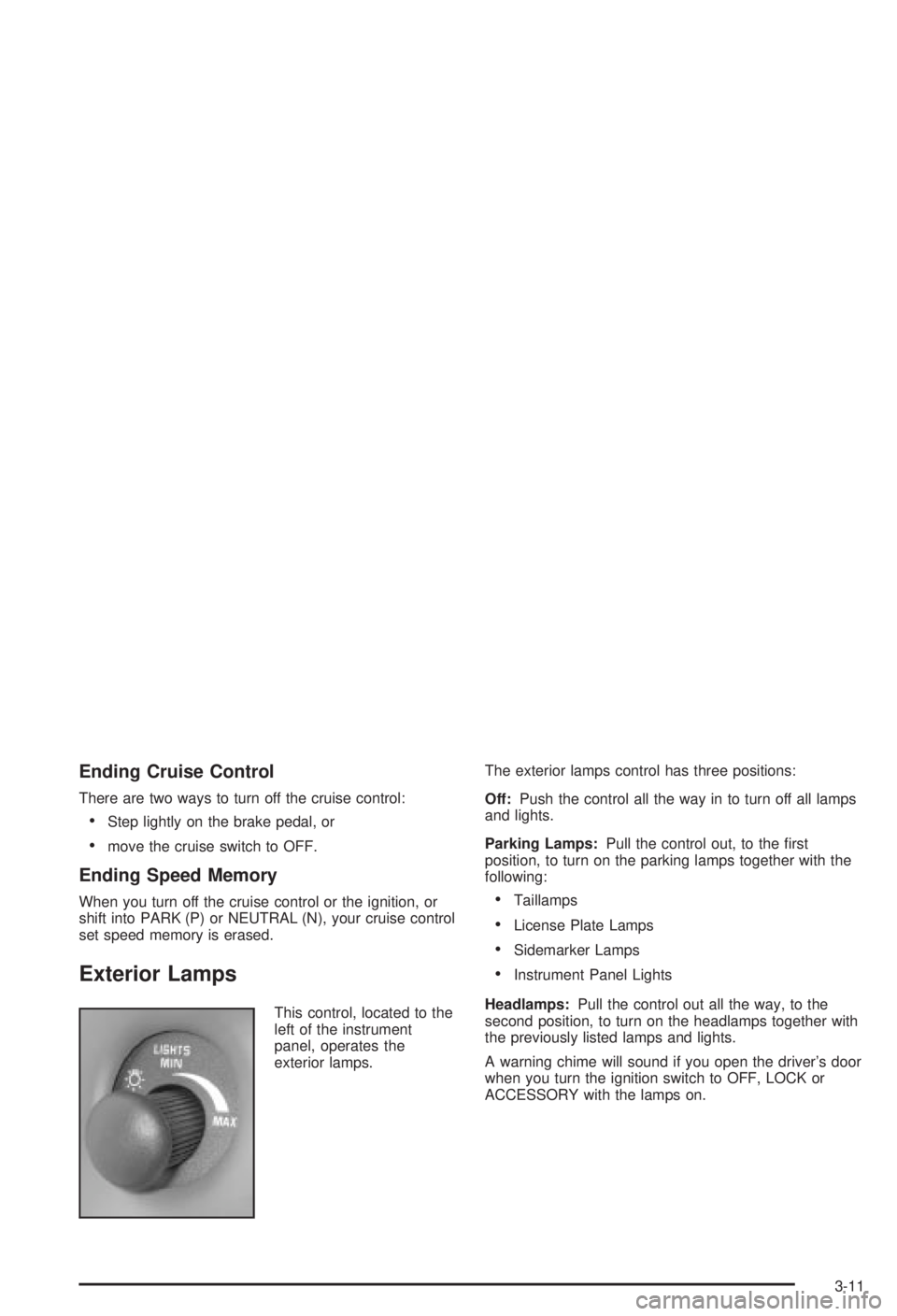
Exterior Lamps
This control, located to the
left of the instrument
panel, operates the
exterior lamps.The exterior lamps control has three positions:
Off:Push the control all the way in to turn off all lamps
and lights.
Parking Lamps:Pull the control out, to the ®rst
position, to turn on the parking lamps together with the
following:
·Taillamps
·License Plate Lamps
·Sidemarker Lamps
·Instrument Panel Lights
Headlamps:Pull the control out all the way, to the
second position, to turn on the headlamps together with
the previously listed lamps and lights.
A warning chime will sound if you open the driver's door
when you turn the ignition switch to OFF, LOCK or
ACCESSORY with the lamps on.
3-11
Page 119 of 344
Delayed Headlamps
Delayed headlamp illumination provides a period of
exterior lighting as you leave your vehicle's area. The
feature is activated when your vehicle's headlamps
are on due to the automatic headlamp control feature
described previously in this section, and when your
vehicle's ignition is turned off. Your headlamps will then
remain on until the exterior lamps control is moved
from OFF to the parking lamp position or until a
90 second lighting period has ended.
If you turn off the ignition with the exterior lamps control
in the parking lamp or headlamp position, the delayed
headlamp illumination cycle will not occur.
You can customize the vehicle to activate delayed
headlamp illumination when your vehicle's ignition is
turned off under the conditions described above, or you
may choose not to activate this feature under any
conditions.
You can turn the feature on and off when you perform
the following sequence:
1. Turn the ignition key to RUN.
2. Close all the doors.3. Press and hold the power door lock switch. While
holding the door lock switch, cycle the exterior
lamps control on and then off two times.
4. Release the power door lock switch. These steps
must be carried out in a time period of less than
10 seconds, followed by a delay period of no more
than 10 seconds.
5. Then, press and hold the power door unlock switch.
While holding the door unlock switch, turn the
exterior lamps control on and then off two times.
Release the courtesy door unlock switch. These
operations must be carried out in a time period of
less than 10 seconds.
After releasing the door unlock switch, a single chime
will be heard if the delayed headlamp illumination
function has been disabled; two chimes will be heard if
the feature has been enabled. Disconnecting the
vehicle's battery for up to a year will not change the
programmed operation for this feature.
3-13
Page 120 of 344
Interior Lamps
Instrument Panel Brightness
You can brighten or dim the instrument panel lights by
turning the exterior lamps control.
Turning the control all the way clockwise turns on the
courtesy lamps. If the control is turned all the way
counterclockwise, the lamps and lights will turn off.
Courtesy Lamps
When any door is opened, several courtesy lamps come
on. They make it easy for you to enter and leave your
vehicle. You can also turn these lamps on by turning the
exterior lamps control all the way clockwise to MAX.
Entry Lighting
The courtesy lamps will come on and stay on for a set
time whenever you press UNLOCK on the remote
keyless entry transmitter.
If you open a door, the lamps will stay on while it's open
and then turn off automatically about 25 seconds after
you close it. If you press UNLOCK and don't open
a door, the lamps will turn off after about 40 seconds.Entry lighting includes a feature called theater dimming.
With theater dimming, the lamps don't just turn off at
the end of the delay time. Instead, they slowly dim after
the delay time until they go out. The delay time is
canceled if you turn the ignition key to RUN or START.
When the ignition is on, entry lighing is inactive,
which means the courtesy lamps won't come on unless
a door is opened.
Delayed Entry Lighting
Delayed entry lighting lights your vehicle's interior for a
period of time after all the doors have been closed.
The ignition must be off for delayed entry lighting
to work. Just after all the doors have been closed, the
delayed entry lighting feature will continue to work
until one of the following occurs:
·The ignition is in RUN, or
·the doors are locked, or
·an illumination period of 25 seconds has elapsed.
If during the illumination period a door is opened,
the timed illumination period will be canceled and the
interior lamps will remain on.
3-14
Page 121 of 344
Delayed Exit Lighting
This feature illuminates the interior for a period of time
after the ignition key is removed from the ignition.
The ignition must be off for delayed exit lighting to work.
When the ignition key is removed, interior illumination
will activate and remain on until one of the following
occurs:
·The ignition is in RUN, or
·the power door locks are activated, or
·an illumination period of 25 seconds has elapsed.
If during the illumination period a door is opened,
the timed illumination period will be canceled and the
interior lamps will remain on.
Reading Lamps
The reading lamps are located on the underside of the
rearview mirror.
Press the button next to each lamp to turn it on and off.
Dome Lamp
The dome lamp will come on when you open a door.
Battery Rundown Protection
The vehicle has a feature to help prevent draining the
battery in case the interior courtesy lamps, reading
lamps, visor vanity lamps, trunk lamp, underhood lamp
or glove box lamps are left on when the ignition is in
OFF. If any of these lamps are left on, they will
automatically turn off after 20 minutes. The lamps won't
come back on again until you do one of the following:
·Turn the ignition on,
·turn the exterior lamps control off, then on, or
·open a door.
If your vehicle has less than 15 miles (25 km) on the
odometer, the battery saver will turn off the lamps after
only three minutes.
3-15