brake light BUICK CENTURY 2005 User Guide
[x] Cancel search | Manufacturer: BUICK, Model Year: 2005, Model line: CENTURY, Model: BUICK CENTURY 2005Pages: 348, PDF Size: 2.32 MB
Page 134 of 348

Enhanced Traction System
Warning Light
If the vehicle has the
Enhanced Traction
System, (ETS) the warning
light may come on for
the following reasons:
When the vehicle is shifted to SECOND (2) or
FIRST (1). To turn the system back on, shift
to THIRD (3) or AUTOMATIC OVERDRIVE (
X).
SeeEnhanced Traction System (ETS) on page 4-9.
If the vehicle needs service. Adjust your
driving accordingly.
When the parking brake is set with the engine
running, and the parking brake does not release fully.
After the parking brake is fully released and the
transaxle shift lever is in any position other than
FIRST (1) or SECOND (2). This means there is a
problem with the system.
If an engine-related problem affects the ETS and
turns the system off.
When the ETS warning light is on, the system will not
limit wheel spin. Adjust your driving accordingly.
Low Traction Light
If the vehicle has the
Enhanced Traction System
(ETS), this light will
come on when the system
is limiting wheel spin.
You may feel or hear the system working, but this is
normal. Slippery road conditions may exist if the
low traction light comes on, so adjust your driving
accordingly. The light will stay on for a few seconds after
the ETS stops limiting wheel spin. SeeEnhanced
Traction System (ETS) on page 4-9.
The low traction light also comes on briey when the
ignition key is turned to RUN. If the light does not come
on then, have it xed so it will function properly to
indicate when the Enhanced Traction System is active.
3-34
Page 173 of 348
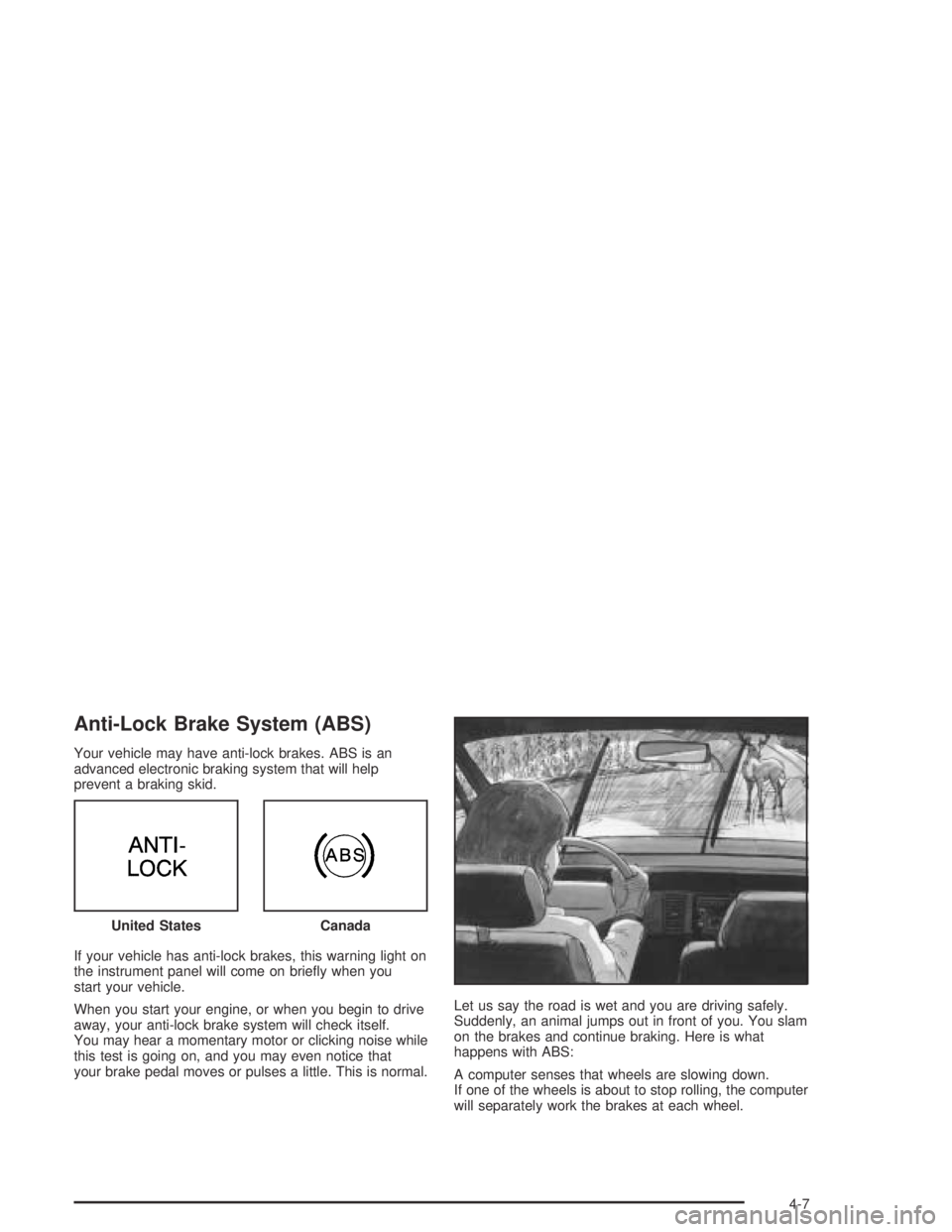
Anti-Lock Brake System (ABS)
Your vehicle may have anti-lock brakes. ABS is an
advanced electronic braking system that will help
prevent a braking skid.
If your vehicle has anti-lock brakes, this warning light on
the instrument panel will come on briey when you
start your vehicle.
When you start your engine, or when you begin to drive
away, your anti-lock brake system will check itself.
You may hear a momentary motor or clicking noise while
this test is going on, and you may even notice that
your brake pedal moves or pulses a little. This is normal.Let us say the road is wet and you are driving safely.
Suddenly, an animal jumps out in front of you. You slam
on the brakes and continue braking. Here is what
happens with ABS:
A computer senses that wheels are slowing down.
If one of the wheels is about to stop rolling, the computer
will separately work the brakes at each wheel. United States
Canada
4-7
Page 174 of 348
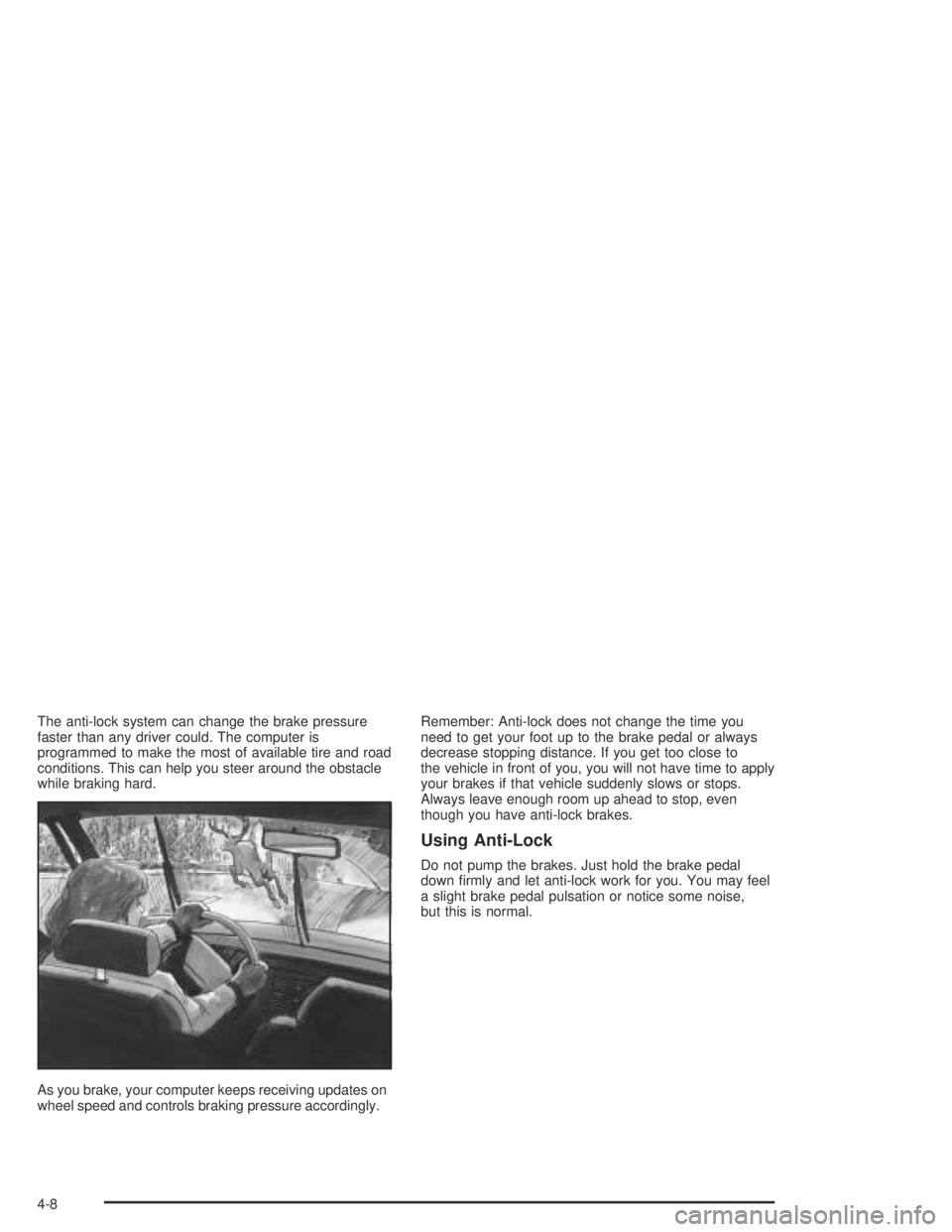
The anti-lock system can change the brake pressure
faster than any driver could. The computer is
programmed to make the most of available tire and road
conditions. This can help you steer around the obstacle
while braking hard.
As you brake, your computer keeps receiving updates on
wheel speed and controls braking pressure accordingly.Remember: Anti-lock does not change the time you
need to get your foot up to the brake pedal or always
decrease stopping distance. If you get too close to
the vehicle in front of you, you will not have time to apply
your brakes if that vehicle suddenly slows or stops.
Always leave enough room up ahead to stop, even
though you have anti-lock brakes.
Using Anti-Lock
Do not pump the brakes. Just hold the brake pedal
down rmly and let anti-lock work for you. You may feel
a slight brake pedal pulsation or notice some noise,
but this is normal.
4-8
Page 175 of 348
Braking in Emergencies
At some time, nearly every driver gets into a situation
that requires hard braking.
If you have anti-lock, you can steer and brake at the
same time. However, if you do not have anti-lock, your
rst reaction — to hit the brake pedal hard and hold
it down — may be the wrong thing to do. Your wheels
can stop rolling. Once they do, the vehicle can not
respond to your steering. Momentum will carry it
in whatever direction it was headed when the wheels
stopped rolling. That could be off the road, into the very
thing you were trying to avoid, or into traffic.
If you do not have anti-lock, use a “squeeze” braking
technique. This will give you maximum braking while
maintaining steering control. You can do this by pushing
on the brake pedal with steadily increasing pressure.
In an emergency, you will probably want to squeeze the
brakes hard without locking the wheels. If you hear or
feel the wheels sliding, ease off the brake pedal.
This will help you retain steering control. If youdohave
anti-lock, it is different. SeeAnti-Lock Brake System
(ABS) on page 4-7
In many emergencies, steering can help you more than
even the very best braking.
Enhanced Traction System (ETS)
If the vehicle has an Enhanced Traction System (ETS)
it will limit wheel spin. This is especially useful in
slippery road conditions. The system operates only if
it senses that one or both of the front wheels are
spinning or beginning to lose traction. When this
happens, the system reduces engine power and may
also upshift the transaxle to limit wheel spin.
This light will come on the
instrument panel cluster
while the ETS is limiting
wheel spin. SeeEnhanced
Traction System Warning
Light on page 3-34.
You may feel or hear the system working, but this
is normal.
If the vehicle is in cruise control when the enhanced
traction system begins to limit wheel spin, the cruise
control will automatically disengage. The cruise control
can be used again when road conditions allow safe
use of it. See “Cruise Control” underTurn
Signal/Multifunction Lever on page 3-7.
4-9
Page 176 of 348
The ETS operates in THIRD (3) and AUTOMATIC
OVERDRIVE (
X). If the vehicle is in THIRD (3),
the system can upshift the transaxle to AUTOMATIC
OVERDRIVE (
X). The ETS is turned off in
SECOND (2) or FIRST (1) gear, and when the parking
brake is set. SeeAutomatic Transaxle Operation on
page 2-21.
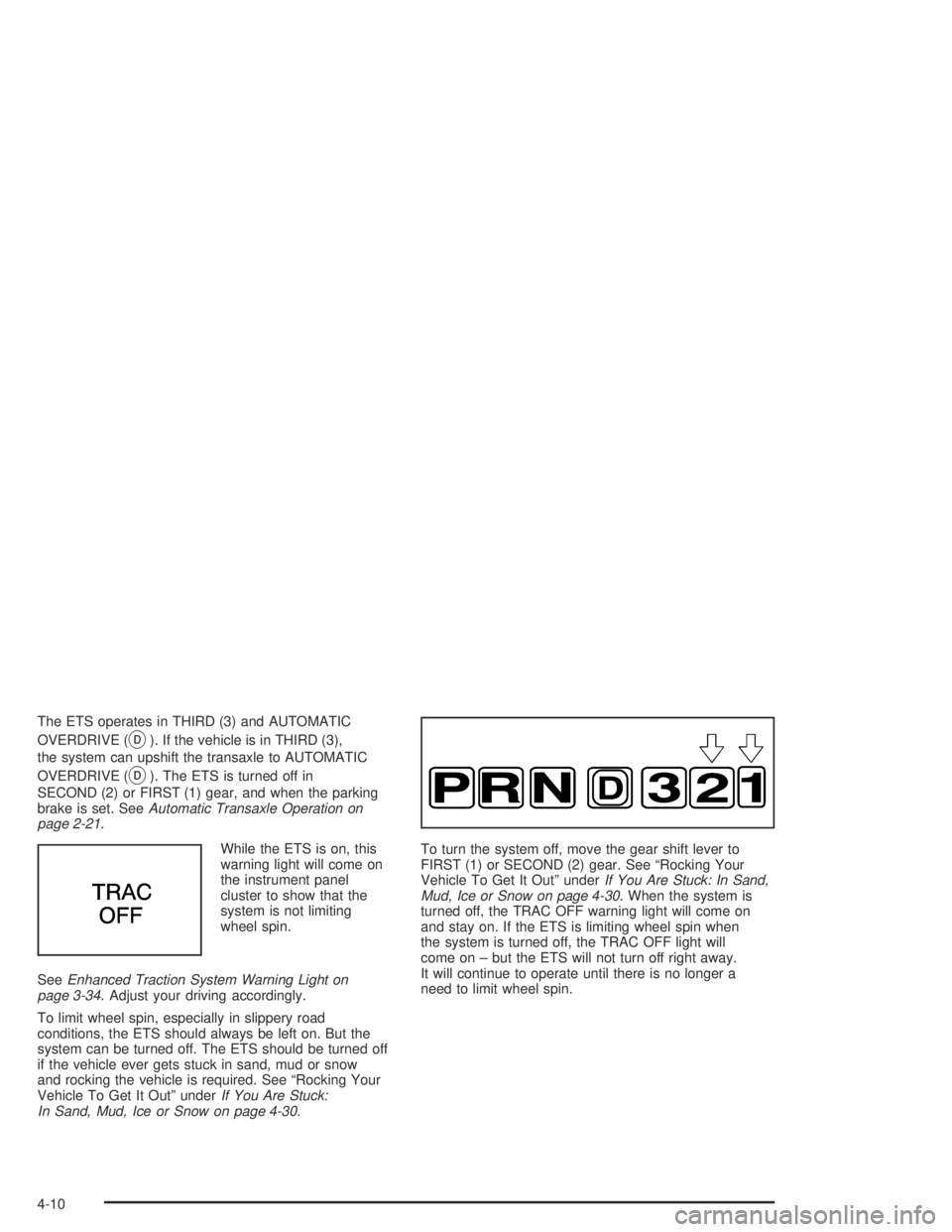
While the ETS is on, this
warning light will come on
the instrument panel
cluster to show that the
system is not limiting
wheel spin.
SeeEnhanced Traction System Warning Light on
page 3-34. Adjust your driving accordingly.
To limit wheel spin, especially in slippery road
conditions, the ETS should always be left on. But the
system can be turned off. The ETS should be turned off
if the vehicle ever gets stuck in sand, mud or snow
and rocking the vehicle is required. See “Rocking Your
Vehicle To Get It Out” underIf You Are Stuck:
In Sand, Mud, Ice or Snow on page 4-30.To turn the system off, move the gear shift lever to
FIRST (1) or SECOND (2) gear. See “Rocking Your
Vehicle To Get It Out” underIf You Are Stuck: In Sand,
Mud, Ice or Snow on page 4-30. When the system is
turned off, the TRAC OFF warning light will come on
and stay on. If the ETS is limiting wheel spin when
the system is turned off, the TRAC OFF light will
come on – but the ETS will not turn off right away.
It will continue to operate until there is no longer a
need to limit wheel spin.
4-10
Page 184 of 348

The heavier the rain, the harder it is to see. Even if your
windshield wiper blades are in good shape, a heavy
rain can make it harder to see road signs and traffic
signals, pavement markings, the edge of the road, and
even people walking.
It is wise to keep your windshield wiping equipment in
good shape and keep your windshield washer tank lled
with washer uid. Replace your windshield wiper
inserts when they show signs of streaking or missing
areas on the windshield, or when strips of rubber start to
separate from the inserts.Driving too fast through large water puddles or even
going through some car washes can cause problems,
too. The water may affect your brakes. Try to avoid
puddles. But if you cannot, try to slow down before you
hit them.
{CAUTION:
Wet brakes can cause accidents. They will not
work as well in a quick stop and may cause
pulling to one side. You could lose control of
the vehicle.
After driving through a large puddle of water
or a car wash, apply your brake pedal lightly
until your brakes work normally.
4-18
Page 246 of 348
Brakes
Brake Fluid
Your brake master cylinder reservoir is lled with DOT-3
brake uid. SeeEngine Compartment Overview on
page 5-12for the location of the reservoir.
There are only two reasons why the brake uid level in
the reservoir might go down. The rst is that the
brake uid goes down to an acceptable level during
normal brake lining wear. When new linings are put in,
the uid level goes back up. The other reason is
that uid is leaking out of the brake system. If it is, you
should have your brake system xed, since a leak
means that sooner or later your brakes will not work
well, or will not work at all.
So, it is not a good idea to top off your brake uid.
Adding brake uid will not correct a leak. If you add
uid when your linings are worn, then you will have
too much uid when you get new brake linings.You should add or remove brake uid, as necessary,
only when work is done on the brake hydraulic system.
{CAUTION:
If you have too much brake uid, it can spill on
the engine. The uid will burn if the engine is
hot enough. You or others could be burned,
and your vehicle could be damaged. Add brake
uid only when work is done on the brake
hydraulic system.
When your brake uid falls to a low level, your brake
warning light will come on. SeeBrake System Warning
Light on page 3-32.
What to Add
When you do need brake uid, use only DOT-3 brake
uid. Use new brake uid from a sealed container
only. SeeRecommended Fluids and Lubricants on
page 6-13.
Always clean the brake uid reservoir cap and the
area around the cap before removing it. This will help
keep dirt from entering the reservoir.
5-36
Page 247 of 348
{CAUTION:
With the wrong kind of uid in your brake
system, your brakes may not work well, or they
may not even work at all. This could cause a
crash. Always use the proper brake uid.
Notice:
Using the wrong uid can badly damage brake
system parts. For example, just a few drops of
mineral-based oil, such as engine oil, in your
brake system can damage brake system parts so
badly that they will have to be replaced. Do not
let someone put in the wrong kind of uid.
If you spill brake uid on your vehicle’s painted
surfaces, the paint nish can be damaged.
Be careful not to spill brake uid on your
vehicle. If you do, wash it off immediately.
SeeAppearance Care on page 5-82.
Brake Wear
Your vehicle has four-wheel disc brakes.
Disc brake pads have built-in wear indicators that make
a high-pitched warning sound when the brake pads
are worn and new pads are needed. The sound
may come and go or be heard all the time your vehicle
is moving, except when you are pushing on the
brake pedal rmly.
{CAUTION:
The brake wear warning sound means that soon
your brakes will not work well. That could lead
to an accident. When you hear the brake wear
warning sound, have your vehicle serviced.
Notice:Continuing to drive with worn-out brake
pads could result in costly brake repair.
Some driving conditions or climates may cause a brake
squeal when the brakes are rst applied or lightly
applied. This does not mean something is wrong with
your brakes.
5-37
Page 250 of 348
Jump Starting
If the battery has run down, you may want to use
another vehicle and some jumper cables to start your
vehicle. Be sure to use the following steps to do it safely.
{CAUTION:
Batteries can hurt you. They can be
dangerous because:
They contain acid that can burn you.
They contain gas that can explode or ignite.
They contain enough electricity to burn you.
If you do not follow these steps exactly,
some or all of these things can hurt you.
Notice:Ignoring these steps could result in costly
damage to your vehicle that would not be covered
by your warranty.
Trying to start your vehicle by pushing or pulling it
will not work, and it could damage your vehicle.1. Check the other vehicle. It must have a 12-volt
battery with a negative ground system.
Notice:If the other vehicle’s system is not a 12-volt
system with a negative ground, both vehicles can
be damaged. Only use vehicles with 12-volt systems
with negative grounds to jump start your vehicle.
2. Get the vehicles close enough so the jumper cables
can reach, but be sure the vehicles are not touching
each other. If they are, it could cause a ground
connection you do not want. You would not be able
to start the vehicle, and the bad grounding could
damage the electrical systems.
To avoid the possibility of the vehicles rolling, set
the parking brake rmly on both vehicles involved
in the jump start procedure. Put an automatic
transaxle in PARK (P) or a manual transaxle in
NEUTRAL (N) before setting the parking brake.
Notice:If you leave your radio or other accessories
on during the jump starting procedure, they could
be damaged. The repairs would not be covered
by your warranty. Always turn off your radio and
other accessories when jump starting your vehicle.
3. Turn off the ignition on both vehicles. Unplug
unnecessary accessories plugged into the cigarette
lighter or the auxiliary power outlet. Turn off the
radio and all lamps that are not needed. This will
avoid sparks and help save both batteries.
And it could save the vehicle’s radio!
5-40
Page 303 of 348
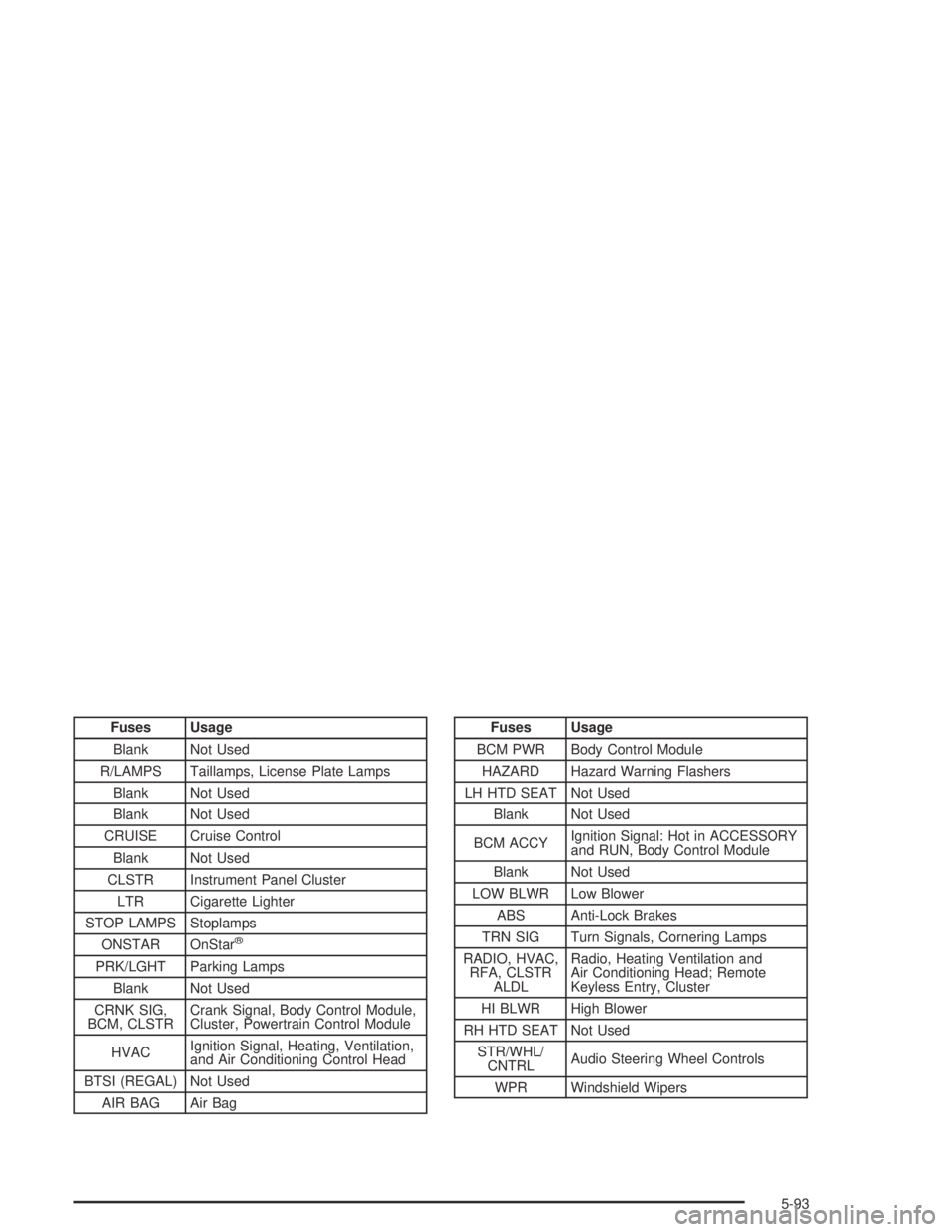
Fuses Usage
Blank Not Used
R/LAMPS Taillamps, License Plate Lamps
Blank Not Used
Blank Not Used
CRUISE Cruise Control
Blank Not Used
CLSTR Instrument Panel Cluster
LTR Cigarette Lighter
STOP LAMPS Stoplamps
ONSTAR OnStar
®
PRK/LGHT Parking Lamps
Blank Not Used
CRNK SIG,
BCM, CLSTRCrank Signal, Body Control Module,
Cluster, Powertrain Control Module
HVACIgnition Signal, Heating, Ventilation,
and Air Conditioning Control Head
BTSI (REGAL) Not Used
AIR BAG Air Bag
Fuses Usage
BCM PWR Body Control Module
HAZARD Hazard Warning Flashers
LH HTD SEAT Not Used
Blank Not Used
BCM ACCYIgnition Signal: Hot in ACCESSORY
and RUN, Body Control Module
Blank Not Used
LOW BLWR Low Blower
ABS Anti-Lock Brakes
TRN SIG Turn Signals, Cornering Lamps
RADIO, HVAC,
RFA, CLSTR
ALDLRadio, Heating Ventilation and
Air Conditioning Head; Remote
Keyless Entry, Cluster
HI BLWR High Blower
RH HTD SEAT Not Used
STR/WHL/
CNTRLAudio Steering Wheel Controls
WPR Windshield Wipers
5-93