ECU BUICK ENCLAVE 2008 Owner's Guide
[x] Cancel search | Manufacturer: BUICK, Model Year: 2008, Model line: ENCLAVE, Model: BUICK ENCLAVE 2008Pages: 436
Page 130 of 436
Universal Home Remote
System
The Universal Home Remote System provides a way to
replace up to three hand-held Radio-Frequency (RF)
transmitters used to activate devices such as garage
door openers, security systems, and home lighting.
This device complies with Part 15 of the FCC Rules.
Operation is subject to the following two conditions:
1. This device may not cause harmful interference.
2. This device must accept any interference received,
including interference that may cause undesired
operation.
This device complies with RSS-210 of Industry Canada.
Operation is subject to the following two conditions:
1. This device may not cause interference.
2. This device must accept any interference received,
including interference that may cause undesired
operation of the device.
Changes or modications to this system by other than
an authorized service facility could void authorization to
use this equipment.
Universal Home Remote System
Operation (With Three Round LED)
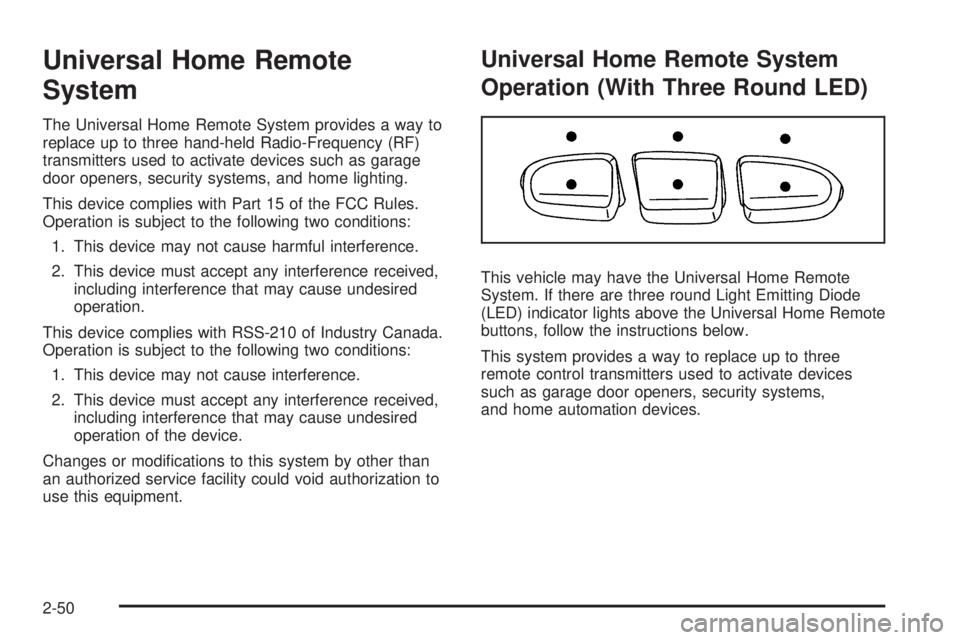
This vehicle may have the Universal Home Remote
System. If there are three round Light Emitting Diode
(LED) indicator lights above the Universal Home Remote
buttons, follow the instructions below.
This system provides a way to replace up to three
remote control transmitters used to activate devices
such as garage door openers, security systems,
and home automation devices.
2-50
Page 132 of 436

2. Locate in the garage, the garage door opener
receiver (motor-head unit). Locate the “Learn”
or “Smart” button. It can usually be found where the
hanging antenna wire is attached to the motor-head
unit and may be a colored button. Press this
button. After pressing this button, complete the
following steps in less than 30 seconds.3. Immediately return to the vehicle. Press and hold
the Universal Home Remote button that will be
used to control the garage door until the garage
door moves. The indicator light, above the selected
button, should slowly blink. This button may
need to be held for up to 20 seconds.
4. Immediately, within one second, release the button
when the garage door moves. The indicator light
will blink rapidly until programming is complete.
5. Press and release the same button again.
The garage door should move, conrming
that programming is successful and complete.
To program another Rolling Code device such as an
additional garage door opener, a security device,
or home automation device, repeat Steps 1 through 5,
choosing a different function button in Step 3 than
what was used for the garage door opener.
If these instructions do not work, the garage door
opener is probably a Fixed Code unit. Follow the
Programming instructions that follow for a Fixed Code
garage door opener.
2-52
Page 136 of 436
5. After entering all of the switch positions, again,
rmly press and release all three buttons at the
same time. The indicator lights will turn on.
6. Press and hold the button that will be used to
control the garage door until the garage door
moves. The indicator light above the selected button
should slowly blink. This button may need to be
held for up to 55 seconds.
7. Immediately release the button when the garage
door moves. The indicator light will blink rapidly
until programming is complete.
8. Press and release the same button again.
The garage door should move, conrming
that programming is successful and complete.
To program another Fixed Code device such as an
additional garage door opener, a security device, or home
automation device, repeat Steps 1-8, choosing a different
button in Step 6 than what was used for the garage door
opener.
Using Universal Home Remote
Press and hold the appropriate button for at least half of
a second. The indicator light will come on while the
signal is being transmitted.
Reprogramming Universal Home
Remote Buttons
Any of the three buttons can be reprogrammed by
repeating the instructions.
Erasing Universal Home Remote
Buttons
The programmed buttons should be erased when the
vehicle is sold or the lease ends.
To erase either Rolling Code or Fixed Code on the
Universal Home Remote device:
1. Press and hold the two outside buttons at the same
time for approximately 20 seconds, until the
indicator lights, located directly above the buttons,
begin to blink rapidly.
2. Once the indicator lights begin to blink, release both
buttons. The codes from all buttons will be erased.
For help or information on the Universal Home Remote
System, call the customer assistance phone number
underCustomer Assistance Offices on page 7-6.
2-56
Page 140 of 436
Lane Departure Warning Light........................3-41
Engine Coolant Temperature Warning Light......3-42
Engine Coolant Temperature Gage..................3-42
Tire Pressure Light.......................................3-43
Malfunction Indicator Lamp.............................3-43
Oil Pressure Light.........................................3-46
Security Light...............................................3-46
Fog Lamp Light............................................3-47
Cruise Control Light......................................3-47
Highbeam On Light.......................................3-47
Fuel Gage...................................................3-48
Driver Information Center (DIC).......................3-49
DIC Operation and Displays...........................3-49
DIC Compass..............................................3-54DIC Warnings and Messages.........................3-56
DIC Vehicle Customization.............................3-66
Audio System(s).............................................3-75
Setting the Clock..........................................3-76
Radio(s)......................................................3-78
Using an MP3..............................................3-88
XM Radio Messages.....................................3-92
Navigation/Radio System...............................3-93
Bluetooth
®...................................................3-93
Theft-Deterrent Feature................................3-104
Audio Steering Wheel Controls......................3-104
Radio Reception.........................................3-105
Backglass Antenna......................................3-106
XM™ Satellite Radio Antenna System............3-106
Section 3 Instrument Panel
3-2
Page 184 of 436
Oil Pressure Light
{CAUTION:
Do not keep driving if the oil pressure is low.
The engine can become so hot that it catches re.
Someone could be burned. Check the oil as soon
as possible and have the vehicle serviced.
Notice:Lack of proper engine oil maintenance
can damage the engine. The repairs would not be
covered by the vehicle warranty. Always follow
the maintenance schedule in this manual for
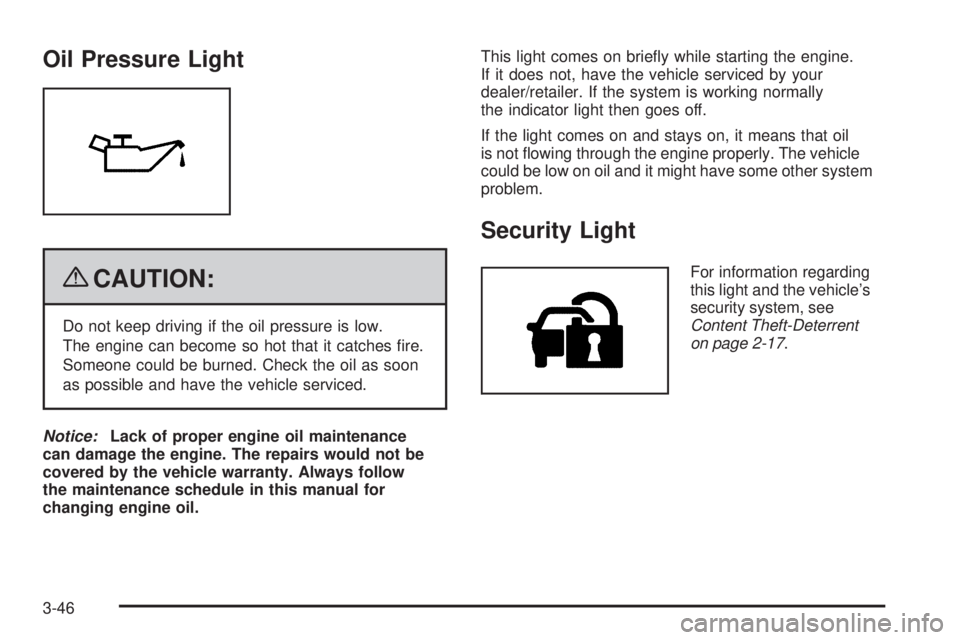
changing engine oil.This light comes on briey while starting the engine.
If it does not, have the vehicle serviced by your
dealer/retailer. If the system is working normally
the indicator light then goes off.
If the light comes on and stays on, it means that oil
is not owing through the engine properly. The vehicle
could be low on oil and it might have some other system
problem.
Security Light
For information regarding
this light and the vehicle’s
security system, see
Content Theft-Deterrent
on page 2-17.
3-46
Page 231 of 436
XM Theftlocked:The XM™ receiver in your vehicle
could have previously been in another vehicle. For
security purposes, XM™ receivers cannot be swapped
between vehicles. If this message is received after having
your vehicle serviced, check with your dealer/retailer.
XM Radio ID:If tuned to channel 0, this message
alternates with the XM™ Radio 8 digit radio ID label.
This label is needed to activate the service.
Unknown:If this message is received when tuned to
channel 0, there could be a receiver fault. Consult
with your dealer/retailer.
Check XM Receivr:If this message does not clear
within a short period of time, the receiver could have
a fault. Consult with your dealer/retailer.
XM Not Available:If this message does not clear
within a short period of time, the receiver could have
a fault. Consult with your dealer/retailer.
Navigation/Radio System
For vehicles with a navigation radio system, see the
separate Navigation System manual.
Bluetooth®
Vehicles with a Bluetooth system can use a Bluetooth
capable cell phone with a Hands Free Prole to make and
receive phone calls. The system can be used while the
key is in ON/RUN or ACC/ACCESSORY position. The
range of the Bluetooth system can be up to 30 ft. (9.1 m).
Not all phones support all functions, and not all phones
are guaranteed to work with the in-vehicle Bluetooth
system. See gm.com/bluetooth for more information
on compatible phones.
Voice Recognition
The Bluetooth system uses voice recognition to interpret
voice commands to dial phone numbers and name tags.
Noise:Keep interior noise levels to a minimum.
The system may not recognize voice commands if
there is too much background noise.
When to Speak:A short tone sounds after the system
responds indicating when it is waiting for a voice
command. Wait until the tone and then speak.
How to Speak:Speak clearly in a calm and natural
voice.
3-93
Page 267 of 436

{CAUTION:
Things you put inside the vehicle can strike
and injure people in a sudden stop or turn,
or in a crash.
Put things in the trunk of your vehicle.
In a trunk, put them as far forward as you
can. Try to spread the weight evenly.
Never stack heavier things, like suitcases,
inside the vehicle so that some of them
are above the tops of the seats.
Do not leave an unsecured child restraint
in the vehicle.
When you carry something inside the
vehicle, secure it whenever you can.
Do not leave a seat folded down unless
you need to.
Towing
Towing Your Vehicle
To avoid damage, the disabled vehicle should be towed
with all four wheels off the ground. Consult your dealer/
retailer or a professional towing service if the disabled
vehicle must be towed. SeeRoadside Assistance
Program on page 7-7.
To tow the vehicle behind another vehicle for
recreational purposes (such as behind a motorhome),
see “Recreational Vehicle Towing” following.
4-23
Page 269 of 436
Dolly Towing
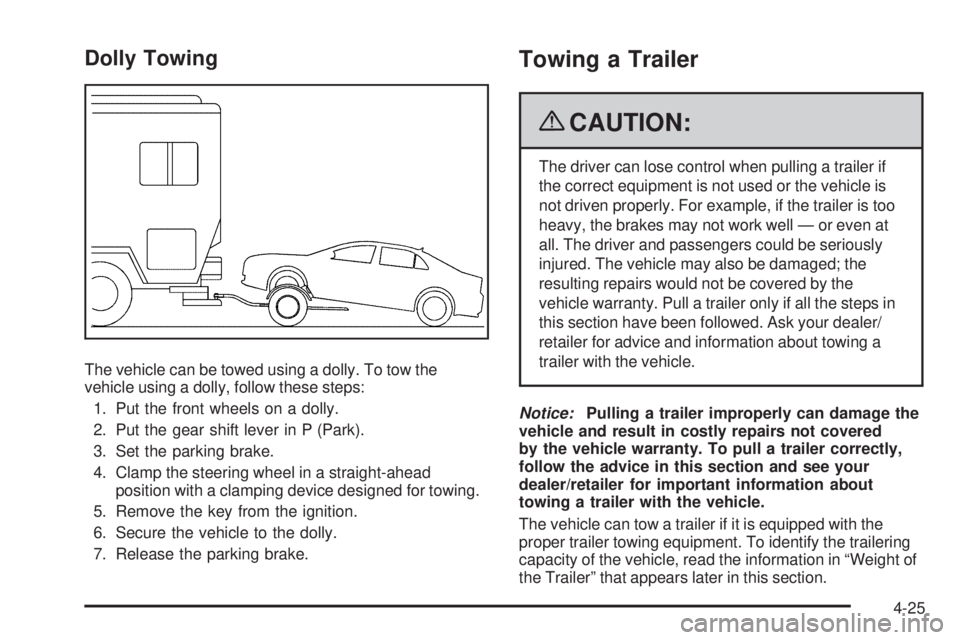
The vehicle can be towed using a dolly. To tow the
vehicle using a dolly, follow these steps:
1. Put the front wheels on a dolly.
2. Put the gear shift lever in P (Park).
3. Set the parking brake.
4. Clamp the steering wheel in a straight-ahead
position with a clamping device designed for towing.
5. Remove the key from the ignition.
6. Secure the vehicle to the dolly.
7. Release the parking brake.
Towing a Trailer
{CAUTION:
The driver can lose control when pulling a trailer if
the correct equipment is not used or the vehicle is
not driven properly. For example, if the trailer is too
heavy, the brakes may not work well — or even at
all. The driver and passengers could be seriously
injured. The vehicle may also be damaged; the
resulting repairs would not be covered by the
vehicle warranty. Pull a trailer only if all the steps in
this section have been followed. Ask your dealer/
retailer for advice and information about towing a
trailer with the vehicle.
Notice:Pulling a trailer improperly can damage the
vehicle and result in costly repairs not covered
by the vehicle warranty. To pull a trailer correctly,
follow the advice in this section and see your
dealer/retailer for important information about
towing a trailer with the vehicle.
The vehicle can tow a trailer if it is equipped with the
proper trailer towing equipment. To identify the trailering
capacity of the vehicle, read the information in “Weight of
the Trailer” that appears later in this section.
4-25
Page 271 of 436
Weight of the Trailer
How heavy can a trailer safely be?
It should never weigh more than 1,000 lbs (454 kg).
But even that can be too heavy.
It depends on how the rig is used. For example, speed,
altitude, road grades, outside temperature and how much
the vehicle is used to pull a trailer are all important. It can
depend on any special equipment on the vehicle, and the
amount of tongue weight the vehicle can carry. See
“Weight of the Trailer Tongue” later in this section for
more information.
Maximum trailer weight is calculated assuming only the
driver is in the tow vehicle and it has all the required
trailering equipment. The weight of additional optional
equipment, passengers and cargo in the tow vehicle
must be subtracted from the maximum trailer weight.
Ask your dealer/retailer for trailering information or
advice, or write us at our Customer Assistance Offices.
SeeCustomer Assistance Offices on page 7-6for
more information.
Weight of the Trailer Tongue
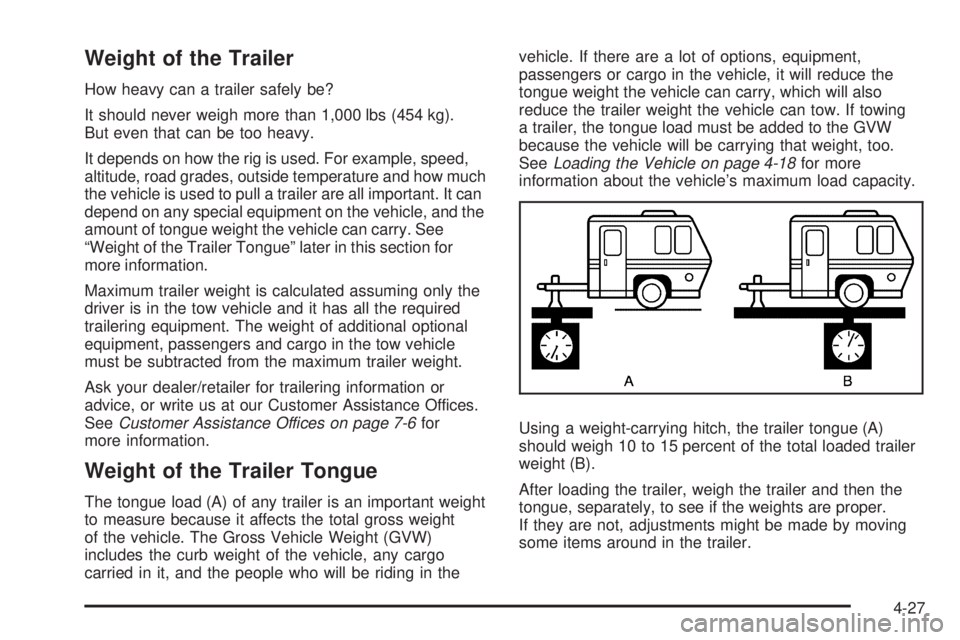
The tongue load (A) of any trailer is an important weight
to measure because it affects the total gross weight
of the vehicle. The Gross Vehicle Weight (GVW)
includes the curb weight of the vehicle, any cargo
carried in it, and the people who will be riding in thevehicle. If there are a lot of options, equipment,
passengers or cargo in the vehicle, it will reduce the
tongue weight the vehicle can carry, which will also
reduce the trailer weight the vehicle can tow. If towing
a trailer, the tongue load must be added to the GVW
because the vehicle will be carrying that weight, too.
SeeLoading the Vehicle on page 4-18for more
information about the vehicle’s maximum load capacity.
Using a weight-carrying hitch, the trailer tongue (A)
should weigh 10 to 15 percent of the total loaded trailer
weight (B).
After loading the trailer, weigh the trailer and then the
tongue, separately, to see if the weights are proper.
If they are not, adjustments might be made by moving
some items around in the trailer.
4-27
Page 273 of 436
Driving with a Trailer
Towing a trailer requires a certain amount of experience.
Get to know the rig before setting out for the open road.
Get acquainted with the feel of handling and braking with
the added weight of the trailer. And always keep in mind
that the vehicle you are driving is now longer and not as
responsive as the vehicle is by itself.
Before starting, check all trailer hitch parts and
attachments, safety chains, electrical connectors, lamps,
tires and mirror adjustments. If the trailer has electric
brakes, start the vehicle and trailer moving and then
apply the trailer brake controller by hand to be sure the
brakes are working. This checks the electrical connection
at the same time.
During the trip, check occasionally to be sure that the
load is secure, and that the lamps and any trailer brakes
are still working.
Following Distance
Stay at least twice as far behind the vehicle ahead as
you would when driving the vehicle without a trailer.
This can help to avoid situations that require heavy
braking and sudden turns.
Passing
More passing distance is needed when towing a trailer.
Because the rig is longer, it is necessary to go much
farther beyond the passed vehicle before returning
to the lane.
Backing Up
Hold the bottom of the steering wheel with one hand.
Then, to move the trailer to the left, move that hand
to the left. To move the trailer to the right, move your
hand to the right. Always back up slowly and, if possible,
have someone guide you.
Making Turns
Notice:Making very sharp turns while trailering
could cause the trailer to come in contact with the
vehicle. The vehicle could be damaged. Avoid
making very sharp turns while trailering.
When turning with a trailer, make wider turns than
normal. Do this so the trailer will not strike soft
shoulders, curbs, road signs, trees or other objects.
Avoid jerky or sudden maneuvers. Signal well in
advance.
4-29