center console BUICK ENCLAVE 2009 Owner's Manual
[x] Cancel search | Manufacturer: BUICK, Model Year: 2009, Model line: ENCLAVE, Model: BUICK ENCLAVE 2009Pages: 412
Page 8 of 412
Power Lumbar
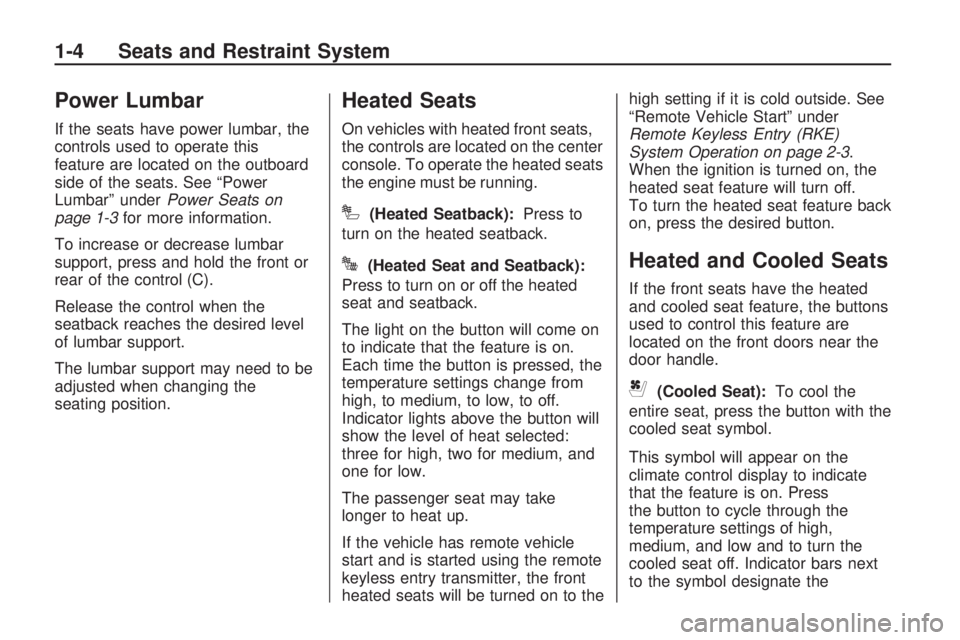
If the seats have power lumbar, the
controls used to operate this
feature are located on the outboard
side of the seats. See “Power
Lumbar” underPower Seats on
page 1-3for more information.
To increase or decrease lumbar
support, press and hold the front or
rear of the control (C).
Release the control when the
seatback reaches the desired level
of lumbar support.
The lumbar support may need to be
adjusted when changing the
seating position.
Heated Seats
On vehicles with heated front seats,
the controls are located on the center
console. To operate the heated seats
the engine must be running.
I(Heated Seatback):Press to
turn on the heated seatback.
J(Heated Seat and Seatback):
Press to turn on or off the heated
seat and seatback.
The light on the button will come on
to indicate that the feature is on.
Each time the button is pressed, the
temperature settings change from
high, to medium, to low, to off.
Indicator lights above the button will
show the level of heat selected:
three for high, two for medium, and
one for low.
The passenger seat may take
longer to heat up.
If the vehicle has remote vehicle
start and is started using the remote
keyless entry transmitter, the front
heated seats will be turned on to thehigh setting if it is cold outside. See
“Remote Vehicle Start” under
Remote Keyless Entry (RKE)
System Operation on page 2-3.
When the ignition is turned on, the
heated seat feature will turn off.
To turn the heated seat feature back
on, press the desired button.Heated and Cooled Seats
If the front seats have the heated
and cooled seat feature, the buttons
used to control this feature are
located on the front doors near the
door handle.
{(Cooled Seat):To cool the
entire seat, press the button with the
cooled seat symbol.
This symbol will appear on the
climate control display to indicate
that the feature is on. Press
the button to cycle through the
temperature settings of high,
medium, and low and to turn the
cooled seat off. Indicator bars next
to the symbol designate the
1-4 Seats and Restraint System
Page 12 of 412

Rear Seats
Rear Seat Operation
A. Seat Adjustment Handle
B. Reclining Seatback Strap
C. Sliding Seat Lever
Entering and Exiting the
Third Row
{CAUTION
Using the third row seating
position while the second row is
folded, or folded and tumbled,
could cause injury in a sudden stop
or crash. Be sure to return the seat
to the passenger seating position.
Push and pull on the seat to make
sure it is locked into place.
Notice:Folding a rear seat with
the safety belts still fastened may
cause damage to the seat or the
safety belts. Always unbuckle the
safety belts and return them to
their normal stowed position
before folding a rear seat.To access the third row:
1. Remove objects on the oor in
front of or on the second row
seat, or in the seat tracks on
the oor.
2. Move the front center console
armrest completely forward.
SeeCenter Console Storage
on page 2-49.
3. Place folding armrests in the
upright position.
4. Ensure that the safety belt are
unfastened and in the stowed
position.
1-8 Seats and Restraint System
Page 66 of 412
Universal Home Remote
System
Universal Home Remote
System............................2-44
Universal Home Remote
System Operation............2-45
Storage Areas
Glove Box.........................2-49
Cupholders.......................2-49
Instrument Panel
Storage...........................2-49
Center Console Storage. . . .2-49
Second Row Center
Console...........................2-50
Floor Mats........................2-50
Luggage Carrier................2-51
Rear Seat Armrest............2-51
Cargo Tie Downs..............2-51
Cargo Management
System............................2-52
Sunroof
Sunroof.............................2-53
Keys
{CAUTION
Leaving children in a vehicle with
the ignition key is dangerous for
many reasons, children or others
could be badly injured or even
killed. They could operate the
power windows or other controls
or even make the vehicle move.
The windows will function with the
keys in the ignition and children
could be seriously injured or killed
if caught in the path of a closing
window. Do not leave the keys in
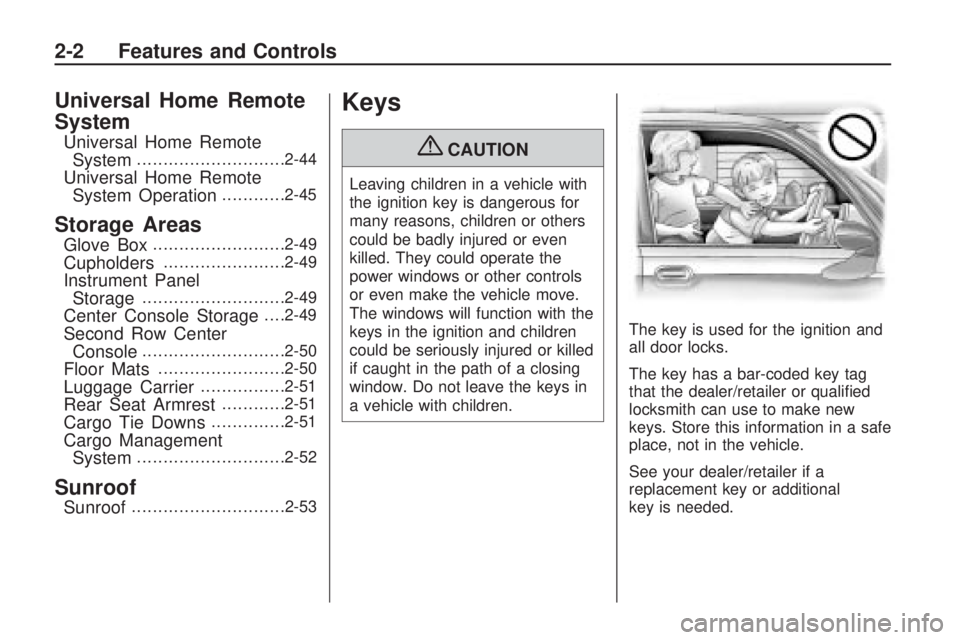
a vehicle with children.The key is used for the ignition and
all door locks.
The key has a bar-coded key tag
that the dealer/retailer or qualied
locksmith can use to make new
keys. Store this information in a safe
place, not in the vehicle.
See your dealer/retailer if a
replacement key or additional
key is needed.
2-2 Features and Controls
Page 75 of 412

CAUTION (Continued)
If the vehicle must be driven with
the liftgate, or trunk/hatch open:
Close all of the windows
Fully open the air outlets on
or under the instrument panel
Adjust the Climate Control
system to a setting that
brings in only outside air and
set the fan speed to the
highest setting. See Climate
Control System in the Index.
If the vehicle is equipped with
a power liftgate, disable the
power liftgate function.
For more information about
carbon monoxide, see Engine
ExhaustEngine Exhaust on
page 2-30.The vehicle may have a power
liftgate. The vehicle must be
in P (Park) to use this feature.
The taillamps will ash and a chime
will sound when the power liftgate
is used.
{CAUTION
You or others could be injured if
caught in the path of the power
liftgate. Make sure there is no one
in the way of the liftgate as it is
opening and closing.
Notice:If you open the liftgate
without checking for overhead
obstructions such as a garage
door, you could damage the
liftgate or the liftgate glass.
Always check to make sure the
area above and behind the liftgate
is clear before opening it.To open or close the power liftgate:
Press and hold the power
liftgate button on the Remote
Keyless Entry (RKE) transmitter.
SeeRemote Keyless Entry
(RKE) System Operation on
page 2-3for more information.
Press the liftgate button on the
center console.
Press the touchpad on the
outside liftgate handle.
Pressing the buttons, or touchpad a
second time while the liftgate is
moving reverses the direction.
Features and Controls 2-11
Page 77 of 412

The vehicle has pinch sensors
located on the side edges of the
liftgate. If an object is caught
between the liftgate and the body
and presses against this sensor, the
liftgate reverses direction and
fully opens. The liftgate remains
open until it is activated again
or closed manually. Do not force the
liftgate open or closed during a
power cycle.Manual Operation of Power
Liftgate
To change the liftgate to manual
operation, press the switch on
the center console to the OFF
position.
With the power liftgate disabled
and all of the doors unlocked, the
liftgate can be manually opened
and closed.To open the liftgate, press the
touchpad on the handle on
the outside of the liftgate, and lift
the gate open. To close the liftgate,
use the pull cup to lower the
liftgate and close. The liftgate latch
will power close. Always close
the liftgate before driving.
If the RKE button or the power close
button on the liftgate is pressed while
power operation is disabled, the
lights will ash three times, but the
liftgate will not move.
It is not recommended that you drive
with the liftgate open, however, if you
must drive with the liftgate open, the
liftgate should be set to manual
operation by pressing the OFF
switch on the center console.
Features and Controls 2-13
Page 113 of 412

Reprogramming a Single
Universal Home Remote
Button
To reprogram any of the
three Universal Home Remote
buttons, repeat the programming
instructions earlier in this section,
beginning with Step 2.
For help or information on the
Universal Home Remote System,
call the customer assistance phone
number underCustomer Assistance
Offices on page 7-4.
Storage Areas
Glove Box
Lift the glovebox handle up to open
it. Use the key to lock and unlock
the glovebox.
Cupholders
There are two cupholders, with
removable liners, located in front of
the center console. There may
be cupholders located in the second
row seat armrest. To access, pull
the armrest down. There are
additional cupholders located on
each side of the third row seat and
in each door. There may be
cupholders located at the rear of the
center console. To access, pull
the handle down.
Instrument Panel Storage
This vehicle has an instrument
panel storage area located above
the radio. To open the cover,
press the button.
Center Console Storage
Pull up on the lever, located on
the front of the center console
armrest, to slide it forward and
backward. To open the armrest
storage area, press the button
located on the front of the armrest.
There is additional storage under
the armrest, move the armrest
all the way to the rear position,
slide the cover back and remove
the tray.
Features and Controls 2-49
Page 114 of 412

Second Row Center
Console
For vehicles with a second row
center console, open each area to
access the storage compartment
inside.To access the upper storage area,
press the upper button (B) and
lift up. To access the lower storage
area, press the lower button (C)
and lift up. The top of the console
can be folded forward for increased
storage area. Lift up on handle
on the rear of the console (A) and
pull forward.
{CAUTION
Never open more than one of the
three latches at a time to help
avoid personal injury and damage
to the console.
Notice:Slide the front console
as far forward as it will go before
folding the second row console
forward to help prevent damage
to the consoles.
Floor Mats
If the oor mat has a snap retainer,
a grommet in the driver side
oor mat attaches to a hook on the
oor of the vehicle to secure the
oor mat. To remove the oor mat,
pull the mat towards the rear of
the vehicle until the grommet can be
removed from the hook.
If the oor mat has a knob retainer,
a grommet in the oor mat
attaches to a knob on the oor of
the vehicle to secure the oor mat.
2-50 Features and Controls
Page 123 of 412

The main components of your
instrument panel are listed here:
A.Outlet Adjustment on page 3-25.
B.Turn Signal/Multifunction
Lever on page 3-6.Windshield
Wipers on page 3-8.
C.Instrument Panel Cluster on
page 3-29.
D.Driver Information Center (DIC)
on page 3-41.
E.Analog Clock on page 3-19.
F.Audio System(s) on page 3-64.
Navigation/Radio System on
page 3-92(If Equipped).
G.Exterior Lamps on page 3-12.
Fog Lamps on page 3-14.
H.Hood Release on page 5-9.
I.Dome Lamp Override on
page 3-15.Instrument Panel
Brightness on page 3-15. Heated
Windshield Washer Button
(If Equipped). SeeWindshield
Washer on page 3-8.J.Cruise Control on page 3-10.
K.Tilt and Telescopic Steering
Wheel on page 3-6.
L.Horn on page 3-5.
M.Audio Steering Wheel Controls
on page 3-113.
N.Hazard Warning Flashers on
page 3-5.
O.Dual Automatic Climate Control
System on page 3-20.
P. Center Console Shift Lever. See
“Console Shift Lever” under
Shifting Into Park on page 2-28.
Q.Rear Window Wiper/Washer on
page 3-9. Traction Control
System (TCS) Disable Button
(If Equipped). SeeStabiliTrak
®
System on page 4-5.Tow/Haul
Mode on page 2-26(If
Equipped).Power Liftgate on
page 2-10(If Equipped).
R.Accessory Power Outlet(s) on
page 3-18.
S.Heated Seats on page 1-4.T. Passenger Air Bag Status
Indicator. SeePassenger
Sensing System on page 1-52.
U.Glove Box on page 2-49.
Hazard Warning Flashers
|
Hazard Warning
Flasher:Press this button located
on the instrument panel below
the audio system, to make the front
and rear turn signal lamps ash
on and off. This warns others that
you are having trouble. Press
again to turn the ashers off.
The turn signals do not work while
the hazard warning ashers are on.
Horn
Press near or on the horn symbols
on the steering wheel pad to
sound the horn.
Instrument Panel 3-5
Page 136 of 412
Accessory Power
Outlet(s)
The vehicle has three 12-volt outlets
which can be used to plug in
electrical equipment, such as a
cellular telephone, a compact disc
player, etc.
The power outlets are located on
the instrument panel below the
climate controls, at the rear of the
center console, and in the rear cargo
area. Lift the cover to access the
outlet. Close the cover when
not using the outlet.
Notice:Leaving electrical
equipment plugged in for an
extended period of time while the
vehicle is off will drain the
battery. Power is always supplied
to the outlets. Always unplug
electrical equipment when not in
use and do not plug in equipment
that exceeds the maximum
20 ampere rating.Certain accessory plugs may not be
compatible to the accessory power
outlet and could result in blown
vehicle and adapter fuses. If a
problem is experienced, see your
dealer/retailer for additional
information on the power accessory
outlets.
Notice:Adding any electrical
equipment to the vehicle can
damage it or keep other
components from working as
they should. The repairs would
not be covered by the vehicle
warranty. Do not use equipment
exceeding maximum amperage
rating of 20 amperes. Check with
your dealer/retailer before
adding electrical equipment.
When adding electrical equipment,
be sure to follow the proper
installation instructions included
with the equipment.
Notice:Improper use of the
power outlet can cause damage
not covered by the warranty.
Do not hang any type ofaccessory or accessory bracket
from the plug because the
power outlets are designed for
accessory power plugs only.
Power Outlet 115 Volt
Alternating Current
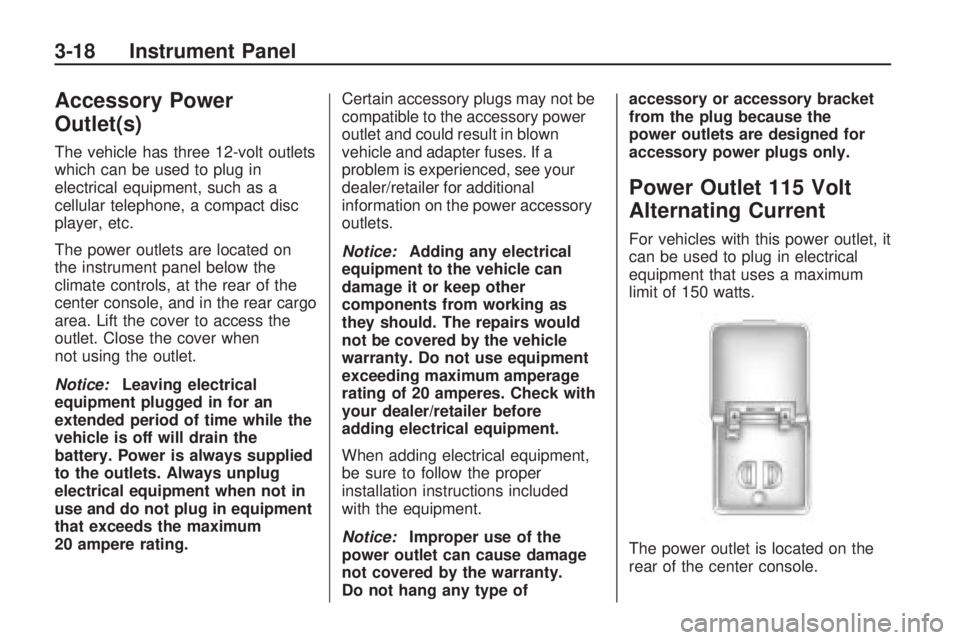
For vehicles with this power outlet, it
can be used to plug in electrical
equipment that uses a maximum
limit of 150 watts.
The power outlet is located on the
rear of the center console.
3-18 Instrument Panel
Page 144 of 412

Rear Air Conditioning and Heating System
A. Fan Control
B. Temperature Control
C. Air Delivery Mode Control
For vehicles with the rear climate
control system, the controls
are located on the rear of the center
console. The system can also be
controlled with the front controls.
Press the REAR button on the front
climate control system to turn the
rear climate control system on or off.An indicator comes on when the
rear system is on. The system also
turns on if any of the rear controls
are adjusted.
Mimic Mode:
This mode matches
the rear climate control to the
front climate control settings. It
comes on when REAR is pressed.
Independent Mode: This mode
directs rear seating airow according
to the settings of the rear controls. It comes on when any rear control
is adjusted.
Fan Control:
Turn clockwise or
counterclockwise to increase
or decrease the fan speed. Turn the
knob to
9to turn the fan off.
Temperature Control: Turn
clockwise or counterclockwise to
increase or decrease the airow
temperature.
Air Delivery Mode Control: Turn
to the desired mode to change
the airow direction.
H(Vent): Air is directed through
the overhead outlets.
)(Bi-Level): Air is directed
through the rear oor outlets, as
well as the overhead outlets.
6(Floor): Air is directed through
the oor outlets. The rear system
oor outlets are located under
the third row seats.
3-26 Instrument Panel