ignition BUICK ENCLAVE 2010 Owner's Manual
[x] Cancel search | Manufacturer: BUICK, Model Year: 2010, Model line: ENCLAVE, Model: BUICK ENCLAVE 2010Pages: 438, PDF Size: 2.47 MB
Page 11 of 438
In Brief 1-5
Canceling a Remote Start
To cancel a remote start:
.Aim the RKE transmitter at the
vehicle and press and hold
/
until the parking lamps turn off.
.Turn on the hazard warning
flashers.
.Turn the ignition switch on and
then off.
See Remote Vehicle Start
on
page 2‑5.
Door Locks
To lock or unlock a door manually:
.From the inside use the door
lock knob on the window sill.
.From the outside turn the key
toward the front or rear of the
vehicle, or press the
Qor"
button on the Remote Keyless
Entry (RKE) transmitter.
Power Door Locks
On vehicles with power door locks,
the controls are located on the front
doors.
"(Unlock): Press to unlock the
doors.
Q(Lock): Press to lock the doors.
See Power Door Locks
on
page 2‑7.
Liftgate
To open the liftgate the vehicle must
be in P (Park). Press the touchpad
under the liftgate handle. To close
the liftgate, use the pull cup or pull
strap as an aid.
Power Liftgate
On vehicles with a power liftgate,
the vehicle must be in P (Park) to
operate it.
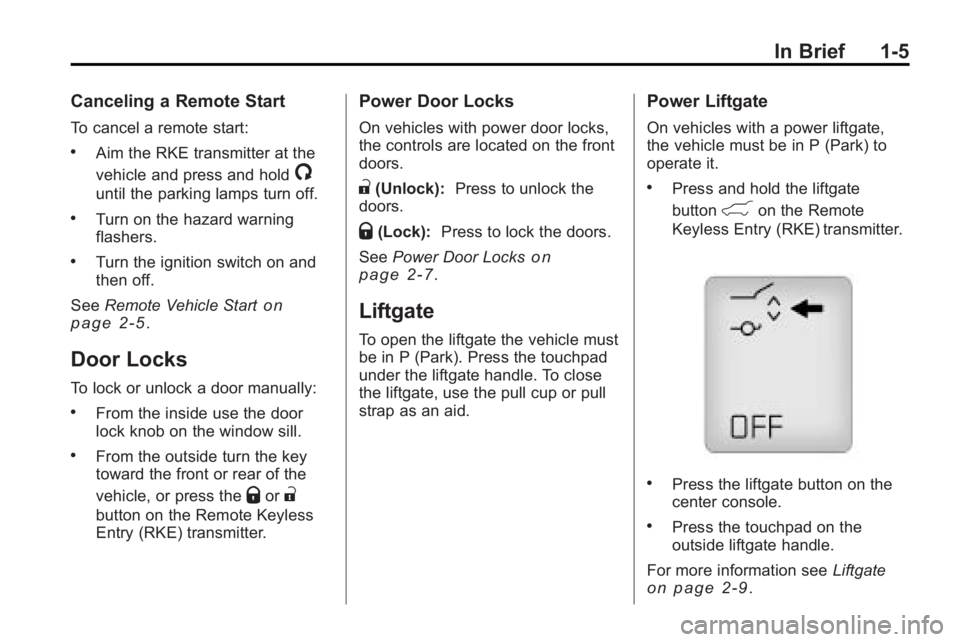
.Press and hold the liftgate
button
&on the Remote
Keyless Entry (RKE) transmitter.
.Press the liftgate button on the
center console.
.Press the touchpad on the
outside liftgate handle.
For more information see Liftgate
on page 2‑9.
Page 16 of 438
1-10 In Brief
Interior Mirror
The vehicle has an automatic
dimming rearview mirror. Automatic
dimming reduces the glare from the
headlamps of the vehicle behind
you. The dimming feature comes on
and the indicator light illuminates
each time the ignition is turned to
start.
SeeAutomatic Dimming Rearview
Mirror on page 2‑18.
Steering Wheel
Adjustment
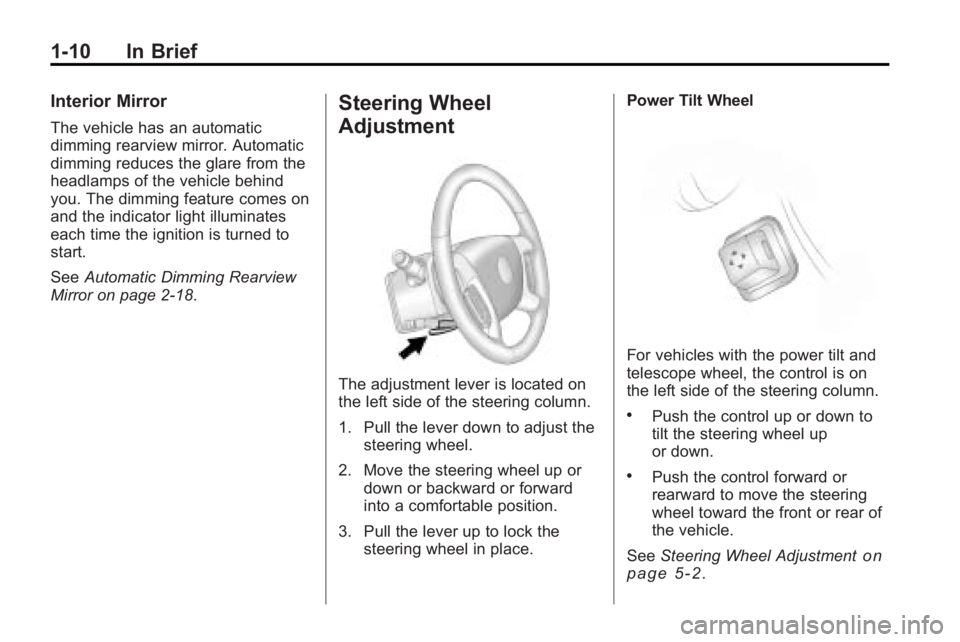
The adjustment lever is located on
the left side of the steering column.
1. Pull the lever down to adjust the
steering wheel.
2. Move the steering wheel up or down or backward or forward
into a comfortable position.
3. Pull the lever up to lock the steering wheel in place. Power Tilt Wheel
For vehicles with the power tilt and
telescope wheel, the control is on
the left side of the steering column.
.Push the control up or down to
tilt the steering wheel up
or down.
.Push the control forward or
rearward to move the steering
wheel toward the front or rear of
the vehicle.
See Steering Wheel Adjustment
on
page 5‑2.
Page 20 of 438
1-14 In Brief
Vehicle Features
Radio(s)
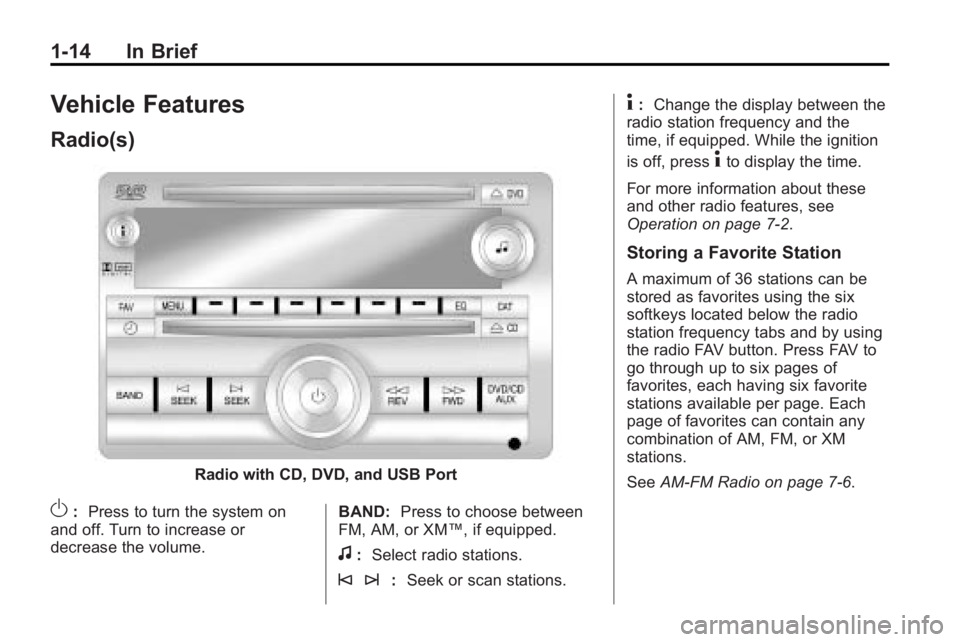
Radio with CD, DVD, and USB Port
O:Press to turn the system on
and off. Turn to increase or
decrease the volume. BAND:
Press to choose between
FM, AM, or XM™, if equipped.
f: Select radio stations.
© ¨: Seek or scan stations.
4:Change the display between the
radio station frequency and the
time, if equipped. While the ignition
is off, press
4to display the time.
For more information about these
and other radio features, see
Operation on page 7‑2.
Storing a Favorite Station
A maximum of 36 stations can be
stored as favorites using the six
softkeys located below the radio
station frequency tabs and by using
the radio FAV button. Press FAV to
go through up to six pages of
favorites, each having six favorite
stations available per page. Each
page of favorites can contain any
combination of AM, FM, or XM
stations.
See AM-FM Radio on page 7‑6.
Page 21 of 438
In Brief 1-15
Setting the Clock
To set the time and date for the
radio with CD, DVD, and USB Port:
1. Turn the ignition key to ACC/ACCESSORY or ON/RUN, then
press
O, to turn the radio on.
2. Press
Gto display HR, MIN,
MM, DD, YYYY (hour, minute,
month, day, and year).
3. Press the pushbutton located under any one of the labels to be
changed.
4. To increase or decrease the time or date, turn
fclockwise or
counter-clockwise.
For detailed instructions on setting
the clock for the vehicles specific
audio system, see Clock
on
page 5‑8.
Satellite Radio
Vehicles with an XM™ Satellite
Radio tuner and a valid XM Satellite
Radio subscription can receive XM
programming.
XM Satellite Radio Service
XM is a satellite radio service that is
based in the 48 contiguous United
States and 10 Canadian provinces.
XM Satellite Radio has a wide
variety of programming and
commercial-free music,
coast-to-coast, and in digital-quality
sound. A fee is required to receive
the XM service. For more
information, contact XM at in the
U.S. and Canada.
For more information refer to:
.www.xmradio.com or call
1-800-929-2100 (U.S.).
.www.xmradio.ca or call
1-877-438-9677 (Canada).
See Satellite Radio on page 7‑7.
Portable Audio Devices
This vehicle may have an auxiliary
input located on the radio faceplate
and a USB port located in the center
console. External devices such as
iPod
®, laptop computers, MP3
players, CD changers, USB storage
device, etc. can be connected to the
auxiliary port using a 3.5 mm (1/8 in)
input jack or the USB port
depending on the audio system.
See Auxiliary Devices
on
page 7‑32.
Bluetooth®
The in-vehicle Bluetooth
system allows users with a
Bluetooth-enabled cell phone to
make and receive hands-free calls
using the vehicle’ s audio system,
microphone and controls.
Page 24 of 438
1-18 In Brief
Power Outlets
The vehicle has three 12-volt
accessory power outlets which can
be used to plug in electrical
equipment, such as a cellular
telephone.
The power outlets are located:
.On the instrument panel below
the climate controls.
.At the rear of the center floor
console.
.In the rear cargo area.
To use the outlets, remove the
cover.
See Power Outlets on page 5‑10.
Sunroof
The ignition must be in ON/RUN or
ACC/ACCESSORY to operate the
sunroof and power sunshade. See
Retained Accessory Power (RAP)
on page 9‑17
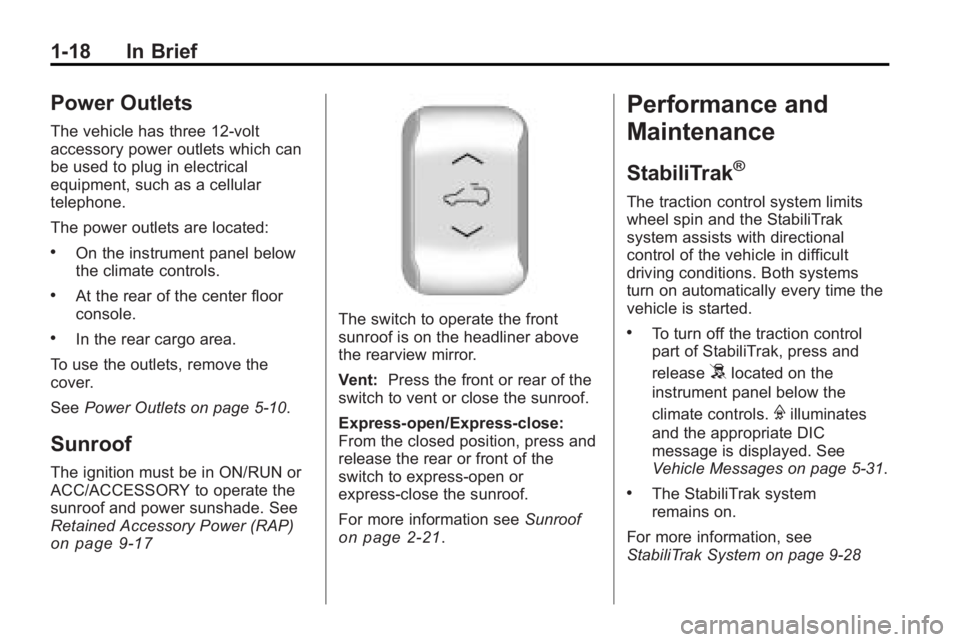
The switch to operate the front
sunroof is on the headliner above
the rearview mirror.
Vent: Press the front or rear of the
switch to vent or close the sunroof.
Express-open/Express-close:
From the closed position, press and
release the rear or front of the
switch to express-open or
express-close the sunroof.
For more information see Sunroof
on page 2‑21.
Performance and
Maintenance
StabiliTrak®
The traction control system limits
wheel spin and the StabiliTrak
system assists with directional
control of the vehicle in difficult
driving conditions. Both systems
turn on automatically every time the
vehicle is started.
.To turn off the traction control
part of StabiliTrak, press and
release
5located on the
instrument panel below the
climate controls.
Filluminates
and the appropriate DIC
message is displayed. See
Vehicle Messages on page 5‑31.
.The StabiliTrak system
remains on.
For more information, see
StabiliTrak System on page 9‑28
Page 25 of 438
In Brief 1-19
Tire Pressure Monitor
This vehicle may have a Tire
Pressure Monitor System (TPMS).
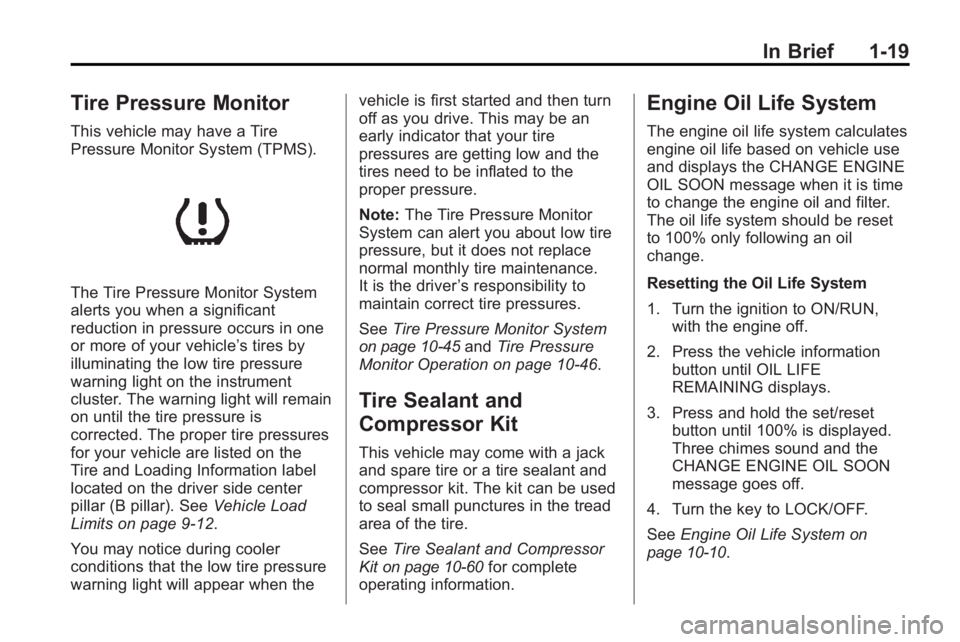
The Tire Pressure Monitor System
alerts you when a significant
reduction in pressure occurs in one
or more of your vehicle’s tires by
illuminating the low tire pressure
warning light on the instrument
cluster. The warning light will remain
on until the tire pressure is
corrected. The proper tire pressures
for your vehicle are listed on the
Tire and Loading Information label
located on the driver side center
pillar (B pillar). SeeVehicle Load
Limits on page 9‑12.
You may notice during cooler
conditions that the low tire pressure
warning light will appear when the vehicle is first started and then turn
off as you drive. This may be an
early indicator that your tire
pressures are getting low and the
tires need to be inflated to the
proper pressure.
Note:
The Tire Pressure Monitor
System can alert you about low tire
pressure, but it does not replace
normal monthly tire maintenance.
It is the driver ’s responsibility to
maintain correct tire pressures.
See Tire Pressure Monitor System
on page 10‑45andTire Pressure
Monitor Operation on page 10‑46.
Tire Sealant and
Compressor Kit
This vehicle may come with a jack
and spare tire or a tire sealant and
compressor kit. The kit can be used
to seal small punctures in the tread
area of the tire.
See Tire Sealant and Compressor
Kit
on page 10‑60for complete
operating information.
Engine Oil Life System
The engine oil life system calculates
engine oil life based on vehicle use
and displays the CHANGE ENGINE
OIL SOON message when it is time
to change the engine oil and filter.
The oil life system should be reset
to 100% only following an oil
change.
Resetting the Oil Life System
1. Turn the ignition to ON/RUN, with the engine off.
2. Press the vehicle information button until OIL LIFE
REMAINING displays.
3. Press and hold the set/reset button until 100% is displayed.
Three chimes sound and the
CHANGE ENGINE OIL SOON
message goes off.
4. Turn the key to LOCK/OFF.
See Engine Oil Life System
on
page 10‑10.
Page 30 of 438
2-2 Keys, Doors and Windows
Keys and Locks
Keys
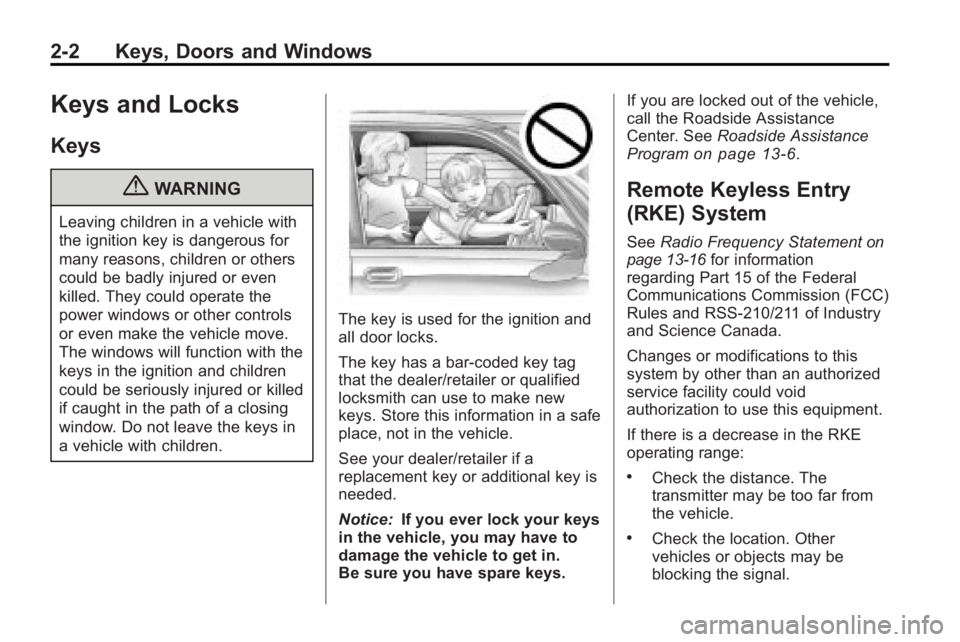
{WARNING
Leaving children in a vehicle with
the ignition key is dangerous for
many reasons, children or others
could be badly injured or even
killed. They could operate the
power windows or other controls
or even make the vehicle move.
The windows will function with the
keys in the ignition and children
could be seriously injured or killed
if caught in the path of a closing
window. Do not leave the keys in
a vehicle with children.
The key is used for the ignition and
all door locks.
The key has a bar-coded key tag
that the dealer/retailer or qualified
locksmith can use to make new
keys. Store this information in a safe
place, not in the vehicle.
See your dealer/retailer if a
replacement key or additional key is
needed.
Notice:If you ever lock your keys
in the vehicle, you may have to
damage the vehicle to get in.
Be sure you have spare keys. If you are locked out of the vehicle,
call the Roadside Assistance
Center. See
Roadside Assistance
Program
on page 13‑6.
Remote Keyless Entry
(RKE) System
See Radio Frequency Statementon
page 13‑16for information
regarding Part 15 of the Federal
Communications Commission (FCC)
Rules and RSS-210/211 of Industry
and Science Canada.
Changes or modifications to this
system by other than an authorized
service facility could void
authorization to use this equipment.
If there is a decrease in the RKE
operating range:
.Check the distance. The
transmitter may be too far from
the vehicle.
.Check the location. Other
vehicles or objects may be
blocking the signal.
Page 31 of 438
Keys, Doors and Windows 2-3
.Check the transmitter's battery.
See“Battery Replacement” later
in this section.
.If the transmitter is still not
working correctly, see your
dealer/retailer or a qualified
technician for service.
Remote Keyless Entry
(RKE) System Operation
The Remote Keyless Entry (RKE)
transmitter functions work up to
60 m (195 feet) away from the
vehicle.
There are other conditions which
can affect the performance of the
transmitter. See Remote Keyless
Entry (RKE) System on page 2‑2.
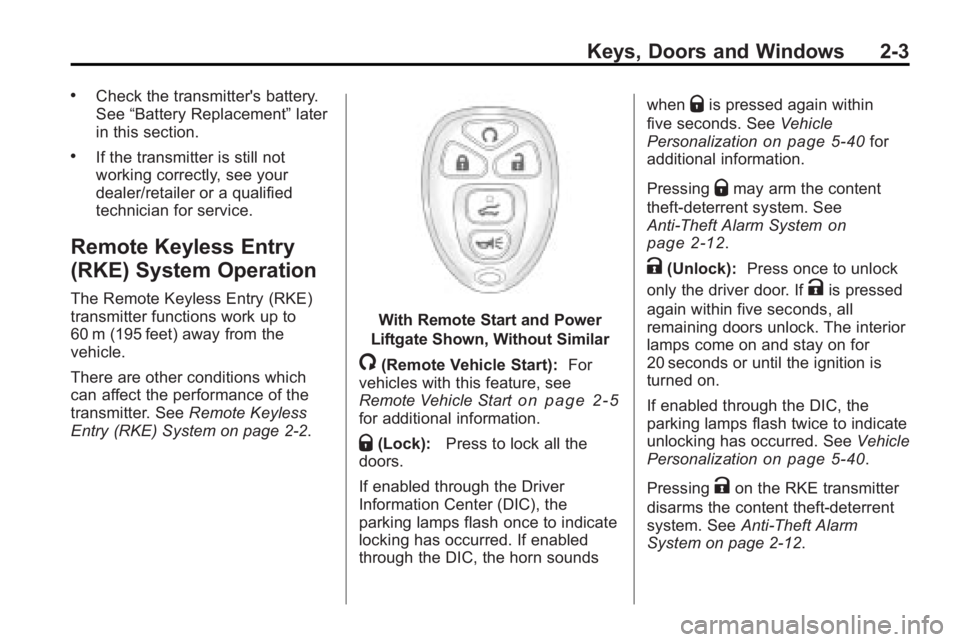
With Remote Start and Power
Liftgate Shown, Without Similar
/(Remote Vehicle Start): For
vehicles with this feature, see
Remote Vehicle Start
on page 2‑5for additional information.
Q(Lock): Press to lock all the
doors.
If enabled through the Driver
Information Center (DIC), the
parking lamps flash once to indicate
locking has occurred. If enabled
through the DIC, the horn sounds when
Qis pressed again within
five seconds. See Vehicle
Personalization
on page 5‑40for
additional information.
Pressing
Qmay arm the content
theft-deterrent system. See
Anti-Theft Alarm System
on
page 2‑12.
K(Unlock): Press once to unlock
only the driver door. If
Kis pressed
again within five seconds, all
remaining doors unlock. The interior
lamps come on and stay on for
20 seconds or until the ignition is
turned on.
If enabled through the DIC, the
parking lamps flash twice to indicate
unlocking has occurred. See Vehicle
Personalization
on page 5‑40.
Pressing
Kon the RKE transmitter
disarms the content theft-deterrent
system. See Anti-Theft Alarm
System on page 2‑12.
Page 32 of 438
2-4 Keys, Doors and Windows
&(Power Liftgate):Press and
hold until the liftgate begins to move
to open or close the liftgate. The
taillamps flash and a chime sounds
to indicate when the liftgate is
opening or closing.
L(Vehicle Locator/Panic
Alarm): Press and release to
locate the vehicle. The parking
lamps flash and the horn sounds
three times.
Press and hold
Lfor more than
two seconds to activate the panic
alarm. The parking lamps flash and
the horn sounds repeatedly for
30 seconds. The alarm turns off
when the ignition is moved to
ON/RUN or
Lis pressed again.
The ignition must be in LOCK/OFF
for the panic alarm to work.
Programming Transmitters to
the Vehicle
Only RKE transmitters programmed
to this vehicle will work. If a
transmitter is lost or stolen, a
replacement can be purchased and
programmed through your dealer/
retailer. When the replacement
transmitter is programmed to this
vehicle using the DIC, all remaining
transmitters must also be
reprogrammed. Any lost or stolen
transmitters will no longer work
once the new transmitter is
programmed. Each vehicle can
have up to eight transmitters
programmed to it. See “Relearn
Remote Key” underDriver
Information Center (DIC)
on
page 5‑25for instructions on how
to program transmitters to this
vehicle.
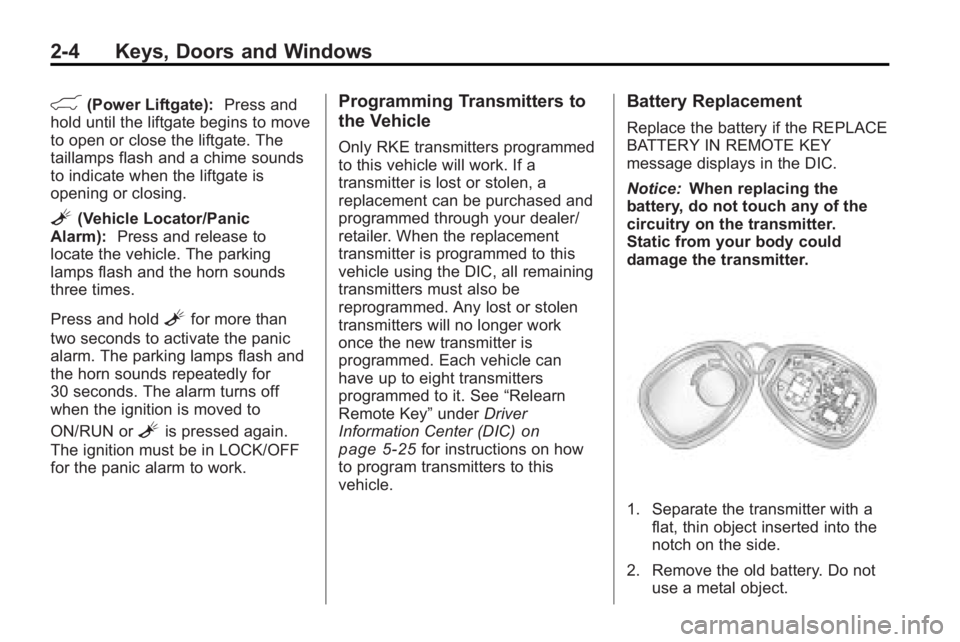
Battery Replacement
Replace the battery if the REPLACE
BATTERY IN REMOTE KEY
message displays in the DIC.
Notice: When replacing the
battery, do not touch any of the
circuitry on the transmitter.
Static from your body could
damage the transmitter.
1. Separate the transmitter with a flat, thin object inserted into the
notch on the side.
2. Remove the old battery. Do not use a metal object.
Page 34 of 438
2-6 Keys, Doors and Windows
After entering the vehicle during a
remote start, insert and turn the key
to the ON/RUN position to drive the
vehicle.
If the vehicle is left running it
automatically shuts off after
10 minutes unless a time extension
has been done.
Extending Engine Run Time
To extend the engine run time by
10 minutes, repeat Steps 1 though 3
while the engine is still running.
The engine run time can only be
extended if it is the first remote start
since the vehicle has been driven.
Remote start can be extended
one time.
If the remote start procedure is used
again before the first 10 minute
time frame has ended, the first
10 minutes will immediately expire
and the second 10 minute time
frame will start.
For example, if the lock button and
then the remote start buttons are
pressed again after the vehicle hasbeen running for five minutes,
10 minutes are added, allowing the
engine to run for a total of
15 minutes.
A maximum of two remote starts or
remote start attempts are allowed
between ignition cycles.
After the vehicle's engine has been
started two times using the remote
start button, the ignition must be
turned on and then back off before
the remote start procedure can be
used again.
Shutting the Engine Off After a
Remote Start
To manually shut off a remote start:
.Aim the RKE transmitter at the
vehicle and press
/until the
parking lamps turn off.
.Turn on the hazard warning
flashers.
.Turn the ignition switch on and
then off.
Conditions in Which the
Remote Start Will Not Work
The vehicle cannot be started using
the remote start feature if the key is
in the ignition, the hood is open, or if
there is an emission control system
malfunction.
The engine turns off during a remote
start if the coolant temperature gets
too high or if the oil pressure
gets low.
Vehicles that have the remote
vehicle start feature are shipped
from the factory with the remote
vehicle start system enabled. The
system may be enabled or disabled
through the DIC if the vehicle has
DIC buttons. See “REMOTE
START” underVehicle
Personalization
on page 5‑40for
additional information. If the vehicle
does not have DIC buttons, see
your dealer/retailer to enable or
disable the remote start system.