page 5 BUICK ENCLAVE 2012 Owner's Manual
[x] Cancel search | Manufacturer: BUICK, Model Year: 2012, Model line: ENCLAVE, Model: BUICK ENCLAVE 2012Pages: 382, PDF Size: 5.43 MB
Page 215 of 382

Black plate (31,1)Buick Verano Owner Manual - 2013 - crc - 10/17/12
Driving and Operating 9-31
are also Driver Information Center
(DIC) messages. SeeBrake System
Messages on page 5‑25 for more
information. In case of insufficient
electrical power, the EPB cannot be
applied or released.
Before leaving the vehicle, check
the parking brake status light to
ensure the parking brake is applied.
EPB Apply
The EPB can be applied any time
the vehicle is stopped. The EPB is
applied by momentarily lifting up on
the EPB switch. Once fully applied,
the parking brake light and the
brake system warning light will be
on. While the brake is being applied,
the electric parking brake light will
flash until full apply is reached.
If the light does not come on,
or remains flashing, the vehicle
needs to be serviced. Do not drive
the vehicle if the parking brake
status light is flashing. See your
dealer. See Brake System Warning
Light on page 5‑15 for more
information. If the EPB is applied while the
vehicle is in motion, a chime will
sound, and a DIC message will be
displayed. See
Brake System
Messages on page 5‑25. The
vehicle will decelerate as long as
the switch is held in the up position.
Releasing the EPB switch during
the deceleration will release the
parking brake. If the switch is held
in the up position until the vehicle
comes to a stop, the EPB will
remain applied.
If the parking brake status light
flashes continuously, the EPB is
only partially applied or released,
or there is a problem with the EPB.
A DIC message will be displayed.
See Brake System Messages on
page 5‑25. If this light flashes
continuously, release the EPB, and
attempt to apply it again. If this light
continues to flash, do not drive the
vehicle. See your dealer.
If the parking brake warning light is
on, the EPB has detected an error
in another system and is operating
with reduced functionality. To apply the EPB when this light is on, lift up
on the EPB switch and hold it in the
up position. Full application of the
parking brake by the EPB system
may take a longer period of time
than normal when this light is on.
Continue to hold the switch until the
parking brake status light remains
on. If the parking brake warning light
is on, see your dealer.
If the EPB fails to apply, the rear
wheels should be blocked to
prevent vehicle movement.
EPB Release
To release the EPB, place the
ignition in the ACC/ACCESSORY or
ON/RUN position, apply and hold
the brake pedal, and push down
momentarily on the EPB switch.
If you attempt to release the EPB
without the brake pedal applied, a
chime will sound, and a DIC
message will be displayed. See
Brake System Messages on
page 5‑25. The EPB is released
when the parking brake status light
is off.
Page 216 of 382
Black plate (32,1)Buick Verano Owner Manual - 2013 - crc - 10/17/12
9-32 Driving and Operating
If the parking brake warning light is
on, the EPB has detected an error
in another system and is operating
with reduced functionality. To
release the EPB when this light is
on, push down on the EPB switch
and hold it in the down position.
EPB release may take a longer
period of time than normal when this
light is on. Continue to hold the
switch until the parking brake status
light is off. If the light is on, see your
dealer.
Notice:Driving with the parking
brake on can overheat the brake
system and cause premature
wear or damage to brake system
parts. Make sure that the parking
brake is fully released and the
brake warning light is off before
driving.
Automatic EPB Release
The EPB will automatically release if
the vehicle is running, placed into
gear, and an attempt is made to drive away. Avoid rapid acceleration
when the EPB is applied, to
preserve parking brake lining life.
If you are towing a trailer and
parking on a hill, see
Driving
Characteristics and Towing Tips on
page 9‑51 for more information.
The EPB can also be used to
prevent roll back for vehicles with a
manual transmission taking off on a
hill. In a situation where no roll back
is desired, an applied EPB will allow
both feet to be used for the clutch
and accelerator pedals in
preparation for starting the vehicle
moving in the intended direction.
In this situation, perform the normal
clutch and/or accelerator actions
required to begin moving the
vehicle. There is no need to push
the switch to release the EPB.Brake Assist
This vehicle has a brake assist
feature designed to assist the driver
in stopping or decreasing vehicle
speed in emergency driving conditions. This feature uses the
stability system hydraulic brake
control module to supplement the
power brake system under
conditions where the driver has
quickly and forcefully applied the
brake pedal in an attempt to quickly
stop or slow down the vehicle. The
stability system hydraulic brake
control module increases brake
pressure at each corner of the
vehicle until the ABS activates.
Minor brake pedal pulsation or
pedal movement during this time is
normal and the driver should
continue to apply the brake pedal as
the driving situation dictates. The
brake assist feature will
automatically disengage when the
brake pedal is released or brake
pedal pressure is quickly
decreased.
Hill Start Assist (HSA)
This vehicle has a Hill Start Assist
(HSA) feature, which may be useful
when the vehicle is stopped on a
grade (less than 10%). This feature
Page 217 of 382
Black plate (33,1)Buick Verano Owner Manual - 2013 - crc - 10/17/12
Driving and Operating 9-33
is designed to prevent the vehicle
from rolling, either forward or
rearward, during vehicle drive off.
After the driver completely stops
and holds the vehicle in a complete
standstill on a grade, HSA will be
automatically activated and the DIC
will display the HILL START ASSIST
ACTIVE message. During the
transition period between when the
driver releases the brake pedal and
starts to accelerate to drive off on a
grade, HSA holds the braking
pressure to ensure that there is no
rolling. The brakes will automatically
release after three seconds or when
the accelerator pedal is applied
within the three-second window.
A pop noise might be heard when
the brakes release. This is normal.
It will not activate if the vehicle is in
a drive gear and facing downhill or if
the vehicle is facing uphill and in
R (Reverse).Ride Control Systems
Traction Control
System (TCS)
The vehicle has a Traction Control
System (TCS) that limits wheel spin.
On a front-wheel-drive vehicle, the
system operates if it senses that
one or both of the front wheels are
spinning or beginning to lose
traction. When this happens, the
system brakes the spinning
wheel(s), and/or reduces engine
power to limit wheel spin.
The system may be heard or felt
while it is working, but this is
normal.
TCS is on whenever the vehicle is
started. To limit wheel spin,
especially in slippery road
conditions, the system should
always be left on. But, TCS can be
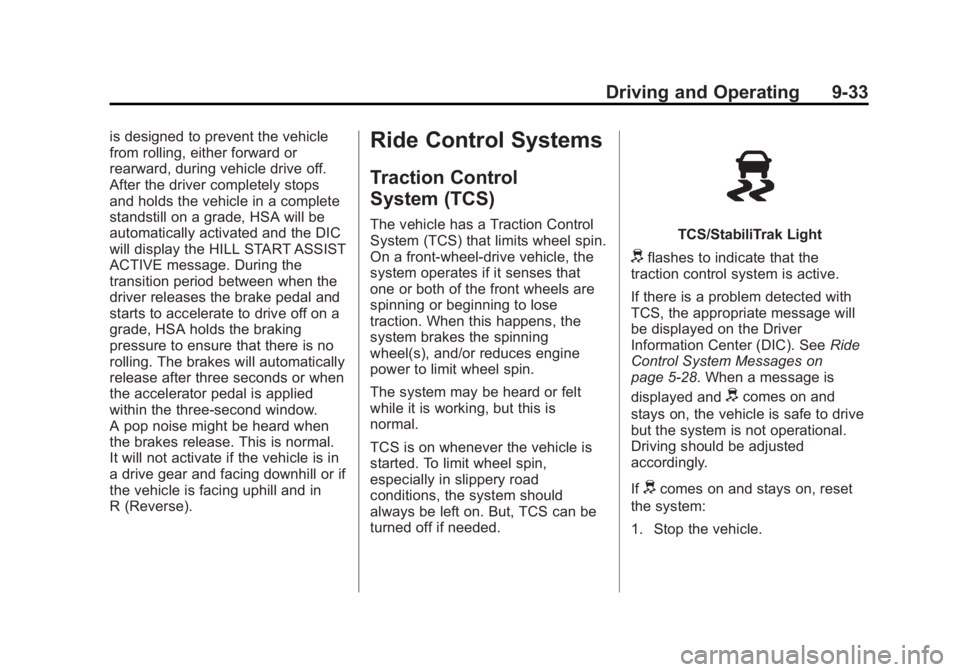
turned off if needed.TCS/StabiliTrak Light
dflashes to indicate that the
traction control system is active.
If there is a problem detected with
TCS, the appropriate message will
be displayed on the Driver
Information Center (DIC). See Ride
Control System Messages on
page 5‑28. When a message is
displayed and
dcomes on and
stays on, the vehicle is safe to drive
but the system is not operational.
Driving should be adjusted
accordingly.
If
dcomes on and stays on, reset
the system:
1. Stop the vehicle.
Page 218 of 382

Black plate (34,1)Buick Verano Owner Manual - 2013 - crc - 10/17/12
9-34 Driving and Operating
2. Turn the engine off and wait15 seconds.
3. Start the engine.
If
dstill comes on and stays on at a
speed above 20 km/h (13 mph), see
your dealer for service.
A chime may also sound when the
light comes on steady.
Notice: Do not repeatedly brake
or accelerate heavily when TCS is
off. The vehicle's driveline could
be damaged.
TCS/StabiliTrak Button
This button is on the center stack
below the infotainment system
screen. TCS can be turned off by
pressing and releasing
g.
TCS Off Light
When TCS is turned off,
icomes
on and the appropriate message will
display on the DIC. The system will
not limit wheel spin. Driving should
be adjusted accordingly. Press and
release
gagain to turn the system
back on.
It may be necessary to turn the
system off if the vehicle gets stuck
in sand, mud, or snow and rocking
the vehicle is required. See If the
Vehicle Is Stuck on page 9‑9 for
more information. See also Winter
Driving on page 9‑7 for information
on using TCS when driving in snowy
or icy conditions.
If cruise control is being used when
TCS activates, cruise control will
automatically disengage. Press the appropriate cruise control button to
reengage when road conditions
allow. See
Cruise Control on
page 9‑36.
Adding non-GM accessories can
affect the vehicle's performance.
See Accessories and Modifications
on page 10‑3 for more information.
StabiliTrak®System
The vehicle has a vehicle stability
enhancement system called
StabiliTrak. It is an advanced
computer controlled system that
assists with directional control of the
vehicle in difficult driving conditions.
StabiliTrak activates when the
computer senses a difference
between the intended path, and the
direction the vehicle is actually
traveling. StabiliTrak selectively
applies braking pressure at any one
of the vehicle's brakes to help steer
the vehicle in the intended direction.
Page 219 of 382

Black plate (35,1)Buick Verano Owner Manual - 2013 - crc - 10/17/12
Driving and Operating 9-35
StabiliTrak is on automatically
whenever the vehicle is started. To
assist with directional control of the
vehicle, the system should always
be left on.
TCS/StabiliTrak Light
When the stability control system
activates,
dflashes on the
instrument cluster. This also occurs
when traction control is activated.
A noise may be heard or vibration
may be felt in the brake pedal. This
is normal. Continue to steer the
vehicle in the intended direction. If there is a problem detected with
StabiliTrak, the appropriate
message will be displayed on the
DIC. See
Ride Control System
Messages on page 5‑28. When a
message is displayed and/or
d
comes on and stays on, the vehicle
is safe to drive but the system is not
operational. Driving should be
adjusted accordingly.
If
dcomes on and stays on, reset
the system:
1. Stop the vehicle.
2. Turn the engine off and wait 15 seconds.
3. Start the engine.
If
dstill comes on and stays on at a
speed above 20 km/h (13 mi/h), see
your dealer for service.
TCS/StabiliTrak Button
This button is on the center stack
below the infotainment system
screen.
StabiliTrak Off LightTCS Off Light
StabiliTrak can be turned off if
needed by pressing and holding
g
untilgandicome on in the
instrument cluster and the
Page 220 of 382

Black plate (36,1)Buick Verano Owner Manual - 2013 - crc - 10/17/12
9-36 Driving and Operating
appropriate message displays on
the DIC. When StabiliTrak is turned
off, the system will not assist with
directional control of the vehicle or
limit wheel spin. TCS will also be
turned off. Driving should be
adjusted accordingly. Press and
release
gagain to turn both
systems back on.
If cruise control is being used when
StabiliTrak activates, cruise control
will automatically disengage. Press
the appropriate cruise control button
to reengage when road conditions
allow. See Cruise Control on
page 9‑36 for more information.
Cruise Control
The cruise control lets the vehicle
maintain a speed of about 40 km/h
(25 mph) or more without keeping
your foot on the accelerator. Cruise
control does not work at speeds
below 40 km/h (25 mph).
The vehicle has a Traction Control
System (TCS) or StabiliTrak system
that begins to limit wheel spin while
using cruise control and the cruise
control will automatically disengage.
SeeTraction Control System (TCS)
on page 9‑33 orStabiliTrak
®System
on page 9‑34. If a collision alert
occurs when cruise control is
activated, cruise control is
disengaged. When road conditions
allow you to safely use it again, the
cruise control can be turned
back on.
{WARNING
Cruise control can be dangerous
where you cannot drive safely at
a steady speed. So, do not use
the cruise control on winding
roads or in heavy traffic.
Cruise control can be dangerous
on slippery roads. On such roads,
fast changes in tire traction can
cause excessive wheel slip, and
you could lose control. Do not use
cruise control on slippery roads.
Page 223 of 382

Black plate (39,1)Buick Verano Owner Manual - 2013 - crc - 10/17/12
Driving and Operating 9-39
WARNING (Continued)
damage, even with URPA, always
check the area around the vehicle
and check all mirrors before
backing.
How the System Works
URPA comes on automatically when
the shift lever is moved into
R (Reverse). A single tone sounds
to indicate the system is working.
URPA operates only at speeds less
than 8 km/h (5 mph).
An obstacle is indicated by audible
beeps. The interval between the
beeps becomes shorter as the
vehicle gets closer to the obstacle.
When the distance is less than
30 cm (12 in), the beeping is a
continuous tone for five seconds.To be detected, objects must be at
least 20 cm (8 in) off the ground and
below trunk level. Objects must also
be within 2.5 m (8 ft) from the rear
bumper. The distance objects can
be detected may be less during
warmer or humid weather.
Turning the System On and Off
The URPA system can be turned on
and off using the infotainment
system controls. See
Vehicle
Personalization on page 5‑30.
When the system is off, PARK
ASSIST OFF displays on the Driver
Information Center (DIC). The
message disappears after a short
period of time.
URPA defaults to the on setting
each time the vehicle is started.
When the System Does Not
Seem to Work Properly
The following messages may be
displayed on the DIC:
SERVICE PARKING ASSIST: If
this message occurs, check the
following conditions:
.The ultrasonic sensors are not
clean. Keep the vehicle's rear
bumper free of mud, dirt, snow,
ice, and slush. For cleaning
instructions, see Exterior Care
on page 10‑72.
.The park assist sensors are
covered by frost or ice. Frost or
ice can form around and behind
the sensors and may not always
be seen; this can occur after
washing the vehicle in cold
weather. The message may not
clear until the frost or ice has
melted.
If the above conditions do not exist,
take the vehicle to your dealer to
repair the system.
Page 225 of 382

Black plate (41,1)Buick Verano Owner Manual - 2013 - crc - 10/17/12
Driving and Operating 9-41
How the System Works
Left Side MirrorDisplayRight Side Mirror Display
When the vehicle is started, both
outside mirror displays will briefly
come on to indicate that the system
is operating. While driving forward,
the left or right side mirror SBZA
display will light up if a vehicle is
detected in that blind zone. If you
activate a turn signal and a vehicle
has been detected on the same
side, the SBZA display will flash to
give you extra warning not to
change lanes.
SBZA displays do not come on
while the vehicle is approaching or
passing other vehicles. At speeds
greater than 32 km/h (20 mph),
SBZA displays may come on when a vehicle you have passed remains
in or drops back into the
detection zone.
SBZA can be disabled through
vehicle personalization. See
Vehicle
Personalization on page 5‑30 for
more information. If the SBZA is
disabled by the driver, the SBZA
mirror displays will not light up
during normal driving.
When the System Does Not Seem
to Work Properly
Occasional missed alerts can occur
under normal circumstances and will
increase in wet conditions. The
system does not need to be
serviced due to an occasional
missed alert. The number of missed
alerts will increase with increased
rainfall or road spray.
If the SBZA displays do not light up
when the system is on and vehicles
are in the blind zone, the system
may need service. Take the vehicle
to your dealer. SBZA is designed to ignore
stationary objects; however, the
system may occasionally light up
due to guard rails, signs, trees,
shrubs, and other stationary objects.
This is normal system operation; the
vehicle does not need service.
SBZA does not operate when the
left or right corners of the rear
bumper are covered with mud, dirt,
snow, ice, or slush, or in heavy
rainstorms. For cleaning
instructions, see
Exterior Care on
page 10‑72. If the infotainment
display still shows the SIDE BLIND
ZONE SYS. UNAVAILABLE
message after cleaning the bumper,
see your dealer.
The SBZA displays may remain on
if a trailer is attached to the vehicle,
or a bicycle or object is extending
out to either side of the vehicle.
When SBZA is disabled for any
reason other than the driver turning
it off, the driver will not be able to
turn SBZA back on using vehicle
personalization. The On option will
Page 226 of 382

Black plate (42,1)Buick Verano Owner Manual - 2013 - crc - 10/17/12
9-42 Driving and Operating
not be selectable if the conditions
for normal system operation are not
met. Until normal operating
conditions for SBZA are met, you
should not rely upon SBZA while
driving.
SBZA Error Messages
The following messages may
appear on the infotainment display:
SIDE BLIND ZONE ALERT
SYSTEM OFF:This message
indicates that the driver has turned
the system off.
SIDE BLIND ZONE SYS.
UNAVAILABLE: This message
indicates that the SBZA system is
disabled because the sensor is
blocked and cannot detect vehicles
in the blind zone. The sensor may
be blocked by mud, dirt, snow, ice,
or slush. This message may also
activate during heavy rain or due to
road spray. The vehicle does not
need service. For cleaning, see
Exterior Care on page 10‑72. SERVICE BLIND ZONE ALERT
SYSTEM:
If this message appears,
both SBZA displays will remain on
indicating there is a problem with
the SBZA system. If these displays
remain on after continued driving,
the system needs service. Take the
vehicle to your dealer.
FCC Information
See Radio Frequency Statement on
page 13‑20 for information
regarding Part 15 of the Federal
Communications Commission (FCC)
rules and Industry Canada
Standards RSS-GEN/210/220/310.
Rear Vision
Camera (RVC)
This vehicle may have the RVC
system. Read this entire section
before using it.
The RVC system can assist the
driver when backing up by
displaying a view of the area behind
the vehicle.
{WARNING
The RVC system does not display
children, pedestrians, bicyclists,
animals, or any other object
located outside the camera's field
of view, below the bumper,
or under the vehicle. Perceived
distances may be different from
actual distances. Do not back the
vehicle using only the RVC
screen, during longer, higher
speed backing maneuvers,
or where there could be cross
traffic. Failure to use proper care
before backing may result in
injury, death, or vehicle damage.
Always check behind and around
the vehicle before backing.
An image appears on the
infotainment screen when the
vehicle is shifted into R (Reverse).
The infotainment screen goes to the
previous screen after approximately
10 seconds once the vehicle is
shifted out of R (Reverse).
Page 227 of 382

Black plate (43,1)Buick Verano Owner Manual - 2013 - crc - 10/17/12
Driving and Operating 9-43
To cancel the delay, do one of the
following:
.Press a hard key on the
infotainment system.
.Shift into P (Park).
.Reach a vehicle speed of
8 km/h (5 mph).
Turning the Rear Vision Camera
System On or Off
To turn the RVC system on or off:
1. Shift into P (Park).
2. Press the CONFIG button to enter the configure menu
options.
3. Select Display.
4. Select Rear Camera Options.
5. Select Camera. When a checkmark appears next to the
Camera option, then the RVC
system is on. Symbols
The system may have a feature that
lets the driver view symbols on the
infotainment screen while using the
RVC. The Ultrasonic Rear Park
Assist (URPA) system must not be
disabled to use the caution symbols.
The error message Rear Parking
Assist Symbols Unavailable may
display if URPA has been disabled
and the symbols have been turned
on. See
Ultrasonic Parking Assist
on page 9‑38.
The symbols appear and may cover
an object when viewing the
infotainment screen when an object
is detected by the URPA system.
To turn the symbols on or off:
1. Shift into P (Park).
2. Press the CONFIG button to enter the configure menu
options.
3. Select Display.
4. Select Rear Camera Options. 5. Select Symbols. When a
checkmark appears next to the
Symbols option, symbols will
appear.
Rear Cross Traffic Alert (RCTA)
On vehicles with the RCTA, a
warning triangle with an arrow may
also display on the RVC screen to
warn of traffic coming from either
direction. Three beeps will sound
from the speaker on that side. This
system detects objects coming from
up to 30 m (98 ft) from the left or
right side behind the vehicle. The
RCTA system will not work properly
if ice, snow, mud, or anything else
builds up on the rear bumper
sensors.
Use caution while backing up when
towing a trailer, as the RCTA
detection zones that extend out
from the back of your vehicle do not
move further back when a trailer is
towed.