radio BUICK ENCLAVE 2012 Owner's Guide
[x] Cancel search | Manufacturer: BUICK, Model Year: 2012, Model line: ENCLAVE, Model: BUICK ENCLAVE 2012Pages: 382, PDF Size: 5.43 MB
Page 164 of 382
Black plate (20,1)Buick Verano Owner Manual - 2013 - crc - 10/17/12
7-20 Infotainment System
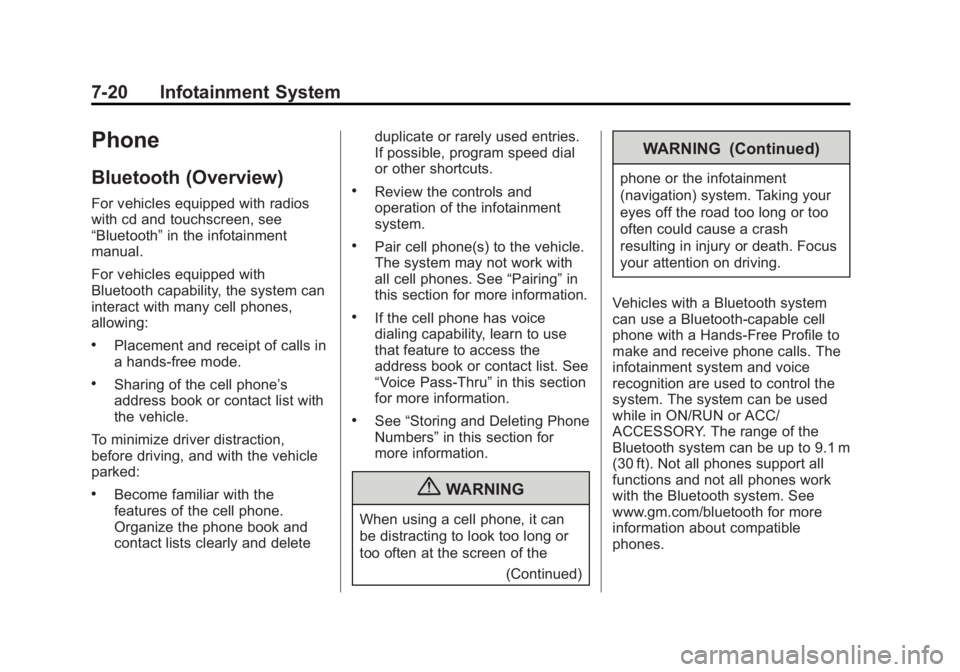
Phone
Bluetooth (Overview)
For vehicles equipped with radios
with cd and touchscreen, see
“Bluetooth”in the infotainment
manual.
For vehicles equipped with
Bluetooth capability, the system can
interact with many cell phones,
allowing:
.Placement and receipt of calls in
a hands-free mode.
.Sharing of the cell phone’s
address book or contact list with
the vehicle.
To minimize driver distraction,
before driving, and with the vehicle
parked:
.Become familiar with the
features of the cell phone.
Organize the phone book and
contact lists clearly and delete duplicate or rarely used entries.
If possible, program speed dial
or other shortcuts.
.Review the controls and
operation of the infotainment
system.
.Pair cell phone(s) to the vehicle.
The system may not work with
all cell phones. See
“Pairing”in
this section for more information.
.If the cell phone has voice
dialing capability, learn to use
that feature to access the
address book or contact list. See
“Voice Pass-Thru” in this section
for more information.
.See “Storing and Deleting Phone
Numbers” in this section for
more information.
{WARNING
When using a cell phone, it can
be distracting to look too long or
too often at the screen of the
(Continued)
WARNING (Continued)
phone or the infotainment
(navigation) system. Taking your
eyes off the road too long or too
often could cause a crash
resulting in injury or death. Focus
your attention on driving.
Vehicles with a Bluetooth system
can use a Bluetooth-capable cell
phone with a Hands-Free Profile to
make and receive phone calls. The
infotainment system and voice
recognition are used to control the
system. The system can be used
while in ON/RUN or ACC/
ACCESSORY. The range of the
Bluetooth system can be up to 9.1 m
(30 ft). Not all phones support all
functions and not all phones work
with the Bluetooth system. See
www.gm.com/bluetooth for more
information about compatible
phones.
Page 165 of 382
Black plate (21,1)Buick Verano Owner Manual - 2013 - crc - 10/17/12
Infotainment System 7-21
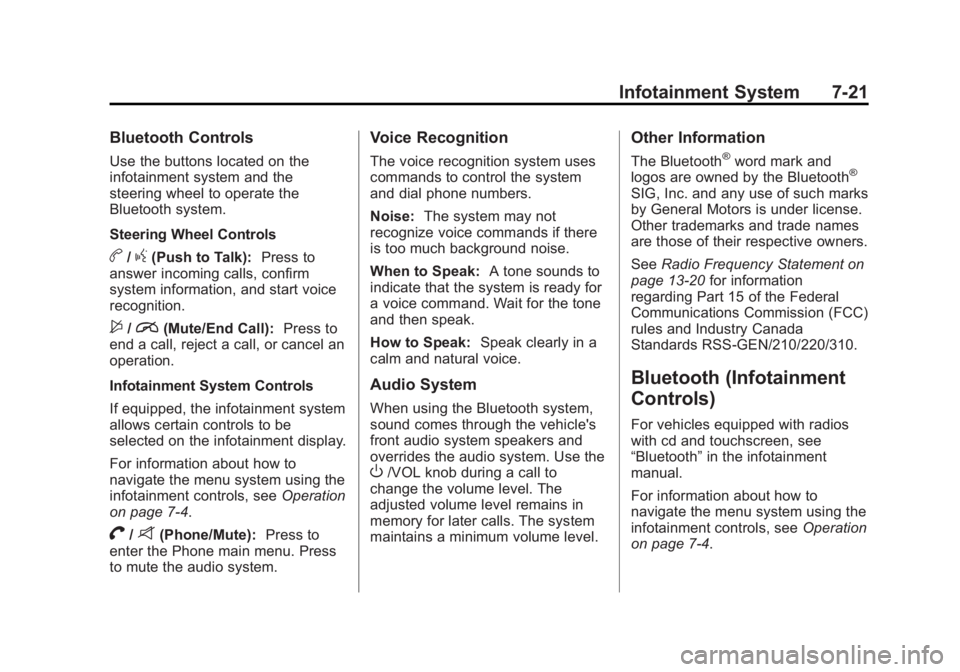
Bluetooth Controls
Use the buttons located on the
infotainment system and the
steering wheel to operate the
Bluetooth system.
Steering Wheel Controls
b/g(Push to Talk):Press to
answer incoming calls, confirm
system information, and start voice
recognition.
$/i(Mute/End Call): Press to
end a call, reject a call, or cancel an
operation.
Infotainment System Controls
If equipped, the infotainment system
allows certain controls to be
selected on the infotainment display.
For information about how to
navigate the menu system using the
infotainment controls, see Operation
on page 7‑4.
V/8(Phone/Mute): Press to
enter the Phone main menu. Press
to mute the audio system.
Voice Recognition
The voice recognition system uses
commands to control the system
and dial phone numbers.
Noise: The system may not
recognize voice commands if there
is too much background noise.
When to Speak: A tone sounds to
indicate that the system is ready for
a voice command. Wait for the tone
and then speak.
How to Speak: Speak clearly in a
calm and natural voice.
Audio System
When using the Bluetooth system,
sound comes through the vehicle's
front audio system speakers and
overrides the audio system. Use the
O/VOL knob during a call to
change the volume level. The
adjusted volume level remains in
memory for later calls. The system
maintains a minimum volume level.
Other Information
The Bluetooth®word mark and
logos are owned by the Bluetooth®
SIG, Inc. and any use of such marks
by General Motors is under license.
Other trademarks and trade names
are those of their respective owners.
See Radio Frequency Statement on
page 13‑20 for information
regarding Part 15 of the Federal
Communications Commission (FCC)
rules and Industry Canada
Standards RSS-GEN/210/220/310.
Bluetooth (Infotainment
Controls)
For vehicles equipped with radios
with cd and touchscreen, see
“Bluetooth” in the infotainment
manual.
For information about how to
navigate the menu system using the
infotainment controls, see Operation
on page 7‑4.
Page 167 of 382
Black plate (23,1)Buick Verano Owner Manual - 2013 - crc - 10/17/12
Infotainment System 7-23
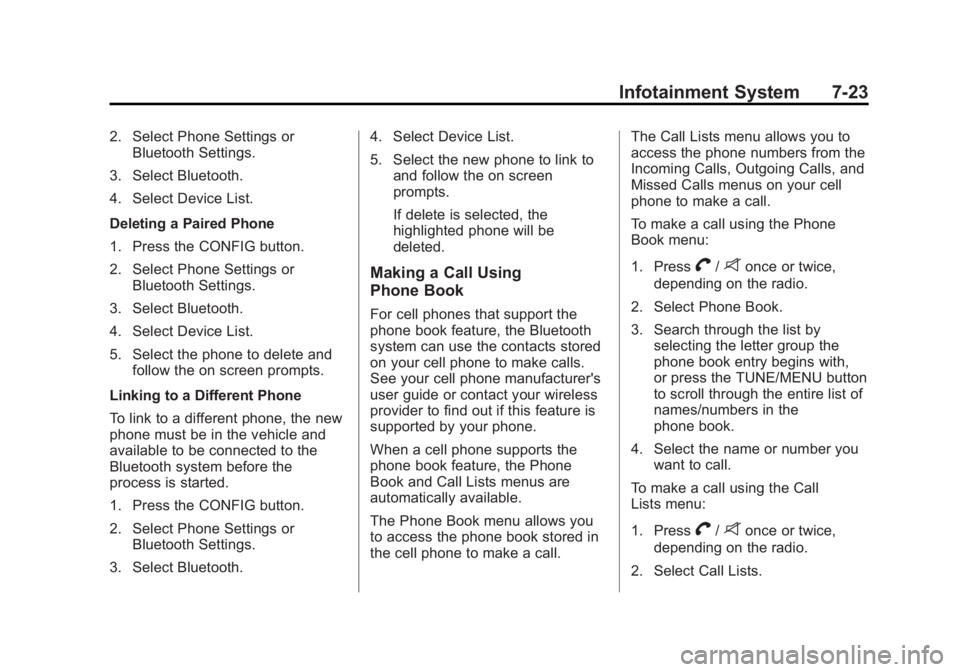
2. Select Phone Settings orBluetooth Settings.
3. Select Bluetooth.
4. Select Device List.
Deleting a Paired Phone
1. Press the CONFIG button.
2. Select Phone Settings or Bluetooth Settings.
3. Select Bluetooth.
4. Select Device List.
5. Select the phone to delete and follow the on screen prompts.
Linking to a Different Phone
To link to a different phone, the new
phone must be in the vehicle and
available to be connected to the
Bluetooth system before the
process is started.
1. Press the CONFIG button.
2. Select Phone Settings or Bluetooth Settings.
3. Select Bluetooth. 4. Select Device List.
5. Select the new phone to link to
and follow the on screen
prompts.
If delete is selected, the
highlighted phone will be
deleted.
Making a Call Using
Phone Book
For cell phones that support the
phone book feature, the Bluetooth
system can use the contacts stored
on your cell phone to make calls.
See your cell phone manufacturer's
user guide or contact your wireless
provider to find out if this feature is
supported by your phone.
When a cell phone supports the
phone book feature, the Phone
Book and Call Lists menus are
automatically available.
The Phone Book menu allows you
to access the phone book stored in
the cell phone to make a call. The Call Lists menu allows you to
access the phone numbers from the
Incoming Calls, Outgoing Calls, and
Missed Calls menus on your cell
phone to make a call.
To make a call using the Phone
Book menu:
1. Press
V/8once or twice,
depending on the radio.
2. Select Phone Book.
3. Search through the list by selecting the letter group the
phone book entry begins with,
or press the TUNE/MENU button
to scroll through the entire list of
names/numbers in the
phone book.
4. Select the name or number you want to call.
To make a call using the Call
Lists menu:
1. Press
V/8once or twice,
depending on the radio.
2. Select Call Lists.
Page 168 of 382
Black plate (24,1)Buick Verano Owner Manual - 2013 - crc - 10/17/12
7-24 Infotainment System
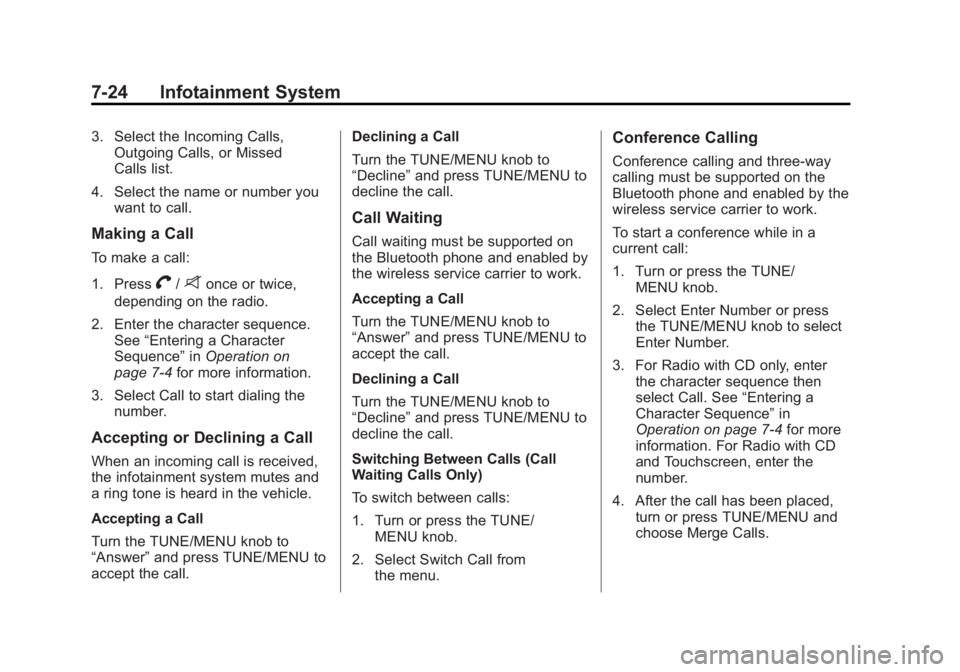
3. Select the Incoming Calls,Outgoing Calls, or Missed
Calls list.
4. Select the name or number you want to call.
Making a Call
To make a call:
1. Press
V/8once or twice,
depending on the radio.
2. Enter the character sequence. See “Entering a Character
Sequence” inOperation on
page 7‑4 for more information.
3. Select Call to start dialing the number.
Accepting or Declining a Call
When an incoming call is received,
the infotainment system mutes and
a ring tone is heard in the vehicle.
Accepting a Call
Turn the TUNE/MENU knob to
“Answer” and press TUNE/MENU to
accept the call. Declining a Call
Turn the TUNE/MENU knob to
“Decline”
and press TUNE/MENU to
decline the call.
Call Waiting
Call waiting must be supported on
the Bluetooth phone and enabled by
the wireless service carrier to work.
Accepting a Call
Turn the TUNE/MENU knob to
“Answer” and press TUNE/MENU to
accept the call.
Declining a Call
Turn the TUNE/MENU knob to
“Decline” and press TUNE/MENU to
decline the call.
Switching Between Calls (Call
Waiting Calls Only)
To switch between calls:
1. Turn or press the TUNE/ MENU knob.
2. Select Switch Call from the menu.
Conference Calling
Conference calling and three-way
calling must be supported on the
Bluetooth phone and enabled by the
wireless service carrier to work.
To start a conference while in a
current call:
1. Turn or press the TUNE/MENU knob.
2. Select Enter Number or press the TUNE/MENU knob to select
Enter Number.
3. For Radio with CD only, enter the character sequence then
select Call. See “Entering a
Character Sequence” in
Operation on page 7‑4 for more
information. For Radio with CD
and Touchscreen, enter the
number.
4. After the call has been placed, turn or press TUNE/MENU and
choose Merge Calls.
Page 169 of 382

Black plate (25,1)Buick Verano Owner Manual - 2013 - crc - 10/17/12
Infotainment System 7-25
5. To add more callers to theconference call, repeat Steps 1
through 4. The number of callers
that can be added is limited by
your wireless service carrier.
Ending a Call
Turn or press the TUNE/MENU
knob and select Hang Up.
Muting a Call
To Mute a Call
Turn or press the TUNE/MENU
knob and select Mute Call.
To Cancel Mute
Turn or press the TUNE/MENU
knob and select Mute Call.
Dual Tone Multi-Frequency
(DTMF) Tones
The in-vehicle Bluetooth system can
send numbers during a call. This is
used when calling a menu-driven
phone system. For Radio with CD:
1. Turn or press the TUNE/MENU
knob and select Enter Number.
2. Enter the character sequence. See “Entering a Character
Sequence” inOperation on
page 7‑4 for more information.
For Radio with CD and
Touchscreen:
1. Touch Enter Number.
2. Use the keypad to enter the number.
Bluetooth (Voice
Recognition)
Using Voice Recognition
For vehicles equipped with radios
with cd and touchscreen, see
“Bluetooth” in the infotainment
manual.
To use voice recognition, press the
b/gbutton located on the steering
wheel. Use the commands below for
the various voice features. For additional information say "Help"
while you are in a voice
recognition menu.
Pairing
A Bluetooth-enabled cell phone
must be paired to the Bluetooth
system and then connected to the
vehicle before it can be used. See
your cell phone manufacturer's user
guide for Bluetooth functions before
pairing the cell phone. If a Bluetooth
phone is not connected, calls will be
made using OnStar Hands-Free
Calling, if available. See
OnStar
Overview on page 14‑1.
Pairing Information
.A Bluetooth phone with MP3
capability cannot be paired to
the vehicle as a phone and an
MP3 player at the same time.
.Up to five cell phones can be
paired to the Bluetooth system.
.The pairing process is disabled
when the vehicle is moving.
Page 175 of 382

Black plate (31,1)Buick Verano Owner Manual - 2013 - crc - 10/17/12
Infotainment System 7-31
Sending a Number or Name Tag
During a Call
1. Press
b/g. The system
responds “Ready,”followed by
a tone.
2. Say “Dial.”
3. Say the number or name tag to send.
Clearing the System
Unless information is deleted out of
the in-vehicle Bluetooth system, it
will be retained indefinitely. This
includes all saved name tags in the
phone book and phone pairing
information. For information on how
to delete this information, see the
previous sections on “Deleting a
Paired Phone” and“Deleting
Name Tags.”
Trademarks and
License Agreements
FCC Information
See Radio Frequency Statement on
page 13‑20 for more information
regarding Part 15 of the Federal
Communications Commission (FCC)
rules and Industry Canada
Standards RSS-GEN/210/220/310.
Manufactured under license under
U.S. Patent #'s: 5,451,942;
5,956,674; 5,974,380; 5,978,762;
6,487,535 & other U.S. and
worldwide patents issued &
pending. DTS and the Symbol are
registered trademarks and DTS
Digital Surround and the DTS logos
are trademarks of DTS Inc. All
Rights Reserved.
Manufactured under license from
Dolby Laboratories. Dolby and the
double-D symbol are trademarks of
Dolby Laboratories.
“Made for iPod and iPhone” means
that an electronic accessory has
been designed to connect
specifically to iPod and has been
certified by the developer to meet
Apple performance standards.
iPod is a trademark of Apple
Computer, Inc., registered in the
U.S. and other countries.
Page 176 of 382

Black plate (32,1)Buick Verano Owner Manual - 2013 - crc - 10/17/12
7-32 Infotainment System
iPod, iPod classic, iPod nano, and
iPod touch are trademarks of Apple
Inc., registered in the U.S. and other
countries.
Fees and Taxes: Subscription fee,
taxes, one time activation fee, and
other fees may apply. Subscription
fee is consumer only. All fees and
programming subject to change.
Subscriptions subject to Customer
Agreement available at
www.siriusxm.com. SiriusXM
®
service only available in the
48 contiguous United States and
Canada.
In Canada: Some deterioration of
service may occur in extreme
northern latitudes. This is beyond
the control of SiriusXM
®Satellite
Radio. Explicit Language Notice: Channels
with frequent explicit language are
indicated with an
“XL”preceding the
channel name. Channel blocking is
available for SiriusXM Satellite
Radio receivers by notifying
SiriusXM:
.USA Customers —Visit
www.siriusxm.com or call
1-866-635-2349.
.Canadian Customers —Visit
www.xmradio.ca or call
1-877-209-0079.
It is prohibited to copy, decompile,
disassemble, reverse engineer,
hack, manipulate, or otherwise
make available any technology or
software incorporated in receivers
compatible with the SiriusXM
®
Satellite Radio System or that
support the SiriusXM website, the
Online Service or any of its content.
Furthermore, the AMBER voice
compression software included in
this product is protected by
intellectual property rights including patent rights, copyrights, and trade
secrets of Digital Voice
Systems, Inc.
General Requirements:
1. A License Agreement from
SiriusXM is required for any
product that incorporates
SiriusXM Technology and/or for
use of any of the SiriusXM
marks to be manufactured,
distributed, or marketed in the
SiriusXM service Area.
2. For products to be distributed, marketed, and/or sold in
Canada, a separate agreement
is required with Canadian
Satellite Radio Inc. (operating as
SiriusXM Canada).
Page 183 of 382
Black plate (5,1)Buick Verano Owner Manual - 2013 - crc - 10/17/12
Climate Controls 8-5
Rear Window Defogger
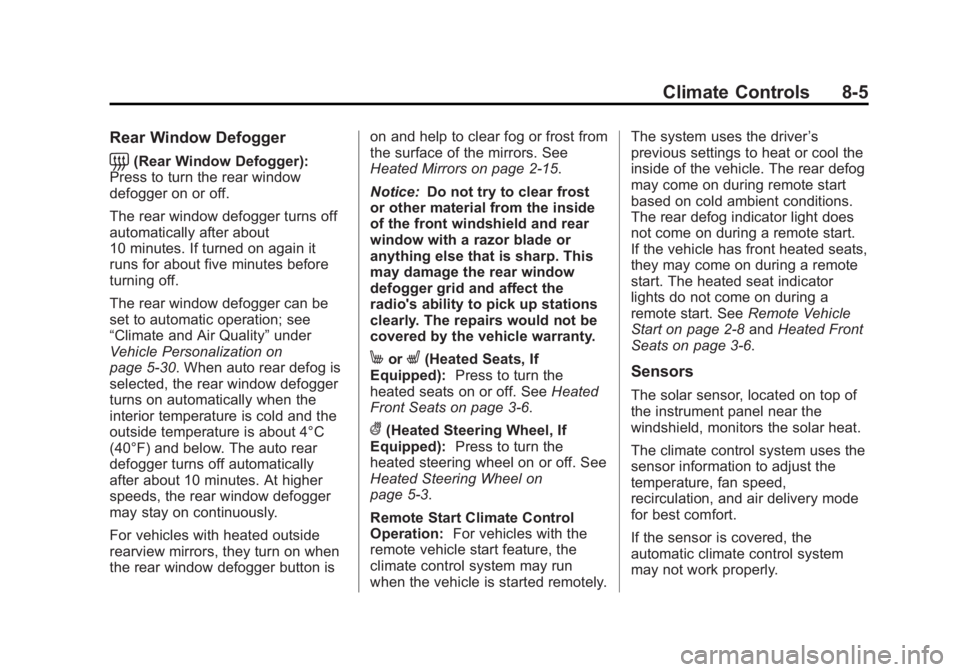
=(Rear Window Defogger):
Press to turn the rear window
defogger on or off.
The rear window defogger turns off
automatically after about
10 minutes. If turned on again it
runs for about five minutes before
turning off.
The rear window defogger can be
set to automatic operation; see
“Climate and Air Quality” under
Vehicle Personalization on
page 5‑30. When auto rear defog is
selected, the rear window defogger
turns on automatically when the
interior temperature is cold and the
outside temperature is about 4°C
(40°F) and below. The auto rear
defogger turns off automatically
after about 10 minutes. At higher
speeds, the rear window defogger
may stay on continuously.
For vehicles with heated outside
rearview mirrors, they turn on when
the rear window defogger button is on and help to clear fog or frost from
the surface of the mirrors. See
Heated Mirrors on page 2‑15.
Notice:
Do not try to clear frost
or other material from the inside
of the front windshield and rear
window with a razor blade or
anything else that is sharp. This
may damage the rear window
defogger grid and affect the
radio's ability to pick up stations
clearly. The repairs would not be
covered by the vehicle warranty.
MorL(Heated Seats, If
Equipped): Press to turn the
heated seats on or off. See Heated
Front Seats on page 3‑6.
((Heated Steering Wheel, If
Equipped): Press to turn the
heated steering wheel on or off. See
Heated Steering Wheel on
page 5‑3.
Remote Start Climate Control
Operation: For vehicles with the
remote vehicle start feature, the
climate control system may run
when the vehicle is started remotely. The system uses the driver
’s
previous settings to heat or cool the
inside of the vehicle. The rear defog
may come on during remote start
based on cold ambient conditions.
The rear defog indicator light does
not come on during a remote start.
If the vehicle has front heated seats,
they may come on during a remote
start. The heated seat indicator
lights do not come on during a
remote start. See Remote Vehicle
Start on page 2‑8 andHeated Front
Seats on page 3‑6.
Sensors
The solar sensor, located on top of
the instrument panel near the
windshield, monitors the solar heat.
The climate control system uses the
sensor information to adjust the
temperature, fan speed,
recirculation, and air delivery mode
for best comfort.
If the sensor is covered, the
automatic climate control system
may not work properly.
Page 186 of 382
Black plate (2,1)Buick Verano Owner Manual - 2013 - crc - 10/17/12
9-2 Driving and Operating
Towing
General TowingInformation . . . . . . . . . . . . . . . . . 9-51
Driving Characteristics and Towing Tips . . . . . . . . . . . . . . . . 9-51
Trailer Towing (2.0L
Engine) . . . . . . . . . . . . . . . . . . . . . 9-54
Trailer Towing (Except 2.0L Engine) . . . . . . . . . . . . . . . . . . . . . 9-54
Towing Equipment . . . . . . . . . . . 9-55
Conversions and Add-Ons
Add-On Electrical Equipment . . . . . . . . . . . . . . . . . 9-56
Driving Information
Distracted Driving
Distraction comes in many forms
and can take your focus from the
task of driving. Exercise good
judgment and do not let other
activities divert your attention away
from the road. Many local
governments have enacted laws
regarding driver distraction. Become
familiar with the local laws in
your area.
To avoid distracted driving, always
keep your eyes on the road, hands
on the wheel, and mind on the drive.
.Do not use a phone in
demanding driving situations.
Use a hands-free method to
place or receive necessary
phone calls.
.Watch the road. Do not read,
take notes, or look up
information on phones or other
electronic devices.
.Designate a front seat
passenger to handle potential
distractions.
.Become familiar with vehicle
features before driving, such as
programming favorite radio
stations and adjusting climate
control and seat settings.
Program all trip information into
any navigation device prior to
driving.
.Wait until the vehicle is parked
to retrieve items that have fallen
to the floor.
.Stop or park the vehicle to tend
to children.
.Keep pets in an appropriate
carrier or restraint.
.Avoid stressful conversations
while driving, whether with a
passenger or on a cell phone.
Page 201 of 382
Black plate (17,1)Buick Verano Owner Manual - 2013 - crc - 10/17/12
Driving and Operating 9-17
The vehicle has an electronic
keyless ignition with pushbutton
start.
Pressing the button cycles it through
three modes: ACC/ACCESSORY,
ON/RUN/START, and Stopping the
Engine/OFF.
The transmitter must be in the
vehicle for the system to operate.
If the pushbutton start is not
working, the vehicle may be near a
strong radio antenna signal causing
interference to the keyless access
system. SeeRemote Keyless Entry
(RKE) System Operation on
page 2‑3 for more information.
To shift out of P (Park), the vehicle
must be in ON/RUN and the brake
pedal must be applied.
Stopping the Engine/OFF (No
Indicator Lights): When the
vehicle is stopped, press the engine
START/STOP button once to turn
the engine off. If the vehicle is in P (Park), the
ignition will turn off, and Retained
Accessory Power (RAP) will remain
active. See
Retained Accessory
Power (RAP) on page 9‑21 for more
information.
If the vehicle is not in P (Park), the
ignition will return to ACC/
ACCESSORY and the Driver
Information Center (DIC) will display
a message. See Transmission
Messages on page 5‑29 for more
information. When the vehicle is
shifted into P (Park), the ignition
system will switch to OFF.
Do not turn the engine off when the
vehicle is moving. This will cause a
loss of power assist in the brake
and steering systems and disable
the airbags.
If the vehicle must be shut off in an
emergency:
1. Brake using a firm and steady pressure. Do not pump the
brakes repeatedly. This may
deplete power assist, requiring
increased brake pedal force. 2. Shift the vehicle to N (Neutral).
This can be done while the
vehicle is moving. After shifting
to N (Neutral), firmly apply the
brakes and steer the vehicle to a
safe location.
3. Come to a complete stop. Shift to P (Park) with an automatic
transmission, or Neutral with a
manual transmission. Turn the
ignition to LOCK/OFF.
4. Set the parking brake. See Parking Brake on page 9‑30.
{WARNING
Turning off the vehicle while
moving may cause loss of power
assist in the brake and steering
systems and disable the airbags.
While driving, only shut the
vehicle off in an emergency.