Power BUICK ENCLAVE 2015 Owner's Manual
[x] Cancel search | Manufacturer: BUICK, Model Year: 2015, Model line: ENCLAVE, Model: BUICK ENCLAVE 2015Pages: 395, PDF Size: 4.64 MB
Page 6 of 395
Black plate (5,1)Buick Enclave Owner Manual (GMNA-Localizing-U.S./Canada/Mexico-
7576029) - 2015 - CRC - 8/15/14
Introduction v
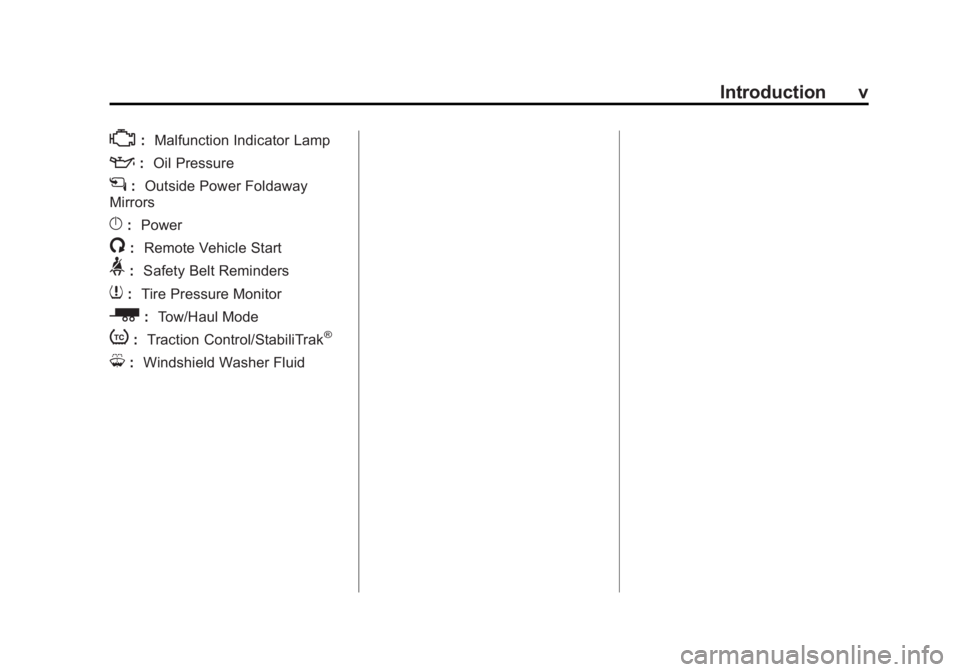
*:Malfunction Indicator Lamp
::Oil Pressure
g:Outside Power Foldaway
Mirrors
}: Power
/:Remote Vehicle Start
>:Safety Belt Reminders
7:Tire Pressure Monitor
_: Tow/Haul Mode
t:Traction Control/StabiliTrak®
M:Windshield Washer Fluid
Page 8 of 395
Black plate (1,1)Buick Enclave Owner Manual (GMNA-Localizing-U.S./Canada/Mexico-
7576029) - 2015 - CRC - 8/15/14
In Brief 1-1
In Brief
Instrument Panel
Instrument Panel . . . . . . . . . . . . . . 1-2
Initial Drive Information
Initial Drive Information . . . . . . . . 1-4
Remote Keyless Entry (RKE)System . . . . . . . . . . . . . . . . . . . . . . 1-4
Remote Vehicle Start . . . . . . . . . 1-4
Door Locks . . . . . . . . . . . . . . . . . . . 1-5
Liftgate . . . . . . . . . . . . . . . . . . . . . . . . 1-5
Windows . . . . . . . . . . . . . . . . . . . . . . 1-6
Seat Adjustment . . . . . . . . . . . . . . 1-6
Memory Features . . . . . . . . . . . . . 1-7
Second Row Seats . . . . . . . . . . . 1-7
Third Row Seats . . . . . . . . . . . . . . 1-7
Heated and Cooled Front Seats . . . . . . . . . . . . . . . . . . . . . . . . 1-8
Head Restraint Adjustment . . . . 1-9
Safety Belts . . . . . . . . . . . . . . . . . . . 1-9 Passenger Sensing System . . . 1-9
Mirror Adjustment . . . . . . . . . . . . 1-10
Steering Wheel
Adjustment . . . . . . . . . . . . . . . . . 1-10
Interior Lighting . . . . . . . . . . . . . . 1-11
Exterior Lighting . . . . . . . . . . . . . 1-12
Windshield Wiper/Washer . . . . 1-12
Climate Controls . . . . . . . . . . . . . 1-13
Transmission . . . . . . . . . . . . . . . . 1-14
Vehicle Features
Infotainment System . . . . . . . . . 1-14
Radio(s) . . . . . . . . . . . . . . . . . . . . . 1-15
Satellite Radio . . . . . . . . . . . . . . . 1-16
Portable Audio Devices . . . . . . 1-17
Bluetooth
®. . . . . . . . . . . . . . . . . . . 1-17
Steering Wheel Controls . . . . . 1-17
Cruise Control . . . . . . . . . . . . . . . 1-18
Forward Collision Alert (FCA)
System . . . . . . . . . . . . . . . . . . . . . 1-18
Lane Departure Warning (LDW) . . . . . . . . . . . . . 1-19 Side Blind Zone
Alert (SBZA) . . . . . . . . . . . . . . . 1-19
Rear Vision Camera (RVC) . . . . . . . . . . . . . 1-19
Rear Cross Traffic Alert
(RCTA) System . . . . . . . . . . . . 1-19
Parking Assist . . . . . . . . . . . . . . . 1-19
Power Outlets . . . . . . . . . . . . . . . 1-19
Universal Remote System . . . 1-20
Sunroof . . . . . . . . . . . . . . . . . . . . . . 1-20
Performance and Maintenance
Traction Control/Electronic Stability Control . . . . . . . . . . . . 1-21
Tire Pressure Monitor . . . . . . . . 1-21
Engine Oil Life System . . . . . . 1-21
Driving for Better Fuel Economy . . . . . . . . . . . . . . . . . . . 1-22
Roadside Assistance Program . . . . . . . . . . . . . . . . . . . . 1-22
OnStar
®. . . . . . . . . . . . . . . . . . . . . 1-22
Page 10 of 395
Black plate (3,1)Buick Enclave Owner Manual (GMNA-Localizing-U.S./Canada/Mexico-
7576029) - 2015 - CRC - 8/15/14
In Brief 1-3
1.Air Vents on page 8-8.
2. Turn Signal Lever. See Turn and
Lane-Change Signals on
page 6-4.
Windshield Wiper/Washer on
page 5-3.
3. Instrument Cluster on page 5-10.
4. Clock on page 5-6.
5. Instrument Panel Storage on
page 4-1.
6. Infotainment on page 7-1.
7. Exterior Lamp Controls on
page 6-1.
8. Hood Release. See Hood on
page 10-4.
9. Parking Brake on page 9-27.
10. Data Link Connector (DLC) (Out of View). See Malfunction
Indicator Lamp on page 5-15.
11. Dome Lamp Override. See Dome Lamps on page 6-5.
Instrument Panel Illumination
Control on page 6-4. 12.
Cruise Control on page 9-30.
13. Steering Wheel Adjustment on
page 5-2.
14. Horn on page 5-3.
15. Steering Wheel Controls on
page 5-3 (If Equipped).
16. Driver Information Center (DIC) Buttons. See Driver Information
Center (DIC) on page 5-23.
17. Dual Automatic Climate Control
System on page 8-1.
18. Shift Lever. See Shifting Into
Park on page 9-19.
19. USB Port. See Auxiliary
Devices on page 7-14.
20. Power Outlets on page 5-7.
21. Rear Window Wiper/Washer on
page 5-4.
Traction Control System (TCS)
Disable Button. See Traction
Control/Electronic Stability
Control on page 9-28. Forward Collision Alert (FCA)
System on page 9-33
(If
Equipped).
Lane Departure Warning
(LDW) on page 9-40 (If
Equipped).
Tow/Haul Button (If Equipped).
See Tow/Haul Mode on
page 9-25.
Power Liftgate Button (If
Equipped). See Liftgate on
page 2-8.
22. Heated and Cooled Front
Seats on page 3-7 (If
Equipped).
23. Hazard Warning Flashers on
page 6-3.
24. Passenger Airbag Status Indicator. See Passenger
Sensing System on page 3-28.
Page 12 of 395
Black plate (5,1)Buick Enclave Owner Manual (GMNA-Localizing-U.S./Canada/Mexico-
7576029) - 2015 - CRC - 8/15/14
In Brief 1-5
The engine will continue to run for
10 minutes. After 30 seconds,
repeat the steps if a 10-minute
extension is desired. Remote start
can be extended only once.
Canceling a Remote Start
To cancel a remote start:
.Aim the RKE transmitter at the
vehicle and press and hold
/
until the parking lamps turn off.
.Turn on the hazard warning
flashers.
.Turn the ignition switch on and
then off.
See Remote Vehicle Start on
page 2-4.
Door Locks
To lock or unlock a door manually:
.From the inside, use the door
lock knob on the window sill.
.From the outside, turn the key
toward the front or rear of the
vehicle, or press
QorKon the
Remote Keyless Entry (RKE)
transmitter.
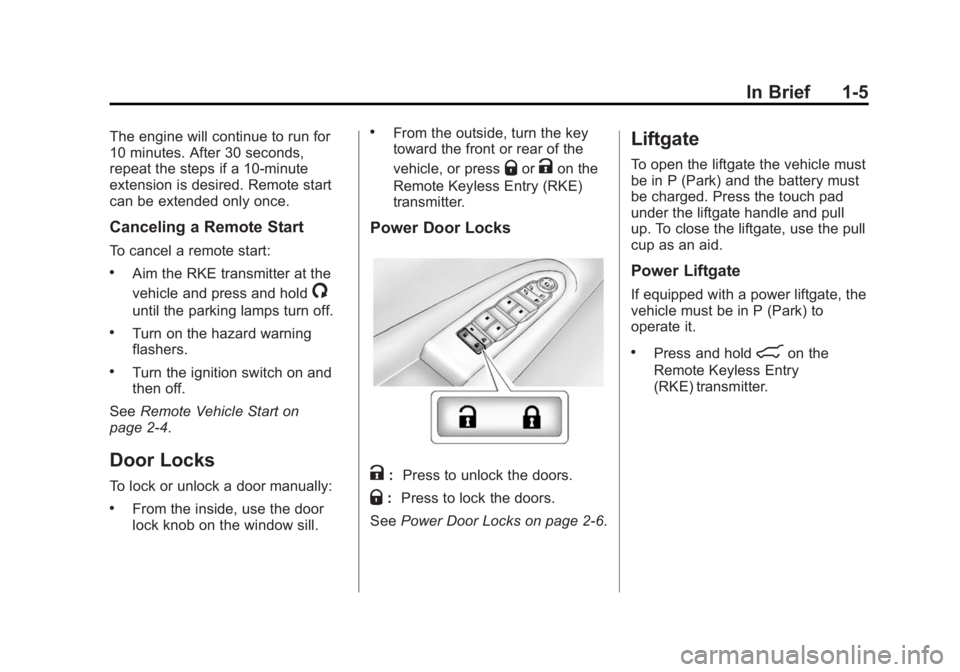
Power Door Locks
K: Press to unlock the doors.
Q:Press to lock the doors.
See Power Door Locks on page 2-6.
Liftgate
To open the liftgate the vehicle must
be in P (Park) and the battery must
be charged. Press the touch pad
under the liftgate handle and pull
up. To close the liftgate, use the pull
cup as an aid.
Power Liftgate
If equipped with a power liftgate, the
vehicle must be in P (Park) to
operate it.
.Press and hold8on the
Remote Keyless Entry
(RKE) transmitter.
Page 13 of 395
Black plate (6,1)Buick Enclave Owner Manual (GMNA-Localizing-U.S./Canada/Mexico-
7576029) - 2015 - CRC - 8/15/14
1-6 In Brief
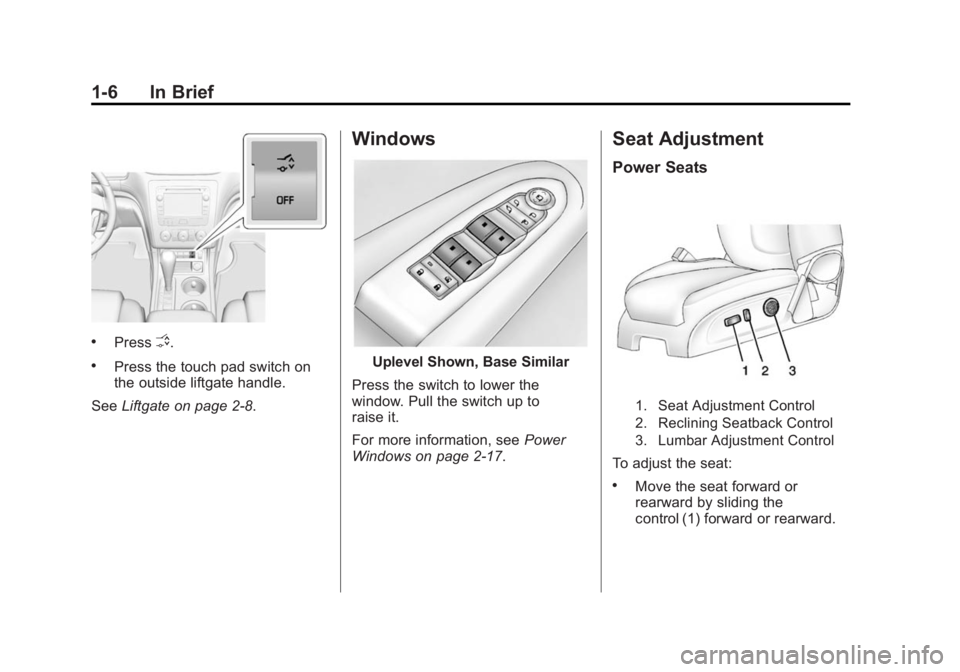
.PressO.
.Press the touch pad switch on
the outside liftgate handle.
See Liftgate on page 2-8.
Windows
Uplevel Shown, Base Similar
Press the switch to lower the
window. Pull the switch up to
raise it.
For more information, see Power
Windows on page 2-17.
Seat Adjustment
Power Seats
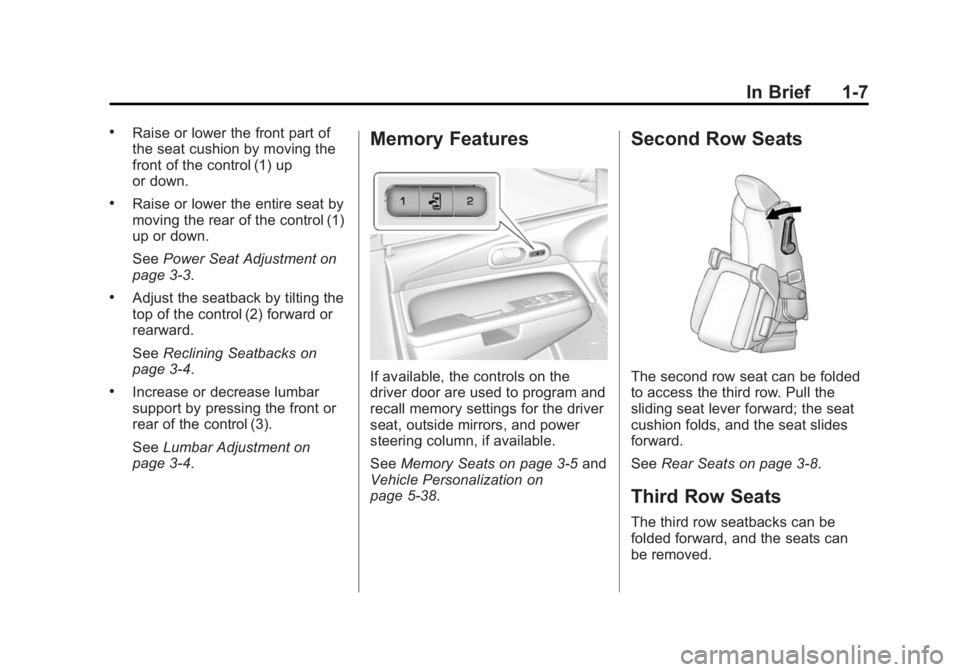
1. Seat Adjustment Control
2. Reclining Seatback Control
3. Lumbar Adjustment Control
To adjust the seat:
.Move the seat forward or
rearward by sliding the
control (1) forward or rearward.
Page 14 of 395
Black plate (7,1)Buick Enclave Owner Manual (GMNA-Localizing-U.S./Canada/Mexico-
7576029) - 2015 - CRC - 8/15/14
In Brief 1-7
.Raise or lower the front part of
the seat cushion by moving the
front of the control (1) up
or down.
.Raise or lower the entire seat by
moving the rear of the control (1)
up or down.
SeePower Seat Adjustment on
page 3-3.
.Adjust the seatback by tilting the
top of the control (2) forward or
rearward.
See Reclining Seatbacks on
page 3-4.
.Increase or decrease lumbar
support by pressing the front or
rear of the control (3).
See Lumbar Adjustment on
page 3-4.
Memory Features
If available, the controls on the
driver door are used to program and
recall memory settings for the driver
seat, outside mirrors, and power
steering column, if available.
See Memory Seats on page 3-5 and
Vehicle Personalization on
page 5-38.
Second Row Seats
The second row seat can be folded
to access the third row. Pull the
sliding seat lever forward; the seat
cushion folds, and the seat slides
forward.
See Rear Seats on page 3-8.
Third Row Seats
The third row seatbacks can be
folded forward, and the seats can
be removed.
Page 16 of 395
Black plate (9,1)Buick Enclave Owner Manual (GMNA-Localizing-U.S./Canada/Mexico-
7576029) - 2015 - CRC - 8/15/14
In Brief 1-9
Press the button once for the
highest setting. With each press of
the button, the seat will change to
the next lower setting, and then to
the off setting. The lights indicate
three for the highest setting and one
for the lowest.
SeeHeated and Cooled Front Seats
on page 3-7.
Head Restraint
Adjustment
Do not drive until the head restraints
for all occupants are installed and
adjusted properly.
To achieve a comfortable seating
position, change the seatback
recline angle as little as necessary
while keeping the seat and the head
restraint height in the proper
position.
See Head Restraints on page 3-2
and Power Seat Adjustment on
page 3-3.
Safety Belts
Refer to the following sections for
important information on how to use
safety belts properly:
.Safety Belts on page 3-13.
.How to Wear Safety Belts
Properly on page 3-14.
.Lap-Shoulder Belt on page 3-15.
.Lower Anchors and Tethers for
Children (LATCH System) on
page 3-43.
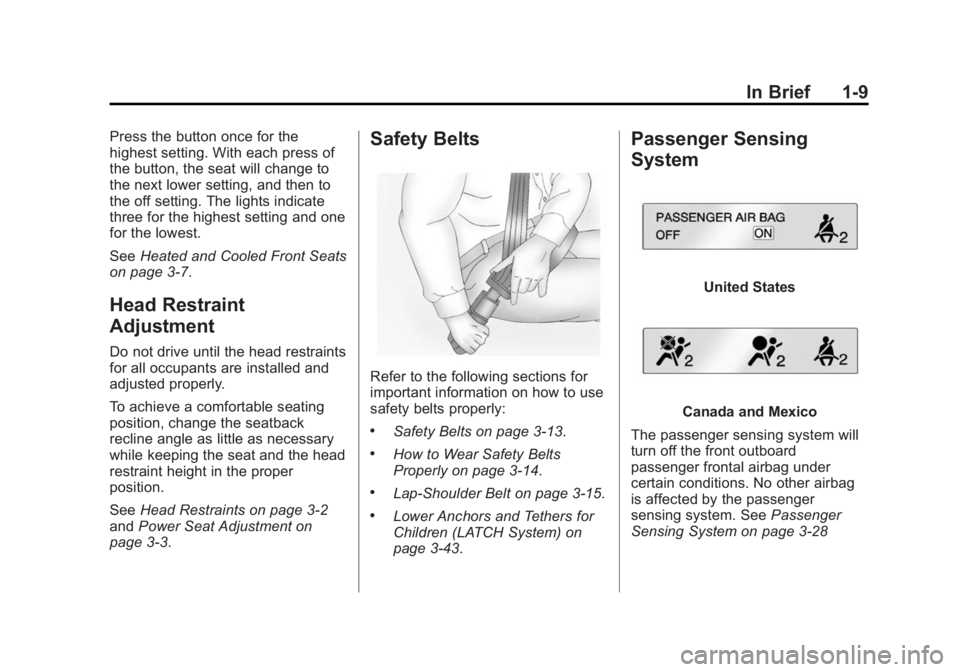
Passenger Sensing
System
United States
Canada and Mexico
The passenger sensing system will
turn off the front outboard
passenger frontal airbag under
certain conditions. No other airbag
is affected by the passenger
sensing system. See Passenger
Sensing System on page 3-28
Page 17 of 395
Black plate (10,1)Buick Enclave Owner Manual (GMNA-Localizing-U.S./Canada/Mexico-
7576029) - 2015 - CRC - 8/15/14
1-10 In Brief
The passenger airbag status
indicator will light on the instrument
panel when the vehicle is started.
SeePassenger Airbag Status
Indicator on page 5-14.
Mirror Adjustment
Exterior Mirrors
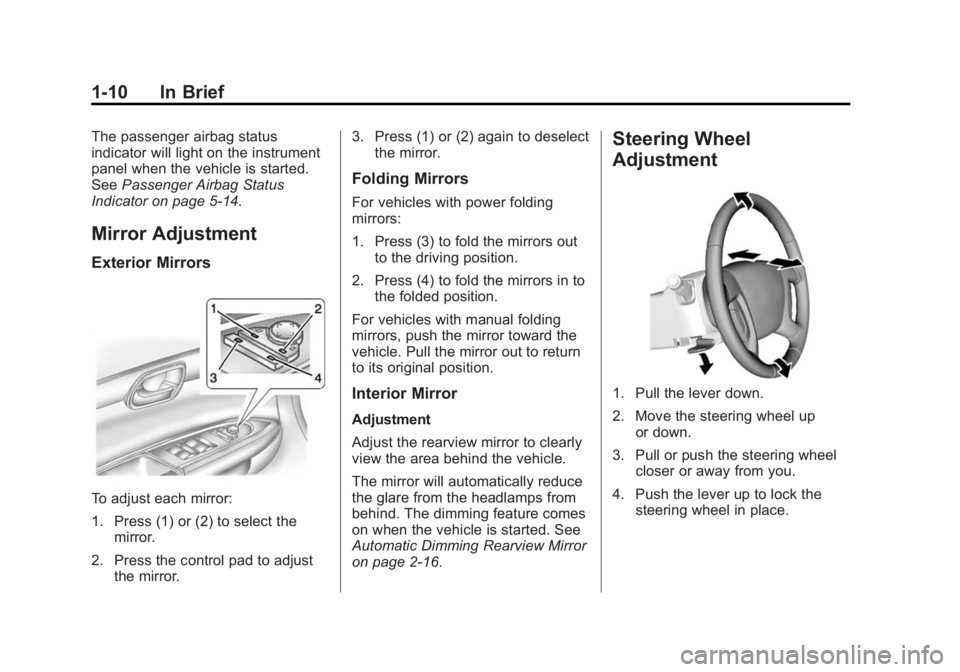
To adjust each mirror:
1. Press (1) or (2) to select the mirror.
2. Press the control pad to adjust the mirror. 3. Press (1) or (2) again to deselect
the mirror.
Folding Mirrors
For vehicles with power folding
mirrors:
1. Press (3) to fold the mirrors out
to the driving position.
2. Press (4) to fold the mirrors in to the folded position.
For vehicles with manual folding
mirrors, push the mirror toward the
vehicle. Pull the mirror out to return
to its original position.
Interior Mirror
Adjustment
Adjust the rearview mirror to clearly
view the area behind the vehicle.
The mirror will automatically reduce
the glare from the headlamps from
behind. The dimming feature comes
on when the vehicle is started. See
Automatic Dimming Rearview Mirror
on page 2-16.
Steering Wheel
Adjustment
1. Pull the lever down.
2. Move the steering wheel up or down.
3. Pull or push the steering wheel closer or away from you.
4. Push the lever up to lock the steering wheel in place.
Page 18 of 395
Black plate (11,1)Buick Enclave Owner Manual (GMNA-Localizing-U.S./Canada/Mexico-
7576029) - 2015 - CRC - 8/15/14
In Brief 1-11
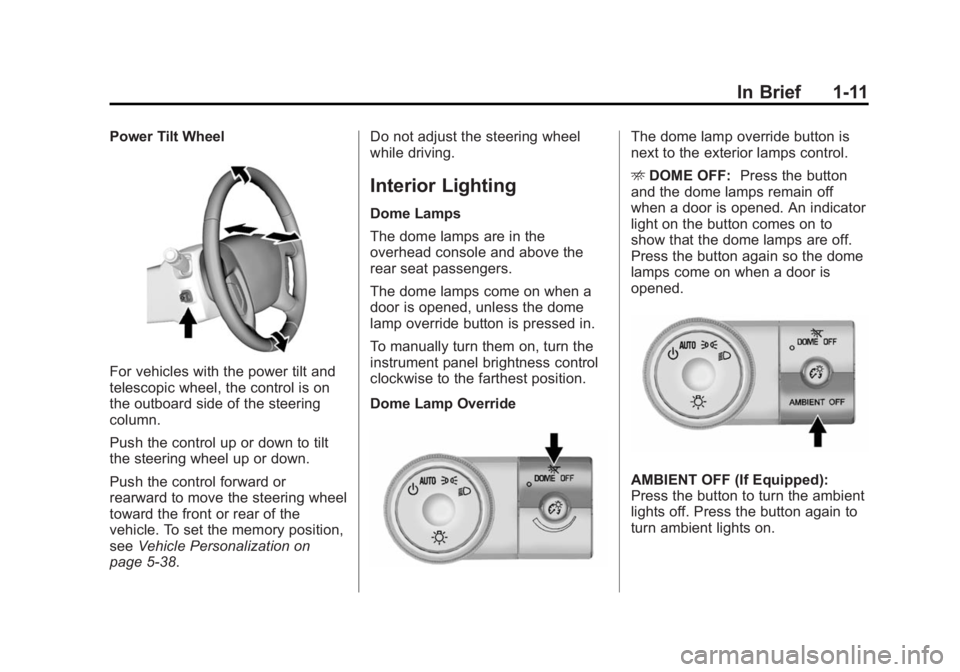
Power Tilt Wheel
For vehicles with the power tilt and
telescopic wheel, the control is on
the outboard side of the steering
column.
Push the control up or down to tilt
the steering wheel up or down.
Push the control forward or
rearward to move the steering wheel
toward the front or rear of the
vehicle. To set the memory position,
seeVehicle Personalization on
page 5-38. Do not adjust the steering wheel
while driving.
Interior Lighting
Dome Lamps
The dome lamps are in the
overhead console and above the
rear seat passengers.
The dome lamps come on when a
door is opened, unless the dome
lamp override button is pressed in.
To manually turn them on, turn the
instrument panel brightness control
clockwise to the farthest position.
Dome Lamp Override
The dome lamp override button is
next to the exterior lamps control.
E
DOME OFF: Press the button
and the dome lamps remain off
when a door is opened. An indicator
light on the button comes on to
show that the dome lamps are off.
Press the button again so the dome
lamps come on when a door is
opened.
AMBIENT OFF (If Equipped):
Press the button to turn the ambient
lights off. Press the button again to
turn ambient lights on.
Page 26 of 395

Black plate (19,1)Buick Enclave Owner Manual (GMNA-Localizing-U.S./Canada/Mexico-
7576029) - 2015 - CRC - 8/15/14
In Brief 1-19
Lane Departure
Warning (LDW)
If equipped, LDW may help avoid
unintentional lane departures at
speeds of 56 km/h (35 mph) or
greater. LDW uses a camera sensor
to detect the lane markings. The
LDW light,
@, is green if a lane
marking is detected. If the vehicle
departs the lane, the light will
change to amber and flash. In
addition, beeps will sound.
See Lane Departure Warning (LDW)
on page 9-40.
Side Blind Zone
Alert (SBZA)
If equipped, SBZA will detect
vehicles in the next lane over in the
vehicle's side blind zone area.
When this happens, the SBZA
display will light up in the
corresponding outside side mirror
and will flash if the turn signal is on. See
Side Blind Zone Alert (SBZA)
on page 9-36.
Rear Vision
Camera (RVC)
If equipped, RVC displays a view of
the area behind the vehicle, on the
center stack display, when the
vehicle is shifted into R (Reverse).
See Rear Vision Camera (RVC) on
page 9-38.
Rear Cross Traffic Alert
(RCTA) System
If equipped, the RCTA system uses
a triangle with an arrow displayed
on the RVC screen to warn of traffic
behind your vehicle that may cross
your vehicle's path while in
R (Reverse). In addition, beeps will
sound.
See “Rear Cross Traffic Alert
(RCTA)” underRear Vision Camera
(RVC) on page 9-38.
Parking Assist
If equipped, this system uses
sensors on the rear bumper to
assist with parking and avoiding
objects while in R (Reverse).
It operates at speeds less than
8 km/h (5 mph). Rear Parking Assist
(RPA) uses audible beeps to
provide distance and system
information.
Keep the sensors on the vehicle's
rear bumper clean to ensure proper
operation.
See Parking Assist on page 9-35.
Power Outlets
The vehicle has 12-volt accessory
power outlets, which can be used to
plug in electrical equipment, such as
a cell phone or MP3 player.
The power outlets are located:
.On the center stack below the
climate controls.
.Inside the center console.
.At the rear of the center console.