operation BUICK ENCLAVE 2016 Owner's Manual
[x] Cancel search | Manufacturer: BUICK, Model Year: 2016, Model line: ENCLAVE, Model: BUICK ENCLAVE 2016Pages: 360, PDF Size: 5.04 MB
Page 4 of 360
Buick Enclave Owner Manual (GMNA-Localizing-U.S./Canada/Mexico-
9159225) - 2016 - crc - 7/31/15
Introduction 3
{Warning
Warning indicates a hazard that
could result in injury or death.
Caution
Caution indicates a hazard that
could result in property or vehicle
damage.
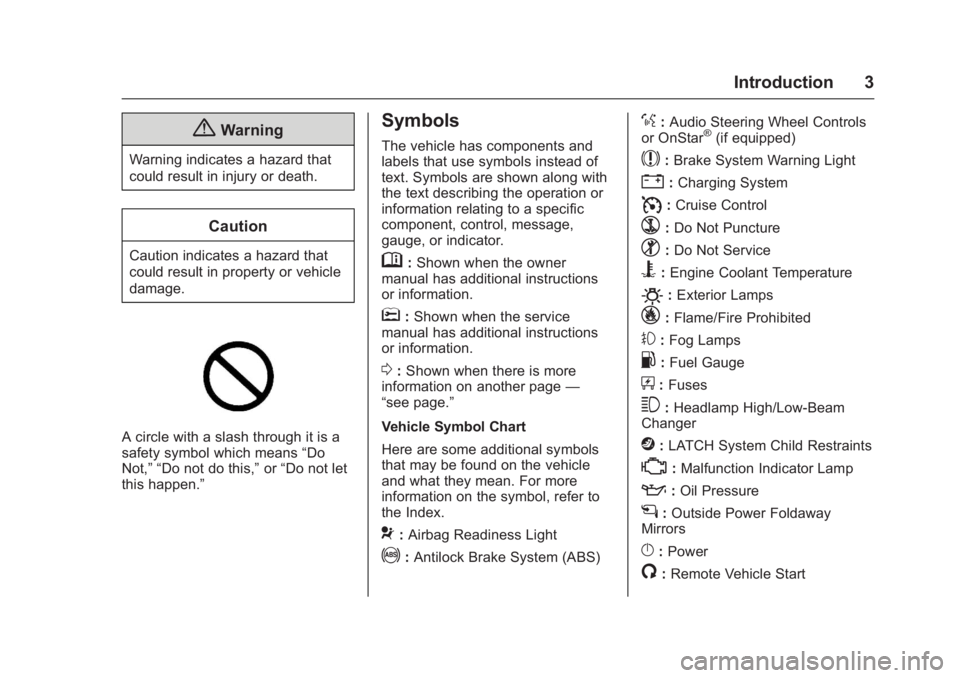
A circle with a slash through it is a
safety symbol which means“Do
Not,” “Do not do this,” or“Do not let
this happen.”
Symbols
The vehicle has components and
labels that use symbols instead of
text. Symbols are shown along with
the text describing the operation or
information relating to a specific
component, control, message,
gauge, or indicator.
M: Shown when the owner
manual has additional instructions
or information.
*: Shown when the service
manual has additional instructions
or information.
0: Shown when there is more
information on another page —
“see page.”
Vehicle Symbol Chart
Here are some additional symbols
that may be found on the vehicle
and what they mean. For more
information on the symbol, refer to
the Index.
9: Airbag Readiness Light
!:Antilock Brake System (ABS)
%:Audio Steering Wheel Controls
or OnStar®(if equipped)
$: Brake System Warning Light
":Charging System
I: Cruise Control
`:Do Not Puncture
^:Do Not Service
B:Engine Coolant Temperature
O:Exterior Lamps
_: Flame/Fire Prohibited
#:Fog Lamps
.:Fuel Gauge
+: Fuses
3:Headlamp High/Low-Beam
Changer
j: LATCH System Child Restraints
*:Malfunction Indicator Lamp
::Oil Pressure
g:Outside Power Foldaway
Mirrors
}: Power
/:Remote Vehicle Start
Page 9 of 360
Buick Enclave Owner Manual (GMNA-Localizing-U.S./Canada/Mexico-
9159225) - 2016 - crc - 7/31/15
8 In Brief
Initial Drive
Information
This section provides a brief
overview about some of the
important features that may or may
not be on your specific vehicle.
For more detailed information, refer
to each of the features which can be
found later in this owner manual.
Remote Keyless Entry
(RKE) System
The RKE transmitter is used to
remotely lock and unlock the doors
from up to 60 m (195 ft) away from
the vehicle.
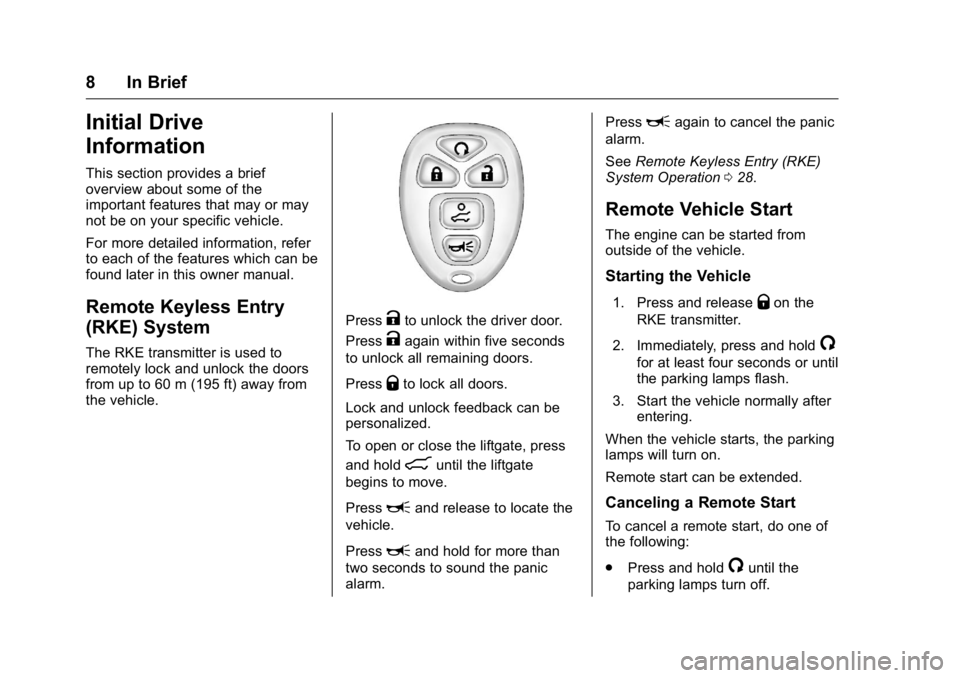
PressKto unlock the driver door.
Press
Kagain within five seconds
to unlock all remaining doors.
Press
Qto lock all doors.
Lock and unlock feedback can be
personalized.
To open or close the liftgate, press
and hold
8until the liftgate
begins to move.
Press
Land release to locate the
vehicle.
Press
Land hold for more than
two seconds to sound the panic
alarm. Press
Lagain to cancel the panic
alarm.
See Remote Keyless Entry (RKE)
System Operation 028.
Remote Vehicle Start
The engine can be started from
outside of the vehicle.
Starting the Vehicle
1. Press and releaseQon the
RKE transmitter.
2. Immediately, press and hold
/
for at least four seconds or until
the parking lamps flash.
3. Start the vehicle normally after entering.
When the vehicle starts, the parking
lamps will turn on.
Remote start can be extended.
Canceling a Remote Start
To cancel a remote start, do one of
the following:
. Press and hold
/until the
parking lamps turn off.
Page 18 of 360
Buick Enclave Owner Manual (GMNA-Localizing-U.S./Canada/Mexico-
9159225) - 2016 - crc - 7/31/15
In Brief 17
Climate Controls
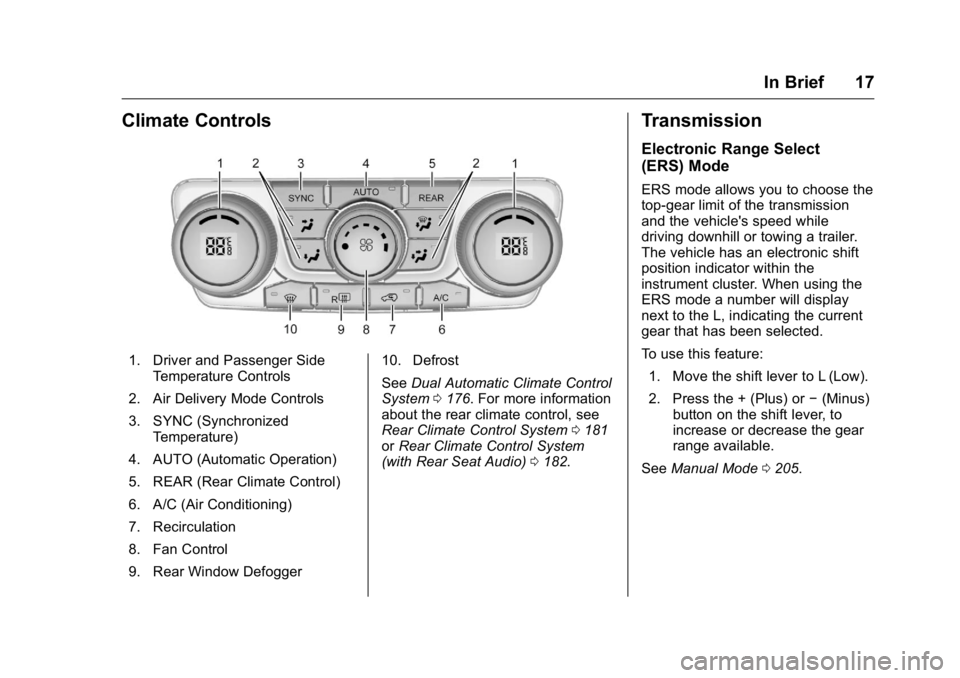
1. Driver and Passenger SideTemperature Controls
2. Air Delivery Mode Controls
3. SYNC (Synchronized Temperature)
4. AUTO (Automatic Operation)
5. REAR (Rear Climate Control)
6. A/C (Air Conditioning)
7. Recirculation
8. Fan Control
9. Rear Window Defogger 10. Defrost
See
Dual Automatic Climate Control
System 0176. For more information
about the rear climate control, see
Rear Climate Control System 0181
or Rear Climate Control System
(with Rear Seat Audio) 0182.
Transmission
Electronic Range Select
(ERS) Mode
ERS mode allows you to choose the
top-gear limit of the transmission
and the vehicle's speed while
driving downhill or towing a trailer.
The vehicle has an electronic shift
position indicator within the
instrument cluster. When using the
ERS mode a number will display
next to the L, indicating the current
gear that has been selected.
To use this feature:
1. Move the shift lever to L (Low).
2. Press the + (Plus) or −(Minus)
button on the shift lever, to
increase or decrease the gear
range available.
See Manual Mode 0205.
Page 19 of 360
Buick Enclave Owner Manual (GMNA-Localizing-U.S./Canada/Mexico-
9159225) - 2016 - crc - 7/31/15
18 In Brief
Vehicle Features
Infotainment System
If the vehicle has a base radio it is
included in this manual. See the
separate infotainment manual for
information on the connected radios,
audio players, phone, navigation
system, and voice or speech
recognition. There is also
information on settings and
downloadable applications (if
equipped).
Radio(s)
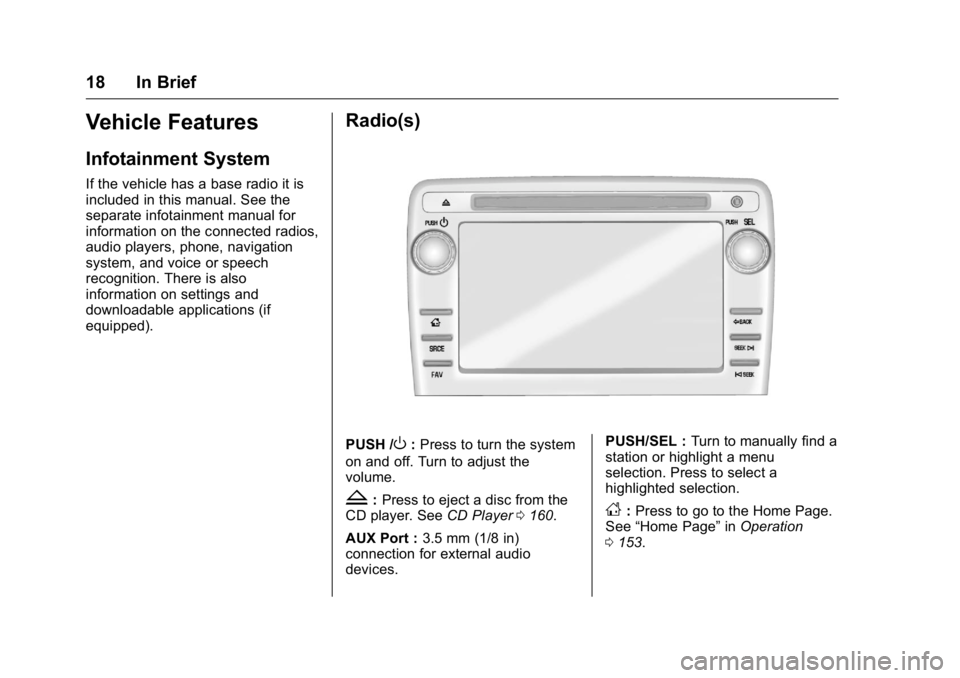
PUSH /O:Press to turn the system
on and off. Turn to adjust the
volume.
Z: Press to eject a disc from the
CD player. See CD Player0160.
AUX Port : 3.5 mm (1/8 in)
connection for external audio
devices. PUSH/SEL :
Turn to manually find a
station or highlight a menu
selection. Press to select a
highlighted selection.D: Press to go to the Home Page.
See “Home Page” inOperation
0 153.
Page 20 of 360
Buick Enclave Owner Manual (GMNA-Localizing-U.S./Canada/Mexico-
9159225) - 2016 - crc - 7/31/15
In Brief 19
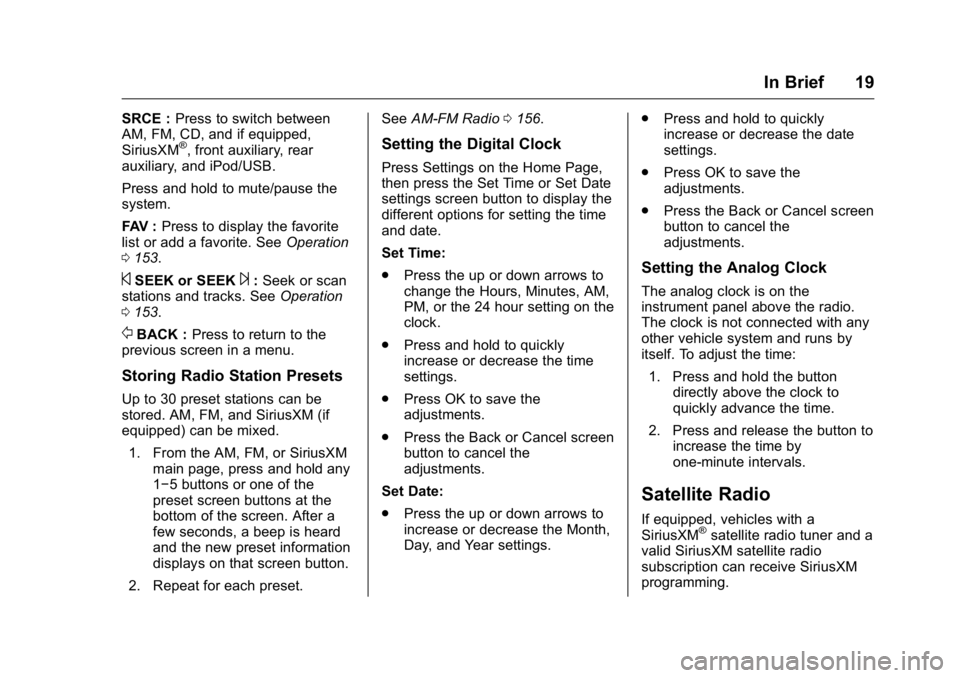
SRCE :Press to switch between
AM, FM, CD, and if equipped,
SiriusXM
®, front auxiliary, rear
auxiliary, and iPod/USB.
Press and hold to mute/pause the
system.
FAV : Press to display the favorite
list or add a favorite. See Operation
0 153.
©SEEK or SEEK¨:Seek or scan
stations and tracks. See Operation
0 153.
/BACK : Press to return to the
previous screen in a menu.
Storing Radio Station Presets
Up to 30 preset stations can be
stored. AM, FM, and SiriusXM (if
equipped) can be mixed.
1. From the AM, FM, or SiriusXM main page, press and hold any
1−5 buttons or one of the
preset screen buttons at the
bottom of the screen. After a
few seconds, a beep is heard
and the new preset information
displays on that screen button.
2. Repeat for each preset. See
AM-FM Radio 0156.
Setting the Digital Clock
Press Settings on the Home Page,
then press the Set Time or Set Date
settings screen button to display the
different options for setting the time
and date.
Set Time:
.
Press the up or down arrows to
change the Hours, Minutes, AM,
PM, or the 24 hour setting on the
clock.
. Press and hold to quickly
increase or decrease the time
settings.
. Press OK to save the
adjustments.
. Press the Back or Cancel screen
button to cancel the
adjustments.
Set Date:
. Press the up or down arrows to
increase or decrease the Month,
Day, and Year settings. .
Press and hold to quickly
increase or decrease the date
settings.
. Press OK to save the
adjustments.
. Press the Back or Cancel screen
button to cancel the
adjustments.
Setting the Analog Clock
The analog clock is on the
instrument panel above the radio.
The clock is not connected with any
other vehicle system and runs by
itself. To adjust the time:
1. Press and hold the button directly above the clock to
quickly advance the time.
2. Press and release the button to increase the time by
one-minute intervals.
Satellite Radio
If equipped, vehicles with a
SiriusXM®satellite radio tuner and a
valid SiriusXM satellite radio
subscription can receive SiriusXM
programming.
Page 23 of 360
Buick Enclave Owner Manual (GMNA-Localizing-U.S./Canada/Mexico-
9159225) - 2016 - crc - 7/31/15
22 In Brief
Side Blind Zone
Alert (SBZA)
If equipped, SBZA will detect
moving vehicles in the next lane
over in the vehicle's side blind zone
area. When this happens, the SBZA
display will light up in the
corresponding outside side mirror
and will flash if the turn signal is on.
SeeSide Blind Zone Alert (SBZA)
0 218.
Rear Vision
Camera (RVC)
If equipped, RVC displays a view of
the area behind the vehicle, on the
infotainment system display, when
the vehicle is shifted into
R (Reverse).
See Rear Vision Camera (RVC)
0 213.
Rear Cross Traffic Alert
(RCTA) System
If equipped, the RCTA system uses
a triangle with an arrow displayed
on the RVC screen to warn of traffic behind your vehicle that may cross
your vehicle's path while in
R (Reverse). In addition, beeps will
sound.
See
“Rear Cross Traffic Alert
(RCTA)” underRear Vision Camera
(RVC) 0213.
Parking Assist
If equipped, Rear Parking Assist
(RPA) uses sensors on the rear
bumper to assist with parking and
avoiding objects while in
R (Reverse). It operates at speeds
less than 8 km/h (5 mph) and uses
audible beeps to provide distance
and system information.
Keep the sensors on the vehicle's
rear bumper clean to ensure proper
operation.
See Parking Assist 0215.
Power Outlets
The vehicle has 12-volt accessory
power outlets, which can be used to
plug in electrical equipment, such as
a cell phone or MP3 player. The power outlets are located:
.
On the center stack below the
climate controls.
. Inside the center console.
. At the rear of the center console.
. In the rear cargo area.
To use the outlets, remove the
cover.
See Power Outlets 0106.
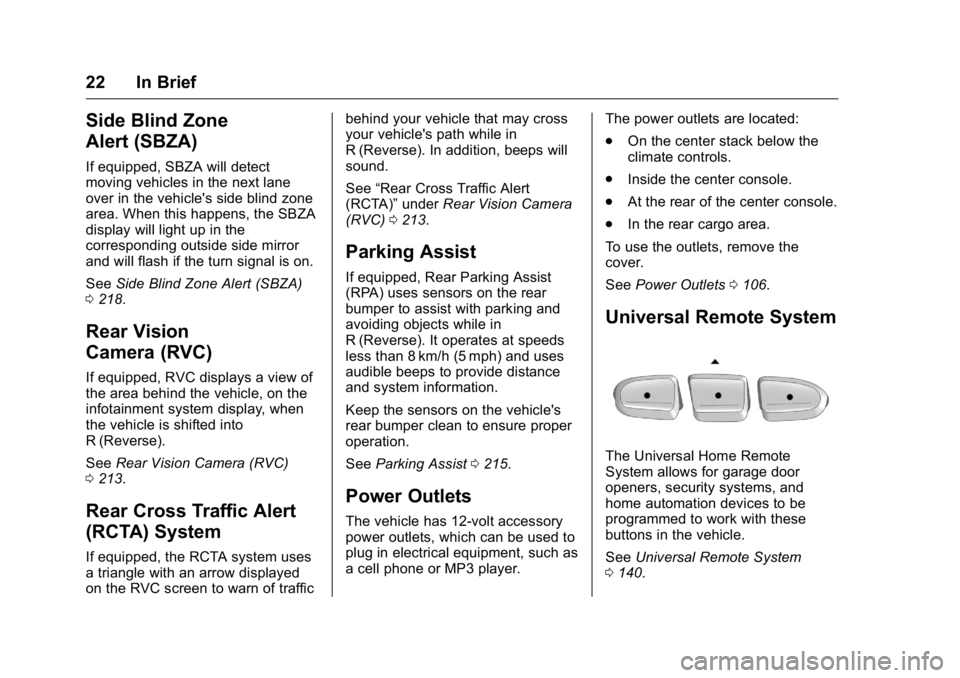
Universal Remote System
The Universal Home Remote
System allows for garage door
openers, security systems, and
home automation devices to be
programmed to work with these
buttons in the vehicle.
See Universal Remote System
0 140.
Page 27 of 360
Buick Enclave Owner Manual (GMNA-Localizing-U.S./Canada/Mexico-
9159225) - 2016 - crc - 7/31/15
26 Keys, Doors, and Windows
Keys, Doors, and
Windows
Keys and Locks
Keys . . . . . . . . . . . . . . . . . . . . . . . . . . . 26
Remote Keyless Entry (RKE)System . . . . . . . . . . . . . . . . . . . . . . . 28
Remote Keyless Entry (RKE) System Operation . . . . . . . . . . . . 28
Remote Vehicle Start . . . . . . . . . . 30
Door Locks . . . . . . . . . . . . . . . . . . . . 31
Power Door Locks . . . . . . . . . . . . . 32
Delayed Locking . . . . . . . . . . . . . . . 32
Automatic Door Locks . . . . . . . . . 32
Lockout Protection . . . . . . . . . . . . . 33
Safety Locks . . . . . . . . . . . . . . . . . . . 33
Doors
Liftgate . . . . . . . . . . . . . . . . . . . . . . . . 33
Vehicle Security
Vehicle Security . . . . . . . . . . . . . . . . 36
Vehicle Alarm System . . . . . . . . . 36
Immobilizer . . . . . . . . . . . . . . . . . . . . 37
Immobilizer Operation . . . . . . . . . 37
Exterior Mirrors
Convex Mirrors . . . . . . . . . . . . . . . . 39
Power Mirrors . . . . . . . . . . . . . . . . . . 39 Folding Mirrors . . . . . . . . . . . . . . . . . 40
Heated Mirrors . . . . . . . . . . . . . . . . . 40
Automatic Dimming Mirror . . . . . 40
Park Tilt Mirrors . . . . . . . . . . . . . . . . 40
Interior Mirrors
Interior Rearview Mirrors . . . . . . . 41
Automatic Dimming Rearview
Mirror . . . . . . . . . . . . . . . . . . . . . . . . . 41
Windows
Windows . . . . . . . . . . . . . . . . . . . . . . . 41
Power Windows . . . . . . . . . . . . . . . 41
Sun Visors . . . . . . . . . . . . . . . . . . . . . 43
Roof
Sunroof . . . . . . . . . . . . . . . . . . . . . . . . 43
Keys and Locks
Keys
{Warning
Leaving children in a vehicle with
the ignition key is dangerous and
children or others could be
seriously injured or killed. They
could operate the power windows
or other controls or make the
vehicle move. The windows will
function with the keys in the
ignition, and children or others
could be caught in the path of a
closing window. Do not leave
children in a vehicle with the
ignition key.
Page 29 of 360
Buick Enclave Owner Manual (GMNA-Localizing-U.S./Canada/Mexico-
9159225) - 2016 - crc - 7/31/15
28 Keys, Doors, and Windows
If locked out of the vehicle, call
Roadside Assistance. SeeRoadside
Assistance Program 0329.
If equipped, with an active OnStar
subscription, an OnStar Advisor
may remotely unlock the vehicle.
See “OnStar,” if equipped.
Remote Keyless Entry
(RKE) System
SeeRadio Frequency Statement
0 335.
If there is a decrease in the RKE
operating range:
. Check the distance. The
transmitter may be too far from
the vehicle.
. Check the location. Other
vehicles or objects may be
blocking the signal.
. Check the transmitter's battery.
See “Battery Replacement” later
in this section.
. If the transmitter is still not
working correctly, see your
dealer or a qualified technician
for service.
Remote Keyless Entry
(RKE) System Operation
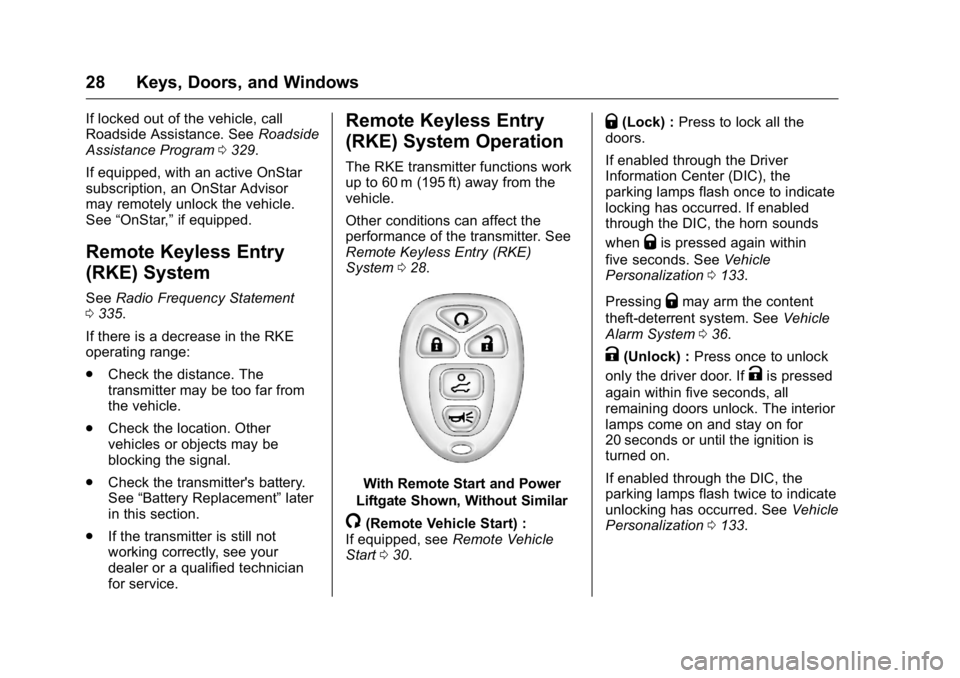
The RKE transmitter functions work
up to 60 m (195 ft) away from the
vehicle.
Other conditions can affect the
performance of the transmitter. See
Remote Keyless Entry (RKE)
System 028.
With Remote Start and Power
Liftgate Shown, Without Similar
/(Remote Vehicle Start) :
If equipped, see Remote Vehicle
Start 030.
Q(Lock) : Press to lock all the
doors.
If enabled through the Driver
Information Center (DIC), the
parking lamps flash once to indicate
locking has occurred. If enabled
through the DIC, the horn sounds
when
Qis pressed again within
five seconds. See Vehicle
Personalization 0133.
Pressing
Qmay arm the content
theft-deterrent system. See Vehicle
Alarm System 036.
K(Unlock) : Press once to unlock
only the driver door. If
Kis pressed
again within five seconds, all
remaining doors unlock. The interior
lamps come on and stay on for
20 seconds or until the ignition is
turned on.
If enabled through the DIC, the
parking lamps flash twice to indicate
unlocking has occurred. See Vehicle
Personalization 0133.
Page 34 of 360
Buick Enclave Owner Manual (GMNA-Localizing-U.S./Canada/Mexico-
9159225) - 2016 - crc - 7/31/15
Keys, Doors, and Windows 33
Automatic door unlocking can be
programmed through the Driver
Information Center (DIC). See
Vehicle Personalization0133.
Lockout Protection
When locking is requested with the
driver door open and the key in the
ignition, all the doors will lock and
then the driver door will unlock.
This can be manually overridden by
pressing and holding
Qon the
power door lock switch.
Safety Locks
Caution
Pulling the inside door handle
while the rear door safety locks
are engaged could damage your
vehicle. Do not pull the inside
door handle while the rear door
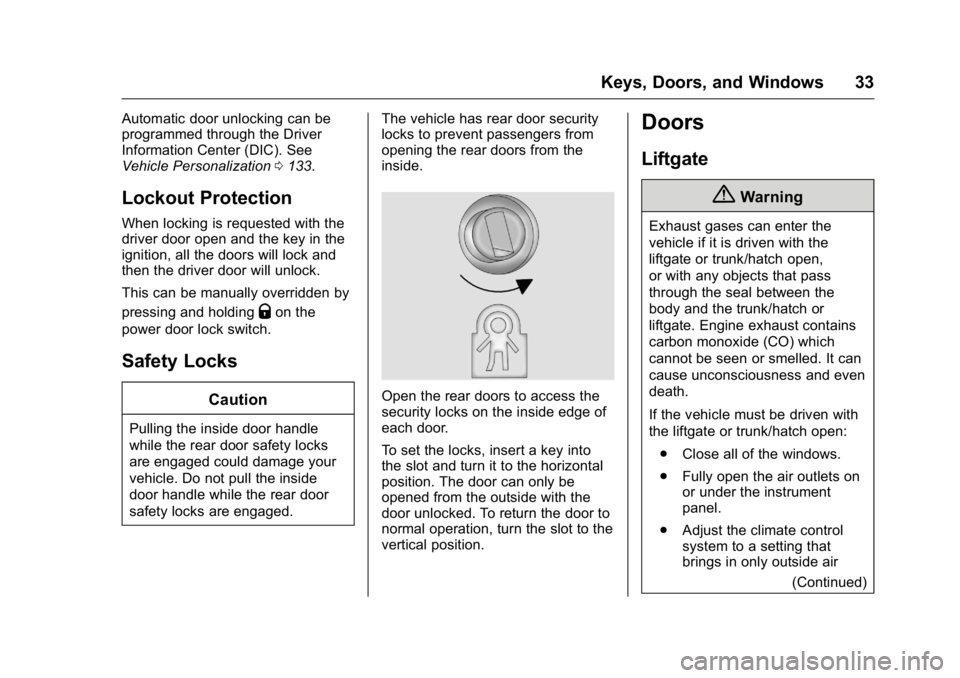
safety locks are engaged. The vehicle has rear door security
locks to prevent passengers from
opening the rear doors from the
inside.
Open the rear doors to access the
security locks on the inside edge of
each door.
To set the locks, insert a key into
the slot and turn it to the horizontal
position. The door can only be
opened from the outside with the
door unlocked. To return the door to
normal operation, turn the slot to the
vertical position.
Doors
Liftgate
{Warning
Exhaust gases can enter the
vehicle if it is driven with the
liftgate or trunk/hatch open,
or with any objects that pass
through the seal between the
body and the trunk/hatch or
liftgate. Engine exhaust contains
carbon monoxide (CO) which
cannot be seen or smelled. It can
cause unconsciousness and even
death.
If the vehicle must be driven with
the liftgate or trunk/hatch open:
. Close all of the windows.
. Fully open the air outlets on
or under the instrument
panel.
. Adjust the climate control
system to a setting that
brings in only outside air
(Continued)
Page 35 of 360
Buick Enclave Owner Manual (GMNA-Localizing-U.S./Canada/Mexico-
9159225) - 2016 - crc - 7/31/15
34 Keys, Doors, and Windows
Warning (Continued)
and set the fan speed to the
highest setting. See
“Climate Control Systems”
in the Index.
. If the vehicle is equipped
with a power liftgate, disable
the power liftgate function.
See Engine Exhaust 0202.
Caution
To avoid damage to the liftgate or
liftgate glass, make sure the area
above and behind the liftgate is
clear before opening it.
Manual Liftgate
To unlock the liftgate, press the
power door lock switch or press
K
on the Remote Keyless Entry
(RKE) transmitter twice. See
Remote Keyless Entry (RKE)
System Operation 028.
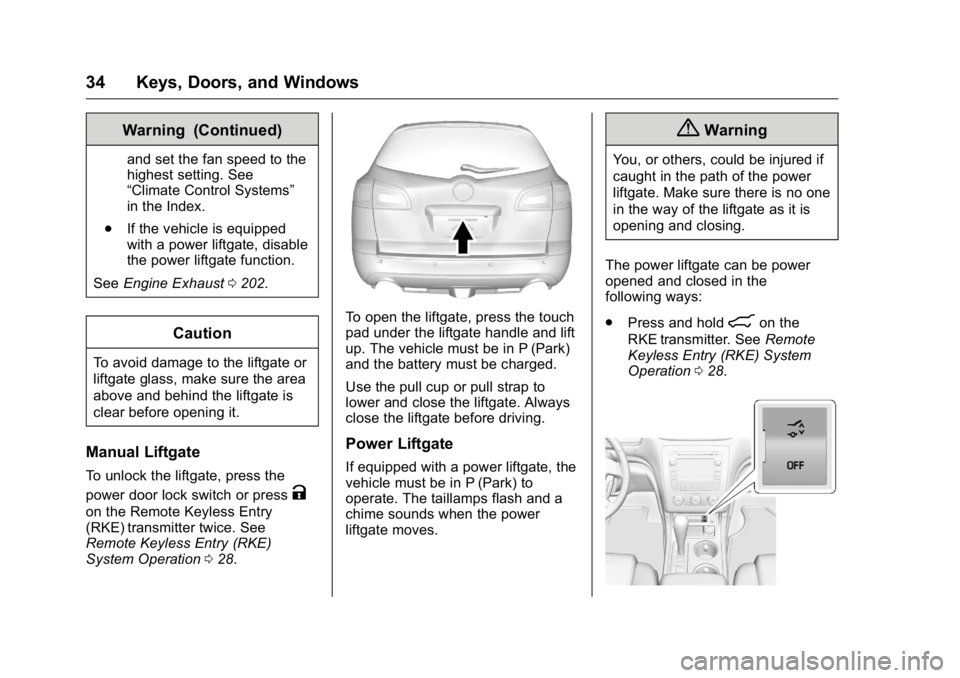
To open the liftgate, press the touch
pad under the liftgate handle and lift
up. The vehicle must be in P (Park)
and the battery must be charged.
Use the pull cup or pull strap to
lower and close the liftgate. Always
close the liftgate before driving.
Power Liftgate
If equipped with a power liftgate, the
vehicle must be in P (Park) to
operate. The taillamps flash and a
chime sounds when the power
liftgate moves.
{Warning
You, or others, could be injured if
caught in the path of the power
liftgate. Make sure there is no one
in the way of the liftgate as it is
opening and closing.
The power liftgate can be power
opened and closed in the
following ways:
. Press and hold
8on the
RKE transmitter. See Remote
Keyless Entry (RKE) System
Operation 028.