Tow BUICK ENCLAVE 2018 Owner's Guide
[x] Cancel search | Manufacturer: BUICK, Model Year: 2018, Model line: ENCLAVE, Model: BUICK ENCLAVE 2018Pages: 393, PDF Size: 5.68 MB
Page 211 of 393
Buick Enclave Owner Manual (GMNA-Localizing-U.S./Canada/Mexico-
10999311) - 2018 - crc - 11/20/17
210 Driving and Operating
Running the Vehicle
While Parked
It is better not to park with the
engine running.
If the vehicle is left with the engine
running, follow the proper steps to
be sure the vehicle will not move.
SeeShifting Into Park 0205 and
Engine Exhaust 0209.
If parking on a hill and pulling a
trailer, see Driving Characteristics
and Towing Tips 0253.
Automatic
Transmission
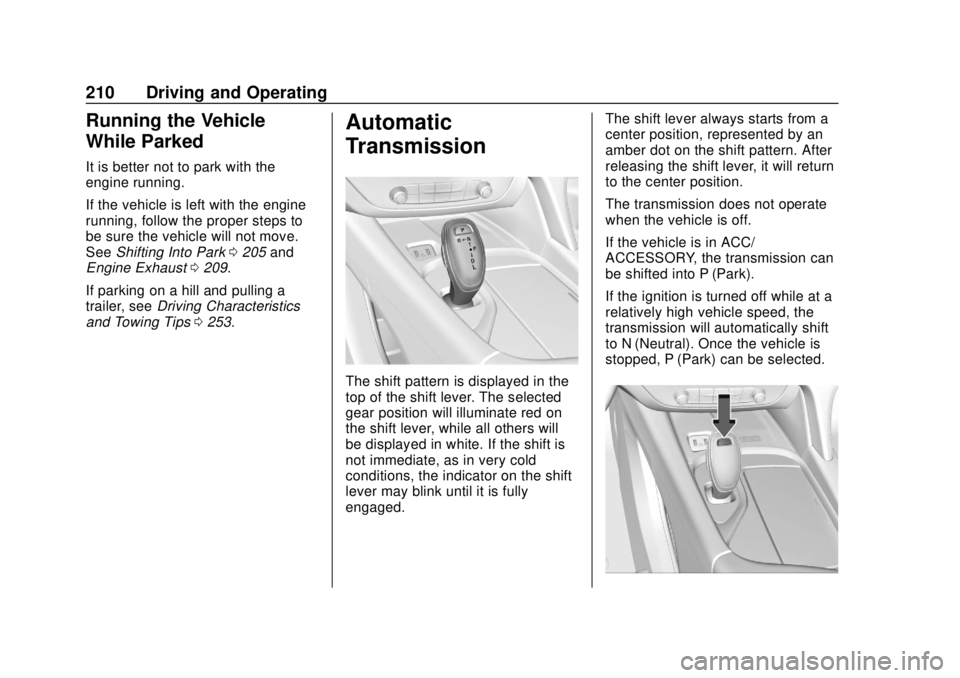
The shift pattern is displayed in the
top of the shift lever. The selected
gear position will illuminate red on
the shift lever, while all others will
be displayed in white. If the shift is
not immediate, as in very cold
conditions, the indicator on the shift
lever may blink until it is fully
engaged. The shift lever always starts from a
center position, represented by an
amber dot on the shift pattern. After
releasing the shift lever, it will return
to the center position.
The transmission does not operate
when the vehicle is off.
If the vehicle is in ACC/
ACCESSORY, the transmission can
be shifted into P (Park).
If the ignition is turned off while at a
relatively high vehicle speed, the
transmission will automatically shift
to N (Neutral). Once the vehicle is
stopped, P (Park) can be selected.
Page 212 of 393

Buick Enclave Owner Manual (GMNA-Localizing-U.S./Canada/Mexico-
10999311) - 2018 - crc - 11/20/17
Driving and Operating 211
P :This position locks the drive
wheels. Use P (Park) when starting
the engine because the vehicle
cannot move easily.
{Warning
It is dangerous to get out of the
vehicle if the transmission is not
in P (Park) with the parking brake
set. The vehicle can roll.
Do not leave the vehicle when the
engine is running. If the engine
has been left running, the vehicle
can move suddenly. You or others
could be injured. To be sure the
vehicle will not move, even when
on fairly level ground, always set
the parking brake and place the
transmission into P (Park).
See Shifting Into Park 0205 and
Driving Characteristics and
Towing Tips 0253.
This vehicle is equipped with an
electronic transmission. The shift
lock release button is designed to
prevent inadvertent shifting out of
P (Park) unless the ignition is on,
the brake pedal is applied, and the
shift lock release button is pressed.
When the vehicle is stopped, press
ENGINE START/STOP to turn off
the vehicle. The transmission will
shift to P (Park) automatically unless
the vehicle is in N (Neutral). See
“Car Wash Mode” below.
The vehicle will not shift into
P (Park) if it is moving too fast. Stop
the vehicle and shift into P (Park). To shift in and out of P (Park), see
Shifting Into Park
0205 andShifting
out of Park 0206.
SERVICE SHIFTER SEE OWNER’S
MANUAL Message
When this message displays in the
Driver Information Center (DIC), the
shift lever needs service. Have the
vehicle serviced as soon as
possible. If the vehicle is
automatically shifting into P (Park),
check to see if the P (Park) button
on top of the shift lever is stuck. To
operate the vehicle, hold the shift
lever in the desired gear,
R (Reverse) or D (Drive), until
vehicle speed exceeds
15 km/h (10 mph), then release the
shift lever.
R : Use this gear to back up.
If the vehicle is shifted from
D (Drive) to R (Reverse) while the
speed is too high, the vehicle will
shift to N (Neutral). Reduce the
vehicle speed and try the shift
again.
Page 214 of 393

Buick Enclave Owner Manual (GMNA-Localizing-U.S./Canada/Mexico-
10999311) - 2018 - crc - 11/20/17
Driving and Operating 213
2. Shift to the desired gear.If selecting R (Reverse), press
and hold the shift lock release
button.
3. After releasing the shift lever, it will return to the center
position.
Car Wash Mode
This vehicle includes a Car Wash
Mode that allows the vehicle to
remain in N (Neutral) for use in
automatic car washes.
The vehicle is not designed to stay
in N (Neutral) for more than
five minutes. It may automatically
shift into P (Park). N (Neutral) is not
intended for towing. If the vehicle
needs to be towed, see Towing the
Vehicle 0327.
Car Wash Mode (Engine Off –
Driver in Vehicle)
To place the vehicle in N (Neutral)
with the engine off and the vehicle
occupied:
1. Drive to the entrance of the car wash. 2. Apply the brake pedal.
3. Shift to N (Neutral).
4. Turn off the engine and release
the brake pedal.
5. The indicator should continue to show N. If it does not, start
the engine and repeat
Steps 2–4.
6. The vehicle is now ready for the car wash.
Car Wash Mode (Engine Off –
Driver out of Vehicle)
To place the vehicle in N (Neutral)
with the engine off and the vehicle
unoccupied:
1. Drive to the entrance of the car wash.
2. Apply the brake pedal.
3. Open the door.
4. Shift to N (Neutral).
5. Turn off the engine and release the brake pedal. 6. The indicator should continue
to show N. If it does not, start
the engine and repeat
Steps 2–5.
7. Exit the vehicle and close the door. The vehicle is now ready
for the car wash.
8. The vehicle may automatically shift to P (Park) upon re-entry.
Car Wash Mode (Engine On –
Driver in Vehicle)
To place the vehicle in N (Neutral)
with the engine on and the vehicle
occupied:
1. Drive to the entrance of the car wash.
2. Apply the brake pedal.
3. Shift to N (Neutral).
4. Release the brake pedal. The vehicle is now ready for the
car wash.
Page 216 of 393

Buick Enclave Owner Manual (GMNA-Localizing-U.S./Canada/Mexico-
10999311) - 2018 - crc - 11/20/17
Driving and Operating 215
Manual Mode
Electronic Range Select (ERS)Caution
Driving with the engine at a high
rpm without upshifting while using
Manual Mode, could damage the
vehicle. Always upshift when
necessary while using
Manual Mode.
Electronic Range Select (ERS),
or Manual Mode, allows for the
selection of the range of gear positions. Use this mode when
driving downhill or towing a trailer to
limit the top gear and vehicle speed.
The shift position indicator within the
Driver Information Center (DIC) will
display a number next to the L
indicating the highest available gear.
To enter Electronic Range Select or
Manual Mode:
1. With the vehicle in D (Drive), pull back on the shift lever to
activate L (Low). The L in the
shift pattern will illuminate in
red, and the D will switch to
white.
2. Tap the left steering wheel control to reduce the highest
gear available, or the right
control to increase the highest
gear available.
3. To exit, pull back on the shift lever a second time. The D in
the shift pattern will illuminate
in red, and the L will switch to
white.
When shifting to L (Low), the
transmission will shift to a preset
lower gear range. For this preset range, the highest gear available
will be displayed next to the L in the
DIC. All gears below that number
are available to use. For example,
when 4 (Fourth) is shown next to
the L, 1 (First) through 4 (Fourth)
gears are shifted automatically. To
shift to 5 (Fifth) gear, tap the right
steering wheel control or shift into D
(Drive).
L (Low) will prevent shifting to a
lower gear range if the engine
speed is too high. If the vehicle
speed is not reduced within the time
allowed, the lower gear range shift
will not be completed. Slow the
vehicle, then tap the left steering
wheel control to the desired lower
gear range.
Cruise control can be used while
in ERS.
Page 217 of 393
Buick Enclave Owner Manual (GMNA-Localizing-U.S./Canada/Mexico-
10999311) - 2018 - crc - 11/20/17
216 Driving and Operating
Tow/Haul Mode
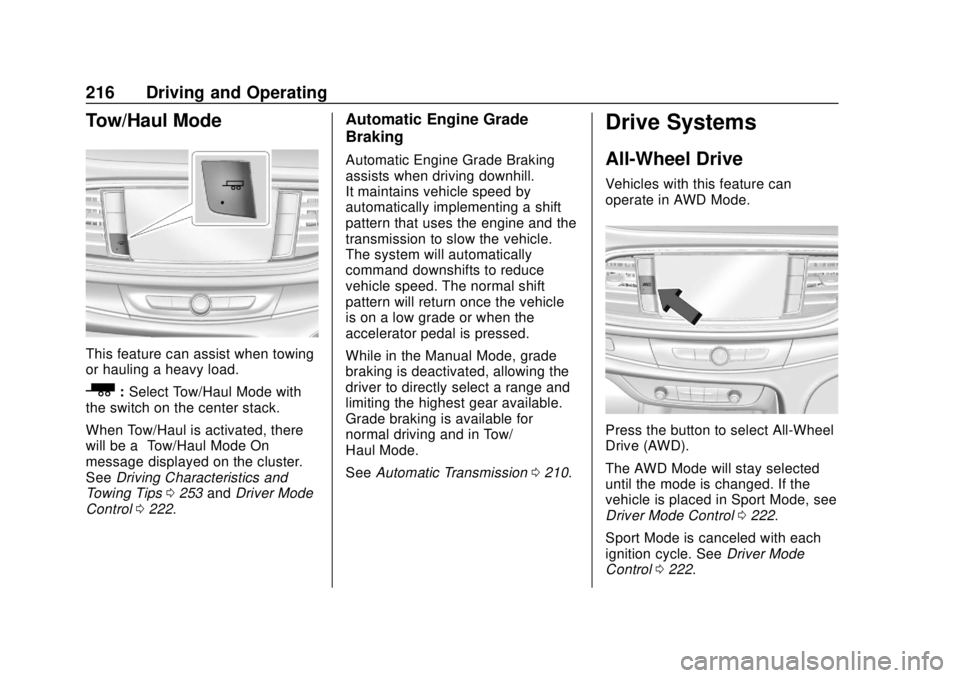
This feature can assist when towing
or hauling a heavy load.
_:Select Tow/Haul Mode with
the switch on the center stack.
When Tow/Haul is activated, there
will be a “Tow/Haul Mode On”
message displayed on the cluster.
See Driving Characteristics and
Towing Tips 0253 andDriver Mode
Control 0222.
Automatic Engine Grade
Braking
Automatic Engine Grade Braking
assists when driving downhill.
It maintains vehicle speed by
automatically implementing a shift
pattern that uses the engine and the
transmission to slow the vehicle.
The system will automatically
command downshifts to reduce
vehicle speed. The normal shift
pattern will return once the vehicle
is on a low grade or when the
accelerator pedal is pressed.
While in the Manual Mode, grade
braking is deactivated, allowing the
driver to directly select a range and
limiting the highest gear available.
Grade braking is available for
normal driving and in Tow/
Haul Mode.
See Automatic Transmission 0210.
Drive Systems
All-Wheel Drive
Vehicles with this feature can
operate in AWD Mode.
Press the button to select All-Wheel
Drive (AWD).
The AWD Mode will stay selected
until the mode is changed. If the
vehicle is placed in Sport Mode, see
Driver Mode Control 0222.
Sport Mode is canceled with each
ignition cycle. See Driver Mode
Control 0222.
Page 223 of 393
Buick Enclave Owner Manual (GMNA-Localizing-U.S./Canada/Mexico-
10999311) - 2018 - crc - 11/20/17
222 Driving and Operating
Caution
Do not repeatedly brake or
accelerate heavily when TCS is
off. The vehicle driveline could be
damaged.
To turn off only TCS, press and
release
g. The Traction Off lighti
displays in the instrument cluster
and the appropriate DIC message
displays.
To turn TCS on again, press and
release
g. The Traction Off lighti
displayed in the instrument cluster
will turn off.
If TCS is limiting wheel spin when
g
is pressed, the system will not turn
off until the wheels stop spinning.
To turn off both TCS and StabiliTrak,
press and hold
guntil the Traction
Off light
iand StabiliTrak OFF light
gcome on and stay on in the
instrument cluster. The appropriate
DIC message displays. To turn TCS and StabiliTrak on
again, press and release
g. The
Traction Off light
iand StabiliTrak
OFF light
gin the instrument cluster
turn off.
Adding accessories can affect the
vehicle performance. See
Accessories and Modifications
0 265.
Driver Mode Control
If equipped, the vehicle may have
the following modes: All-Wheel
Drive (AWD), Sport, Tow/Haul or
both Sport and Tow/Haul. Vehicles
with Sport & Tow/Haul will only have
one selectable button (Tow/Haul).
Selecting this option will engage
both the Sport features as well as
the Tow/Haul features. When not in
AWD, the vehicle is in Front-Wheel
Drive (FWD) which will provide
better fuel economy. All drive modes
will have display mode on message
except FWD.
Driver Mode Control attempts to add
a sportier feel, provide a more
comfortable ride, or assist in different weather conditions or
terrain. This system simultaneously
changes the software calibration of
various sub-systems. Depending on
the option package, available
features, and mode selected, the
suspension, steering, and
powertrain will change calibrations
to achieve the desired mode
characteristics.
AWD Mode
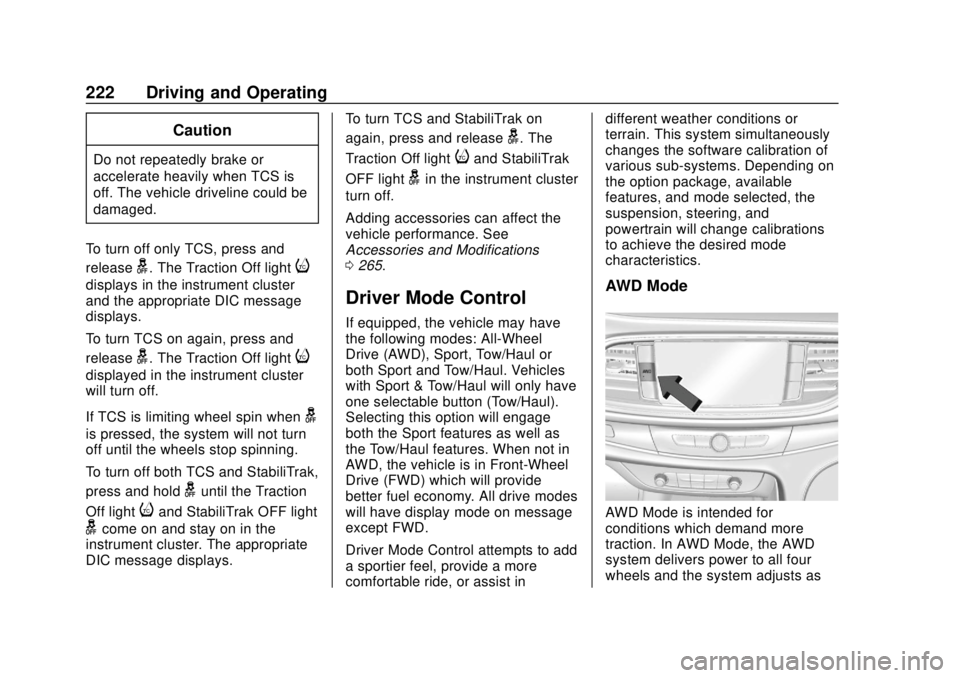
AWD Mode is intended for
conditions which demand more
traction. In AWD Mode, the AWD
system delivers power to all four
wheels and the system adjusts as
Page 224 of 393
Buick Enclave Owner Manual (GMNA-Localizing-U.S./Canada/Mexico-
10999311) - 2018 - crc - 11/20/17
Driving and Operating 223
needed to improve traction.
Pressing the AWD Mode switch will
select AWD Mode. The AWD light
will flash briefly while the system is
engaging and stay on to indicate
AWD is active. The AWD light will
stay off when AWD is inactive. AWD
Mode can be turned on and off
independently of other modes. See
All-Wheel Drive0216.
Sport Mode
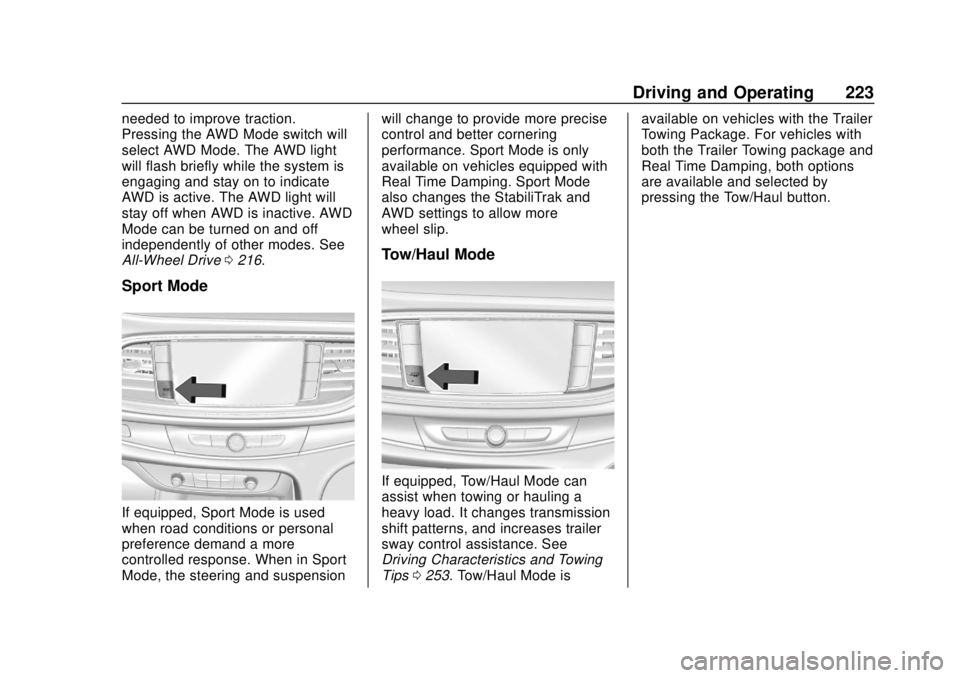
If equipped, Sport Mode is used
when road conditions or personal
preference demand a more
controlled response. When in Sport
Mode, the steering and suspension will change to provide more precise
control and better cornering
performance. Sport Mode is only
available on vehicles equipped with
Real Time Damping. Sport Mode
also changes the StabiliTrak and
AWD settings to allow more
wheel slip.
Tow/Haul Mode
If equipped, Tow/Haul Mode can
assist when towing or hauling a
heavy load. It changes transmission
shift patterns, and increases trailer
sway control assistance. See
Driving Characteristics and Towing
Tips
0253. Tow/Haul Mode is available on vehicles with the Trailer
Towing Package. For vehicles with
both the Trailer Towing package and
Real Time Damping, both options
are available and selected by
pressing the Tow/Haul button.
Page 234 of 393

Buick Enclave Owner Manual (GMNA-Localizing-U.S./Canada/Mexico-
10999311) - 2018 - crc - 11/20/17
Driving and Operating 233
Warning (Continued)
to use the brakes if necessary.
Select an appropriate speed while
driving in curves.
ACC may operate differently in a
sharp curve. It may reduce the
vehicle speed if the curve is too
sharp.
When following a vehicle and
entering a curve, ACC may not
detect the vehicle ahead and
accelerate to the set speed. When
this happens, the vehicle ahead
indicator will not appear.
ACC may detect a vehicle that is
not in your lane and apply the
brakes.
ACC may occasionally provide an
alert and/or braking that is
considered unnecessary. It could
respond to vehicles in different
lanes, signs, guardrails, and other
stationary objects when entering or
exiting a curve. This is normal
operation. The vehicle does not
need service. Other Vehicle Lane Changes
ACC will not detect a vehicle ahead
until it is completely in the lane. The
brakes may need to be manually
applied.
Do Not Use ACC on Hills and
When Towing a Trailer
Page 235 of 393

Buick Enclave Owner Manual (GMNA-Localizing-U.S./Canada/Mexico-
10999311) - 2018 - crc - 11/20/17
234 Driving and Operating
Do not use ACC when driving on
steep hills or when towing a trailer.
ACC will not detect a vehicle in the
lane while driving on steep hills. The
driver will often need to take over
acceleration and braking on steep
hills, especially when towing a
trailer. If the brakes are applied, the
ACC disengages.
Disengaging ACC
There are three ways to
disengage ACC:
.Step lightly on the brake pedal.
. Press
*.
. Press
5.
Erasing Speed Memory
The cruise control set speed is
erased from memory if
5is pressed
or if the ignition is turned off. Cleaning the Sensing System
The radar sensor on the front of the
vehicle can become blocked by
snow, ice, dirt, or mud. This area
needs to be cleaned for ACC to
operate properly.
If ACC will not operate, regular
Cruise Control may be available.
See
“Switching Between ACC and
Regular Cruise Control” previously
in this section. Always consider
driving conditions before using
either cruise control system.
For cleaning instructions, see
“Washing the Vehicle” under
Exterior Care 0330.
System operation may also be
limited under snow, heavy rain,
or road spray conditions.
Driver Assistance
Systems
This vehicle may have features that
work together to help avoid crashes
or reduce crash damage while
driving, backing, and parking. Read
this entire section before using
these systems.
{Warning
Do not rely on the Driver
Assistance Systems. These
systems do not replace the need
for paying attention and driving
safely. You may not hear or feel
alerts or warnings provided by
these systems. Failure to use
proper care when driving may
result in injury, death, or vehicle
damage. See Defensive Driving
0 186.
Under many conditions, these
systems will not: (Continued)
Page 239 of 393
Buick Enclave Owner Manual (GMNA-Localizing-U.S./Canada/Mexico-
10999311) - 2018 - crc - 11/20/17
238 Driving and Operating
Warning (Continued)
speeds greater than 8 km/h
(5 mph). To prevent injury, death,
or vehicle damage, even with
Parking Assist, always check the
area around the vehicle and
check all mirrors before moving
forward or backing.
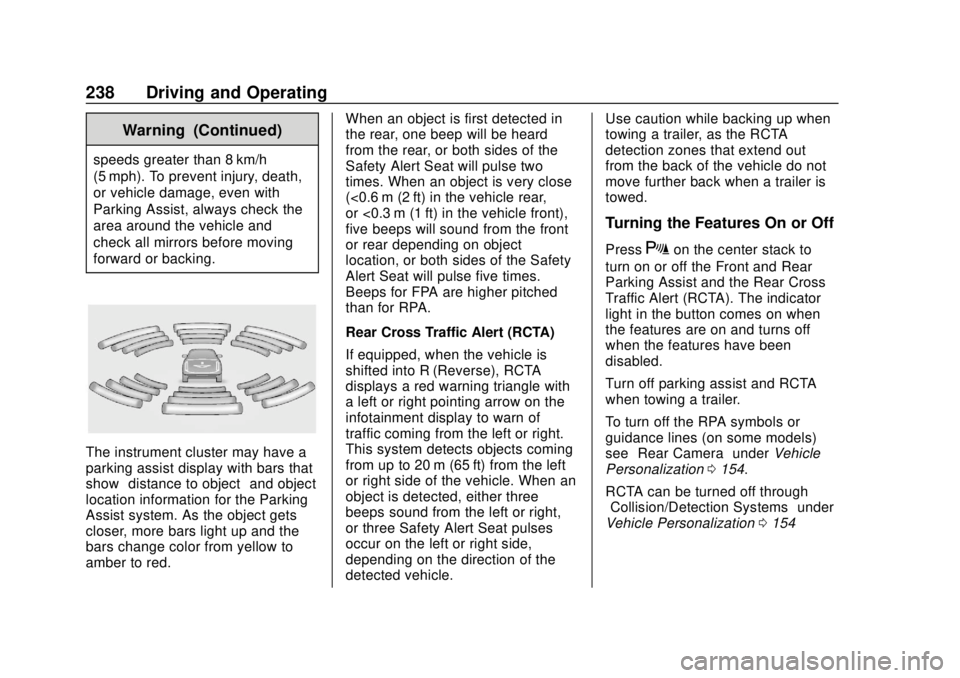
The instrument cluster may have a
parking assist display with bars that
show“distance to object” and object
location information for the Parking
Assist system. As the object gets
closer, more bars light up and the
bars change color from yellow to
amber to red. When an object is first detected in
the rear, one beep will be heard
from the rear, or both sides of the
Safety Alert Seat will pulse two
times. When an object is very close
(<0.6 m (2 ft) in the vehicle rear,
or <0.3 m (1 ft) in the vehicle front),
five beeps will sound from the front
or rear depending on object
location, or both sides of the Safety
Alert Seat will pulse five times.
Beeps for FPA are higher pitched
than for RPA.
Rear Cross Traffic Alert (RCTA)
If equipped, when the vehicle is
shifted into R (Reverse), RCTA
displays a red warning triangle with
a left or right pointing arrow on the
infotainment display to warn of
traffic coming from the left or right.
This system detects objects coming
from up to 20 m (65 ft) from the left
or right side of the vehicle. When an
object is detected, either three
beeps sound from the left or right,
or three Safety Alert Seat pulses
occur on the left or right side,
depending on the direction of the
detected vehicle.Use caution while backing up when
towing a trailer, as the RCTA
detection zones that extend out
from the back of the vehicle do not
move further back when a trailer is
towed.
Turning the Features On or Off
PressXon the center stack to
turn on or off the Front and Rear
Parking Assist and the Rear Cross
Traffic Alert (RCTA). The indicator
light in the button comes on when
the features are on and turns off
when the features have been
disabled.
Turn off parking assist and RCTA
when towing a trailer.
To turn off the RPA symbols or
guidance lines (on some models)
see “Rear Camera” underVehicle
Personalization 0154.
RCTA can be turned off through
“Collision/Detection Systems” under
Vehicle Personalization 0154