change wheel BUICK ENCLAVE 2020 Owners Manual
[x] Cancel search | Manufacturer: BUICK, Model Year: 2020, Model line: ENCLAVE, Model: BUICK ENCLAVE 2020Pages: 381, PDF Size: 7.08 MB
Page 7 of 381

Buick Enclave Owner Manual (GMNA-Localizing-U.S./Canada/Mexico-
13527524) - 2020 - CRC - 4/10/19
6 Introduction 1. Air Vents 0 162 .
2. Turn Signal Lever. See Turn
and Lane-Change Signals
0 150 .
IntelliBeam System Button (If
Equipped). See Exterior Lamp
Controls 0 146 .
3. Manual Mode 0 196 .
4. Instrument Cluster (Base
Level) 0 111 or
Instrument Cluster (Uplevel)
0 114 .
Driver Information Center (DIC)
Display. See Driver Information
Center (DIC) (Base Level)
0 130 or
Driver Information Center (DIC)
(Uplevel) 0 133 .
5. Windshield Wiper/Washer
0 103 .
6. Traction Control/Electronic
Stability Control 0 200 .
All-Wheel Drive Button (If
Equipped). See Driver Mode
Control 0 202 . Sport Mode Button (If
Equipped) or Tow/Haul Mode
Button (If Equipped). See
Driver Mode Control 0 202 .
7. Light Sensor. See Automatic
Headlamp System 0 149 .
8. Hazard Warning Flashers
0 150 .
Assistance Systems for
Parking or Backing 0 216 (If
Equipped).
Lane Keep Assist (LKA) 0 229
(If Equipped).
9. Infotainment 0 155 .
10. Dual Automatic Climate Control
System 0 156 .
Heated and Ventilated Front
Seats 0 46 (If Equipped).
11. Wireless Charging 0 107 (If
Equipped).
12. Shift Lever. See Automatic
Transmission 0 191 .
13. ENGINE START/STOP Button.
See Ignition Positions 0 181 .
14. Steering Wheel Controls 0 102 . 15. Horn 0 103 .
16. Steering Wheel Adjustment
0 102 (Out of View).
17. Cruise Control 0 203 .
Adaptive Cruise Control 0 206
(If Equipped).
Heated Steering Wheel 0 102
(If Equipped).
Forward Collision Alert (FCA)
System 0 221 (If Equipped).
18. Hood Release. See Hood
0 250 .
19. Data Link Connector (DLC)
(Out of View). See Malfunction
Indicator Lamp (Check Engine
Light) 0 122 .
20. Exterior Lamp Controls 0 146 .
21. Instrument Panel Illumination
Control 0 151 .
22. Electric Parking Brake 0 198 .
Page 47 of 381
Buick Enclave Owner Manual (GMNA-Localizing-U.S./Canada/Mexico-
13527524) - 2020 - CRC - 4/10/19
46 Seats and Restraints If the saved memory seat position
does not automatically recall or
recalls to the wrong positions, the
driver ’ s RKE transmitter number (1
or 2) may not match the memory
button number that positions were
saved to. Try storing the position to
the other memory button or try the
other RKE transmitter.
Seat Exit Memory
Seat Exit Memory is not linked to an
RKE transmitter. The position saved
to
B is used for all drivers. To turn
Seat Exit Memory on or off, see
"Vehicle Personalization Settings"
previously in this section and
Vehicle Personalization 0 137 .
If turned on, the position saved to
B is automatically recalled when
one of the following occurs:
.
The vehicle is turned off and the
driver door is opened within a
short time.
.
The vehicle is turned off with the
driver door open. To stop Seat Exit Memory
movement, press any of the
following memory controls:
.
Power seat
.
Memory SET, 1, 2, or
B.
Power mirror, with the driver or
passenger side mirror selected
.
Power steering wheel,
if equipped
Obstructions
If something has blocked the driver
seat and/or power steering wheel
while recalling a memory position,
the recall may stop. Remove the
obstruction and try the recall again.
If the memory position still does not
recall, see your dealer. Heated and Ventilated
Front Seats
{ WarningIf temperature change or pain to
the skin cannot be felt, the seat
heater may cause burns. To
reduce the risk of burns, use care
when using the seat heater,
especially for long periods of
time. Do not place anything on
the seat that insulates against
heat, such as a blanket, cushion,
cover, or similar item. This may
cause the seat heater to
overheat. An overheated seat
heater may cause a burn or may
damage the seat.
Page 113 of 381
Buick Enclave Owner Manual (GMNA-Localizing-U.S./Canada/Mexico-
13527524) - 2020 - CRC - 4/10/19
112 Instruments and Controls Cluster Menu There is an interactive display area
in the center of the instrument
cluster.
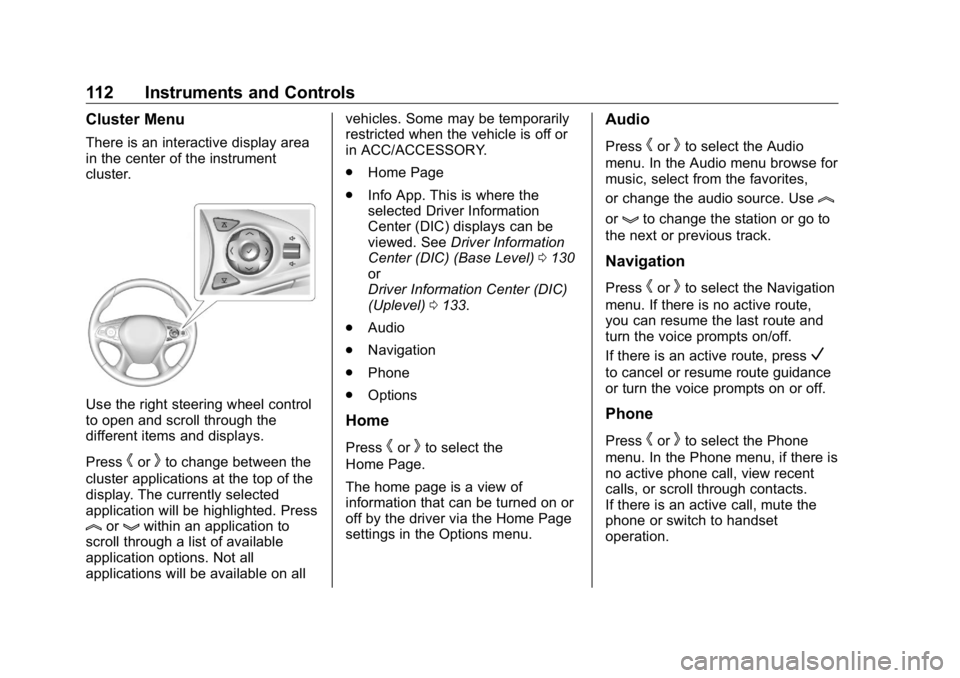
Use the right steering wheel control
to open and scroll through the
different items and displays.
Press
h or
k to change between the
cluster applications at the top of the
display. The currently selected
application will be highlighted. Press
l or
g within an application to
scroll through a list of available
application options. Not all
applications will be available on all vehicles. Some may be temporarily
restricted when the vehicle is off or
in ACC/ACCESSORY.
.
Home Page
.
Info App. This is where the
selected Driver Information
Center (DIC) displays can be
viewed. See Driver Information
Center (DIC) (Base Level) 0 130
or
Driver Information Center (DIC)
(Uplevel) 0 133 .
.
Audio
.
Navigation
.
Phone
.
Options
Home
Press
h or
k to select the
Home Page.
The home page is a view of
information that can be turned on or
off by the driver via the Home Page
settings in the Options menu. Audio Press
h or
k to select the Audio
menu. In the Audio menu browse for
music, select from the favorites,
or change the audio source. Use
lor
g to change the station or go to
the next or previous track.
Navigation Press
h or
k to select the Navigation
menu. If there is no active route,
you can resume the last route and
turn the voice prompts on/off.
If there is an active route, press
Vto cancel or resume route guidance
or turn the voice prompts on or off.
Phone
Press
h or
k to select the Phone
menu. In the Phone menu, if there is
no active phone call, view recent
calls, or scroll through contacts.
If there is an active call, mute the
phone or switch to handset
operation.
Page 116 of 381
Buick Enclave Owner Manual (GMNA-Localizing-U.S./Canada/Mexico-
13527524) - 2020 - CRC - 4/10/19
Instruments and Controls 115Cluster Menu There is an interactive display area
in the center of the instrument
cluster.
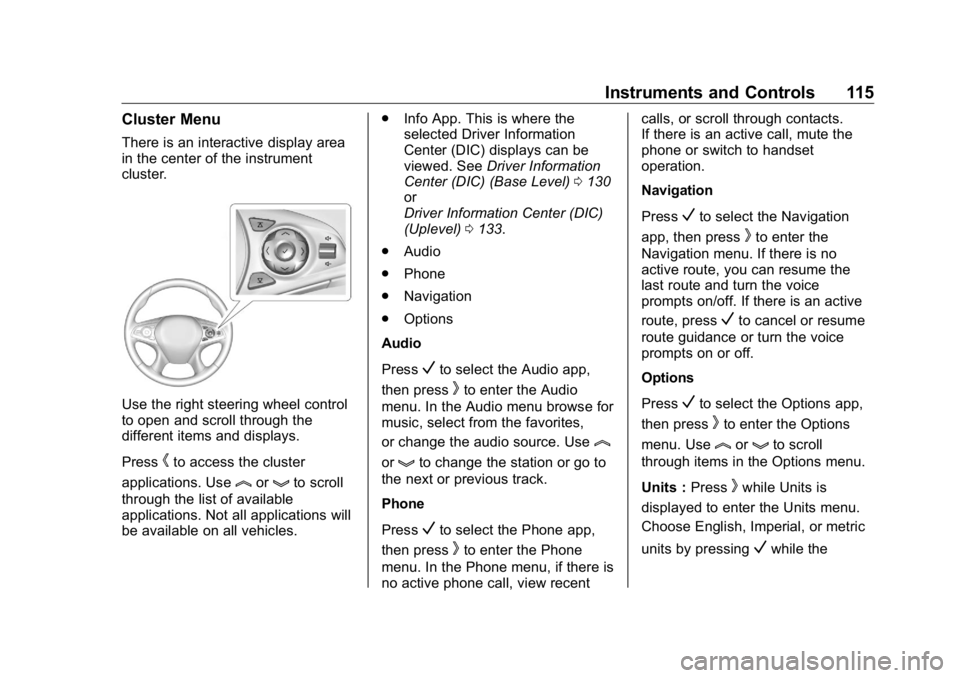
Use the right steering wheel control
to open and scroll through the
different items and displays.
Press
h to access the cluster
applications. Use
l or
g to scroll
through the list of available
applications. Not all applications will
be available on all vehicles. .
Info App. This is where the
selected Driver Information
Center (DIC) displays can be
viewed. See Driver Information
Center (DIC) (Base Level) 0 130
or
Driver Information Center (DIC)
(Uplevel) 0 133 .
.
Audio
.
Phone
.
Navigation
.
Options
Audio
Press
V to select the Audio app,
then press
k to enter the Audio
menu. In the Audio menu browse for
music, select from the favorites,
or change the audio source. Use
lor
g to change the station or go to
the next or previous track.
Phone
Press
V to select the Phone app,
then press
k to enter the Phone
menu. In the Phone menu, if there is
no active phone call, view recent calls, or scroll through contacts.
If there is an active call, mute the
phone or switch to handset
operation.
Navigation
Press
V to select the Navigation
app, then press
k to enter the
Navigation menu. If there is no
active route, you can resume the
last route and turn the voice
prompts on/off. If there is an active
route, press
V to cancel or resume
route guidance or turn the voice
prompts on or off.
Options
Press
V to select the Options app,
then press
k to enter the Options
menu. Use
l or
g to scroll
through items in the Options menu.
Units : Press
k while Units is
displayed to enter the Units menu.
Choose English, Imperial, or metric
units by pressing
V while the
Page 124 of 381
Buick Enclave Owner Manual (GMNA-Localizing-U.S./Canada/Mexico-
13527524) - 2020 - CRC - 4/10/19
Instruments and Controls 123Caution (Continued)costly repairs not covered by the
vehicle warranty. This could also
affect the vehicle ’ s ability to pass
an Emissions Inspection/
Maintenance test. See
Accessories and Modifications
0 249 .
If the light is flashing : A
malfunction has been detected that
could damage the emission control
system and increase vehicle
emissions. Diagnosis and service
may be required.
To help prevent damage, reduce
vehicle speed and avoid hard
accelerations and uphill grades.
If towing a trailer, reduce the
amount of cargo being hauled as
soon as possible.
If the light continues to flash, find a
safe place to park. Turn the vehicle
off and wait at least 10 seconds
before restarting the engine. If the
light is still flashing, follow the previous guidelines and see your
dealer for service as soon as
possible.
If the light is on steady : A
malfunction has been detected.
Diagnosis and service may be
required.
Check the following:
.
If fuel has been added to the
vehicle using the capless fuel
funnel adapter, make sure that it
has been removed. See “ Filling
the Tank with a Portable Gas
Can ” under Filling the Tank
0 232 . The diagnostic system
can detect if the adapter has
been left installed in the vehicle,
allowing fuel to evaporate into
the atmosphere. A few driving
trips with the adapter removed
may turn off the light.
.
Poor fuel quality can cause
inefficient engine operation and
poor driveability, which may go
away once the engine is warmed
up. If this occurs, change the
fuel brand. It may require at least one full tank of the proper
fuel to turn the light off. See
Recommended Fuel 0 231 .
If the light remains on, see your
dealer.
Emissions Inspection and
Maintenance Programs If the vehicle requires an Emissions
Inspection/Maintenance test, the
test equipment will likely connect to
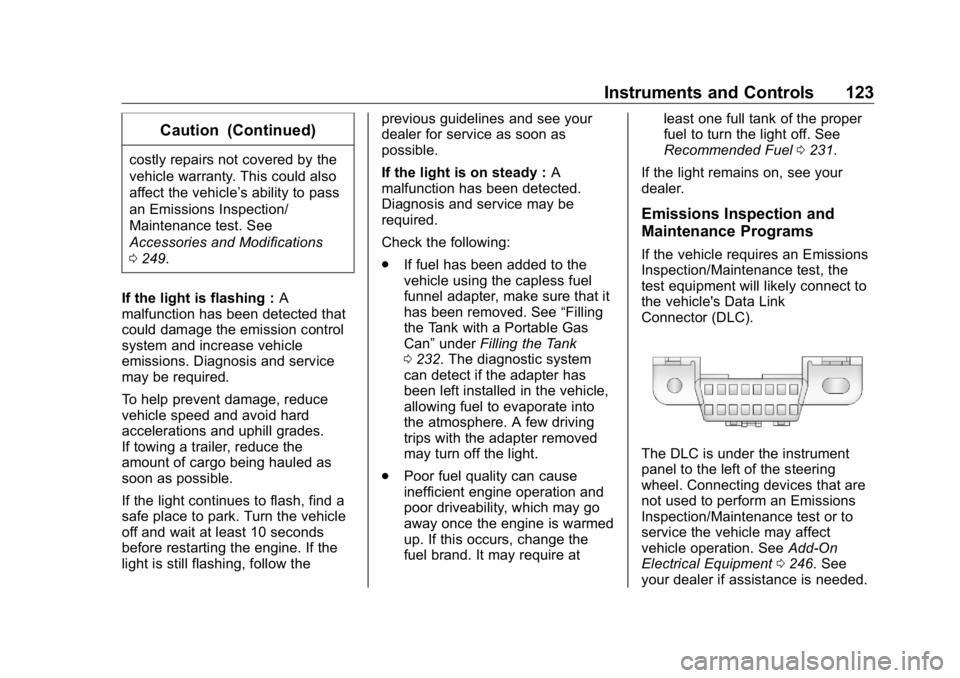
the vehicle's Data Link
Connector (DLC).
The DLC is under the instrument
panel to the left of the steering
wheel. Connecting devices that are
not used to perform an Emissions
Inspection/Maintenance test or to
service the vehicle may affect
vehicle operation. See Add-On
Electrical Equipment 0 246 . See
your dealer if assistance is needed.
Page 139 of 381
Buick Enclave Owner Manual (GMNA-Localizing-U.S./Canada/Mexico-
13527524) - 2020 - CRC - 4/10/19
138 Instruments and Controls Auto Cooled Seats
This setting automatically turns on
and regulates the ventilated seats
when the cabin temperature is
warm. See Heated and Ventilated
Front Seats 0 46 .
Touch Off or On.
Auto Heated Seats
This setting automatically turns on
and regulates the heated seats
when the cabin temperature is cool.
The auto heated seats can be
turned off by using the heated seat
buttons on the center stack. See
Heated and Ventilated Front Seats
0 46 .
If equipped with Auto Heated
Steering Wheel, this feature will turn
on when the Auto Heated Seats
turn on.
Touch Off or On.
Auto Defog
This setting automatically turns the
front defogger on when the engine
is started.
Touch Off or On. Auto Rear Defog
This setting automatically turns the
rear defogger on when the engine is
started.
Touch Off or On.
Ionizer
If equipped and on, this feature
helps to clean the air inside the
vehicle and remove contaminants
such as pollen, odors, and dust.
See Dual Automatic Climate Control
System 0 156 .
Touch Off or On.
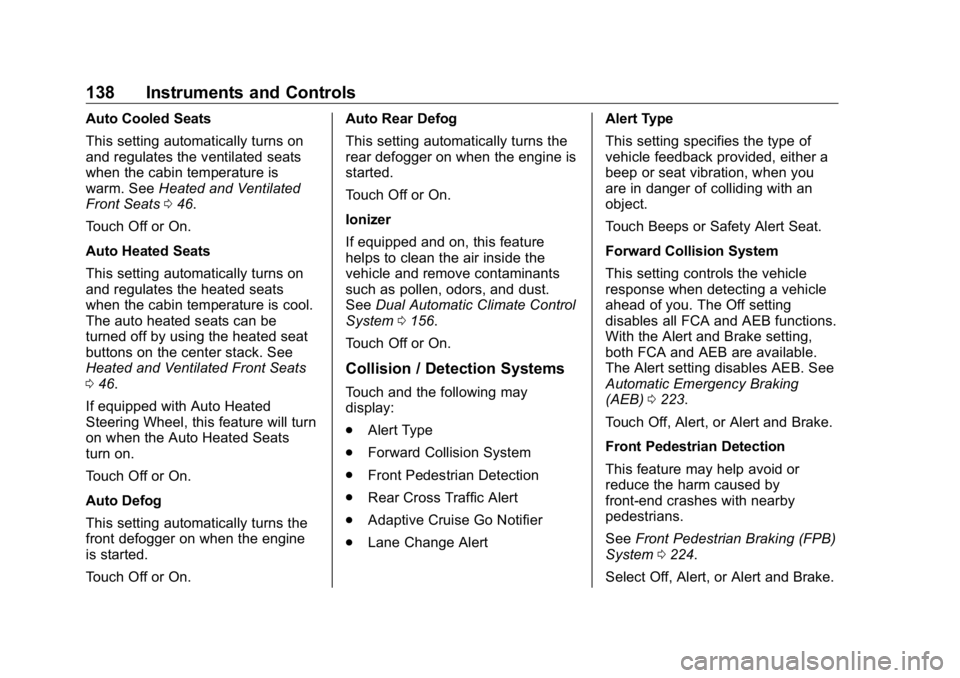
Collision / Detection Systems Touch and the following may
display:
.
Alert Type
.
Forward Collision System
.
Front Pedestrian Detection
.
Rear Cross Traffic Alert
.
Adaptive Cruise Go Notifier
.
Lane Change Alert Alert Type
This setting specifies the type of
vehicle feedback provided, either a
beep or seat vibration, when you
are in danger of colliding with an
object.
Touch Beeps or Safety Alert Seat.
Forward Collision System
This setting controls the vehicle
response when detecting a vehicle
ahead of you. The Off setting
disables all FCA and AEB functions.
With the Alert and Brake setting,
both FCA and AEB are available.
The Alert setting disables AEB. See
Automatic Emergency Braking
(AEB) 0 223 .
Touch Off, Alert, or Alert and Brake.
Front Pedestrian Detection
This feature may help avoid or
reduce the harm caused by
front-end crashes with nearby
pedestrians.
See Front Pedestrian Braking (FPB)
System 0 224 .
Select Off, Alert, or Alert and Brake.
Page 140 of 381

Buick Enclave Owner Manual (GMNA-Localizing-U.S./Canada/Mexico-
13527524) - 2020 - CRC - 4/10/19
Instruments and Controls 139Rear Cross Traffic Alert
This setting specifies if an alert will
display when the vehicle detects
approaching rear cross traffic when
in R (Reverse). See Assistance
Systems for Parking or Backing
0 216 .
Touch Off or On.
Adaptive Cruise Go Notifier
This setting determines if an alert
will appear when Adaptive Cruise
Control brings the vehicle to a
complete stop and the vehicle
ahead of you starts moving again.
See Adaptive Cruise Control 0 206 .
Touch Off or On.
Lane Change Alert
This setting specifies if an alert will
display on the outside mirror to help
you avoid crashing into a vehicle in
your blind spot, or rapidly
approaching your blind spot, during
a lane change maneuver. See Lane
Change Alert (LCA) 0 227 . When Lane Change Alert is
disabled, Side Blind Zone Alert is
also disabled.
Touch Off or On.
Comfort and Convenience Touch and the following may
display:
.
Chime Volume
.
Hands Free Liftgate Control
.
Reverse Tilt Mirror
.
Remote Mirror Folding
.
Auto Wipe in Reverse Gear
Chime Volume
This setting determines the chime
volume level.
Touch the controls on the
infotainment display to adjust the
volume.
Hands Free Liftgate Control
The liftgate may be operated with a
kicking motion under the left corner
of the rear bumper. See Liftgate
0 21 . Select Off, On-Open and Close,
or On-Open Only.
Reverse Tilt Mirror
When on, both the driver and
passenger, driver, or passenger
outside mirrors will tilt downward
when the vehicle is shifted to
R (Reverse) to improve visibility of
the ground near the rear wheels.
They will return to their previous
driving position when the vehicle is
shifted out of R (Reverse) or the
engine is turned off. See Reverse
Tilt Mirrors 0 31 .
Touch Off, On - Driver and
Passenger, On - Driver, or On -
Passenger.
Remote Mirror Folding
When on, the outside mirrors will
automatically fold or unfold when
the Remote Keyless Entry (RKE)
transmitter
Q or
K button is
pressed and held. See Folding
Mirrors 0 30 .
Touch Off or On.
Page 142 of 381

Buick Enclave Owner Manual (GMNA-Localizing-U.S./Canada/Mexico-
13527524) - 2020 - CRC - 4/10/19
Instruments and Controls 141Remote Door Unlock
This setting specifies whether all
doors, or just the driver door, unlock
when pressing
K on the RKE
transmitter.
Touch All Doors or Driver Door.
Remote Start Auto Cool Seats
This setting automatically turns on
the ventilated seats when using the
remote start function on warm days.
See Heated and Ventilated Front
Seats 0 46 and
Remote Vehicle Start 0 15 .
Touch Off or On.
Remote Start Auto Heat Seats
This setting automatically turns on
the heated seats when using the
remote start function on cold days.
See Heated and Ventilated Front
Seats 0 46 and
Remote Vehicle Start 0 15 .
If equipped with Auto Heated
Steering Wheel, this feature will turn
on when the Remote Start Auto
Heated Seats turn on.
Touch Off or On. Remote Window Operation
If equipped, this feature enables
remote operation of the windows
with the RKE transmitter. See
Remote Keyless Entry (RKE)
System Operation 0 8 .
Touch Off or On.
Passive Door Unlock
This setting specifies which doors
unlock when using the button on the
driver door handle to unlock the
vehicle.
Touch Off, All Doors or Driver
Door Only.
Passive Door Lock
This setting specifies if the vehicle
will automatically lock, or lock and
provide an alert after all the doors
are closed, and you walk away from
the vehicle with the RKE transmitter.
See Remote Keyless Entry (RKE)
System Operation 0 8 .
Touch Off, On with Horn
Chirp, or On. Remote Left in Vehicle Alert
This feature sounds an alert when
the RKE transmitter is left in the
vehicle. This menu also enables
Remote No Longer in Vehicle Alert.
Touch Off or On.
Seating Position Touch and the following may
display:
.
Seat Entry Memory
.
Seat Exit Memory
Seat Entry Memory
This feature automatically recalls
the previously stored 1 or 2 button
positions when the vehicle is
changed from off to on or ACC/
ACCESSORY. See Memory Seats
0 43 .
Touch Off or On.
Seat Exit Memory
This feature automatically recalls
the previously stored exit button
positions when the vehicle is
changed from on or ACC/
Page 165 of 381
Buick Enclave Owner Manual (GMNA-Localizing-U.S./Canada/Mexico-
13527524) - 2020 - CRC - 4/10/19
164 Driving and Operating
Driving and
Operating Driving Information Driving for Better Fuel
Economy . . . . . . . . . . . . . . . . . . . . 165
Distracted Driving . . . . . . . . . . . . 165
Defensive Driving . . . . . . . . . . . . . 166
Drunk Driving . . . . . . . . . . . . . . . . . 166
Control of a Vehicle . . . . . . . . . . . 167
Braking . . . . . . . . . . . . . . . . . . . . . . . 167
Steering . . . . . . . . . . . . . . . . . . . . . . 167
Off-Road Recovery . . . . . . . . . . . 168
Loss of Control . . . . . . . . . . . . . . . 168
Off-Road Driving . . . . . . . . . . . . . 169
Driving on Wet Roads . . . . . . . . 173
Hill and Mountain Roads . . . . . 174
Winter Driving . . . . . . . . . . . . . . . . 175
If the Vehicle Is Stuck . . . . . . . . 176
Vehicle Load Limits . . . . . . . . . . . 177
Starting and Operating New Vehicle Break-In . . . . . . . . . 181
Ignition Positions . . . . . . . . . . . . . 181
Starting the Engine . . . . . . . . . . . 183
Stop/Start System . . . . . . . . . . . . 184
Engine Heater . . . . . . . . . . . . . . . . 185 Retained Accessory
Power (RAP) . . . . . . . . . . . . . . . . 186
Shifting Into Park . . . . . . . . . . . . . 186
Shifting out of Park . . . . . . . . . . . 187
Parking over Things
That Burn . . . . . . . . . . . . . . . . . . . 189
Extended Parking . . . . . . . . . . . . 189
Engine Exhaust Engine Exhaust . . . . . . . . . . . . . . 190
Running the Vehicle While
Parked . . . . . . . . . . . . . . . . . . . . . . 191
Automatic Transmission Automatic Transmission . . . . . . 191
Manual Mode . . . . . . . . . . . . . . . . . 196
Tow/Haul Mode . . . . . . . . . . . . . . . 196
Drive Systems All-Wheel Drive . . . . . . . . . . . . . . . 197
Brakes Antilock Brake
System (ABS) . . . . . . . . . . . . . . . 197
Electric Parking Brake . . . . . . . . 198
Brake Assist . . . . . . . . . . . . . . . . . . 199
Hill Start Assist (HSA) . . . . . . . . 200
Ride Control Systems
Traction Control/Electronic
Stability Control . . . . . . . . . . . . . 200
Driver Mode Control . . . . . . . . . . 202 Cruise Control Cruise Control . . . . . . . . . . . . . . . . 203
Adaptive Cruise Control . . . . . . 206
Driver Assistance Systems Driver Assistance Systems . . . 214
Assistance Systems for
Parking or Backing . . . . . . . . . . 216
Assistance Systems for
Driving . . . . . . . . . . . . . . . . . . . . . . 220
Forward Collision Alert (FCA)
System . . . . . . . . . . . . . . . . . . . . . . 221
Automatic Emergency
Braking (AEB) . . . . . . . . . . . . . . . 223
Front Pedestrian Braking
(FPB) System . . . . . . . . . . . . . . . 224
Side Blind Zone
Alert (SBZA) . . . . . . . . . . . . . . . . 226
Lane Change Alert (LCA) . . . . . 227
Lane Keep Assist (LKA) . . . . . . 229
Fuel Top Tier Fuel . . . . . . . . . . . . . . . . . 231
Recommended Fuel . . . . . . . . . . 231
Prohibited Fuels . . . . . . . . . . . . . . 231
Fuels in Foreign Countries . . . 232
Fuel Additives . . . . . . . . . . . . . . . . 232
Filling the Tank . . . . . . . . . . . . . . . 232
Filling a Portable Fuel
Container . . . . . . . . . . . . . . . . . . . 234
Page 170 of 381

Buick Enclave Owner Manual (GMNA-Localizing-U.S./Canada/Mexico-
13527524) - 2020 - CRC - 4/10/19
Driving and Operating 169Defensive drivers avoid most skids
by taking reasonable care suited to
existing conditions, and by not
overdriving those conditions. But
skids are always possible.
If the vehicle starts to slide, follow
these suggestions:
.
Ease your foot off the
accelerator pedal and steer the
way you want the vehicle to go.
The vehicle may straighten out.
Be ready for a second skid if it
occurs.
.
Slow down and adjust your
driving according to weather
conditions. Stopping distance
can be longer and vehicle
control can be affected when
traction is reduced by water,
snow, ice, gravel, or other
material on the road. Learn to
recognize warning clues — such
as enough water, ice, or packed
snow on the road to make a
mirrored surface — and slow
down when you have any doubt. .
Try to avoid sudden steering,
acceleration, or braking,
including reducing vehicle speed
by shifting to a lower gear. Any
sudden changes could cause
the tires to slide.
Remember: Antilock brakes help
avoid only the braking skid.
Off-Road Driving All-wheel-drive vehicles can be
used for off-road driving. Vehicles
without all-wheel drive and vehicles
not equipped with All Terrain (AT) or
On-Off Road (OOR) tires must not
be driven off-road except on a level,
solid surface. To contact the tire
manufacturer for more information
about the original equipment tires,
see the warranty manual.
Controlling the vehicle is the key to
successful off-road driving. One of
the best ways to control the vehicle
is to control the speed. { WarningWhen driving off-road, bouncing
and quick changes in direction
can easily throw you out of
position. This could cause you to
lose control and crash. You and
your passengers should always
wear seat belts.
Before Driving Off-Road .
Have all necessary maintenance
and service work completed.
.
Fuel the vehicle, fill fluid levels,
and check inflation pressure in
all tires, including the spare,
if equipped.
.
Read all the information about
all-wheel-drive vehicles in this
manual.
.
Make sure all underbody
shields, if equipped, are properly
attached.
.
Know the local laws that apply to
off-road driving.