change time BUICK ENCORE 2015 Owner's Manual
[x] Cancel search | Manufacturer: BUICK, Model Year: 2015, Model line: ENCORE, Model: BUICK ENCORE 2015Pages: 341, PDF Size: 4.37 MB
Page 26 of 341
Black plate (19,1)Buick Encore Owner Manual (GMNA-Localizing-U.S./Canada/Mexico-
7707490) - 2015 - crc - 2/4/15
In Brief 1-19
stop as soon as possible and inflate
the tires to the recommended
pressure shown on the Tire and
Loading Information label. See
Vehicle Load Limits on page 9-10.
The warning light will remain on until
the tire pressure is corrected.
The low tire pressure warning light
may come on in cool weather when
the vehicle is first started, and then
turn off as the vehicle is driven. This
may be an early indicator that the
tire pressures are getting low and
the tires need to be inflated to the
proper pressure.
The TPMS does not replace normal
monthly tire maintenance. Maintain
the correct tire pressures.
SeeTire Pressure Monitor System
on page 10-44.
Engine Oil Life System
The engine oil life system calculates
engine oil life based on vehicle use
and displays the CHANGE ENGINE OIL SOON DIC message when it is
necessary to change the engine oil
and filter.
Remember, the oil life display must
be reset after each oil change. It will
not reset itself. Also, be careful not
to reset the oil life display
accidentally at any time other than
when the oil has just been changed.
It cannot be reset accurately until
the next oil change.
Resetting the Oil Life System
1. Press the MENU button to show
Remaining Oil Life on the
display. This display shows an
estimate of the oil’s remaining
useful life. If 99% is displayed,
that means that 99% of the
current oil life remains.
2. To reset the engine oil life system, press the SET/CLR
button while the oil life display is
active. After a few seconds,
there will be a single chime and
the oil life will be reset to 100%. Be careful not to reset the oil life
display accidentally at any time
other than after the oil is changed.
It cannot be reset accurately.
See
Engine Oil Life System on
page 10-9.
Driving for Better Fuel
Economy
Driving habits can affect fuel
mileage. Here are some driving tips
to get the best fuel economy
possible.
.Avoid fast starts and accelerate
smoothly.
.Brake gradually and avoid
abrupt stops.
.Avoid idling the engine for long
periods of time.
.When road and weather
conditions are appropriate, use
cruise control.
.Always follow posted speed
limits or drive more slowly when
conditions require.
Page 33 of 341
Black plate (6,1)Buick Encore Owner Manual (GMNA-Localizing-U.S./Canada/Mexico-
7707490) - 2015 - crc - 2/4/15
2-6 Keys, Doors, and Windows
Other conditions can affect the
performance of the transmitter. See
Remote Keyless Entry (RKE)
System on page 2-2.
Starting the Vehicle
To start the engine using the remote
start feature:
1. Aim the RKE transmitter at thevehicle.
2. Press and release
Q.
3. Immediately after completing Step 2, press and hold
/for
several seconds or until the turn
signal lamps flash. The turn
signal lamps flashing confirms
the request to remote start the
vehicle has been received.
When the engine starts, the parking
lamps will turn on and remain on as
long as the engine is running. The
doors will be locked and the climate
control system may come on. The engine will continue to run for
10 minutes. Repeat the steps for a
10-minute time extension. Remote
start can be extended only once.
Start the vehicle before driving.
Extending Engine Run Time
The engine run time can also be
extended by another 10 minutes,
if during the first 10 minutes
Steps 1–3 are repeated while the
engine is still running. This provides
a total of 20 minutes.
The remote start can only be
extended once.
When the remote start is extended,
the second 10-minute period is
added on to the first 10 minutes for
a total of 20 minutes.
A maximum of two remote starts,
or a remote start with an extension,
are allowed between ignition cycles.
The vehicle's ignition must be
changed to ON/RUN/START and
then back to OFF before the remote
start procedure can be used again.Canceling a Remote Start
To cancel a remote start, do one of
the following:
.Aim the RKE transmitter at the
vehicle and press and hold
/
until the parking lamps turn off.
.Turn on the hazard warning
flashers.
.Turn the vehicle on and then off.
Conditions in Which Remote Start
Will Not Work
The remote vehicle start feature will
not operate if:
.The key is in the ignition.
.The hood is not closed.
.The hazard warning flashers
are on.
.The malfunction indicator lamp
is on.
.The engine coolant temperature
is too high.
.The oil pressure is low.
Page 53 of 341
Black plate (8,1)Buick Encore Owner Manual (GMNA-Localizing-U.S./Canada/Mexico-
7707490) - 2015 - crc - 2/4/15
3-8 Seats and Restraints
To stop recall movement, press one
of the memory or power seat
controls.
If something has blocked the driver
seat while recalling the exit position,
the recall may stop. Remove the
obstruction; then press and hold the
power seat control rearward for
two seconds. Try recalling the exit
position again. If the exit position is
still not recalling, see your dealer for
service.
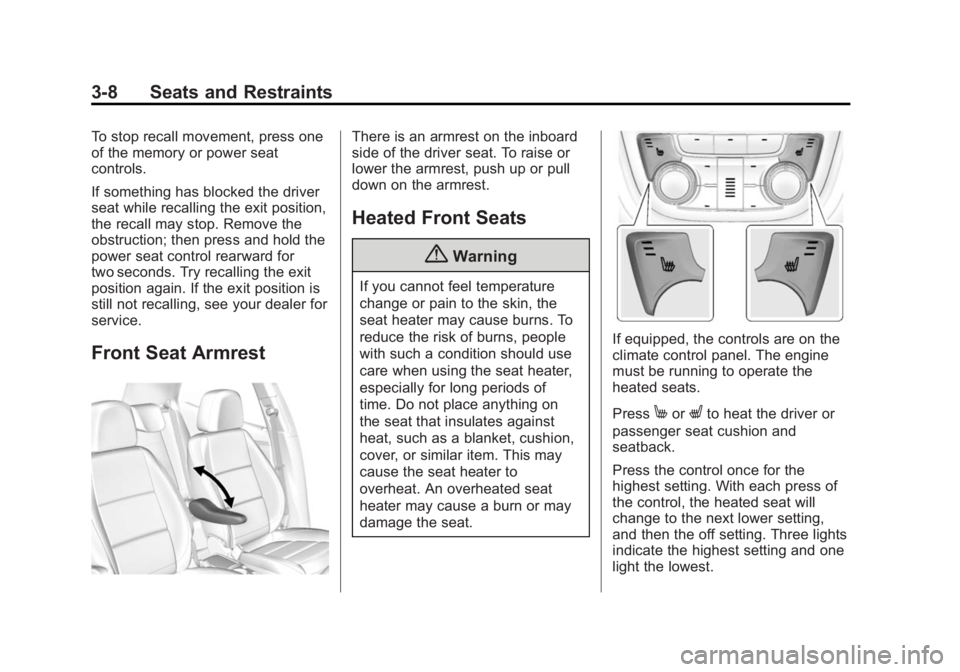
Front Seat Armrest
There is an armrest on the inboard
side of the driver seat. To raise or
lower the armrest, push up or pull
down on the armrest.
Heated Front Seats
{Warning
If you cannot feel temperature
change or pain to the skin, the
seat heater may cause burns. To
reduce the risk of burns, people
with such a condition should use
care when using the seat heater,
especially for long periods of
time. Do not place anything on
the seat that insulates against
heat, such as a blanket, cushion,
cover, or similar item. This may
cause the seat heater to
overheat. An overheated seat
heater may cause a burn or may
damage the seat.
If equipped, the controls are on the
climate control panel. The engine
must be running to operate the
heated seats.
Press
MorLto heat the driver or
passenger seat cushion and
seatback.
Press the control once for the
highest setting. With each press of
the control, the heated seat will
change to the next lower setting,
and then the off setting. Three lights
indicate the highest setting and one
light the lowest.
Page 112 of 341

Black plate (5,1)Buick Encore Owner Manual (GMNA-Localizing-U.S./Canada/Mexico-
7707490) - 2015 - crc - 2/4/15
Instruments and Controls 5-5
2. Press and hold SET/CLR whilethe Set Area display is active.
3. Find the vehicle's currentlocation and zone number on the
map. Zones 1 through 15 are
available.
4. Use
w xto change to the
correct zone number.
5. Press SET/CLR to confirm the setting.
Clock
The infotainment system controls
are used to access the time and
date settings through the menu
system. See “Using the System” in
the infotainment manual.
Setting the Clock
To set the time and date:
1. Press the CONFIG button and then turn the TUNE/MENU knob
to select Time and Date or
press
H.
2. Select the desired feature.
3. Turn the TUNE/MENU knob to adjust the highlighted number.
4. Press the TUNE/MENU knob to select the next number.
5. To save and return to the Time and Date menu, press
/BACK
at any time or press the TUNE/
MENU knob after adjusting the
value.
6. Repeat steps 2–5 for the remaining feature. If auto timing is set, the time
displayed on the clock may not
update immediately when driving
into a new time zone.
Setting the 12/24 Hour Format
1. Press the CONFIG button and
select Time and Date or
press
H.
2. Select Set Time Format.
3. Turn the TUNE/MENU knob to highlight the 12 hour or 24 hour
display format.
4. Press the TUNE/MENU knob to select display format.
Power Outlets
The accessory power outlets can be
used to plug in electrical equipment,
such as a cell phone or MP3 player.
There is one accessory power outlet
on the center stack below the
climate control. This outlet is
powered when the key is in ON/
RUN or ACC/ACCESSORY, or until
the driver door is opened within
Page 129 of 341

Black plate (22,1)Buick Encore Owner Manual (GMNA-Localizing-U.S./Canada/Mexico-
7707490) - 2015 - crc - 2/4/15
5-22 Instruments and Controls
Information Displays
Driver Information
Center (DIC)
The Driver Information Center (DIC)
displays information about the
vehicle. It also displays warning
messages if a system problem is
detected. SeeVehicle Messages on
page 5-25. All messages appear in
the DIC display in the center of the
instrument cluster.
The vehicle may also have features
that can be customized through the
controls on the radio. See Vehicle
Personalization on page 5-30.
DIC Operation and Displays
The DIC has different displays
which can be accessed by using the
DIC buttons on the turn signal lever.
The DIC displays trip, fuel, and
vehicle system information, and
warning messages if a system
problem is detected. The bottom of the DIC display
shows the position of the shift lever
and the odometer. It may also show
the direction the vehicle is driving.
In cold weather the DIC display may
change slowly. This is normal and
will move more quickly as the
vehicle's interior temperature rises.
DIC Buttons
1.
SET/CLR (Set/Clear): Press to
set or clear the menu item when
it is displayed.
2.
w/x(Band): Turn the band
to scroll through the menu items.
A small marker will move across
the bottom of the page as you
scroll through the items. This
shows where each page is in
the menu. 3.
MENU: Press to get to the Trip/
Fuel Menu and the Vehicle
Information Menu. This button is
also used to return to or exit the
last screen displayed on
the DIC.
Trip/Fuel Menu Items
Press MENU on the turn signal
lever until the Trip/Fuel Menu is
displayed. Use
w/xto scroll
through the following menu items:
.Digital Speedometer
.Trip 1
.Trip 2
.Fuel Range
.Fuel Economy
.Average Vehicle Speed
.Timer
.Navigation
Page 130 of 341
Black plate (23,1)Buick Encore Owner Manual (GMNA-Localizing-U.S./Canada/Mexico-
7707490) - 2015 - crc - 2/4/15
Instruments and Controls 5-23
Digital Speedometer
The speedometer shows how fast
the vehicle is moving in either
kilometers per hour (km/h) or miles
per hour (mph). The speedometer
cannot be reset.
Trip 1 and Trip 2
These displays show the current
distance traveled, in either
kilometers (km) or miles (mi), since
the last reset for the trip odometer.
The trip odometer can be reset to
zero by pressing SET/CLR, or the
trip odometer reset stem in the
cluster, while the trip odometer
display is showing.
Fuel Range
This display shows the approximate
distance the vehicle can be driven
without refueling. The fuel range
estimate is based on an average of
the vehicle's fuel economy over
recent driving history and the
amount of fuel remaining in the fuel
tank. Fuel range cannot be reset.Fuel Economy
This display shows instantaneous
and average fuel economy in liters
per 100 kilometers (L/100 km) or
miles per gallon (mpg).
The instantaneous fuel economy
reflects only the approximate current
fuel economy and changes
frequently as driving conditions
change. Unlike average economy,
this display cannot be reset.
Average fuel economy is calculated
based on the number of
L/100 km (mpg) recorded since the
last time this menu item was reset.
This number reflects only the
approximate average fuel economy
that the vehicle has right now, and
will change as driving conditions
change. The average fuel economy
can be reset by pressing SET/CLR
while the Average Fuel Economy
display is showing.
Average Vehicle Speed
This display shows the average
speed of the vehicle in kilometers
per hour (km/h) or miles per
hour (mph). This average is
calculated based on the various
vehicle speeds recorded since the
last reset of this value. The average
speed can be reset by pressing
SET/CLR while the Average Vehicle
Speed display is showing.
Timer
This display can be used as a timer.
To start the timer, press SET/CLR
while Timer is displayed. The
display will show the amount of time
that has passed since the timer was
last reset, not including time the
ignition is off. Time will continue to
be counted as long as the ignition is
on, even if another display is being
shown on the DIC. The timer will
record up to 99 hours, 59 minutes,
and 59 seconds (99:59:59) after
which the display will return to zero.
To stop the timer, press SET/CLR
Page 131 of 341
Black plate (24,1)Buick Encore Owner Manual (GMNA-Localizing-U.S./Canada/Mexico-
7707490) - 2015 - crc - 2/4/15
5-24 Instruments and Controls
briefly while Timer is displayed. To
reset the timer to zero, press and
hold SET/CLR.
Navigation
This display is used for the
Navigation System Turn-by-Turn
guidance. See the infotainment
manual, if the vehicle has
navigation, for more information.
Vehicle Information Menu
Items
Press MENU on the turn signal
lever until the Vehicle Information
Menu is displayed. Use
w/xto
scroll through the following menu
items:
.Unit
.Remaining Oil Life
.Tire Pressure
Unit
Move
w/xto switch between
metric or US when the Unit display
is active. Press SET/CLR to confirm
the setting. This will change the displays on the cluster and DIC to
either metric or English (US)
measurements.
Remaining Oil Life
This display shows an estimate of
the oil's remaining useful life.
If REMAINING OIL LIFE 99% is
displayed, that means 99% of the
current oil life remains.
When the remaining oil life is low,
the CHANGE ENGINE OIL SOON
message will appear on the display.
See
Engine Oil Messages on
page 5-26. The oil should be
changed as soon as possible. See
Engine Oil on page 10-7. In addition
to the Engine Oil Life System
monitoring the oil life, additional
maintenance is recommended in the
Maintenance Schedule in this
manual. See Maintenance Schedule
on page 11-2 for more information.
Remember, the Remaining Oil Life
display must be reset after each oil
change. It will not reset itself. Also,
be careful not to reset the
Remaining Oil Life display accidentally at any time other than
when the oil has just been changed.
It cannot be reset accurately until
the next oil change. To reset the
Engine Oil Life System, press SET/
CLR while the Remaining Oil Life
display is active. See
Engine Oil
Life System on page 10-9.
Tire Pressure
The display will show a vehicle with
the approximate pressures of all
four tires. Tire pressure is displayed
in either kilopascal (kPa) or pounds
per square inch (psi). See Tire
Pressure Monitor System on
page 10-44 andTire Pressure
Monitor Operation on page 10-45 for
more information.
Compass
The vehicle has a compass display
in the DIC. See Compass on
page 5-4 for more information.
Page 137 of 341

Black plate (30,1)Buick Encore Owner Manual (GMNA-Localizing-U.S./Canada/Mexico-
7707490) - 2015 - crc - 2/4/15
5-30 Instruments and Controls
Vehicle
Personalization
Use the audio system controls to
access the personalization menus
for customizing vehicle features.
The following are all possible
personalization features. Depending
on the vehicle, some may not be
available
CONFIG (Configuration):Press to
access the Configuration
Settings menu.
TUNE/MENU: Press the center of
the knob or outer ring for radios with
navigation to enter the menus and
select menu items. Turn the knob or
outer ring to scroll through the
menus.
/BACK: Press to exit or move
backward in a menu. Entering the Personalization
Menus
1. Press CONFIG to access the
Configuration Settings menu.
The key must be in the ON/RUN
position.
2. Turn the TUNE/MENU knob or outer ring to highlight the Vehicle
Settings menu.
3. Press the TUNE/MENU knob or outer ring to select the menu.
4. Press
/BACK to confirm the
selection and move back to the
last menu.
The following list of menu items may
be available:
.Languages
.Time and Date
.Radio Settings
.Phone Settings
.Display Settings
.Vehicle Settings
Languages
Select Language, then select from
the available language(s).
Time and Date
Select the Time and Date menu and
the following may display:
.Set Time
.Set Date
.12 hr / 24 hr Format
Set Time
Select to manually set the time.
Turn TUNE/MENU knob or outer
ring to change the number, then
press the knob or outer ring to
confirm and go to the next number.
Set Date
Select to manually set the date.
Turn TUNE/MENU knob or outer
ring to change the number, then
press the knob or outer ring to
confirm and go to the next number.
12 hr / 24 hr Format
Select to set the 12/24 hour format.
Page 144 of 341

Black plate (1,1)Buick Encore Owner Manual (GMNA-Localizing-U.S./Canada/Mexico-
7707490) - 2015 - crc - 2/4/15
Lighting 6-1
Lighting
Exterior Lighting
Exterior Lamp Controls . . . . . . . . 6-1
Headlamp High/Low-BeamChanger . . . . . . . . . . . . . . . . . . . . . 6-2
Flash-to-Pass . . . . . . . . . . . . . . . . . 6-2
Daytime Running Lamps (DRL) . . . . . . . . . . . . . . . . 6-2
Automatic Headlamp System . . . . . . . . . . . . . . . . . . . . . . 6-3
Hazard Warning Flashers . . . . . 6-3
Turn and Lane-Change Signals . . . . . . . . . . . . . . . . . . . . . . 6-4
Front Fog Lamps . . . . . . . . . . . . . . 6-4
Interior Lighting
Instrument Panel Illumination Control . . . . . . . . . . . . . . . . . . . . . . 6-5
Courtesy Lamps . . . . . . . . . . . . . . 6-5
Dome Lamps . . . . . . . . . . . . . . . . . 6-5
Reading Lamps . . . . . . . . . . . . . . . 6-6
Lighting Features
Entry Lighting . . . . . . . . . . . . . . . . . 6-6
Exit Lighting . . . . . . . . . . . . . . . . . . . 6-6
Battery Power Protection . . . . . . 6-6
Exterior Lighting
Exterior Lamp Controls
The exterior lamp control is to the
left of the steering column on the
instrument panel.
There are four positions:
O(Off): Briefly turn to this position
to turn the automatic lamp control
off or on again.
AUTO (Automatic): Turns the
headlamps on automatically at
normal brightness, together with the
parking lamps, taillamps, license
plate lamps, sidemarker lamps, and
instrument panel lights.
;(Parking Lamps): Turns on the
parking lamps, taillamps, license
plate lamps, sidemarker lamps, and
instrument panel lights.
5(Headlamps): Turns on the
headlamps, parking lamps,
taillamps, license plate lamps,
sidemarker lamps, and instrument
panel lights. A warning chime
sounds if the driver door is opened
when the ignition switch is off and
the headlamps are on.
#(Front Fog Lamps, If
Equipped): Pess to turn the lamps
on or off.
See Front Fog Lamps on page 6-4.
When the lights are on,
;will be
lit. See Lamps On Reminder on
page 5-21.
Page 145 of 341

Black plate (2,1)Buick Encore Owner Manual (GMNA-Localizing-U.S./Canada/Mexico-
7707490) - 2015 - crc - 2/4/15
6-2 Lighting
Headlamp High/
Low-Beam Changer
3(Headlamp High/Low-Beam
Changer): Push the turn signal
lever away from you and release, to
turn the high beams on.
To return to low beams, push the
lever again or pull it toward you and
release.
This indicator light turns on in the
instrument cluster when the
high-beam headlamps are on.
Flash-to-Pass
To flash the high beams, pull the
turn signal lever all the way toward
you. Then release it.
Daytime Running
Lamps (DRL)
Daytime Running Lamps can make
it easier for others to see the front of
your vehicle during the day. Fully
functional daytime running lamps
are required on all vehicles first sold
in Canada.
A light sensor on top of the
instrument panel makes the DRL
work, so be sure it is not covered.
The DRL system makes the
low-beam headlamps come on at a
reduced brightness when the
following conditions are met:
.The ignition is in the ON/
RUN mode.
.The exterior lamp control is
in AUTO.
.The engine is running.
When the DRL are on, only the
low-beam headlamps, at a reduced
level of brightness, will be on. The
taillamps, sidemarker, instrument
panel, and other lamps will not
be on.
The headlamps automatically
change from DRL to the regular
headlamps depending on the
darkness of the surroundings. The
other lamps that come on with the
headlamps will also come on.
When it is bright enough outside,
the headlamps go off and the DRL
come on.
To turn the DRL off or on again, turn
the exterior lamp control to the off
position and then release. For
vehicles first sold in Canada, the
DRL cannot be turned off.