transmission BUICK ENVISION 2017 Owner's Guide
[x] Cancel search | Manufacturer: BUICK, Model Year: 2017, Model line: ENVISION, Model: BUICK ENVISION 2017Pages: 366, PDF Size: 5.37 MB
Page 191 of 366

Buick Envision Owner Manual (GMNA-Localizing-U.S./Canada/Mexico-
10122659) - 2017 - crc - 11/16/16
190 Driving and Operating
The idle speed will go down as
the engine gets warm. Do not
race the engine immediately
after starting it.
Caution
Cranking the engine for long
periods of time, by returning the
ignition to the START position
immediately after cranking has
ended, can overheat and damage
the cranking motor, and drain the
battery. Wait at least 15 seconds
between each try, to let the
cranking motor cool down.
2. If the engine does not start after five to 10 seconds,
especially in very cold weather
(below −18 °C or 0 °F), it could
be flooded with too much
gasoline. Try pushing the
accelerator pedal all the way to
the floor and holding it there as
you hold ENGINE START/
STOP for up to a maximum of
15 seconds. Wait at least
15 seconds between each try,
to allow the cranking motor to cool down. When the engine
starts, let go of the button and
the accelerator. If the vehicle
starts briefly but then stops
again, do the same thing. This
clears the extra gasoline from
the engine. Do not race the
engine immediately after
starting it. Operate the engine
and transmission gently until
the oil warms up and lubricates
all moving parts.
Stop/Start System
{Warning
Exiting the vehicle without first
shifting into P (Park) may cause
the vehicle to move. You or others
may be injured. Because the
vehicle may have an auto engine
stop/start feature, the vehicle's
engine might seem to be shut off;
however, once the brake pedal is
released, the engine will start up
again.
(Continued)
Warning (Continued)
Shift to P (Park) and turn the
ignition off before exiting the
vehicle.
The vehicle has a fuel saving stop/
start system to shut off the engine to
help conserve fuel.
Auto Engine Stop/Start
When the brakes are applied and
the vehicle is at a complete stop,
the engine may turn off. When
stopped, the tachometer displays
AUTO STOP. See Tachometer
0 117. When the brake pedal is
released or the accelerator pedal is
pushed, the engine will restart.
Auto Stop may be deactivated if:
. A minimum vehicle speed is not
reached.
. The engine or transmission is
not at the required operating
temperature.
Page 194 of 366

Buick Envision Owner Manual (GMNA-Localizing-U.S./Canada/Mexico-
10122659) - 2017 - crc - 11/16/16
Driving and Operating 193
Leaving the Vehicle with the
Engine Running
{Warning
It can be dangerous to leave the
vehicle with the engine running.
It could overheat and catch fire.
It is dangerous to get out of the
vehicle if the shift lever is not fully
in P (Park) with the parking brake
firmly set. The vehicle can roll.
Do not leave the vehicle when the
engine is running. If you have left
the engine running, the vehicle
can move suddenly. You or others
could be injured. To be sure the
vehicle will not move, even when
you are on fairly level ground,
always set the parking brake and
move the shift lever to P (Park).
SeeShifting Into Park 0192.
If you have to leave the vehicle with
the engine running, the vehicle must
be in P (Park) and the parking brake
set. After shifting into P (Park), try to
move the shift lever without first pressing the button on the shift
lever. If you can, the shift lever was
not fully locked into P (Park).
Torque Lock
Torque lock is when the weight of
the vehicle puts too much force on
the parking pawl in the
transmission. This happens when
parking on a hill and shifting the
transmission into P (Park) is not
done properly and then it is difficult
to shift out of P (Park). To prevent
torque lock, set the parking brake
and then shift into P (Park). To find
out how, see "Shifting Into Park"
listed previously.
If torque lock does occur, the
vehicle may need to be pushed
uphill by another vehicle to relieve
the parking pawl pressure, so you
can shift out of P (Park).
Shifting out of Park
To shift out of P (Park):
1. Apply the brake pedal.
2. Turn the ignition to ON/RUN.
3. Press the shift lever button. 4. Move the shift lever.
If you still are unable to shift out of
P (Park):
1. Fully release the shift lever button.
2. Hold the brake pedal down and press the shift lever button
again.
3. Move the shift lever.
If you still cannot move the shift
lever from P (Park), see your dealer
for service.
Parking over Things
That Burn
{Warning
Things that can burn could touch
hot exhaust parts under the
vehicle and ignite. Do not park
over papers, leaves, dry grass,
or other things that can burn.
Page 196 of 366

Buick Envision Owner Manual (GMNA-Localizing-U.S./Canada/Mexico-
10122659) - 2017 - crc - 11/16/16
Driving and Operating 195
Running the Vehicle
While Parked
It is better not to park with the
engine running.
If the vehicle is left with the engine
running, follow the proper steps to
be sure the vehicle will not move.
SeeShifting Into Park 0192 and
Engine Exhaust 0194.
Automatic
Transmission
P : This position locks the front
wheels. Use P (Park) when starting
the engine because the vehicle
cannot move easily.
{Warning
It is dangerous to get out of the
vehicle if the shift lever is not fully
in P (Park) with the parking brake
firmly set. The vehicle can roll.
(Continued)
Warning (Continued)
Do not leave the vehicle when the
engine is running. If you have left
the engine running, the vehicle
can move suddenly. You or others
could be injured. To be sure the
vehicle will not move, even when
you are on fairly level ground,
always set the parking brake and
move the shift lever to P (Park).
SeeShifting Into Park 0192.
The vehicle has an automatic
transmission shift lock control
system. You must fully apply the
regular brake first and then press
the shift lever button before shifting
from P (Park) when the ignition is in
ON/RUN. If you cannot shift out of
P (Park), ease pressure on the shift
lever, then push the shift lever all
the way into P (Park) as you
maintain brake application. Then
press the shift lever button and
move the shift lever into another
gear. See Shifting out of Park 0193.
R : Use this gear to back up.
Page 197 of 366

Buick Envision Owner Manual (GMNA-Localizing-U.S./Canada/Mexico-
10122659) - 2017 - crc - 11/16/16
196 Driving and Operating
Caution
Shifting to R (Reverse) while the
vehicle is moving forward could
damage the transmission. The
repairs would not be covered by
the vehicle warranty. Shift to
R (Reverse) only after the vehicle
is stopped.
To rock the vehicle back and forth to
get out of snow, ice, or sand without
damaging the transmission, see If
the Vehicle Is Stuck 0183.
N : In this position the engine and
transmission do not connect. Use
N (Neutral) to restart a vehicle that
is already moving.
{Warning
Shifting into a drive gear while the
engine is running at high speed is
dangerous. Unless your foot is
firmly on the brake pedal, the
vehicle could move very rapidly.
You could lose control and hit
(Continued)
Warning (Continued)
people or objects. Do not shift
into a drive gear while the engine
is running at high speed.
Caution
Shifting out of P (Park) or
N (Neutral) with the engine
running at high speed may
damage the transmission. The
repairs would not be covered by
the vehicle warranty. Be sure the
engine is not running at high
speed when shifting the vehicle.
D : This position is for normal
driving. It provides the best fuel
economy. If you need more power
for passing, and you are:
. Going less than 56 km/h
(35 mph), push the accelerator
pedal about halfway down.
. Going about 56 km/h (35 mph) or
more, push the accelerator all
the way down.
Caution
If the vehicle does not shift gears,
the transmission could be
damaged. Have the vehicle
serviced right away.
Caution
Spinning the tires or holding the
vehicle in one place on a hill
using only the accelerator pedal
may damage the transmission.
The repair will not be covered by
the vehicle warranty. If the vehicle
is stuck, do not spin the tires.
When stopping on a hill, use the
brakes to hold the vehicle in
place.
L : This position provides access to
gear ranges, which offer more
engine braking but lower fuel
economy than D (Drive). This can
be used on very steep hills, or in
deep snow or mud. See Manual
Mode 0197.
Page 198 of 366

Buick Envision Owner Manual (GMNA-Localizing-U.S./Canada/Mexico-
10122659) - 2017 - crc - 11/16/16
Driving and Operating 197
Operating Modes
The transmission may operate in a
lower gear than normal to improve
vehicle performance. The engine
speed may be higher and there may
be an increase in noise during the
following conditions:
.When climbing a grade.
. When driving downhill.
. When driving in hot
temperatures or at high altitude.Manual Mode
Electronic Range Select
(ERS) Mode
ERS or manual mode allows for the
selection of the range of gear
positions. Use this mode when
driving downhill or to limit the top
gear and vehicle speed. The shift
position indicator within the Driver
Information Center (DIC) will display
a number next to the L indicating
the highest available gear under
manual mode and the driving
conditions when manual mode was
selected. To use this feature:
1. Move the shift lever to L (Low).
2. Press the plus/minus button on the shift lever to increase or
decrease the gear range
available.
When shifting to L (Low), the
transmission will shift to a preset
lower gear range. For this preset
range, the highest gear available is
displayed next to the L in the DIC.
See Driver Information Center (DIC)
(Base Level) 0131 orDriver
Information Center (DIC) (Uplevel)
0 134. All gears below that number
are available to use. For example,
when 4 (Fourth) is shown next to the
L, 1 (First) through 4 (Fourth) gears
are shifted automatically. To shift to
5 (Fifth) gear or higher, press the
+ (Plus) button or shift into D (Drive).
Page 206 of 366
Buick Envision Owner Manual (GMNA-Localizing-U.S./Canada/Mexico-
10122659) - 2017 - crc - 11/16/16
Driving and Operating 205
Increasing Speed While Using
Cruise Control
If the cruise control system is
already activated:
.Press and hold RES+ up until
the vehicle accelerates to the
desired speed, then release it.
. To increase vehicle speed in
small increments, press RES+
up briefly. For each press, the
vehicle goes about 1.6 km/h
(1 mph) faster.
Reducing Speed While Using
Cruise Control
If the cruise control system is
already activated:
. Press and hold SET– down until
the desired lower speed is
reached, then release it.
. To decrease the vehicle speed in
small increments, press SET–
down briefly. For each press, the
vehicle goes about 1.6 km/h
(1 mph) slower. Passing Another Vehicle While
Using Cruise Control
Use the accelerator pedal to
increase the vehicle speed. When
you take your foot off the pedal, the
vehicle will slow down to the
previously set cruise speed. While
pressing the accelerator pedal or
shortly following the release to
override cruise control, briefly
pressing SET−
will result in cruise
set to the current vehicle speed.
Using Cruise Control on Hills
How well the cruise control will work
on hills depends upon the vehicle
speed, load, and the steepness of
the hills. When going up steep hills,
you might have to step on the
accelerator pedal to maintain your
speed. When going downhill, you
might have to brake or shift to a
lower gear to keep your speed
down. If the brake pedal is applied,
cruise control will disengage.
Ending Cruise Control
There are four ways to end cruise
control:
. Step lightly on the brake pedal. .
Press*.
. Shift the transmission to
N (Neutral).
. To turn off cruise control,
press
5.
Erasing Speed Memory
The cruise control set speed is
erased from memory if
5is pressed
or if the ignition is turned off.
Adaptive Cruise Control
If equipped with Adaptive Cruise
Control (ACC), it allows you to
select the cruise control set speed
and following gap. Read this entire
section before using this system.
The following gap is the following
time between your vehicle and a
vehicle detected directly ahead in
your path moving in the same
direction. If no vehicle is detected in
your path, ACC works like regular
cruise control. ACC uses camera
and radar sensors. See Radio
Frequency Statement 0340.
Page 232 of 366
Buick Envision Owner Manual (GMNA-Localizing-U.S./Canada/Mexico-
10122659) - 2017 - crc - 11/16/16
Driving and Operating 231
.Do not tow a trailer during the
first 800 km (500 mi), to prevent
damage to the engine, axle,
or other parts.
. Then, during the first 800 km
(500 mi) of trailer towing, do not
drive over 80 km/h (50 mph) and
do not make starts at full throttle.
. The vehicle can tow in D (Drive)
but manual mode is
recommended. See Manual
Mode 0197. Use a lower gear if
the transmission shifts too often.
. Turn off Parking Assist when
towing.
. Turn off Lane Keep Assist (LKA)
when towing. See Lane Keep
Assist (LKA) 0224.
{Warning
When towing a trailer, exhaust
gases may collect at the rear of
the vehicle and enter if the
liftgate, trunk/hatch, or rear-most
window is open.
(Continued)
Warning (Continued)
When towing a trailer:
. Do not drive with the
liftgate, trunk/hatch,
or rear-most window open.
. Fully open the air outlets on
or under the instrument
panel.
. Also adjust the climate
control system to a setting
that brings in only outside
air. See “Climate Control
Systems” in the Index.
For information about carbon
monoxide, see Engine Exhaust
0 194.
Towing a trailer requires a certain
amount of experience. The
combination you are driving is
longer and not as responsive as the
vehicle itself. Get acquainted with
the handling and braking of the rig
before setting out for the open road. Before starting, check all trailer hitch
parts and attachments, safety
chains, electrical connectors, lamps,
tires, and mirrors. If the trailer has
electric brakes, start the
combination moving and then apply
the trailer brake controller by hand
to be sure the brakes work.
During the trip, check occasionally
to be sure that the load is secure
and the lamps and any trailer
brakes still work.
Towing with a Stability Control
System
When towing, the sound of the
stability control system might be
heard. The system is reacting to the
vehicle movement caused by the
trailer, which mainly occurs during
cornering. This is normal when
towing heavier trailers.
Following Distance
Stay at least twice as far behind the
vehicle ahead as you would when
driving the vehicle without a trailer.
This can help to avoid situations
that require heavy braking and
sudden turns.
Page 233 of 366
Buick Envision Owner Manual (GMNA-Localizing-U.S./Canada/Mexico-
10122659) - 2017 - crc - 11/16/16
232 Driving and Operating
Passing
More passing distance is needed
when towing a trailer. Because the
rig is longer, it is necessary to go
farther beyond the passed vehicle
before returning to the lane.
Backing Up
Hold the bottom of the steering
wheel with one hand. To move the
trailer to the left, move your hand to
the left. To move the trailer to the
right, move your hand to the right.
Always back up slowly and,
if possible, have someone
guide you.
Making TurnsCaution
Making very sharp turns while
trailering could cause the trailer to
come in contact with the vehicle.
The vehicle could be damaged.
Avoid making very sharp turns
while trailering. When turning with a trailer, make
wider turns than normal so the
trailer will not strike soft shoulders,
curbs, road signs, trees, or other
objects. Use the turn signal well in
advance and avoid jerky or sudden
maneuvers.
Turn Signals When Towing a
Trailer
The turn signal indicators on the
instrument cluster flash whenever
signaling a turn or lane change.
Properly hooked up, the trailer
lamps also flash, telling other
drivers the vehicle is turning,
changing lanes, or stopping.
When towing a trailer, the arrows on
the instrument cluster flash for turns
even if the bulbs on the trailer are
burned out. Check occasionally to
be sure the trailer bulbs are still
working.
Driving on Grades
Reduce speed and shift to a lower
gear before starting down a long or
steep downgrade. If the
transmission is not shifted down, the brakes might have to be used so
much that they would get hot and no
longer work well.
The vehicle can tow in D (Drive).
Use a lower gear if the transmission
shifts too often.
When towing at high altitude on
steep uphill grades, engine coolant
boils at a lower temperature than at
normal altitudes. If the engine is
turned off immediately after towing
at high altitude on steep uphill
grades, the vehicle could show
signs similar to engine overheating.
To avoid this, let the engine run
while parked, preferably on level
ground, with the transmission in
P (Park) for a few minutes before
turning the engine off. If the
overheat warning comes on, see
Engine Overheating
0255.
Page 234 of 366
Buick Envision Owner Manual (GMNA-Localizing-U.S./Canada/Mexico-
10122659) - 2017 - crc - 11/16/16
Driving and Operating 233
Parking on Hills
{Warning
Parking the vehicle on a hill with
the trailer attached can be
dangerous. If something goes
wrong, the rig could start to move.
People can be injured, and both
the vehicle and the trailer can be
damaged. When possible, always
park the rig on a flat surface.
If parking the rig on a hill: 1. Press the brake pedal, but do not shift into P (Park) yet. Turn
the wheels into the curb if
facing downhill or into traffic if
facing uphill.
2. Have someone place chocks under the trailer wheels.
3. When the wheel chocks are in place, release the brake pedal
until the chocks absorb
the load.
4. Reapply the brake pedal. Then apply the parking brake and
shift into P (Park). 5. Release the brake pedal.
Leaving After Parking on a Hill
1. Apply and hold the brake pedal
while you:
1.1. Start the engine.
1.2. Shift into a gear.
1.3. Release the parking brake.
2. Let up on the brake pedal.
3. Drive slowly until the trailer is clear of the chocks.
4. Stop and have someone pick up and store the chocks.
Maintenance When Trailer
Towing
The vehicle needs service more
often when pulling a trailer. See the
Maintenance Schedule 0316.
Things that are especially important
in trailer operation are automatic
transmission fluid, engine oil, axle
lubricant, belts, cooling system, and
brake system. Inspect these before
and during the trip. Check periodically to see that all
hitch nuts and bolts are tight.
Engine Cooling When Trailer
Towing
The cooling system may temporarily
overheat during severe operating
conditions. See
Engine Overheating
0 255.
Trailer Towing
Do not tow a trailer during break-in.
See New Vehicle Break-In 0187.
{Warning
The driver can lose control when
pulling a trailer if the correct
equipment is not used or the
vehicle is not driven properly. For
example, if the trailer is too
heavy, the brakes may not work
well —or even at all. The driver
and passengers could be
seriously injured. The vehicle may
also be damaged; the resulting
repairs would not be covered by
(Continued)
Page 239 of 366
Buick Envision Owner Manual (GMNA-Localizing-U.S./Canada/Mexico-
10122659) - 2017 - crc - 11/16/16
238 Vehicle Care
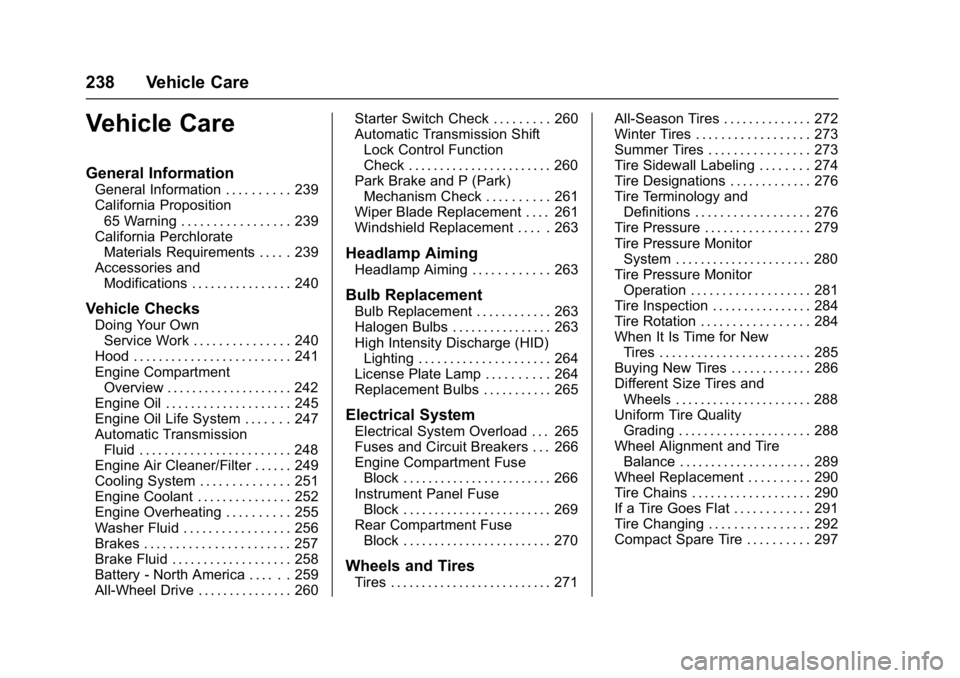
Vehicle Care
General Information
General Information . . . . . . . . . . 239
California Proposition65 Warning . . . . . . . . . . . . . . . . . 239
California Perchlorate Materials Requirements . . . . . 239
Accessories and Modifications . . . . . . . . . . . . . . . . 240
Vehicle Checks
Doing Your OwnService Work . . . . . . . . . . . . . . . 240
Hood . . . . . . . . . . . . . . . . . . . . . . . . . 241
Engine Compartment Overview . . . . . . . . . . . . . . . . . . . . 242
Engine Oil . . . . . . . . . . . . . . . . . . . . 245
Engine Oil Life System . . . . . . . 247
Automatic Transmission Fluid . . . . . . . . . . . . . . . . . . . . . . . . 248
Engine Air Cleaner/Filter . . . . . . 249
Cooling System . . . . . . . . . . . . . . 251
Engine Coolant . . . . . . . . . . . . . . . 252
Engine Overheating . . . . . . . . . . 255
Washer Fluid . . . . . . . . . . . . . . . . . 256
Brakes . . . . . . . . . . . . . . . . . . . . . . . 257
Brake Fluid . . . . . . . . . . . . . . . . . . . 258
Battery - North America . . . . . . 259
All-Wheel Drive . . . . . . . . . . . . . . . 260 Starter Switch Check . . . . . . . . . 260
Automatic Transmission Shift
Lock Control Function
Check . . . . . . . . . . . . . . . . . . . . . . . 260
Park Brake and P (Park)
Mechanism Check . . . . . . . . . . 261
Wiper Blade Replacement . . . . 261
Windshield Replacement . . . . . 263
Headlamp Aiming
Headlamp Aiming . . . . . . . . . . . . 263
Bulb Replacement
Bulb Replacement . . . . . . . . . . . . 263
Halogen Bulbs . . . . . . . . . . . . . . . . 263
High Intensity Discharge (HID) Lighting . . . . . . . . . . . . . . . . . . . . . 264
License Plate Lamp . . . . . . . . . . 264
Replacement Bulbs . . . . . . . . . . . 265
Electrical System
Electrical System Overload . . . 265
Fuses and Circuit Breakers . . . 266
Engine Compartment Fuse Block . . . . . . . . . . . . . . . . . . . . . . . . 266
Instrument Panel Fuse Block . . . . . . . . . . . . . . . . . . . . . . . . 269
Rear Compartment Fuse Block . . . . . . . . . . . . . . . . . . . . . . . . 270
Wheels and Tires
Tires . . . . . . . . . . . . . . . . . . . . . . . . . . 271 All-Season Tires . . . . . . . . . . . . . . 272
Winter Tires . . . . . . . . . . . . . . . . . . 273
Summer Tires . . . . . . . . . . . . . . . . 273
Tire Sidewall Labeling . . . . . . . . 274
Tire Designations . . . . . . . . . . . . . 276
Tire Terminology and
Definitions . . . . . . . . . . . . . . . . . . 276
Tire Pressure . . . . . . . . . . . . . . . . . 279
Tire Pressure Monitor System . . . . . . . . . . . . . . . . . . . . . . 280
Tire Pressure Monitor Operation . . . . . . . . . . . . . . . . . . . 281
Tire Inspection . . . . . . . . . . . . . . . . 284
Tire Rotation . . . . . . . . . . . . . . . . . 284
When It Is Time for New Tires . . . . . . . . . . . . . . . . . . . . . . . . 285
Buying New Tires . . . . . . . . . . . . . 286
Different Size Tires and Wheels . . . . . . . . . . . . . . . . . . . . . . 288
Uniform Tire Quality Grading . . . . . . . . . . . . . . . . . . . . . 288
Wheel Alignment and Tire Balance . . . . . . . . . . . . . . . . . . . . . 289
Wheel Replacement . . . . . . . . . . 290
Tire Chains . . . . . . . . . . . . . . . . . . . 290
If a Tire Goes Flat . . . . . . . . . . . . 291
Tire Changing . . . . . . . . . . . . . . . . 292
Compact Spare Tire . . . . . . . . . . 297