awd BUICK ENVISION 2017 Owner's Manual
[x] Cancel search | Manufacturer: BUICK, Model Year: 2017, Model line: ENVISION, Model: BUICK ENVISION 2017Pages: 366, PDF Size: 5.37 MB
Page 147 of 366

Buick Envision Owner Manual (GMNA-Localizing-U.S./Canada/Mexico-
10122659) - 2017 - crc - 11/16/16
146 Instruments and Controls
activate during heavy rain or due to
road spray. The vehicle does not
need service. For cleaning, see
"Washing the Vehicle" under
Exterior Care0305.
TAKE STEERING
If LKA does not detect active driver
steering, an alert and chime may be
provided. Move the steering wheel
to dismiss. See Lane Keep Assist
(LKA) 0224.
Ride Control System
Messages
AWD OFF
This message displays when the
All-Wheel Drive (AWD) System is
temporarily disabled. The system
may disable due to spare tire
installation or a driving condition
that could result in system damage.
The system does not require service
when this message is displayed.
The AWD system will resume
normal operation when driving
conditions permit. See All-Wheel
Drive 0198.
SERVICE AWD
This message displays when there
is a problem with the All-Wheel
Drive (AWD) System. See your
dealer for service.
SERVICE TRACTION
CONTROL
This message displays when there
is a problem with the Traction
Control System (TCS). When this
message is displayed, the system
will not limit wheel spin. Adjust your
driving accordingly. See your dealer
for service.
SERVICE STABILITRAK
This message displays if there is a
problem with the StabiliTrak system.
If this message appears, try to reset
the system. Stop; turn off the engine
for at least 15 seconds; then start
the engine again. If this message
still comes on, it means there is a
problem. See your dealer for
service. The vehicle is safe to drive;
however, you do not have the
benefit of StabiliTrak, so reduce
your speed and drive accordingly.
STABILITRAK INITIALIZING
This message may come on if the
StabiliTrak system has not fully
initialized because of road
conditions or the incorrect tire size.
When the StabiliTrak system is fully
initialized, the message will turn off.
See Traction Control/Electronic
Stability Control 0201. If this
message continues to be displayed
for multiple ignition cycles and on
different road surfaces, see your
dealer for service.
Airbag System Messages
SERVICE AIRBAG
This message displays if there is a
problem with the airbag system. See
your dealer for service.
Security Messages
THEFT ATTEMPTED
This message displays if the vehicle
detects a tamper condition.
Page 199 of 366
Buick Envision Owner Manual (GMNA-Localizing-U.S./Canada/Mexico-
10122659) - 2017 - crc - 11/16/16
198 Driving and Operating
L (Low) will prevent shifting to a
lower gear range if the engine
speed is too high. If vehicle speed is
not reduced within the time allowed,
the lower gear range shift will not be
completed. Slow the vehicle, then
press the−(Minus) button to the
desired lower gear range.
While using the ERS, cruise control
can be used.Drive Systems
All-Wheel Drive
Vehicles with this feature transfer
engine power, as required, to all
four wheels. It is fully automatic, and
adjusts itself as needed for road
conditions.
When using a compact spare tire on
an AWD vehicle, the system
automatically detects the compact
spare and reduces AWD
performance to protect the system.
An AWD message may be
displayed. To restore full AWD
operation and prevent excessive
wear on the system, replace the
compact spare with a full-size tire as
soon as possible. See Compact
Spare Tire 0297.
Brakes
Antilock Brake
System (ABS)
This vehicle has an Antilock Brake
System (ABS), an advanced
electronic braking system that helps
prevent a braking skid.
When the vehicle begins to drive
away, ABS checks itself.
A momentary motor or clicking noise
may be heard while this test is going
on, and it may even be noticed that
the brake pedal moves a little. This
is normal.
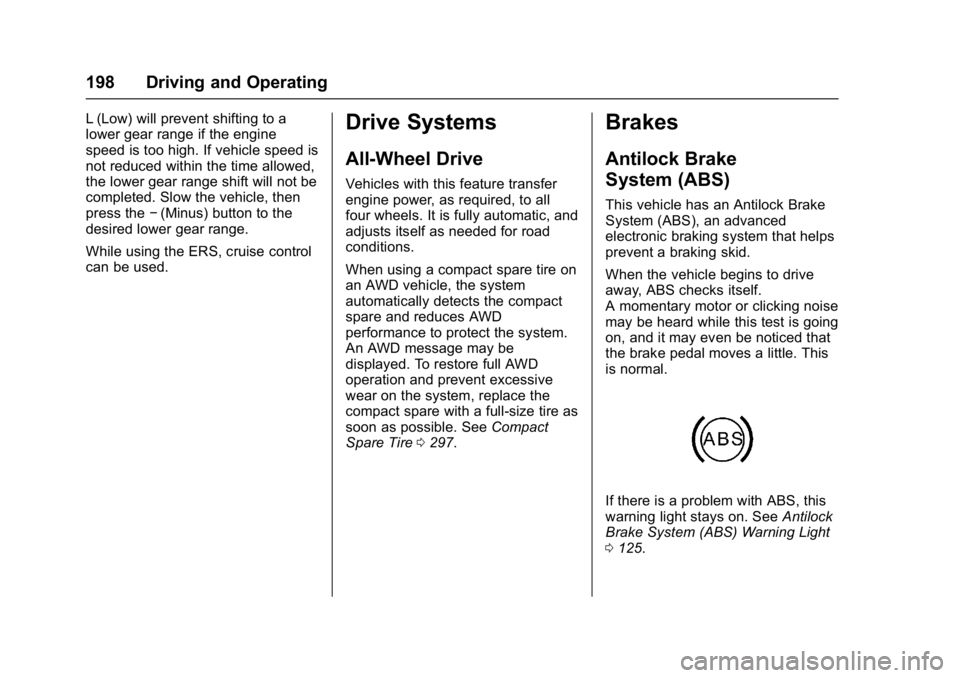
If there is a problem with ABS, this
warning light stays on. See Antilock
Brake System (ABS) Warning Light
0 125.
Page 236 of 366

Buick Envision Owner Manual (GMNA-Localizing-U.S./Canada/Mexico-
10122659) - 2017 - crc - 11/16/16
Driving and Operating 235
VehicleMax. Trailer Wt.*GCWR
AWD –2.0L L4 Engine 680 kg (1,500 lb) 2 750 kg (6,060 lb)
2WD –2.5L L4 Engine 680 kg (1,500 lb) 2 600 kg (5,730 lb)
AWD –2.5L L4 Engine 680 kg (1,500 lb) 2 700 kg (5,950 lb)
*The Gross Combination Weight Rating (GCWR) is the total allowable weight of the completely loaded vehicle and
trailer including any passengers, cargo, equipment, and conversion. The GCWR for the vehicle should not be
exceeded.
Ask your dealer for our trailering
information or advice.
Weight of the Trailer Tongue
The tongue load (1) of any trailer is
very important because it is also
part of the vehicle weight. The
Gross Vehicle Weight (GVW)
includes the curb weight of the
vehicle, any cargo carried in it, and
the people who will be riding in the
vehicle as well as trailer tongue
weight. Vehicle options, equipment,
passengers, and cargo in the
vehicle reduce the amount of
tongue weight the vehicle can carry,
which will also reduce the trailer
weight the vehicle can tow.
Do not exceed the maximum
allowable tongue weight of 91 kg
(200 lb) for the vehicle. Choose the
shortest hitch extension that will
position the hitch ball closest to the vehicle. This will help reduce the
effect of trailer tongue weight on the
rear axle.
Trailer rating may be limited by the
vehicle's ability to carry tongue
weight. Tongue weight cannot cause
the vehicle to exceed the GVWR
(Gross Vehicle Weight Rating) or
the RGAWR (Rear Gross Axle
Weight Rating). See
“Total Weight
on the Vehicle's Tires” following.
After loading the trailer, weigh the
trailer and then the tongue,
separately, to see if the weights are
proper. If they are not, adjustments
might be made by moving some
items around in the trailer.
Page 272 of 366
Buick Envision Owner Manual (GMNA-Localizing-U.S./Canada/Mexico-
10122659) - 2017 - crc - 11/16/16
Vehicle Care 271
FusesUsage
F17 Body control module 6
F18 Heated steering wheel
F19 AWD
F20 Lumbar seat
F21 Rear heated seat
F22 Rear drive control module
F23 Trailer left turn signal lamp
F24 Trailer right turn signal lamp Fuses
Usage
K1 Parking lamps
K2 –
K3 Ignition
K4 Logistics
K5 DC AC
K6 –
K7 Parking assist
K8 Right turn
K9 Left turn
K10 –Wheels and Tires
Tires
Every new GM vehicle has
high-quality tires made by a
leading tire manufacturer. See
the warranty manual for
information regarding the tire
warranty and where to get
service. For additional
information refer to the tire
manufacturer.
{Warning
.Poorly maintained and
improperly used tires are
dangerous.
.Overloading the tires can
cause overheating as a
result of too much
flexing. There could be a
blowout and a serious
crash. See Vehicle Load
Limits 0183.
(Continued)
Page 298 of 366

Buick Envision Owner Manual (GMNA-Localizing-U.S./Canada/Mexico-
10122659) - 2017 - crc - 11/16/16
Vehicle Care 297
3. Place the flat tire, lying flat, inthe rear storage compartment.
4. Attach one end of the strap to a cargo tie-down in the rear of
the vehicle.
5. Route the strap through thewheel, as shown.
6. Attach the other end of the strap to the other cargo
tie-down in the rear of the
vehicle.
7. Tighten the strap.
The compact spare is for temporary
use only. Replace the compact
spare tire with a full-size tire as
soon as you can.
Compact Spare Tire
{Warning
Driving with more than one
compact spare tire at a time could
result in loss of braking and
handling. This could lead to a
crash and you or others could be
injured. Use only one compact
spare tire at a time.
If this vehicle has a compact spare
tire, it was fully inflated when new;
however, it can lose air over time.
Check the inflation pressure
regularly. It should be 420 kPa
(60 psi).
Stop as soon as possible and check
that the spare tire is correctly
inflated after being installed on the
vehicle. The compact spare tire is
designed for temporary use only.
The vehicle will perform differently
with the spare tire installed and it is
recommended that the vehicle
speed be limited to 80 km/h
(50 mph). To conserve the tread of
the spare tire, have the standard tire repaired or replaced as soon as
convenient and return the spare tire
to the storage area.
When using a compact spare tire,
the AWD (if equipped), ABS, and
Traction Control systems may
engage until the spare tire is
recognized by the vehicle,
especially on slippery roads. Adjust
driving to reduce possible
wheel slip.
Caution
When the compact spare is
installed, do not take the vehicle
through an automatic car wash
with guide rails. The compact
spare can get caught on the rails
which can damage the tire, wheel,
and other parts of the vehicle.
Do not use the compact spare on
other vehicles.
Do not mix the compact spare tire or
wheel with other wheels or tires.
They will not fit. Keep the spare tire
and its wheel together.
Page 329 of 366

Buick Envision Owner Manual (GMNA-Localizing-U.S./Canada/Mexico-
10122659) - 2017 - crc - 11/16/16
328 Technical Data
Vehicle Data
Capacities and Specifications
The following approximate capacities are given in metric and English conversions. SeeRecommended Fluids and
Lubricants 0324 for more information.
Application Capacities
Metric English
Air Conditioning Refrigerant For the air conditioning system refrigerant type and charge amount, see the refrigerant label under thehood. See your dealer for more information.
Cooling System 2.0L L4 Engine 7.75 L 8.1 qt
2.5L L4 Engine 6.6 L 7.0 L
Engine Oil with Filter
2.0L L4 Engine 5.7 L 6.0 qt
2.5L L4 Engine FWD 4.7 L 5.0 qt
2.5L L4 Engine AWD 5.7 L6.0 qt
Fuel Tank 65.5 L17.3 gal
Wheel Nut Torque 140Y 100 lb ft
All capacities are approximate. When adding, be sure to fill to the approximate level, as recommended in this
manual. Recheck fluid level after filling.