speed sensor BUICK ENVISION 2017 Owner's Manual
[x] Cancel search | Manufacturer: BUICK, Model Year: 2017, Model line: ENVISION, Model: BUICK ENVISION 2017Pages: 366, PDF Size: 5.37 MB
Page 22 of 366
Buick Envision Owner Manual (GMNA-Localizing-U.S./Canada/Mexico-
10122659) - 2017 - crc - 11/16/16
In Brief 21
in R (Reverse). In addition, beeps
will sound, or the driver seat will
pulse.
SeeAssistance Systems for Parking
or Backing 0214.
Parking Assist
If equipped, Rear Parking
Assist (RPA) uses sensors on the
rear bumper to assist with parking
and avoiding objects while in
R (Reverse). It operates at speeds
less than 8 km/h (5 mph). RPA may
show a warning triangle on the
infotainment display and a graphic
on the instrument cluster to provide
the object distance. In addition,
multiple beeps or seat pulses may
occur if very close to an object.
The vehicle may also have the Front
Parking Assist system.
See Assistance Systems for Parking
or Backing 0214.
Automatic Parking
Assist (APA)
If equipped, the APA system helps
to search for and maneuver the
vehicle into parallel or perpendicular
parking spots using automatic
steering, DIC displays, and beeps.
When the vehicle speed is below
30 km/h (18 mph), press
Oto
enable the system.
See “Automatic Parking Assist
(APA)” underAssistance Systems
for Parking or Backing 0214.
Power Outlets
The vehicle has four 12-volt
accessory power outlets, which can
be used to plug in electrical
equipment, such as a cell phone or
MP3 player.
There are power outlets:
.
On the center floor console.
. Inside the center floor console.
. On the rear of the center floor
console.
. In the rear cargo area. To use the outlet, remove the cover.
See
Power Outlets 0112.
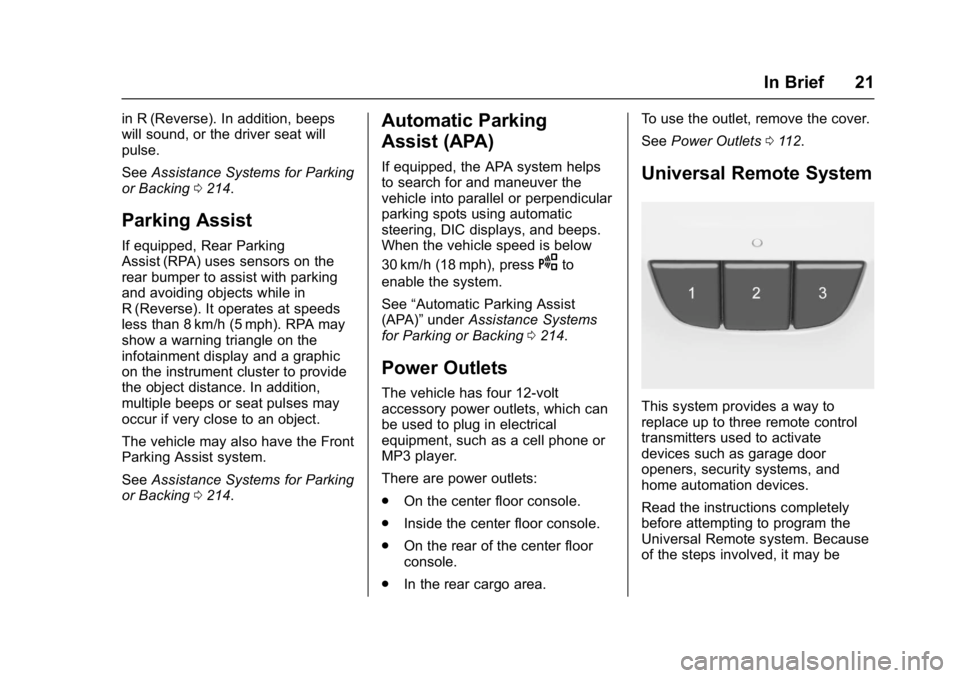
Universal Remote System
This system provides a way to
replace up to three remote control
transmitters used to activate
devices such as garage door
openers, security systems, and
home automation devices.
Read the instructions completely
before attempting to program the
Universal Remote system. Because
of the steps involved, it may be
Page 41 of 366
Buick Envision Owner Manual (GMNA-Localizing-U.S./Canada/Mexico-
10122659) - 2017 - crc - 11/16/16
40 Keys, Doors, and Windows
DIC messages and make sure the
liftgate is closed and latched before
driving.
Falling Liftgate Detection
The power liftgate will automatically
close if the support strut has lost
pressure. See your dealer for
service before using the power
liftgate.
Obstacle Detection Features
If the liftgate encounters an obstacle
during a power open or close cycle,
a warning chime will sound and the
liftgate will automatically reverse
direction and move a short distance
away from the obstacle. After
removing the obstruction, the power
liftgate operation can be used again.
If the liftgate encounters multiple
obstacles on the same power cycle,
the power function will deactivate.
After removing the obstructions,
manually close the liftgate which will
allow normal power operation
functions to resume.
If the vehicle is locked while the
liftgate is closing, and an obstacle is
encountered that prevents theliftgate from completely closing, the
horn will sound as an alert that the
liftgate did not close.
Pinch sensors are on the side
edges of the liftgate. If an object is
caught between the liftgate and the
vehicle and presses against this
sensor, the liftgate will reverse
direction and open fully. The liftgate
will remain open until it is activated
again or closed manually.Setting the 3/4 Mode
To change the position the liftgate
stops at when opening:
1. Select MAX or 3/4 mode and power open the liftgate.
2. Stop the liftgate movement at the desired height by pressing
any liftgate switch. Manually
adjust the liftgate position if
needed.
3. Press and hold
lnext to the
pull cup on the outside of the
liftgate until the turn signals
flash and a beep sounds. This
indicates the setting has been
recorded. The liftgate cannot be set below a
minimum programmable height.
If there is no light flash or sound,
then the height adjustment may be
too low.
Manual Operation
Select OFF to manually operate the
liftgate. See
“Manual Liftgate” at the
beginning of this section.
Caution
Attempting to move the liftgate
too quickly and with excessive
force may result in damage to the
vehicle.
Operate the liftgate manually with a
smooth motion and moderate
speed. The system includes a
feature which limits the manual
closing speed to protect the
components.
Page 73 of 366

Buick Envision Owner Manual (GMNA-Localizing-U.S./Canada/Mexico-
10122659) - 2017 - crc - 11/16/16
72 Seats and Restraints
When Should an Airbag
Inflate?
This vehicle is equipped with
airbags. SeeAirbag System 068.
Airbags are designed to inflate if the
impact exceeds the specific airbag
system's deployment threshold.
Deployment thresholds are used to
predict how severe a crash is likely
to be in time for the airbags to
inflate and help restrain the
occupants. The vehicle has
electronic sensors that help the
airbag system determine the
severity of the impact. Deployment
thresholds can vary with specific
vehicle design.
Frontal airbags are designed to
inflate in moderate to severe frontal
or near frontal crashes to help
reduce the potential for severe
injuries, mainly to the driver's or
front outboard passenger's head
and chest.
Whether the frontal airbags will or
should inflate is not based primarily
on how fast the vehicle is traveling. It depends on what is hit, the
direction of the impact, and how
quickly the vehicle slows down.
Frontal airbags may inflate at
different crash speeds depending on
whether the vehicle hits an object
straight on or at an angle, and
whether the object is fixed or
moving, rigid or deformable, narrow
or wide.
Frontal airbags are not intended to
inflate during vehicle rollovers, rear
impacts, or many side impacts.
In addition, the vehicle has
advanced technology frontal
airbags. Advanced technology
frontal airbags adjust the restraint
according to crash severity or
occupant interaction.
The vehicle also has a seat position
sensor that enables the sensing
system to monitor the position of the
front outboard passenger seat. The
passenger seat position sensor and
the passenger safety belt buckle
provide information that is used to
adjust the deployment of the front
outboard passenger frontal airbag.Knee airbags are designed to inflate
in moderate to severe frontal or
near frontal impacts. Knee airbags
are not designed to inflate during
vehicle rollovers, in rear impacts,
or in many side impacts.
The passenger seat position sensor
and the passenger safety belt
buckle also provide information that
is used to determine if the
passenger knee airbag should
inflate.
Seat-mounted side impact airbags
are designed to inflate in moderate
to severe side crashes depending
on the location of the impact.
Seat-mounted side impact airbags
are not designed to inflate in frontal
impacts, near frontal impacts,
rollovers, or rear impacts.
A seat-mounted side impact airbag
is designed to inflate on the side of
the vehicle that is struck.
Roof-rail airbags are designed to
inflate in moderate to severe side
crashes depending on the location
of the impact. In addition, these
roof-rail airbags are designed to
inflate during a rollover or in a
Page 110 of 366
Buick Envision Owner Manual (GMNA-Localizing-U.S./Canada/Mexico-
10122659) - 2017 - crc - 11/16/16
Instruments and Controls 109
If the windshield wiper lever is then
moved to OFF before the driver
door is opened or within 10 minutes,
the wipers will restart and move to
the base of the windshield.
If the ignition is changed to LOCK/
OFF while the wipers are performing
wipes due to windshield washing or
Rainsense, the wipers continue to
run until they reach the base of the
windshield.
Rainsense™
If equipped with Rainsense, a
sensor located near the top center
of the windshield detects the
amount of water on the windshield
and automatically controls the
frequency of the windshield wiper.
When Rainsense is enabled, the
normal intermittent control operates
as a sensitivity control.
Keep this area of the windshield
clear of debris to allow for best
system performance.
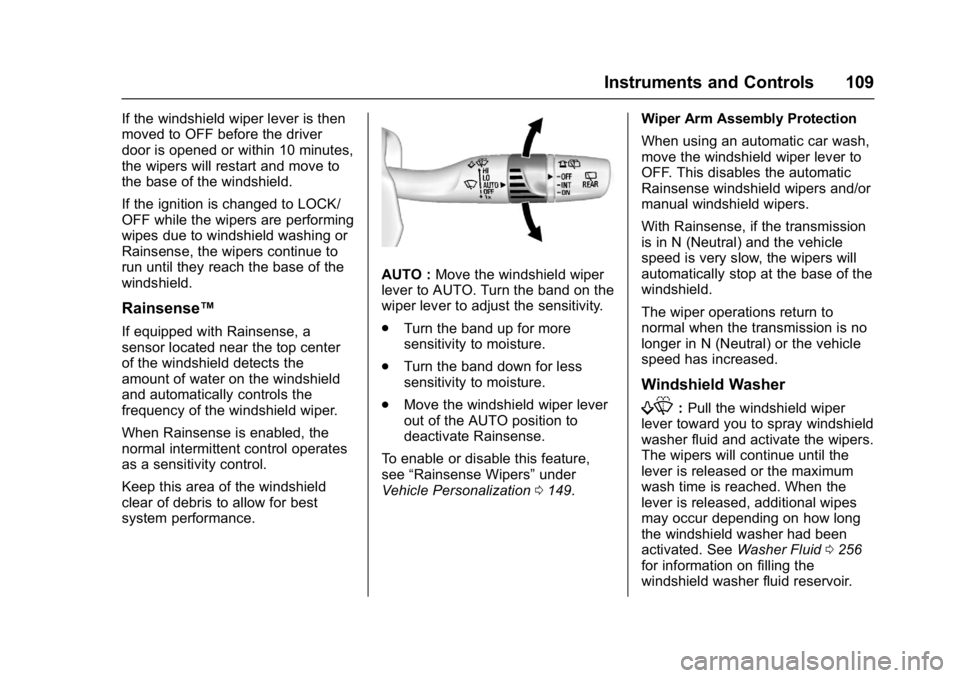
AUTO :Move the windshield wiper
lever to AUTO. Turn the band on the
wiper lever to adjust the sensitivity.
. Turn the band up for more
sensitivity to moisture.
. Turn the band down for less
sensitivity to moisture.
. Move the windshield wiper lever
out of the AUTO position to
deactivate Rainsense.
To enable or disable this feature,
see “Rainsense Wipers” under
Vehicle Personalization 0149. Wiper Arm Assembly Protection
When using an automatic car wash,
move the windshield wiper lever to
OFF. This disables the automatic
Rainsense windshield wipers and/or
manual windshield wipers.
With Rainsense, if the transmission
is in N (Neutral) and the vehicle
speed is very slow, the wipers will
automatically stop at the base of the
windshield.
The wiper operations return to
normal when the transmission is no
longer in N (Neutral) or the vehicle
speed has increased.
Windshield Washer
f:
Pull the windshield wiper
lever toward you to spray windshield
washer fluid and activate the wipers.
The wipers will continue until the
lever is released or the maximum
wash time is reached. When the
lever is released, additional wipes
may occur depending on how long
the windshield washer had been
activated. See Washer Fluid0256
for information on filling the
windshield washer fluid reservoir.
Page 142 of 366
Buick Envision Owner Manual (GMNA-Localizing-U.S./Canada/Mexico-
10122659) - 2017 - crc - 11/16/16
Instruments and Controls 141
Cruise Control Messages
ADAPTIVE CRUISE
DISENGAGING
This message displays when the
Adaptive Cruise Control (ACC) is
disengaging.
This may occur when:
.The radar is not clean. Keep the
radar sensors free of mud, dirt,
snow, ice, and slush. Clean the
entire front and/or rear of the
vehicle. For cleaning
instructions, see Exterior Care
0 305.
. Heavy rain or snow is interfering
with the radar object detection or
camera performance.
. Stability Control or Traction
Control has activated or been
disabled.
. There is no traffic or other
objects to detect.
. There is a fault in the system.
ADAPTIVE CRUISE SET
TO XXX
This message displays when the
Adaptive Cruise Control (ACC)
speed is set. See Adaptive Cruise
Control 0205.
ADAPTIVE CRUISE
TEMPORARILY UNAVAILABLE
This message displays when
attempting to activate Adaptive
Cruise Control (ACC) when it is
temporarily unavailable. The ACC
system does not need service.
This can occur under the following
conditions:
.
The radar is not clean. Keep the
radar sensors free of mud, dirt,
snow, ice, and slush. Clean the
entire front and/or rear of the
vehicle. For cleaning
instructions, see Exterior Care
0 305.
. Heavy rain or snow is interfering
with the radar object detection or
camera performance.
CRUISE SET TO XXX
This message displays when the
cruise control speed is set. See
Cruise Control 0203.
NO CRUISE BRAKING GAS
PEDAL APPLIED
This message displays when
Adaptive Cruise Control (ACC) is
active and the driver is pressing the
gas pedal. When this occurs, ACC
will not brake. See Adaptive Cruise
Control 0205.
SERVICE ADAPTIVE CRUISE
CONTROL
This message displays when the
Adaptive Cruise Control (ACC)
needs service. Take the vehicle to
your dealer.
SHIFT TO PARK BEFORE
EXITING
This message may display if
Adaptive Cruise Control (ACC) is
engaged holding the vehicle at a
stop, and the driver attempts to exit
the vehicle. Put the vehicle in
P (Park) before exiting.
Page 161 of 366

Buick Envision Owner Manual (GMNA-Localizing-U.S./Canada/Mexico-
10122659) - 2017 - crc - 11/16/16
160 Lighting
;:Turns on the parking lamps,
including all lamps, except the
headlamps.
2: Turns on the headlamps
together with the parking lamps and
instrument panel lights.
Intellibeam®System
If equipped, this system turns the
vehicle's high-beam headlamps on
and off according to surrounding
traffic conditions.
The system turns the high-beam
headlamps on when it is dark
enough and there is no other traffic
present.
This light
bcomes on in the
instrument cluster when the
Intellibeam system is enabled.
Turning On and Enabling
Intellibeam
To enable the Intellibeam system,
with the turn signal lever in the
neutral position, turn the exterior
lamp control to AUTO. The blue
high-beam on light appears on the
instrument cluster when the high
beams are on. Driving with Intellibeam
The system only activates the high
beams when driving over 40 km/h
(25 mph).
There is a sensor near the top
center of the windshield that
automatically controls the system.
Keep this area of the windshield
clear of debris to allow for best
system performance.
The high-beam headlamps remain
on, under the automatic control,
until one of the following situations
occurs:
.
The system detects an
approaching vehicle's
headlamps.
. The system detects a preceding
vehicle's taillamps.
. The outside light is bright
enough that high-beam
headlamps are not required.
. The vehicle's speed drops below
20 km/h (12 mph).
. The Intellibeam system is
disabled by the high/low-beam
changer or the flash-to-pass feature. If this happens, the high/
low-beam changer must be
activated two times within
two seconds to reactivate the
Intellibeam system. The
instrument cluster light will come
on to indicate the Intellibeam
system is reactivated.
See
Headlamp High/Low-Beam
Changer 0161 and
Flash-to-Pass 0161.
The high beams may not turn off
automatically if the system cannot
detect another vehicle's lamps
because of any of the following:
. The other vehicle's lamps are
missing, damaged, obstructed
from view, or otherwise
undetected.
. The other vehicle's lamps are
covered with dirt, snow, and/or
road spray.
. The other vehicle's lamps cannot
be detected due to dense
exhaust, smoke, fog, snow, road
spray, mist, or other airborne
obstructions.
Page 163 of 366

Buick Envision Owner Manual (GMNA-Localizing-U.S./Canada/Mexico-
10122659) - 2017 - crc - 11/16/16
162 Lighting
There is a light sensor on top of the
instrument panel. Do not cover the
sensor; otherwise the headlamps
will come on when they are not
needed.
The system may also turn on the
headlamps when driving through a
parking garage or tunnel.
When it is bright enough outside,
the headlamps will turn off or may
change to Daytime Running
Lamps (DRL).
The automatic headlamp system
turns off when the exterior lamp
control is turned to
Oor the ignition
is off.
Lights On with Wipers
If the windshield wipers are
activated in daylight with the engine
on, and the exterior lamp control is
in AUTO, the headlamps, parking
lamps, and other exterior lamps
come on. The transition time for the
lamps coming on varies based on
wiper speed. When the wipers are
not operating, these lamps turn off.
Move the exterior lamp control to
O
or;to disable this feature.
Adaptive Forward
Lighting (AFL)
If equipped with the AFL System,
the headlamps pivot horizontally to
provide greater road illumination
while turning.
To enable AFL, set the exterior lamp
control to the AUTO position.
Moving the control out of AUTO will
deactivate the system. AFL will
operate when the vehicle speed is
greater than 3 km/h (2 mph). AFL
will not operate when the
transmission is in R (Reverse). AFL
is not immediately operable after starting the vehicle; driving a short
distance is required to calibrate the
AFL. See
Exterior Lamp Controls
0 159.
Headlamp Leveling
Control
Automatic Headlamp Leveling
If equipped, the level of the
headlamps is adjusted automatically
based on the vehicle load.
Headlamp aiming is important to
safe driving. If the headlamps
require aiming or the automatic
headlamp leveling system is
malfunctioning, see your dealer for
service.
Page 171 of 366
Buick Envision Owner Manual (GMNA-Localizing-U.S./Canada/Mexico-
10122659) - 2017 - crc - 11/16/16
170 Climate Controls
0MAX :Air is directed to the
windshield and the fan runs at a
higher speed. Fog or frost is cleared
from the windshield more quickly.
When the button is pressed again,
the system returns to the previous
mode setting.
For best results, clear all snow and
ice from the windshield before
defrosting.
A/C : Press to turn the air
conditioning system on or off. If the
climate control system is turned off
or the outside temperature falls
below freezing, the air conditioner
will not run.
Pressing this button cancels
automatic air conditioning and turns
off the air conditioner. Press AUTO
to return to automatic operation and
the air conditioner runs
automatically as needed. When the
indicator light is on, the air
conditioner runs automatically to
cool the air inside the vehicle or to
dry the air needed to defog the
windshield faster.@: Press to turn on recirculation.
An indicator light comes on. Air is
recirculated to quickly cool the
inside of the vehicle or to reduce the
entry of outside air and odors.
Auto Defog : The climate control
system may have a sensor to
automatically detect high humidity
inside the vehicle. When high
humidity is detected, the climate
control system may adjust to
outside air supply and turn on the
air conditioner. The fan speed may
slightly increase to help prevent
fogging. If the climate control
system does not detect possible
window fogging, it returns to normal
operation.
To turn Auto Defog off or on, see
“Climate and Air Quality” under
Vehicle Personalization 0149.
Rear Window Defogger
K:Press to turn the rear window
defogger on or off. An indicator light
on the button comes on to show that
the rear window defogger is on. The defogger can be turned off by
turning the ignition to ACC/
ACCESSORY or LOCK/OFF.
The rear window defogger can be
set to automatic operation. See
“Climate and Air Quality”
under
Vehicle Personalization 0149.
When auto rear defog is selected,
the rear window defogger turns on
automatically when the interior
temperature is cold and the outside
temperature is about 7 °C (44 °F)
and below. The auto rear defogger
turns off automatically.
If the vehicle is equipped with
heated outside rearview mirrors,
they turn on when the rear window
defogger button is on and help to
clear fog or frost from the surface of
the mirror. See Heated Mirrors 045.
Caution
Do not try to clear frost or other
material from the inside of the
front windshield and rear window
with a razor blade or anything
else that is sharp. This may
(Continued)
Page 172 of 366

Buick Envision Owner Manual (GMNA-Localizing-U.S./Canada/Mexico-
10122659) - 2017 - crc - 11/16/16
Climate Controls 171
Caution (Continued)
damage the rear window
defogger grid and affect the
radio's ability to pick up stations
clearly. The repairs would not be
covered by the vehicle warranty.
Jorz:PressJorzto heat the
driver or passenger seat.
Press
Cor{, if equipped, to
ventilate the driver or passenger
seat. See Heated and Ventilated
Front Seats 057.
Sensor
The solar sensor on top of the
instrument panel near the
windshield, monitors the solar heat.
The climate control system uses the
sensor information to adjust the
temperature, fan speed,
recirculation, and air delivery mode
for best comfort.
Do not cover the sensor; otherwise
the automatic climate control system
may not work properly.
Rear Climate Control
System
If equipped, the rear climate control
system is on the rear of the center
console storage. The rear climate
settings can be adjusted with this
system.
1. Fan Control
2. AUTO (Automatic Operation)
3. MODE (Air Delivery Mode
Control)
4. TEMP (Temperature Control)
5. Heated Rear Seats
Automatic Operation
AUTO : Press AUTO to control the
inside temperature, air delivery, and
fan speed. A is indicated in the
display when automatic operation is
active. If any of the climate control
settings are manually adjusted, this
cancels full automatic operation.
The display only indicates climate
control functions when the system is
in rear independent mode.
Manual Operation
9: Turn clockwise or
counterclockwise to increase or
decrease the fan speed. Turn
completely counterclockwise to turn
the fan/power off.
TEMP : Turn clockwise or
counterclockwise to increase or
decrease the airflow temperature
into the passenger area. If the
SYNC button is pressed on the front
climate controls, the rear climate
temperature is linked to the driver
temperature setting.
Page 206 of 366
Buick Envision Owner Manual (GMNA-Localizing-U.S./Canada/Mexico-
10122659) - 2017 - crc - 11/16/16
Driving and Operating 205
Increasing Speed While Using
Cruise Control
If the cruise control system is
already activated:
.Press and hold RES+ up until
the vehicle accelerates to the
desired speed, then release it.
. To increase vehicle speed in
small increments, press RES+
up briefly. For each press, the
vehicle goes about 1.6 km/h
(1 mph) faster.
Reducing Speed While Using
Cruise Control
If the cruise control system is
already activated:
. Press and hold SET– down until
the desired lower speed is
reached, then release it.
. To decrease the vehicle speed in
small increments, press SET–
down briefly. For each press, the
vehicle goes about 1.6 km/h
(1 mph) slower. Passing Another Vehicle While
Using Cruise Control
Use the accelerator pedal to
increase the vehicle speed. When
you take your foot off the pedal, the
vehicle will slow down to the
previously set cruise speed. While
pressing the accelerator pedal or
shortly following the release to
override cruise control, briefly
pressing SET−
will result in cruise
set to the current vehicle speed.
Using Cruise Control on Hills
How well the cruise control will work
on hills depends upon the vehicle
speed, load, and the steepness of
the hills. When going up steep hills,
you might have to step on the
accelerator pedal to maintain your
speed. When going downhill, you
might have to brake or shift to a
lower gear to keep your speed
down. If the brake pedal is applied,
cruise control will disengage.
Ending Cruise Control
There are four ways to end cruise
control:
. Step lightly on the brake pedal. .
Press*.
. Shift the transmission to
N (Neutral).
. To turn off cruise control,
press
5.
Erasing Speed Memory
The cruise control set speed is
erased from memory if
5is pressed
or if the ignition is turned off.
Adaptive Cruise Control
If equipped with Adaptive Cruise
Control (ACC), it allows you to
select the cruise control set speed
and following gap. Read this entire
section before using this system.
The following gap is the following
time between your vehicle and a
vehicle detected directly ahead in
your path moving in the same
direction. If no vehicle is detected in
your path, ACC works like regular
cruise control. ACC uses camera
and radar sensors. See Radio
Frequency Statement 0340.