warning BUICK ENVISION 2018 Repair Manual
[x] Cancel search | Manufacturer: BUICK, Model Year: 2018, Model line: ENVISION, Model: BUICK ENVISION 2018Pages: 365, PDF Size: 5.56 MB
Page 133 of 365
Buick Envision Owner Manual (GMNA-Localizing-U.S./Canada/Mexico-
11434432) - 2018 - CRC - 10/25/17
132 Instruments and Controls
Engine Oil Pressure Light
Caution
Lack of proper engine oil
maintenance can damage the
engine. Driving with the engine oil
low can also damage the engine.
The repairs would not be covered
by the vehicle warranty. Check
the oil level as soon as possible.
Add oil if required, but if the oil
level is within the operating range
and the oil pressure is still low,
have the vehicle serviced. Always
follow the maintenance schedule
for changing engine oil.
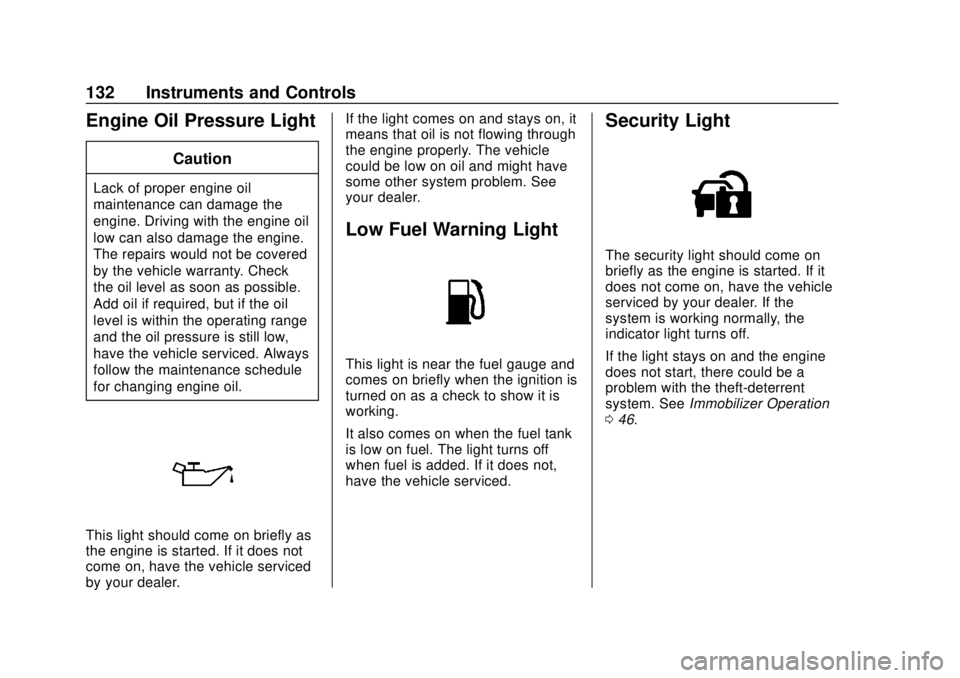
This light should come on briefly as
the engine is started. If it does not
come on, have the vehicle serviced
by your dealer.If the light comes on and stays on, it
means that oil is not flowing through
the engine properly. The vehicle
could be low on oil and might have
some other system problem. See
your dealer.
Low Fuel Warning Light
This light is near the fuel gauge and
comes on briefly when the ignition is
turned on as a check to show it is
working.
It also comes on when the fuel tank
is low on fuel. The light turns off
when fuel is added. If it does not,
have the vehicle serviced.
Security Light
The security light should come on
briefly as the engine is started. If it
does not come on, have the vehicle
serviced by your dealer. If the
system is working normally, the
indicator light turns off.
If the light stays on and the engine
does not start, there could be a
problem with the theft-deterrent
system. See
Immobilizer Operation
0 46.
Page 140 of 365
Buick Envision Owner Manual (GMNA-Localizing-U.S./Canada/Mexico-
11434432) - 2018 - CRC - 10/25/17
Instruments and Controls 139
accurately until the next oil change.
To reset the engine oil life system,
press and hold
Vfor several
seconds while the Oil Life display is
active. See Engine Oil Life System
0 243.
Tire Pressure : Displays the
approximate pressures of all four
tires. Tire pressure is displayed in
kilopascal (kPa) or pounds per
square inch (psi). If the pressure is
low, the value for that tire is shown
in amber. See Tire Pressure Monitor
System 0276 andTire Pressure
Monitor Operation 0277.
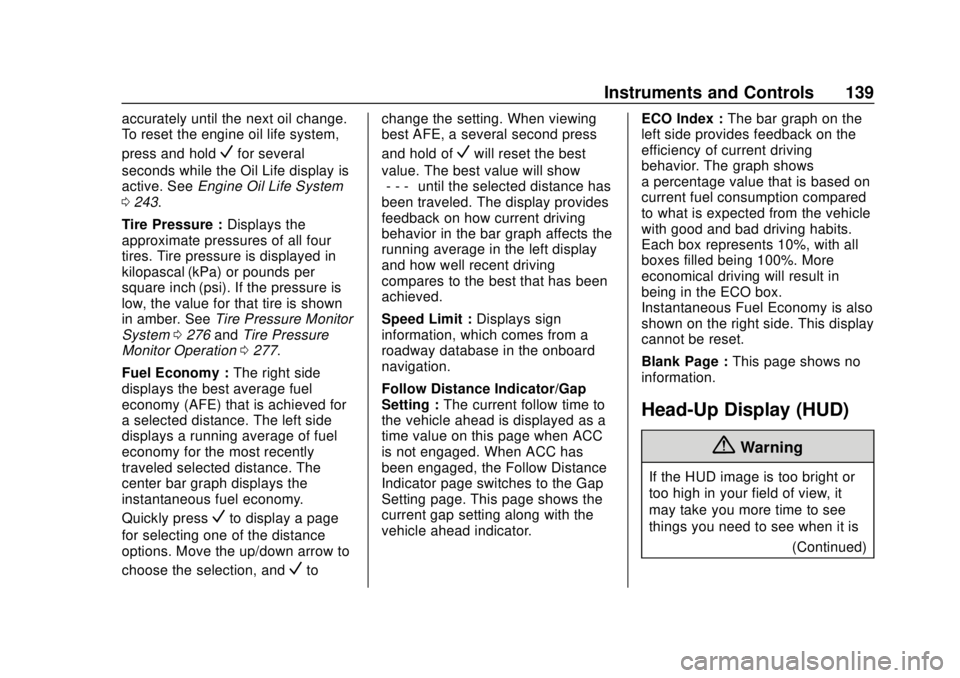
Fuel Economy : The right side
displays the best average fuel
economy (AFE) that is achieved for
a selected distance. The left side
displays a running average of fuel
economy for the most recently
traveled selected distance. The
center bar graph displays the
instantaneous fuel economy.
Quickly press
Vto display a page
for selecting one of the distance
options. Move the up/down arrow to
choose the selection, and
Vto change the setting. When viewing
best AFE, a several second press
and hold of
Vwill reset the best
value. The best value will show
“- - -” until the selected distance has
been traveled. The display provides
feedback on how current driving
behavior in the bar graph affects the
running average in the left display
and how well recent driving
compares to the best that has been
achieved.
Speed Limit : Displays sign
information, which comes from a
roadway database in the onboard
navigation.
Follow Distance Indicator/Gap
Setting : The current follow time to
the vehicle ahead is displayed as a
time value on this page when ACC
is not engaged. When ACC has
been engaged, the Follow Distance
Indicator page switches to the Gap
Setting page. This page shows the
current gap setting along with the
vehicle ahead indicator. ECO Index :
The bar graph on the
left side provides feedback on the
efficiency of current driving
behavior. The graph shows
a percentage value that is based on
current fuel consumption compared
to what is expected from the vehicle
with good and bad driving habits.
Each box represents 10%, with all
boxes filled being 100%. More
economical driving will result in
being in the ECO box.
Instantaneous Fuel Economy is also
shown on the right side. This display
cannot be reset.
Blank Page : This page shows no
information.
Head-Up Display (HUD)
{Warning
If the HUD image is too bright or
too high in your field of view, it
may take you more time to see
things you need to see when it is
(Continued)
Page 141 of 365
Buick Envision Owner Manual (GMNA-Localizing-U.S./Canada/Mexico-
11434432) - 2018 - CRC - 10/25/17
140 Instruments and Controls
Warning (Continued)
dark outside. Be sure to keep the
HUD image dim and placed low in
your field of view.
If equipped with HUD, some
information concerning the
operation of the vehicle is projected
onto the windshield. The image is
projected through the HUD lens on
top of the instrument panel. The
information appears as an image
focused out toward the front of the
vehicle.
Caution
If you try to use the HUD image
as a parking aid, you may
misjudge the distance and
damage your vehicle. Do not use
the HUD image as a parking aid.
The HUD information can be
displayed in various languages in
some vehicles.
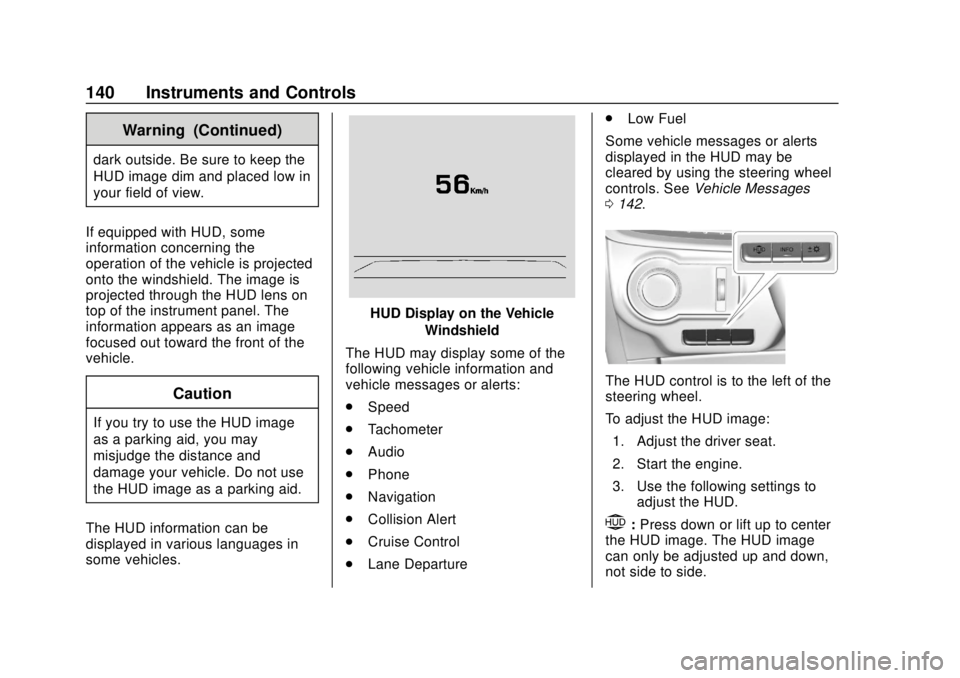
HUD Display on the Vehicle Windshield
The HUD may display some of the
following vehicle information and
vehicle messages or alerts:
. Speed
. Tachometer
. Audio
. Phone
. Navigation
. Collision Alert
. Cruise Control
. Lane Departure .
Low Fuel
Some vehicle messages or alerts
displayed in the HUD may be
cleared by using the steering wheel
controls. See Vehicle Messages
0 142.
The HUD control is to the left of the
steering wheel.
To adjust the HUD image:
1. Adjust the driver seat.
2. Start the engine.
3. Use the following settings to adjust the HUD.
$:Press down or lift up to center
the HUD image. The HUD image
can only be adjusted up and down,
not side to side.
Page 142 of 365
Buick Envision Owner Manual (GMNA-Localizing-U.S./Canada/Mexico-
11434432) - 2018 - CRC - 10/25/17
Instruments and Controls 141
!:Press to select the display
view. Each press will change the
display view.
D: Lift up and hold to brighten the
display. Press down and hold to dim
the display. Hold down to turn the
display off.
The HUD image will automatically
dim and brighten to compensate for
outside lighting. The HUD
brightness control can also be
adjusted as needed.
The HUD image can temporarily
light up depending on the angle and
position of the sunlight on the HUD
display. This is normal.
Polarized sunglasses could make
the HUD image harder to see.
Head-Up Display (HUD) Rotation
Option
This feature allows for adjusting the
angle of the HUD image.
Press
Von the steering wheel
controls while Head-up Display
Rotation is highlighted to enter
Adjust Mode. Press
yorzto adjust the angle of the HUD display.
Press
SorTto highlight OK, then
press
Vto save the setting.
CANCEL can also be selected to
cancel the setting. The vehicle must
be in P (Park).
HUD Views
There are four views in the HUD.
Some vehicle information and
vehicle messages or alerts may be
displayed in any view.
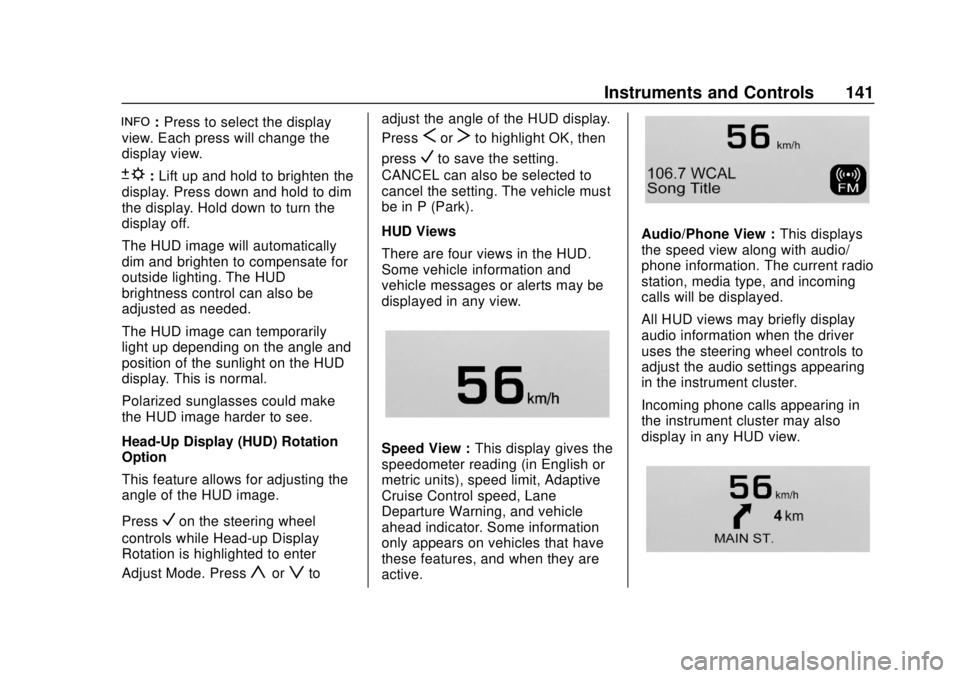
Speed View : This display gives the
speedometer reading (in English or
metric units), speed limit, Adaptive
Cruise Control speed, Lane
Departure Warning, and vehicle
ahead indicator. Some information
only appears on vehicles that have
these features, and when they are
active.
Audio/Phone View : This displays
the speed view along with audio/
phone information. The current radio
station, media type, and incoming
calls will be displayed.
All HUD views may briefly display
audio information when the driver
uses the steering wheel controls to
adjust the audio settings appearing
in the instrument cluster.
Incoming phone calls appearing in
the instrument cluster may also
display in any HUD view.
Page 146 of 365
Buick Envision Owner Manual (GMNA-Localizing-U.S./Canada/Mexico-
11434432) - 2018 - CRC - 10/25/17
Instruments and Controls 145
Auto Rear Defog
If equipped, this allows the Auto
Rear Defog to be turned on or off.
This feature will automatically turn
on the rear window defogger when it
is cold outside.
Select Off or On.
Collision/Detection Systems
Select and the following may
display:
.Alert Type
. Forward Collision System
. Adaptive Cruise Go Notifier
. Rear Cross Traffic Alert
. Lane Change Alert
Alert Type
This feature will set crash alerts to
beeps or seat vibrations. This
setting affects all crash alerts
including Forward Collision, Lane
Departure Warning, Adaptive Cruise
Control, and Parking Assist alerts.
Select Beeps or Safety Alert Seat. Forward Collision System
This feature will turn on or off the
Forward Collision Alert (FCA) and
Forward Automatic Braking (FAB).
The Off setting disables all FCA and
FAB functions. With the Alert and
Brake setting, both FCA and FAB
are available. The Alert setting
disables FAB. See
Forward
Automatic Braking (FAB) 0217.
Select Off, Alert and Brake, or Alert.
Adaptive Cruise Go Notifier
This feature will give a reminder that
Adaptive Cruise Control provides
when it has brought the vehicle to a
complete stop behind another
stopping vehicle, and then that
vehicle drives on.
Select Off or On.
Rear Cross Traffic Alert
This allows the feature to be turned
on or off.
Select Off or On. Lane Change Alert
This allows the feature to be turned
on or off.
Select Off or On.
Comfort and Convenience
Select and the following may
display:
.
Auto Memory Recall
. Easy Exit Options
. Chime Volume
. Hands Free Liftgate Control
. Reverse Tilt Mirror
. Rainsense Wipers
. Auto Wipe in Reverse Gear
Auto Memory Recall
This feature automatically recalls
the current driver ’s previously stored
1 or 2 button positions when the
ignition is changed from off to on or
ACC/ACCESSORY. See Memory
Seats 057.
Select Off or On.
Page 155 of 365
Buick Envision Owner Manual (GMNA-Localizing-U.S./Canada/Mexico-
11434432) - 2018 - CRC - 10/25/17
154 Lighting
Lighting
Exterior Lighting
Exterior Lamp Controls . . . . . . . 154
Exterior Lamps OffReminder . . . . . . . . . . . . . . . . . . . 156
Headlamp High/Low-Beam Changer . . . . . . . . . . . . . . . . . . . . 156
Flash-to-Pass . . . . . . . . . . . . . . . . 156
Daytime Running Lamps (DRL) . . . . . . . . . . . . . . . 156
Automatic Headlamp System . . . . . . . . . . . . . . . . . . . . . . 157
Adaptive Forward Lighting (AFL) . . . . . . . . . . . . . . . 157
Headlamp Leveling Control . . . 158
Hazard Warning Flashers . . . . . 158
Turn and Lane-Change Signals . . . . . . . . . . . . . . . . . . . . . . 158
Fog Lamps . . . . . . . . . . . . . . . . . . . 159
Interior Lighting
Instrument Panel Illumination
Control . . . . . . . . . . . . . . . . . . . . . . 159
Courtesy Lamps . . . . . . . . . . . . . . 159
Dome Lamps . . . . . . . . . . . . . . . . . 159
Reading Lamps . . . . . . . . . . . . . . 160
Lighting Features
Entry Lighting . . . . . . . . . . . . . . . . 160
Exit Lighting . . . . . . . . . . . . . . . . . . 161
Battery Power Protection . . . . . 161
Exterior Lighting Battery Saver . . . . . . . . . . . . . . . . . . . . . . . 161Exterior Lighting
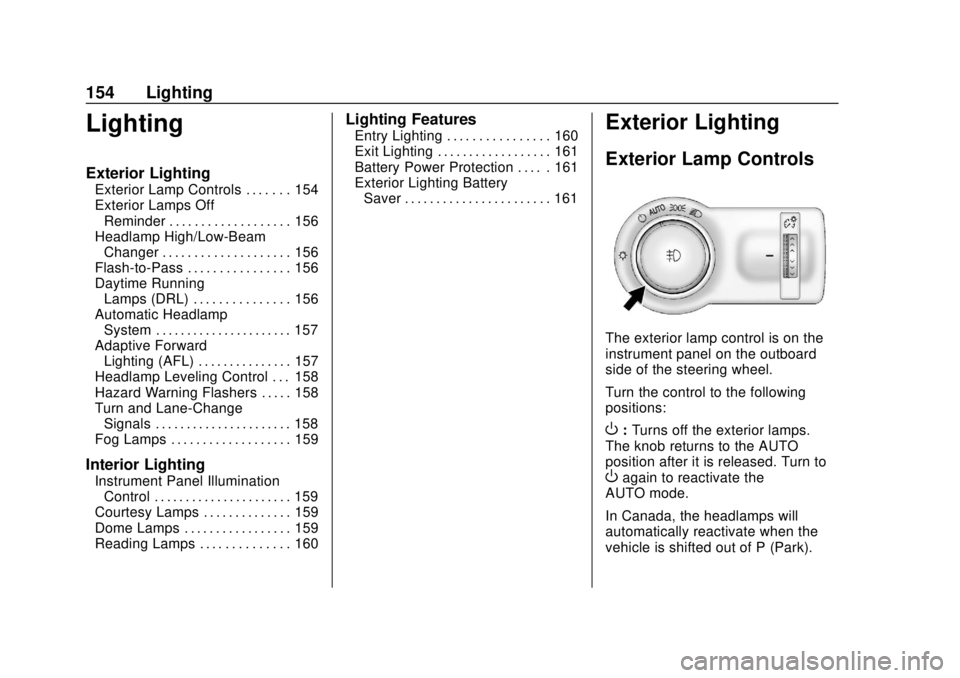
Exterior Lamp Controls
The exterior lamp control is on the
instrument panel on the outboard
side of the steering wheel.
Turn the control to the following
positions:
O: Turns off the exterior lamps.
The knob returns to the AUTO
position after it is released. Turn to
Oagain to reactivate the
AUTO mode.
In Canada, the headlamps will
automatically reactivate when the
vehicle is shifted out of P (Park).
Page 157 of 365
Buick Envision Owner Manual (GMNA-Localizing-U.S./Canada/Mexico-
11434432) - 2018 - CRC - 10/25/17
156 Lighting
.The other vehicle's lamps cannot
be detected due to dense
exhaust, smoke, fog, snow, road
spray, mist, or other airborne
obstructions.
. The vehicle's windshield is dirty,
cracked, or obstructed by
something that blocks the view
of the light sensor.
. The vehicle is loaded such that
the front end points upward,
causing the light sensor to aim
high and not detect headlamps
and taillamps.
. Driving on winding or hilly roads.
The automatic high-beam
headlamps may need to be disabled
if any of the above conditions exist.
Exterior Lamps Off
Reminder
A warning chime sounds if the driver
door is opened while the ignition is
off and the exterior lamps are on.
Headlamp High/
Low-Beam Changer
3
: Push the turn signal lever away
from you and release, to turn the
high beams on. To return to low
beams, push the lever again or pull
it toward you and release.
This indicator light turns on in the
instrument cluster when the
high-beam headlamps are on.
Flash-to-Pass
To flash the high beams, pull the
turn signal lever toward you, and
release.
Daytime Running
Lamps (DRL)
DRL can make it easier for others to
see the front of the vehicle during
the day. Fully functional DRL are
required on all vehicles first sold in
Canada.
The DRL system comes on when
the following conditions are met:
. The ignition is on.
. The exterior lamp control is
in AUTO.
. The transmission is not in
P (Park).
. The light sensor determines it is
daytime.
When the DRL system is on, only
the DRL are on. The taillamps,
sidemarker lamps, instrument panel
lights, and other lamps will not
be on.
When it begins to get dark, the
automatic headlamp system
switches from DRL to the
headlamps.
Page 159 of 365

Buick Envision Owner Manual (GMNA-Localizing-U.S./Canada/Mexico-
11434432) - 2018 - CRC - 10/25/17
158 Lighting
Headlamp Leveling
Control
Automatic Headlamp Leveling
If equipped, the level of the
headlamps is adjusted automatically
based on the vehicle load.
Headlamp aiming is important to
safe driving. If the headlamps
require aiming or the automatic
headlamp leveling system is
malfunctioning, see your dealer for
service.
Hazard Warning Flashers
|:Press this button to make the
front and rear turn signal lamps
flash on and off. Press again to turn
the flashers off.
The hazard warning flashers turn on
automatically if the airbags deploy.
Turn and Lane-Change
Signals
Move the lever all the way up or
down to signal a turn.
An arrow on the instrument cluster
flashes in the direction of the turn or
lane change. Raise or lower the lever until the
arrow starts to flash to signal a lane
change. Hold it there until the lane
change is completed. If the lever is
briefly pressed and released, the
turn signal flashes three times.
The turn and lane-change signal
can be turned off manually by
moving the lever back to its original
position.
If after signaling a turn or lane
change, the arrow flashes rapidly or
does not come on, a signal bulb
may be burned out.
Replace any burned out bulbs. If a
bulb is not burned out, check the
fuse. See
Fuses and Circuit
Breakers 0262.
Page 171 of 365
Buick Envision Owner Manual (GMNA-Localizing-U.S./Canada/Mexico-
11434432) - 2018 - CRC - 10/25/17
170 Driving and Operating
Driving and
Operating
Driving Information
Driver Behavior . . . . . . . . . . . . . . . 171
Driving Environment . . . . . . . . . . 171
Vehicle Design . . . . . . . . . . . . . . . 171
Distracted Driving . . . . . . . . . . . . 172
Defensive Driving . . . . . . . . . . . . . 172
Drunk Driving . . . . . . . . . . . . . . . . . 173
Control of a Vehicle . . . . . . . . . . . 173
Braking . . . . . . . . . . . . . . . . . . . . . . . 173
Steering . . . . . . . . . . . . . . . . . . . . . . 173
Off-Road Recovery . . . . . . . . . . . 174
Loss of Control . . . . . . . . . . . . . . . 174
Driving on Wet Roads . . . . . . . . 175
Hill and Mountain Roads . . . . . 176
Winter Driving . . . . . . . . . . . . . . . . 176
If the Vehicle Is Stuck . . . . . . . . 178
Vehicle Load Limits . . . . . . . . . . . 178
Starting and Operating
New Vehicle Break-In . . . . . . . . . 182
Ignition Positions . . . . . . . . . . . . . 183
Starting the Engine . . . . . . . . . . . 185
Engine Heater . . . . . . . . . . . . . . . . 186
Retained AccessoryPower (RAP) . . . . . . . . . . . . . . . . 188 Shifting Into Park . . . . . . . . . . . . . 188
Shifting out of Park . . . . . . . . . . . 189
Parking over Things
That Burn . . . . . . . . . . . . . . . . . . . 189
Extended Parking . . . . . . . . . . . . 189
Engine Exhaust
Engine Exhaust . . . . . . . . . . . . . . 190
Running the Vehicle While
Parked . . . . . . . . . . . . . . . . . . . . . . 190
Automatic Transmission
Automatic Transmission . . . . . . 191
Manual Mode . . . . . . . . . . . . . . . . . 193
Drive Systems
All-Wheel Drive . . . . . . . . . . . . . . . 194
Brakes
Antilock BrakeSystem (ABS) . . . . . . . . . . . . . . . 194
Electric Parking Brake . . . . . . . . 195
Brake Assist . . . . . . . . . . . . . . . . . . 196
Hill Start Assist (HSA) . . . . . . . . 197
Ride Control Systems
Traction Control/Electronic Stability Control . . . . . . . . . . . . . 197
Cruise Control
Cruise Control . . . . . . . . . . . . . . . . 199
Adaptive Cruise Control . . . . . . 201
Driver Assistance Systems
Driver Assistance Systems . . . 209
Assistance Systems forParking or Backing . . . . . . . . . . 210
Assistance Systems for Driving . . . . . . . . . . . . . . . . . . . . . . 214
Forward Collision Alert (FCA) System . . . . . . . . . . . . . . . . . . . . . . 214
Forward Automatic Braking (FAB) . . . . . . . . . . . . . . . 217
Side Blind Zone Alert (SBZA) . . . . . . . . . . . . . . . . 218
Lane Change Alert (LCA) . . . . . 218
Lane Departure Warning (LDW) . . . . . . . . . . . . . 220
Lane Keep Assist (LKA) . . . . . . 221
Fuel
Fuel . . . . . . . . . . . . . . . . . . . . . . . . . . 223
California Fuel Requirements . . . . . . . . . . . . . . . 224
Fuels in Foreign Countries . . . 224
Fuel Additives . . . . . . . . . . . . . . . . 224
Filling the Tank . . . . . . . . . . . . . . . 224
Filling a Portable Fuel Container . . . . . . . . . . . . . . . . . . . 226
Trailer Towing
General TowingInformation . . . . . . . . . . . . . . . . . . 226
Page 173 of 365

Buick Envision Owner Manual (GMNA-Localizing-U.S./Canada/Mexico-
11434432) - 2018 - CRC - 10/25/17
172 Driving and Operating
same as a vehicle with a lower
center of gravity, like a car, in similar
situations.
Safe driver behavior and
understanding of the environment
can help avoid a rollover crash in
any type of vehicle, including utility
vehicles.
Distracted Driving
Distraction comes in many forms
and can take your focus from the
task of driving. Exercise good
judgment and do not let other
activities divert your attention away
from the road. Many local
governments have enacted laws
regarding driver distraction. Become
familiar with the local laws in
your area.
To avoid distracted driving, keep
your eyes on the road, keep your
hands on the steering wheel, and
focus your attention on driving..
Do not use a phone in
demanding driving situations.
Use a hands-free method to
place or receive necessary
phone calls.
. Watch the road. Do not read,
take notes, or look up
information on phones or other
electronic devices.
. Designate a front seat
passenger to handle potential
distractions.
. Become familiar with vehicle
features before driving, such as
programming favorite radio
stations and adjusting climate
control and seat settings.
Program all trip information into
any navigation device prior to
driving.
. Wait until the vehicle is parked
to retrieve items that have fallen
to the floor.
. Stop or park the vehicle to tend
to children.
. Keep pets in an appropriate
carrier or restraint. .
Avoid stressful conversations
while driving, whether with a
passenger or on a cell phone.
{Warning
Taking your eyes off the road too
long or too often could cause a
crash resulting in injury or death.
Focus your attention on driving.
Refer to the infotainment section for
more information on using that
system and the navigation system,
if equipped, including pairing and
using a cell phone.
Defensive Driving
Defensive driving means “always
expect the unexpected.” The first
step in driving defensively is to wear
the seat belt. See Seat Belts065.
. Assume that other road users
(pedestrians, bicyclists, and
other drivers) are going to be
careless and make mistakes.
Anticipate what they might do
and be ready.