brake light BUICK ENVISION 2023 Owner's Manual
[x] Cancel search | Manufacturer: BUICK, Model Year: 2023, Model line: ENVISION, Model: BUICK ENVISION 2023Pages: 356, PDF Size: 7.42 MB
Page 231 of 356
Buick Envision Owner Manual (GMNA-Localizing-U.S./Canada/Mexico-
16060855) - 2023 - CRC - 2/9/22
230 Driving and Operating
Forward Collision Alert (FCA)
System
If equipped, the FCA system may help to
avoid or reduce the harm caused by
front-end crashes. When approaching a
vehicle ahead too quickly, FCA provides a
red flashing alert on the windshield and
rapidly beeps or pulses the driver seat. FCA
also lights an amber visual alert if following
another vehicle much too closely.
FCA detects vehicles within a distance of
approximately 60 m (197 ft) and operates at
speeds above 8 km/h (5 mph). If the vehicle
has Adaptive Cruise Control (ACC), it can
detect vehicles to distances of approximately
110 m (360 ft) and operates at all speeds.
SeeAdaptive Cruise Control (Advanced)
0 211.
{Warning
FCA is a warning system and does not
apply the brakes. When approaching a
slower-moving or stopped vehicle ahead
too rapidly, or when following a vehicle
too closely, FCA may not provide a
warning with enough time to help avoid
a crash. It also may not provide any
(Continued)
Warning (Continued)
warning at all. FCA does not warn of
pedestrians, animals, signs, guardrails,
bridges, construction barrels, or other
objects. Be ready to take action and
apply the brakes. SeeDefensive Driving
0 182.
To view available settings for this feature,
touch the Settings icon on the infotainment
home page. Select “Vehicle”to display the
list of available options and select “Collision/
Detection Systems”.
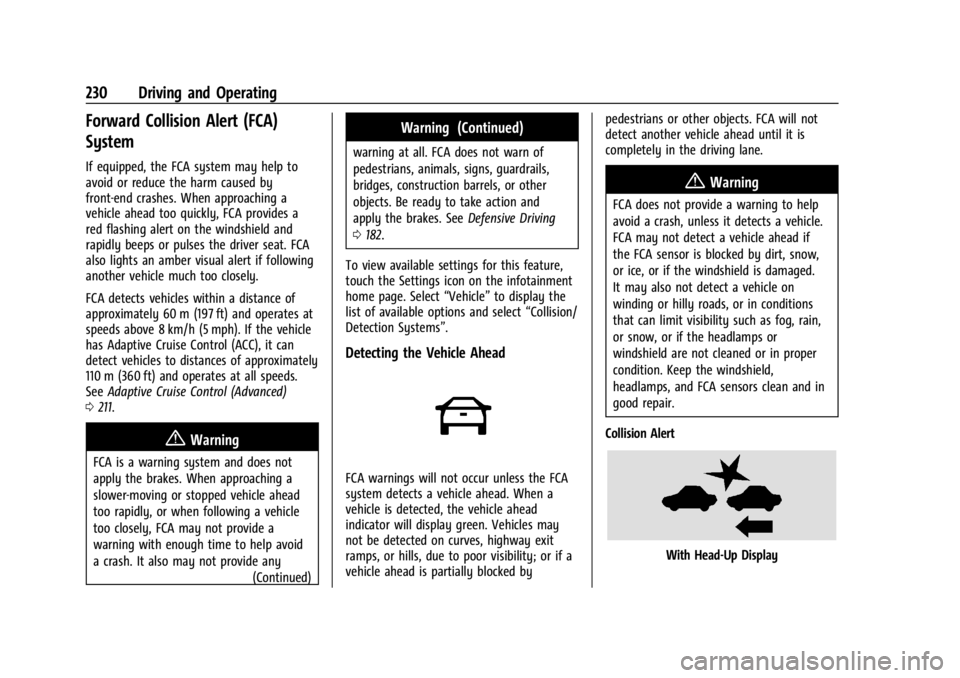
Detecting the Vehicle Ahead
FCA warnings will not occur unless the FCA
system detects a vehicle ahead. When a
vehicle is detected, the vehicle ahead
indicator will display green. Vehicles may
not be detected on curves, highway exit
ramps, or hills, due to poor visibility; or if a
vehicle ahead is partially blocked by pedestrians or other objects. FCA will not
detect another vehicle ahead until it is
completely in the driving lane.
{Warning
FCA does not provide a warning to help
avoid a crash, unless it detects a vehicle.
FCA may not detect a vehicle ahead if
the FCA sensor is blocked by dirt, snow,
or ice, or if the windshield is damaged.
It may also not detect a vehicle on
winding or hilly roads, or in conditions
that can limit visibility such as fog, rain,
or snow, or if the headlamps or
windshield are not cleaned or in proper
condition. Keep the windshield,
headlamps, and FCA sensors clean and in
good repair.
Collision Alert
With Head-Up Display
Page 250 of 356
Buick Envision Owner Manual (GMNA-Localizing-U.S./Canada/Mexico-
16060855) - 2023 - CRC - 2/9/22
Driving and Operating 249
brakes are selectively applied at each wheel,
to help reduce excessive trailer sway.
If equipped with the Integrated Trailer Brake
Control (ITBC) system, and the trailer has an
electric brake system, StabiliTrak/ESC may
also apply the trailer brakes.
If TSC is enabled, the Traction Control
System (TCS)/StabiliTrak/ESC warning light
will flash on the instrument cluster. Reduce
vehicle speed by gradually removing your
foot from the accelerator. If trailer sway
continues, StabiliTrak/ESC can reduce engine
torque to help slow the vehicle. TSC will not
function if StabiliTrak/ESC is turned off. See
Traction Control/Electronic Stability Control
0204.
{Warning
Trailer sway can result in a crash and in
serious injury or death, even if the
vehicle is equipped with TSC.
(Continued)
Warning (Continued)
If the trailer begins to sway, reduce
vehicle speed by gradually removing your
foot from the accelerator. Then pull over
to check the trailer and vehicle to help
correct possible causes, including an
improperly or overloaded trailer,
unrestrained cargo, improper trailer hitch
configuration, or improperly inflated or
incorrect vehicle or trailer tires. See
Towing Equipment0247 for trailer
ratings and hitch setup recommendations.
Trailer Tires
Special Trailer (ST) tires differ from vehicle
tires. Trailer tires are designed with stiff
sidewalls to help prevent sway and to
support heavy loads. These features can
make it difficult to determine if the trailer
tire pressures are low only based on a visual
inspection.
Always check all trailer tire pressures before
each trip when the tires are cool. Low trailer
tire pressure is a leading cause of trailer tire
blow-outs. Trailer tires deteriorate over time. The trailer
tire sidewall will show the week and year
the tire was manufactured. Many trailer tire
manufacturers recommend replacing tires
more than six years old.
Overloading is another leading cause of
trailer tire blow-outs. Never load your trailer
with more weight than the tires are
designed to support. The load rating is
located on the trailer tire sidewall.
Always know the maximum speed rating for
the trailer tires before driving. This may be
significantly lower than the vehicle tire
speed rating. The speed rating may be on
the trailer tire sidewall. If the speed rating is
not shown, the default trailer tire speed
rating is 105 km/h (65 mph).
Conversions and Add-Ons
Add-On Electrical Equipment
{Warning
The Data Link Connector (DLC) is used for
vehicle service and Emission Inspection/
Maintenance testing. See
Malfunction
Indicator Lamp (Check Engine Light) 098.
(Continued)
Page 252 of 356
Buick Envision Owner Manual (GMNA-Localizing-U.S./Canada/Mexico-
16060855) - 2023 - CRC - 2/9/22
Vehicle Care 251
Vehicle Care
General Information
General Information . . . . . . . . . . . . . . . . . . . 252
California Perchlorate MaterialsRequirements . . . . . . . . . . . . . . . . . . . . . . . . 252
Accessories and Modifications . . . . . . . . . 252
Vehicle Checks
Doing Your Own Service Work . . . . . . . . . 252
Hood . . . . . . . . . . . . . . . . . . . . . . . . . . . . . . . . . . 253
Engine Compartment Overview . . . . . . . . 254
Engine Oil . . . . . . . . . . . . . . . . . . . . . . . . . . . . . 255
Engine Oil Life System . . . . . . . . . . . . . . . . . 257
Automatic Transmission Fluid . . . . . . . . . 258
Engine Air Filter Life System . . . . . . . . . . 258
Engine Air Cleaner/Filter . . . . . . . . . . . . . . . 258
Cooling System . . . . . . . . . . . . . . . . . . . . . . . 259
Engine Overheating . . . . . . . . . . . . . . . . . . . 262
Washer Fluid . . . . . . . . . . . . . . . . . . . . . . . . . . 263
Brakes . . . . . . . . . . . . . . . . . . . . . . . . . . . . . . . . 264
Brake Fluid . . . . . . . . . . . . . . . . . . . . . . . . . . . . 265
Battery - North America . . . . . . . . . . . . . . . 266
All-Wheel Drive . . . . . . . . . . . . . . . . . . . . . . . 266
Park Brake and P (Park) Mechanism Check . . . . . . . . . . . . . . . . . . . . . . . . . . . . . . . 266
Wiper Blade Replacement . . . . . . . . . . . . . 267
Windshield Replacement . . . . . . . . . . . . . . 268
Gas Strut(s) . . . . . . . . . . . . . . . . . . . . . . . . . . . 268
Headlamp Aiming
Front Headlamp Aiming . . . . . . . . . . . . . . . 269
Bulb Replacement
Bulb Replacement . . . . . . . . . . . . . . . . . . . . . 269
LED Lighting . . . . . . . . . . . . . . . . . . . . . . . . . . 269
Electrical System
Electrical System Overload . . . . . . . . . . . . 269
Fuses and Circuit Breakers . . . . . . . . . . . . . 271
Engine Compartment Fuse Block . . . . . . . 271
Instrument Panel Fuse Block . . . . . . . . . . . 274
Wheels and Tires
Tires . . . . . . . . . . . . . . . . . . . . . . . . . . . . . . . . . . . 277
All-Season Tires . . . . . . . . . . . . . . . . . . . . . . . . 278
Winter Tires . . . . . . . . . . . . . . . . . . . . . . . . . . . 278
Tire Sidewall Labeling . . . . . . . . . . . . . . . . . 279
Tire Designations . . . . . . . . . . . . . . . . . . . . . . 280
Tire Terminology and Definitions . . . . . . 281
Tire Pressure . . . . . . . . . . . . . . . . . . . . . . . . . . 283
Tire Pressure for High-Speed Operation . . . . . . . . . . . . . . . . . . . . . . . . . . . 284
Tire Pressure Monitor System . . . . . . . . . 285
Tire Pressure Monitor Operation . . . . . . 286
Tire Inspection . . . . . . . . . . . . . . . . . . . . . . . . 288
Tire Rotation . . . . . . . . . . . . . . . . . . . . . . . . . . 288
When It Is Time for New Tires . . . . . . . . 289
Buying New Tires . . . . . . . . . . . . . . . . . . . . . 290
Different Size Tires and Wheels . . . . . . . . 291
Uniform Tire Quality Grading . . . . . . . . . . 291 Wheel Alignment and Tire Balance . . . . 293
Wheel Replacement . . . . . . . . . . . . . . . . . . . 293
Tire Chains . . . . . . . . . . . . . . . . . . . . . . . . . . . . 293
If a Tire Goes Flat . . . . . . . . . . . . . . . . . . . . . 294
Tire Changing . . . . . . . . . . . . . . . . . . . . . . . . . 295
Compact Spare Tire . . . . . . . . . . . . . . . . . . . 300
Jump Starting
Jump Starting - North America . . . . . . . . 300
Towing the Vehicle
Transporting a Disabled Vehicle . . . . . . . 302
Recreational Vehicle Towing . . . . . . . . . . . 304
Appearance Care
Exterior Care . . . . . . . . . . . . . . . . . . . . . . . . . . 304
Interior Care . . . . . . . . . . . . . . . . . . . . . . . . . . 308
Floor Mats . . . . . . . . . . . . . . . . . . . . . . . . . . . . . 311
Page 263 of 356

Buick Envision Owner Manual (GMNA-Localizing-U.S./Canada/Mexico-
16060855) - 2023 - CRC - 2/9/22
262 Vehicle Care
3. If topping off the level in the coolantsurge tank, add the proper mixture until
the level reaches the mark on the front
of the tank and replace the cap. Operate
the vehicle. Repeat steps 1–3, as
necessary.
If filling the system (such as after
servicing), follow the Automatic Coolant
Service Fill Instructions.
Caution
If the pressure cap is not tightly installed,
coolant loss and engine damage may
occur. Be sure the cap is properly and
tightly secured.
Automatic Coolant Service Fill
Instructions
This feature assists in filling and removing
air from the cooling system after service of
components or when coolant is added after
being too low. To activate the fill and air removal process:
1. With a cold system, add coolant to the
indicated mark on the surge tank.
2. Replace the cap on the surge tank.
3. Connect the vehicle to a battery charger.
4. Press and hold the Engine Start/Stop button for more than five seconds.
5. Turn off the air conditioning.
6. Set the parking brake.
7. At the same time, press the accelerator and the brake for automatic transmission
vehicles for two seconds, then release. At the end of the cycle, check the coolant
level in the surge tank and add coolant if it
is low. Turn off the vehicle, allow the
Electronic Control Module (ECM) to go to
sleep, about two minutes, and repeat
Steps 3-7.
Listen for pump activation and movement of
the control valves while watching the level
of the coolant in the surge tank. If the tank
empties, turn the ignition off, carefully
remove the surge tank cap, refill to the
indicated mark, and repeat Steps 3-6. The fill
and air removal process will run for
approximately 10 minutes.Engine Overheating
The vehicle has several indicators to warn of
the engine overheating.
There is an engine coolant temperature
gauge and an engine coolant temperature
warning light on the instrument cluster. See
Engine Coolant Temperature Gauge
096.
The vehicle may also display a message on
the Driver Information Center (DIC).
If the decision is made not to lift the hood
when this warning appears, get service help
right away.
Page 266 of 356

Buick Envision Owner Manual (GMNA-Localizing-U.S./Canada/Mexico-
16060855) - 2023 - CRC - 2/9/22
Vehicle Care 265
Replacing Brake System Parts
Always replace brake system parts with
new, approved replacement parts. If this is
not done, the brakes may not work
properly. The braking performance can
change in many ways if the wrong brake
parts are installed or if parts are improperly
installed.
Brake Fluid
The brake master cylinder reservoir is filled
with GM approved DOT 4 brake fluid as
indicated on the reservoir cap. SeeEngine
Compartment Overview 0254 for the
location of the reservoir.
Checking Brake Fluid
With the vehicle in P (Park) on a level
surface, the brake fluid level should be
between the minimum and maximum marks
on the brake fluid reservoir. There are only two reasons why the brake
fluid level in the reservoir may go down:
.Normal brake lining wear. When new
linings are installed, the fluid level goes
back up.
.A fluid leak in the brake hydraulic system.
Have the brake hydraulic system fixed.
With a leak, the brakes will not
work well.
Always clean the brake fluid reservoir cap
and the area around the cap before
removing it.
Do not top off the brake fluid. Adding fluid
does not correct a leak. If fluid is added
when the linings are worn, there will be too
much fluid when new brake linings are
installed. Add or remove fluid, as necessary,
only when work is done on the brake
hydraulic system.
{Warning
If too much brake fluid is added, it can
spill on the engine and burn, if the
engine is hot enough. You or others could
be burned, and the vehicle could be
damaged. Add brake fluid only when
work is done on the brake hydraulic
system. When the brake fluid falls to a low level,
the brake warning light comes on. See
Brake
System Warning Light 099.
Brake fluid absorbs water over time which
degrades the effectiveness of the brake fluid.
Replace brake fluid at the specified intervals
to prevent increased stopping distance. See
Maintenance Schedule 0313.
What to Add
Use only GM approved DOT 4 brake fluid
from a clean, sealed container. See
Recommended Fluids and Lubricants 0317.
{Warning
The wrong or contaminated brake fluid
could result in damage to the brake
system. This could result in the loss of
braking leading to a possible injury.
Always use the proper GM approved
brake fluid.
Caution
If brake fluid is spilled on the vehicle's
painted surfaces, the paint finish can be
damaged. Immediately wash off any
painted surface.
Page 273 of 356

Buick Envision Owner Manual (GMNA-Localizing-U.S./Canada/Mexico-
16060855) - 2023 - CRC - 2/9/22
272 Vehicle Care
The vehicle may not be equipped with all of
the fuses, relays, and features shown.Fuses Usage
F02 TRLR ST/TRN RT –Trailer
Stop/Turn Lamp Right
F03 EBCM –Electronic Brake
Control Module
F05 Rear Defog
F06 – Fuses Usage
F07 TRLR ST/TRN LT –Trailer
Stop/Turn Lamp Left
F08 –
F09 SADS –Suspension
Control Semi Active
Dampen System Module Fuses Usage
F10 AFS/RDCM –Adaptive
Front Lighting System/
Rear Drive Control
Module
F11 DC DC CNV 1 –Direct
Current to Direct Current
Converter 1
F12 PWR T/GATE –Power
Tailgate
F13 –
F14 CNSTR VENT SOL –
Canister Vent Solenoid
F15 –
F16 FRT/WPR –Front Wiper
F17 PASS PWR/SEAT –
Passenger Power Seat
F18 DRVR PWR WNDW –
Driver Power Window
F19 PASS PWR WNDW –
Passenger Power Window
F21 ELM 1 –Exterior Lighting
Module 1
F22 ELM 3 –Exterior Lighting
Module 3
Page 277 of 356
Buick Envision Owner Manual (GMNA-Localizing-U.S./Canada/Mexico-
16060855) - 2023 - CRC - 2/9/22
276 Vehicle Care
Fuses UsageF20 SDM/AOS/DLC/ WCM–Sensing
Diagnostic
Module/Automatic
Occupant Sensing/
Data Link
Connector/
Wireless Charger
Module
F21 CGM/OnStar –
Central Gateway
Module/OnStar
F22 EOCM/LRR/PRK Assist/FCM/SBZA –
External Object
Calculating
Module/Long
Range Radar/Park
Assist/Front
Camera Module/
Side Blind Zone
Alert
F23 Video Processing Module
F24 – Fuses Usage
F25 AC POWER OUTLET/USB
CHARGE PORT –
Alternate Current
Power Outlet/USB
Charge Port
F26 –
F27 Amplifier
F28 MISC 4 –Heated
Steering Wheel
Module/Exterior
Lighting Module
Battery 2/Direct
Current/Alternate
Current Inverter
F29 IPC/HUD/AQI MDL/CS & HVAC
DISPLAYS –
Instrument Panel
Cluster/Heads Up
Display/Air Quality
Ionizer Module/
Center Stack
Display/Heating
Ventilation and Air
Conditioning
Display Fuses Usage
F30 –
F31 Run/Crank Auxiliary Power
Module/Battery
System Manager/
Motor Control Unit
F32 RUN/CRANK MISC 3 –Humidity
Sensors/Exterior
Lighting Module/
Electronic Brake
Control Module/
Exterior Air
Quality Sensor/
Manual Headlamp
Leveling/Inside
Rear View Mirror/
Interior Particulate
Matter Sensor/
Seat Fan Control
Cushion and Back
Driver and
Passenger
F33 –
Page 278 of 356

Buick Envision Owner Manual (GMNA-Localizing-U.S./Canada/Mexico-
16060855) - 2023 - CRC - 2/9/22
Vehicle Care 277
Fuses UsageF34 RUN/CRANK MISC 1 & 2–Shifter
Interface Board
Module/
Instrument Panel
Cluster/
Transmission
Control Module
(MISC 1)/Sensing
and Diagnostic
Module/Headlamp
Manual Leveling
Switch/Reflective
Light Auxiliary
Display (MISC 2)
F35 RUN CRANK ECM IGN–RUN/CRANK
Engine Control
Module Ignition
F36 EPB SWITCH/ SHIFTER INTERFACE
BOARD–Electric
Park Brake Switch/
Shifter Interface
Board Fuses Usage
F37 RADIO/CSM/ AUXILIARY JACK –
Radio/Center Stack
Module/
Auxiliary Jack
F38 –
F39 STR/WHL/CNTRLS SWS–SW
Controls –Cruise/
Fast Idle Switches
F40 Exterior Lighting Module 2
F41 Heated Steering Wheel Module
F42 Direct Current to Alternate Current
Inverter Module
CB1 –
CB2 APO CONSOLE –
Auxiliary Power
Outlet Console Relays Usage
K01 RAP/ACCY –Retained
Accessory Power
K02 Run/Crank
K03 –
K04 –
K05 –
Wheels and Tires
Tires
Every new GM vehicle has high-quality
tires made by a leading tire
manufacturer. See the warranty manual
for information regarding the tire
warranty and where to get service. For
additional information refer to the tire
manufacturer.
Page 288 of 356

Buick Envision Owner Manual (GMNA-Localizing-U.S./Canada/Mexico-
16060855) - 2023 - CRC - 2/9/22
Vehicle Care 287
.One of the road tires has been replaced
with the spare tire. The spare tire does
not have a TPMS sensor. The malfunction
light and the DIC message should go off
after the road tire is replaced and the
sensor matching process is performed
successfully. See "TPMS Sensor Matching
Process" later in this section.
.The TPMS sensor matching process was
not done or not completed successfully
after rotating the tires. The malfunction
light and the DIC message should go off
after successfully completing the sensor
matching process. See "TPMS Sensor
Matching Process" later in this section.
.One or more TPMS sensors are missing or
damaged. The malfunction light and the
DIC message should go off when the
TPMS sensors are installed and the sensor
matching process is performed
successfully. See your dealer for service.
.Replacement tires or wheels do not match
the original equipment tires or wheels.
Tires and wheels other than those
recommended could prevent the TPMS
from functioning properly. SeeBuying
New Tires 0290.
.Operating electronic devices or being near
facilities using radio wave frequencies
similar to the TPMS could cause the TPMS
sensors to malfunction.
If the TPMS is not functioning properly, it
cannot detect or signal a low tire pressure
condition. See your dealer for service if the
TPMS malfunction light and DIC message
come on and stay on.
Tire Fill Alert (If Equipped)
This feature provides visual and audible
alerts outside the vehicle to help when
inflating an underinflated tire to the
recommended cold tire pressure.
When the low tire pressure warning light
comes on: 1. Park the vehicle in a safe, level place.
2. Set the parking brake firmly.
3. Place the vehicle in P (Park).
4. Add air to the tire that is underinflated. The turn signal lamp will flash.
When the recommended pressure is
reached, the horn sounds once and the
turn signal lamp will stop flashing and
briefly turn solid. Repeat these steps for all underinflated tires
that have illuminated the low tire pressure
warning light.
{Warning
Overinflating a tire could cause the tire
to rupture and you or others could be
injured. Do not exceed the maximum
pressure listed on the tire sidewall. See
Tire Sidewall Labeling
0279 and
Vehicle Load Limits 0188.
If the tire is overinflated by more than
35 kPa (5 psi), the horn will sound multiple
times and the turn signal lamp will continue
to flash for several seconds after filling
stops. To release and correct the pressure,
while the turn signal lamp is still flashing,
briefly press the center of the valve stem.
When the recommended pressure is reached,
the horn sounds once.
If the turn signal lamp does not flash within
15 seconds after starting to inflate the tire,
the tire fill alert has not been activated or is
not working.
If the hazard warning flashers are on, the
tire fill alert visual feedback will not work
properly.
Page 291 of 356

Buick Envision Owner Manual (GMNA-Localizing-U.S./Canada/Mexico-
16060855) - 2023 - CRC - 2/9/22
290 Vehicle Care
1.6 mm (1/16 in) or less of tread remaining.
SeeTire Inspection 0288 and
Tire Rotation 0288.
The rubber in tires ages over time. This also
applies to the spare tire, if the vehicle has
one, even if it is never used. Multiple factors
including temperatures, loading conditions,
and inflation pressure maintenance affect
how fast aging takes place. GM recommends
that tires, including the spare if equipped,
be replaced after six years, regardless of
tread wear. To identify the age of a tire, use
the tire manufacture date, which is the last
four digits of the DOT Tire Identification
Number (TIN) molded into one side of the
tire sidewall. The last four digits of the TIN
indicate the tire manufactured date. The
first two digits represent the week and the
last two digits, the year. For example, the
third week of the year 2020 would have a
4-digit DOT date of 0320. Week 01 is the
first full week (Sunday through Saturday) of
each year.
Vehicle Storage
Tires age when stored normally mounted on
a parked vehicle. Park a vehicle that will be
stored for at least a month in a cool, dry,
clean area away from direct sunlight to slow aging. This area should be free of grease,
gasoline, or other substances that can
deteriorate rubber.
Parking for an extended period can cause
flat spots on the tires that may result in
vibrations while driving. When storing a
vehicle for at least a month, remove the
tires or raise the vehicle to reduce the
weight from the tires.
Buying New Tires
GM has developed and matched specific
tires for the vehicle. The original
equipment tires installed were designed
to meet General Motors Tire
Performance Criteria Specification (TPC
Spec) system rating. When replacement
tires are needed, GM strongly
recommends buying tires with the same
TPC Spec rating.
GM's exclusive TPC Spec system
considers over a dozen critical
specifications that impact the overall
performance of the vehicle, including
brake system performance, ride and
handling, traction control, and tire
pressure monitoring performance. GM's
TPC Spec number is molded onto the
tire's sidewall near the tire size. If the
tires have an all-season tread design,
the TPC Spec number will be followed
by MS for mud and snow. See
Tire
Sidewall Labeling 0279 for additional
information.
GM recommends replacing worn tires in
complete sets of four. Uniform tread
depth on all tires will help to maintain
the performance of the vehicle. Braking
and handling performance may be
adversely affected if all the tires are not
replaced at the same time. If proper
rotation and maintenance have been
done, all four tires should wear out at
about the same time. However, if it is
necessary to replace only one axle set
of worn tires, place the new tires on
the rear axle. See Tire Rotation0288.
{Warning
Tires could explode during improper
service. Attempting to mount or
dismount a tire could cause injury or
(Continued)