child lock BUICK ENVISION 2023 Owners Manual
[x] Cancel search | Manufacturer: BUICK, Model Year: 2023, Model line: ENVISION, Model: BUICK ENVISION 2023Pages: 356, PDF Size: 7.42 MB
Page 4 of 356
Buick Envision Owner Manual (GMNA-Localizing-U.S./Canada/Mexico-
16060855) - 2023 - CRC - 2/9/22
Introduction 3
Caution
Caution indicates a hazard that could
result in property or vehicle damage.
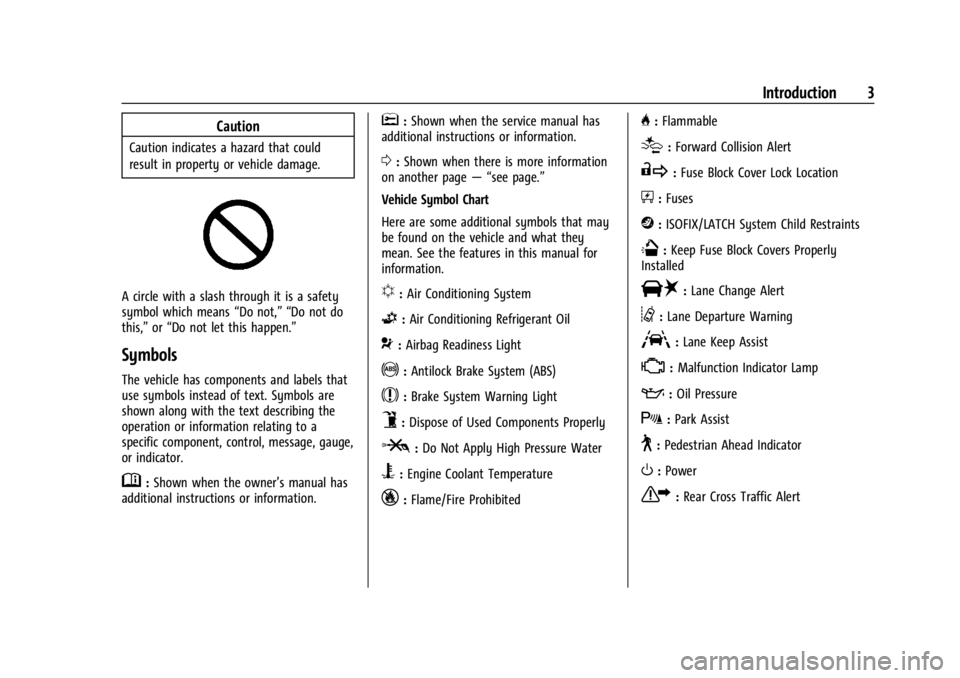
A circle with a slash through it is a safety
symbol which means“Do not,” “Do not do
this,” or“Do not let this happen.”
Symbols
The vehicle has components and labels that
use symbols instead of text. Symbols are
shown along with the text describing the
operation or information relating to a
specific component, control, message, gauge,
or indicator.
M:Shown when the owner’s manual has
additional instructions or information.
*: Shown when the service manual has
additional instructions or information.
0: Shown when there is more information
on another page — “see page.”
Vehicle Symbol Chart
Here are some additional symbols that may
be found on the vehicle and what they
mean. See the features in this manual for
information.
u: Air Conditioning System
G:Air Conditioning Refrigerant Oil
9:Airbag Readiness Light
!:Antilock Brake System (ABS)
$:Brake System Warning Light
9:Dispose of Used Components Properly
P:Do Not Apply High Pressure Water
B:Engine Coolant Temperature
_:Flame/Fire Prohibited
H: Flammable
[:Forward Collision Alert
R:Fuse Block Cover Lock Location
+:Fuses
j:ISOFIX/LATCH System Child Restraints
Q:Keep Fuse Block Covers Properly
Installed
|: Lane Change Alert
@:Lane Departure Warning
A:Lane Keep Assist
*: Malfunction Indicator Lamp
::Oil Pressure
X:Park Assist
~:Pedestrian Ahead Indicator
O:Power
7:Rear Cross Traffic Alert
Page 8 of 356

Buick Envision Owner Manual (GMNA-Localizing-U.S./Canada/Mexico-
16060855) - 2023 - CRC - 2/9/22
Keys, Doors, and Windows 7
Keys, Doors, and
Windows
Keys and Locks
Keys . . . . . . . . . . . . . . . . . . . . . . . . . . . . . . . . . . . . . 7
Remote Key . . . . . . . . . . . . . . . . . . . . . . . . . . . . . 8
Remote Key Operation . . . . . . . . . . . . . . . . . . 8
Remote Vehicle Start . . . . . . . . . . . . . . . . . . . 13
Door Locks . . . . . . . . . . . . . . . . . . . . . . . . . . . . . . 14
Power Door Locks . . . . . . . . . . . . . . . . . . . . . . . 16
Delayed Locking . . . . . . . . . . . . . . . . . . . . . . . . 16
Automatic Door Locks . . . . . . . . . . . . . . . . . . . 17
Lockout Protection . . . . . . . . . . . . . . . . . . . . . . 17
Safety Locks . . . . . . . . . . . . . . . . . . . . . . . . . . . . 17
Doors
Liftgate . . . . . . . . . . . . . . . . . . . . . . . . . . . . . . . . . 18
Vehicle Security
Vehicle Security . . . . . . . . . . . . . . . . . . . . . . . . 24
Vehicle Alarm System . . . . . . . . . . . . . . . . . . 24
Steering Column Lock . . . . . . . . . . . . . . . . . . . 25
Immobilizer . . . . . . . . . . . . . . . . . . . . . . . . . . . . . 25
Immobilizer Operation . . . . . . . . . . . . . . . . . . 25
Exterior Mirrors
Convex Mirrors . . . . . . . . . . . . . . . . . . . . . . . . . 26
Power Mirrors . . . . . . . . . . . . . . . . . . . . . . . . . . 26
Folding Mirrors . . . . . . . . . . . . . . . . . . . . . . . . . 27
Heated Mirrors . . . . . . . . . . . . . . . . . . . . . . . . . 27Automatic Dimming Mirror . . . . . . . . . . . . . 27
Reverse Tilt Mirrors . . . . . . . . . . . . . . . . . . . . . 27
Interior Mirrors
Interior Rearview Mirrors . . . . . . . . . . . . . . . 27
Manual Rearview Mirror . . . . . . . . . . . . . . . . 27
Automatic Dimming Rearview Mirror . . . 27
Rear Camera Mirror . . . . . . . . . . . . . . . . . . . . . 27
Windows
Windows . . . . . . . . . . . . . . . . . . . . . . . . . . . . . . . 30
Power Windows . . . . . . . . . . . . . . . . . . . . . . . . 30
Sun Visors . . . . . . . . . . . . . . . . . . . . . . . . . . . . . . 31
Roof
Sunroof . . . . . . . . . . . . . . . . . . . . . . . . . . . . . . . . . 32
Keys and Locks
Keys
{Warning
Leaving children in a vehicle with a
remote key is dangerous and children or
others could be seriously injured or killed.
They could operate the power windows
or other controls or make the vehicle
move. The windows will function with
the remote key in the vehicle, and
children or others could be caught in the
path of a closing window. Do not leave
children in a vehicle with a remote key.
Page 15 of 356
Buick Envision Owner Manual (GMNA-Localizing-U.S./Canada/Mexico-
16060855) - 2023 - CRC - 2/9/22
14 Keys, Doors, and Windows
10 minutes. The last 10 minute start would
shut off automatically as your total
30 minutes will have been used.
Starting the Engine Using Remote Start1. Press
Stwice on the remote key. The
turn signal lamps will flash. The lamps
flash to confirm the request to remote
start the vehicle has been received.
During the remote start, the parking
lamps will remain on as long as the
engine is running.
2. The engine will shut off after 15 minutes or after the remainder of the 30 minute
total running time is used, unless you
stop the remote start before engine
running has completed or the vehicle is
turned on.
3. After entering the vehicle during a remote start, press the brake and ENGINE
START/STOP with the remote key in the
vehicle to drive the vehicle.
Additional Engine Run Time
Remote start can be used for up to
30 minutes of total engine run time. After two remote starts of 15 minutes,
or multiple shorter time starts totaling
30 minutes have been used, the vehicle
must be started normally before the remote
start can be used again.
Canceling a Remote Start
To cancel a remote start, do any of the
following:
.PressS. The parking lamps will turn off.
.Turn on the hazard warning flashers.
.Turn the vehicle on and then back off.
Conditions in Which Remote Start Will
Not Work
The remote start will not operate if any of
the following occur:
.The ignition is in any mode other
than off.
.A remote key is in the vehicle.
.The hood is not closed.
.The hazard warning flashers are on.
.There is an emission control system
malfunction.
.The engine coolant temperature is
too high.
.The oil pressure is low.
.The 30 minutes of engine run time have
been used.
.The vehicle is not in P (Park).
Door Locks
{Warning
Unlocked doors can be dangerous.
.Passengers, especially children, can
easily open the doors and fall out of a
moving vehicle. The doors can be
unlocked and opened while the vehicle
is moving. The chance of being thrown
out of the vehicle in a crash is
increased if the doors are not locked.
So, all passengers should wear seat
belts properly and the doors should be
locked whenever the vehicle is driven.
.Young children who get into unlocked
vehicles may be unable to get out.
A child can be overcome by extreme
heat and can suffer permanent injuries
or even death from heat stroke.
Always lock the vehicle whenever
leaving it. (Continued)
Page 19 of 356
Buick Envision Owner Manual (GMNA-Localizing-U.S./Canada/Mexico-
16060855) - 2023 - CRC - 2/9/22
18 Keys, Doors, and Windows
When the safety lock is enabled, adults and
older children will not be able to open the
rear door from the inside. Cancel the safety
locks to enable the doors to open from the
inside.
To cancel the safety lock:1. Unlock the door and open it from the outside.
2. Move the lever up to unlock. Do the same for the other door.
Doors
Liftgate
{Warning
Exhaust gases can enter the vehicle if it
is driven with the liftgate or trunk/hatch
open, or with any objects that pass
through the seal between the body and
the trunk/hatch or liftgate. Engine
exhaust contains carbon monoxide (CO)
which cannot be seen or smelled. It can
cause unconsciousness and even death.
(Continued)
Warning (Continued)
If the vehicle must be driven with the
liftgate or trunk/hatch open:
.Close all of the windows.
.Fully open the air outlets on or under
the instrument panel.
.Adjust the climate control system to a
setting that brings in only outside air
and set the fan speed to the highest
setting. See“Climate Control Systems”
in the Index.
.If the vehicle is equipped with a
power liftgate, disable the power
liftgate function.
See Engine Exhaust 0197.
Caution
To avoid damage to the liftgate or
liftgate glass, make sure the area above
and behind the liftgate is clear before
opening it.
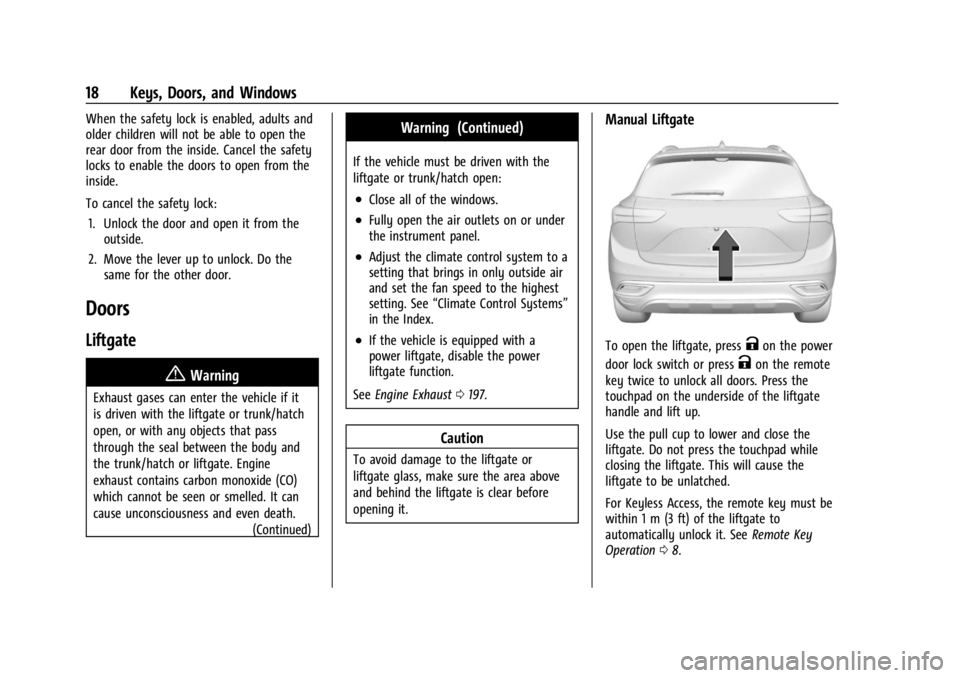
Manual Liftgate
To open the liftgate, pressKon the power
door lock switch or press
Kon the remote
key twice to unlock all doors. Press the
touchpad on the underside of the liftgate
handle and lift up.
Use the pull cup to lower and close the
liftgate. Do not press the touchpad while
closing the liftgate. This will cause the
liftgate to be unlatched.
For Keyless Access, the remote key must be
within 1 m (3 ft) of the liftgate to
automatically unlock it. See Remote Key
Operation 08.
Page 31 of 356

Buick Envision Owner Manual (GMNA-Localizing-U.S./Canada/Mexico-
16060855) - 2023 - CRC - 2/9/22
30 Keys, Doors, and Windows
.The camera’s mounting on the vehicle has
been damaged, and/or the position or the
mounting angle of the camera has
changed.
Windows{
Warning
Never leave a child, a helpless adult, or a
pet alone in a vehicle, especially with the
windows closed in warm or hot weather.
They can be overcome by the extreme
heat and suffer permanent injuries or
even death from heat stroke.
The vehicle aerodynamics are designed to
improve fuel economy performance. This
may result in a pulsing sound when either
rear window is down and the front windows
are up. To reduce the sound, open either a
front window or the sunroof, if equipped.
Power Windows
{Warning
Children could be seriously injured or
killed if caught in the path of a closing
window. Never leave the remote key in a
vehicle with children. When there are
children in the rear seat, use the window
lockout switch to prevent operation of
the windows. See Keys07.
The power windows work when the ignition
is on, in accessory mode, or when Retained
Accessory Power (RAP) is active. See
Retained Accessory Power (RAP) 0195.
Using the window switch, press to open or
pull to close the window.
The windows may be temporarily disabled if
they are used repeatedly within a
short time.
Page 37 of 356

Buick Envision Owner Manual (GMNA-Localizing-U.S./Canada/Mexico-
16060855) - 2023 - CRC - 2/9/22
36 Seats and Restraints
3. Release the handle to stop the seat frommoving.
4. Try to move the seat back and forth to be sure it is locked in place.
Seat Height Adjuster
If equipped, move the lever up or down to
manually raise or lower the seat.
Power Seat Adjustment
{Warning
The power seats will work with the
ignition off. Children could operate the
power seats and be injured. Never leave
children alone in the vehicle.
To adjust a power seat, if equipped:
.Move the seat forward or rearward by
sliding the control forward or rearward.
.Raise or lower the front part of the seat
cushion by moving the front of the
control up or down.
.Raise or lower the entire seat by moving
the rear of the control up or down.
To adjust the seatback, see Reclining
Seatbacks 036.
To adjust the lumbar support, see Lumbar
Adjustment 038.
Reclining Seatbacks
{Warning
Sitting in a reclined position when the
vehicle is in motion can be dangerous.
Even when buckled up, the seat belts
cannot do their job.
The shoulder belt will not be against
your body. Instead, it will be in front of
you. In a crash, you could go into it,
receiving neck or other injuries.
The lap belt could go up over your
abdomen. The belt forces would be there,
not at your pelvic bones. This could cause
serious internal injuries.
For proper protection when the vehicle is
in motion, have the seatback upright.
Then sit well back in the seat and wear
the seat belt properly.
Page 43 of 356
Buick Envision Owner Manual (GMNA-Localizing-U.S./Canada/Mexico-
16060855) - 2023 - CRC - 2/9/22
42 Seats and Restraints
buttons on the center stack. Use the manual
heated and ventilated seat buttons on the
center stack to turn auto heated or
ventilated seats off. If the passenger seat is
unoccupied, the auto heated or ventilated
seats feature will not activate that seat.
If equipped with a heated steering wheel,
the auto heated steering wheel activation
will follow the heated seat auto activation
and the heated wheel indicator will follow
the state of the steering wheel heat.
To enable or disable auto heated or
ventilated seats, select Settings > Vehicle >
Climate and Air Quality > Auto Cooled or
Auto Heated Seats > ON or OFF.
Remote Start Heated and Ventilated Seats
During a remote start, the heated or
ventilated seats, if equipped, can be turned
on automatically. When it is cold outside,
the heated seats will turn on followed by
the heated steering wheel, if equipped.
When it is hot outside, the ventilated seats
turn on. The heated or ventilated seats are
canceled when the vehicle is turned on.
Press the heated or ventilated seat button
to use the heated or ventilated seats after
the vehicle is started.
The heated or ventilated seat indicator lights
may turn on during a remote start.The temperature performance of an
unoccupied seat may be reduced. This is
normal.
To enable or disable remote start heated or
ventilated seats, select Settings > Vehicle >
Remote Lock, Unlock, and Start > Remote
Start Auto Heat Seats or Remote Start Auto
Cool Seats > ON or OFF.
Rear Seats
Rear Seat Reminder
If equipped, the message REAR SEAT
REMINDER LOOK IN REAR SEAT displays
under certain conditions indicating there
may be an item or passenger in the rear
seat. Check before exiting the vehicle.
This feature will activate when a second row
door is opened while the vehicle is on or up
to 10 minutes before the vehicle is turned
on. There will be an alert when the vehicle
is turned off. The alert does not directly
detect objects in the rear seat; instead,
under certain conditions, it detects when a
rear door is opened and closed, indicating
that there may be something in the
rear seat.
The feature is active only once each time
the vehicle is turned on and off, and will
require reactivation by opening and closing
the second row doors. There may be an
alert even when there is nothing in the rear
seat; for example, if a child entered the
vehicle through the rear door and left the
vehicle without the vehicle being shut off.
The feature can be turned on or off. Select
Settings > Rear Seat Reminder > ON or OFF.
Folding the Seatback
Either side of the seatback can be folded for
more cargo space. Fold a seatback only
when the vehicle is not moving.
Caution
Folding a rear seat with the seat belts
still fastened may cause damage to the
seat or the seat belts. Always unbuckle
the seat belts and return them to their
normal stowed position before folding a
rear seat.
Page 49 of 356
Buick Envision Owner Manual (GMNA-Localizing-U.S./Canada/Mexico-
16060855) - 2023 - CRC - 2/9/22
48 Seats and Restraints
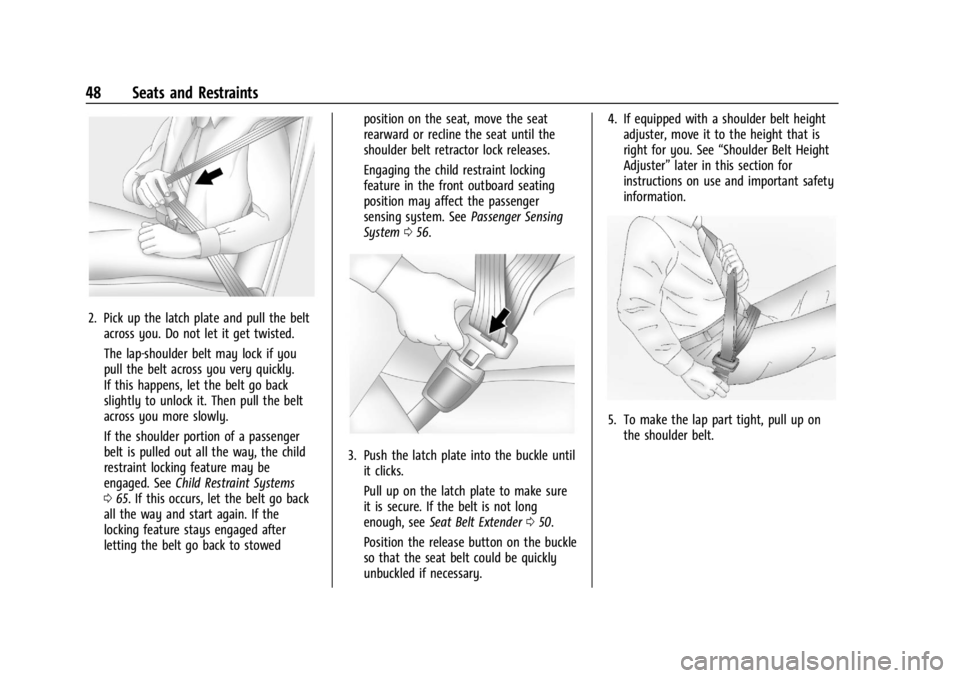
2. Pick up the latch plate and pull the beltacross you. Do not let it get twisted.
The lap-shoulder belt may lock if you
pull the belt across you very quickly.
If this happens, let the belt go back
slightly to unlock it. Then pull the belt
across you more slowly.
If the shoulder portion of a passenger
belt is pulled out all the way, the child
restraint locking feature may be
engaged. See Child Restraint Systems
0 65. If this occurs, let the belt go back
all the way and start again. If the
locking feature stays engaged after
letting the belt go back to stowed position on the seat, move the seat
rearward or recline the seat until the
shoulder belt retractor lock releases.
Engaging the child restraint locking
feature in the front outboard seating
position may affect the passenger
sensing system. See
Passenger Sensing
System 056.
3. Push the latch plate into the buckle until
it clicks.
Pull up on the latch plate to make sure
it is secure. If the belt is not long
enough, see Seat Belt Extender 050.
Position the release button on the buckle
so that the seat belt could be quickly
unbuckled if necessary. 4. If equipped with a shoulder belt height
adjuster, move it to the height that is
right for you. See “Shoulder Belt Height
Adjuster” later in this section for
instructions on use and important safety
information.
5. To make the lap part tight, pull up on
the shoulder belt.
Page 59 of 356
Buick Envision Owner Manual (GMNA-Localizing-U.S./Canada/Mexico-
16060855) - 2023 - CRC - 2/9/22
58 Seats and Restraints
turn off the front outboard passenger
frontal airbag, depending upon the person's
seating posture and body build. Everyone in
the vehicle who has outgrown child
restraints should wear a seat belt
properly—whether or not there is an
airbag for that person.
{Warning
If the airbag readiness light ever comes
on and stays on, it means that
something may be wrong with the airbag
system. To help avoid injury to yourself
or others, have the vehicle serviced right
away. See Airbag Readiness Light 097
for more information, including important
safety information.
If the On Indicator Is Lit for a Child
Restraint
The passenger sensing system is designed to
turn off the front outboard passenger
frontal airbag if the system determines that
an infant is present in a child restraint. If a
child restraint has been installed and the ON
indicator is lit:
1. Turn the vehicle off. 2. Remove the child restraint from the
vehicle.
3. Remove any additional items from the seat such as blankets, cushions, seat
covers, seat heaters, or seat massagers.
4. Reinstall the child restraint following the directions provided by the child restraint
manufacturer and refer to Securing Child
Restraints (With the Seat Belt in the Rear
Seat) 074 or
Securing Child Restraints (With the Seat
Belt in the Front Seat) 076.
Make sure the seat belt retractor is
locked by pulling the shoulder belt all
the way out of the retractor when
installing the child restraint, even if the
child restraint is equipped with a seat
belt lock off. When the retractor lock is
set, the belt can be tightened but not
pulled out of the retractor.
5. If, after reinstalling the child restraint and restarting the vehicle, the ON
indicator is still lit, turn the vehicle off.
Then slightly recline the vehicle seatback
and adjust the seat cushion,
if adjustable, to make sure that the
vehicle seatback is not pushing the child
restraint into the seat cushion. Also make sure the child restraint is not
trapped under the vehicle head restraint.
If this happens, adjust the head restraint.
See
Head Restraints 034.
6. Restart the vehicle.
The passenger sensing system may or may
not turn off the airbag for a child in a child
restraint depending upon the child’s size.
It is better to secure the child restraint in a
rear seat. Never put a rear-facing child
restraint in the front seat, even if the ON
indicator is not lit.
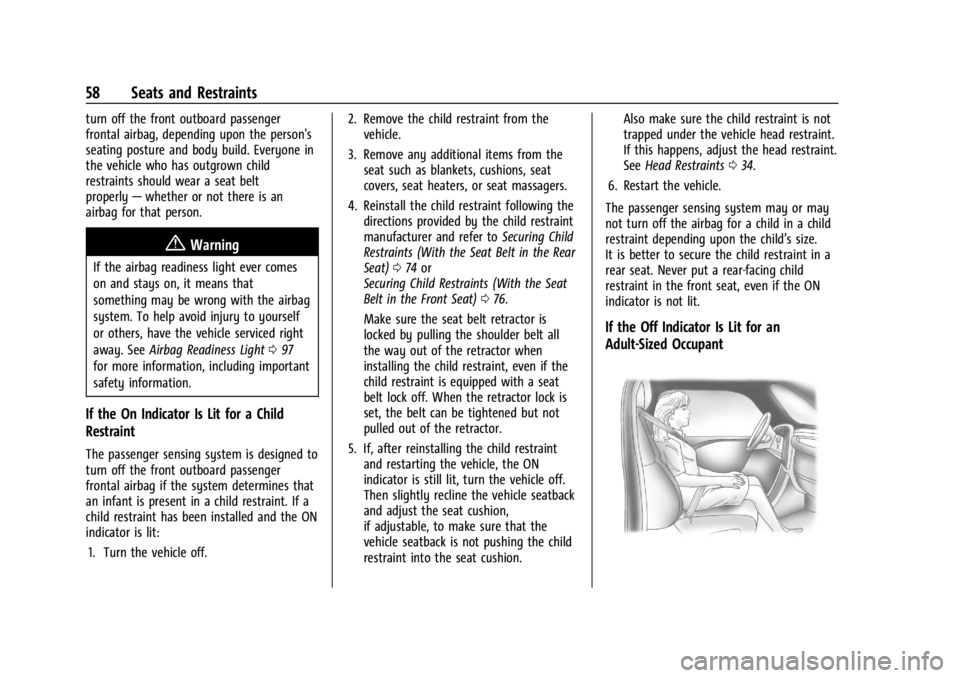
If the Off Indicator Is Lit for an
Adult-Sized Occupant
Page 60 of 356

Buick Envision Owner Manual (GMNA-Localizing-U.S./Canada/Mexico-
16060855) - 2023 - CRC - 2/9/22
Seats and Restraints 59
If a person of adult size is sitting in the
front outboard passenger seat, but the OFF
indicator is lit, it could be because that
person is not sitting properly in the seat or
that the child restraint locking feature is
engaged. Use the following steps to allow
the system to detect that person and enable
the front outboard passenger frontal airbag:1. Turn the vehicle off.
2. Remove any additional material from the seat, such as blankets, cushions, seat
covers, seat heaters, or seat massagers.
3. Place the seatback in the fully upright position.
4. Have the person sit upright in the seat, centered on the seat cushion, with legs
comfortably extended.
5. If the shoulder portion of the belt is pulled out all the way, the child restraint
locking feature will be engaged. This
may unintentionally cause the passenger
sensing system to turn the airbag off for
some adult-sized occupants. If this
happens, unbuckle the belt, let the belt
go back all the way, and then buckle the
belt again without pulling the belt out
all the way. 6. Restart the vehicle and have the person
remain in this position for two to
three minutes after the ON indicator
is lit.
{Warning
If the front outboard passenger airbag is
turned off for an adult-sized occupant,
the airbag will not be able to inflate and
help protect that person in a crash,
resulting in an increased risk of serious
injury or even death. An adult-sized
occupant should not ride in the front
outboard passenger seat, if the passenger
airbag OFF indicator is lit.
Additional Factors Affecting System
Operation
Seat belts help keep the passenger in
position on the seat during vehicle
maneuvers and braking, which helps the
passenger sensing system maintain the
passenger airbag status. See “Seat Belts”
and “Child Restraints” in the Index for
additional information about the importance
of proper restraint use. A thick layer of additional material, such as
a blanket or cushion, or aftermarket
equipment such as seat covers, seat heaters,
and seat massagers can affect how well the
passenger sensing system operates. We
recommend that you not use seat covers or
other aftermarket equipment except when
approved by GM for your specific vehicle.
See
Adding Equipment to the
Airbag-Equipped Vehicle 060 for more
information about modifications that can
affect how the system operates.
The ON indicator may be lit if an object,
such as a briefcase, handbag, grocery bag,
laptop, or other electronic device, is put on
an unoccupied seat. If this is not desired,
remove the object from the seat.{Warning
Stowing articles under the passenger seat
or between the passenger seat cushion
and seatback may interfere with the
proper operation of the passenger
sensing system.