ESP BUICK LACROSSE 2006 User Guide
[x] Cancel search | Manufacturer: BUICK, Model Year: 2006, Model line: LACROSSE, Model: BUICK LACROSSE 2006Pages: 444, PDF Size: 2.66 MB
Page 247 of 444
To insert multiple CDs, do the following:
1. Turn the ignition on.
2. Press and hold the LOAD button for two seconds.
You will hear a beep and the indicator light, located
to the right of the slot, will begin to ash and
MULTI LOAD # will appear on the display.
3. Once the light stops ashing and turns green,
INSERT CD # will appear on the display, load a CD.
Insert the CD partway into the slot, label side up.
The player will pull the CD in.
Once the CD is loaded, the indicator light will begin
ashing again. Once the light stops ashing and
turns green, you can load another CD. The CD player
takes up to six CDs. Do not try to load more than six.
To load more than one CD but less than six, complete
Steps 1 through 3. When nished loading CDs, press the
LOAD button to cancel the loading function. The radio will
begin to play the last CD loaded.
If more than one CD has been loaded, a number for
each CD will appear on the display.Playing a Specic Loaded CD
For every CD loaded, a number will appear on the
display. To play a specic CD, press the numbered
pushbutton that corresponds to the CD. A small bar will
appear under the CD number that is playing and the
track number will appear on the display.
If an error appears on the display, see “CD Messages”
later in this section.
Z(Eject):Press this button to eject CD(s).
To eject the CD that is currently playing, press and
release this button.
To eject multiple CDs, do the following:
1. Press and hold the CD eject button for two seconds.
You will hear a beep and the indicator light, located
to the right of the slot, will begin to ash and
EJECT ALL will appear on the display.
2. Once the light stops ashing, REMOVE CD # will
appear on the display. The CD will eject and can
be removed.
Once the CD is removed, the indicator light will
begin ashing again and another CD will eject.
To stop ejecting the CDs, press the LOAD or the
eject button.
3-121
Page 254 of 444
Radio Reception
You may experience frequency interference and static
during normal radio reception if items such as cellphone
chargers, vehicle convenience accessories, and external
electronic devices are plugged into the accessory power
outlet. If there is interference or static, unplug the item
from the accessory power outlet.
AM
The range for most AM stations is greater than for FM,
especially at night. The longer range can cause station
frequencies to interfere with each other. For better radio
reception, most AM radio stations will boost the power
levels during the day, and then reduce these levels during
the night. Static can also occur when things like storms
and power lines interfere with radio reception. When this
happens, try reducing the treble on your radio.
FM Stereo
FM stereo will give the best sound, but FM signals
will reach only about 10 to 40 miles (16 to 65 km). Tall
buildings or hills can interfere with FM signals, causing
the sound to fade in and out.
XM™ Satellite Radio Service
XM™ Satellite Radio Service gives digital radio
reception from coast-to-coast in the 48 contiguous
United States, and in Canada (if available). Just as
with FM, tall buildings or hills can interfere with satellite
radio signals, causing the sound to fade in and out.
In addition, traveling or standing under heavy foliage,
bridges, garages, or tunnels may cause loss of the XM™
signal for a period of time. The radio may display NO
SIGNAL to indicate interference.
Care of Your CDs
Handle CDs carefully. Store them in their original
cases or other protective cases and away from direct
sunlight and dust. The CD player scans the bottom
surface of the disc. If the surface of a CD is damaged,
such as cracked, broken, or scratched, the CD will not
play properly or not at all. If the surface of a CD is soiled,
take a soft, lint free cloth or dampen a clean, soft cloth in
a mild, neutral detergent solution mixed with water, and
clean it. Make sure the wiping process starts from the
center to the edge.
Do not touch the bottom side of a CD while handling
it; this could damage the surface. Pick up CDs by
grasping the outer edges or the edge of the hole and
the outer edge.
3-128
Page 261 of 444
But the ability to drive is affected well below a BAC
of 0.10 percent. Research shows that the driving skills
of many people are impaired at a BAC approaching
0.05 percent, and that the effects are worse at night.
All drivers are impaired at BAC levels above
0.05 percent. Statistics show that the chance of being
in a collision increases sharply for drivers who have
a BAC of 0.05 percent or above. A driver with a BAC
level of 0.06 percent has doubled his or her chance
of having a collision. At a BAC level of 0.10 percent, the
chance of this driver having a collision is 12 times
greater; at a level of 0.15 percent, the chance is
25 times greater!
The body takes about an hour to rid itself of the alcohol
in one drink. No amount of coffee or number of cold
showers will speed that up. “I will be careful” is not the
right answer. What if there is an emergency,
a need to take sudden action, as when a child darts into
the street? A person with even a moderate BAC
might not be able to react quickly enough to avoid the
collision.There is something else about drinking and driving that
many people do not know. Medical research shows
that alcohol in a person’s system can make crash
injuries worse, especially injuries to the brain, spinal
cord, or heart. This means that when anyone who has
been drinking — driver or passenger — is in a crash,
that person’s chance of being killed or permanently
disabled is higher than if the person had not been
drinking.
{CAUTION:
Drinking and then driving is very dangerous.
Your reexes, perceptions, attentiveness, and
judgment can be affected by even a small
amount of alcohol. You can have a serious — or
even fatal — collision if you drive after drinking.
Please do not drink and drive or ride with a
driver who has been drinking. Ride home in a
cab; or if you are with a group, designate a
driver who will not drink.
4-5
Page 265 of 444
Using ABS
Do not pump the brakes. Just hold the brake pedal
down rmly and let anti-lock work for you. You may
feel a slight brake pedal pulsation or notice some noise,
but this is normal.
Braking in Emergencies
At some time, nearly every driver gets into a situation
that requires hard braking.
If you have ABS, you can steer and brake at the
same time. However, if you do not have ABS, your
rst reaction — to hit the brake pedal hard and hold it
down — may be the wrong thing to do. Your wheels can
stop rolling. Once they do, the vehicle cannot respond
to your steering. Momentum will carry it in whatever
direction it was headed when the wheels stopped rolling.
That could be off the road, into the very thing you were
trying to avoid, or into traffic.If you do not have ABS, use a “squeeze” braking
technique. This will give you maximum braking while
maintaining steering control. You can do this by pushing
on the brake pedal with steadily increasing pressure.
In an emergency, you will probably want to squeeze the
brakes hard without locking the wheels. If you hear or feel
the wheels sliding, ease off the brake pedal. This will help
you retain steering control. If you do have ABS, it is
different. SeeAnti-Lock Brake System (ABS) on
page 4-7.
In many emergencies, steering can help you more than
even the very best braking.
4-9
Page 266 of 444
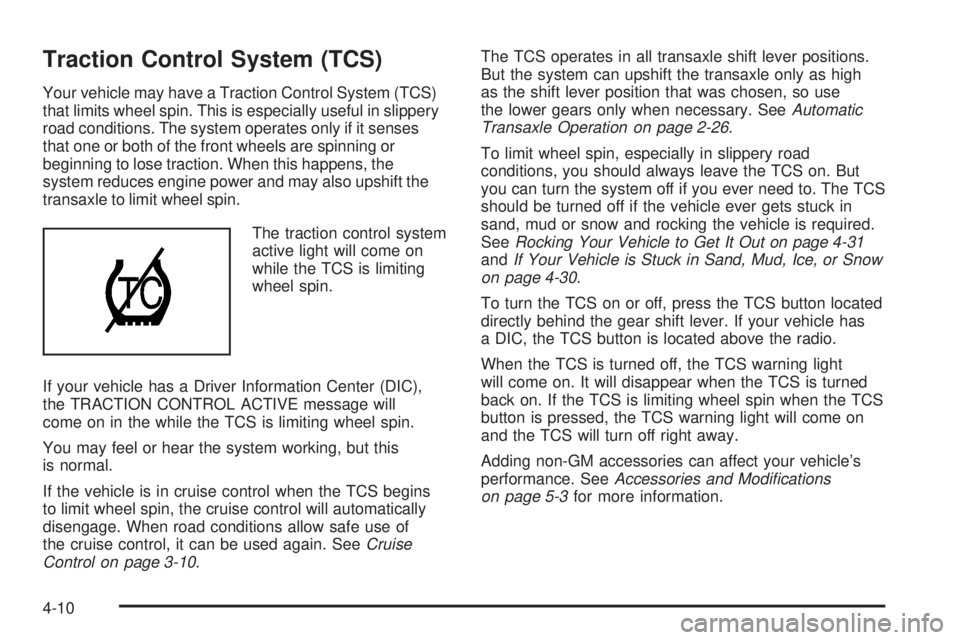
Traction Control System (TCS)
Your vehicle may have a Traction Control System (TCS)
that limits wheel spin. This is especially useful in slippery
road conditions. The system operates only if it senses
that one or both of the front wheels are spinning or
beginning to lose traction. When this happens, the
system reduces engine power and may also upshift the
transaxle to limit wheel spin.
The traction control system
active light will come on
while the TCS is limiting
wheel spin.
If your vehicle has a Driver Information Center (DIC),
the TRACTION CONTROL ACTIVE message will
come on in the while the TCS is limiting wheel spin.
You may feel or hear the system working, but this
is normal.
If the vehicle is in cruise control when the TCS begins
to limit wheel spin, the cruise control will automatically
disengage. When road conditions allow safe use of
the cruise control, it can be used again. SeeCruise
Control on page 3-10.The TCS operates in all transaxle shift lever positions.
But the system can upshift the transaxle only as high
as the shift lever position that was chosen, so use
the lower gears only when necessary. SeeAutomatic
Transaxle Operation on page 2-26.
To limit wheel spin, especially in slippery road
conditions, you should always leave the TCS on. But
you can turn the system off if you ever need to. The TCS
should be turned off if the vehicle ever gets stuck in
sand, mud or snow and rocking the vehicle is required.
SeeRocking Your Vehicle to Get It Out on page 4-31
andIf Your Vehicle is Stuck in Sand, Mud, Ice, or Snow
on page 4-30.
To turn the TCS on or off, press the TCS button located
directly behind the gear shift lever. If your vehicle has
a DIC, the TCS button is located above the radio.
When the TCS is turned off, the TCS warning light
will come on. It will disappear when the TCS is turned
back on. If the TCS is limiting wheel spin when the TCS
button is pressed, the TCS warning light will come on
and the TCS will turn off right away.
Adding non-GM accessories can affect your vehicle’s
performance. SeeAccessories and Modications
on page 5-3for more information.
4-10
Page 270 of 444
Passing
The driver of a vehicle about to pass another on
a two-lane highway waits for just the right moment,
accelerates, moves around the vehicle ahead, then goes
back into the right lane again. A simple maneuver?
Not necessarily! Passing another vehicle on a two-lane
highway is a potentially dangerous move, since the
passing vehicle occupies the same lane as oncoming
traffic for several seconds. A miscalculation, an error in
judgment, or a brief surrender to frustration or anger
can suddenly put the passing driver face to face with the
worst of all traffic accidents — the head-on collision.
So here are some tips for passing:
Drive ahead. Look down the road, to the sides
and to crossroads for situations that might affect
your passing patterns. If you have any doubt
whatsoever about making a successful pass,
wait for a better time.
Watch for traffic signs, pavement markings and
lines. If you can see a sign up ahead that might
indicate a turn or an intersection, delay your pass.
A broken center line usually indicates it is all
right to pass, providing the road ahead is clear.
Never cross a solid line on your side of the lane or
a double solid line, even if the road seems empty
of approaching traffic.
Do not get too close to the vehicle you want to
pass while you are awaiting an opportunity.
For one thing, following too closely reduces your
area of vision, especially if you are following a
larger vehicle. Also, you will not have adequate
space if the vehicle ahead suddenly slows or
stops. Keep back a reasonable distance.
When it looks like a chance to pass is coming up,
start to accelerate but stay in the right lane and
do not get too close. Time your move so you will be
increasing speed as the time comes to move into
the other lane. If the way is clear to pass, you
will have a running start that more than makes
up for the distance you would lose by dropping
back. And if something happens to cause you
to cancel your pass, you need only slow down and
drop back again and wait for another opportunity.
If other vehicles are lined up to pass a slow vehicle,
wait your turn. But take care that someone is not
trying to pass you as you pull out to pass the slow
vehicle. Remember to glance over your shoulder
and check the blind spot.
Check your mirrors, glance over your shoulder, and
start your left lane change signal before moving out
of the right lane to pass. When you are far
enough ahead of the passed vehicle to see its front
in your inside mirror, activate your right lane
change signal and move back into the right lane.
4-14
Page 271 of 444
Remember that your passenger side outside mirror is
convex. The vehicle you just passed may seem to be
farther away from you than it really is.
Try not to pass more than one vehicle at a time on
two-lane roads. Reconsider before passing the next
vehicle.
Do not overtake a slowly moving vehicle too rapidly.
Even though the brake lamps are not ashing, it may
be slowing down or starting to turn.
If you are being passed, make it easy for the
following driver to get ahead of you. Perhaps you can
ease a little to the right.
Loss of Control
Let us review what driving experts say about what
happens when the three control systems — brakes,
steering, and acceleration — do not have enough
friction where the tires meet the road to do what the driver
has asked.
In any emergency, do not give up. Keep trying to steer
and constantly seek an escape route or area of less
danger.
Skidding
In a skid, a driver can lose control of the vehicle.
Defensive drivers avoid most skids by taking reasonable
care suited to existing conditions, and by not overdriving
those conditions. But skids are always possible.
The three types of skids correspond to your vehicle’s
three control systems. In the braking skid, your wheels
are not rolling. In the steering or cornering skid, too
much speed or steering in a curve causes tires to
slip and lose cornering force. And in the acceleration
skid, too much throttle causes the driving wheels to spin.
A cornering skid is best handled by easing your foot
off the accelerator pedal.
If you have the Traction Control System (TCS),
remember: It helps avoid only the acceleration skid.
SeeTraction Control System (TCS) on page 4-10.If
you do not have this system, or if the system is off,
then an acceleration skid is also best handled by
easing your foot off the accelerator pedal.
If your vehicle starts to slide, ease your foot off the
accelerator pedal and quickly steer the way you want
the vehicle to go. If you start steering quickly enough,
your vehicle may straighten out. Always be ready
for a second skid if it occurs.
4-15
Page 272 of 444
Of course, traction is reduced when water, snow, ice,
gravel, or other material is on the road. For safety,
you will want to slow down and adjust your driving to
these conditions. It is important to slow down on slippery
surfaces because stopping distance will be longer and
vehicle control more limited.
While driving on a surface with reduced traction, try your
best to avoid sudden steering, acceleration, or braking,
including reducing vehicle speed by shifting to a lower
gear. Any sudden changes could cause the tires to
slide. You may not realize the surface is slippery until
your vehicle is skidding. Learn to recognize warning
clues — such as enough water, ice, or packed snow on
the road to make a mirrored surface — and slow down
when you have any doubt.
If you have the Anti-Lock Brake System (ABS),
remember: It helps avoid only the braking skid. If you do
not have ABS, then in a braking skid, where the wheels
are no longer rolling, release enough pressure on the
brakes to get the wheels rolling again. This restores
steering control. Push the brake pedal down steadily
when you have to stop suddenly. As long as the wheels
are rolling, you will have steering control.Driving at Night
Night driving is more dangerous than day driving. One
reason is that some drivers are likely to be impaired — by
alcohol or drugs, with night vision problems, or by fatigue.
Here are some tips on night driving.
Drive defensively.
Do not drink and drive.
Adjust the inside rearview mirror to reduce the glare
from headlamps behind you.
Since you cannot see as well, you may need to
slow down and keep more space between you
and other vehicles.
Slow down, especially on higher speed roads. Your
vehicle’s headlamps can light up only so much road
ahead.
In remote areas, watch for animals.
If you are tired, pull off the road in a safe place
and rest.
No one can see as well at night as in the daytime.
But as we get older these differences increase.
A 50-year-old driver may require at least twice as much
light to see the same thing at night as a 20-year-old.
4-16
Page 275 of 444
Driving Through Deep Standing Water
Notice:If you drive too quickly through deep
puddles or standing water, water can come in
through your engine’s air intake and badly damage
your engine. Never drive through water that is
slightly lower than the underbody of your vehicle.
If you cannot avoid deep puddles or standing water,
drive through them very slowly.
Driving Through Flowing Water
{CAUTION:
Flowing or rushing water creates strong
forces. If you try to drive through owing
water, as you might at a low water crossing,
your vehicle can be carried away. As little as
six inches of owing water can carry away a
smaller vehicle. If this happens, you and other
vehicle occupants could drown. Do not ignore
police warning signs, and otherwise be very
cautious about trying to drive through
owing water.
Some Other Rainy Weather Tips
Besides slowing down, allow some extra following
distance. And be especially careful when you
pass another vehicle. Allow yourself more clear
room ahead, and be prepared to have your
view restricted by road spray.
Have good tires with proper tread depth. SeeTires
on page 5-57.
4-19
Page 285 of 444
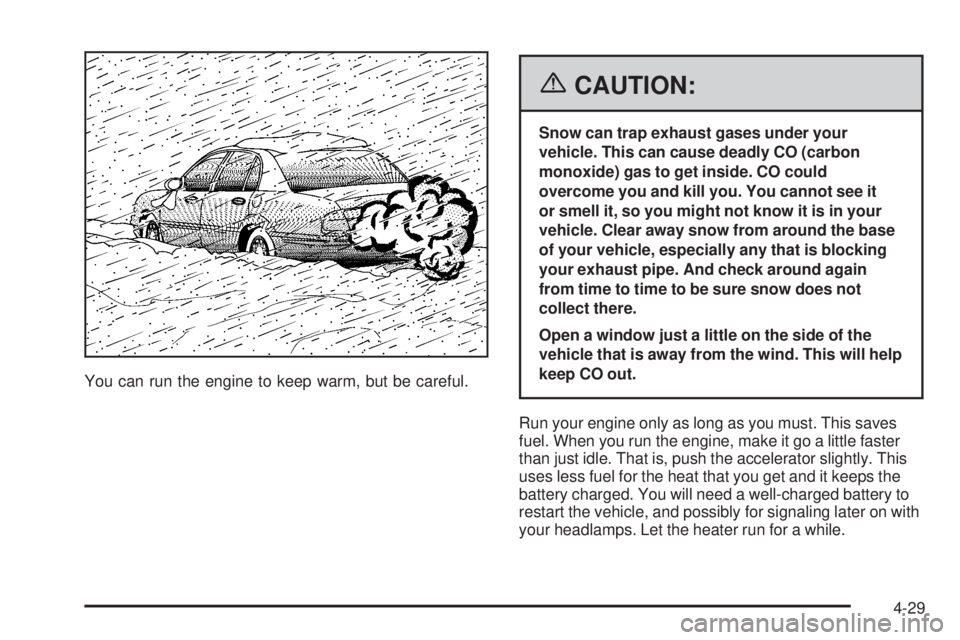
You can run the engine to keep warm, but be careful.
{CAUTION:
Snow can trap exhaust gases under your
vehicle. This can cause deadly CO (carbon
monoxide) gas to get inside. CO could
overcome you and kill you. You cannot see it
or smell it, so you might not know it is in your
vehicle. Clear away snow from around the base
of your vehicle, especially any that is blocking
your exhaust pipe. And check around again
from time to time to be sure snow does not
collect there.
Open a window just a little on the side of the
vehicle that is away from the wind. This will help
keep CO out.
Run your engine only as long as you must. This saves
fuel. When you run the engine, make it go a little faster
than just idle. That is, push the accelerator slightly. This
uses less fuel for the heat that you get and it keeps the
battery charged. You will need a well-charged battery to
restart the vehicle, and possibly for signaling later on with
your headlamps. Let the heater run for a while.
4-29