ESP BUICK LACROSSE 2007 User Guide
[x] Cancel search | Manufacturer: BUICK, Model Year: 2007, Model line: LACROSSE, Model: BUICK LACROSSE 2007Pages: 512
Page 267 of 512
LOAD:Press this button to load CDs into the CD
player. This CD player will hold up to six CDs.
To insert one CD, do the following:
1. Turn the ignition on.
2. Press and release the LOAD button.
3. Wait for the indicator light, located to the right
of the slot, to turn green.
4. Load a CD. Insert the CD partway into the
slot, label side up. The player will pull the
CD in.
To insert multiple CDs, do the following:
1. Turn the ignition on.
2. Press and hold the LOAD button for
two seconds.
You will hear a beep and the indicator light,
located to the right of the slot, will begin
to ash and MULTI LOAD # will appear on
the display.
3. Once the light stops ashing and turns green,
INSERT CD # will appear on the display, load
a CD. Insert the CD partway into the slot,
label side up. The player will pull the CD in.Once the CD is loaded, the indicator light will
begin ashing again. Once the light stops
ashing and turns green, you can load another
CD. The CD player takes up to six CDs. Do
not try to load more than six.
To load more than one CD but less than six,
complete Steps 1 through 3. When nished loading
CDs, press the LOAD button to cancel the loading
function. The radio will begin to play the last CD
loaded.
If more than one CD has been loaded, a number
for each CD will appear on the display.
Playing a Specic Loaded CD
For every CD loaded, a number will appear on
the display. To play a specic CD, press the
numbered pushbutton that corresponds to the CD.
A small bar will appear under the CD number
that is playing and the track number will appear on
the display.
If an error appears on the display, see “CD
Messages” later in this section.
Z(Eject):Press this button to eject CD(s).
To eject the CD that is currently playing, press and
release this button.
267
Page 281 of 512
>(Mute/OnStar®):Press this button to silence
the system. Press this button again, or any
other radio button, to turn the sound on.
If your vehicle has OnStar
®, press and hold this
button for more than two seconds to interact
with the OnStar
®system. See theOnStar®System
on page 126in this manual for more information.
BAND:Press this button to switch between
FM1, FM2, AM, or XM1 or XM2 (if equipped).
1–6 (Preset Pushbuttons):Press this button to
play stations that are programmed on the
radio preset pushbuttons. The radio will only seek
preset stations with a strong signal that are in
the selected band.
When a CD is playing in the six-disc CD changer,
press this button to go to the next available
CD, if multiple CDs are loaded.
+/−
x(Volume):Press the plus or minus button
to increase or to decrease the volume.
Radio Reception
You may experience frequency interference and
static during normal radio reception if items
such as cellphone chargers, vehicle convenience
accessories, and external electronic devices
are plugged into the accessory power outlet.
If there is interference or static, unplug the item
from the accessory power outlet.
AM
The range for most AM stations is greater than for
FM, especially at night. The longer range can
cause station frequencies to interfere with each
other. For better radio reception, most AM
radio stations will boost the power levels during
the day, and then reduce these levels during
the night. Static can also occur when things like
storms and power lines interfere with radio
reception. When this happens, try reducing the
treble on your radio.
281
Page 289 of 512
A driver with a BAC level of 0.06 percent has
doubled his or her chance of having a collision. At a
BAC level of 0.10 percent, the chance of this driver
having a collision is 12 times greater; at a level of
0.15 percent, the chance is 25 times greater!
The body takes about an hour to rid itself of the
alcohol in one drink. No amount of coffee or number
of cold showers will speed that up. “I will be careful”
is not the right answer. What if there is an
emergency, a need to take sudden action, as when
a child darts into the street? A person with even a
moderate BAC might not be able to react quickly
enough to avoid the collision.
There is something else about drinking and driving
that many people do not know. Medical research
shows that alcohol in a person’s system can make
crash injuries worse, especially injuries to the
brain, spinal cord, or heart. This means that when
anyone who has been drinking — driver or
passenger — is in a crash, that person’s chance
of being killed or permanently disabled is
higher than if the person had not been drinking.
{CAUTION:
Drinking and then driving is very
dangerous. Your reexes, perceptions,
attentiveness, and judgment can be
affected by even a small amount of
alcohol. You can have a serious — or even
fatal — collision if you drive after drinking.
Please do not drink and drive or ride with a
driver who has been drinking. Ride home in
a cab; or if you are with a group, designate
a driver who will not drink.
289
Page 293 of 512
Remember: ABS does not change the time you
need to get your foot up to the brake pedal
or always decrease stopping distance. If you get
too close to the vehicle in front of you, you will not
have time to apply your brakes if that vehicle
suddenly slows or stops. Always leave enough
room up ahead to stop, even though you
have ABS.
Using ABS
Do not pump the brakes. Just hold the brake
pedal down rmly and let anti-lock work for you.
You may feel a slight brake pedal pulsation
or notice some noise, but this is normal.
Braking in Emergencies
At some time, nearly every driver gets into a
situation that requires hard braking.
If you have ABS, you can steer and brake at the
same time. However, if you do not have ABS, your
rst reaction — to hit the brake pedal hard and
hold it down — may be the wrong thing to do.
Your wheels can stop rolling.Once they do, the vehicle cannot respond to your
steering. Momentum will carry it in whatever
direction it was headed when the wheels stopped
rolling. That could be off the road, into the very
thing you were trying to avoid, or into traffic.
If you do not have ABS, use a “squeeze” braking
technique. This will give you maximum braking
while maintaining steering control. You can do this
by pushing on the brake pedal with steadily
increasing pressure.
In an emergency, you will probably want to
squeeze the brakes hard without locking the
wheels. If you hear or feel the wheels sliding, ease
off the brake pedal. This will help you retain
steering control. If you do have ABS, it is different.
SeeAnti-Lock Brake System (ABS) on page 291.
In many emergencies, steering can help you
more than even the very best braking.
293
Page 294 of 512
Traction Control System (TCS)
Your vehicle may have a Traction Control System
(TCS) that limits wheel spin. This is especially
useful in slippery road conditions. The system
operates only if it senses that one or both of the
front wheels are spinning or beginning to lose
traction. When this happens, the system works the
front brakes and reduces engine power to limit
wheel spin. It may also upshift the transaxle to limit
wheel spin. You may feel or hear the system
working, but this is normal.
The TRACTION CONTROL ACTIVE message on
the Driver Information Center (DIC) will be
displayed when the system is limiting wheel spin.
If the vehicle is in cruise control when the TCS
begins to limit wheel spin, the cruise control will
automatically disengage. When road conditions
allow safe use of the cruise control, it can be used
again. SeeCruise Control on page 154.The TCS operates in all transaxle shift lever
positions. But the system can upshift the transaxle
only as high as the shift lever position that was
chosen, so use the lower gears only when
necessary. SeeAutomatic Transaxle Operation
on page 114.
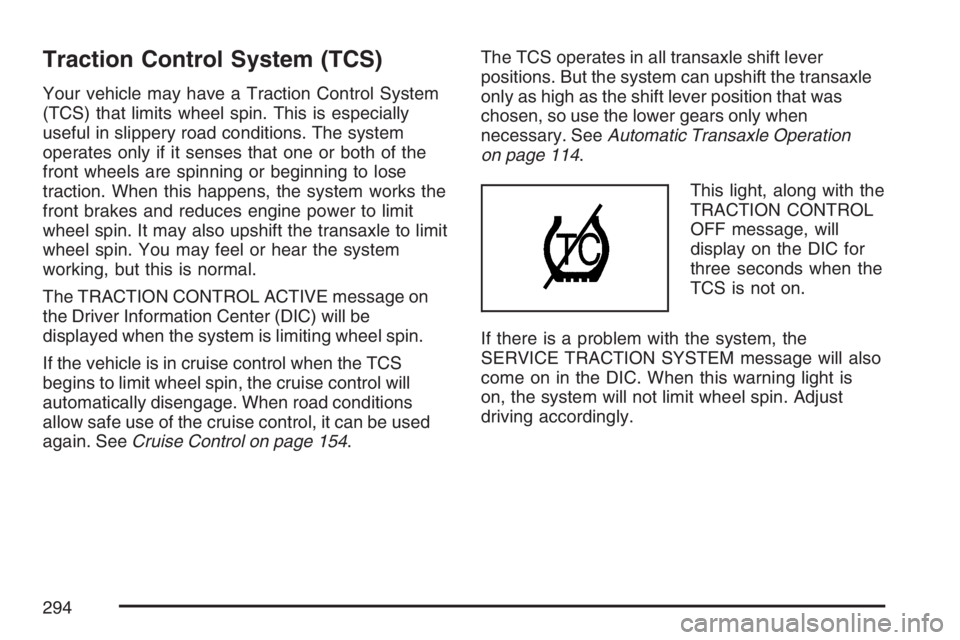
This light, along with the
TRACTION CONTROL
OFF message, will
display on the DIC for
three seconds when the
TCS is not on.
If there is a problem with the system, the
SERVICE TRACTION SYSTEM message will also
come on in the DIC. When this warning light is
on, the system will not limit wheel spin. Adjust
driving accordingly.
294
Page 295 of 512
To limit wheel spin, especially in slippery road
conditions, you should always leave the TCS on.
But you can turn the system off if you ever
need to. The TCS should be turned off if the
vehicle ever gets stuck in sand, mud or snow and
rocking the vehicle is required. SeeRocking
Your Vehicle to Get It Out on page 319andIf Your
Vehicle is Stuck in Sand, Mud, Ice, or Snow on
page 318.
To turn the TCS on or off, press the TCS button
located above the radio.
When the TCS is turned off, the TCS warning light
will come on along with the TRACTION CONTROL
OFF message on the DIC. It will disappear when
the TCS is turned back on. If the TCS is limiting
wheel spin when the TCS button is pressed, the
TCS warning light will come on and the TCS will
turn off right away.
Adding non-GM accessories can affect your
vehicle’s performance. SeeAccessories and
Modications on page 341for more information.Enhanced Traction System (ETS)
Your vehicle may have an Enhanced Traction
System (ETS) that limits wheel spin. This is
especially useful in slippery road conditions. The
system operates only if it senses that one or
both of the front wheels are spinning or beginning
to lose traction. When this happens, the system
reduces engine power and may also upshift
the transaxle to limit wheel spin. You may feel or
hear the system working, but this is normal.
The TRACTION CONTROL ACTIVE message on
the Driver Information Center (DIC) will be
displayed when the system is limiting wheel spin.
If the vehicle is in cruise control when ETS
begins to limit wheel spin, the cruise control will
automatically disengage. When road conditions
allow safe use of it, the cruise control can be used
again. SeeCruise Control on page 154.
295
Page 296 of 512
The ETS operates in all transaxle shift lever
positions. But the system can upshift the transaxle
only as high as the chosen shift lever position,
so use the lower gears only when necessary. See
Automatic Transaxle Operation on page 114.
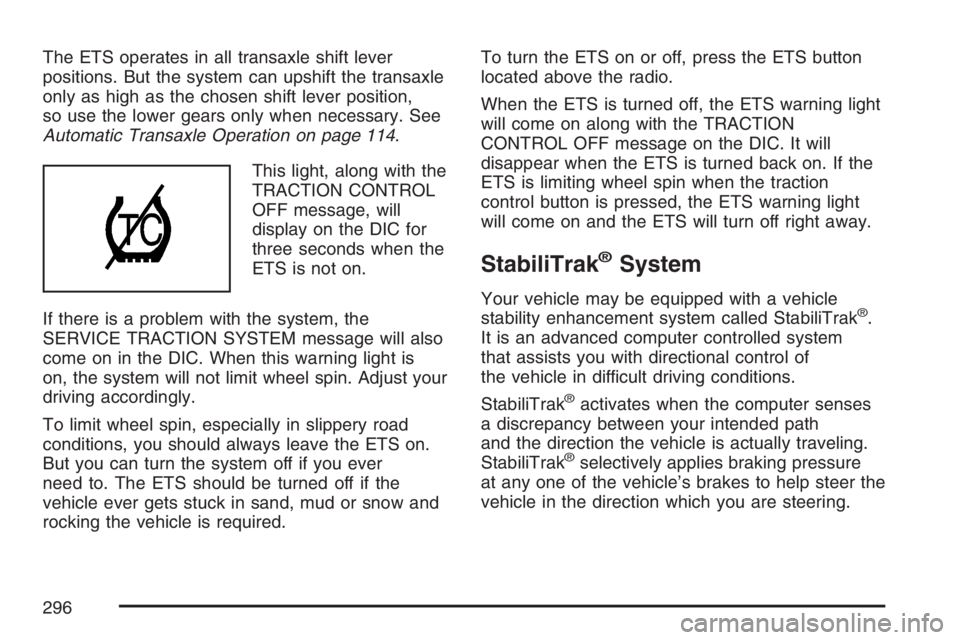
This light, along with the
TRACTION CONTROL
OFF message, will
display on the DIC for
three seconds when the
ETS is not on.
If there is a problem with the system, the
SERVICE TRACTION SYSTEM message will also
come on in the DIC. When this warning light is
on, the system will not limit wheel spin. Adjust your
driving accordingly.
To limit wheel spin, especially in slippery road
conditions, you should always leave the ETS on.
But you can turn the system off if you ever
need to. The ETS should be turned off if the
vehicle ever gets stuck in sand, mud or snow and
rocking the vehicle is required.To turn the ETS on or off, press the ETS button
located above the radio.
When the ETS is turned off, the ETS warning light
will come on along with the TRACTION
CONTROL OFF message on the DIC. It will
disappear when the ETS is turned back on. If the
ETS is limiting wheel spin when the traction
control button is pressed, the ETS warning light
will come on and the ETS will turn off right away.
StabiliTrak®System
Your vehicle may be equipped with a vehicle
stability enhancement system called StabiliTrak®.
It is an advanced computer controlled system
that assists you with directional control of
the vehicle in difficult driving conditions.
StabiliTrak
®activates when the computer senses
a discrepancy between your intended path
and the direction the vehicle is actually traveling.
StabiliTrak
®selectively applies braking pressure
at any one of the vehicle’s brakes to help steer the
vehicle in the direction which you are steering.
296
Page 301 of 512
Watch for traffic signs, pavement markings, and
lines. If you can see a sign up ahead that might
indicate a turn or an intersection, delay your
pass. A broken center line usually indicates it is
all right to pass, providing the road ahead is
clear. Never cross a solid line on your side of
the lane or a double solid line, even if the road
seems empty of approaching traffic.
Do not get too close to the vehicle you want to
pass while you are awaiting an opportunity. For
one thing, following too closely reduces your
area of vision, especially if you are following a
larger vehicle. Also, you will not have adequate
space if the vehicle ahead suddenly slows or
stops. Keep back a reasonable distance.
When it looks like a chance to pass is coming
up, start to accelerate but stay in the right lane
and do not get too close. Time your move so
you will be increasing speed as the time comes
to move into the other lane. If the way is clear to
pass, you will have a running start that more
than makes up for the distance you would lose
by dropping back. And if something happens to
cause you to cancel your pass, you need only
slow down and drop back again and wait for
another opportunity.
If other vehicles are lined up to pass a slow
vehicle, wait your turn. But take care that
someone is not trying to pass you as you pull
out to pass the slow vehicle. Remember to
glance over your shoulder and check the
blind spot.
Check your vehicle’s mirrors, glance over your
shoulder, and start your left lane change signal
before moving out of the right lane to pass.
When you are far enough ahead of the passed
vehicle to see its front in your vehicle’s inside
mirror, activate the right lane change signal and
move back into the right lane. Remember that
your vehicle’s passenger side outside mirror is
convex. The vehicle you just passed may seem
to be farther away from you than it really is.
Try not to pass more than one vehicle at a time
on two-lane roads. Reconsider before passing
the next vehicle.
Do not overtake a slowly moving vehicle too
rapidly. Even though the brake lamps are not
ashing, it may be slowing down or starting
to turn.
If you are being passed, make it easy for the
following driver to get ahead of you. Perhaps
you can ease a little to the right.
301
Page 302 of 512
Loss of Control
Let us review what driving experts say about what
happens when the three control systems — brakes,
steering, and acceleration — do not have enough
friction where the tires meet the road to do what the
driver has asked.
In any emergency, do not give up. Keep trying to
steer and constantly seek an escape route or
area of less danger.
Skidding
In a skid, a driver can lose control of the vehicle.
Defensive drivers avoid most skids by taking
reasonable care suited to existing conditions, and
by not overdriving those conditions. But skids
are always possible.
The three types of skids correspond to your
vehicle’s three control systems. In the braking skid,
your wheels are not rolling. In the steering or
cornering skid, too much speed or steering in a
curve causes tires to slip and lose cornering force.
And in the acceleration skid, too much throttle
causes the driving wheels to spin.A cornering skid is best handled by easing your
foot off the accelerator pedal.
If you have the Traction Control System (TCS),
remember: It helps avoid only the acceleration
skid. SeeTraction Control System (TCS) on
page 294. If you do not have this system, or if the
system is off, then an acceleration skid is also
best handled by easing your foot off the
accelerator pedal.
If your vehicle starts to slide, ease your foot off
the accelerator pedal and quickly steer the
way you want the vehicle to go. If you start
steering quickly enough, your vehicle may
straighten out. Always be ready for a second skid
if it occurs.
Of course, traction is reduced when water, snow,
ice, gravel, or other material is on the road.
For safety, you will want to slow down and adjust
your driving to these conditions. It is important
to slow down on slippery surfaces because
stopping distance will be longer and vehicle control
more limited.
302
Page 303 of 512
While driving on a surface with reduced traction, try
your best to avoid sudden steering, acceleration, or
braking, including reducing vehicle speed by
shifting to a lower gear. Any sudden changes could
cause the tires to slide. You may not realize the
surface is slippery until your vehicle is skidding.
Learn to recognize warning clues — such as
enough water, ice, or packed snow on the road to
make a mirrored surface — and slow down when
you have any doubt.
If you have the Anti-Lock Brake System (ABS),
remember: It helps avoid only the braking skid. If
you do not have ABS, then in a braking skid,
where the wheels are no longer rolling, release
enough pressure on the brakes to get the wheels
rolling again. This restores steering control.
Push the brake pedal down steadily when you
have to stop suddenly. As long as the wheels are
rolling, you will have steering control.Driving at Night
Night driving is more dangerous than day driving.
One reason is that some drivers are likely to
be impaired — by alcohol or drugs, with night
vision problems, or by fatigue.
Here are some tips on night driving.
Drive defensively.
Do not drink and drive.
Adjust the inside rearview mirror to reduce the
glare from headlamps behind you.
Since you cannot see as well, you may need
to slow down and keep more space between
you and other vehicles.
Slow down, especially on higher speed roads.
Your vehicle’s headlamps can light up only so
much road ahead.
In remote areas, watch for animals.
If you are tired, pull off the road in a safe
place and rest.
303