remote control BUICK LACROSSE 2007 User Guide
[x] Cancel search | Manufacturer: BUICK, Model Year: 2007, Model line: LACROSSE, Model: BUICK LACROSSE 2007Pages: 512
Page 136 of 512
3. Press and hold the button you would like to
use to control the garage door until the
garage door moves. The indicator light, above
the selected button, should slowly blink.
You may need to hold the button from ve to
20 seconds.
4. Immediately release the button when the
garage door moves. The indicator light will
blink rapidly until programming is complete.
5. Press and release the button again. The
garage door should move, conrming that
programming is successful and complete.
To program another device such as an additional
garage door opener, a security device, or
home lighting, repeat Steps 1–5, choosing a
different function button in Step 3 than what you
used for the garage door opener.
Using Universal Home Remote
Press and hold the appropriate button for at least
half of a second. The indicator light will come
on while the signal is being transmitted.
Reprogramming Universal Home
Remote Buttons
You can reprogram any of the three buttons by
repeating the instructions.
Erasing Universal Home Remote
Buttons
You should erase the programmed buttons when
you sell the vehicle or terminate your lease.
To erase either rolling code or xed code on the
Universal Home Remote device, do the following:
1. Press and hold the two outside buttons at
the same time for approximately 20 seconds,
until the indicator lights, located directly
above the buttons, begin to blink rapidly.
2. Once the indicator lights begin to blink,
release both buttons. The codes from all
button will be erased.
For additional information on Universal Home
Remote, seeCustomer Assistance Offices
on page 482.
136
Page 161 of 512
Interior Lamps
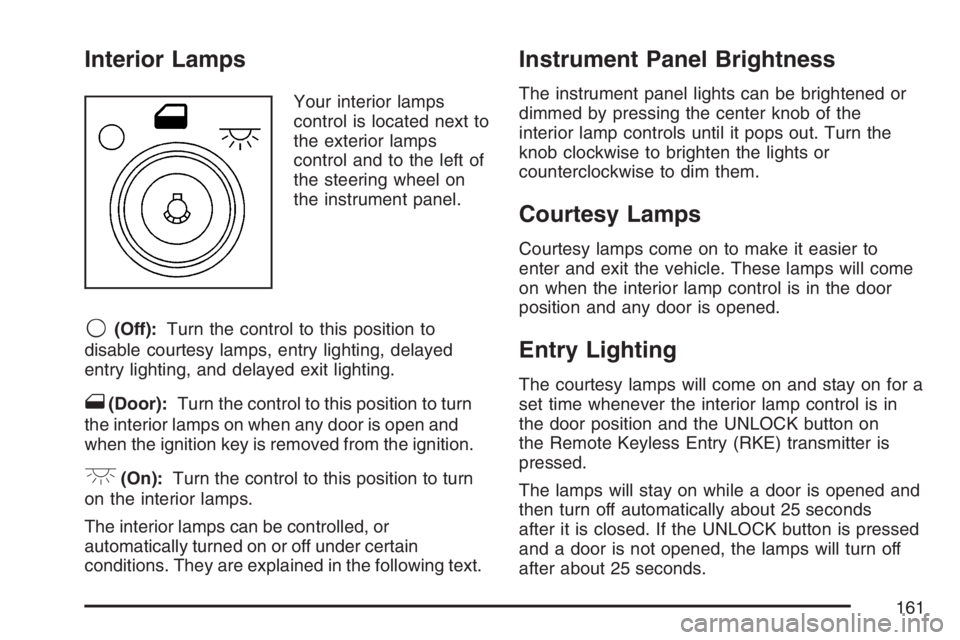
Your interior lamps
control is located next to
the exterior lamps
control and to the left of
the steering wheel on
the instrument panel.
9(Off):Turn the control to this position to
disable courtesy lamps, entry lighting, delayed
entry lighting, and delayed exit lighting.
1(Door):Turn the control to this position to turn
the interior lamps on when any door is open and
when the ignition key is removed from the ignition.
+(On):Turn the control to this position to turn
on the interior lamps.
The interior lamps can be controlled, or
automatically turned on or off under certain
conditions. They are explained in the following text.
Instrument Panel Brightness
The instrument panel lights can be brightened or
dimmed by pressing the center knob of the
interior lamp controls until it pops out. Turn the
knob clockwise to brighten the lights or
counterclockwise to dim them.
Courtesy Lamps
Courtesy lamps come on to make it easier to
enter and exit the vehicle. These lamps will come
on when the interior lamp control is in the door
position and any door is opened.
Entry Lighting
The courtesy lamps will come on and stay on for a
set time whenever the interior lamp control is in
the door position and the UNLOCK button on
the Remote Keyless Entry (RKE) transmitter is
pressed.
The lamps will stay on while a door is opened and
then turn off automatically about 25 seconds
after it is closed. If the UNLOCK button is pressed
and a door is not opened, the lamps will turn off
after about 25 seconds.
161
Page 168 of 512
Ashtray(s) and Cigarette Lighter
Your vehicle may have a removable ashtray and
cigarette lighter. The cigarette lighter may be
located under the climate control system.
The removable ashtray can be placed into the
front console cupholder.
Notice:If you put papers, pins, or other
ammable items in the ashtray, hot cigarettes
or other smoking materials could ignite
them and possibly damage your vehicle.
Never put ammable items in the ashtray.
To use the cigarette lighter, push it in all the way,
and let go. When the heating element is ready,
it will pop back out by itself.
Notice:Holding a cigarette lighter in while it is
heating will not allow the lighter to back away
from the heating element when it is hot. Damage
from overheating may occur to the lighter or
heating element, or a fuse could be blown. Do
not hold a cigarette lighter in while it is heating.
Do not use equipment exceeding maximum
amperage rating of 20 amperes.
Climate Controls
Climate Control System
With this system you can control the heating,
cooling and ventilation for your vehicle.
If your vehicle has the remote start feature and
it is activated, the climate control system will
automatically cool the vehicle if the temperature is
greater than 90°F (32°C) and heat the vehicle if the
temperature is below 37°F (3°C). If the temperature
is between 37°F (3°C) and 90°F (32°C), the last
control setting selected when the engine was
running will be used. Normal operation and the last
setting of the climate control system will return after
the key is turned to the RUN position.
168
Page 174 of 512
This control has four types of operation.
Automatic can set/change the temperature
only. AUTO and temperature only will
appear on the display.
Semi-Automatic Fan can set/change the
temperature and mode. The fan operates
automatically. The temperature and mode will
appear on the display.
Semi-Automatic Mode can set/change the
temperature and fan speed. The mode
operates automatically. The fan speed and
temperature will appear on the display.
Manual can set/change the temperature,
mode and fan. The fan speed, temperature,
and mode will appear on the display.
If your vehicle has the remote start feature, the
climate control system will automatically regulate
the inside temperature of your vehicle when
the remote start system is activated. Normal
operation and the last setting of the climate control
system will return after the key is turned on.
Manual Operation
During daylight hours, the instrument panel
brightness control might need to be adjusted to
the highest setting, in order to see the indicator
lights for the various climate control settings.
OFF:Press this button to turn the climate control
system off.
yz(Temperature):Press these buttons to
manually adjust the temperature inside the vehicle.
Press the up arrow on the driver or passenger
side to raise the temperature, and press the down
arrow to lower the temperature. The display will
show the selected temperature.
z9(Fan):Press this button to decrease the fan
speed. Pressing the arrows cancels the automatic
operation and places the system in manual or
semi-automatic mode. Press the AUTO button to
return to automatic operation. If the airow seems
low when the fan is at the highest setting, the
passenger compartment air lter may need to be
replaced. For more information seePassenger
Compartment Air Filter on page 178andScheduled
Maintenance on page 462.
174
Page 221 of 512
REMOTE START DISABLED
If your vehicle has the remote start feature, this
message displays if a remote start attempt is
unsuccessful. This may be caused if any of the
following conditions are true when a remote
start attempt is made:
The remote start system is disabled through
the DIC.
The key is in the ignition.
The hood or the doors are not closed.
There is an emission control system
malfunction.
The engine coolant temperature is too high.
The oil pressure is low.
The hazard warning ashers are turned on.
The maximum number of remote starts
or remote start attempts between ignition
cycles has been reached.
The content theft-deterrent alarm is on while
attempting to remote start the vehicle.
See “REMOTE START” underDIC Vehicle
Personalization on page 229and “Remote Vehicle
Start” underRemote Keyless Entry (RKE)
System Operation on page 90for more
information.
RIGHT FRONT TURN LAMP OUT
This message displays when the right front turn
signal bulb needs to be replaced. SeeFront Turn
Signal and Parking Lamps on page 397.
This message displays while the ignition is in RUN.
Press any of the DIC buttons to acknowledge this
message and to clear it from the screen.
This message continues to display for two seconds
if it has not been acknowledged when the engine is
turned off. It also re-displays for two seconds if the
message has been acknowledged, but the
condition still exists when the engine is turned off.
If the condition still exists, the message re-appears
when the engine is turned on.
221
Page 303 of 512
While driving on a surface with reduced traction, try
your best to avoid sudden steering, acceleration, or
braking, including reducing vehicle speed by
shifting to a lower gear. Any sudden changes could
cause the tires to slide. You may not realize the
surface is slippery until your vehicle is skidding.
Learn to recognize warning clues — such as
enough water, ice, or packed snow on the road to
make a mirrored surface — and slow down when
you have any doubt.
If you have the Anti-Lock Brake System (ABS),
remember: It helps avoid only the braking skid. If
you do not have ABS, then in a braking skid,
where the wheels are no longer rolling, release
enough pressure on the brakes to get the wheels
rolling again. This restores steering control.
Push the brake pedal down steadily when you
have to stop suddenly. As long as the wheels are
rolling, you will have steering control.Driving at Night
Night driving is more dangerous than day driving.
One reason is that some drivers are likely to
be impaired — by alcohol or drugs, with night
vision problems, or by fatigue.
Here are some tips on night driving.
Drive defensively.
Do not drink and drive.
Adjust the inside rearview mirror to reduce the
glare from headlamps behind you.
Since you cannot see as well, you may need
to slow down and keep more space between
you and other vehicles.
Slow down, especially on higher speed roads.
Your vehicle’s headlamps can light up only so
much road ahead.
In remote areas, watch for animals.
If you are tired, pull off the road in a safe
place and rest.
303
Page 388 of 512
5. Check that the jumper cables do not have
loose or missing insulation. If they do, you
could get a shock. The vehicles could
be damaged too.
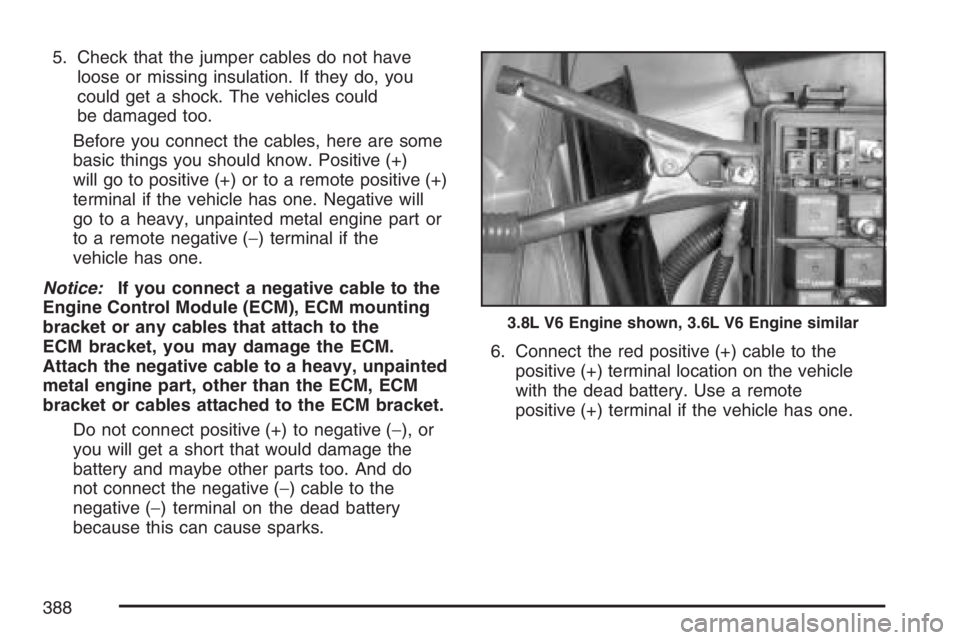
Before you connect the cables, here are some
basic things you should know. Positive (+)
will go to positive (+) or to a remote positive (+)
terminal if the vehicle has one. Negative will
go to a heavy, unpainted metal engine part or
to a remote negative (−) terminal if the
vehicle has one.
Notice:If you connect a negative cable to the
Engine Control Module (ECM), ECM mounting
bracket or any cables that attach to the
ECM bracket, you may damage the ECM.
Attach the negative cable to a heavy, unpainted
metal engine part, other than the ECM, ECM
bracket or cables attached to the ECM bracket.
Do not connect positive (+) to negative (−), or
you will get a short that would damage the
battery and maybe other parts too. And do
not connect the negative (−) cable to the
negative (−) terminal on the dead battery
because this can cause sparks.6. Connect the red positive (+) cable to the
positive (+) terminal location on the vehicle
with the dead battery. Use a remote
positive (+) terminal if the vehicle has one.
3.8L V6 Engine shown, 3.6L V6 Engine similar
388
Page 451 of 512
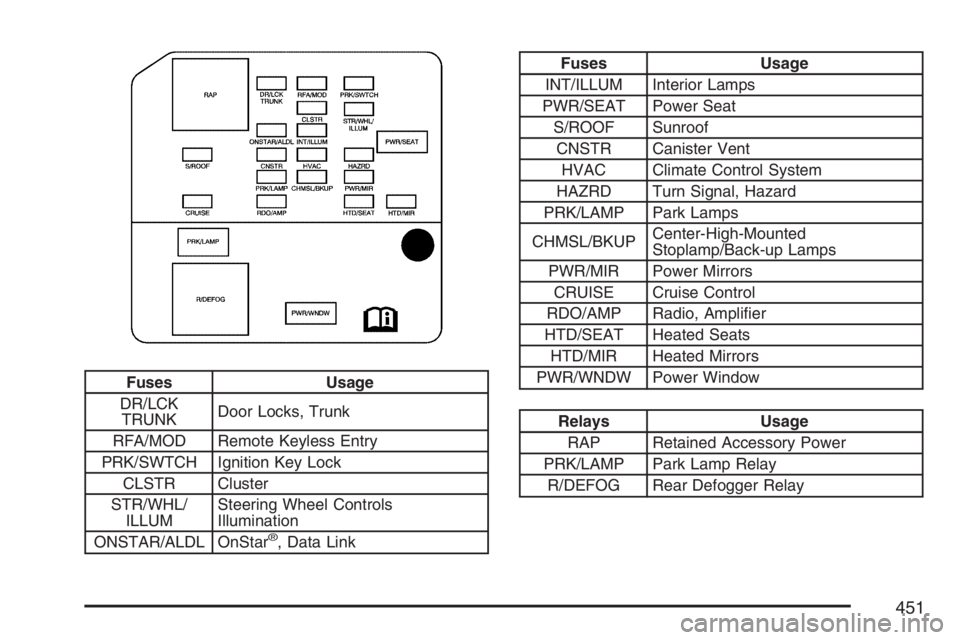
Fuses Usage
DR/LCK
TRUNKDoor Locks, Trunk
RFA/MOD Remote Keyless Entry
PRK/SWTCH Ignition Key Lock
CLSTR Cluster
STR/WHL/
ILLUMSteering Wheel Controls
Illumination
ONSTAR/ALDL OnStar
®, Data Link
Fuses Usage
INT/ILLUM Interior Lamps
PWR/SEAT Power Seat
S/ROOF Sunroof
CNSTR Canister Vent
HVAC Climate Control System
HAZRD Turn Signal, Hazard
PRK/LAMP Park Lamps
CHMSL/BKUPCenter-High-Mounted
Stoplamp/Back-up Lamps
PWR/MIR Power Mirrors
CRUISE Cruise Control
RDO/AMP Radio, Amplier
HTD/SEAT Heated Seats
HTD/MIR Heated Mirrors
PWR/WNDW Power Window
Relays Usage
RAP Retained Accessory Power
PRK/LAMP Park Lamp Relay
R/DEFOG Rear Defogger Relay
451
Page 511 of 512
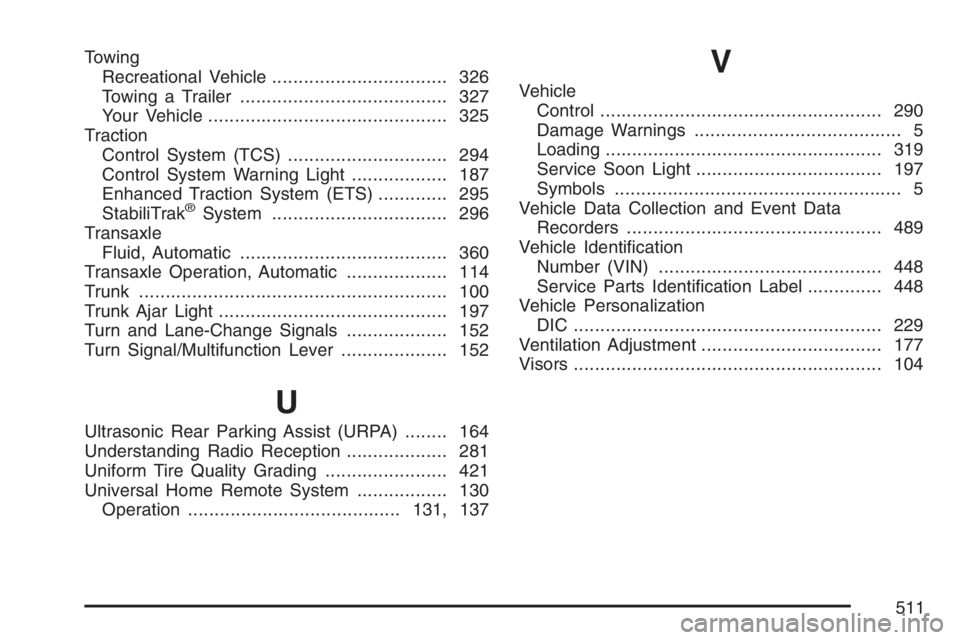
Towing
Recreational Vehicle................................. 326
Towing a Trailer....................................... 327
Your Vehicle............................................. 325
Traction
Control System (TCS).............................. 294
Control System Warning Light.................. 187
Enhanced Traction System (ETS)............. 295
StabiliTrak
®System................................. 296
Transaxle
Fluid, Automatic....................................... 360
Transaxle Operation, Automatic................... 114
Trunk.......................................................... 100
Trunk Ajar Light........................................... 197
Turn and Lane-Change Signals................... 152
Turn Signal/Multifunction Lever.................... 152
U
Ultrasonic Rear Parking Assist (URPA)........ 164
Understanding Radio Reception................... 281
Uniform Tire Quality Grading....................... 421
Universal Home Remote System................. 130
Operation........................................131, 137
V
Vehicle
Control..................................................... 290
Damage Warnings....................................... 5
Loading.................................................... 319
Service Soon Light................................... 197
Symbols...................................................... 5
Vehicle Data Collection and Event Data
Recorders................................................ 489
Vehicle Identication
Number (VIN).......................................... 448
Service Parts Identication Label.............. 448
Vehicle Personalization
DIC .......................................................... 229
Ventilation Adjustment.................................. 177
Visors.......................................................... 104
511