audio BUICK LACROSSE 2007 Owner's Guide
[x] Cancel search | Manufacturer: BUICK, Model Year: 2007, Model line: LACROSSE, Model: BUICK LACROSSE 2007Pages: 512
Page 275 of 512
If the ignition or radio is turned off with a CD in
the player it will stay in the player. When the
ignition or radio is turned on, the CD will start to
play where it stopped, if it was the last selected
audio source.
The CD player can play the smaller 3 inch (8 cm)
single CDs with an adapter ring. Full-size CDs
and the smaller CDs are loaded in the same
manner.
If playing a CD-R, the sound quality may be
reduced due to CD-R quality, the method of
recording, the quality of the music that has been
recorded, and the way the CD-R has been
handled. There may be an increase in skipping,
difficulty in nding tracks, and/or difficulty in loading
and ejecting. If these problems occur, check the
bottom surface of the CD. If the surface of the CD
is damaged, such as cracked, broken, or
scratched, the CD will not play properly. If the
surface of the CD is soiled, seeCare of Your CDs
on page 282for more information.
If there is no apparent damage, try a known
good CD.Do not add any label to a CD, it could get caught
in the CD player. If a CD is recorded on a
personal computer and a description label is
needed, try labeling the top of the recorded CD
with a marking pen instead.
Notice:If you add any label to a CD, insert
more than one CD into the slot at a time, or
attempt to play scratched or damaged CDs, you
could damage the CD player. When using the
CD player, use only CDs in good condition
without any label, load one CD at a time, and
keep the CD player and the loading slot free of
foreign materials, liquids, and debris.
If an error appears on the display, see “CD
Messages” later in this section.
1
s(Reverse):Press this button to reverse
within the current track.
2
\(Fast Forward):Press this button to fast
forward within the current track.
275
Page 278 of 512
XM Radio Messages
If you have a radio with CD (MP3), or a radio with a Six-Disc CD, you will receive these radio messages.
Radio Display Message Condition Action Required
XL (Explicit Language
Channels)XL on the radio display,
after the channel name,
indicates content with
explicit language.These channels, or any others, can be blocked at a
customer’s request, by calling 1-800-852-XMXM (9696).
Updating Updating encryption code The encryption code in the receiver is being updated, and
no action is required. This process should take no longer
than 30 seconds.
No Signal Loss of signal The system is functioning correctly, but the vehicle is in a
location that is blocking the XM™ signal. When the vehicle
is moved into an open area, the signal should return.
Loading XM Acquiring channel audio
(after 4 second delay)The radio system is acquiring and processing audio and
text data. No action is needed. This message should
disappear shortly.
CH Off Air Channel not in service This channel is not currently in service. Tune to
another channel.
CH Unavail Channel no
longer availableThis previously assigned channel is no longer assigned.
Tune to another station. If this station was one of the
presets, choose another station for that preset button.
No Info Artist Name/Feature
not availableNo artist information is available at this time on this channel.
The system is working properly.
278
Page 280 of 512
Theft-Deterrent Feature
THEFTLOCK®is designed to discourage theft of
your vehicle’s radio. The feature works
automatically by learning a portion of the Vehicle
Identication Number (VIN). If the radio is
moved to a different vehicle, it will not operate and
LOC or LOCKED will appear on the display.
With THEFTLOCK
®activated, the radio will not
operate if stolen.
Audio Steering Wheel Controls
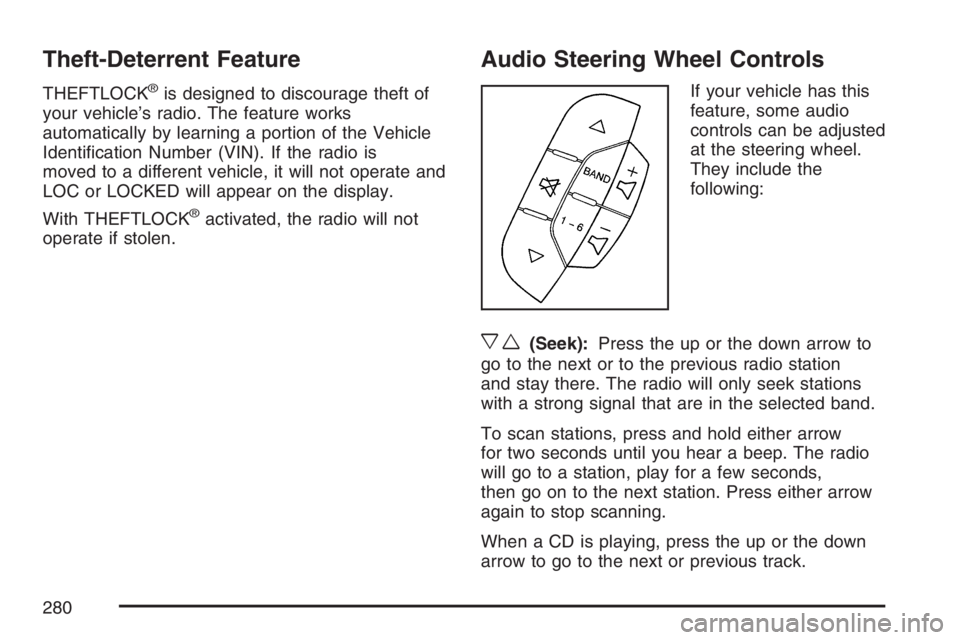
If your vehicle has this
feature, some audio
controls can be adjusted
at the steering wheel.
They include the
following:
xw(Seek):Press the up or the down arrow to
go to the next or to the previous radio station
and stay there. The radio will only seek stations
with a strong signal that are in the selected band.
To scan stations, press and hold either arrow
for two seconds until you hear a beep. The radio
will go to a station, play for a few seconds,
then go on to the next station. Press either arrow
again to stop scanning.
When a CD is playing, press the up or the down
arrow to go to the next or previous track.
280
Page 498 of 512
Audio System(s).......................................... 238
Audio Steering Wheel Controls................. 280
Backglass Antenna................................... 283
Care of Your CD Player........................... 282
Care of Your CDs.................................... 282
Chime Level Adjustment........................... 284
Radio with CD........................240, 245, 252
Radio with Six-Disc CD............................ 260
Setting the Time...................................... 239
Theft-Deterrent Feature............................ 280
Understanding Radio Reception............... 281
XM™ Satellite Radio Antenna System...... 284
Automatic Door Lock..................................... 98
Automatic Transaxle
Fluid........................................................ 360
Operation................................................. 114
B
Backglass Antenna...................................... 283
Battery........................................................ 384
Electric Power Management..................... 163
Exterior Lighting Battery Saver................. 160
Run-Down Protection............................... 164
Before Leaving on a Long Trip.................... 310Brake
Anti-Lock Brake System (ABS)................. 291
Emergencies............................................ 293
Parking.................................................... 117
System Warning Light.............................. 186
Brakes........................................................ 381
Braking....................................................... 290
Braking in Emergencies............................... 293
Break-In, New Vehicle................................. 109
Bulb Replacement....................................... 394
Front Turn Signal and Parking Lamps...... 397
Halogen Bulbs......................................... 394
Headlamp Aiming..................................... 391
License Plate Lamps................................ 400
Replacement Bulbs.................................. 400
Taillamps, Turn Signal, Sidemarker,
Stoplamps, and Back-Up Lamps........... 398
Buying New Tires........................................ 418
498
Page 510 of 512
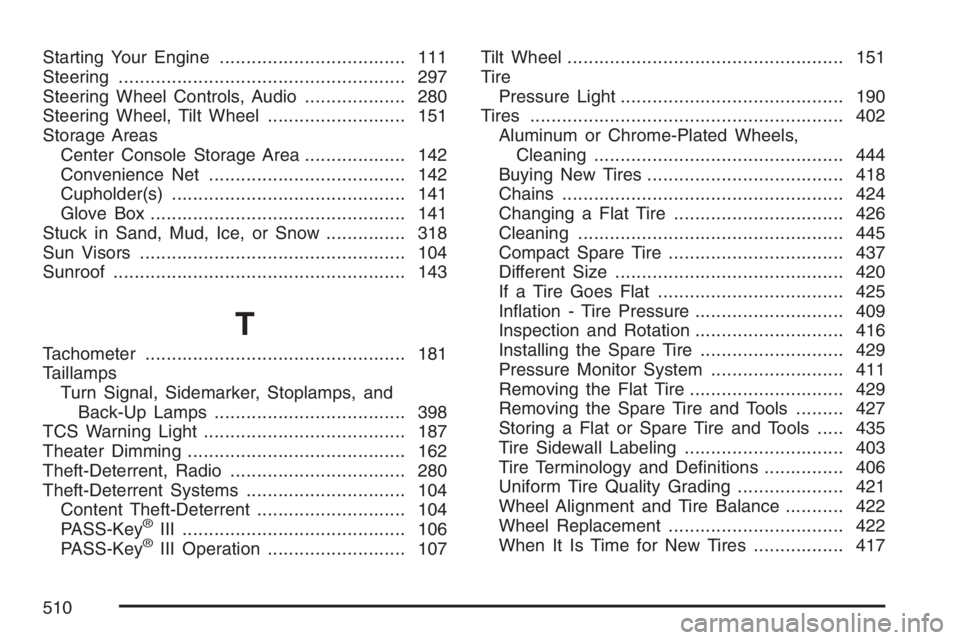
Starting Your Engine................................... 111
Steering...................................................... 297
Steering Wheel Controls, Audio................... 280
Steering Wheel, Tilt Wheel.......................... 151
Storage Areas
Center Console Storage Area................... 142
Convenience Net..................................... 142
Cupholder(s)............................................ 141
Glove Box................................................ 141
Stuck in Sand, Mud, Ice, or Snow............... 318
Sun Visors.................................................. 104
Sunroof....................................................... 143
T
Tachometer................................................. 181
Taillamps
Turn Signal, Sidemarker, Stoplamps, and
Back-Up Lamps.................................... 398
TCS Warning Light...................................... 187
Theater Dimming......................................... 162
Theft-Deterrent, Radio................................. 280
Theft-Deterrent Systems.............................. 104
Content Theft-Deterrent............................ 104
PASS-Key
®III .......................................... 106
PASS-Key®III Operation.......................... 107Tilt Wheel.................................................... 151
Tire
Pressure Light.......................................... 190
Tires........................................................... 402
Aluminum or Chrome-Plated Wheels,
Cleaning............................................... 444
Buying New Tires..................................... 418
Chains..................................................... 424
Changing a Flat Tire................................ 426
Cleaning.................................................. 445
Compact Spare Tire................................. 437
Different Size........................................... 420
If a Tire Goes Flat................................... 425
Ination - Tire Pressure............................ 409
Inspection and Rotation............................ 416
Installing the Spare Tire........................... 429
Pressure Monitor System ......................... 411
Removing the Flat Tire............................. 429
Removing the Spare Tire and Tools......... 427
Storing a Flat or Spare Tire and Tools..... 435
Tire Sidewall Labeling.............................. 403
Tire Terminology and Denitions............... 406
Uniform Tire Quality Grading.................... 421
Wheel Alignment and Tire Balance........... 422
Wheel Replacement................................. 422
When It Is Time for New Tires................. 417
510