3-1 BUICK LACROSSE 2008 User Guide
[x] Cancel search | Manufacturer: BUICK, Model Year: 2008, Model line: LACROSSE, Model: BUICK LACROSSE 2008Pages: 440
Page 142 of 440
2(Headlamps):Turn the control to this position to
turn on the headlamps together with the following lamps
listed below.
A warning chime will sound if the driver’s door is
opened when the ignition switch is turned to LOCK/OFF
or ACC/ACCESSORY and the headlamps or parking
lamps are on.
Parking Lamps
Taillamps
License Plate Lamps
Instrument Panel Lights
-(Foglamps) (If Equipped):Push the fog lamps
button to turn them on and off. SeeFog Lamps on
page 3-15for additional information.
Daytime Running Lamps (DRL)/
Automatic Headlamp System
Daytime Running Lamps (DRL) can make it easier for
others to see the front of your vehicle during the day. DRL
can be helpful in many different driving conditions, but
they can be especially helpful in the short periods after
dawn and before sunset. DRL lamps are required to
function at all times on all vehicles rst sold in Canada.
A light sensor on top of the instrument panel makes the
DRL work, so be sure it is not covered.
The DRL system will make the low-beam headlamps
come on at reduced brightness when the following
conditions are met:
The ignition is on.
The exterior lamps control is off.
The parking brake is released.
While the DRL are on, only the vehicle’s low-beam
headlamps will be on at reduced brightness. The turn
signal, taillamps, sidemarker, and other lamps will not be
on. The instrument panel will not be lit up either.
3-14
Page 143 of 440
When it is dark enough outside, the DRL will turn off
and the vehicle’s headlamps and parking lamps will turn
on. The other lamps that come on with the headlamps
will also come on.
When it is bright enough outside, the headlamps will go
off and the DRL will come on.
To idle the vehicle with the DRL off, turn the exterior
lamp control off and then do one of the following:
Turn the exterior lamp control to the parking lamp
position.
Turn the exterior lamp control to the headlamp
position.
Turn the exterior lamp control from AUTO to off and
back to AUTO.
This feature is not available for vehicles rst sold in
Canada.
To turn off the automatic headlamp feature when it is
dark outside, move the exterior lamp control to the
parking lamp position. The parking lamps remain on and
the headlamps turn off. The fog lamps also go on if
they were on previously.
As with any vehicle, the regular headlamp system
should be turned on when needed.
Fog Lamps
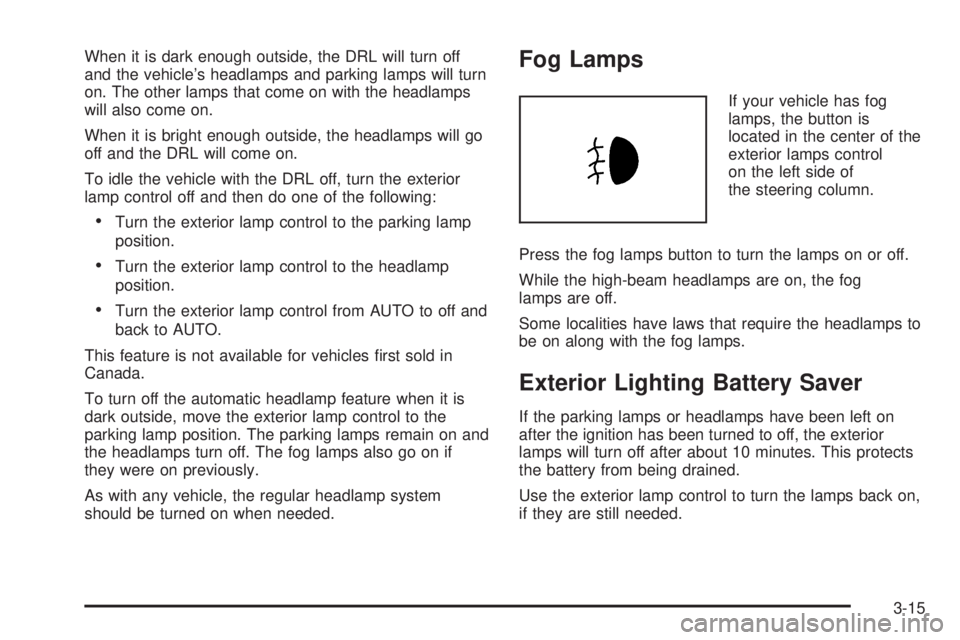
If your vehicle has fog
lamps, the button is
located in the center of the
exterior lamps control
on the left side of
the steering column.
Press the fog lamps button to turn the lamps on or off.
While the high-beam headlamps are on, the fog
lamps are off.
Some localities have laws that require the headlamps to
be on along with the fog lamps.
Exterior Lighting Battery Saver
If the parking lamps or headlamps have been left on
after the ignition has been turned to off, the exterior
lamps will turn off after about 10 minutes. This protects
the battery from being drained.
Use the exterior lamp control to turn the lamps back on,
if they are still needed.
3-15
Page 144 of 440
Interior Lamps
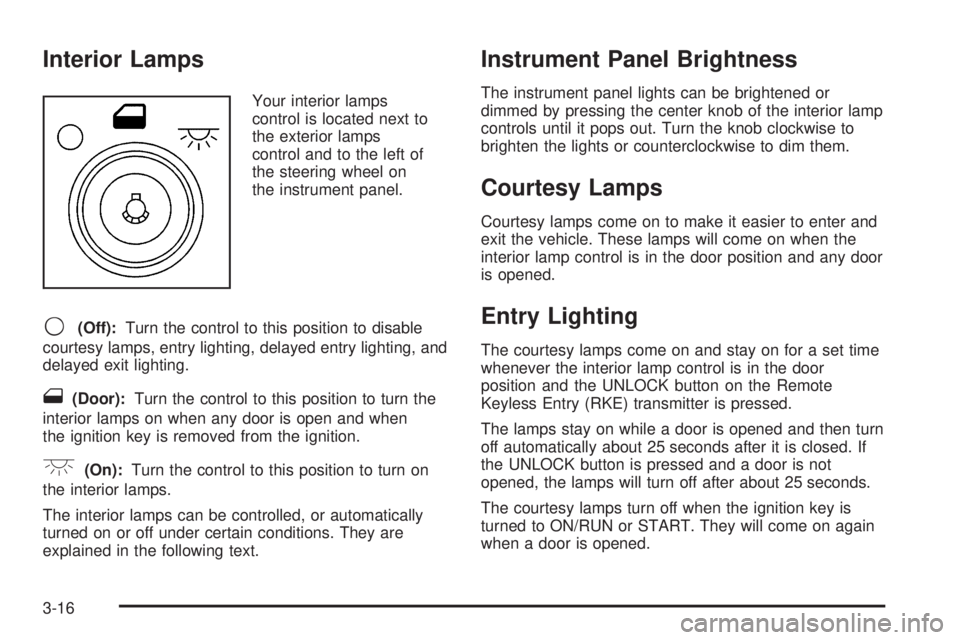
Your interior lamps
control is located next to
the exterior lamps
control and to the left of
the steering wheel on
the instrument panel.
9(Off):Turn the control to this position to disable
courtesy lamps, entry lighting, delayed entry lighting, and
delayed exit lighting.
1(Door):Turn the control to this position to turn the
interior lamps on when any door is open and when
the ignition key is removed from the ignition.
+(On):Turn the control to this position to turn on
the interior lamps.
The interior lamps can be controlled, or automatically
turned on or off under certain conditions. They are
explained in the following text.
Instrument Panel Brightness
The instrument panel lights can be brightened or
dimmed by pressing the center knob of the interior lamp
controls until it pops out. Turn the knob clockwise to
brighten the lights or counterclockwise to dim them.
Courtesy Lamps
Courtesy lamps come on to make it easier to enter and
exit the vehicle. These lamps will come on when the
interior lamp control is in the door position and any door
is opened.
Entry Lighting
The courtesy lamps come on and stay on for a set time
whenever the interior lamp control is in the door
position and the UNLOCK button on the Remote
Keyless Entry (RKE) transmitter is pressed.
The lamps stay on while a door is opened and then turn
off automatically about 25 seconds after it is closed. If
the UNLOCK button is pressed and a door is not
opened, the lamps will turn off after about 25 seconds.
The courtesy lamps turn off when the ignition key is
turned to ON/RUN or START. They will come on again
when a door is opened.
3-16
Page 145 of 440

Delayed Entry Lighting
Delayed entry lighting lights the vehicle’s interior for a
period of time after all the doors have been closed.
After all the doors have been closed, the delayed entry
lighting feature will continue to work until one of the
following occurs:
The ignition is in ON/RUN.
The doors are locked.
25 seconds has passed.
If during the illumination period a door is opened, the
timed illumination period will be canceled and the interior
lamps will remain on.
Theater Dimming
This feature allows for a three to ve second fade out of
the courtesy lamps instead of immediate turn off.
Delayed Exit Lighting
This feature can be programmed either on or off using
the Driver Information Center. SeeDIC Vehicle
Personalization on page 3-76under INT (Interior)
LIGHTS KEYS REMOVED. When activated, the interior
will be lit for a short period of time after the ignition
key is removed from the ignition.The ignition must be off and the interior lamp control
must be in the door position for delayed exit lighting to
work. When the ignition key is removed, interior
illumination will activate and remain on until one of the
following occurs:
The ignition is in ON/RUN.
The power door locks are activated.
25 seconds has passed.
If during the illumination period a door is opened, the
timed illumination period will be canceled and the interior
lamps will remain on.
Perimeter Lighting
Perimeter lighting provides a period of exterior vehicle
lighting. Perimeter lighting activates when the key
is removed from the ignition or the vehicle is unlocked
using the Remote Keyless Entry (RKE) transmitter.
The amount of time the exterior lamps will remain on
can be programmed using the Driver Information
Center (DIC). See “EXIT LIGHT DELAY” underDIC
Vehicle Personalization on page 3-76for additional
information.
3-17
Page 146 of 440
Overhead Console Reading Lamps
Your vehicle may have reading lamps located on
the overhead console. Press the lens to turn them on
and off.
Rear Assist Handle Reading Lamps
Your vehicle may have reading lamps located near
the rear assist handles. Press the lens to turn them on
and off.
Electric Power Management
The vehicle has Electric Power Management (EPM) that
estimates the battery’s temperature and state of
charge. It then adjusts the voltage for best performance
and extended life of the battery.
When the battery’s state of charge is low, the voltage is
raised slightly to quickly put the charge back in. When the
state of charge is high, the voltage is lowered slightly to
prevent overcharging. If the vehicle has a voltmeter gage
or voltage display on the Driver Information Center (DIC),
you may see the voltage move up or down. This is
normal. If there is a problem, an alert will be displayed.The battery can be discharged at idle if the electrical
loads are very high. This is true for all vehicles. This is
because the generator (alternator) may not be
spinning fast enough at idle to produce all the power
that is needed for very high electrical loads.
A high electrical load occurs when several of the
following loads are on: headlamps, high beams, fog
lamps, rear window defogger, climate control fan at high
speed, heated seats, engine cooling fans, trailer
loads, and loads plugged into accessory power outlets.
EPM works to prevent excessive discharge of the
battery. It does this by balancing the generator’s output
and the vehicle’s electrical needs. It can increase
engine idle speed to generate more power, whenever
needed. It can temporarily reduce the power demands of
some accessories.
Normally, these actions occur in steps or levels, without
being noticeable. In rare cases at the highest levels
of corrective action, this action may be noticeable to the
driver. If so, the Driver Information Center (DIC)
message might display Battery Saver Active. If this
message is displayed, it is recommended that the driver
reduce the electrical loads as much as possible. See
DIC Warnings and Messages on page 3-58.
3-18
Page 147 of 440
Battery Run-Down Protection
This helps prevent the vehicle’s battery from draining
in case the interior courtesy lamps, reading lamps, trunk
lamp, underhood lamp, glove box lamps, or sun visor
vanity lamps, if equipped, are accidently left on.
If any of these lamps are left on while the ignition is off,
they will automatically turn off after 10 minutes. The
lamps will not come back on again until one of the
following occurs:
The ignition is turned on.
The interior lamps control is turned off, then to door
or on.
Accessory Power Outlet(s)
The accessory power outlets enable power electrical
equipment such as a cellular telephone or a CB radio to
be used inside the vehicle.
Your vehicle has 12-volt outlets. One outlet is located
on the center console below the climate controls. There
may be another outlet located inside the center
storage console or in the ip and fold console.
Open the cover to use the outlet. Be sure to close the
cover when the outlet is not in use.Notice:Adding any electrical equipment to your
vehicle may damage it or keep other components
from working as they should. The repairs would not
be covered by your warranty. Do not use equipment
exceeding maximum amperage rating of 20 amperes.
Check with your dealer/retailer before adding
electrical equipment.
Certain power accessory plugs may not be compatible
to the power accessory outlet and could result in
blown vehicle or adapter fuses. If you experience a
problem, see your dealer/retailer.
Notice:Improper use of the power outlet can cause
damage not covered by your warranty. Do not
hang any type of accessory or accessory bracket
from the plug because the power outlets are
designed for accessory power plugs only.
Notice:Leaving electrical equipment plugged in for
an extended period of time while the vehicle is off
will drain the battery. Power is always supplied
to the outlets. Always unplug electrical equipment
when not in use and do not plug in equipment
that exceeds the maximum 20 ampere rating.
When adding electrical equipment, be sure to follow the
proper installation instructions included with the
equipment.
3-19
Page 174 of 440
Cruise Control Light
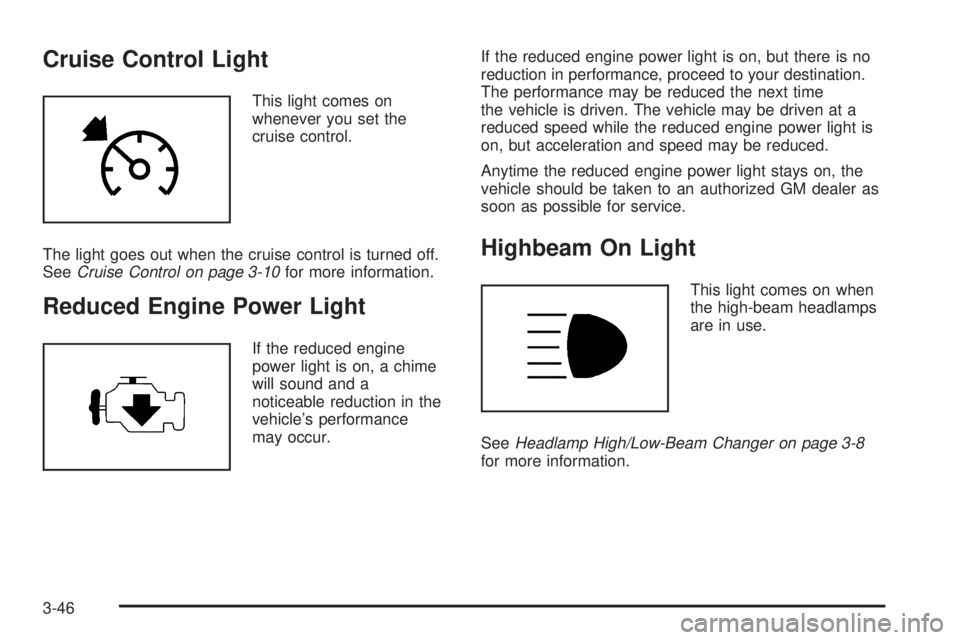
This light comes on
whenever you set the
cruise control.
The light goes out when the cruise control is turned off.
SeeCruise Control on page 3-10for more information.
Reduced Engine Power Light
If the reduced engine
power light is on, a chime
will sound and a
noticeable reduction in the
vehicle’s performance
may occur.If the reduced engine power light is on, but there is no
reduction in performance, proceed to your destination.
The performance may be reduced the next time
the vehicle is driven. The vehicle may be driven at a
reduced speed while the reduced engine power light is
on, but acceleration and speed may be reduced.
Anytime the reduced engine power light stays on, the
vehicle should be taken to an authorized GM dealer as
soon as possible for service.
Highbeam On Light
This light comes on when
the high-beam headlamps
are in use.
SeeHeadlamp High/Low-Beam Changer on page 3-8
for more information.
3-46
Page 181 of 440
Fuel Menu Items (Uplevel Only)
.
(Fuel):Press this button to scroll through the
following menu items:
Fuel Range
Press the fuel button until FUEL RANGE displays. This
mode shows the approximate number of remaining
miles or kilometers the vehicle can be driven without
refueling.
Fuel range is based on several factors, including
distance traveled, fuel used, fuel capacity, etc. This
estimate will change if driving conditions change. For
example, if driving in traffic and making frequent
stops, this mode may read one number, but if the vehicle
is driven on a freeway, the number may change even
though the same amount of fuel is in the fuel tank. This
is because different driving conditions produce
different fuel economies. Generally, freeway driving
produces better fuel economy than city driving.
Fuel range cannot be reset.
If your vehicle is low on fuel, FUEL RANGE LOW will
display followed by the LOW FUEL message. See “LOW
FUEL” underDIC Warnings and Messages on
page 3-58for more information.
Average Fuel Economy
Press the fuel button until AVG ECONOMY displays.
This mode shows the approximate average miles per
gallon (mpg) or liters per 100 kilometers (L/100 km). This
number is calculated based on the number of mpg
(L/100 km) recorded since the last time this menu item
was reset. To reset AVG ECONOMY, press and hold the
set/reset button. The display will return to zero.
Gages Menu Items (Uplevel Only)
2
(Gages):Press this button to scroll through the
following menu items:
Battery
Press the gages button until BATTERY displays. This
mode shows the current battery voltage.
Your vehicle’s charging system regulates voltage based
on the state of the battery. The battery voltage may
uctuate when viewing this information on the DIC. This
is normal.
If there is a problem with the battery charging system, a
DIC message will display. SeeDIC Warnings and
Messages on page 3-58for more information.
SeeElectric Power Management on page 3-18for more
information.
3-53
Page 191 of 440
HEADLAMPS SUGGESTED
This message displays when the amount of available
light outside of the vehicle is low, or the windshield
wipers have been on for about 30 seconds, and
the exterior lamps control is off or in the parking lamps
position. This message informs the driver that turning
on the exterior lamps is recommended. SeeExterior
Lamps on page 3-13for more information.
This message displays while the ignition is in ON/RUN.
Press any of the DIC buttons to acknowledge this
message and to clear it from the screen.
This message continues to display for two seconds if it
has not been acknowledged when the engine is
turned off. It also re-displays for two seconds if the
message has been acknowledged, but the condition still
exists when the engine is turned off.
If the condition still exists, the message re-appears
when the engine is turned on.
HOOD AJAR
If your vehicle has the remote start feature, this
message displays when the hood is not closed properly.
Make sure that the hood is closed completely. See
Hood Release on page 5-11.
This message displays while the ignition is in ON/RUN.
Press any of the DIC buttons to acknowledge this
message and to clear it from the screen.This message continues to display for two seconds if it
has not been acknowledged when the engine is
turned off. It also re-displays for two seconds if the
message has been acknowledged, but the condition still
exists when the engine is turned off.
If the condition still exists, the message re-appears
when the engine is turned on.
HOT TRANS (Transmission) FLUID
This message displays when the transmission uid in
your vehicle is too hot. Stop the vehicle and allow
it to idle until it cools down. If the warning message
continues to display, have the vehicle serviced by your
dealer/retailer as soon as possible.
This message displays and a chime sounds only while
the ignition is in ON/RUN. Press any of the DIC
buttons to acknowledge this message and to clear it
from the screen.
This message continues to display for two seconds if it
has not been acknowledged when the engine is
turned off. It also re-displays for two seconds if the
message has been acknowledged, but the condition still
exists when the engine is turned off.
If the condition still exists, the message re-appears
when the engine is turned on.
3-63
Page 195 of 440
PARKING BRAKE ON
This message displays to alert the driver when the
vehicle’s parking brake is on, the ignition is in ON/RUN,
and the vehicle speed is greater than 5 mph (8 km/h).
Release the parking brake before driving. SeeParking
Brake on page 2-32for more information.
The brake system warning light also appears on the
instrument panel cluster when this message appears on
the DIC. SeeBrake System Warning Light on
page 3-37.
A chime sounds continuously while this message is
displayed if driving above 5 mph (8 km/h). Press any of
the DIC buttons to acknowledge this message and
to clear it from the screen.
This message continues to display for two seconds if it
has not been acknowledged when the engine is
turned off. It also re-displays for two seconds if the
message has been acknowledged, but the condition still
exists when the engine is turned off.
If the condition still exists, the message re-appears
when the engine is turned on.
PARK LAMPS ON
This message displays to alert the driver when the
headlamps or parking lamps are on while the ignition is
off and the driver’s door is opened. SeeExterior
Lamps on page 3-13for more information. A chime
sounds continuously while this message is displayed.
Press any of the DIC buttons to acknowledge this
message and to clear it from the screen.
PASSENGER’S DOOR AJAR
This message displays when the front passenger door
is not closed properly. Make sure that the door is closed
completely.
This message displays while the ignition is in ON/RUN.
A chime sounds when the gear position is shifted out of
PARK (P). Press any of the DIC buttons to acknowledge
this message and to clear it from the screen.
This message continues to display for two seconds if it
has not been acknowledged when the engine is
turned off. It also re-displays for two seconds if the
message has been acknowledged, but the condition still
exists when the engine is turned off.
If the condition still exists, the message re-appears
when the engine is turned on.
3-67