buttons BUICK LACROSSE 2008 User Guide
[x] Cancel search | Manufacturer: BUICK, Model Year: 2008, Model line: LACROSSE, Model: BUICK LACROSSE 2008Pages: 440
Page 150 of 440
You can also select modes by using the following
buttons:
h(Recirculate):Press this button to recirculate
cabin air through the vehicle. It can be used to
help reduce the outside air and odors that enter your
vehicle or to help heat or cool the air inside your vehicle
quicker. An indicator light below the button will come
on in this mode. Operation in this mode during periods of
high humidity and cool outside temperatures may
result in increased window fogging. If window fogging is
experienced, select the defrost mode. To prevent the
air inside the vehicle from becoming stale, after
ve minutes recirculate will allow some outside air into
the vehicle.
#(Air Conditioning):Press this button to turn the
air conditioning system on or off. When this button
is pressed, an indicator light below the button will come
on to let you know the air conditioning is activated.
Air conditioning can be selected in any mode as long as
the fan switch is on. The indicator light will change
with each button press even when conditions prevent
operation.
On hot days during the vehicle’s initial start-up, open
the windows to let hot inside air escape; then close
them. This helps to reduce the time it takes for
the vehicle to cool down. It also helps the system to
operate more efficiently.For quicker cool down on hot days, do the following:
1. Select the vent air mode.
2. Select the recirculation mode.
3. Select the air conditioner.
4. Select the coolest temperature.
5. Select the highest fan speed.
The air conditioning system removes moisture from the
air, so you may sometimes notice a small amount of
water dripping underneath your vehicle while idling
or after turning off the engine. This is normal.
Using these settings together for long periods of time
may cause the air inside the vehicle to become too dry.
To prevent this, after ve minutes recirculate will
allow some outside air into the vehicle.
Defogging and Defrosting
Fog on the inside of the vehicle is a result of high humidity
causing moisture to condense on the cool window glass.
This can be minimized if the climate control system is
used properly. There are two modes to clear frost or fog
from the windshield. Use the defog mode to clear the
windows of condensation and to warm the vehicle’s
occupants. Use the defrost mode to remove frost or
condensation from the windshield quickly.
See “Rear Window Defogger” later in this section for
information on clearing the rear window of fog or ice.
3-22
Page 153 of 440
4. Press OFF to turn the climate control system off.
Only the rear defog and heated seats will function.
Press AUTO or any other button except the
heated seats or rear defog to turn the climate
control system back on.
This control has four types of operation.
Automatic can set/change the temperature only.
AUTO and temperature only will appear on the
display.
Semi-Automatic Fan can set/change the
temperature and mode. The fan operates
automatically. The temperature and mode will
appear on the display.
Semi-Automatic Mode can set/change the
temperature and fan speed. The mode operates
automatically. The fan speed and temperature will
appear on the display.
Manual can set/change the temperature, mode and
fan. The fan speed, temperature, and mode will
appear on the display.
If your vehicle has the remote start feature, the climate
control system will automatically regulate the inside
temperature of your vehicle when the remote start
system is activated. Normal operation and the last
setting of the climate control system will return after the
key is turned on.
Manual Operation
During daylight hours, the instrument panel brightness
control might need to be adjusted to the highest setting,
in order to see the indicator lights for the various
climate control settings.
OFF:Press this button to turn the climate control
system off.
yz(Temperature):Press these buttons to manually
adjust the temperature inside the vehicle. Press the
up arrow on the driver or passenger side to raise
the temperature, and press the down arrow to lower the
temperature. The display will show the selected
temperature.
z9(Fan):Press this button to decrease the fan
speed. Pressing the arrows cancels the automatic
operation and places the system in manual or
semi-automatic mode. Press the AUTO button to return
to automatic operation. If the airow seems low when
the fan is at the highest setting, the passenger
compartment air lter may need to be replaced. For
more information seePassenger Compartment Air Filter
on page 3-29andScheduled Maintenance on page 6-4.
3-25
Page 177 of 440
Check Gas Cap Light
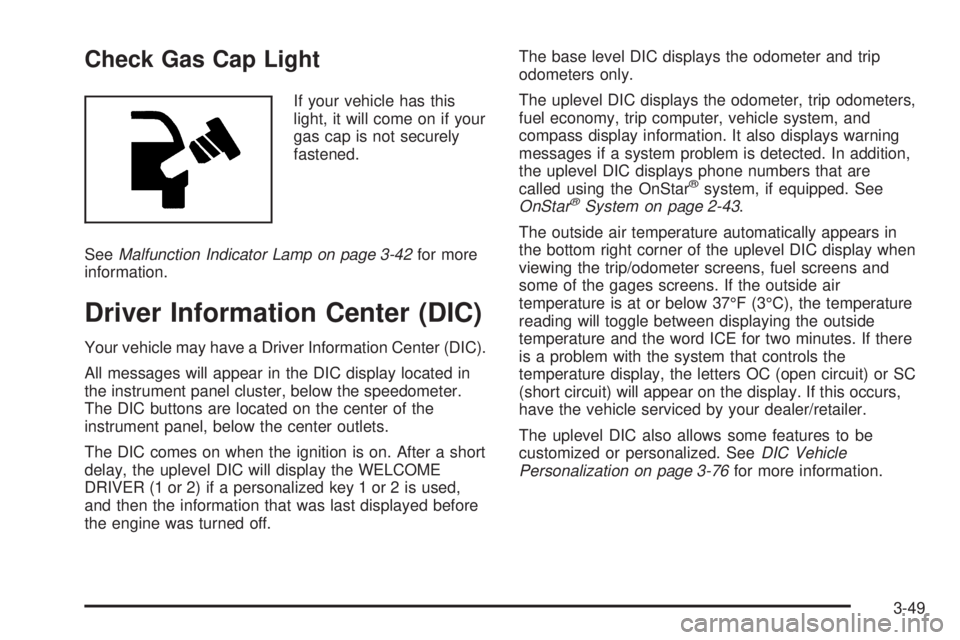
If your vehicle has this
light, it will come on if your
gas cap is not securely
fastened.
SeeMalfunction Indicator Lamp on page 3-42for more
information.
Driver Information Center (DIC)
Your vehicle may have a Driver Information Center (DIC).
All messages will appear in the DIC display located in
the instrument panel cluster, below the speedometer.
The DIC buttons are located on the center of the
instrument panel, below the center outlets.
The DIC comes on when the ignition is on. After a short
delay, the uplevel DIC will display the WELCOME
DRIVER (1 or 2) if a personalized key 1 or 2 is used,
and then the information that was last displayed before
the engine was turned off.The base level DIC displays the odometer and trip
odometers only.
The uplevel DIC displays the odometer, trip odometers,
fuel economy, trip computer, vehicle system, and
compass display information. It also displays warning
messages if a system problem is detected. In addition,
the uplevel DIC displays phone numbers that are
called using the OnStar
®system, if equipped. See
OnStar®System on page 2-43.
The outside air temperature automatically appears in
the bottom right corner of the uplevel DIC display when
viewing the trip/odometer screens, fuel screens and
some of the gages screens. If the outside air
temperature is at or below 37°F (3°C), the temperature
reading will toggle between displaying the outside
temperature and the word ICE for two minutes. If there
is a problem with the system that controls the
temperature display, the letters OC (open circuit) or SC
(short circuit) will appear on the display. If this occurs,
have the vehicle serviced by your dealer/retailer.
The uplevel DIC also allows some features to be
customized or personalized. SeeDIC Vehicle
Personalization on page 3-76for more information.
3-49
Page 178 of 440
DIC Operation and Displays
The DIC has different modes which can be accessed by
pressing the DIC buttons located on the center of the
instrument panel. Depending on whether your vehicle
has the base level or uplevel DIC, the buttons and
modes available will differ.
The base level buttons are the trip/odometer and
English/Metric buttons.
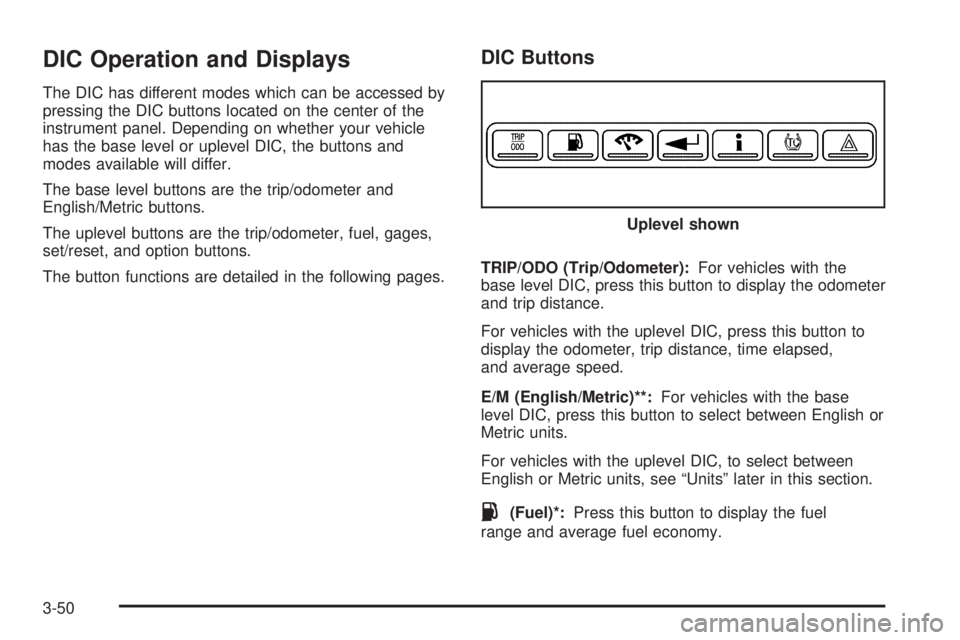
The uplevel buttons are the trip/odometer, fuel, gages,
set/reset, and option buttons.
The button functions are detailed in the following pages.
DIC Buttons
TRIP/ODO (Trip/Odometer):For vehicles with the
base level DIC, press this button to display the odometer
and trip distance.
For vehicles with the uplevel DIC, press this button to
display the odometer, trip distance, time elapsed,
and average speed.
E/M (English/Metric)**:For vehicles with the base
level DIC, press this button to select between English or
Metric units.
For vehicles with the uplevel DIC, to select between
English or Metric units, see “Units” later in this section.
.(Fuel)*:Press this button to display the fuel
range and average fuel economy.Uplevel shown
3-50
Page 179 of 440
2(Gages)*:Press this button to display the battery
voltage, oil life, and tire pressure readings.
r(Set/Reset)*:Press this button to set or reset
certain functions and to turn off or acknowledge
messages on the DIC.
4(Option)*:Press this button to display the units,
language, personalization, compass zone, and compass
calibration. SeeDIC Vehicle Personalization on
page 3-76andDIC Compass (Uplevel Only) on
page 3-56for more information.
t(Traction Control):Press this button to turn
traction control on or off. SeeTraction Control System
(TCS) on page 4-6for more information.
Press and hold this button to turn StabiliTrak
®off, for
vehicles with this feature. Press this button again to turn
both traction control and StabiliTrak
®on. See
StabiliTrak®System on page 4-8for more information.
|(Hazard):Press this button to turn the hazard
warning ashers on and off. SeeHazard Warning
Flashers on page 3-6for more information.
*These buttons are only available on vehicles with the
uplevel DIC.
**This button is only available on vehicles with the base
level DIC.
Trip/Odometer Menu Items
TRIP/ODO (Trip Odometer):Press this button to scroll
through the following menu items:
Odometer
Press the trip/odometer button until the odometer
displays. This mode shows the distance the vehicle has
been driven in either miles or kilometers.
Trip A and Trip B
Press the trip/odometer button until A or B displays.
This mode shows the current distance traveled in either
miles or kilometers since the last reset for each trip
odometer. Both trip odometers can be used at the
same time.
The display will show the odometer on the top line and
the trip odometer information, either A or B, on the
bottom line.
Each trip odometer can be reset to zero separately by
briey pressing the set/reset button on vehicles with the
uplevel DIC or by briey pressing and holding the trip
odometer button on vehicles with the base level
DIC while the desired trip odometer is displayed.
3-51
Page 186 of 440
DIC Warnings and Messages
Messages are displayed on the uplevel DIC to notify the
driver that the status of the vehicle has changed and
that some action may be needed by the driver to correct
the condition. Multiple messages may appear one
after another.
Some messages may not require immediate action, but
you can press any of the uplevel DIC buttons to
acknowledge that you received the message and clear it
from the DIC display.
Some messages cannot be cleared from the DIC
display because they are more urgent. These messages
require action before they can be cleared.
If there are any active warning messages when the
vehicle is turned off, two chimes sound and the
DIC goes into a reminder mode. The reminder mode
displays any active message. If there are multiple
messages, the DIC displays each message for ve
seconds. After each active message is displayed once,
the reminder mode turns off.
You should take any messages that appear on the
display seriously and remember that clearing the
messages will only make the messages disappear, not
correct the problem.
The following are the possible messages that can be
displayed and some information about them.
A/C OFF FOR ENGINE PROTECTION
This message displays when the engine coolant
becomes hotter than the normal operating temperature.
SeeEngine Coolant Temperature Gage on page 3-40.
To avoid added strain on a hot engine, the air
conditioning compressor is automatically turned off.
When the coolant temperature returns to normal, the air
conditioning compressor turns back on. You can
continue to drive your vehicle.
This message comes on while the ignition is in ON/RUN.
Press any of the DIC buttons to acknowledge this
warning message and to clear it from the screen.
This message continues to display for two seconds if it
has not been acknowledged when the engine is
turned off. It also re-displays for two seconds if the
message has been acknowledged, but the condition still
exists when the engine is turned off.
If the condition still exists, the message re-appears
when the engine is turned on. If this message continues
to appear, have the system repaired by your
dealer/retailer as soon as possible to avoid damage to
the engine.
3-58
Page 187 of 440
BATTERY SAVER ACTIVE
This message displays when the system detects that
the battery voltage is dropping beyond a reasonable
level. The battery saver system starts reducing certain
features of the vehicle that you may be able to notice.
At the point that the features are disabled, this message
is displayed. It means that the vehicle is trying to
save the charge in the battery.
Turn off all unnecessary accessories to allow the battery
to recharge.
The normal battery voltage range is 11.5 to 15.5 volts.
If your vehicle has an uplevel DIC, you can monitor
the battery voltage by pressing the gages button until
BATTERY displays.
CHANGE OIL SOON
This message displays when service is required for the
vehicle. See your dealer/retailer. SeeEngine Oil on
page 5-18andScheduled Maintenance on page 6-4for
more information.
The CHANGE OIL SOON message is reset by
acknowledging the message. The OIL LIFE screen
under the gages menu on the DIC must also be reset.
See “Oil Life” underDIC Operation and Displays on
page 3-50andEngine Oil Life System on page 5-21.This message displays while the ignition is in ON/RUN.
Press any of the DIC buttons to acknowledge this
message and to clear it from the screen.
This message continues to display for two seconds if it
has not been acknowledged when the engine is
turned off. It also re-displays for two seconds if the
message has been acknowledged, but the condition still
exists when the engine is turned off.
If the condition still exists, the message re-appears
when the engine is turned on.
CHARGING SYSTEM FAILURE
This message displays when there is a problem with the
generator and battery charging systems. Driving with
this problem could drain the battery. Turn off all
unnecessary accessories. Stop and turn off the vehicle
as soon as it is safe to do so. Have the electrical
system checked by your dealer/retailer immediately.
This message displays and a chime sounds while the
ignition is in ON/RUN. Press any of the DIC buttons
to acknowledge this message and to clear it from
the screen.
3-59
Page 188 of 440
This message continues to display for two seconds if it
has not been acknowledged when the engine is
turned off. It also re-displays for two seconds if the
message has been acknowledged, but the condition still
exists when the engine is turned off.
If the condition still exists, the message re-appears
when the engine is turned on.
CHECK GAS CAP
This message may display if the fuel cap is not on, or is
not fully tightened. The check gas cap light also appears
on the instrument panel cluster. SeeCheck Gas Cap
Light on page 3-49. Check the fuel cap to ensure that it is
on properly. The diagnostic system can determine if the
fuel cap has been left off or improperly installed. A loose
or missing fuel cap allows fuel to evaporate into the
atmosphere. A few driving trips with the cap properly
installed should turn this message off. SeeFilling the
Tank on page 5-8for more information.
This message displays while the ignition is in ON/RUN.
Press any of the DIC buttons to acknowledge this
message and to clear it from the screen.This message continues to display for two seconds if it
has not been acknowledged when the engine is
turned off. It also re-displays for two seconds if the
message has been acknowledged, but the condition still
exists when the engine is turned off.
If the condition still exists, the message re-appears
when the engine is turned on.
CHECK TIRE PRESSURE
This message displays when the pressure in one or
more of the vehicle’s tires needs to be checked.
This message also displays LEFT FRONT, RIGHT
FRONT, LEFT REAR, or RIGHT REAR to indicate which
tire needs to be checked. You can receive more than
one tire pressure message at a time. To read the other
messages that may have been sent at the same
time, press the set/reset button. If a tire pressure
message appears on the DIC, stop as soon as you can.
Have the tire pressures checked and set to those
shown on the Tire Loading Information label. SeeTires
on page 5-63,Loading Your Vehicle on page 4-21,
andInflation - Tire Pressure on page 5-70. The DIC also
shows the tire pressure values. SeeDIC Operation
and Displays on page 3-50. If the tire pressure is low,
the low tire pressure warning light comes on. See
Tire Pressure Light on page 3-41.
3-60
Page 189 of 440
This message displays while the ignition is in ON/RUN.
Press any of the DIC buttons to acknowledge this
message and to clear it from the screen.
This message continues to display for two seconds if it
has not been acknowledged when the engine is
turned off. It also re-displays for two seconds if the
message has been acknowledged, but the condition still
exists when the engine is turned off.
If the condition still exists, the message re-appears
when the engine is turned on.
DELAYED LOCKING
This message displays to inform the driver that even
though a door lock switch or the lock button on the
Remote Keyless Entry (RKE) transmitter has been
pressed, that actual locking of the doors is being
delayed because the delayed locking feature has been
activated in the DIC. See “DELAYED LOCKING”
underDIC Vehicle Personalization on page 3-76for
more information.
This message appears and a chime sounds when the
ignition is off.
This message cannot be acknowledged.
DRIVER’S DOOR AJAR
This message displays when the driver door is not closed
properly. Make sure that the door is closed completely.
This message displays while the ignition is in ON/RUN.
A chime sounds when the gear position is shifted out of
PARK (P). Press any of the DIC buttons to acknowledge
this message and to clear it from the screen.
This message continues to display for two seconds if it
has not been acknowledged when the engine is
turned off. It also re-displays for two seconds if the
message has been acknowledged, but the condition still
exists when the engine is turned off.
If the condition still exists, the message re-appears
when the engine is turned on.
3-61
Page 190 of 440
DRIVER’S REAR DOOR AJAR
This message displays when the driver side rear door is
not closed properly. Make sure that the door is closed
completely.
This message displays while the ignition is in ON/RUN.
A chime sounds when the gear position is shifted out of
PARK (P). Press any of the DIC buttons to acknowledge
this message and to clear it from the screen.
This message continues to display for two seconds if it
has not been acknowledged when the engine is
turned off. It also re-displays for two seconds if the
message has been acknowledged, but the condition still
exists when the engine is turned off.
If the condition still exists, the message re-appears
when the engine is turned on.
ENGINE COOLANT HOT
Notice:If you drive your vehicle while the engine is
overheating, severe engine damage may occur. If
an overheat warning appears on the instrument
panel cluster and/or DIC, stop the vehicle as soon
as possible. Do not increase the engine speed above
normal idling speed. SeeEngine Overheating on
page 5-30for more information.This message displays when the engine coolant
temperature is too hot. The engine coolant temperature
warning light also appears on the instrument panel
cluster. SeeEngine Coolant Temperature Warning Light
on page 3-40andEngine Coolant Temperature Gage
on page 3-40for more information.
To avoid added strain on the engine, turn off the air
conditioner if it is on. When the coolant temperature
returns to normal, the air conditioner can be turned
back on.
This message displays only when the ignition is in
ON/RUN. A chime sounds continuously when this
message is displayed. Press any of the DIC buttons
to acknowledge this message and to clear it from
the screen.
This message continues to display for two seconds if it
has not been acknowledged when the engine is
turned off. It also re-displays for two seconds if the
message has been acknowledged, but the condition still
exists when the engine is turned off.
If the condition still exists, the message re-appears
when the engine is turned on.
3-62