change time BUICK LACROSSE 2010 Owner's Guide
[x] Cancel search | Manufacturer: BUICK, Model Year: 2010, Model line: LACROSSE, Model: BUICK LACROSSE 2010Pages: 414
Page 214 of 414
7-2 Climate Controls
Automatic Operation
The system automatically controls
the fan speed, air delivery, air
conditioning and recirculation in
order to heat or cool the vehicle to
the desired temperature.
When the AUTO indicator light is
on, the system is in full automatic
operation. If the air delivery mode,
fan speed, recirculation or air
conditioning setting is adjusted, the
AUTO indicator turns off and the
selected settings will appear on the
display.
To place the system in automatic
mode do the following:
1. Press AUTO.
2. Set the temperature. Allow thesystem time to stabilize. Adjust
the temperature as needed for
best comfort.
Q/R(Temperature Control):
Press to increase or decrease the
temperature. Manual Operation
O(Power):
Press to turn the fan
on or off.
D C(Fan Control): Press to
increase or decrease the fan speed.
The fan speed setting appears on
the main display. Pressing either
button cancels automatic fan control
and the fan can be controlled
manually. Press AUTO to return to
automatic operation.
e *(Air Delivery Mode
Control): Press to change the
direction of the airflow. The current
mode appears in the display screen.
Pressing either button cancels
automatic air delivery control and
the direction of the airflow can be
controlled manually. Press AUTO to
return to automatic operation.
To change the current mode, select
one of the following:
Y(Vent): Air is directed to the
instrument panel outlets.
\(Bi-Level): Air is divided
between the instrument panel
outlets and the floor outlets.
C(Tri-Level): Air is divided
between the windshield, instrument
panel, and floor outlets.
[(Floor): Air is directed to the
floor outlets.
-(Defog): Clears the windows of
fog or moisture. Air is directed to the
windshield and floor outlets.
0(Defrost): Clears the
windshield of fog or frost more
quickly. Air is directed to the
windshield. Selecting defrost will
disable automatic control.
For best results, clear all snow and
ice from windshield before
defrosting.
#(Air Conditioning): Press to
turn the air conditioning system on
or off. If the fan is turned off or the
outside temperature falls below
freezing, the air conditioning system
will not run.
Page 217 of 414
Climate Controls 7-5
Automatic Operation
The system automatically controls
the fan speed, air delivery, air
conditioning and recirculation in
order to heat or cool the vehicle to
the desired temperature.
When the AUTO indicator light is
on, the system is in full automatic
operation. If the air delivery mode,
fan speed, recirculation or air
conditioning setting is adjusted, the
AUTO indicator turns off and the
selected settings will appear on the
display.
To place the system in automatic
mode do the following:
1. Press AUTO.
2. Set the temperature. Allow thesystem time to stabilize. Adjust
the temperature as needed for
best comfort.Q/R(Driver and Passenger
Temperature Control): The
temperature can be adjusted
separately for the driver and the
passenger. Press to increase or
decrease the temperature.
ZONE: Press to link all climate
zone settings to the driver's
settings. The ZONE indicator light
will turn off. When the passenger
settings are adjusted, the ZONE
indicator light is on.
Manual Operation
O(Power): Press to turn the fan
off or on.
D C(Fan Control): Press to
increase or decrease the fan speed.
The fan speed setting appears on
the main display. Pressing either
button cancels automatic fan control
and the fan is controlled manually.
Press AUTO to return to automatic
operation.
e *(Air Delivery Mode
Control): Press to change the
direction of the airflow. The current
mode appears in the display screen.
Pressing either button cancels
automatic air delivery control and
the direction of the airflow is
controlled manually. Press AUTO to
return to automatic operation.
To change the current mode, select
one of the following:
Y(Vent): Air is directed to the
instrument panel outlets.
\(Bi-Level): Air is divided
between the instrument panel
outlets and the floor outlets.
C(Tri-Level): Air is divided
between the windshield, instrument
panel, and floor outlets.
[(Floor): Air is directed to the
floor outlets.
-(Defog): Clears the windows of
fog or moisture. Air is directed to the
windshield and floor outlets.
Page 242 of 414
8-20 Driving and Operating
To place the ignition in ON/RUN/
START from OFF without starting
the engine, press the button two
times without your foot on the brake
pedal.
The battery could be drained if you
leave the ignition in the ON/RUN/
START position with the engine off.
You may not be able to start the
vehicle if the battery is allowed to
drain for an extended period of time.
Retained Accessory
Power (RAP)
These vehicle accessories can be
used for up to 10 minutes after the
engine is turned off:
.Audio System
.Power Windows
.Sunroof (if equipped)
.Auxiliary Power OutletPower to the audio system will
continue to operate for up to
10 minutes or until the driver door is
opened.
Power to the power windows and
sunroof will continue to operate for
up to 10 minutes or until any door is
opened.
All these features will work when the
key is in ON/RUN or ACC/
ACCESSORY.
Starting the Engine
Move the shift lever to P (Park) or
N (Neutral). The engine will not start
in any other position. To restart the
engine when the vehicle is already
moving, use N (Neutral) only.
Notice:
Do not try to shift to
P (Park) if the vehicle is moving.
If you do, you could damage the
transmission. Shift to P (Park)
only when the vehicle is stopped. Notice:
The engine is designed to
work with the electronics in the
vehicle. If you add electrical parts
or accessories, you could change
the way the engine operates.
Before adding electrical
equipment, check with your
dealer/retailer. If you do not, the
engine might not perform
properly. Any resulting damage
would not be covered by the
vehicle warranty.
Starting Procedure (Key Access)
1. With your foot off the accelerator
pedal, turn the ignition key to
START. When the engine starts,
let go of the ignition.
The idle speed will go down as
your engine gets warm. Do not
race the engine immediately
after starting it. Operate the
engine and transmission gently
to allow the oil to warm up and
lubricate all moving parts.
Page 253 of 414
Driving and Operating 8-31
Brakes
Antilock Brake
System (ABS)
This vehicle has the Antilock Brake
System (ABS), an advanced
electronic braking system that helps
prevent a braking skid.
When the engine is started and the
vehicle begins to drive away, ABS
checks itself. A momentary motor or
clicking noise might be heard while
this test is going on, and it might
even be noticed that the brake
pedal moves a little. This is normal.
If there is a problem with ABS, this
warning light stays on. SeeAntilock
Brake System (ABS) Warning Light
on page 4‑21. If driving safely on a wet road and it
becomes necessary to slam on the
brakes and continue braking to
avoid a sudden obstacle, a
computer senses that the wheels
are slowing down. If one of the
wheels is about to stop rolling, the
computer will separately work the
brakes at each wheel.
ABS can change the brake pressure
to each wheel, as required, faster
than any driver could. This can help
the driver steer around the obstacle
while braking hard.
As the brakes are applied, the
computer keeps receiving updates
on wheel speed and controls
braking pressure accordingly.
Remember: ABS does not change
the time needed to get a foot up to
the brake pedal or always decrease
stopping distance. If you get too
close to the vehicle in front of you,
there will not be enough time to
apply the brakes if that vehicle
suddenly slows or stops. Always
leave enough room up ahead to
stop, even with ABS.
Using ABS
Do not pump the brakes. Just hold
the brake pedal down firmly and let
ABS work. The ABS pump or motor
might be heard operating, and the
brake pedal might be felt to pulsate,
but this is normal.
Braking in Emergencies
ABS allows the driver to steer and
brake at the same time. In many
emergencies, steering can help
more than even the very best
braking.
Page 259 of 414
Driving and Operating 8-37
TOUR:Use for normal city and
highway driving. This setting
provides a smooth, soft ride.
SPORT: Use where road conditions
or personal preference demand
more control. This setting provides
more “feel”, or response to road
conditions through increased
steering effort and suspension
tuning.
The setting can be changed at any
time. Based on road conditions,
steering wheel angle and the
vehicle speed, the system
automatically adjusts to provide the
best handling while providing a
smooth ride. The Tour and Sport
modes will feel similar on a
smooth road.Cruise Control
With cruise control, the vehicle can
maintain a speed of about 40 km/h
(25 mph) or more without keeping
your foot on the accelerator. Cruise
control does not work at speeds
below 40 km/h (25 mph).
On vehicles with the Traction
Control System (TCS) or Electronic
Stability Control (ESC), the system
may begin to limit wheel spin while
you are using cruise control. If this
happens, the cruise control will
automatically disengage. See
Traction Control System (TCS)
on
page 8‑34or Electronic Stability
Control (ESC) on page 8‑35.
{WARNING
Cruise control can be dangerous
where you cannot drive safely at
a steady speed. So, do not use
the cruise control on winding
roads or in heavy traffic.
Cruise control can be dangerous
on slippery roads. On such roads,
fast changes in tire traction can
cause excessive wheel slip, and
you could lose control. Do not use
cruise control on slippery roads.
Page 295 of 414
Vehicle Care 9-13
.GM6094M
Use only an oil that meets GM
Standard GM6094M.
.SAE 5W-30
SAE 5W-30 is best for the
vehicle. These numbers on an
oil container show its viscosity,
or thickness. Do not use other
viscosity oils such as
SAE 20W-50.
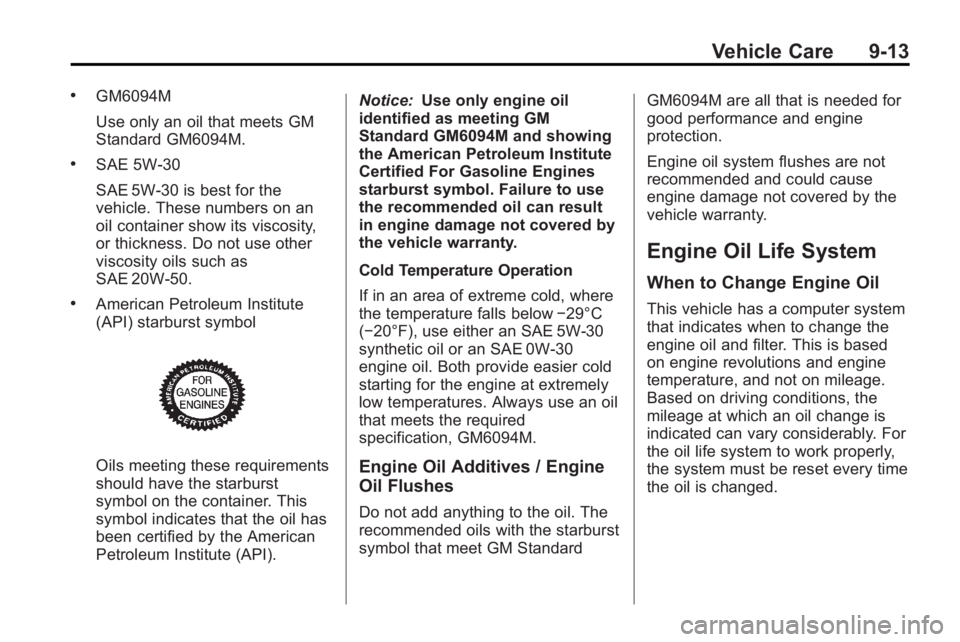
.American Petroleum Institute
(API) starburst symbol
Oils meeting these requirements
should have the starburst
symbol on the container. This
symbol indicates that the oil has
been certified by the American
Petroleum Institute (API).Notice:
Use only engine oil
identified as meeting GM
Standard GM6094M and showing
the American Petroleum Institute
Certified For Gasoline Engines
starburst symbol. Failure to use
the recommended oil can result
in engine damage not covered by
the vehicle warranty.
Cold Temperature Operation
If in an area of extreme cold, where
the temperature falls below −29°C
(−20°F), use either an SAE 5W-30
synthetic oil or an SAE 0W-30
engine oil. Both provide easier cold
starting for the engine at extremely
low temperatures. Always use an oil
that meets the required
specification, GM6094M.Engine Oil Additives / Engine
Oil Flushes
Do not add anything to the oil. The
recommended oils with the starburst
symbol that meet GM Standard GM6094M are all that is needed for
good performance and engine
protection.
Engine oil system flushes are not
recommended and could cause
engine damage not covered by the
vehicle warranty.
Engine Oil Life System
When to Change Engine Oil
This vehicle has a computer system
that indicates when to change the
engine oil and filter. This is based
on engine revolutions and engine
temperature, and not on mileage.
Based on driving conditions, the
mileage at which an oil change is
indicated can vary considerably. For
the oil life system to work properly,
the system must be reset every time
the oil is changed.
Page 296 of 414
9-14 Vehicle Care
When the system has calculated
that oil life has been diminished, it
indicates that an oil change is
necessary. A Change Engine Oil
Soon message comes on. See
Engine Oil Messages
on
page 4‑35. Change the oil as soon
as possible within the next 1 000 km
(600 miles). It is possible that,
if driving under the best conditions,
the oil life system might not indicate
that an oil change is necessary for
over a year. However, the engine oil
and filter must be changed at least
once a year and at this time the
system must be reset. Your dealer/
retailer has trained service people
who will perform this work using
genuine parts and reset the system.
It is also important to check the oil
regularly and keep it at the proper
level.
If the system is ever reset
accidentally, the oil must be
changed at 5 000 km (3,000 miles)
since the last oil change.
Remember to reset the oil life
system whenever the oil is changed.
How to Reset the Engine Oil
Life System
Reset the system whenever the
engine oil is changed so that the
system can calculate the next
engine oil change. To reset the
system:
1. Turn the key to ON/RUN with the engine off.
2. Press the DIC menu button on the turn signal lever to scroll
through the menu items on the
DIC screen.
3. Press the set button to clear the Change Engine Oil Soon
message and/or restore the
Remaining Oil Life 100%
message.
4. Turn the key to LOCK/OFF.
The system is reset when the
Change Engine Oil Soon message
is off and the Remaining Oil Life
100% message is is displayed.
What to Do with Used Oil
Used engine oil contains certain
elements that can be unhealthy for
your skin and could even cause
cancer. Do not let used oil stay on
your skin for very long. Clean your
skin and nails with soap and water,
or a good hand cleaner. Wash or
properly dispose of clothing or rags
containing used engine oil. See the
manufacturer's warnings about the
use and disposal of oil products.
Used oil can be a threat to the
environment. If you change your
own oil, be sure to drain all the oil
from the filter before disposal. Never
dispose of oil by putting it in the
trash, pouring it on the ground, into
sewers, or into streams or bodies of
water. Recycle it by taking it to a
place that collects used oil.
Page 306 of 414
9-24 Vehicle Care
Brakes
This vehicle has disc brakes. Disc
brake pads have built-in wear
indicators that make a high-pitched
warning sound when the brake pads
are worn and new pads are needed.
The sound can come and go or be
heard all the time the vehicle is
moving, except when applying the
brake pedal firmly.
{WARNING
The brake wear warning sound
means that soon the brakes will
not work well. That could lead to
an accident. When the brake
wear warning sound is heard,
have the vehicle serviced.
Notice: Continuing to drive with
worn-out brake pads could result
in costly brake repair. Some driving conditions or climates
can cause a brake squeal when the
brakes are first applied or lightly
applied. This does not mean
something is wrong with the brakes.
Properly torqued wheel nuts are
necessary to help prevent brake
pulsation. When tires are rotated,
inspect brake pads for wear and
evenly tighten wheel nuts in the
proper sequence to torque
specifications in
Capacities and
Specifications on page 11‑2.
Brake linings should always be
replaced as complete axle sets.
Brake Pedal Travel
See your dealer/retailer if the brake
pedal does not return to normal
height, or if there is a rapid increase
in pedal travel. This could be a sign
that brake service might be
required.
Brake Adjustment
Every time the brakes are applied,
with or without the vehicle moving,
the brakes adjust for wear.
Replacing Brake System Parts
The braking system on a vehicle is
complex. Its many parts have to be
of top quality and work well together
if the vehicle is to have really good
braking. The vehicle was designed
and tested with top-quality brake
parts. When parts of the braking
system are replaced, be sure to get
new, approved replacement parts.
If this is not done, the brakes might
not work properly. For example,
installing disc brake pads that are
wrong for the vehicle, can change
the balance between the front and
rear brakes —for the worse. The
braking performance expected can
change in many other ways if the
wrong replacement brake parts are
installed.
Page 369 of 414
Vehicle Care 9-87
Fabric/Carpet
Use a vacuum cleaner with a soft
brush attachment to remove dust
and loose dirt. A canister vacuum
with a beater bar in the nozzle may
only be used on floor carpet and
carpeted floor mats. For soils,
always try to remove them first with
plain water or club soda. Before
cleaning, gently remove as much of
the soil as possible using one of the
following techniques:
.For liquids: gently blot the
remaining soil with a paper
towel. Allow the soil to absorb
into the paper towel until no
more can be removed.
.For solid dry soils: remove as
much as possible and then
vacuum.
To clean:
1. Saturate a lint-free, clean white cloth with water or club soda.
2. Remove excess moisture. 3. Start on the outside edge of the
soil and gently rub toward the
center. Continue cleaning, using
a clean area of the cloth each
time it becomes soiled.
4. Continue to gently rub the soiled area.
5. If the soil is not completely removed, use a mild soap
solution and repeat the cleaning
process with plain water.
If any of the soil remains, a
commercial fabric cleaner or spot
lifter may be necessary. Test a small
hidden area for colorfastness before
using a commercial upholstery
cleaner or spot lifter. If the locally
cleaned area gives any impression
that a ring formation may result,
clean the entire surface.
A paper towel can be used to blot
excess moisture from the fabric or
carpet after the cleaning process.
Leather
To remove dust, a soft cloth
dampened with water can be used.
If a more thorough cleaning is
necessary, a soft cloth dampened
with a mild soap solution can be
used. Allow the leather to dry
naturally. Do not use heat, steam,
or spot lifters or spot removers,
or shoe polish on leather. Many
commercial leather cleaners and
coatings that are sold to preserve
and protect leather may
permanently change the
appearance and feel of the leather
and are not recommended. Do not
use silicone or wax-based products,
or those containing organic solvents
to clean the vehicle's interior
because they can alter the
appearance by increasing the gloss
in a non-uniform manner.
Page 373 of 414
Service and Maintenance 10-3
If the engine oil life system is reset
accidentally, service the vehicle
within 5 000 km/3,000 miles since
the last service. Reset the oil life
system whenever the oil is changed.
SeeEngine Oil Life System
on
page 9‑13.
When the Change Engine Oil Soon
message displays, certain services,
checks, and inspections are
required. The services described
for Maintenance Ishould be
performed at every engine oil
change. The services described
for Maintenance IIshould be
performed when:
.Maintenance Iwas performed
the last time the engine oil was
changed.
.It has been 10 months or more
since the Change Engine Oil
Soon message has displayed or
since the last service.
Maintenance I
.Change engine oil and filter.
SeeEngine Oilon page 9‑11.
An Emission Control Service.
.Engine coolant level check. See
Engine Coolant on page 9‑18.
.Windshield washer fluid level
check. See Washer Fluidon
page 9‑23.
.Tire inflation check. See Tire
Pressure on page 9‑53.
.Tire wear inspection. See Tire
Inspection on page 9‑59.
.Rotate tires. See Tire Rotationon page 9‑59.
.Fluids visual leak check
(or every 12 months, whichever
occurs first). A leak in any
system must be repaired and
the fluid level checked.
.Engine air cleaner filter
inspection (vehicles driven
in dusty conditions only).
SeeEngine Air Cleaner/Filter
on
page 9‑15.
.Brake system inspection
(or every 12 months, whichever
occurs first).
Maintenance II
.Perform all services described in
MaintenanceI.
.Steering and suspension
inspection. Visual inspection for
damaged, loose, or missing
parts or signs of wear.
.Engine cooling system
inspection. Visual inspection
of hoses, pipes, fittings, and
clamps and replacement,
if needed.