phone BUICK LACROSSE 2010 Owner's Guide
[x] Cancel search | Manufacturer: BUICK, Model Year: 2010, Model line: LACROSSE, Model: BUICK LACROSSE 2010Pages: 414
Page 203 of 414
Infotainment System 6-57
3. Say the number to send.
.If the system recognizes
the number it responds
“OK, Sending Number”and
the dial tones are sent and
the call continues.
.If the system does not
recognize the number it
responds “Dial Number,
please say yes or no?”
followed by a tone. If the
number is correct, say
“Yes”. The system responds
“OK, Sending Number” and
the dial tones are sent and
the call continues.
Sending a Stored Name Tag
During a Call
1. Press
b g. The system
responds “Ready”followed by
a tone. 2. Say
“Send name tag.” The
system responds “Say a name
tag to send tones” followed by
a tone.
3. Say the name tag to send.
.If the system recognizes
the number it responds
“OK, Sending
and the dial tones are sent
and the call continues.
.If the system does not
recognize the name tag it
responds “Dial
please say yes or no?”
followed by a tone. If the
name tag is correct, say
“Yes”. The system responds
with “OK, Sending
sent and the call continues.
Clearing the System
Unless information is deleted out of
the in-vehicle Bluetooth system, it
will be retained indefinitely. This
includes all saved name tags in the
phone book and phone pairing
information. For information on how
to delete this information, see the
previous sections on Deleting a
Paired Phone and Deleting
Name Tags.
Bluetooth (Navigation)
For information about how to
navigate the menu system using the
infotainment controls, see
“Overview” under Introduction, in the
Navigation supplement.
Page 204 of 414
6-58 Infotainment System
Bluetooth Pairing
To make calls with a Bluetooth cell
phone through your vehicle, it must
be paired to the vehicle's Bluetooth
system first and then connected to
the vehicle before it can be used.
Refer to the cell phone
manufacturer's user guide for
Bluetooth pairing instructions. If a
Bluetooth phone is off or not
connected, calls will automatically
be made using the OnStar
®
Hands-Free Calling feature,
if available. Refer to the OnStar
owner's guide for more information
about OnStar Hands-Free Calling.
The pairing process can be started
by using the voice recognition
system or the controls on the
infotainment system.Pairing Information:
.Up to five cell phones can be
paired to the Bluetooth system.
.The pairing process is disabled
when the vehicle is moving.
.The Bluetooth system
automatically links with the
paired cell phone in the order
the phones were paired.
.Only one paired cell phone can
be connected to the vehicle's
Bluetooth system at a time.
.Pairing should only need to be
completed once.
Pairing a Phone
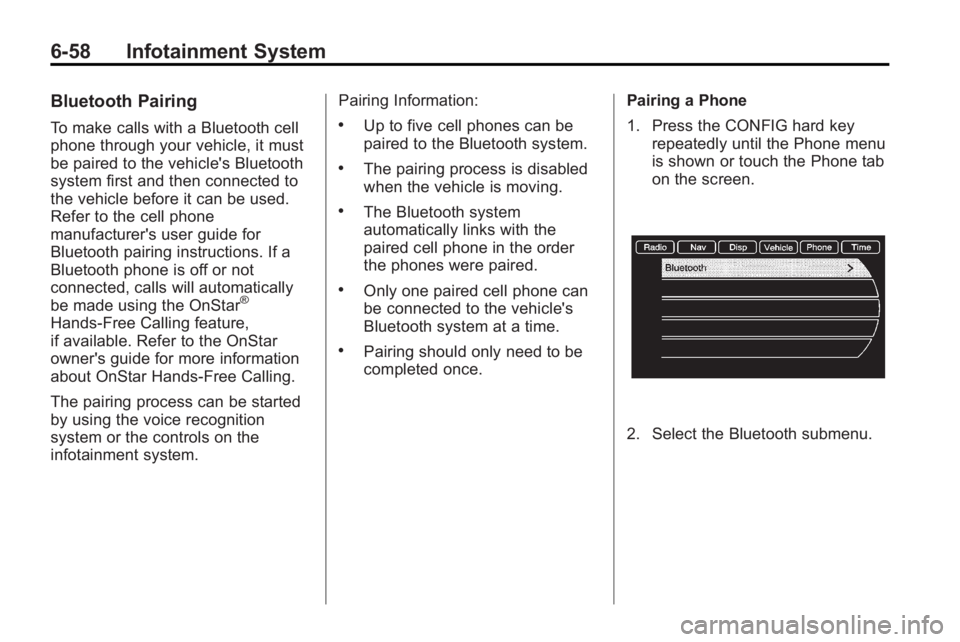
1. Press the CONFIG hard key
repeatedly until the Phone menu
is shown or touch the Phone tab
on the screen.
2. Select the Bluetooth submenu.
Page 205 of 414
Infotainment System 6-59
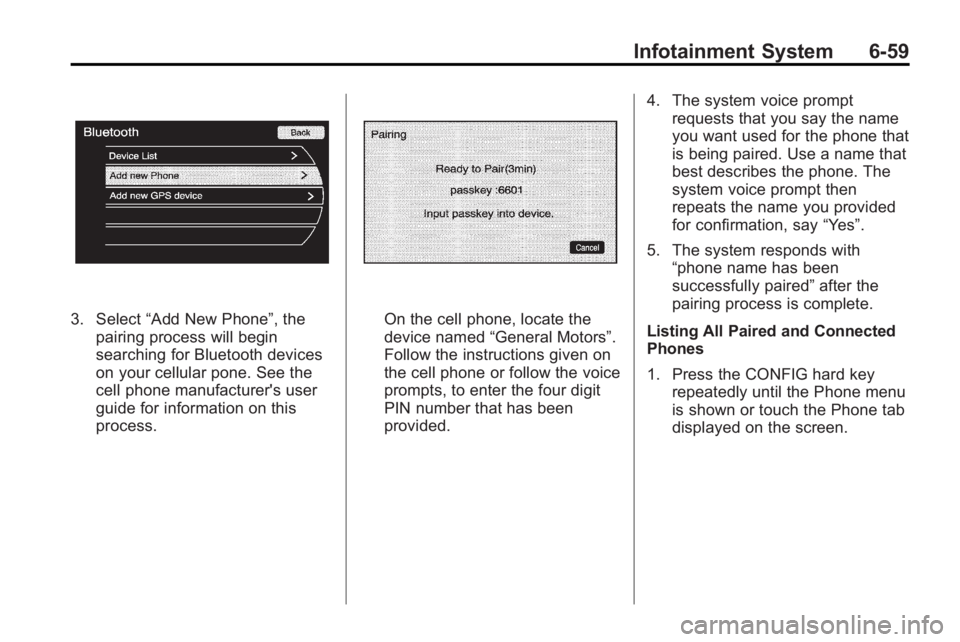
3. Select“Add New Phone”, the
pairing process will begin
searching for Bluetooth devices
on your cellular pone. See the
cell phone manufacturer's user
guide for information on this
process.On the cell phone, locate the
device named “General Motors”.
Follow the instructions given on
the cell phone or follow the voice
prompts, to enter the four digit
PIN number that has been
provided. 4. The system voice prompt
requests that you say the name
you want used for the phone that
is being paired. Use a name that
best describes the phone. The
system voice prompt then
repeats the name you provided
for confirmation, say “Yes”.
5. The system responds with “phone name has been
successfully paired” after the
pairing process is complete.
Listing All Paired and Connected
Phones
1. Press the CONFIG hard key repeatedly until the Phone menu
is shown or touch the Phone tab
displayed on the screen.
Page 206 of 414
6-60 Infotainment System
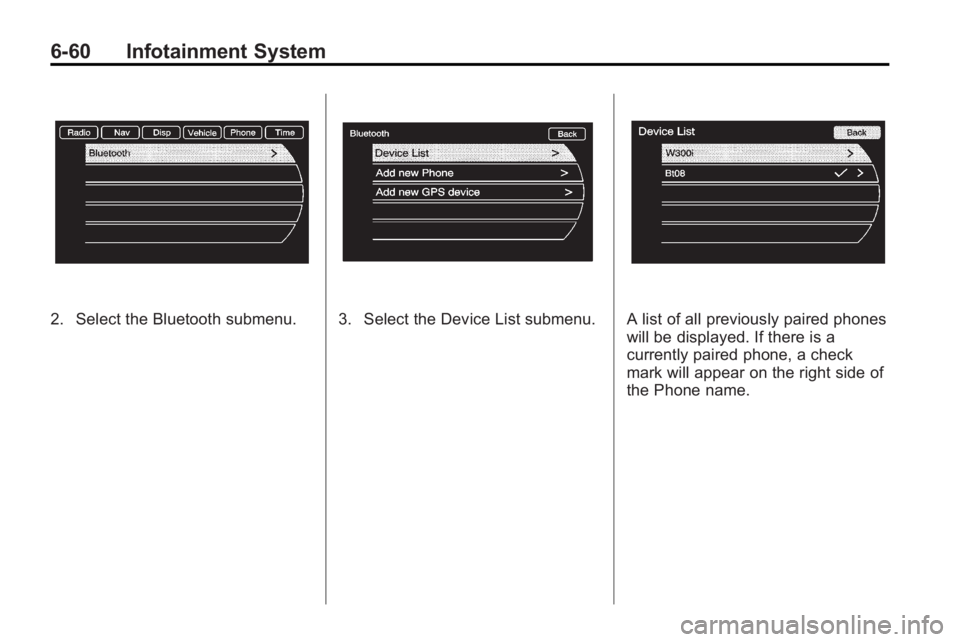
2. Select the Bluetooth submenu.3. Select the Device List submenu.A list of all previously paired phones
will be displayed. If there is a
currently paired phone, a check
mark will appear on the right side of
the Phone name.
Page 207 of 414
Infotainment System 6-61
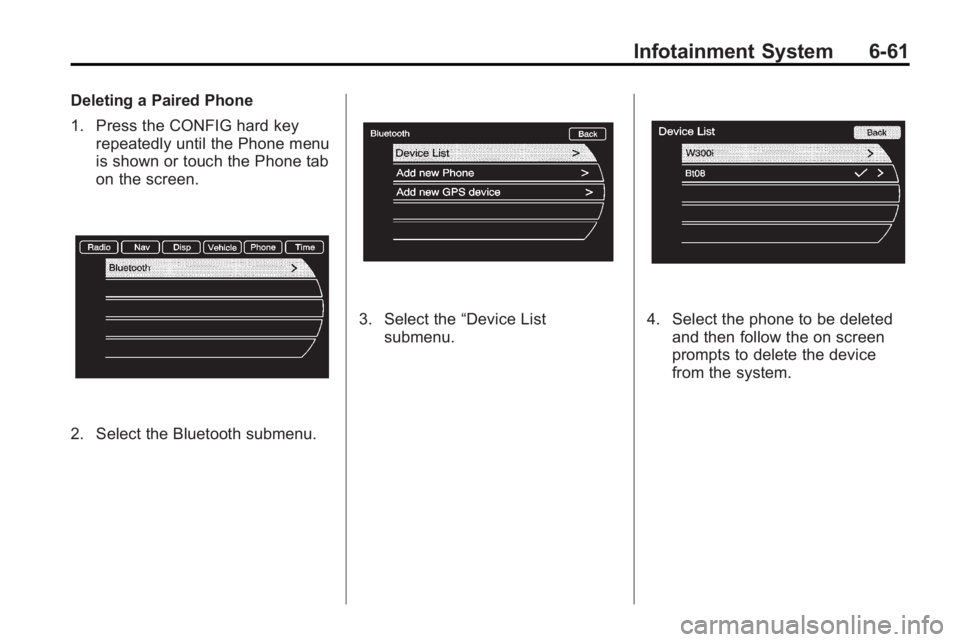
Deleting a Paired Phone
1. Press the CONFIG hard keyrepeatedly until the Phone menu
is shown or touch the Phone tab
on the screen.
2. Select the Bluetooth submenu.
3. Select the “Device List
submenu.4. Select the phone to be deleted and then follow the on screen
prompts to delete the device
from the system.
Page 208 of 414
6-62 Infotainment System
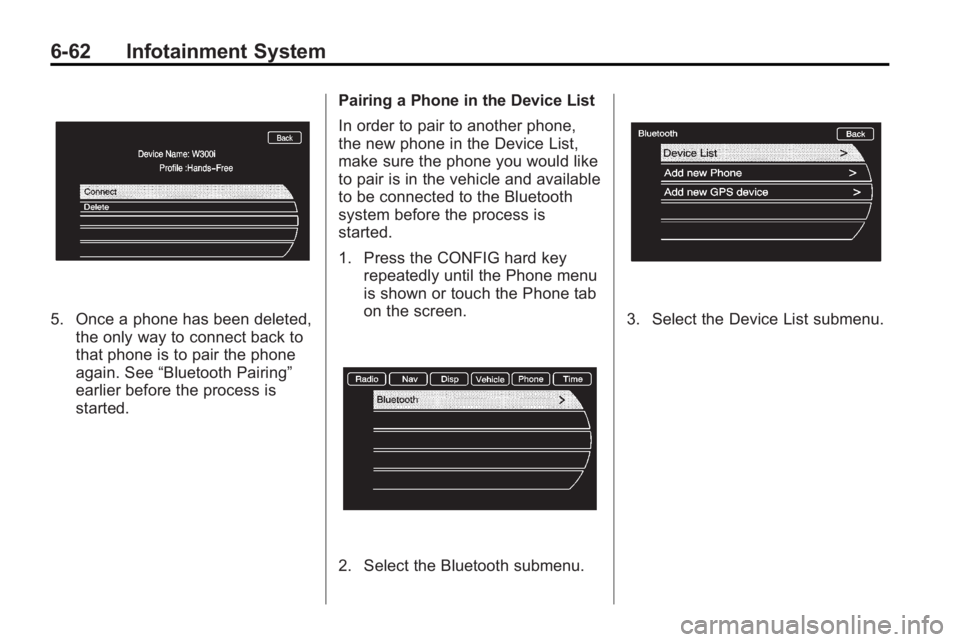
5. Once a phone has been deleted,the only way to connect back to
that phone is to pair the phone
again. See “Bluetooth Pairing”
earlier before the process is
started. Pairing a Phone in the Device List
In order to pair to another phone,
the new phone in the Device List,
make sure the phone you would like
to pair is in the vehicle and available
to be connected to the Bluetooth
system before the process is
started.
1. Press the CONFIG hard key
repeatedly until the Phone menu
is shown or touch the Phone tab
on the screen.
2. Select the Bluetooth submenu.
3. Select the Device List submenu.
Page 209 of 414
Infotainment System 6-63
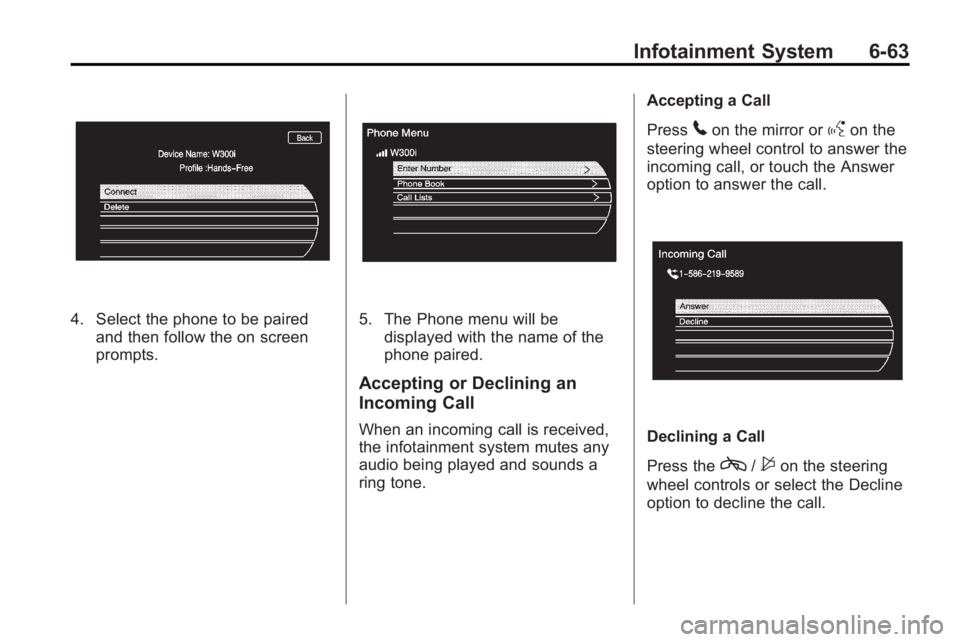
4. Select the phone to be pairedand then follow the on screen
prompts.5. The Phone menu will bedisplayed with the name of the
phone paired.
Accepting or Declining an
Incoming Call
When an incoming call is received,
the infotainment system mutes any
audio being played and sounds a
ring tone. Accepting a Call
Press
5on the mirror orgon the
steering wheel control to answer the
incoming call, or touch the Answer
option to answer the call.
Declining a Call
Press the
c/$on the steering
wheel controls or select the Decline
option to decline the call.
Page 210 of 414
6-64 Infotainment System
Call Waiting (Only Available
with Call Waiting)
Call waiting must be supported on
the Bluetooth phone and enabled by
the wireless service carrier to work.
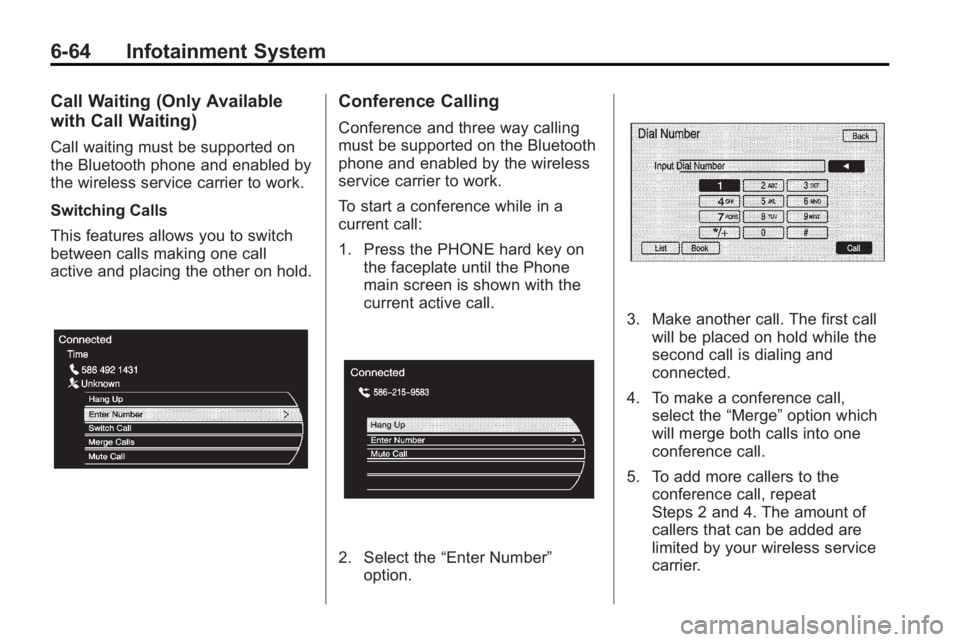
Switching Calls
This features allows you to switch
between calls making one call
active and placing the other on hold.
Conference Calling
Conference and three way calling
must be supported on the Bluetooth
phone and enabled by the wireless
service carrier to work.
To start a conference while in a
current call:
1. Press the PHONE hard key onthe faceplate until the Phone
main screen is shown with the
current active call.
2. Select the “Enter Number”
option.
3. Make another call. The first call will be placed on hold while the
second call is dialing and
connected.
4. To make a conference call, select the “Merge”option which
will merge both calls into one
conference call.
5. To add more callers to the conference call, repeat
Steps 2 and 4. The amount of
callers that can be added are
limited by your wireless service
carrier.
Page 211 of 414
Infotainment System 6-65
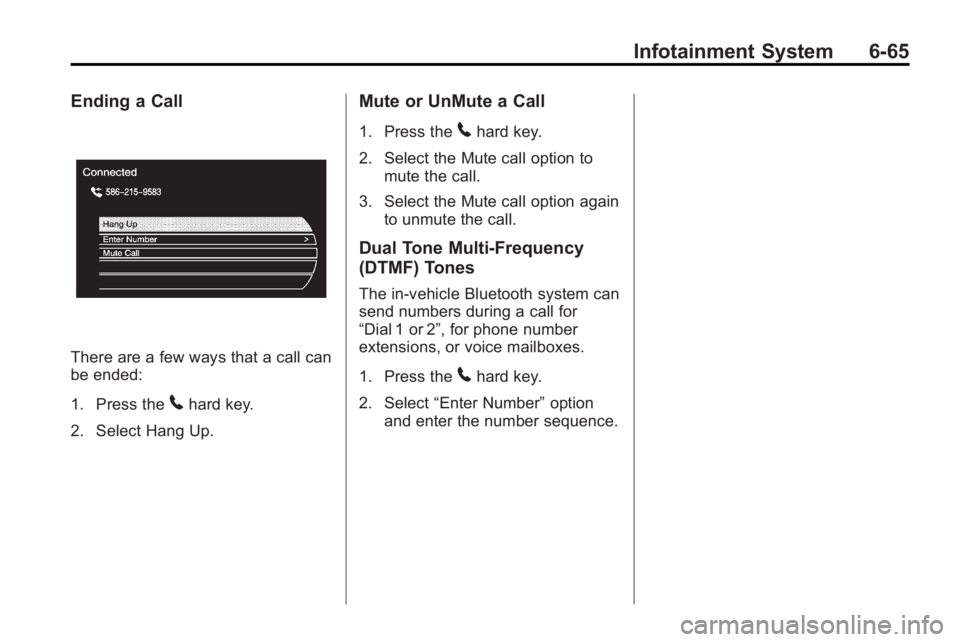
Ending a Call
There are a few ways that a call can
be ended:
1. Press the
5hard key.
2. Select Hang Up.
Mute or UnMute a Call
1. Press the5hard key.
2. Select the Mute call option to mute the call.
3. Select the Mute call option again to unmute the call.
Dual Tone Multi-Frequency
(DTMF) Tones
The in-vehicle Bluetooth system can
send numbers during a call for
“Dial 1 or 2”, for phone number
extensions, or voice mailboxes.
1. Press the
5hard key.
2. Select “Enter Number” option
and enter the number sequence.
Page 274 of 414
8-52 Driving and Operating
Gasolines containing oxygenates,
such as ethers and ethanol, and
reformulated gasolines might be
available in your area. We
recommend that you use these
gasolines, if they comply with the
specifications described earlier.
However, E85 (85% ethanol) and
other fuels containing more than
10% ethanol must not be used in
vehicles that were not designed for
those fuels.
Notice:This vehicle was not
designed for fuel that contains
methanol. Do not use fuel
containing methanol. It can
corrode metal parts in the fuel
system and also damage plastic
and rubber parts. That damage
would not be covered under the
vehicle warranty.
Some gasolines that are
not reformulated for low
emissions can contain an
octane-enhancing additive called
methylcyclopentadienyl manganese tricarbonyl (MMT); ask the attendant
where you buy gasoline whether the
fuel contains MMT. We recommend
against the use of such gasolines.
Fuels containing MMT can reduce
the life of spark plugs and the
performance of the emission control
system could be affected. The
malfunction indicator lamp might
turn on. If this occurs, return to your
dealer/retailer for service.
Filling the Tank
{WARNING
Fuel vapor burns violently and a
fuel fire can cause bad injuries.
To help avoid injuries to you and
others, read and follow all the
instructions on the fuel pump
island. Turn off the engine when
refueling. Do not smoke near fuel
or when refueling the vehicle.
Do not use cellular phones. Keep
(Continued)
WARNING (Continued)
sparks, flames, and smoking
materials away from fuel. Do not
leave the fuel pump unattended
when refueling the vehicle. This is
against the law in some places.
Do not re-enter the vehicle while
pumping fuel. Keep children away
from the fuel pump; never let
children pump fuel.
The tethered fuel cap is behind the
fuel door on the vehicle's passenger
side. Turn the fuel cap
counterclockwise to remove. While
refueling, hang the tethered fuel cap
from the disk on the end of the fuel
cap to the mating feature on the fuel
door hinge. Reinstall the cap by
turning it clockwise until it clicks.