reset BUICK LACROSSE 2012 User Guide
[x] Cancel search | Manufacturer: BUICK, Model Year: 2012, Model line: LACROSSE, Model: BUICK LACROSSE 2012Pages: 512, PDF Size: 6.21 MB
Page 189 of 512
Black plate (9,1)Buick LaCrosse Owner Manual - 2012
Infotainment System 7-9
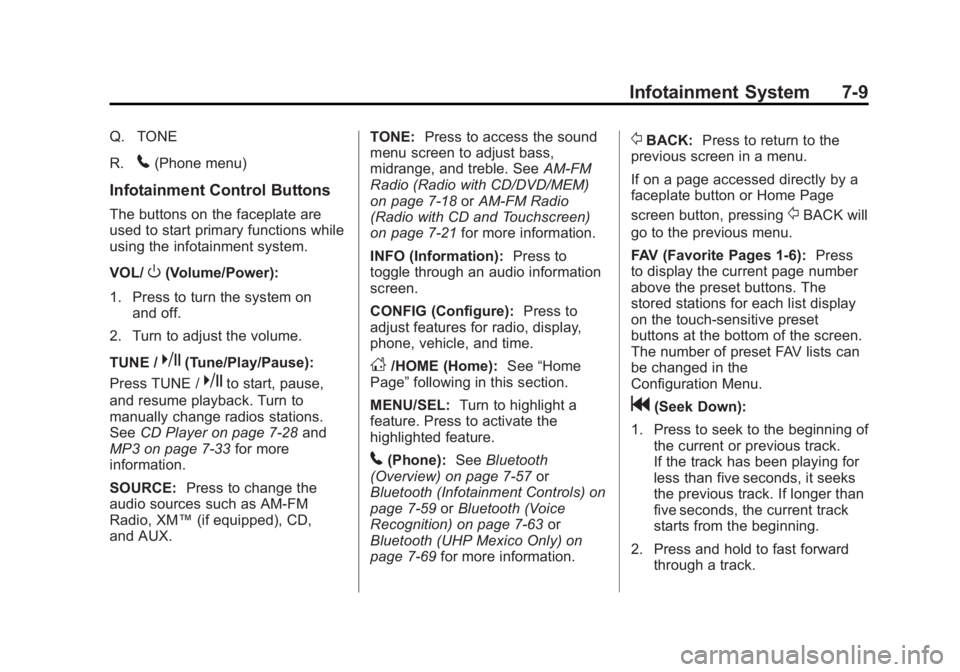
Q. TONE
R.
5(Phone menu)
Infotainment Control Buttons
The buttons on the faceplate are
used to start primary functions while
using the infotainment system.
VOL/
O(Volume/Power):
1. Press to turn the system on and off.
2. Turn to adjust the volume.
TUNE /
k(Tune/Play/Pause):
Press TUNE /
kto start, pause,
and resume playback. Turn to
manually change radios stations.
See CD Player on page 7‑28 and
MP3 on page 7‑33 for more
information.
SOURCE: Press to change the
audio sources such as AM-FM
Radio, XM™ (if equipped), CD,
and AUX. TONE:
Press to access the sound
menu screen to adjust bass,
midrange, and treble. See AM-FM
Radio (Radio with CD/DVD/MEM)
on page 7‑18 orAM-FM Radio
(Radio with CD and Touchscreen)
on page 7‑21 for more information.
INFO (Information): Press to
toggle through an audio information
screen.
CONFIG (Configure): Press to
adjust features for radio, display,
phone, vehicle, and time.
D/HOME (Home): See“Home
Page” following in this section.
MENU/SEL: Turn to highlight a
feature. Press to activate the
highlighted feature.
5(Phone): SeeBluetooth
(Overview) on page 7‑57 or
Bluetooth (Infotainment Controls) on
page 7‑59 orBluetooth (Voice
Recognition) on page 7‑63 or
Bluetooth (UHP Mexico Only) on
page 7‑69 for more information.
/BACK:Press to return to the
previous screen in a menu.
If on a page accessed directly by a
faceplate button or Home Page
screen button, pressing
/BACK will
go to the previous menu.
FAV (Favorite Pages 1-6): Press
to display the current page number
above the preset buttons. The
stored stations for each list display
on the touch-sensitive preset
buttons at the bottom of the screen.
The number of preset FAV lists can
be changed in the
Configuration Menu.
g(Seek Down):
1. Press to seek to the beginning of the current or previous track.
If the track has been playing for
less than five seconds, it seeks
the previous track. If longer than
five seconds, the current track
starts from the beginning.
2. Press and hold to fast forward through a track.
Page 190 of 512
Black plate (10,1)Buick LaCrosse Owner Manual - 2012
7-10 Infotainment System
3. Press and hold to quicklyreverse through a track. Release
the button to return to playing
speed. See CD Player on
page 7‑28 andMP3 on
page 7‑33 for more information.
4. For AM, FM, or XM (if equipped), press to seek to the next strong
station.
Preset Buttons (1-6): The preset
buttons numbered one through six
can be used to select stored AM,
FM, and XM (if equipped) stations.
H(Clock Menu): Press to set
the time.
X(Eject): Press to eject a disc
from the CD player. See CD Player
on page 7‑28.
Touch Screen Buttons
Touch screen buttons are on the
screen and highlighted when a
feature is available. Some toggle
screen buttons highlight when active
and gray out when inactive.
Home Page
The infotainment system displays a
home page that makes accessing
many of the features an easy
process.
Back: If on page two of the Home
Page, press Back to return to page
one of the Home Page. If on page
one, Back serves no function.
Home: While navigating through
other menus, press to go back to
the Home Page to start a different
feature.
FAV: Press to display a page of
stored (favorite) AM, FM, or XM
(if equipped) stations. Keep
pressing FAV to scroll through the
favorite pages.
The Home Page Menu lists the
options Customize Home Page and
Restore Home Page Defaults.
Out of all available Home Page
icons, up to eight icons can be
selected and sorted for the first
Home Page screen.
Home Page Features
Various functions are disabled when
the vehicle is moving.
Press the Now Playing screen
button to display the active source
page. The sources available are
AM, FM, XM (if equipped), CD,
USB/iPod, and AUX.
See AM-FM Radio (Radio with CD/
DVD/MEM) on page 7‑18 orAM-FM
Radio (Radio with CD and
Touchscreen) on page 7‑21,
Satellite Radio on page 7‑24, and
CD Player on page 7‑28.
Press the Phone screen button to
display the Phone main page. See
Bluetooth (Overview) on page 7‑57
or Bluetooth (Infotainment Controls)
on page 7‑59 orBluetooth (Voice
Recognition) on page 7‑63 or
Bluetooth (UHP Mexico Only) on
page 7‑69.
Page 192 of 512
Black plate (12,1)Buick LaCrosse Owner Manual - 2012
7-12 Infotainment System
Set Time Format:Press the
12 Hours screen button for standard
time; press the 24 Hours screen
button for military time.
Set Date Format: Depending on
the region, the following date
formats may be available: MM/DD/
YYYY, DD.MM.YYYY, or YYYY/
MM/DD.
Display Digital Clock: Press
Display to turn the display of the
clock on the screen On or Off.
Radio Settings
Press the Config button on the
Home Page or the CONFIG button
on the faceplate to enter the menu
options. Turn the MENU knob or
touch-tap the scroll bar to scroll
through the available options. Press
the MENU knob or press Radio
Settings to display the radio settings
menu. Press this feature to make
changes for radio information
displayed, preset pages, Auto
Volume Control, and XM Categories Restore. See
Satellite Radio on
page 7‑24 (if equipped), for more
information about XM Categories.
The Radio Settings are:
Speed Dependent Volume: Select
OFF, Low, Medium, or High
sensitivity to automatically adjust
the volume to minimize the effects
of unwanted background noise that
can result from changing road
surfaces, driving speeds, or open
windows. This feature works best at
lower volume settings where
background noise is typically louder
than the sound system volume.
Startup Volume: Press to set the
maximum volume level for startup
that will be used even if a higher
volume had been set when the radio
was turned off.
Radio Favorites: Press to select
the number of FAV pages to be
used in the system. Add/Remove XM Categories:
Press to customize which available
XM Categories are used and
displayed in the system.
See
AM-FM Radio (Radio with CD/
DVD/MEM) on page 7‑18 orAM-FM
Radio (Radio with CD and
Touchscreen) on page 7‑21 for
more information.
Phone Settings
See Bluetooth (Overview) on
page 7‑57 orBluetooth
(Infotainment Controls) on
page 7‑59 orBluetooth (Voice
Recognition) on page 7‑63 or
Bluetooth (UHP Mexico Only) on
page 7‑69 in the“Phone” section for
more information on phone settings.
Vehicle Settings
See Vehicle Personalization on
page 5‑43 for more information.
Page 195 of 512
Black plate (15,1)Buick LaCrosse Owner Manual - 2012
Infotainment System 7-15
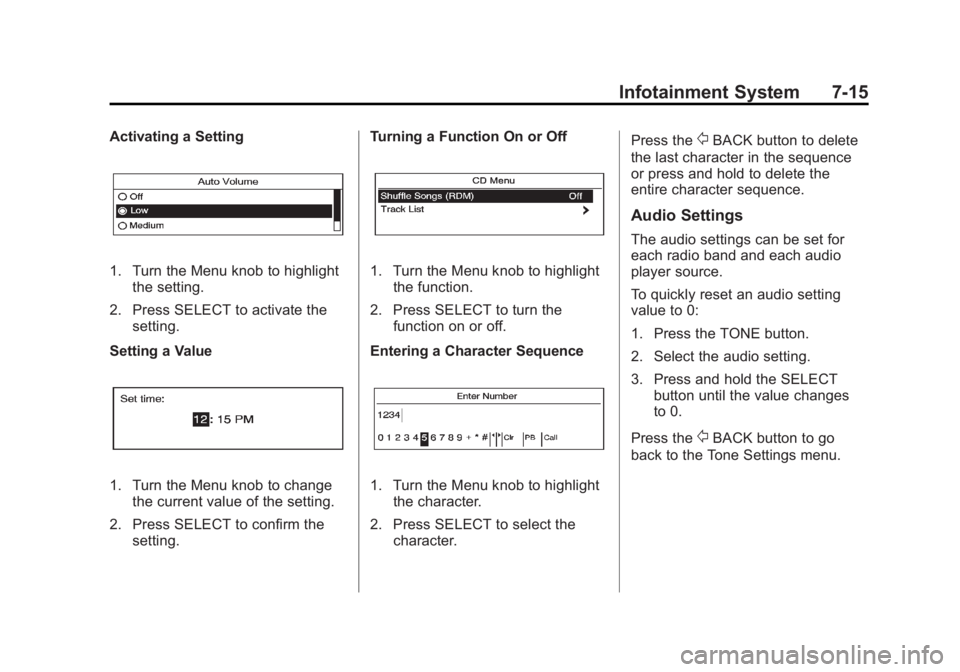
Activating a Setting
1. Turn the Menu knob to highlightthe setting.
2. Press SELECT to activate the setting.
Setting a Value
1. Turn the Menu knob to change the current value of the setting.
2. Press SELECT to confirm the setting. Turning a Function On or Off
1. Turn the Menu knob to highlight
the function.
2. Press SELECT to turn the function on or off.
Entering a Character Sequence
1. Turn the Menu knob to highlight the character.
2. Press SELECT to select the character. Press the
/BACK button to delete
the last character in the sequence
or press and hold to delete the
entire character sequence.
Audio Settings
The audio settings can be set for
each radio band and each audio
player source.
To quickly reset an audio setting
value to 0:
1. Press the TONE button.
2. Select the audio setting.
3. Press and hold the SELECT button until the value changes
to 0.
Press the
/BACK button to go
back to the Tone Settings menu.
Page 199 of 512
Black plate (19,1)Buick LaCrosse Owner Manual - 2012
Infotainment System 7-19
1 to 6:Press to select preset
stations.
k(Play/Pause): Press to pause
time shifted content, if equipped.
RDS (Radio Data System)
The radio may have RDS. The RDS
feature is available for use only on
FM stations that broadcast RDS
information. This feature only works
when the information from the radio
station is available. In rare cases, a
radio station could broadcast
incorrect information that causes the
radio features to work improperly.
If this happens, contact the radio
station.
While the radio is tuned to an
FM-RDS station, the station name
or call letters display.
Radio Menus
Radio menus are available for AM,
FM, and XM, if equipped.
Turn the Menu knob to open the
main radio menu for that band.
Selecting a Band
Press the RADIO/BAND button to
choose AM, FM, or XM, if equipped.
The last station that was playing
starts playing again.
Selecting a Station
Seek Tuning
If the radio station is not known:
Briefly press
gorlto
automatically search for the next
available station. If a station is not
found, the radio switches to a more
sensitive search level. If a station
still is not found, the frequency that
was last active begins to play. If the radio station is known:
Press and hold
gorluntil the
station on the display is reached,
then release the button.
Manual Tuning
Turn the TUNE knob to select the
frequency on the display.
Favorites List
1. Turn the Menu knob.
2. Select Favorites List.
3. Select the station.
Station Lists
1. Turn the Menu knob.
2. Select AM or FM Station List. All receivable stations in the current
reception area are displayed. If a
station list has not been created,
an automatic station search
is done.
3. Select the station.
Page 202 of 512
Black plate (22,1)Buick LaCrosse Owner Manual - 2012
7-22 Infotainment System
Infotainment System Menus
Tone Settings
To access the tone settings, press
the Home Page Tone button or the
TONE button on the faceplate.
Use the tone settings to adjust the
following features:
.Setting the tone
.Adjusting the speakers
Setting the Tone
To adjust the tone:
.Treble: Touch Treble and then
press + or −to change the level.
.Middle (Midrange): Touch Middle
and then press + or −to change
the level.
.Bass: Touch Bass and then
press + or −to change the level. Adjusting the Speakers
To adjust the speaker balance:
.Press the left arrow on the
bottom for more sound from the
left speakers or the right arrow
on the bottom for more sound
from the right speakers. The
middle position balances the
sound between the left and right
speakers.
To adjust the speaker fade:
.Press the upper arrow for more
sound from the front speakers
and the lower arrow for more
sound from the rear speakers.
The middle position balances
the sound between the front and
rear speakers.
EQ Settings
The EQ settings are selected
through the tone menu. Press the
left or right arrows to cycle through
the EQ options. The available
choices are Pop, Rock, Jazz,
Classical, and Talk.
Finding a Station
To select the band, see “Audio
Source” earlier in this section.
Turn the Menu knob to find a radio
station. To select a preset station,
touch the FAV button and choose a
preset button.
Seeking a Station
Press
gorlto search for a
station.
AM
1. Press the AM screen button on the Home Page or select AM
from the source pop-up to
display the AM main page.
2. From the AM screen, press the Menu screen button to display
the AM stations.
3. Press to select the desired option. To update the station list,
touch Refresh.
Page 203 of 512
Black plate (23,1)Buick LaCrosse Owner Manual - 2012
Infotainment System 7-23
FM
1. Press the FM screen button onthe Home Page or select FM
from the source pop-up to
display the FM main page.
2. From the FM screen, press the Menu screen button to display
the FM stations.
3. Press to select the desired option. To update the station list,
touch Refresh.
XM (If Equipped)
1. Press the XM screen button on the Home Page or select XM
from the source pop-up to
display the XM main page.
2. From the XM screen, press the Menu screen button to display
the XM categories.
3. Touch a desired category and then turn the TUNE/MENU knob
to scroll the station list. Changing the Sources
To change audio sources from any
of the audio main pages (AM, FM,
XM, CD, USB/iPod, or AUX), press
the SOURCE button on the
faceplate or the Source screen
button to display a pop-up of
available audio sources. Touch-tap
or press the SOURCE button on the
faceplate repeatedly to change the
desired source.
Storing Radio Station Presets
There are a few ways to store
presets.
Up to 36 preset stations can be
stored. AM, FM, and XM,
if equipped, can be mixed.
1. From the AM, FM, or XM main
page, press and hold one of the
preset screen buttons located at
the bottom of the screen. After a
few seconds, a beep will be
heard and the new preset
information will display on that
screen button. 2. Touch and hold a preset button
to store the currently active
station. After a few seconds, a
beep will be heard and the new
preset information will display on
a small pop-up display at the
bottom of the screen.
3. Repeat the steps for each preset.
To change the number of preset
pages, see “Mixed-Band Presets”
following for more information.
Recalling a Preset Station
To recall a preset station from a FAV
page, do the following:
.Press the FAV button on the
faceplate to display the FAV
pop-up. Select the desired
preset from the pop-up.
.Press the FAV screen button at
the top bar to display the preset
pop-up that appears at the
bottom of the page. Press one of
the preset screen buttons to go
to the selected preset station.
Page 204 of 512
Black plate (24,1)Buick LaCrosse Owner Manual - 2012
7-24 Infotainment System
.In the AM, FM, or XM
(if equipped) main page, press
one of the preset screen buttons
to go to the selected preset
station.
Mixed-Band Presets
Each page can store six preset
stations. The presets within a page
can be from different radio bands.
To scroll through the pages, press
the FAV button located on the
faceplate or the FAV screen button
on the top bar. The current page
number displays above the preset
buttons. The stored stations for
each FAV page display on the
preset buttons at the bottom of the
screen. The number of FAV pages
displayed can be changed in the
Radio Settings in the
Configuration Menu.
Satellite Radio
XM™Satellite Radio Service
For vehicles equipped with the
MyLink or IntelliLink infotainment
system, see the separate MyLink/
IntelliLink Features and Functions
Guide for more information.
Vehicles with an XM satellite radio
tuner and an XM satellite radio
subscription can receive XM
programming.
XM is a satellite radio service based
in the 48 contiguous United States
and 10 Canadian provinces. XM
satellite radio has a wide variety of
programming and commercial-free
music, coast to coast, and in
digital-quality sound. A service fee
is required to receive the XM
service. For more information, see
www.xmradio.com or call
1-800-929-2100 in the U.S. In
Canada, see www.xmradio.ca or call
1-877-438-9677. When XM is active, the channel
name and number, category name,
song title, and artist display on the
screen.
XM Categories (Radio with CD)
XM stations are organized in
categories.
Removing or Adding Categories
1. Press the CONFIG button. Turn
the Menu knob until Radio
displays. Press SELECT or
press Radio to display the radio
settings menu.
2. Select the Show/Hide XM Categories screen button.
3. Press the category buttons on the screen to show or hide the
category.
Page 251 of 512
Black plate (71,1)Buick LaCrosse Owner Manual - 2012
Infotainment System 7-71
Changing Bluetooth Code
The default Bluetooth code should
work with most mobile phones.
If you are having difficulty pairing
your mobile phone, you can change
the code at any time.
1. Press the CONFIG button.
2. Select Phone Settings, or touchPhone on a navigation radio.
3. Select Bluetooth.
4. Select Change Bluetooth Code.
5. Enter a new four-digit code, then select OK.
Ring Tone
There are three different ring tones
available for the UHP system.
To change the ring tone:
1. Press the CONFIG button.
2. Select Phone Settings, or touch Phone on a navigation radio.
3. Select Ring Tones.
4. Select Ring Tone 1, 2, or 3. Default Settings
Selecting this option will reset the
ring tones and the Bluetooth code.
Pairing
A Bluetooth enabled mobile phone
must be paired to the UHP system
first and then connected to the
vehicle before it can be used. See
the mobile phone manufacturer's
user guide for Bluetooth functions
before pairing the mobile phone.
Pairing Information:
.Up to five mobile phones can be
paired to the UHP system
.The pairing process is disabled
when the vehicle is moving
.The UHP system connects with
the first available paired mobile
phone in the order the phone
was paired
.Only one paired mobile phone
can be connected to the UHP
system at a time
.Pairing should only need to be
completed once, unless changes
to the pairing information have
been made or the mobile phone
is deleted
Using UHP with Infotainment
Controls
Pairing a Phone
If your mobile phone has simple
pairing or auto discovery features,
they need to be turned off before
the mobile phone can be paired to
the UHP system. Reference the
mobile phone manufacturer's user
guide for information on these
features.
1. Press the CONFIG button.
2. Select Phone Settings, or touch
Phone on a navigation radio.
3. Select Bluetooth.
Page 266 of 512
Black plate (4,1)Buick LaCrosse Owner Manual - 2012
8-4 Climate Controls
For vehicles with heated outside
rearview mirrors, they turn on when
the rear window defogger button is
on and help to clear fog or frost from
the surface of the mirror. See
Heated Mirrors on page 2‑18.
Notice:Do not try to clear frost
or other material from the inside
of the front windshield and rear
window with a razor blade or
anything else that is sharp. This
may damage the rear window
defogger grid and affect your
radio's ability to pick up stations
clearly. The repairs would not be
covered by your warranty. Remote Start Climate Control
Operation (If Equipped):
When
the vehicle is started remotely, the
climate control system will use the
last setting before the vehicle shut
off. If automatic operation was set,
the fan speed will adjust to
maximize heating or cooling.
If manual operation was set, the fan
speed will be limited to the last
setting. In extreme temperatures,
the system may not be able to heat
or cool the vehicle to the preset
temperature during the remote start
run time.
The rear window defogger turns on
if it is cold outside.Sensor
The solar sensor, located on top of
the instrument panel near the
windshield, monitors the solar heat.
The climate control system uses the
sensor information to adjust the
temperature, fan speed,
recirculation, and air delivery mode
for best comfort.
Do not cover the sensor; otherwise
the automatic climate control system
may not work properly.