light BUICK LACROSSE 2013 Owners Manual
[x] Cancel search | Manufacturer: BUICK, Model Year: 2013, Model line: LACROSSE, Model: BUICK LACROSSE 2013Pages: 422, PDF Size: 5.74 MB
Page 235 of 422
Black plate (33,1)Buick LaCrosse Owner Manual - 2013 - crc - 9/7/12
Driving and Operating 9-33
If the parking brake warning light is
on, the EPB has detected an error
in another system and is operating
with reduced functionality. To apply
the EPB when this light is on, lift up
on the EPB switch and hold it in the
up position. Full application of the
parking brake by the EPB system
may take longer than normal when
this light is on. Continue to hold the
switch until the parking brake status
light remains on. If the parking
brake warning light is on, see your
dealer.
If the EPB fails to apply, the rear
wheels should be blocked to
prevent vehicle movement.
EPB Release
To release the EPB, place the
ignition in the ACC/ACCESSORY or
ON/RUN position, apply and hold
the brake pedal, and push down
momentarily on the EPB switch.
If you attempt to release the EPB
without the brake pedal applied, a
chime will sound, and a DIC
message will be displayed. SeeBrake System Messages on
page 5‑33. The EPB is released
when the parking brake status light
is off.
If the parking brake warning light is
on, the EPB has detected an error
in another system and is operating
with reduced functionality. To
release the EPB when this light is
on, push down on the EPB switch
and hold it in the down position.
EPB release may take longer than
normal when this light is on.
Continue to hold the switch until the
parking brake status light is off.
If the light is on, see your dealer.
Notice:
Driving with the parking
brake on can overheat the brake
system and cause premature
wear or damage to brake system
parts. Make sure that the parking
brake is fully released and the
brake warning light is off before
driving.
Automatic EPB Release
The EPB will automatically release if
the vehicle is running, placed into
gear, and an attempt is made to
drive away. Avoid rapid acceleration
when the EPB is applied, to
preserve parking brake lining life.
For maximum EPB force when
towing a trailer or parking on a hill,
pull the EPB switch twice. If you are
towing a trailer and parking on a hill,
see Driving Characteristics and
Towing Tips on page 9‑51 for more
information.
Page 236 of 422
Black plate (34,1)Buick LaCrosse Owner Manual - 2013 - crc - 9/7/12
9-34 Driving and Operating
Brake Assist
This vehicle has a brake assist
feature designed to assist the driver
in stopping or decreasing vehicle
speed in emergency driving
conditions. This feature uses the
stability system hydraulic brake
control module to supplement the
power brake system under
conditions where the driver has
quickly and forcefully applied the
brake pedal in an attempt to quickly
stop or slow down the vehicle. The
stability system hydraulic brake
control module increases brake
pressure at each corner of the
vehicle until the ABS activates.
Minor brake pedal pulsation or
pedal movement during this time is
normal and the driver should
continue to apply the brake pedal as
the driving situation dictates. The
brake assist feature will
automatically disengage when the
brake pedal is released or brake
pedal pressure is quickly
decreased.
Hill Start Assist (HSA)
This vehicle has a Hill Start Assist
(HSA) feature, which may be useful
when the vehicle is stopped on a
grade. This feature is designed to
prevent the vehicle from rolling,
either forward or rearward, during
vehicle drive off. After the driver
completely stops and holds the
vehicle in a complete standstill on a
grade, HSA will be automatically
activated. During the transition
period between when the driver
releases the brake pedal and starts
to accelerate to drive off on a grade,
HSA holds the braking pressure to
ensure that there is no rolling. The
brakes will automatically release
when the accelerator pedal is
applied within the two-second
window. It will not activate if the
vehicle is in a drive gear and facing
downhill, or if the vehicle is facing
uphill and in R (Reverse).
Ride Control Systems
Traction Control
System (TCS)
The vehicle has a Traction Control
System (TCS) that limits wheel slip.
The system operates if it senses
that one or both of the front wheels
are slipping or beginning to lose
traction. When this happens, the
system reduces engine power and/
or applies brake pressure to the
slipping wheel(s).
The system may be heard or felt
while it is working, but this is
normal.
TCS automatically comes on
whenever the vehicle is started. To
limit wheel slip, especially in
slippery road conditions, the system
should always be left on. But, TCS
can be turned off if needed.
dflashes to indicate that TCS is
active. See Traction Control System
(TCS)/StabiliTrak
®Light on
page 5‑21.
Page 237 of 422
Black plate (35,1)Buick LaCrosse Owner Manual - 2013 - crc - 9/7/12
Driving and Operating 9-35
If there is a problem detected with
TCS, SERVICE TRACTION
CONTROL is displayed on the
Driver Information Center (DIC).
SeeRide Control System Messages
on page 5‑37. When this message
is displayed and
dcomes on and
stays on, the vehicle is safe to drive
but the system is not operational.
Driving should be adjusted
accordingly.
If
dcomes on and stays on, reset
the system.
To reset:
1. Stop the vehicle.
2. Turn the engine off and wait 15 seconds.
3. Start the engine.
If
dstill comes on and stays on, the
vehicle needs service.
Notice: Do not repeatedly brake
or accelerate heavily when TCS is
off. The vehicle's driveline could
be damaged.
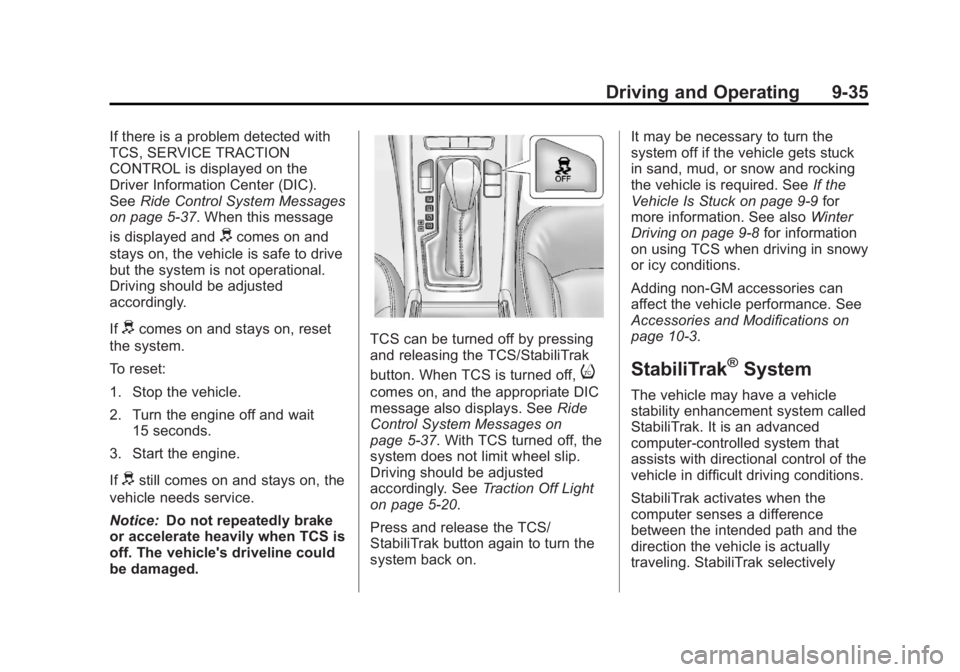
TCS can be turned off by pressing
and releasing the TCS/StabiliTrak
button. When TCS is turned off,
i
comes on, and the appropriate DIC
message also displays. See Ride
Control System Messages on
page 5‑37. With TCS turned off, the
system does not limit wheel slip.
Driving should be adjusted
accordingly. See Traction Off Light
on page 5‑20.
Press and release the TCS/
StabiliTrak button again to turn the
system back on. It may be necessary to turn the
system off if the vehicle gets stuck
in sand, mud, or snow and rocking
the vehicle is required. See
If the
Vehicle Is Stuck on page 9‑9 for
more information. See also Winter
Driving on page 9‑8 for information
on using TCS when driving in snowy
or icy conditions.
Adding non-GM accessories can
affect the vehicle performance. See
Accessories and Modifications on
page 10‑3.
StabiliTrak®System
The vehicle may have a vehicle
stability enhancement system called
StabiliTrak. It is an advanced
computer-controlled system that
assists with directional control of the
vehicle in difficult driving conditions.
StabiliTrak activates when the
computer senses a difference
between the intended path and the
direction the vehicle is actually
traveling. StabiliTrak selectively
Page 238 of 422
Black plate (36,1)Buick LaCrosse Owner Manual - 2013 - crc - 9/7/12
9-36 Driving and Operating
applies braking pressure to the
vehicle brakes to help steer the
vehicle in the intended direction.
StabiliTrak comes on automatically
whenever the vehicle is started. To
assist with directional control of the
vehicle, the system should always
be left on.
When StabiliTrak activates,
d
flashes on the instrument panel.
A noise may be heard or vibration
may be felt in the brake pedal. This
is normal. Continue to steer the
vehicle in the intended direction.
SeeTraction Control System (TCS)/
StabiliTrak
®Light on page 5‑21.
If a problem is detected with
StabiliTrak, SERVICE
STABILITRAK is displayed on the
Driver Information Center (DIC).
See Ride Control System Messages
on page 5‑37. When this message
is displayed and
dcomes on and
stays on, the vehicle is safe to drive
but the system is not operational.
Driving should be adjusted
accordingly. If
dcomes on and stays on, reset
the system.
To reset:
1. Stop the vehicle.
2. Turn the engine off and wait 15 seconds.
3. Start the engine.
If
dstill comes on and stays on, the
vehicle needs service.
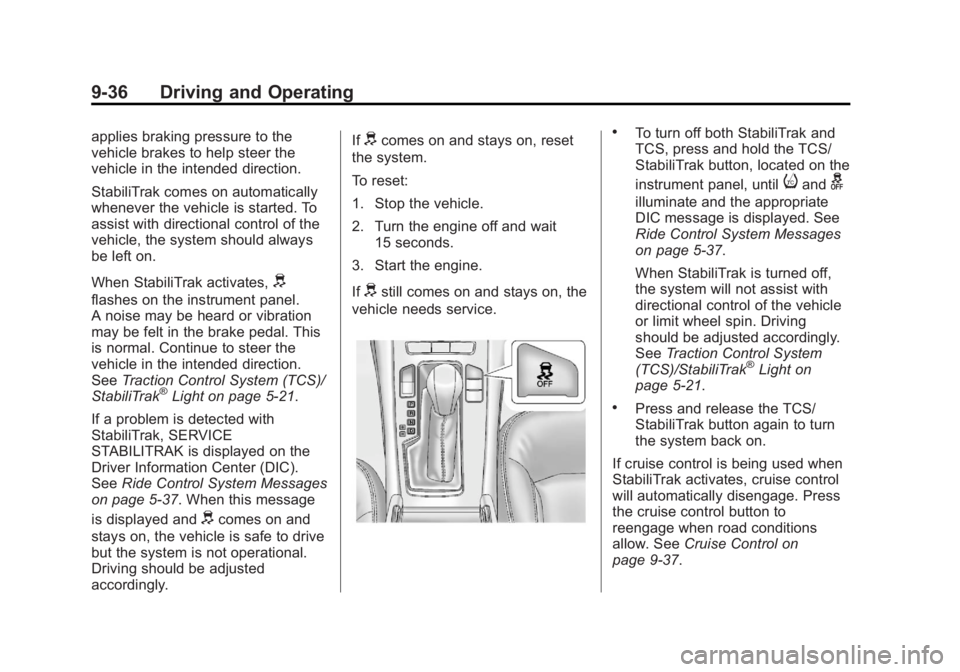
.To turn off both StabiliTrak and
TCS, press and hold the TCS/
StabiliTrak button, located on the
instrument panel, until
iandg
illuminate and the appropriate
DIC message is displayed. See
Ride Control System Messages
on page 5‑37.
When StabiliTrak is turned off,
the system will not assist with
directional control of the vehicle
or limit wheel spin. Driving
should be adjusted accordingly.
See Traction Control System
(TCS)/StabiliTrak
®Light on
page 5‑21.
.Press and release the TCS/
StabiliTrak button again to turn
the system back on.
If cruise control is being used when
StabiliTrak activates, cruise control
will automatically disengage. Press
the cruise control button to
reengage when road conditions
allow. See Cruise Control on
page 9‑37.
Page 240 of 422
Black plate (38,1)Buick LaCrosse Owner Manual - 2013 - crc - 9/7/12
9-38 Driving and Operating
WARNING (Continued)
Cruise control can be dangerous
on slippery roads. On such roads,
fast changes in tire traction can
cause excessive wheel slip, and
you could lose control. Do not use
cruise control on slippery roads.
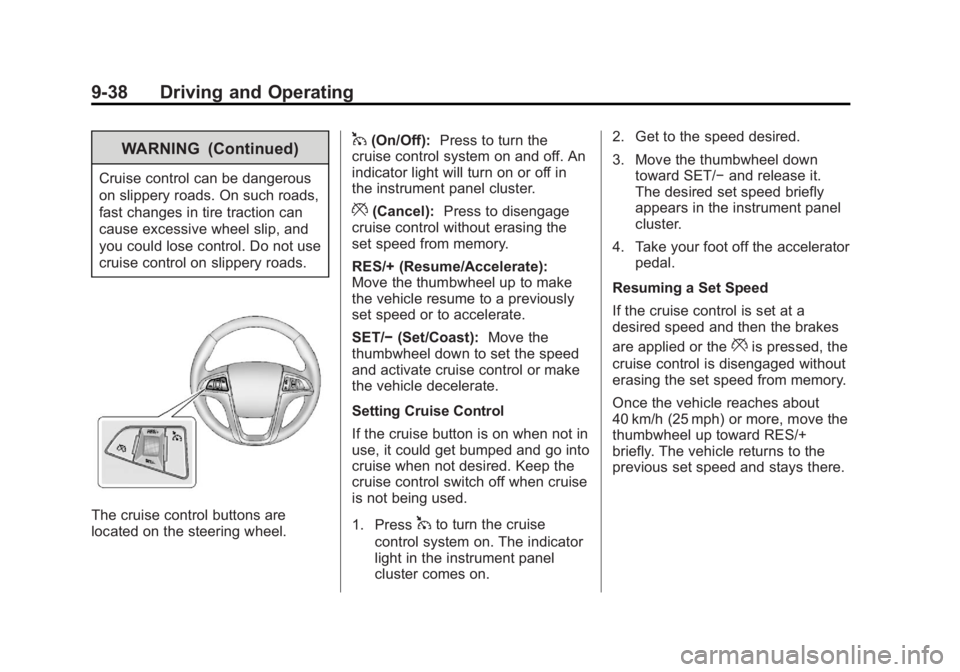
The cruise control buttons are
located on the steering wheel.
1(On/Off):Press to turn the
cruise control system on and off. An
indicator light will turn on or off in
the instrument panel cluster.
*(Cancel): Press to disengage
cruise control without erasing the
set speed from memory.
RES/+ (Resume/Accelerate):
Move the thumbwheel up to make
the vehicle resume to a previously
set speed or to accelerate.
SET/− (Set/Coast): Move the
thumbwheel down to set the speed
and activate cruise control or make
the vehicle decelerate.
Setting Cruise Control
If the cruise button is on when not in
use, it could get bumped and go into
cruise when not desired. Keep the
cruise control switch off when cruise
is not being used.
1. Press
1to turn the cruise
control system on. The indicator
light in the instrument panel
cluster comes on. 2. Get to the speed desired.
3. Move the thumbwheel down
toward SET/− and release it.
The desired set speed briefly
appears in the instrument panel
cluster.
4. Take your foot off the accelerator pedal.
Resuming a Set Speed
If the cruise control is set at a
desired speed and then the brakes
are applied or the
*is pressed, the
cruise control is disengaged without
erasing the set speed from memory.
Once the vehicle reaches about
40 km/h (25 mph) or more, move the
thumbwheel up toward RES/+
briefly. The vehicle returns to the
previous set speed and stays there.
Page 241 of 422
Black plate (39,1)Buick LaCrosse Owner Manual - 2013 - crc - 9/7/12
Driving and Operating 9-39
Increasing Speed While Using
Cruise Control
If the cruise control system is
already activated:
.Move the thumbwheel up toward
RES/+ and hold it until the
vehicle accelerates to the
desired speed, and then
release it.
.To increase the speed in small
amounts, move the thumbwheel
up toward RES/+ briefly, then
release it. Each time this is
done, the vehicle goes about
1.6 km/h (1 mph) faster.
Reducing Speed While Using
Cruise Control
If the cruise control system is
already activated:
.Move the thumbwheel toward
SET/− and hold until the desired
lower speed is reached, then
release it.
.To slow down in small amounts,
move the thumbwheel toward
SET/− briefly and then release it.
Each time this is done, the
vehicle goes about 1.6 km/h
(1 mph) slower.
Passing Another Vehicle While
Using Cruise Control
Use the accelerator pedal to
increase the vehicle's speed. When
you take your foot off the pedal, the
vehicle will slow down to the
previous set cruise control speed.
Using Cruise Control on Hills
How well the cruise control works
on hills depends upon the vehicle's
speed, load, and the steepness of
the hills. When going up steep hills,
you might have to step on the
accelerator pedal to maintain the
vehicle's speed. When going
downhill, you might have to brake or
shift to a lower gear to maintain the
vehicle's speed. When the brakes
are applied the cruise control
shuts off. Ending Cruise Control
There are three ways to end cruise
control:
.To disengage cruise control,
step lightly on the brake pedal;
when cruise control disengages,
the indicator light will not be lit.
.Press*on the steering wheel.
.To turn off the cruise control,
press
1on the steering wheel.
Erasing Speed Memory
The cruise control set speed is
erased from memory by pressing
1
or if the ignition is turned off.
Page 242 of 422
Black plate (40,1)Buick LaCrosse Owner Manual - 2013 - crc - 9/7/12
9-40 Driving and Operating
Object Detection
Systems
Ultrasonic Parking Assist
If available, the Ultrasonic Rear
Parking Assist (URPA) system
assists the driver with parking and
avoiding objects while in
R (Reverse). URPA operates at
speeds less than 8 km/h (5 mph).
The sensors on the rear bumper
detect objects up to 2.5 m (8 ft)
behind the vehicle, and at least
20 cm (8 in) off the ground and
below trunk level. The detection
distance may be less during warmer
or humid weather.
{WARNING
The URPA system does not
detect children, pedestrians,
bicyclists, animals, or objects
below the bumper or that are too
close or too far from the vehicle.(Continued)
WARNING (Continued)
It is not available at speeds
greater than 8 km/h (5 mph). To
prevent injury, death, or vehicle
damage, even with URPA, always
check the area around the vehicle
and check all mirrors before
backing.
How the System Works
URPA comes on automatically when
the shift lever is moved into
R (Reverse). A single tone sounds
to indicate the system is working.
URPA operates only at speeds less
than 8 km/h (5 mph).
An obstacle is indicated by audible
beeps. The interval between the
beeps becomes shorter as the
vehicle gets closer to the obstacle.
When the distance is less than
30 cm (12 in) the beeping is a
continuous tone for five seconds.
Turning the System On and Off
The URPA system can be turned on
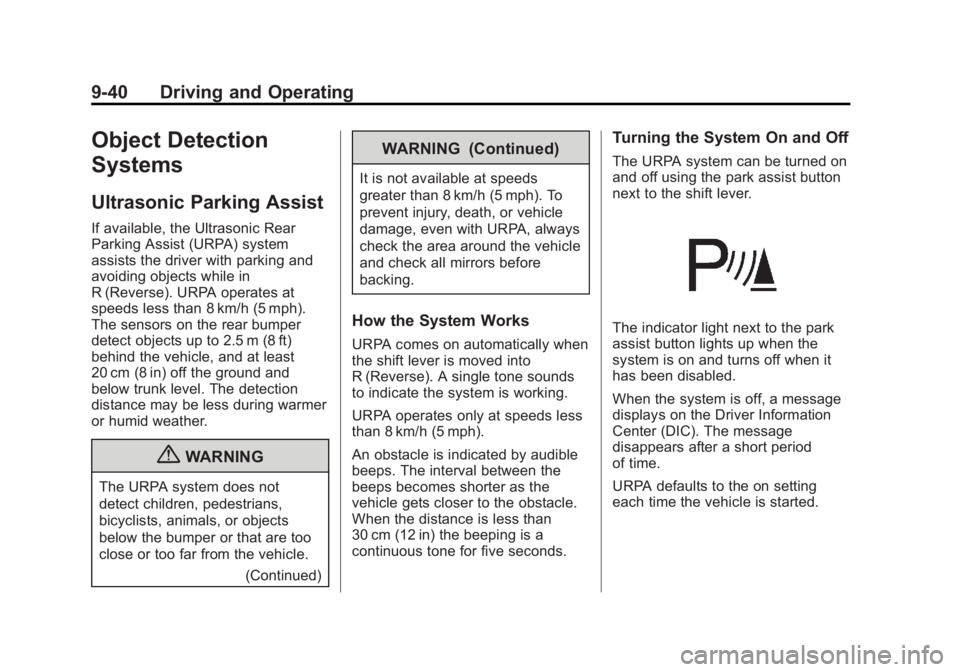
and off using the park assist button
next to the shift lever.
The indicator light next to the park
assist button lights up when the
system is on and turns off when it
has been disabled.
When the system is off, a message
displays on the Driver Information
Center (DIC). The message
disappears after a short period
of time.
URPA defaults to the on setting
each time the vehicle is started.
Page 243 of 422
Black plate (41,1)Buick LaCrosse Owner Manual - 2013 - crc - 9/7/12
Driving and Operating 9-41
When the System Does Not
Seem to Work Properly
The following messages may be
displayed on the DIC:
SERVICE PARK ASSIST:If this
message occurs, take the vehicle to
your dealer to repair the system.
PARK ASSIST OFF: If the URPA
system does not activate due to a
temporary condition, this message
displays on the DIC. This can occur
under the following conditions:
.The driver has disabled the
system.
.The ultrasonic sensors are not
clean. Keep the vehicle's rear
bumper free of mud, dirt, snow,
ice, and slush. For cleaning
instructions, see Exterior Care
on page 10‑92.
.The park assist sensors are
covered by frost or ice. Frost or
ice can form around and behind
the sensors and may not always
be seen; this can occur after
washing the vehicle in cold weather. The message may not
clear until the frost or ice has
melted.
.An object was hanging out of the
trunk during the last drive cycle.
Once the object is removed,
URPA will return to normal
operation.
.The bumper is damaged. Take
the vehicle to your dealer to
repair the system.
.Other conditions, such as
vibrations from a jackhammer or
the compression of air brakes on
a very large truck, are affecting
system performance.
Side Blind Zone
Alert (SBZA)
The vehicle may have a Side Blind
Zone Alert (SBZA) system. Read
this entire section before using the
system.
{WARNING
SBZA does not detect vehicles
rapidly approaching outside of the
side blind zones, pedestrians,
bicyclists, or animals. Failure to
use proper care when changing
lanes may result in injury, death,
or vehicle damage. Before
making a lane change, always
check mirrors, glance over your
shoulder, and use the turn
signals.
When the system detects a vehicle
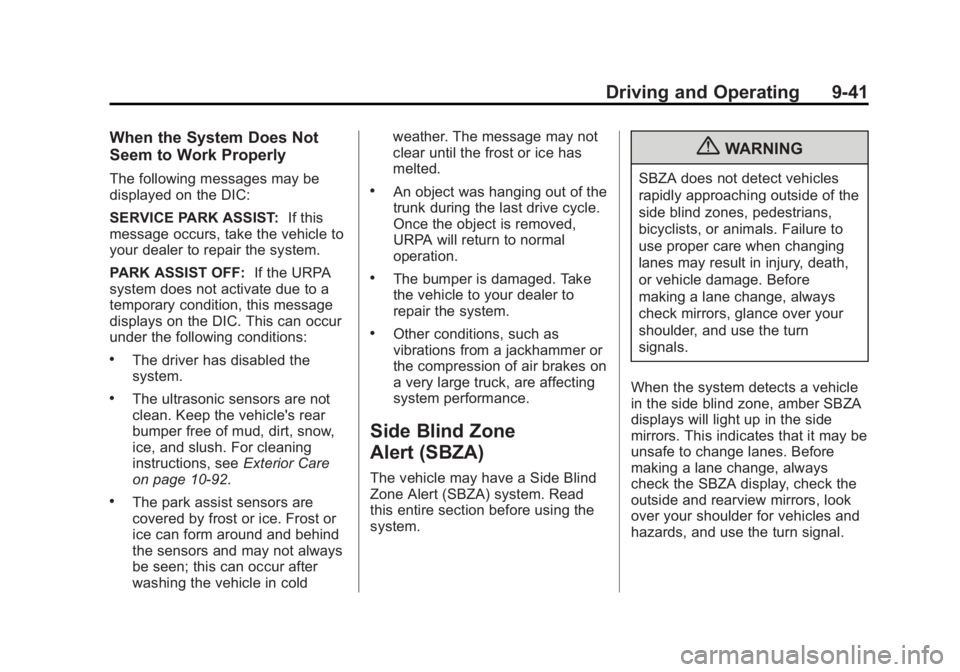
in the side blind zone, amber SBZA
displays will light up in the side
mirrors. This indicates that it may be
unsafe to change lanes. Before
making a lane change, always
check the SBZA display, check the
outside and rearview mirrors, look
over your shoulder for vehicles and
hazards, and use the turn signal.
Page 244 of 422
Black plate (42,1)Buick LaCrosse Owner Manual - 2013 - crc - 9/7/12
9-42 Driving and Operating
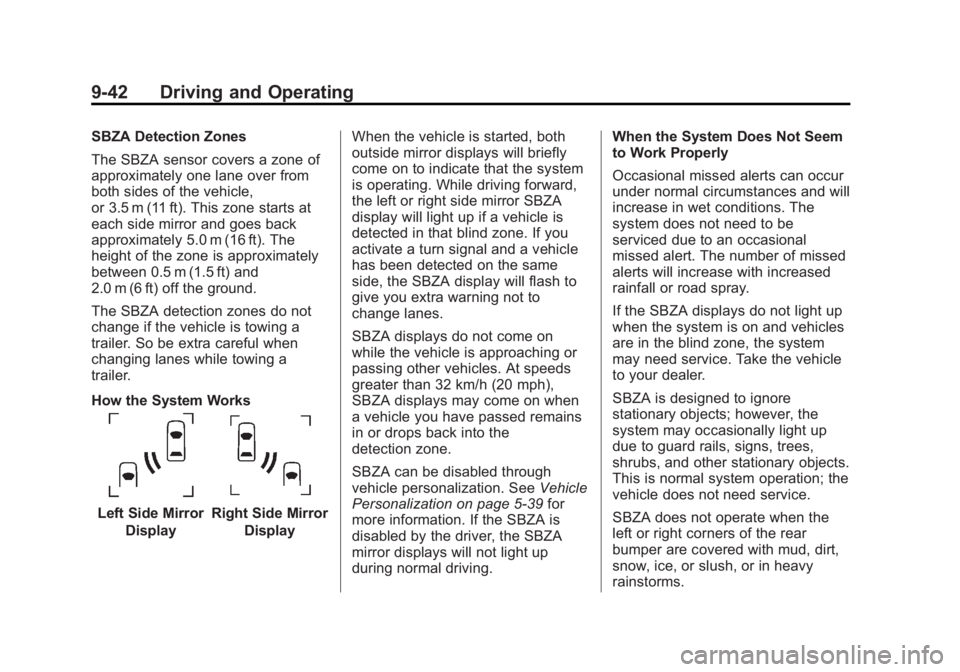
SBZA Detection Zones
The SBZA sensor covers a zone of
approximately one lane over from
both sides of the vehicle,
or 3.5 m (11 ft). This zone starts at
each side mirror and goes back
approximately 5.0 m (16 ft). The
height of the zone is approximately
between 0.5 m (1.5 ft) and
2.0 m (6 ft) off the ground.
The SBZA detection zones do not
change if the vehicle is towing a
trailer. So be extra careful when
changing lanes while towing a
trailer.
How the System Works
Left Side MirrorDisplayRight Side Mirror Display When the vehicle is started, both
outside mirror displays will briefly
come on to indicate that the system
is operating. While driving forward,
the left or right side mirror SBZA
display will light up if a vehicle is
detected in that blind zone. If you
activate a turn signal and a vehicle
has been detected on the same
side, the SBZA display will flash to
give you extra warning not to
change lanes.
SBZA displays do not come on
while the vehicle is approaching or
passing other vehicles. At speeds
greater than 32 km/h (20 mph),
SBZA displays may come on when
a vehicle you have passed remains
in or drops back into the
detection zone.
SBZA can be disabled through
vehicle personalization. See
Vehicle
Personalization on page 5‑39 for
more information. If the SBZA is
disabled by the driver, the SBZA
mirror displays will not light up
during normal driving. When the System Does Not Seem
to Work Properly
Occasional missed alerts can occur
under normal circumstances and will
increase in wet conditions. The
system does not need to be
serviced due to an occasional
missed alert. The number of missed
alerts will increase with increased
rainfall or road spray.
If the SBZA displays do not light up
when the system is on and vehicles
are in the blind zone, the system
may need service. Take the vehicle
to your dealer.
SBZA is designed to ignore
stationary objects; however, the
system may occasionally light up
due to guard rails, signs, trees,
shrubs, and other stationary objects.
This is normal system operation; the
vehicle does not need service.
SBZA does not operate when the
left or right corners of the rear
bumper are covered with mud, dirt,
snow, ice, or slush, or in heavy
rainstorms.
Page 253 of 422
Black plate (51,1)Buick LaCrosse Owner Manual - 2013 - crc - 9/7/12
Driving and Operating 9-51
Notice:If a new fuel cap is
needed, be sure to get the right
type of cap from your dealer. The
wrong type of fuel cap might not
fit properly, might cause the
malfunction indicator lamp to
light, and could damage the fuel
tank and emissions system. See
Malfunction Indicator Lamp on
page 5‑16.
Filling a Portable Fuel
Container
{WARNING
Filling a portable fuel container
while it is in the vehicle can cause
fuel vapors that can ignite either
by static electricity or other
means. You or others could be
badly burned and the vehicle
could be damaged. Always:
.Use approved fuel
containers.
(Continued)
WARNING (Continued)
.Remove container from
vehicle, trunk, or pickup bed
before filling.
.Place container on the
ground.
.Place the nozzle inside the fill
opening of the container
before dispensing fuel, and
keep it in contact with the fill
opening until filling is
complete.
.Do not smoke while
pumping fuel.
Towing
General Towing
Information
Only use towing equipment that has
been designed for the vehicle.
Contact your dealer or trailering
dealer for assistance with preparing
the vehicle for towing a trailer. Read
the entire section before towing a
trailer.
For towing a disabled vehicle, see
Towing the Vehicle on page 10‑90.
For towing the vehicle behind
another vehicle such as a motor
home, seeRecreational Vehicle
Towing on page 10‑90.
Driving Characteristics
and Towing Tips
Driving with a Trailer
When towing a trailer:
.Become familiar with the state
and local laws that apply
specifically to trailer towing.