Vehicle personalization BUICK LACROSSE 2013 User Guide
[x] Cancel search | Manufacturer: BUICK, Model Year: 2013, Model line: LACROSSE, Model: BUICK LACROSSE 2013Pages: 422, PDF Size: 5.74 MB
Page 57 of 422
Black plate (7,1)Buick LaCrosse Owner Manual - 2013 - crc - 9/7/12
Seats and Restraints 3-7
placed in OFF. These automatically
stored positions are referred to as
RKE Memory positions. See
Remote Keyless Entry (RKE)
System Operation on page 2‑3.
Storing Button Memory Positions
To save positions into Button
Memory:
1. Adjust the driver seat, seatbackrecliner, and both outside mirrors
to the desired driving positions.
2. Press and hold MEM (Memory) and “1”at the same time until a
beep sounds.
3. Repeat Steps 1 and 2 for a second driver using “2.”
Recalling Button Memory
Positions
To recall the Button Memory
positions, press and hold “1”or“2.”
The driver seat and outside mirrors
move to the positions stored to
those buttons when pressed. Releasing
“1”or“2” before the
stored positions are reached stops
the recall.
If something has blocked the driver
seat while recalling a memory
position, the recall may stop.
Remove the obstruction; then press
and hold the appropriate manual
control for the memory item that is
not recalling for two seconds. Try
recalling the memory position again
by pressing the appropriate memory
button. If the memory position is still
not recalling, see your dealer for
service.
Recalling RKE Memory Positions
The RKE memory feature can recall
the driver seat and outside mirrors
to previously stored RKE Memory
positions when entering the vehicle.
Every time the ignition is placed in
OFF, the positions of the driver seat
and outside mirrors are
automatically stored to the RKE
transmitter that was used to start
the vehicle. These positions are
called RKE Memory positions and may be different than the previously
mentioned Button Memory positions
saved to the
“1”or“2” buttons.
To recall RKE Memory positions:
.On vehicles with RKE, pressK
on the RKE transmitter and open
the driver door.
.On vehicles with keyless access,
press the lock/unlock button on
the outside driver door handle
and open the door. The RKE
transmitter must be present for
the recall to activate.
.If the driver door is already
open, press
Kon the RKE
transmitter to activate the recall.
The driver seat and outside mirrors
will move to the previously saved
RKE Memory positions.
This feature is turned on or off using
the vehicle personalization menu.
See Vehicle Personalization on
page 5‑39.
Page 58 of 422
Black plate (8,1)Buick LaCrosse Owner Manual - 2013 - crc - 9/7/12
3-8 Seats and Restraints
To stop recall movement, press one
of the memory, power mirror,
or power seat controls.
If something has blocked the driver
seat while recalling a memory
position, the recall may stop.
Remove the obstruction; then press
and hold the appropriate manual
control for the memory item that is
not recalling for two seconds. Try
recalling the memory position again
by opening the driver door and
pressing the RKE transmitter
K
button. If the memory position is still
not recalling, see your dealer for
service.
Easy Exit Driver Seat
This feature moves the seat
rearward allowing the driver more
room to exit the vehicle.
To activate, place the ignition in
OFF and open the driver door. If the
driver door is already open, placing
the ignition in OFF will activate the
recall.This feature is turned on or off using
the vehicle personalization menu.
See
Vehicle Personalization on
page 5‑39.
To stop recall movement, press one
of the memory or power seat
controls.
If something has blocked the driver
seat while recalling the exit position,
the recall may stop. Remove the
obstruction; then press and hold the
power seat control rearward for
two seconds. Try recalling the exit
position again. If the exit position is
still not recalling, see your dealer for
service.
Heated and Ventilated
Front Seats
{WARNING
If you cannot feel temperature
change or pain to the skin, the
seat heater may cause burns. To
reduce the risk of burns, people
with such a condition should use
care when using the seat heater,
especially for long periods of
time. Do not place anything on
the seat that insulates against
heat, such as a blanket, cushion,
cover, or similar item. This may
cause the seat heater to
overheat. An overheated seat
heater may cause a burn or may
damage the seat.
Page 59 of 422
Black plate (9,1)Buick LaCrosse Owner Manual - 2013 - crc - 9/7/12
Seats and Restraints 3-9
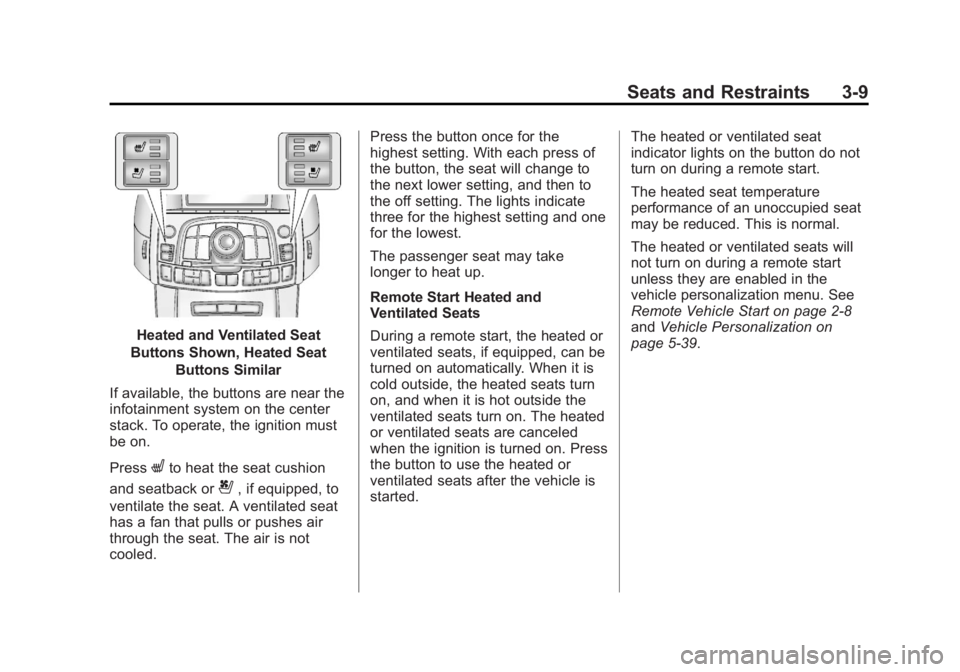
Heated and Ventilated Seat
Buttons Shown, Heated Seat Buttons Similar
If available, the buttons are near the
infotainment system on the center
stack. To operate, the ignition must
be on.
Press
Lto heat the seat cushion
and seatback or
{, if equipped, to
ventilate the seat. A ventilated seat
has a fan that pulls or pushes air
through the seat. The air is not
cooled. Press the button once for the
highest setting. With each press of
the button, the seat will change to
the next lower setting, and then to
the off setting. The lights indicate
three for the highest setting and one
for the lowest.
The passenger seat may take
longer to heat up.
Remote Start Heated and
Ventilated Seats
During a remote start, the heated or
ventilated seats, if equipped, can be
turned on automatically. When it is
cold outside, the heated seats turn
on, and when it is hot outside the
ventilated seats turn on. The heated
or ventilated seats are canceled
when the ignition is turned on. Press
the button to use the heated or
ventilated seats after the vehicle is
started.
The heated or ventilated seat
indicator lights on the button do not
turn on during a remote start.
The heated seat temperature
performance of an unoccupied seat
may be reduced. This is normal.
The heated or ventilated seats will
not turn on during a remote start
unless they are enabled in the
vehicle personalization menu. See
Remote Vehicle Start on page 2‑8
and
Vehicle Personalization on
page 5‑39.
Page 106 of 422
Black plate (2,1)Buick LaCrosse Owner Manual - 2013 - crc - 9/7/12
5-2 Instruments and Controls
Tire Messages . . . . . . . . . . . . . . . 5-38
Transmission Messages . . . . . 5-39
Window Messages . . . . . . . . . . . 5-39
Vehicle Personalization
Vehicle Personalization . . . . . . 5-39
Universal Remote System
Universal Remote System . . . 5-45
Universal Remote SystemProgramming . . . . . . . . . . . . . . . 5-45
Universal Remote System Operation . . . . . . . . . . . . . . . . . . 5-48
Controls
Steering Wheel
Adjustment
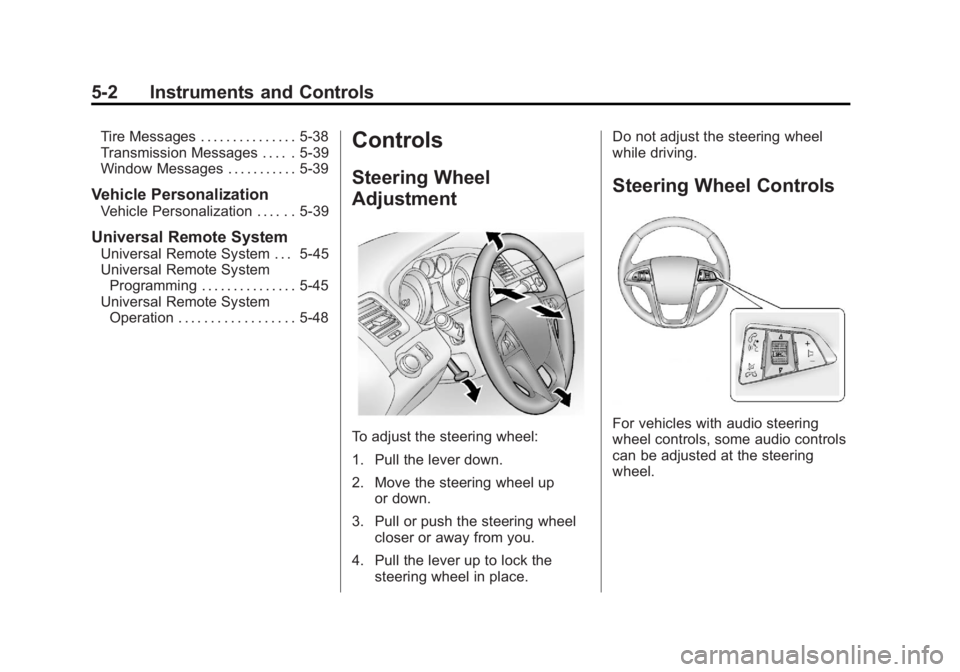
To adjust the steering wheel:
1. Pull the lever down.
2. Move the steering wheel up
or down.
3. Pull or push the steering wheel closer or away from you.
4. Pull the lever up to lock the steering wheel in place. Do not adjust the steering wheel
while driving.
Steering Wheel Controls
For vehicles with audio steering
wheel controls, some audio controls
can be adjusted at the steering
wheel.
Page 129 of 422
Black plate (25,1)Buick LaCrosse Owner Manual - 2013 - crc - 9/7/12
Instruments and Controls 5-25
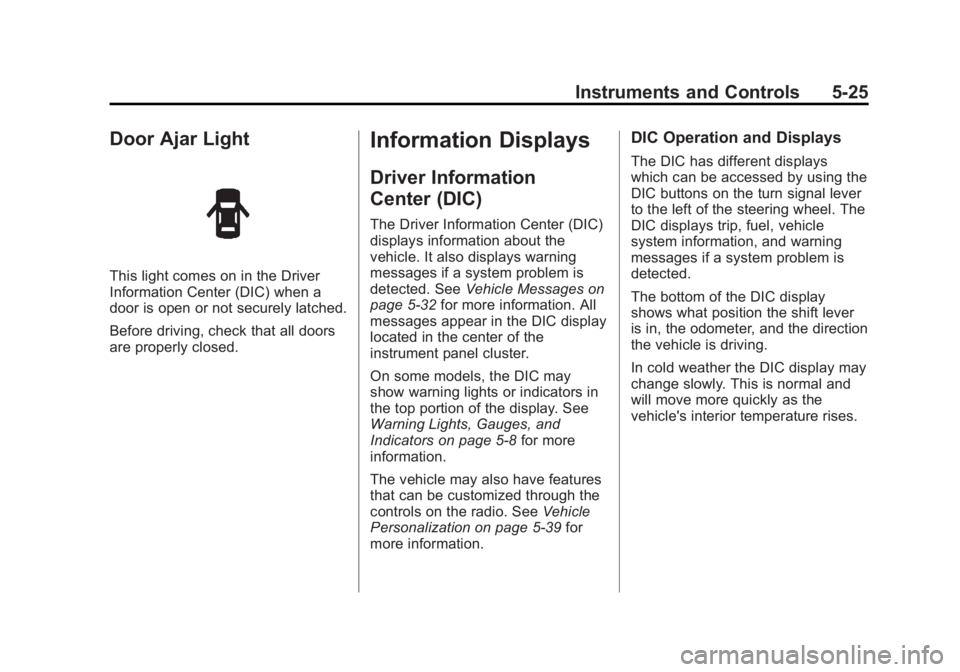
Door Ajar Light
This light comes on in the Driver
Information Center (DIC) when a
door is open or not securely latched.
Before driving, check that all doors
are properly closed.
Information Displays
Driver Information
Center (DIC)
The Driver Information Center (DIC)
displays information about the
vehicle. It also displays warning
messages if a system problem is
detected. SeeVehicle Messages on
page 5‑32 for more information. All
messages appear in the DIC display
located in the center of the
instrument panel cluster.
On some models, the DIC may
show warning lights or indicators in
the top portion of the display. See
Warning Lights, Gauges, and
Indicators on page 5‑8 for more
information.
The vehicle may also have features
that can be customized through the
controls on the radio. See Vehicle
Personalization on page 5‑39 for
more information.
DIC Operation and Displays
The DIC has different displays
which can be accessed by using the
DIC buttons on the turn signal lever
to the left of the steering wheel. The
DIC displays trip, fuel, vehicle
system information, and warning
messages if a system problem is
detected.
The bottom of the DIC display
shows what position the shift lever
is in, the odometer, and the direction
the vehicle is driving.
In cold weather the DIC display may
change slowly. This is normal and
will move more quickly as the
vehicle's interior temperature rises.
Page 143 of 422
Black plate (39,1)Buick LaCrosse Owner Manual - 2013 - crc - 9/7/12
Instruments and Controls 5-39
Transmission Messages
SERVICE TRANSMISSION
This message displays if there is a
problem with the transmission. See
your dealer.
SHIFT TO PARK
This message displays when the
transmission needs to be shifted to
P (Park). This may appear when
attempting to remove the key from
the ignition or from the vehicle if the
vehicle is not in P (Park).
TRANSMISSION HOT—IDLE
ENGINE
This message displays and a chime
sounds if the transmission fluid in
the vehicle gets hot. Driving with the
transmission fluid temperature high
can cause damage to the vehicle.
Stop the vehicle and let it idle to
allow the transmission to cool. This
message clears when the fluid
temperature reaches a safe level.
Window Messages
OPEN, THEN CLOSE DRIVER/
PASSENGER WINDOW
This message is displayed when the
window needs to be reprogrammed.
If the vehicle's battery has been
recharged or disconnected, you will
need to reprogram each front
window for the express-up feature to
work. See Power Windows on
page 2‑17.
Vehicle
Personalization
The audio system controls are used
to access the personalization
menus for customizing vehicle
features.
CONFIG (Configuration): Press to
access the Configuration
Settings menu.
Multifunction Knob: Turn to scroll
through the menus.
SELECT: Press to enter the menus
and select menu items.
/BACK: Press to exit or move
backward in a menu.
Entering the Personalization
Menus
1. Press CONFIG to access the
Configuration Settings menu.
2. Turn the Multifunction knob to highlight Vehicle Settings.
3. Press SELECT to select the Vehicle Settings menu.
Page 149 of 422
Black plate (45,1)Buick LaCrosse Owner Manual - 2013 - crc - 9/7/12
Instruments and Controls 5-45
Press SELECT when Remote Recall
is highlighted. Turn the Multifunction
knob to select On or Off. Press
SELECT to confirm the selection.
Press
/BACK to move to the
last menu.
Passive Entry
This allows the Passive Entry
feature to be turned on or off.
Press SELECT when Passive Entry
is highlighted. Turn the Multifunction
knob to select On or Off. Press
SELECT to confirm the selection.
Press
/BACK to move to the
last menu.
Remote Left In Vehicle
This allows the Remote Left In
Vehicle reminder feature to be
turned on or off. If on, the horn will
chirp if a remote is left in the
vehicle. Press SELECT when Remote Left In
Vehicle is highlighted. Turn the
Multifunction knob to select On or
Off. Press SELECT to confirm the
selection. Press
/BACK to move to
the last menu.
Return to Factory Settings
Select Return to Factory Settings to
return all of the vehicle
personalization to the default
settings. Turn the Multifunction knob
to select Yes or No. Press SELECT
to confirm and go back to the
last menu.
Universal Remote
System
See Radio Frequency Statement on
page 13‑20 for information
regarding Part 15 of the Federal
Communications Commission (FCC)
rules and Industry Canada
Standards RSS-GEN/210/220/310.
Universal Remote System
Programming
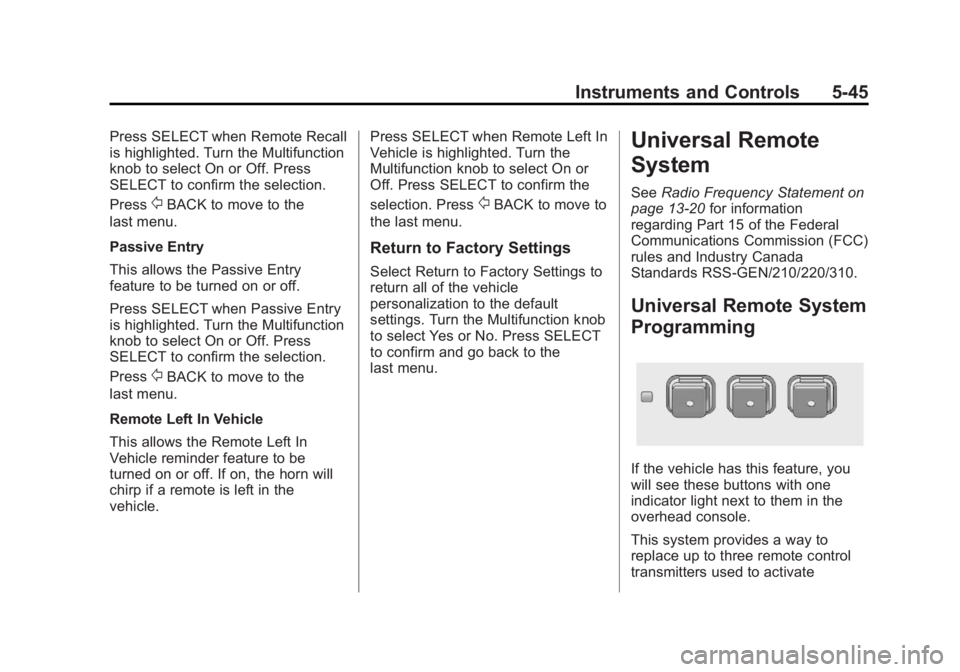
If the vehicle has this feature, you
will see these buttons with one
indicator light next to them in the
overhead console.
This system provides a way to
replace up to three remote control
transmitters used to activate
Page 160 of 422
Black plate (6,1)Buick LaCrosse Owner Manual - 2013 - crc - 9/7/12
6-6 Lighting
Reading Lamps
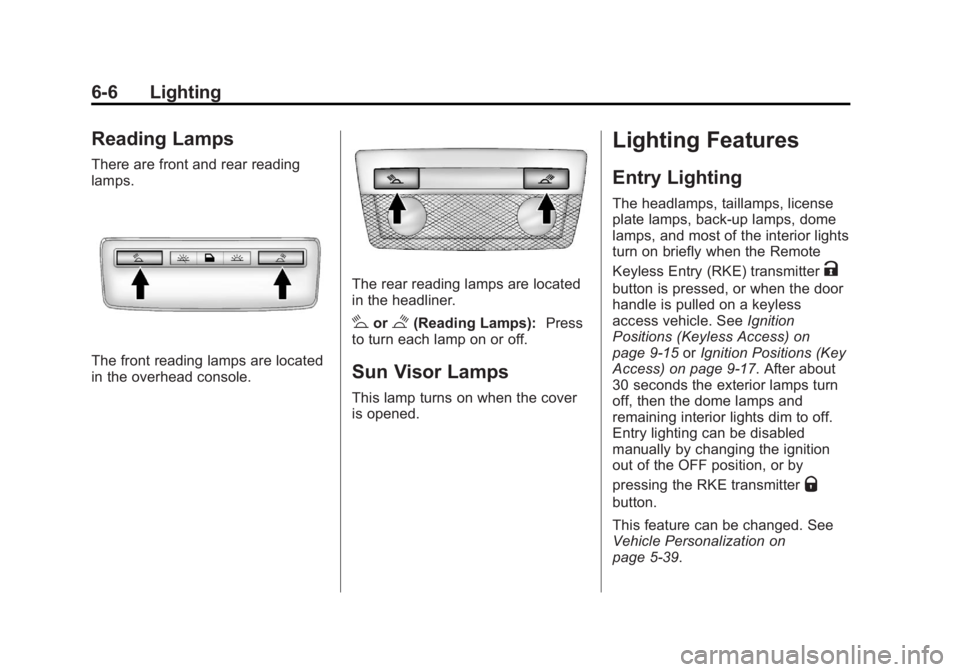
There are front and rear reading
lamps.
The front reading lamps are located
in the overhead console.
The rear reading lamps are located
in the headliner.
#or$(Reading Lamps):Press
to turn each lamp on or off.
Sun Visor Lamps
This lamp turns on when the cover
is opened.
Lighting Features
Entry Lighting
The headlamps, taillamps, license
plate lamps, back-up lamps, dome
lamps, and most of the interior lights
turn on briefly when the Remote
Keyless Entry (RKE) transmitter
K
button is pressed, or when the door
handle is pulled on a keyless
access vehicle. See Ignition
Positions (Keyless Access) on
page 9‑15 orIgnition Positions (Key
Access) on page 9‑17. After about
30 seconds the exterior lamps turn
off, then the dome lamps and
remaining interior lights dim to off.
Entry lighting can be disabled
manually by changing the ignition
out of the OFF position, or by
pressing the RKE transmitter
Q
button.
This feature can be changed. See
Vehicle Personalization on
page 5‑39.
Page 161 of 422
Black plate (7,1)Buick LaCrosse Owner Manual - 2013 - crc - 9/7/12
Lighting 6-7
Exit Lighting
The headlamps, taillamps, parking
lamps, back-up lamps, and license
plate lamps come on at night, or in
areas with limited lighting, when the
key is removed from the ignition.
The dome lamps also come on
when the key is removed from the
ignition. The exterior lights and
dome lamps remain on after the
door is closed for a set amount of
time, then automatically turn off.
For vehicles with keyless access,
the exterior lamps and dome lamps
automatically turn on when a door is
opened after the ignition is turned
off. SeeIgnition Positions (Keyless
Access) on page 9‑15 orIgnition
Positions (Key Access) on
page 9‑17.
The exterior lamps turn off
immediately by turning the exterior
lamps control off.
This feature can be changed. See
Vehicle Personalization on
page 5‑39.
Battery Load
Management
The vehicle has Electric Power
Management (EPM) that estimates
the battery's temperature and state
of charge. It then adjusts the voltage
for best performance and extended
life of the battery.
When the battery's state of charge
is low, the voltage is raised slightly
to quickly bring the charge back up.
When the state of charge is high,
the voltage is lowered slightly to
prevent overcharging. If the vehicle
has a voltmeter gauge or a voltage
display on the Driver Information
Center (DIC), you may see the
voltage move up or down. This is
normal. If there is a problem, an
alert will be displayed.
The battery can be discharged at
idle if the electrical loads are very
high. This is true for all vehicles.
This is because the generator
(alternator) may not be spinning fast enough at idle to produce all of the
power needed for very high
electrical loads.
A high electrical load occurs when
several of the following are on, such
as: headlamps, high beams, fog
lamps, rear window defogger,
climate control fan at high speed,
heated seats, engine cooling fans,
trailer loads, and loads plugged into
accessory power outlets.
EPM works to prevent excessive
discharge of the battery. It does this
by balancing the generator's output
and the vehicle's electrical needs.
It can increase engine idle speed to
generate more power whenever
needed. It can temporarily reduce
the power demands of some
accessories.
Normally, these actions occur in
steps or levels, without being
noticeable. In rare cases at the
highest levels of corrective action,
this action may be noticeable to the
driver. If so, a DIC message might
be displayed and it is recommended
Page 198 of 422
Black plate (4,1)Buick LaCrosse Owner Manual - 2013 - crc - 9/7/12
8-4 Climate Controls
0(Defrost):Clears the
windshield of fog or frost more
quickly. Air is directed to the
windshield.
For best results, clear all snow and
ice from the windshield before
defrosting.
For eAssist vehicles that have the
auto defog feature, auto stops can
occur in defrost mode. In this mode,
the auto stops are shorter and less
frequent than other air delivery
modes to prevent instant fogging.
A/C (Comfort Air Conditioning):
Press to turn the air conditioning
system on or off. If the climate
control system is turned off or the
outside temperature falls below
freezing, the air conditioner will
not run.
Pressing this button cancels
automatic air conditioning and turns
off the air conditioner. Press AUTO
to return to automatic operation and
the air conditioner runs
automatically as needed. When the
indicator light is on, the air conditioner runs automatically to
cool the air inside the vehicle or to
dry the air needed to defog the
windshield faster.
For eAssist vehicles, an auto stop
may occur if the climate control
system determines the a/c
compressor can be shut off and still
maintain comfort levels with minimal
windshield fogging.
Eco
#(Eco Air Conditioning, If
Equipped): This setting balances
fuel economy and air conditioning
comfort. In warm weather
conditions, auto stops may occur
more frequently and the vehicle
interior may be warmer as
compared to the comfort air
conditioning. The eco a/c setting
allows higher humidity inside the
vehicle and window fogging before
the engine restarts.
Pressing the
0button during an
auto stop will restart the engine to
prevent window fogging. To reach
comfort levels quickly during an
auto stop, the engine will restart if the air conditioner is off and the
AUTO, eco
#, or A/C is selected.
The engine also restarts if the
Ois
pressed on and the system is set to
AUTO, eco
#, or A/C.
If temperature controls are adjusted
cooler by more than 1°C (1°F)
during an auto stop, the engine will
restart to ensure that comfort is
reached.
@(Recirculation/Auto
Recirculation): Press to change to
automatic control of air recirculation
inside the vehicle. When the auto
recirculation indicator light is on, the
air is automatically recirculated as
needed to help quickly cool the air
inside the vehicle.
In auto recirculation control, the Air
Quality Control system may operate
when pollution is detected. To adjust
the sensitivity of the Air Quality
Control, see “Climate and Air
Quality” underVehicle
Personalization on page 5‑39.