instrument panel BUICK LACROSSE 2013 Owner's Guide
[x] Cancel search | Manufacturer: BUICK, Model Year: 2013, Model line: LACROSSE, Model: BUICK LACROSSE 2013Pages: 422, PDF Size: 5.74 MB
Page 129 of 422
Black plate (25,1)Buick LaCrosse Owner Manual - 2013 - crc - 9/7/12
Instruments and Controls 5-25
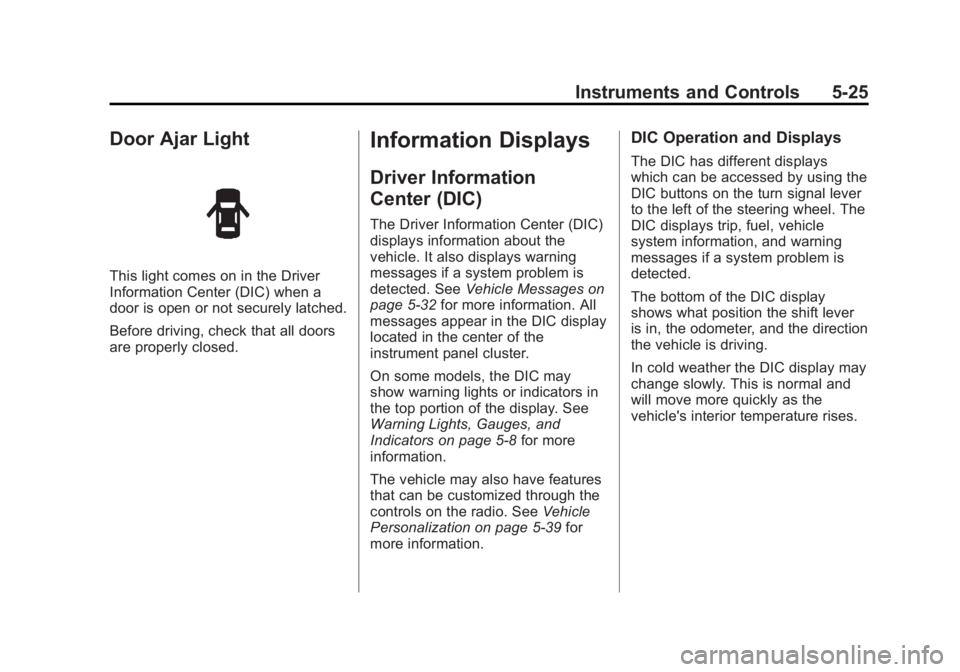
Door Ajar Light
This light comes on in the Driver
Information Center (DIC) when a
door is open or not securely latched.
Before driving, check that all doors
are properly closed.
Information Displays
Driver Information
Center (DIC)
The Driver Information Center (DIC)
displays information about the
vehicle. It also displays warning
messages if a system problem is
detected. SeeVehicle Messages on
page 5‑32 for more information. All
messages appear in the DIC display
located in the center of the
instrument panel cluster.
On some models, the DIC may
show warning lights or indicators in
the top portion of the display. See
Warning Lights, Gauges, and
Indicators on page 5‑8 for more
information.
The vehicle may also have features
that can be customized through the
controls on the radio. See Vehicle
Personalization on page 5‑39 for
more information.
DIC Operation and Displays
The DIC has different displays
which can be accessed by using the
DIC buttons on the turn signal lever
to the left of the steering wheel. The
DIC displays trip, fuel, vehicle
system information, and warning
messages if a system problem is
detected.
The bottom of the DIC display
shows what position the shift lever
is in, the odometer, and the direction
the vehicle is driving.
In cold weather the DIC display may
change slowly. This is normal and
will move more quickly as the
vehicle's interior temperature rises.
Page 133 of 422
Black plate (29,1)Buick LaCrosse Owner Manual - 2013 - crc - 9/7/12
Instruments and Controls 5-29
Head-Up Display (HUD)
{WARNING
If the HUD image is too bright or
too high in your field of view, it
may take you more time to see
things you need to see when it is
dark outside. Be sure to keep the
HUD image dim and placed low in
your field of view.
For vehicles with the Head-Up
Display (HUD), some information
concerning the operation of the
vehicle is projected onto the
windshield. This includes
information such as the
speedometer reading, rpm reading,
transmission position, outside air
temperature, compass heading, and
a brief display of the current radio
station, including XM information or
CD track. It will also display
turn-by-turn navigation information if
the vehicle has a navigation radio. The images are projected through
the HUD lens located on the driver
side of the instrument panel.
Notice:
If you try to use the HUD
image as a parking aid, you may
misjudge the distance and
damage your vehicle. Do not use
the HUD image as a parking aid.
The HUD information can be
displayed in one of three languages,
English, French, or Spanish. The
speedometer reading and other
numerical values can be displayed
in either English or metric units.
The language selection is changed
through the radio and the units of
measurement is changed through
the trip computer in the Driver
Information Center (DIC). See
AM-FM Radio on page 7‑9 and
Driver Information Center (DIC) on
page 5‑25.
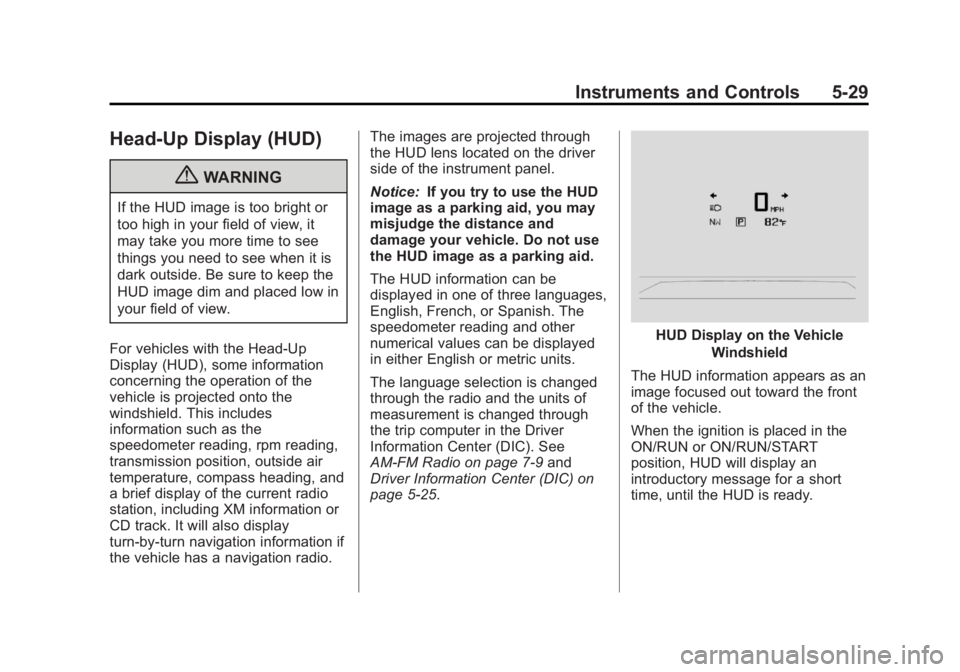
HUD Display on the Vehicle
Windshield
The HUD information appears as an
image focused out toward the front
of the vehicle.
When the ignition is placed in the
ON/RUN or ON/RUN/START
position, HUD will display an
introductory message for a short
time, until the HUD is ready.
Page 134 of 422
Black plate (30,1)Buick LaCrosse Owner Manual - 2013 - crc - 9/7/12
5-30 Instruments and Controls
The following indicator lights come
on in the instrument panel when
activated and also appear on
the HUD:
.Turn Signal Indicators
.High-Beam Indicator Symbol
The HUD temporarily displays some
vehicle warnings, such as CHECK
TIRE PRESSURE and FUEL
LEVEL LOW when these messages
are on the DIC trip computer.
The HUD also displays the following
messages on vehicles with these
systems, when they are active:
.TRACTION CONTROL ACTIVE
.STABILITRAK ACTIVE
When the HUD is on, the
speedometer reading is continually
displayed. The current radio station
or CD track number will display for a
short period of time after the radio
or CD track status changes. This
happens whenever radio information
is changed. The speedometer size
is reduced when radio, CD
information, warnings, or turn-by-turn navigation
information are displayed on
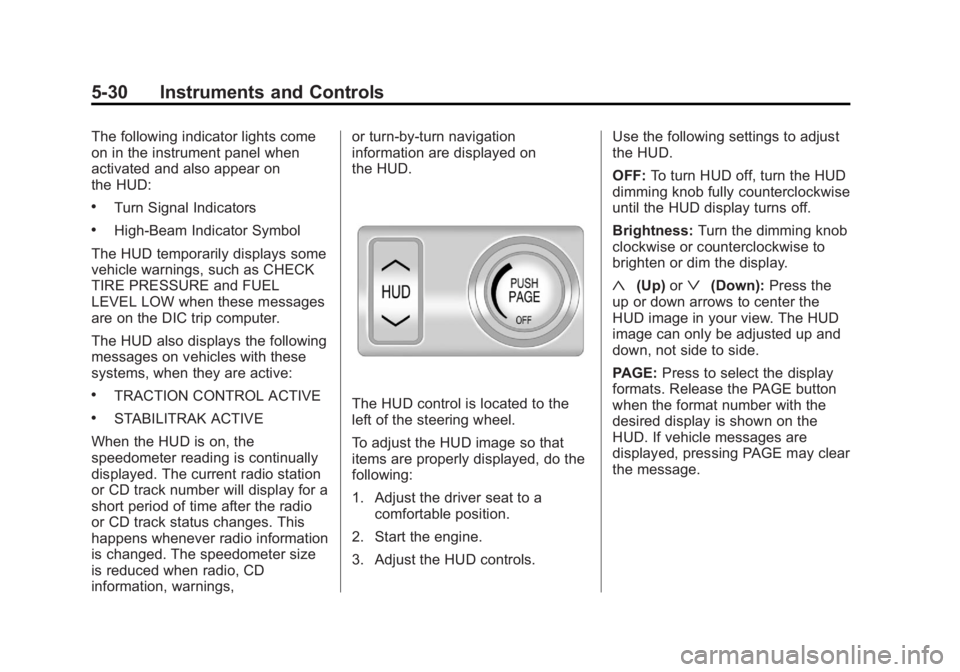
the HUD.The HUD control is located to the
left of the steering wheel.
To adjust the HUD image so that
items are properly displayed, do the
following:
1. Adjust the driver seat to a
comfortable position.
2. Start the engine.
3. Adjust the HUD controls. Use the following settings to adjust
the HUD.
OFF:
To turn HUD off, turn the HUD
dimming knob fully counterclockwise
until the HUD display turns off.
Brightness: Turn the dimming knob
clockwise or counterclockwise to
brighten or dim the display.
«(Up) orª(Down): Press the
up or down arrows to center the
HUD image in your view. The HUD
image can only be adjusted up and
down, not side to side.
PAGE: Press to select the display
formats. Release the PAGE button
when the format number with the
desired display is shown on the
HUD. If vehicle messages are
displayed, pressing PAGE may clear
the message.
Page 136 of 422
Black plate (32,1)Buick LaCrosse Owner Manual - 2013 - crc - 9/7/12
5-32 Instruments and Controls
Care of the HUD
Clean the inside of the windshield
as needed to remove any dirt or film
that could reduce the sharpness or
clarity of the HUD image.
To clean the HUD lens, use a soft,
clean cloth that has household glass
cleaner sprayed on it. Wipe the
HUD lens gently, then dry it. Do not
spray cleaner directly on the lens
because the cleaner could leak into
the unit.
If You Cannot See the HUD
Image When the Ignition Is On
.Is anything covering the
HUD lens?
.Is the HUD dimmer setting bright
enough?
.Is the HUD image adjusted to
the proper height?
.Are you wearing polarized
sunglasses?
.Still no HUD image? Check the
fuse in the instrument panel fuse
block. SeeInstrument Panel
Fuse Block on page 10‑40.
If the HUD Image Is Not Clear
.Is the HUD image too bright?
.Are the windshield and HUD
lens clean?
If the HUD image is not correct,
contact your dealer.
Keep in mind that the windshield is
part of the HUD system.
Vehicle Messages
Messages displayed on the DIC
indicate the status of the vehicle or
some action that may be needed to
correct a condition. Multiple
messages may display one after the
other.
The messages that do not require
immediate action can be
acknowledged and cleared by
pressing SET/CLR. The messages
that require immediate action cannot
be cleared until that action is
performed. All messages should be
taken seriously and clearing the
messages does not correct the
problem.
The following are some of the
vehicle messages that may be
displayed depending on your
vehicle content.
Page 144 of 422
Black plate (40,1)Buick LaCrosse Owner Manual - 2013 - crc - 9/7/12
5-40 Instruments and Controls
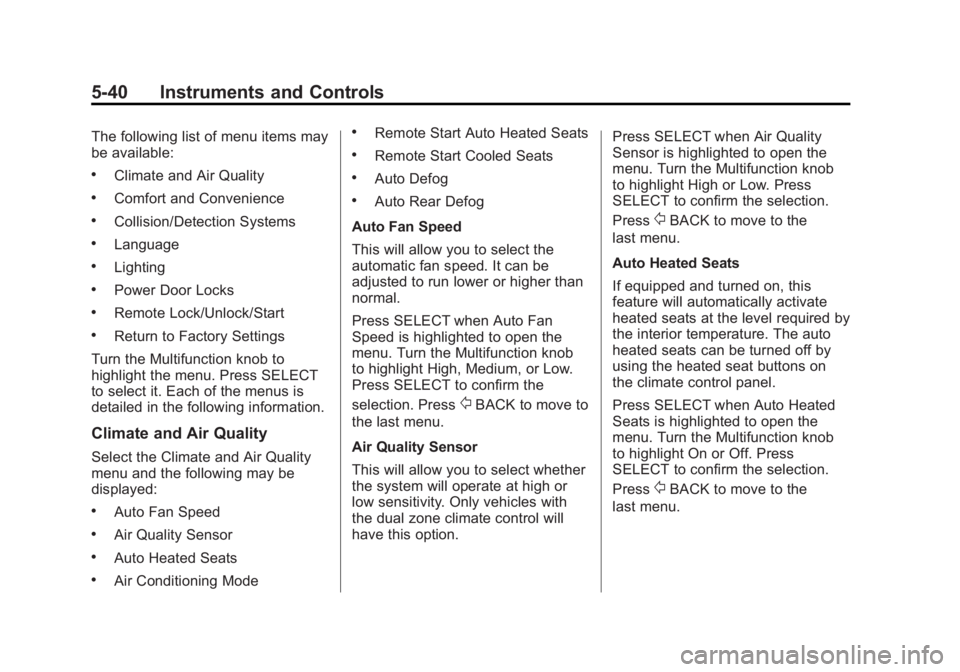
The following list of menu items may
be available:
.Climate and Air Quality
.Comfort and Convenience
.Collision/Detection Systems
.Language
.Lighting
.Power Door Locks
.Remote Lock/Unlock/Start
.Return to Factory Settings
Turn the Multifunction knob to
highlight the menu. Press SELECT
to select it. Each of the menus is
detailed in the following information.
Climate and Air Quality
Select the Climate and Air Quality
menu and the following may be
displayed:
.Auto Fan Speed
.Air Quality Sensor
.Auto Heated Seats
.Air Conditioning Mode
.Remote Start Auto Heated Seats
.Remote Start Cooled Seats
.Auto Defog
.Auto Rear Defog
Auto Fan Speed
This will allow you to select the
automatic fan speed. It can be
adjusted to run lower or higher than
normal.
Press SELECT when Auto Fan
Speed is highlighted to open the
menu. Turn the Multifunction knob
to highlight High, Medium, or Low.
Press SELECT to confirm the
selection. Press
/BACK to move to
the last menu.
Air Quality Sensor
This will allow you to select whether
the system will operate at high or
low sensitivity. Only vehicles with
the dual zone climate control will
have this option. Press SELECT when Air Quality
Sensor is highlighted to open the
menu. Turn the Multifunction knob
to highlight High or Low. Press
SELECT to confirm the selection.
Press
/BACK to move to the
last menu.
Auto Heated Seats
If equipped and turned on, this
feature will automatically activate
heated seats at the level required by
the interior temperature. The auto
heated seats can be turned off by
using the heated seat buttons on
the climate control panel.
Press SELECT when Auto Heated
Seats is highlighted to open the
menu. Turn the Multifunction knob
to highlight On or Off. Press
SELECT to confirm the selection.
Press
/BACK to move to the
last menu.
Page 155 of 422
Black plate (1,1)Buick LaCrosse Owner Manual - 2013 - crc - 9/7/12
Lighting 6-1
Lighting
Exterior Lighting
Exterior Lamp Controls . . . . . . . . 6-1
Exterior Lamps OffReminder . . . . . . . . . . . . . . . . . . . . 6-2
Headlamp High/Low-Beam Changer . . . . . . . . . . . . . . . . . . . . . 6-2
Flash-to-Pass . . . . . . . . . . . . . . . . . 6-2
Daytime Running Lamps (DRL) . . . . . . . . . . . . . . . . 6-2
Automatic Headlamp System . . . . . . . . . . . . . . . . . . . . . . 6-3
Adaptive Forward Lighting (AFL) . . . . . . . . . . . . . . . 6-3
Hazard Warning Flashers . . . . . 6-4
Turn and Lane-Change Signals . . . . . . . . . . . . . . . . . . . . . . 6-4
Fog Lamps . . . . . . . . . . . . . . . . . . . . 6-4
Interior Lighting
Instrument Panel Illumination Control . . . . . . . . . . . . . . . . . . . . . . 6-5
Dome Lamps . . . . . . . . . . . . . . . . . 6-5
Reading Lamps . . . . . . . . . . . . . . . 6-6
Sun Visor Lamps . . . . . . . . . . . . . . 6-6
Lighting Features
Entry Lighting . . . . . . . . . . . . . . . . . 6-6
Exit Lighting . . . . . . . . . . . . . . . . . . . 6-7
Battery Load Management . . . . 6-7
Battery Power Protection . . . . . . 6-8
Exterior Lighting
Exterior Lamp Controls
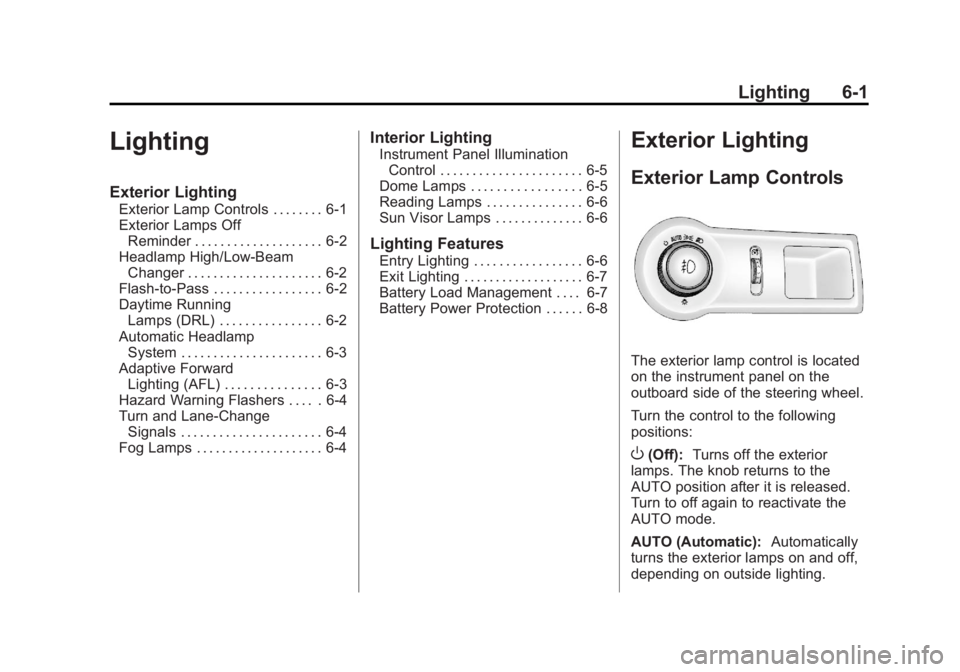
The exterior lamp control is located
on the instrument panel on the
outboard side of the steering wheel.
Turn the control to the following
positions:
O(Off): Turns off the exterior
lamps. The knob returns to the
AUTO position after it is released.
Turn to off again to reactivate the
AUTO mode.
AUTO (Automatic): Automatically
turns the exterior lamps on and off,
depending on outside lighting.
Page 156 of 422
Black plate (2,1)Buick LaCrosse Owner Manual - 2013 - crc - 9/7/12
6-2 Lighting
;(Parking Lamps):Turns on the
parking lamps together with the
following:
.Sidemarker Lamps
.Taillamps
.License Plate Lamps
.Instrument Panel Lights
5(Headlamps): Turns on the
headlamps together with the
following:
.Sidemarker Lamps
.Taillamps
.License Plate Lamps
.Instrument Panel Lights
.Parking Lamps
Exterior Lamps Off
Reminder
A warning chime sounds if the driver
door is opened while the ignition is
off and the exterior lamps are on.
Headlamp High/
Low-Beam Changer
2 3
(Headlamp High/Low-Beam
Changer): Push the turn signal
lever away from you and release, to
turn the high beams on. To return to
low beams, push the lever again or
pull it toward you and release.
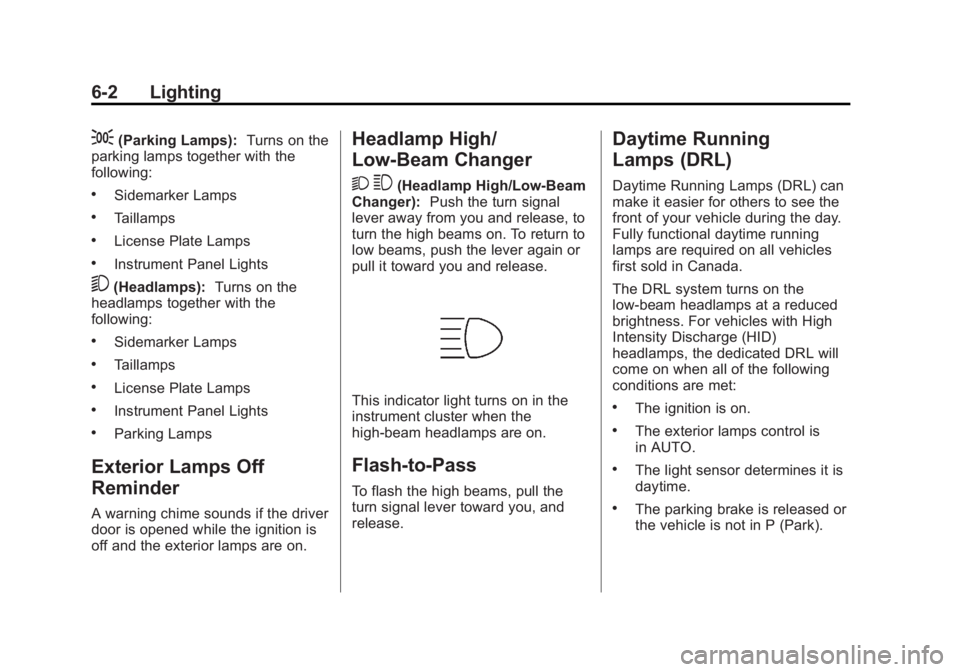
This indicator light turns on in the
instrument cluster when the
high-beam headlamps are on.
Flash-to-Pass
To flash the high beams, pull the
turn signal lever toward you, and
release.
Daytime Running
Lamps (DRL)
Daytime Running Lamps (DRL) can
make it easier for others to see the
front of your vehicle during the day.
Fully functional daytime running
lamps are required on all vehicles
first sold in Canada.
The DRL system turns on the
low-beam headlamps at a reduced
brightness. For vehicles with High
Intensity Discharge (HID)
headlamps, the dedicated DRL will
come on when all of the following
conditions are met:
.The ignition is on.
.The exterior lamps control is
in AUTO.
.The light sensor determines it is
daytime.
.The parking brake is released or
the vehicle is not in P (Park).
Page 157 of 422
Black plate (3,1)Buick LaCrosse Owner Manual - 2013 - crc - 9/7/12
Lighting 6-3
When the DRL are on, the
low-beam headlamps will be on.
The taillamps, sidemarker lamps,
instrument panel lights, and other
lamps will not be on.
The DRL turn off when the
headlamps are turned to
Oor the
ignition is off.
This vehicle may have a DRL
disabling function. When the DRL
are on and a turn signal is activated,
the DRL on that side will be off until
the turn signal goes off.
Automatic Headlamp
System
When the exterior lamp control is
set to AUTO and it is dark enough
outside, the headlamps come on
automatically.
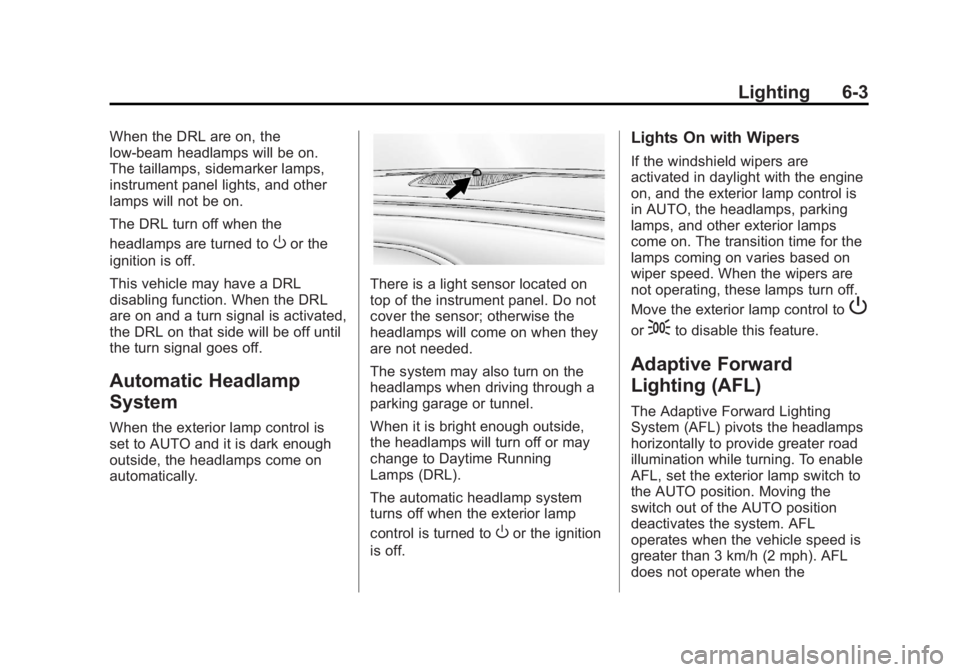
There is a light sensor located on
top of the instrument panel. Do not
cover the sensor; otherwise the
headlamps will come on when they
are not needed.
The system may also turn on the
headlamps when driving through a
parking garage or tunnel.
When it is bright enough outside,
the headlamps will turn off or may
change to Daytime Running
Lamps (DRL).
The automatic headlamp system
turns off when the exterior lamp
control is turned to
Oor the ignition
is off.
Lights On with Wipers
If the windshield wipers are
activated in daylight with the engine
on, and the exterior lamp control is
in AUTO, the headlamps, parking
lamps, and other exterior lamps
come on. The transition time for the
lamps coming on varies based on
wiper speed. When the wipers are
not operating, these lamps turn off.
Move the exterior lamp control to
P
or;to disable this feature.
Adaptive Forward
Lighting (AFL)
The Adaptive Forward Lighting
System (AFL) pivots the headlamps
horizontally to provide greater road
illumination while turning. To enable
AFL, set the exterior lamp switch to
the AUTO position. Moving the
switch out of the AUTO position
deactivates the system. AFL
operates when the vehicle speed is
greater than 3 km/h (2 mph). AFL
does not operate when the
Page 158 of 422
Black plate (4,1)Buick LaCrosse Owner Manual - 2013 - crc - 9/7/12
6-4 Lighting
transmission is in R (Reverse). AFL
is not immediately operable after
starting the vehicle; driving a short
distance is required to calibrate the
AFL. SeeExterior Lamp Controls on
page 6‑1.
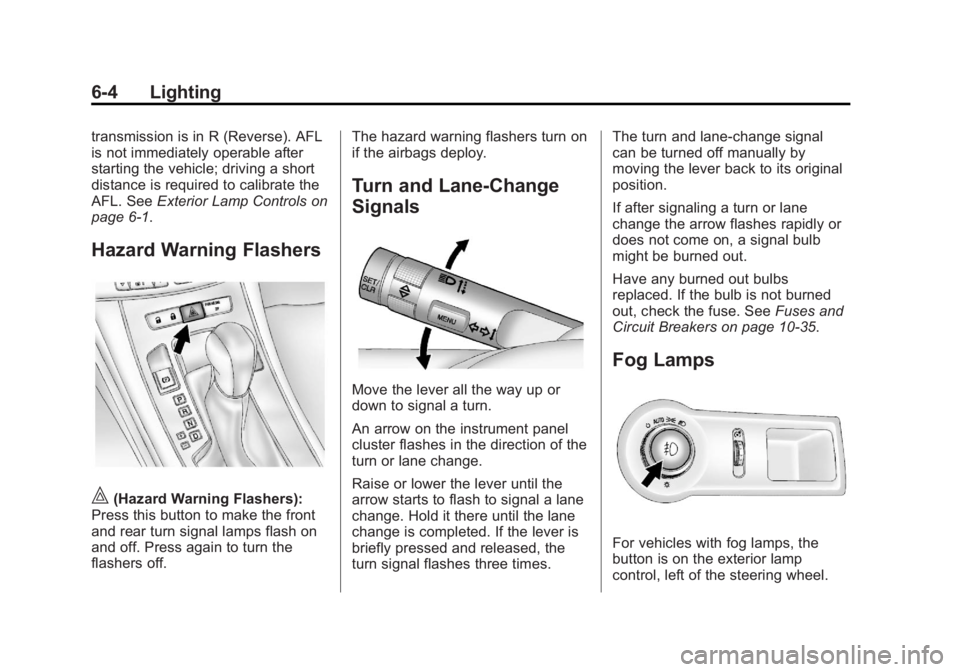
Hazard Warning Flashers
|(Hazard Warning Flashers):
Press this button to make the front
and rear turn signal lamps flash on
and off. Press again to turn the
flashers off. The hazard warning flashers turn on
if the airbags deploy.
Turn and Lane-Change
Signals
Move the lever all the way up or
down to signal a turn.
An arrow on the instrument panel
cluster flashes in the direction of the
turn or lane change.
Raise or lower the lever until the
arrow starts to flash to signal a lane
change. Hold it there until the lane
change is completed. If the lever is
briefly pressed and released, the
turn signal flashes three times.The turn and lane-change signal
can be turned off manually by
moving the lever back to its original
position.
If after signaling a turn or lane
change the arrow flashes rapidly or
does not come on, a signal bulb
might be burned out.
Have any burned out bulbs
replaced. If the bulb is not burned
out, check the fuse. See
Fuses and
Circuit Breakers on page 10‑35.
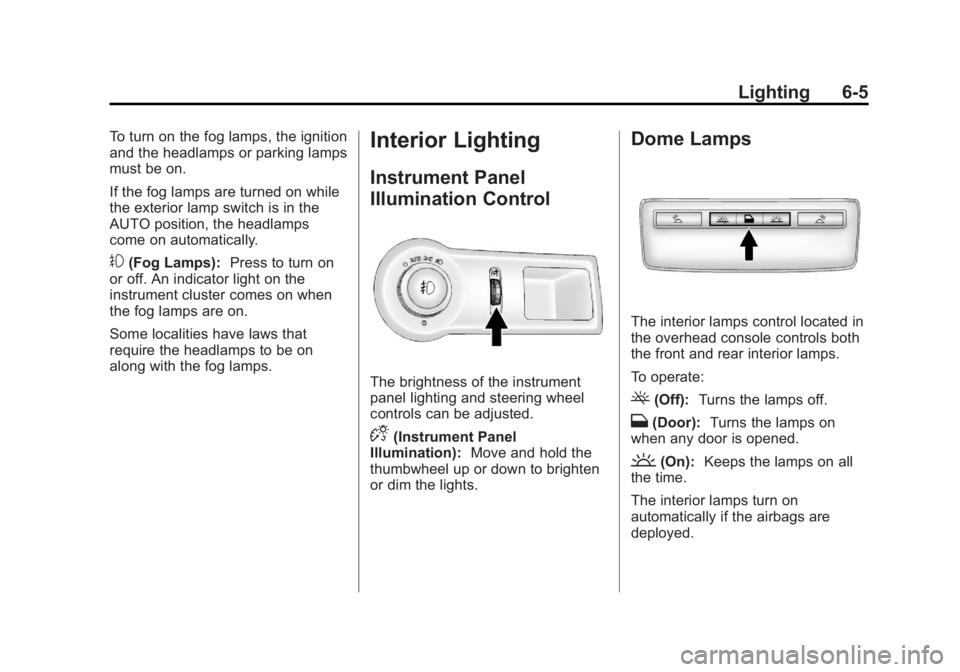
Fog Lamps
For vehicles with fog lamps, the
button is on the exterior lamp
control, left of the steering wheel.
Page 159 of 422
Black plate (5,1)Buick LaCrosse Owner Manual - 2013 - crc - 9/7/12
Lighting 6-5
To turn on the fog lamps, the ignition
and the headlamps or parking lamps
must be on.
If the fog lamps are turned on while
the exterior lamp switch is in the
AUTO position, the headlamps
come on automatically.
#(Fog Lamps):Press to turn on
or off. An indicator light on the
instrument cluster comes on when
the fog lamps are on.
Some localities have laws that
require the headlamps to be on
along with the fog lamps.
Interior Lighting
Instrument Panel
Illumination Control
The brightness of the instrument
panel lighting and steering wheel
controls can be adjusted.
D(Instrument Panel
Illumination): Move and hold the
thumbwheel up or down to brighten
or dim the lights.
Dome Lamps
The interior lamps control located in
the overhead console controls both
the front and rear interior lamps.
To operate:
((Off): Turns the lamps off.
H(Door): Turns the lamps on
when any door is opened.
'(On): Keeps the lamps on all
the time.
The interior lamps turn on
automatically if the airbags are
deployed.