engine BUICK LACROSSE 2013 Owner's Guide
[x] Cancel search | Manufacturer: BUICK, Model Year: 2013, Model line: LACROSSE, Model: BUICK LACROSSE 2013Pages: 422, PDF Size: 5.74 MB
Page 132 of 422
Black plate (28,1)Buick LaCrosse Owner Manual - 2013 - crc - 9/7/12
5-28 Instruments and Controls
Unit
Move
w/xto switch between
metric or US when the Unit display
is active. Press SET/CLR to confirm
the setting. This will change the
displays on the cluster and DIC to
either metric or English (US)
measurements.
Tire Pressure
The display will show a vehicle with
the approximate pressures of all
four tires. Tire pressure is displayed
in either kilopascal (kPa) or pounds
per square inch (psi). See Tire
Pressure Monitor System on
page 10‑50 andTire Pressure
Monitor Operation on page 10‑52 for
more information.
Jump Start (eAssist Only)
This display allows for on-board
jump starting of the vehicle. See
“Jump Starting (On-board with
eAssist Only)” for more information. Remaining Oil Life
This display shows an estimate of
the oil's remaining useful life.
If REMAINING OIL LIFE 99% is
displayed, that means 99% of the
current oil life remains.
When the remaining oil life is low,
the CHANGE ENGINE OIL SOON
message will appear on the display.
See
Engine Oil Messages on
page 5‑35. The oil should be
changed as soon as possible. See
Engine Oil on page 10‑11. In
addition to the engine oil life system
monitoring the oil life, additional
maintenance is recommended in the
Maintenance Schedule in this
manual. See Maintenance Schedule
on page 11‑2 for more information.
Remember, the Oil Life display must
be reset after each oil change. It will
not reset itself. Also, be careful not
to reset the Oil Life display
accidentally at any time other than
when the oil has just been changed.
It cannot be reset accurately until
the next oil change. To reset the engine oil life system, press SET/
CLR while the Oil Life display is
active. See
Engine Oil Life System
on page 10‑13.
Battery Voltage
This display, available on some
vehicles, shows the current battery
voltage. If the voltage is in the
normal range, the value will display.
For example, the display may read
Battery Voltage 15.0 Volts. The
vehicle's charging system regulates
voltage based on the state of the
battery. The battery voltage can
fluctuate while viewing this
information on the DIC. This is
normal. See Charging System Light
on page 5‑15 for more information.
If there is a problem with the battery
charging system, the DIC will
display a message
Compass
The vehicle may have a compass
display in the Driver Information
Center (DIC). See Compass on
page 5‑4 for more information.
Page 134 of 422
Black plate (30,1)Buick LaCrosse Owner Manual - 2013 - crc - 9/7/12
5-30 Instruments and Controls
The following indicator lights come
on in the instrument panel when
activated and also appear on
the HUD:
.Turn Signal Indicators
.High-Beam Indicator Symbol
The HUD temporarily displays some
vehicle warnings, such as CHECK
TIRE PRESSURE and FUEL
LEVEL LOW when these messages
are on the DIC trip computer.
The HUD also displays the following
messages on vehicles with these
systems, when they are active:
.TRACTION CONTROL ACTIVE
.STABILITRAK ACTIVE
When the HUD is on, the
speedometer reading is continually
displayed. The current radio station
or CD track number will display for a
short period of time after the radio
or CD track status changes. This
happens whenever radio information
is changed. The speedometer size
is reduced when radio, CD
information, warnings, or turn-by-turn navigation
information are displayed on
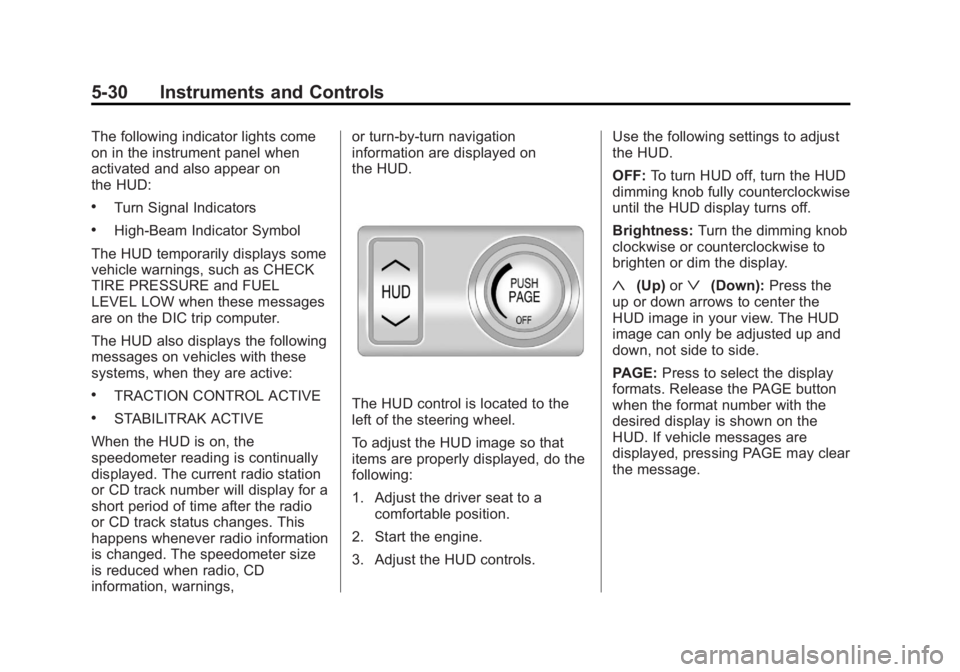
the HUD.The HUD control is located to the
left of the steering wheel.
To adjust the HUD image so that
items are properly displayed, do the
following:
1. Adjust the driver seat to a
comfortable position.
2. Start the engine.
3. Adjust the HUD controls. Use the following settings to adjust
the HUD.
OFF:
To turn HUD off, turn the HUD
dimming knob fully counterclockwise
until the HUD display turns off.
Brightness: Turn the dimming knob
clockwise or counterclockwise to
brighten or dim the display.
«(Up) orª(Down): Press the
up or down arrows to center the
HUD image in your view. The HUD
image can only be adjusted up and
down, not side to side.
PAGE: Press to select the display
formats. Release the PAGE button
when the format number with the
desired display is shown on the
HUD. If vehicle messages are
displayed, pressing PAGE may clear
the message.
Page 138 of 422
Black plate (34,1)Buick LaCrosse Owner Manual - 2013 - crc - 9/7/12
5-34 Instruments and Controls
Cruise Control Messages
CRUISE SET TO XXX
This message displays when the
cruise control is set and shows the
speed it was set to. SeeCruise
Control on page 9‑37.
Door Ajar Messages
DRIVER DOOR OPEN
This message will display when the
driver door is open. Close the door
completely.
HOOD OPEN
This message will display when the
hood is open. Close the hood
completely.
LEFT REAR DOOR OPEN
This message will display when the
driver side rear door is open. Close
the door completely.
PASSENGER DOOR OPEN
This message will display when the
front passenger door is open. Close
the door completely.
RIGHT REAR DOOR OPEN
This message will display when the
passenger side rear door is open.
Close the door completely.
TRUNK OPEN
This message will display when the
trunk is open. Close the trunk
completely.
Engine Cooling System
Messages
A/C OFF DUE TO HIGH
ENGINE TEMP
This message displays when the
engine coolant becomes hotter than
the normal operating temperature.
To avoid added strain on a hot
engine, the air conditioning
compressor automatically turns off.
When the coolant temperature returns to normal, the air
conditioning compressor turns back
on. You can continue to drive the
vehicle.
If this message continues to appear,
have the system repaired by your
dealer as soon as possible to avoid
damage to the engine.
COOLANT LEVEL LOW ADD
COOLANT
This message will display if the
coolant is low. See
Engine Coolant
on page 10‑18.
ENGINE OVERHEATED —
IDLE ENGINE
This message displays when the
engine coolant temperature is too
hot. Stop and allow the vehicle to
idle until it cools down.
ENGINE OVERHEATED —
STOP ENGINE
This message displays and a
continuous chime sounds if the
engine cooling system reaches
unsafe temperatures for operation.
Page 139 of 422
Black plate (35,1)Buick LaCrosse Owner Manual - 2013 - crc - 9/7/12
Instruments and Controls 5-35
Stop and turn off the vehicle as
soon as it is safe to do so to avoid
severe damage. This message
clears when the engine has cooled
to a safe operating temperature.
Engine Oil Messages
CHANGE ENGINE OIL SOON
This message displays when the
engine oil needs to be changed.
When you change the engine oil, be
sure to reset the Oil Life System.
SeeEngine Oil Life System on
page 10‑13, Driver Information
Center (DIC) on page 5‑25, Engine
Oil on page 10‑11, and Maintenance
Schedule on page 11‑2.
ENGINE OIL HOT, IDLE
ENGINE
This message displays when the
engine oil temperature is too hot.
Stop and allow the vehicle to idle
until it cools down.
ENGINE OIL LOW —ADD OIL
On some vehicles, this message
displays when the engine oil level
may be too low. Check the oil level
before filling to the recommended
level. If the oil is not low and this
message remains on, take the
vehicle to your dealer for service.
See Engine Oil on page 10‑11.
OIL PRESSURE LOW —STOP
ENGINE
This message displays if low oil
pressure levels occur. Stop the
vehicle as soon as safely possible
and do not operate it until the cause
of the low oil pressure has been
corrected. Check the oil as soon as
possible and have the vehicle
serviced by your dealer.
Engine Power Messages
ENGINE POWER IS REDUCED
This message displays when the
vehicle's engine power is reduced.
Reduced engine power can affect
the vehicle's ability to accelerate. If this message is on, but there is no
reduction in performance, proceed
to your destination. The
performance may be reduced the
next time the vehicle is driven. The
vehicle may be driven at a reduced
speed while this message is on, but
maximum acceleration and speed
may be reduced. Anytime this
message stays on, the vehicle
should be taken to your dealer for
service as soon as possible.
Fuel System Messages
FUEL LEVEL LOW
This message displays when the
vehicle is low on fuel. Refuel as
soon as possible.
TIGHTEN GAS CAP
This message displays when the
fuel cap is not on tight. Tighten the
fuel cap.
Page 141 of 422
Black plate (37,1)Buick LaCrosse Owner Manual - 2013 - crc - 9/7/12
Instruments and Controls 5-37
heavy rain or due to road spray. The
vehicle does not need service. For
cleaning, seeExterior Care on
page 10‑92.
Ride Control System
Messages
ALL WHEEL DRIVE OFF
This message displays when the
All-Wheel Drive (AWD) System has
been turned off. See All-Wheel
Drive on page 9‑30.
SERVICE ALL WHEEL DRIVE
SYSTEM
This message displays when there
is a problem with the All-Wheel
Drive (AWD) System. See your
dealer for service.
SERVICE REAR AXLE
This message displays when there
is a problem with the All-Wheel
Drive (AWD) System. See your
dealer for service.
SERVICE TRACTION
CONTROL
This message displays when there
is a problem with the Traction
Control System (TCS). When this
message is displayed, the system
will not limit wheel spin. Adjust your
driving accordingly. See your dealer
for service.
SERVICE STABILITRAK
This message displays if there is a
problem with the StabiliTrak system.
If this message appears, try to reset
the system. Stop; turn off the engine
for at least 15 seconds; then start
the engine again. If this message
still comes on, it means there is a
problem. See your dealer for
service. The vehicle is safe to drive,
however, you do not have the
benefit of StabiliTrak, so reduce
your speed and drive accordingly.
SPORT MODE ON
This message displays when using
the selective ride control. See
Selective Ride Control on page 9‑37
for more information.
TRACTION CONTROL OFF
This message displays when the
Traction Control System (TCS) is
turned off. Adjust your driving
accordingly.
Security Messages
THEFT ATTEMPTED
This message displays if the vehicle
detects a tamper condition.
Starting the Vehicle
Messages
JUMP START ACTIVE WAIT TO
START
This message displays while
performing an on-board jump start
of the vehicle. See “Jump Starting
(On-board with eAssist Only).”
Page 143 of 422
Black plate (39,1)Buick LaCrosse Owner Manual - 2013 - crc - 9/7/12
Instruments and Controls 5-39
Transmission Messages
SERVICE TRANSMISSION
This message displays if there is a
problem with the transmission. See
your dealer.
SHIFT TO PARK
This message displays when the
transmission needs to be shifted to
P (Park). This may appear when
attempting to remove the key from
the ignition or from the vehicle if the
vehicle is not in P (Park).
TRANSMISSION HOT—IDLE
ENGINE
This message displays and a chime
sounds if the transmission fluid in
the vehicle gets hot. Driving with the
transmission fluid temperature high
can cause damage to the vehicle.
Stop the vehicle and let it idle to
allow the transmission to cool. This
message clears when the fluid
temperature reaches a safe level.
Window Messages
OPEN, THEN CLOSE DRIVER/
PASSENGER WINDOW
This message is displayed when the
window needs to be reprogrammed.
If the vehicle's battery has been
recharged or disconnected, you will
need to reprogram each front
window for the express-up feature to
work. See Power Windows on
page 2‑17.
Vehicle
Personalization
The audio system controls are used
to access the personalization
menus for customizing vehicle
features.
CONFIG (Configuration): Press to
access the Configuration
Settings menu.
Multifunction Knob: Turn to scroll
through the menus.
SELECT: Press to enter the menus
and select menu items.
/BACK: Press to exit or move
backward in a menu.
Entering the Personalization
Menus
1. Press CONFIG to access the
Configuration Settings menu.
2. Turn the Multifunction knob to highlight Vehicle Settings.
3. Press SELECT to select the Vehicle Settings menu.
Page 157 of 422
Black plate (3,1)Buick LaCrosse Owner Manual - 2013 - crc - 9/7/12
Lighting 6-3
When the DRL are on, the
low-beam headlamps will be on.
The taillamps, sidemarker lamps,
instrument panel lights, and other
lamps will not be on.
The DRL turn off when the
headlamps are turned to
Oor the
ignition is off.
This vehicle may have a DRL
disabling function. When the DRL
are on and a turn signal is activated,
the DRL on that side will be off until
the turn signal goes off.
Automatic Headlamp
System
When the exterior lamp control is
set to AUTO and it is dark enough
outside, the headlamps come on
automatically.
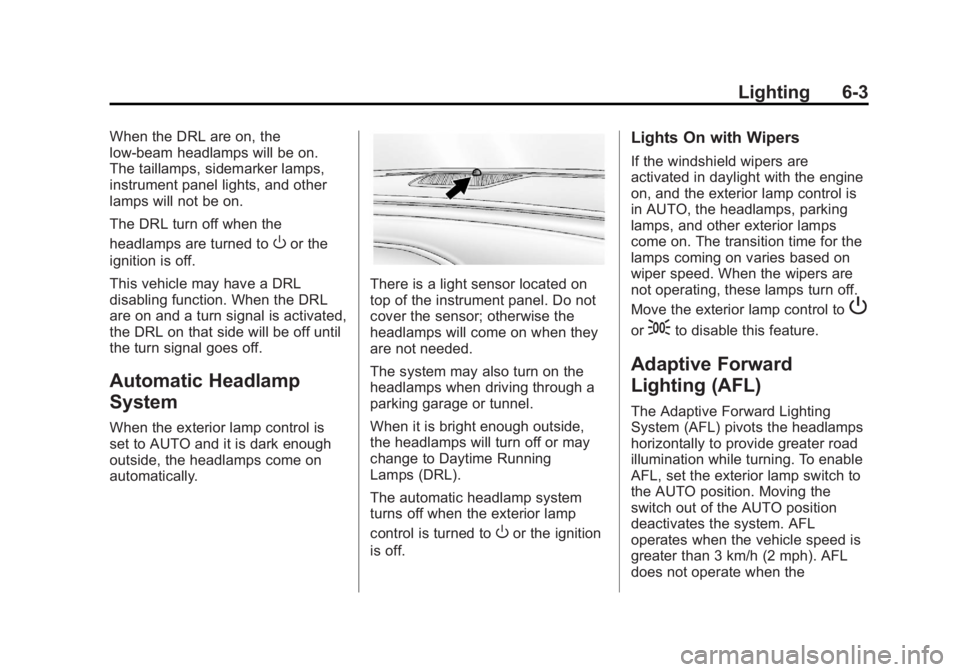
There is a light sensor located on
top of the instrument panel. Do not
cover the sensor; otherwise the
headlamps will come on when they
are not needed.
The system may also turn on the
headlamps when driving through a
parking garage or tunnel.
When it is bright enough outside,
the headlamps will turn off or may
change to Daytime Running
Lamps (DRL).
The automatic headlamp system
turns off when the exterior lamp
control is turned to
Oor the ignition
is off.
Lights On with Wipers
If the windshield wipers are
activated in daylight with the engine
on, and the exterior lamp control is
in AUTO, the headlamps, parking
lamps, and other exterior lamps
come on. The transition time for the
lamps coming on varies based on
wiper speed. When the wipers are
not operating, these lamps turn off.
Move the exterior lamp control to
P
or;to disable this feature.
Adaptive Forward
Lighting (AFL)
The Adaptive Forward Lighting
System (AFL) pivots the headlamps
horizontally to provide greater road
illumination while turning. To enable
AFL, set the exterior lamp switch to
the AUTO position. Moving the
switch out of the AUTO position
deactivates the system. AFL
operates when the vehicle speed is
greater than 3 km/h (2 mph). AFL
does not operate when the
Page 161 of 422
Black plate (7,1)Buick LaCrosse Owner Manual - 2013 - crc - 9/7/12
Lighting 6-7
Exit Lighting
The headlamps, taillamps, parking
lamps, back-up lamps, and license
plate lamps come on at night, or in
areas with limited lighting, when the
key is removed from the ignition.
The dome lamps also come on
when the key is removed from the
ignition. The exterior lights and
dome lamps remain on after the
door is closed for a set amount of
time, then automatically turn off.
For vehicles with keyless access,
the exterior lamps and dome lamps
automatically turn on when a door is
opened after the ignition is turned
off. SeeIgnition Positions (Keyless
Access) on page 9‑15 orIgnition
Positions (Key Access) on
page 9‑17.
The exterior lamps turn off
immediately by turning the exterior
lamps control off.
This feature can be changed. See
Vehicle Personalization on
page 5‑39.
Battery Load
Management
The vehicle has Electric Power
Management (EPM) that estimates
the battery's temperature and state
of charge. It then adjusts the voltage
for best performance and extended
life of the battery.
When the battery's state of charge
is low, the voltage is raised slightly
to quickly bring the charge back up.
When the state of charge is high,
the voltage is lowered slightly to
prevent overcharging. If the vehicle
has a voltmeter gauge or a voltage
display on the Driver Information
Center (DIC), you may see the
voltage move up or down. This is
normal. If there is a problem, an
alert will be displayed.
The battery can be discharged at
idle if the electrical loads are very
high. This is true for all vehicles.
This is because the generator
(alternator) may not be spinning fast enough at idle to produce all of the
power needed for very high
electrical loads.
A high electrical load occurs when
several of the following are on, such
as: headlamps, high beams, fog
lamps, rear window defogger,
climate control fan at high speed,
heated seats, engine cooling fans,
trailer loads, and loads plugged into
accessory power outlets.
EPM works to prevent excessive
discharge of the battery. It does this
by balancing the generator's output
and the vehicle's electrical needs.
It can increase engine idle speed to
generate more power whenever
needed. It can temporarily reduce
the power demands of some
accessories.
Normally, these actions occur in
steps or levels, without being
noticeable. In rare cases at the
highest levels of corrective action,
this action may be noticeable to the
driver. If so, a DIC message might
be displayed and it is recommended
Page 164 of 422
Black plate (2,1)Buick LaCrosse Owner Manual - 2013 - crc - 9/7/12
7-2 Infotainment System
To minimize taking your eyes off the
road while driving, do the following
while the vehicle is parked:
.Become familiar with the
operation and controls of the
audio system.
.Set up the tone, speaker
adjustments, and preset radio
stations.
For more information, see Defensive
Driving on page 9‑3.
Notice: Contact your dealer
before adding any equipment.
Adding audio or communication
equipment could interfere with
the operation of the engine, radio,
or other systems, and could
damage them. Follow federal
rules covering mobile radio and
telephone equipment.
The vehicle has Retained
Accessory Power (RAP). With RAP,
the audio system can be played
even after the ignition is turned off.
See Retained Accessory Power
(RAP) on page 9‑24. The vehicle may have a base radio
that is included in this manual. See
the separate infotainment manual
for information on the connective
radio and the navigation system,
audio players, phone, and voice
recognition. There is also
information on settings and
downloadable applications
(if equipped).
Theft-Deterrent Feature
The theft-deterrent feature works by
learning a portion of the Vehicle
Identification Number (VIN) to the
infotainment system. The
infotainment system does not
operate if it is stolen or moved to a
different vehicle.
Page 194 of 422
Black plate (32,1)Buick LaCrosse Owner Manual - 2013 - crc - 9/7/12
7-32 Infotainment System
Trademarks and
License Agreements
Manufactured under license under
U.S. Patent #'s: 5,451,942;
5,956,674; 5,974,380; 5,978,762;
6,487,535& other U.S. and
worldwide patents issued &
pending. DTS and the Symbol are
registered trademarks and DTS
Digital Surround and the DTS logos
are trademarks of DTS, Inc. Product
includes software. All Rights
Reserved.
Manufactured under license from
Dolby®Laboratories. Dolby and the
double-D symbol are registered
trademarks of Dolby Laboratories.
This product incorporates copyright
protection technology that is
protected by U.S. patents and other
intellectual property rights. Use of
this copyright protection technology
must be authorized by Macrovision,
and is intended for home and other
limited viewing uses only unless
otherwise authorized by
Macrovision. Reverse engineering
or disassembly is prohibited.
"Made for iPod" means that an
electronic accessory has been
designed to connect specifically to
iPod and has been certified by the
developer to meet Apple
performance standards. Apple is not
responsible for the operation of this
device or its compliance with safety
and regulatory standards.
iPod, iPod classic, iPod nano, and
iPod touch are trademarks of Apple
Inc., registered in the U.S. and other
countries.