ignition BUICK LACROSSE 2013 Owner's Guide
[x] Cancel search | Manufacturer: BUICK, Model Year: 2013, Model line: LACROSSE, Model: BUICK LACROSSE 2013Pages: 422, PDF Size: 5.74 MB
Page 119 of 422
Black plate (15,1)Buick LaCrosse Owner Manual - 2013 - crc - 9/7/12
Instruments and Controls 5-15
WARNING (Continued)
without a crash. To help avoid
injury, have the vehicle serviced
right away.
Passenger Airbag Status
Indicator
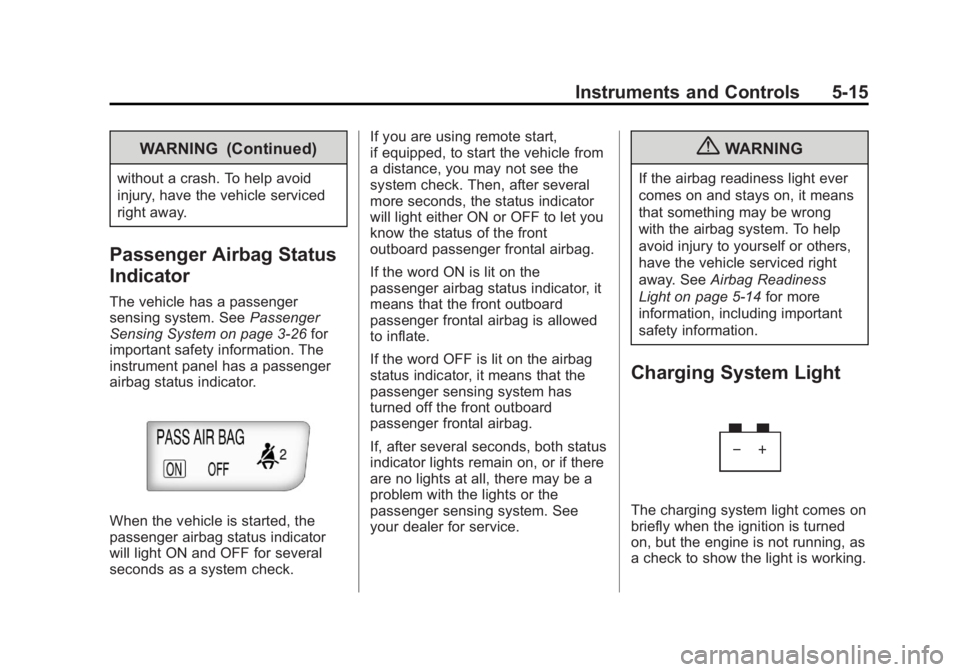
The vehicle has a passenger
sensing system. SeePassenger
Sensing System on page 3‑26 for
important safety information. The
instrument panel has a passenger
airbag status indicator.
When the vehicle is started, the
passenger airbag status indicator
will light ON and OFF for several
seconds as a system check. If you are using remote start,
if equipped, to start the vehicle from
a distance, you may not see the
system check. Then, after several
more seconds, the status indicator
will light either ON or OFF to let you
know the status of the front
outboard passenger frontal airbag.
If the word ON is lit on the
passenger airbag status indicator, it
means that the front outboard
passenger frontal airbag is allowed
to inflate.
If the word OFF is lit on the airbag
status indicator, it means that the
passenger sensing system has
turned off the front outboard
passenger frontal airbag.
If, after several seconds, both status
indicator lights remain on, or if there
are no lights at all, there may be a
problem with the lights or the
passenger sensing system. See
your dealer for service.
{WARNING
If the airbag readiness light ever
comes on and stays on, it means
that something may be wrong
with the airbag system. To help
avoid injury to yourself or others,
have the vehicle serviced right
away. See
Airbag Readiness
Light on page 5‑14 for more
information, including important
safety information.
Charging System Light
The charging system light comes on
briefly when the ignition is turned
on, but the engine is not running, as
a check to show the light is working.
Page 120 of 422
Black plate (16,1)Buick LaCrosse Owner Manual - 2013 - crc - 9/7/12
5-16 Instruments and Controls
The light turns off when the engine
is started. If it does not, have the
vehicle serviced by your dealer.
If the light stays on, or comes on
while driving, there could be a
problem with the electrical charging
system. Have it checked by your
dealer. Driving while this light is on
could drain the battery.
If a short distance must be driven
with the light on, be sure to turn off
all accessories, such as the radio
and air conditioner.
Malfunction
Indicator Lamp
A computer system called OBD II
(On-Board Diagnostics-Second
Generation) monitors the operation
of the vehicle to ensure emissions
are at acceptable levels, helping to
maintain a clean environment.
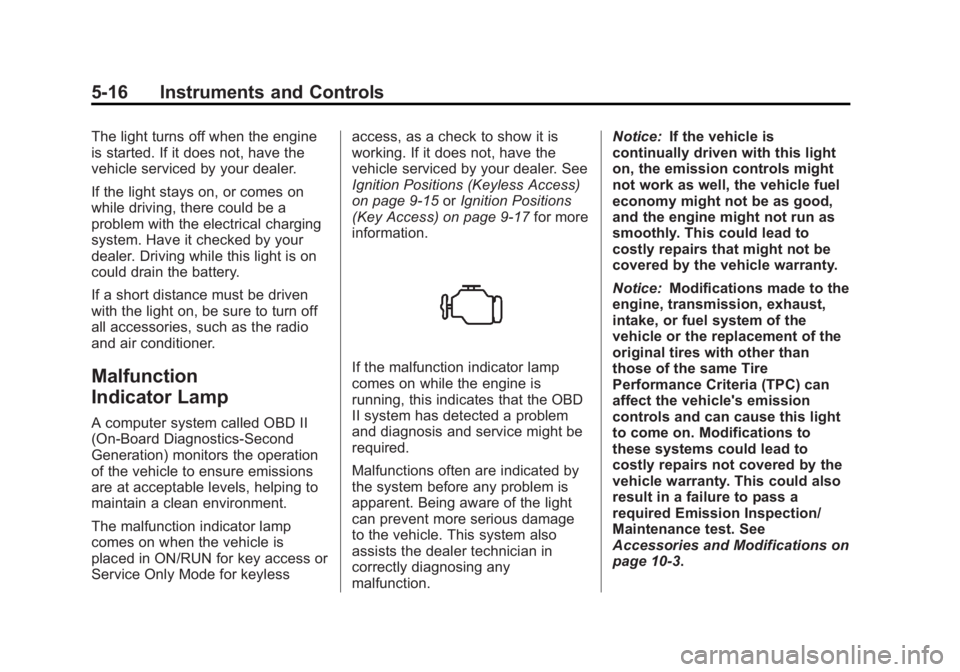
The malfunction indicator lamp
comes on when the vehicle is
placed in ON/RUN for key access or
Service Only Mode for keylessaccess, as a check to show it is
working. If it does not, have the
vehicle serviced by your dealer. See
Ignition Positions (Keyless Access)
on page 9‑15
orIgnition Positions
(Key Access) on page 9‑17 for more
information.
If the malfunction indicator lamp
comes on while the engine is
running, this indicates that the OBD
II system has detected a problem
and diagnosis and service might be
required.
Malfunctions often are indicated by
the system before any problem is
apparent. Being aware of the light
can prevent more serious damage
to the vehicle. This system also
assists the dealer technician in
correctly diagnosing any
malfunction. Notice:
If the vehicle is
continually driven with this light
on, the emission controls might
not work as well, the vehicle fuel
economy might not be as good,
and the engine might not run as
smoothly. This could lead to
costly repairs that might not be
covered by the vehicle warranty.
Notice: Modifications made to the
engine, transmission, exhaust,
intake, or fuel system of the
vehicle or the replacement of the
original tires with other than
those of the same Tire
Performance Criteria (TPC) can
affect the vehicle's emission
controls and can cause this light
to come on. Modifications to
these systems could lead to
costly repairs not covered by the
vehicle warranty. This could also
result in a failure to pass a
required Emission Inspection/
Maintenance test. See
Accessories and Modifications on
page 10‑3.
Page 123 of 422
Black plate (19,1)Buick LaCrosse Owner Manual - 2013 - crc - 9/7/12
Instruments and Controls 5-19
{WARNING
The brake system might not be
working properly if the brake
system warning light is on.
Driving with the brake system
warning light on can lead to a
crash. If the light is still on after
the vehicle has been pulled off
the road and carefully stopped,
have the vehicle towed for
service.
Electric Parking Brake
Light
MetricEnglish
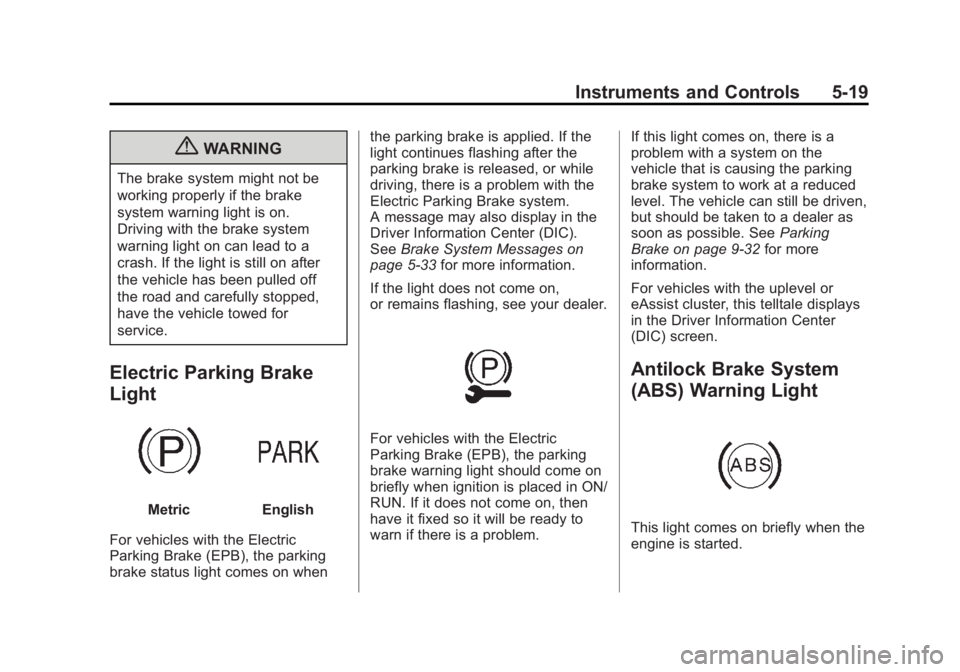
For vehicles with the Electric
Parking Brake (EPB), the parking
brake status light comes on when the parking brake is applied. If the
light continues flashing after the
parking brake is released, or while
driving, there is a problem with the
Electric Parking Brake system.
A message may also display in the
Driver Information Center (DIC).
See
Brake System Messages on
page 5‑33 for more information.
If the light does not come on,
or remains flashing, see your dealer.
For vehicles with the Electric
Parking Brake (EPB), the parking
brake warning light should come on
briefly when ignition is placed in ON/
RUN. If it does not come on, then
have it fixed so it will be ready to
warn if there is a problem. If this light comes on, there is a
problem with a system on the
vehicle that is causing the parking
brake system to work at a reduced
level. The vehicle can still be driven,
but should be taken to a dealer as
soon as possible. See
Parking
Brake on page 9‑32 for more
information.
For vehicles with the uplevel or
eAssist cluster, this telltale displays
in the Driver Information Center
(DIC) screen.
Antilock Brake System
(ABS) Warning Light
This light comes on briefly when the
engine is started.
Page 124 of 422
Black plate (20,1)Buick LaCrosse Owner Manual - 2013 - crc - 9/7/12
5-20 Instruments and Controls
If the light does not come on, have it
fixed so it will be ready to warn if
there is a problem.
If the ABS light stays on, turn the
ignition off.
If the light comes on while driving,
stop as soon as it is safely possible
and turn off the vehicle. Then start
the engine again to reset the
system. If the ABS light stays on,
or comes on again while driving, the
vehicle needs service. A chime may
also sound when the light comes on
steady.
If the ABS light is the only light on,
the vehicle has regular brakes, but
the antilock brakes are not
functioning.
If both the ABS and the brake
system warning light are on, the
vehicle's antilock brakes are not
functioning and there is a problem
with the regular brakes. See your
dealer for service.See
Brake System Warning Light on
page 5‑18 andBrake System
Messages on page 5‑33.
Traction Off Light
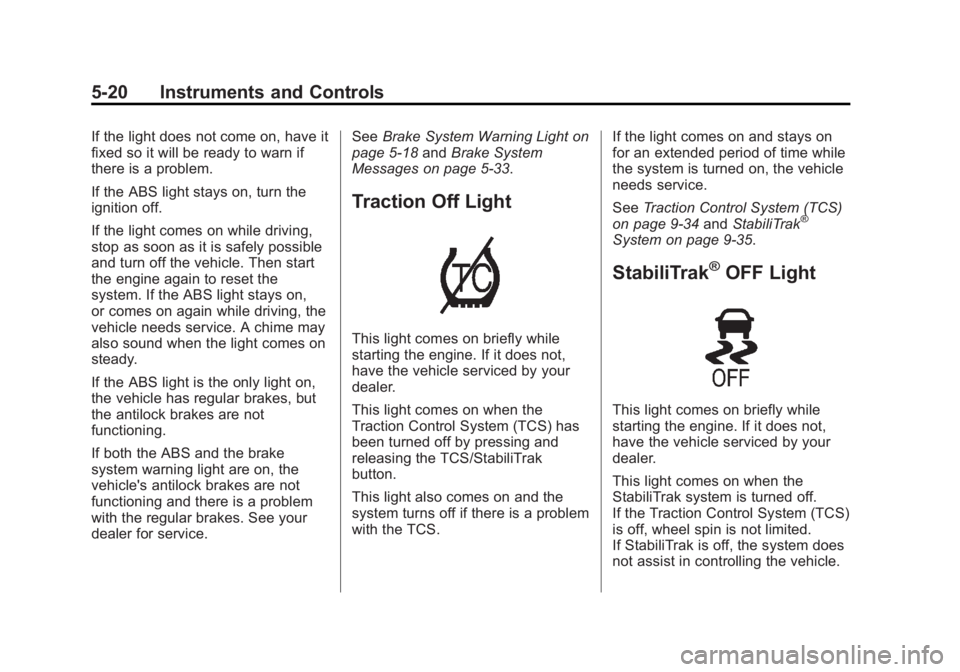
This light comes on briefly while
starting the engine. If it does not,
have the vehicle serviced by your
dealer.
This light comes on when the
Traction Control System (TCS) has
been turned off by pressing and
releasing the TCS/StabiliTrak
button.
This light also comes on and the
system turns off if there is a problem
with the TCS. If the light comes on and stays on
for an extended period of time while
the system is turned on, the vehicle
needs service.
See
Traction Control System (TCS)
on page 9‑34 andStabiliTrak
®
System on page 9‑35.
StabiliTrak®OFF Light
This light comes on briefly while
starting the engine. If it does not,
have the vehicle serviced by your
dealer.
This light comes on when the
StabiliTrak system is turned off.
If the Traction Control System (TCS)
is off, wheel spin is not limited.
If StabiliTrak is off, the system does
not assist in controlling the vehicle.
Page 126 of 422
Black plate (22,1)Buick LaCrosse Owner Manual - 2013 - crc - 9/7/12
5-22 Instruments and Controls
Engine Coolant
Temperature Warning
Light
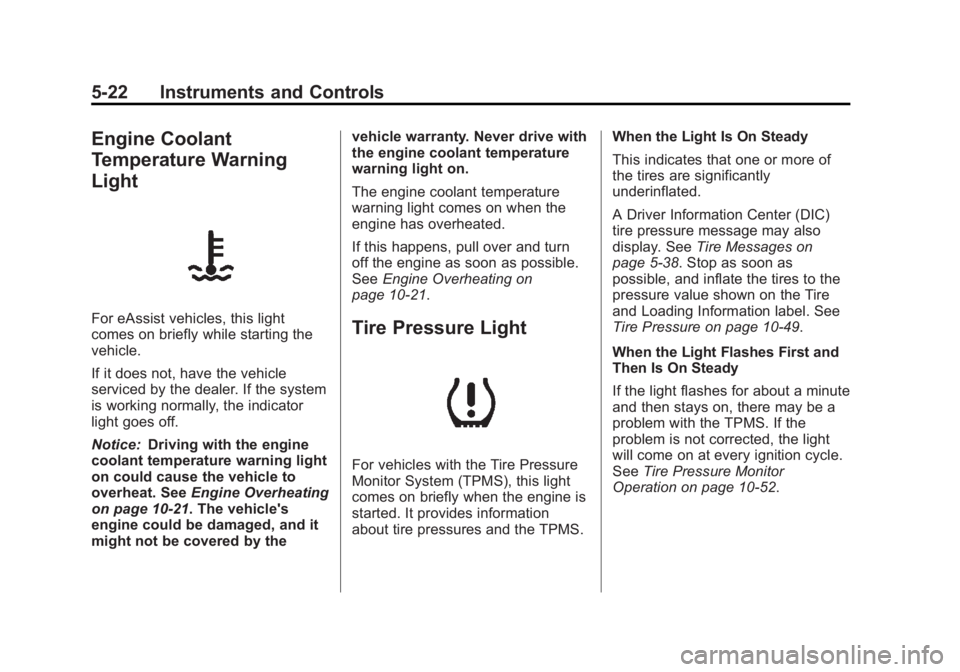
For eAssist vehicles, this light
comes on briefly while starting the
vehicle.
If it does not, have the vehicle
serviced by the dealer. If the system
is working normally, the indicator
light goes off.
Notice:Driving with the engine
coolant temperature warning light
on could cause the vehicle to
overheat. See Engine Overheating
on page 10‑21. The vehicle's
engine could be damaged, and it
might not be covered by the vehicle warranty. Never drive with
the engine coolant temperature
warning light on.
The engine coolant temperature
warning light comes on when the
engine has overheated.
If this happens, pull over and turn
off the engine as soon as possible.
See
Engine Overheating on
page 10‑21.Tire Pressure Light
For vehicles with the Tire Pressure
Monitor System (TPMS), this light
comes on briefly when the engine is
started. It provides information
about tire pressures and the TPMS. When the Light Is On Steady
This indicates that one or more of
the tires are significantly
underinflated.
A Driver Information Center (DIC)
tire pressure message may also
display. See
Tire Messages on
page 5‑38. Stop as soon as
possible, and inflate the tires to the
pressure value shown on the Tire
and Loading Information label. See
Tire Pressure on page 10‑49.
When the Light Flashes First and
Then Is On Steady
If the light flashes for about a minute
and then stays on, there may be a
problem with the TPMS. If the
problem is not corrected, the light
will come on at every ignition cycle.
See Tire Pressure Monitor
Operation on page 10‑52.
Page 131 of 422
Black plate (27,1)Buick LaCrosse Owner Manual - 2013 - crc - 9/7/12
Instruments and Controls 5-27
Average Fuel Economy/
Instantaneous Fuel Economy
On some models, this display
shows Average Fuel Economy. On
other models, this display shows
both Average Fuel Economy and
Instantaneous Fuel Economy.
The Average Fuel Economy display
shows the approximate average
liters per 100 kilometers (L/100 km)
or miles per gallon (mpg). This
number is calculated based on the
number of L/100 km (mpg) recorded
since the last time this menu item
was reset. The fuel economy can be
reset by pressing SET/CLR while
the Average Fuel Economy display
is showing.
The Instantaneous Fuel Economy
display shows the current fuel
economy in liters per 100 kilometers
(L/100 km) or miles per gallon
(mpg). This number reflects only the
fuel economy that the vehicle has
right now and changes frequently asdriving conditions change. Unlike
average economy, this display
cannot be reset.
Average Vehicle Speed
This display shows the average
speed of the vehicle in miles per
hour (mph) or kilometers per
hour (km/h). This average is
calculated based on the various
vehicle speeds recorded since the
last reset of this value. The average
speed can be reset by pressing
SET/CLR while the Average Vehicle
Speed display is showing.
Timer
This display can be used as a timer.
To start the timer, press SET/CLR
while Timer is displayed. The
display will show the amount of time
that has passed since the timer was
last reset, not including time the
ignition is off. Time will continue to
be counted as long as the ignition is
on, even if another display is being
shown on the DIC. The timer will
record up to 99 hours, 59 minutes,
and 59 seconds (99:59:59) afterwhich the display will return to zero.
To stop the timer, press SET/CLR
briefly while Timer is displayed. To
reset the timer to zero, press and
hold SET/CLR.
Navigation
This display is used for the OnStar
or Navigation System Turn-by-Turn
guidance. See
OnStar Overview on
page 14‑1 or the navigation manual,
if the vehicle has navigation, for
more information.
Vehicle Information Menu
Items
Press MENU on the turn signal
lever until Vehicle Information Menu
is displayed. Use
w/xto scroll
through the following menu items:
.Unit
.Tire Pressure
.Jump Start (eAssist Only)
.Remaining Oil Life
.Battery Voltage
Page 133 of 422
Black plate (29,1)Buick LaCrosse Owner Manual - 2013 - crc - 9/7/12
Instruments and Controls 5-29
Head-Up Display (HUD)
{WARNING
If the HUD image is too bright or
too high in your field of view, it
may take you more time to see
things you need to see when it is
dark outside. Be sure to keep the
HUD image dim and placed low in
your field of view.
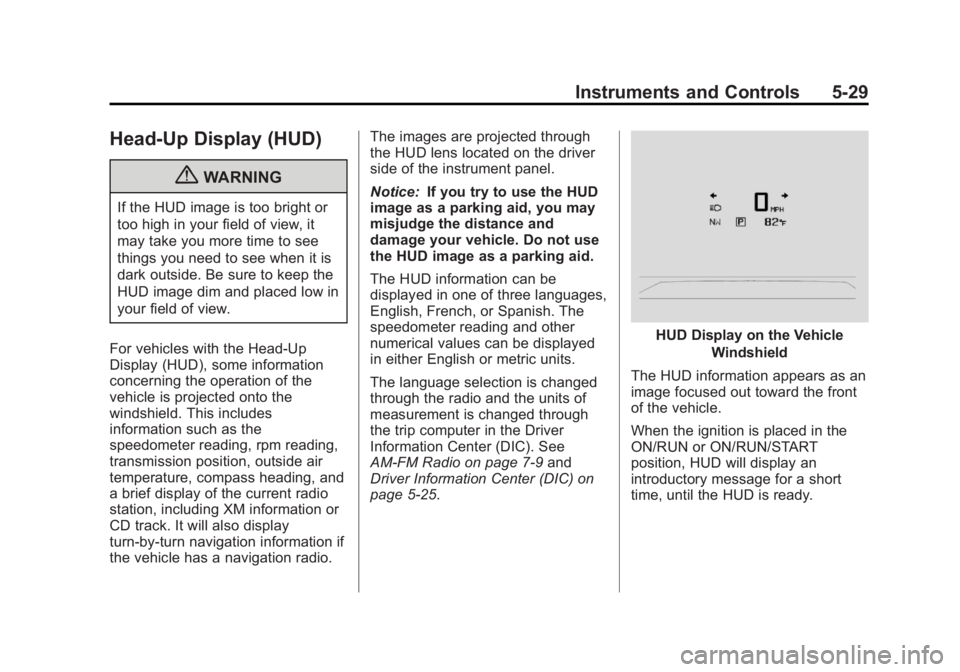
For vehicles with the Head-Up
Display (HUD), some information
concerning the operation of the
vehicle is projected onto the
windshield. This includes
information such as the
speedometer reading, rpm reading,
transmission position, outside air
temperature, compass heading, and
a brief display of the current radio
station, including XM information or
CD track. It will also display
turn-by-turn navigation information if
the vehicle has a navigation radio. The images are projected through
the HUD lens located on the driver
side of the instrument panel.
Notice:
If you try to use the HUD
image as a parking aid, you may
misjudge the distance and
damage your vehicle. Do not use
the HUD image as a parking aid.
The HUD information can be
displayed in one of three languages,
English, French, or Spanish. The
speedometer reading and other
numerical values can be displayed
in either English or metric units.
The language selection is changed
through the radio and the units of
measurement is changed through
the trip computer in the Driver
Information Center (DIC). See
AM-FM Radio on page 7‑9 and
Driver Information Center (DIC) on
page 5‑25.
HUD Display on the Vehicle
Windshield
The HUD information appears as an
image focused out toward the front
of the vehicle.
When the ignition is placed in the
ON/RUN or ON/RUN/START
position, HUD will display an
introductory message for a short
time, until the HUD is ready.
Page 136 of 422
Black plate (32,1)Buick LaCrosse Owner Manual - 2013 - crc - 9/7/12
5-32 Instruments and Controls
Care of the HUD
Clean the inside of the windshield
as needed to remove any dirt or film
that could reduce the sharpness or
clarity of the HUD image.
To clean the HUD lens, use a soft,
clean cloth that has household glass
cleaner sprayed on it. Wipe the
HUD lens gently, then dry it. Do not
spray cleaner directly on the lens
because the cleaner could leak into
the unit.
If You Cannot See the HUD
Image When the Ignition Is On
.Is anything covering the
HUD lens?
.Is the HUD dimmer setting bright
enough?
.Is the HUD image adjusted to
the proper height?
.Are you wearing polarized
sunglasses?
.Still no HUD image? Check the
fuse in the instrument panel fuse
block. SeeInstrument Panel
Fuse Block on page 10‑40.
If the HUD Image Is Not Clear
.Is the HUD image too bright?
.Are the windshield and HUD
lens clean?
If the HUD image is not correct,
contact your dealer.
Keep in mind that the windshield is
part of the HUD system.
Vehicle Messages
Messages displayed on the DIC
indicate the status of the vehicle or
some action that may be needed to
correct a condition. Multiple
messages may display one after the
other.
The messages that do not require
immediate action can be
acknowledged and cleared by
pressing SET/CLR. The messages
that require immediate action cannot
be cleared until that action is
performed. All messages should be
taken seriously and clearing the
messages does not correct the
problem.
The following are some of the
vehicle messages that may be
displayed depending on your
vehicle content.
Page 143 of 422
Black plate (39,1)Buick LaCrosse Owner Manual - 2013 - crc - 9/7/12
Instruments and Controls 5-39
Transmission Messages
SERVICE TRANSMISSION
This message displays if there is a
problem with the transmission. See
your dealer.
SHIFT TO PARK
This message displays when the
transmission needs to be shifted to
P (Park). This may appear when
attempting to remove the key from
the ignition or from the vehicle if the
vehicle is not in P (Park).
TRANSMISSION HOT—IDLE
ENGINE
This message displays and a chime
sounds if the transmission fluid in
the vehicle gets hot. Driving with the
transmission fluid temperature high
can cause damage to the vehicle.
Stop the vehicle and let it idle to
allow the transmission to cool. This
message clears when the fluid
temperature reaches a safe level.
Window Messages
OPEN, THEN CLOSE DRIVER/
PASSENGER WINDOW
This message is displayed when the
window needs to be reprogrammed.
If the vehicle's battery has been
recharged or disconnected, you will
need to reprogram each front
window for the express-up feature to
work. See Power Windows on
page 2‑17.
Vehicle
Personalization
The audio system controls are used
to access the personalization
menus for customizing vehicle
features.
CONFIG (Configuration): Press to
access the Configuration
Settings menu.
Multifunction Knob: Turn to scroll
through the menus.
SELECT: Press to enter the menus
and select menu items.
/BACK: Press to exit or move
backward in a menu.
Entering the Personalization
Menus
1. Press CONFIG to access the
Configuration Settings menu.
2. Turn the Multifunction knob to highlight Vehicle Settings.
3. Press SELECT to select the Vehicle Settings menu.
Page 146 of 422
Black plate (42,1)Buick LaCrosse Owner Manual - 2013 - crc - 9/7/12
5-42 Instruments and Controls
Chime Volume
This allows selection of the chime
volume level.
Press SELECT when Chime Volume
is highlighted. Turn the Multifunction
knob to select Normal or High.
Press SELECT to confirm the
selection. Press
/BACK to move to
the last menu.
Driver Seat Easy Exit
When on, this feature will move the
driver seat rearward upon turning
the ignition off and opening the
driver door. This may be performed
to make it easier to exit the vehicle.
See “Easy Exit Driver Seat” under
Memory Seats on page 3‑6.
This allows you to turn the easy exit
seat feature on or off.
Press SELECT when Driver Seat
Easy Exit is highlighted. Turn the
Multifunction knob to select On or
Off. Press SELECT to confirm the
selection. Press
/BACK to move to
the last menu. Park Tilt Mirrors
When on, both the driver and
passenger mirrors will tilt downward
when the vehicle is shifted to
R (Reverse) to improve visibility of
the ground near the rear wheels.
They will return to their previous
driving position when the vehicle is
shifted out of R (Reverse), the
ignition is turned to OFF, or the
vehicle is left in R (Reverse). See
Park Tilt Mirrors on page 2‑16.
This allows you to turn the park tilt
mirrors feature on or off.
Press SELECT when Park Tilt
Mirrors is highlighted. Turn the
Multifunction knob to select Driver &
Passenger or Off. Press SELECT to
confirm the selection. Press
/
BACK to move to the last menu.
Collision/Detection Systems
Select the Collision/Detection
Systems menu and the following will
be displayed:
.Side Blind Zone Alert System
Side Blind Zone Alert System
If equipped, this feature allows the
Side Blind Zone Alert System
feature to be turned on or off.
Press SELECT when Side Blind
Zone Alert System is highlighted.
Turn the Multifunction knob to select
On or Off. Press SELECT to confirm
the selection. Press
/BACK to
move to the last menu.
Language
Select the Language menu and the
following will be displayed:
.English
.French
.Spanish
Turn the Multifunction knob to select
the language. Press SELECT to
confirm the selection. Press
/
BACK to move to the last menu.