English BUICK LACROSSE 2013 Owner's Manual
[x] Cancel search | Manufacturer: BUICK, Model Year: 2013, Model line: LACROSSE, Model: BUICK LACROSSE 2013Pages: 422, PDF Size: 5.74 MB
Page 113 of 422
Black plate (9,1)Buick LaCrosse Owner Manual - 2013 - crc - 9/7/12
Instruments and Controls 5-9
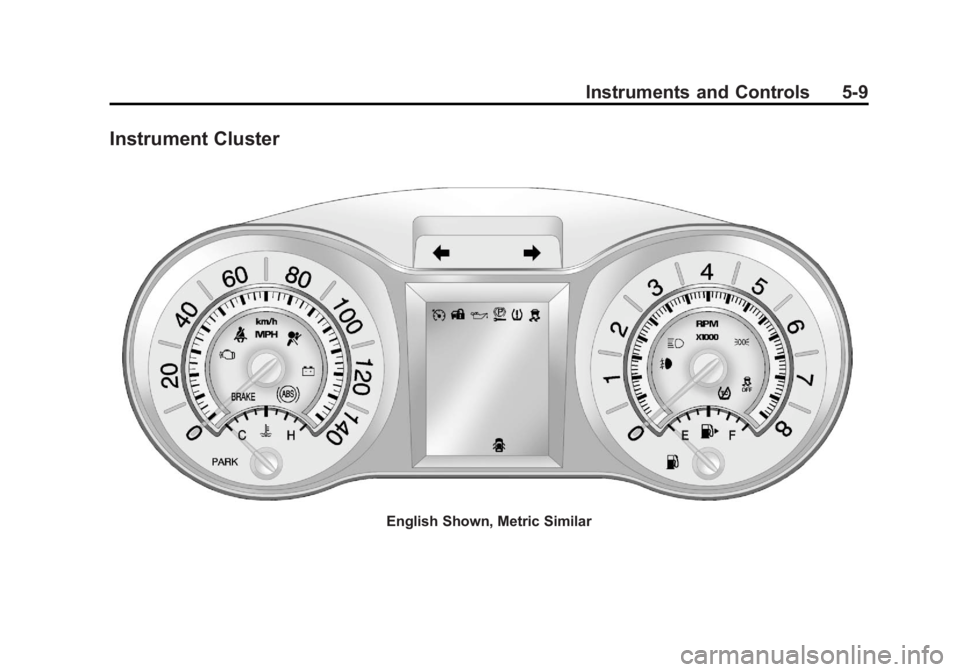
Instrument Cluster
English Shown, Metric Similar
Page 114 of 422
Black plate (10,1)Buick LaCrosse Owner Manual - 2013 - crc - 9/7/12
5-10 Instruments and Controls
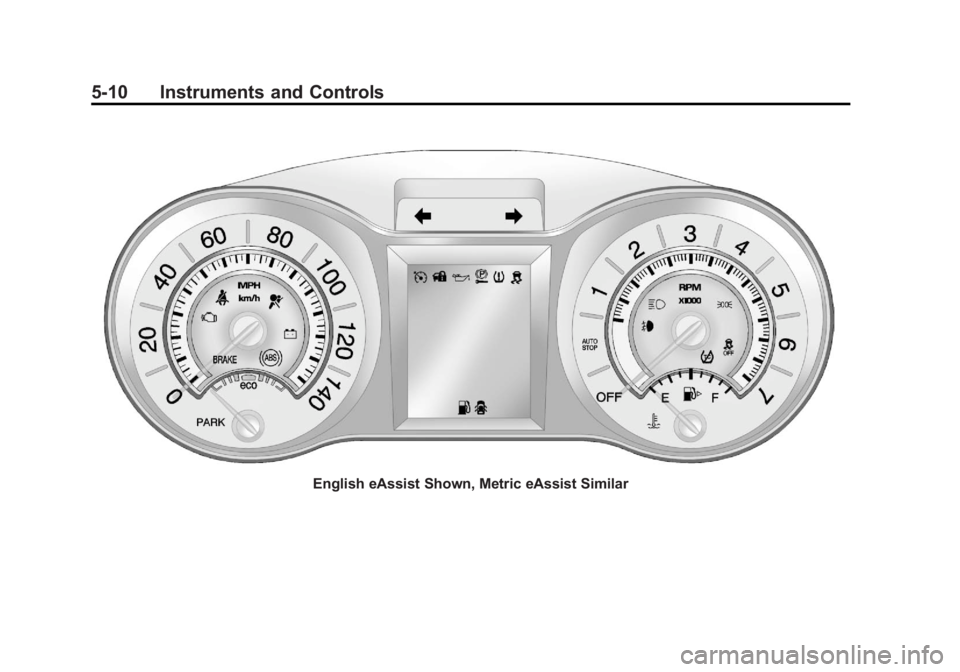
English eAssist Shown, Metric eAssist Similar
Page 115 of 422
Black plate (11,1)Buick LaCrosse Owner Manual - 2013 - crc - 9/7/12
Instruments and Controls 5-11
Speedometer
The speedometer shows the
vehicle's speed in either kilometers
per hour (km/h) or miles per
hour (mph).
Odometer
The odometer shows how far the
vehicle has been driven, in either
kilometers or miles.
This vehicle has a tamper-resistant
odometer. If the vehicle needs a
new odometer installed, the new
one is set to the mileage of the old
odometer. If this is not possible, it is
set at zero and a label is put on the
driver door to show the old mileage
reading.
Tachometer
The tachometer displays the engine
speed in revolutions per
minute (rpm).
For eAssist vehicles, when the
ignition is in ON/RUN, the
tachometer indicates the vehiclestatus. When pointing to AUTO
STOP, the engine is off but the
vehicle is on and can move. The
engine could auto start at any time.
When the indicator points to OFF,
the vehicle is off.
When the engine is on, the
tachometer will indicate the engine’s
revolutions per minute (rpm). The
tachometer may vary by several
hundred rpm’s, during auto stop
mode, when the engine is shutting
off and restarting.
A slight bump may be felt when the
transmission is determining the
most fuel efficient operating range.
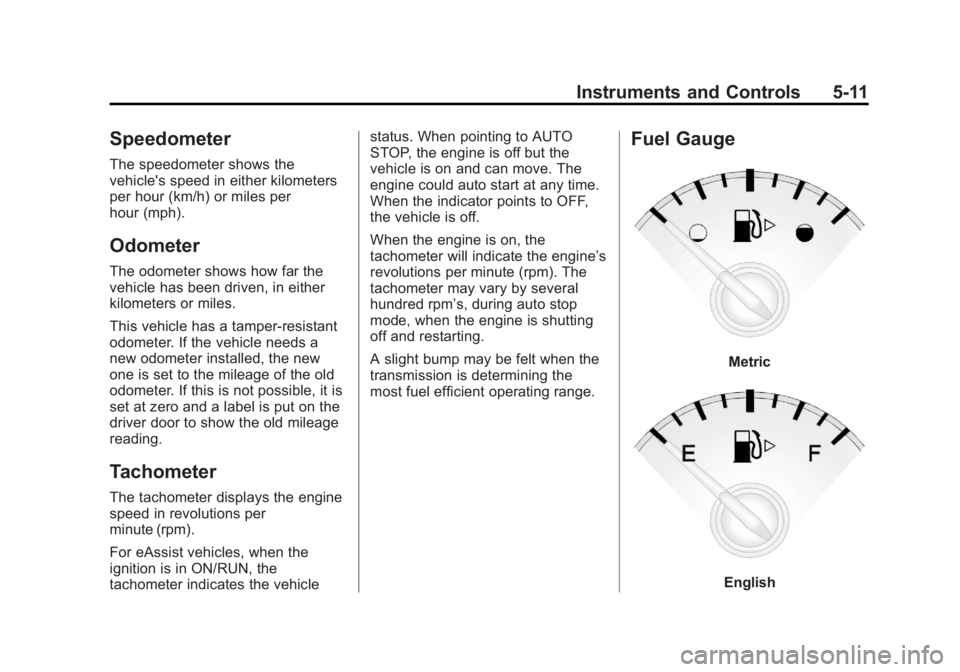
Fuel Gauge
Metric
English
Page 117 of 422
Black plate (13,1)Buick LaCrosse Owner Manual - 2013 - crc - 9/7/12
Instruments and Controls 5-13
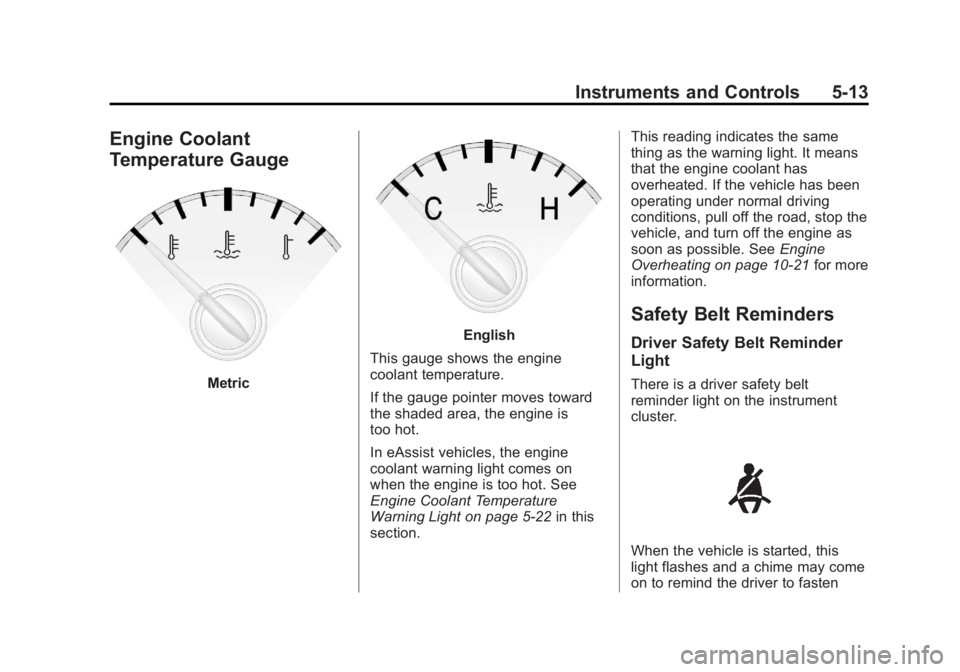
Engine Coolant
Temperature Gauge
Metric
English
This gauge shows the engine
coolant temperature.
If the gauge pointer moves toward
the shaded area, the engine is
too hot.
In eAssist vehicles, the engine
coolant warning light comes on
when the engine is too hot. See
Engine Coolant Temperature
Warning Light on page 5‑22 in this
section. This reading indicates the same
thing as the warning light. It means
that the engine coolant has
overheated. If the vehicle has been
operating under normal driving
conditions, pull off the road, stop the
vehicle, and turn off the engine as
soon as possible. See
Engine
Overheating on page 10‑21 for more
information.
Safety Belt Reminders
Driver Safety Belt Reminder
Light
There is a driver safety belt
reminder light on the instrument
cluster.
When the vehicle is started, this
light flashes and a chime may come
on to remind the driver to fasten
Page 122 of 422
Black plate (18,1)Buick LaCrosse Owner Manual - 2013 - crc - 9/7/12
5-18 Instruments and Controls
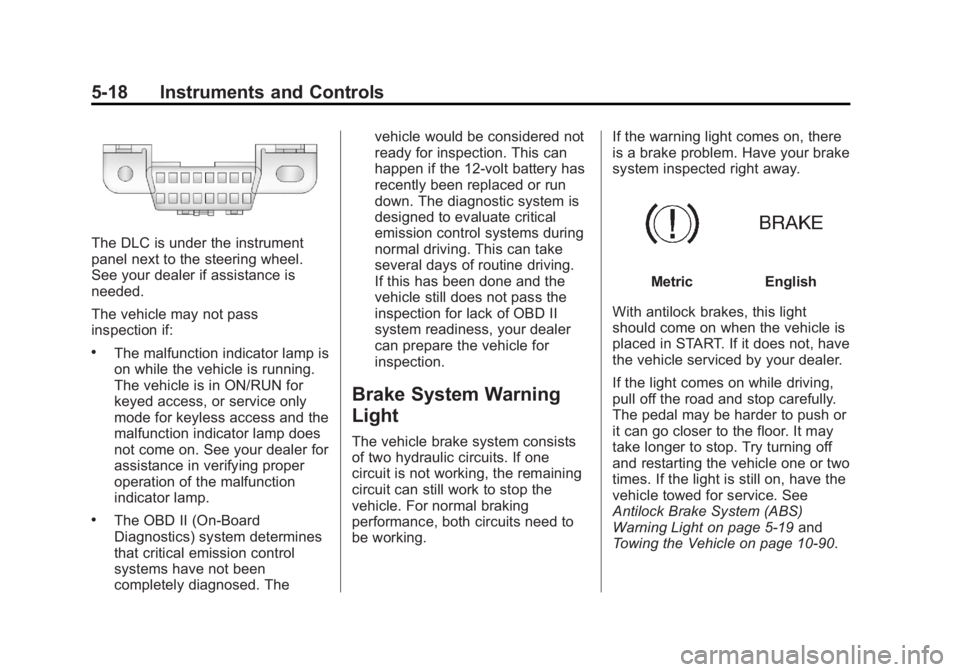
The DLC is under the instrument
panel next to the steering wheel.
See your dealer if assistance is
needed.
The vehicle may not pass
inspection if:
.The malfunction indicator lamp is
on while the vehicle is running.
The vehicle is in ON/RUN for
keyed access, or service only
mode for keyless access and the
malfunction indicator lamp does
not come on. See your dealer for
assistance in verifying proper
operation of the malfunction
indicator lamp.
.The OBD II (On-Board
Diagnostics) system determines
that critical emission control
systems have not been
completely diagnosed. Thevehicle would be considered not
ready for inspection. This can
happen if the 12-volt battery has
recently been replaced or run
down. The diagnostic system is
designed to evaluate critical
emission control systems during
normal driving. This can take
several days of routine driving.
If this has been done and the
vehicle still does not pass the
inspection for lack of OBD II
system readiness, your dealer
can prepare the vehicle for
inspection.
Brake System Warning
Light
The vehicle brake system consists
of two hydraulic circuits. If one
circuit is not working, the remaining
circuit can still work to stop the
vehicle. For normal braking
performance, both circuits need to
be working.
If the warning light comes on, there
is a brake problem. Have your brake
system inspected right away.
MetricEnglish
With antilock brakes, this light
should come on when the vehicle is
placed in START. If it does not, have
the vehicle serviced by your dealer.
If the light comes on while driving,
pull off the road and stop carefully.
The pedal may be harder to push or
it can go closer to the floor. It may
take longer to stop. Try turning off
and restarting the vehicle one or two
times. If the light is still on, have the
vehicle towed for service. See
Antilock Brake System (ABS)
Warning Light on page 5‑19 and
Towing the Vehicle on page 10‑90.
Page 123 of 422
Black plate (19,1)Buick LaCrosse Owner Manual - 2013 - crc - 9/7/12
Instruments and Controls 5-19
{WARNING
The brake system might not be
working properly if the brake
system warning light is on.
Driving with the brake system
warning light on can lead to a
crash. If the light is still on after
the vehicle has been pulled off
the road and carefully stopped,
have the vehicle towed for
service.
Electric Parking Brake
Light
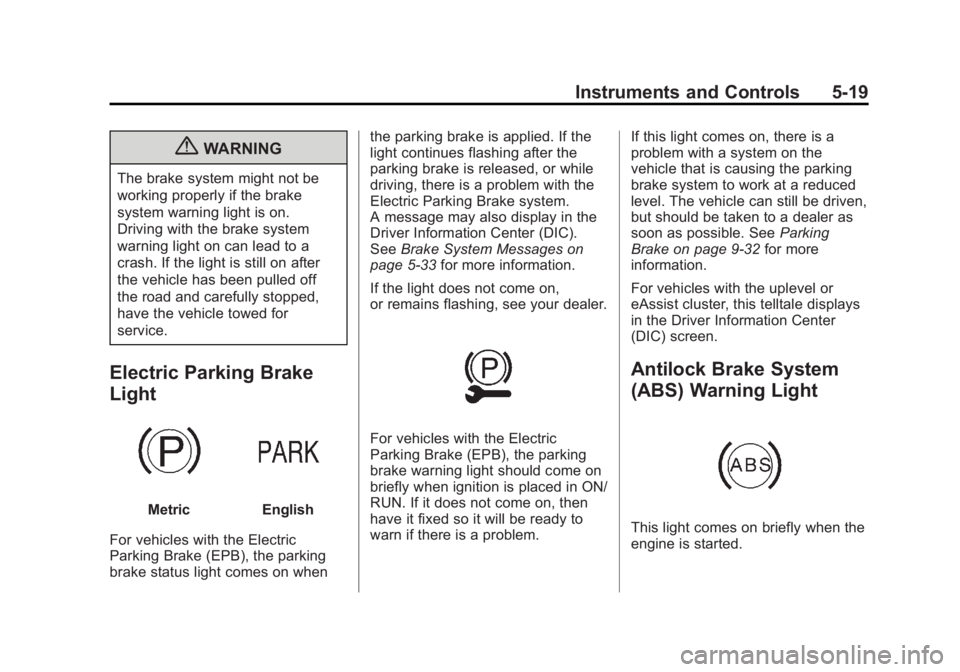
MetricEnglish
For vehicles with the Electric
Parking Brake (EPB), the parking
brake status light comes on when the parking brake is applied. If the
light continues flashing after the
parking brake is released, or while
driving, there is a problem with the
Electric Parking Brake system.
A message may also display in the
Driver Information Center (DIC).
See
Brake System Messages on
page 5‑33 for more information.
If the light does not come on,
or remains flashing, see your dealer.
For vehicles with the Electric
Parking Brake (EPB), the parking
brake warning light should come on
briefly when ignition is placed in ON/
RUN. If it does not come on, then
have it fixed so it will be ready to
warn if there is a problem. If this light comes on, there is a
problem with a system on the
vehicle that is causing the parking
brake system to work at a reduced
level. The vehicle can still be driven,
but should be taken to a dealer as
soon as possible. See
Parking
Brake on page 9‑32 for more
information.
For vehicles with the uplevel or
eAssist cluster, this telltale displays
in the Driver Information Center
(DIC) screen.
Antilock Brake System
(ABS) Warning Light
This light comes on briefly when the
engine is started.
Page 132 of 422
Black plate (28,1)Buick LaCrosse Owner Manual - 2013 - crc - 9/7/12
5-28 Instruments and Controls
Unit
Move
w/xto switch between
metric or US when the Unit display
is active. Press SET/CLR to confirm
the setting. This will change the
displays on the cluster and DIC to
either metric or English (US)
measurements.
Tire Pressure
The display will show a vehicle with
the approximate pressures of all
four tires. Tire pressure is displayed
in either kilopascal (kPa) or pounds
per square inch (psi). See Tire
Pressure Monitor System on
page 10‑50 andTire Pressure
Monitor Operation on page 10‑52 for
more information.
Jump Start (eAssist Only)
This display allows for on-board
jump starting of the vehicle. See
“Jump Starting (On-board with
eAssist Only)” for more information. Remaining Oil Life
This display shows an estimate of
the oil's remaining useful life.
If REMAINING OIL LIFE 99% is
displayed, that means 99% of the
current oil life remains.
When the remaining oil life is low,
the CHANGE ENGINE OIL SOON
message will appear on the display.
See
Engine Oil Messages on
page 5‑35. The oil should be
changed as soon as possible. See
Engine Oil on page 10‑11. In
addition to the engine oil life system
monitoring the oil life, additional
maintenance is recommended in the
Maintenance Schedule in this
manual. See Maintenance Schedule
on page 11‑2 for more information.
Remember, the Oil Life display must
be reset after each oil change. It will
not reset itself. Also, be careful not
to reset the Oil Life display
accidentally at any time other than
when the oil has just been changed.
It cannot be reset accurately until
the next oil change. To reset the engine oil life system, press SET/
CLR while the Oil Life display is
active. See
Engine Oil Life System
on page 10‑13.
Battery Voltage
This display, available on some
vehicles, shows the current battery
voltage. If the voltage is in the
normal range, the value will display.
For example, the display may read
Battery Voltage 15.0 Volts. The
vehicle's charging system regulates
voltage based on the state of the
battery. The battery voltage can
fluctuate while viewing this
information on the DIC. This is
normal. See Charging System Light
on page 5‑15 for more information.
If there is a problem with the battery
charging system, the DIC will
display a message
Compass
The vehicle may have a compass
display in the Driver Information
Center (DIC). See Compass on
page 5‑4 for more information.
Page 133 of 422
Black plate (29,1)Buick LaCrosse Owner Manual - 2013 - crc - 9/7/12
Instruments and Controls 5-29
Head-Up Display (HUD)
{WARNING
If the HUD image is too bright or
too high in your field of view, it
may take you more time to see
things you need to see when it is
dark outside. Be sure to keep the
HUD image dim and placed low in
your field of view.
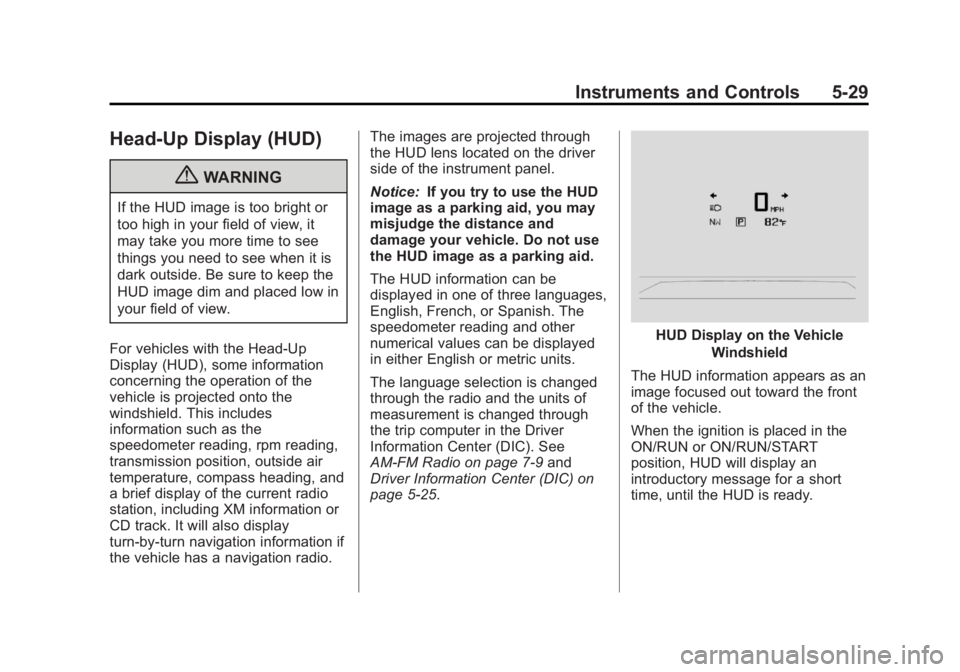
For vehicles with the Head-Up
Display (HUD), some information
concerning the operation of the
vehicle is projected onto the
windshield. This includes
information such as the
speedometer reading, rpm reading,
transmission position, outside air
temperature, compass heading, and
a brief display of the current radio
station, including XM information or
CD track. It will also display
turn-by-turn navigation information if
the vehicle has a navigation radio. The images are projected through
the HUD lens located on the driver
side of the instrument panel.
Notice:
If you try to use the HUD
image as a parking aid, you may
misjudge the distance and
damage your vehicle. Do not use
the HUD image as a parking aid.
The HUD information can be
displayed in one of three languages,
English, French, or Spanish. The
speedometer reading and other
numerical values can be displayed
in either English or metric units.
The language selection is changed
through the radio and the units of
measurement is changed through
the trip computer in the Driver
Information Center (DIC). See
AM-FM Radio on page 7‑9 and
Driver Information Center (DIC) on
page 5‑25.
HUD Display on the Vehicle
Windshield
The HUD information appears as an
image focused out toward the front
of the vehicle.
When the ignition is placed in the
ON/RUN or ON/RUN/START
position, HUD will display an
introductory message for a short
time, until the HUD is ready.
Page 135 of 422
Black plate (31,1)Buick LaCrosse Owner Manual - 2013 - crc - 9/7/12
Instruments and Controls 5-31
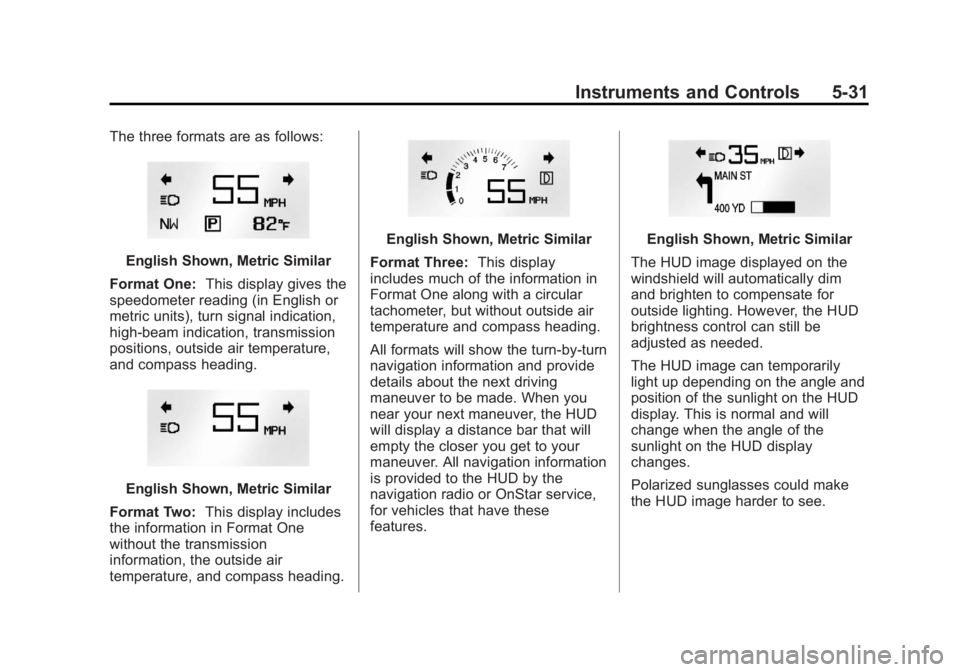
The three formats are as follows:
English Shown, Metric Similar
Format One: This display gives the
speedometer reading (in English or
metric units), turn signal indication,
high-beam indication, transmission
positions, outside air temperature,
and compass heading.
English Shown, Metric Similar
Format Two: This display includes
the information in Format One
without the transmission
information, the outside air
temperature, and compass heading.
English Shown, Metric Similar
Format Three: This display
includes much of the information in
Format One along with a circular
tachometer, but without outside air
temperature and compass heading.
All formats will show the turn-by-turn
navigation information and provide
details about the next driving
maneuver to be made. When you
near your next maneuver, the HUD
will display a distance bar that will
empty the closer you get to your
maneuver. All navigation information
is provided to the HUD by the
navigation radio or OnStar service,
for vehicles that have these
features.English Shown, Metric Similar
The HUD image displayed on the
windshield will automatically dim
and brighten to compensate for
outside lighting. However, the HUD
brightness control can still be
adjusted as needed.
The HUD image can temporarily
light up depending on the angle and
position of the sunlight on the HUD
display. This is normal and will
change when the angle of the
sunlight on the HUD display
changes.
Polarized sunglasses could make
the HUD image harder to see.
Page 146 of 422
Black plate (42,1)Buick LaCrosse Owner Manual - 2013 - crc - 9/7/12
5-42 Instruments and Controls
Chime Volume
This allows selection of the chime
volume level.
Press SELECT when Chime Volume
is highlighted. Turn the Multifunction
knob to select Normal or High.
Press SELECT to confirm the
selection. Press
/BACK to move to
the last menu.
Driver Seat Easy Exit
When on, this feature will move the
driver seat rearward upon turning
the ignition off and opening the
driver door. This may be performed
to make it easier to exit the vehicle.
See “Easy Exit Driver Seat” under
Memory Seats on page 3‑6.
This allows you to turn the easy exit
seat feature on or off.
Press SELECT when Driver Seat
Easy Exit is highlighted. Turn the
Multifunction knob to select On or
Off. Press SELECT to confirm the
selection. Press
/BACK to move to
the last menu. Park Tilt Mirrors
When on, both the driver and
passenger mirrors will tilt downward
when the vehicle is shifted to
R (Reverse) to improve visibility of
the ground near the rear wheels.
They will return to their previous
driving position when the vehicle is
shifted out of R (Reverse), the
ignition is turned to OFF, or the
vehicle is left in R (Reverse). See
Park Tilt Mirrors on page 2‑16.
This allows you to turn the park tilt
mirrors feature on or off.
Press SELECT when Park Tilt
Mirrors is highlighted. Turn the
Multifunction knob to select Driver &
Passenger or Off. Press SELECT to
confirm the selection. Press
/
BACK to move to the last menu.
Collision/Detection Systems
Select the Collision/Detection
Systems menu and the following will
be displayed:
.Side Blind Zone Alert System
Side Blind Zone Alert System
If equipped, this feature allows the
Side Blind Zone Alert System
feature to be turned on or off.
Press SELECT when Side Blind
Zone Alert System is highlighted.
Turn the Multifunction knob to select
On or Off. Press SELECT to confirm
the selection. Press
/BACK to
move to the last menu.
Language
Select the Language menu and the
following will be displayed:
.English
.French
.Spanish
Turn the Multifunction knob to select
the language. Press SELECT to
confirm the selection. Press
/
BACK to move to the last menu.