temperature control BUICK LACROSSE 2013 Owner's Manual
[x] Cancel search | Manufacturer: BUICK, Model Year: 2013, Model line: LACROSSE, Model: BUICK LACROSSE 2013Pages: 422, PDF Size: 5.74 MB
Page 4 of 422
Black plate (4,1)Buick LaCrosse Owner Manual - 2013 - crc - 9/7/12
iv Introduction
{WARNING
These mean there is something
that could hurt you or other
people.
Notice: This means there is
something that could result in
property or vehicle damage. This
would not be covered by the
vehicle's warranty.
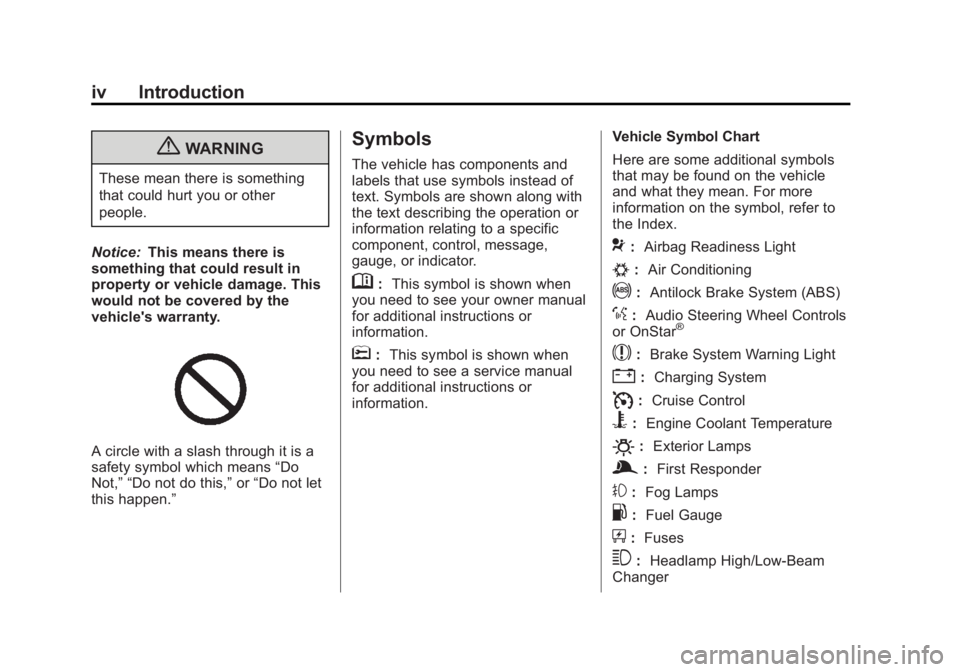
A circle with a slash through it is a
safety symbol which means “Do
Not,” “Do not do this,” or“Do not let
this happen.”
Symbols
The vehicle has components and
labels that use symbols instead of
text. Symbols are shown along with
the text describing the operation or
information relating to a specific
component, control, message,
gauge, or indicator.
M: This symbol is shown when
you need to see your owner manual
for additional instructions or
information.
*: This symbol is shown when
you need to see a service manual
for additional instructions or
information. Vehicle Symbol Chart
Here are some additional symbols
that may be found on the vehicle
and what they mean. For more
information on the symbol, refer to
the Index.
9:
Airbag Readiness Light
#:Air Conditioning
!:Antilock Brake System (ABS)
%:Audio Steering Wheel Controls
or OnStar®
$: Brake System Warning Light
":Charging System
I:Cruise Control
B: Engine Coolant Temperature
O:Exterior Lamps
g:First Responder
#:Fog Lamps
.: Fuel Gauge
+:Fuses
3: Headlamp High/Low-Beam
Changer
Page 19 of 422
Black plate (13,1)Buick LaCrosse Owner Manual - 2013 - crc - 9/7/12
In Brief 1-13
Climate Controls
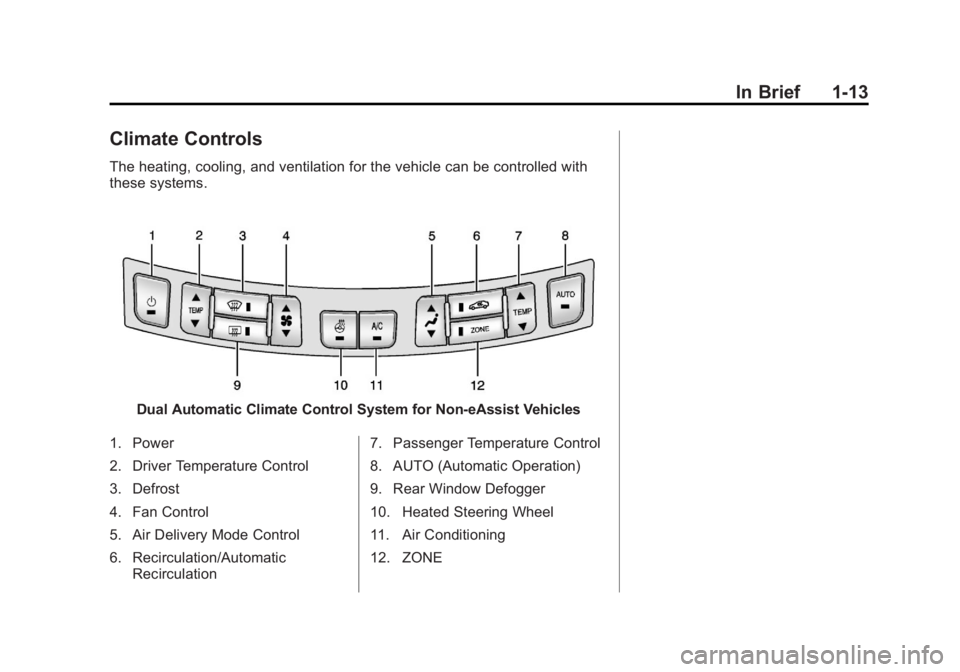
The heating, cooling, and ventilation for the vehicle can be controlled with
these systems.
Dual Automatic Climate Control System for Non-eAssist Vehicles
1. Power
2. Driver Temperature Control
3. Defrost
4. Fan Control
5. Air Delivery Mode Control
6. Recirculation/Automatic Recirculation 7. Passenger Temperature Control
8. AUTO (Automatic Operation)
9. Rear Window Defogger
10. Heated Steering Wheel
11. Air Conditioning
12. ZONE
Page 20 of 422
Black plate (14,1)Buick LaCrosse Owner Manual - 2013 - crc - 9/7/12
1-14 In Brief
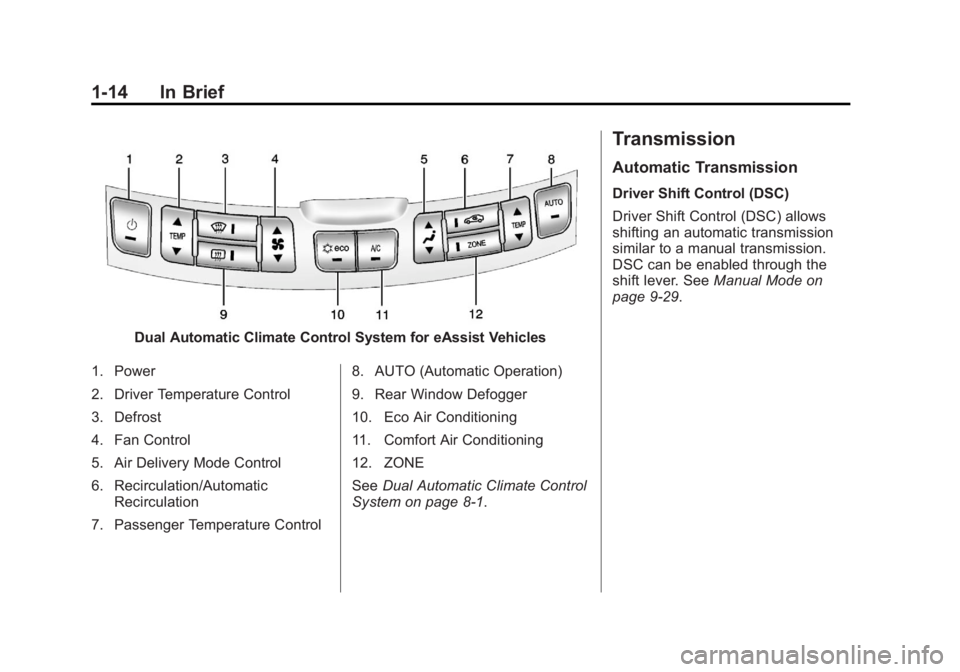
Dual Automatic Climate Control System for eAssist Vehicles
1. Power
2. Driver Temperature Control
3. Defrost
4. Fan Control
5. Air Delivery Mode Control
6. Recirculation/Automatic Recirculation
7. Passenger Temperature Control 8. AUTO (Automatic Operation)
9. Rear Window Defogger
10. Eco Air Conditioning
11. Comfort Air Conditioning
12. ZONE
See
Dual Automatic Climate Control
System on page 8‑1.
Transmission
Automatic Transmission
Driver Shift Control (DSC)
Driver Shift Control (DSC) allows
shifting an automatic transmission
similar to a manual transmission.
DSC can be enabled through the
shift lever. See Manual Mode on
page 9‑29.
Page 39 of 422
Black plate (9,1)Buick LaCrosse Owner Manual - 2013 - crc - 9/7/12
Keys, Doors, and Windows 2-9
A maximum of two remote starts or
remote start attempts are allowed
between ignition cycles.
The vehicle's ignition must be
turned on and then back off before
the remote start procedure can be
used again.
Canceling a Remote Start
To cancel a remote start, do any of
the following:
.Aim the RKE transmitter at the
vehicle and press and hold
/
until the parking lamps turn off.
.Turn on the hazard warning
flashers.
.Turn the vehicle on and then off.
Conditions in Which Remote Start
Will Not Work
The remote start will not operate if:
.The key is in the ignition (key
access) or the ignition is in any
position other than OFF (keyless
access).
.The transmitter is in the vehicle
(keyless access).
.The hood is not closed.
.The hazard warning flashers
are on.
.There is an emission control
system malfunction.
.The engine coolant temperature
is too high.
.The oil pressure is low.
.Two remote vehicle starts have
already been used.
.The vehicle is not in P (Park).
Door Locks
{WARNING
Unlocked doors can be
dangerous.
.Passengers, especially
children, can easily open the
doors and fall out of a moving (Continued)
WARNING (Continued)
vehicle. The chance of being
thrown out of the vehicle in a
crash is increased if the
doors are not locked. So, all
passengers should wear
safety belts properly and the
doors should be locked
whenever the vehicle is
driven.
.Young children who get into
unlocked vehicles may be
unable to get out. A child can
be overcome by extreme heat
and can suffer permanent
injuries or even death from
heat stroke. Always lock the
vehicle whenever leaving it.
.Outsiders can easily enter
through an unlocked door
when slowing or stopping the
vehicle. Lock the doors to
help prevent this from
happening.
Page 58 of 422
Black plate (8,1)Buick LaCrosse Owner Manual - 2013 - crc - 9/7/12
3-8 Seats and Restraints
To stop recall movement, press one
of the memory, power mirror,
or power seat controls.
If something has blocked the driver
seat while recalling a memory
position, the recall may stop.
Remove the obstruction; then press
and hold the appropriate manual
control for the memory item that is
not recalling for two seconds. Try
recalling the memory position again
by opening the driver door and
pressing the RKE transmitter
K
button. If the memory position is still
not recalling, see your dealer for
service.
Easy Exit Driver Seat
This feature moves the seat
rearward allowing the driver more
room to exit the vehicle.
To activate, place the ignition in
OFF and open the driver door. If the
driver door is already open, placing
the ignition in OFF will activate the
recall.This feature is turned on or off using
the vehicle personalization menu.
See
Vehicle Personalization on
page 5‑39.
To stop recall movement, press one
of the memory or power seat
controls.
If something has blocked the driver
seat while recalling the exit position,
the recall may stop. Remove the
obstruction; then press and hold the
power seat control rearward for
two seconds. Try recalling the exit
position again. If the exit position is
still not recalling, see your dealer for
service.
Heated and Ventilated
Front Seats
{WARNING
If you cannot feel temperature
change or pain to the skin, the
seat heater may cause burns. To
reduce the risk of burns, people
with such a condition should use
care when using the seat heater,
especially for long periods of
time. Do not place anything on
the seat that insulates against
heat, such as a blanket, cushion,
cover, or similar item. This may
cause the seat heater to
overheat. An overheated seat
heater may cause a burn or may
damage the seat.
Page 105 of 422
Black plate (1,1)Buick LaCrosse Owner Manual - 2013 - crc - 9/7/12
Instruments and Controls 5-1
Instruments and
Controls
Controls
Steering Wheel Adjustment . . . 5-2
Steering Wheel Controls . . . . . . 5-2
Heated Steering Wheel . . . . . . . 5-3
Horn . . . . . . . . . . . . . . . . . . . . . . . . . . 5-3
Windshield Wiper/Washer . . . . . 5-3
Compass . . . . . . . . . . . . . . . . . . . . . 5-4
Clock (Radio with CD andTouchscreen) . . . . . . . . . . . . . . . . 5-5
Power Outlets . . . . . . . . . . . . . . . . . 5-6
Warning Lights, Gauges, and
Indicators
Warning Lights, Gauges, and Indicators . . . . . . . . . . . . . . . . . . . . 5-8
Instrument Cluster . . . . . . . . . . . . 5-9
Speedometer . . . . . . . . . . . . . . . . 5-11
Odometer . . . . . . . . . . . . . . . . . . . . 5-11
Tachometer . . . . . . . . . . . . . . . . . . 5-11
Fuel Gauge . . . . . . . . . . . . . . . . . . 5-11
Driver Efficiency Gauge . . . . . . 5-12
Engine Coolant Temperature Gauge . . . . . . . . . . . . . . . . . . . . . . 5-13
Safety Belt Reminders . . . . . . . 5-13 Airbag Readiness Light . . . . . . 5-14
Passenger Airbag Status
Indicator . . . . . . . . . . . . . . . . . . . . 5-15
Charging System Light . . . . . . 5-15
Malfunction Indicator Lamp . . . . . . . . . . . . . 5-16
Brake System Warning Light . . . . . . . . . . . . . . . . . . . . . . . 5-18
Electric Parking Brake Light . . . . . . . . . . . . . . . . . . . . . . . 5-19
Antilock Brake System (ABS) Warning Light . . . . . . . . . . . . . . 5-19
Traction Off Light . . . . . . . . . . . . 5-20
StabiliTrak
®OFF Light . . . . . . . 5-20
Traction Control System (TCS)/StabiliTrak
®Light . . . . 5-21
Engine Coolant Temperature Warning Light . . . . . . . . . . . . . . 5-22
Tire Pressure Light . . . . . . . . . . 5-22
Engine Oil Pressure Light . . . . 5-23
Low Fuel Warning Light . . . . . . 5-23
Security Light . . . . . . . . . . . . . . . . 5-23
High-Beam On Light . . . . . . . . . 5-24
Front Fog Lamp Light . . . . . . . . 5-24
Lamps On Reminder . . . . . . . . . 5-24
Cruise Control Light . . . . . . . . . 5-24
Door Ajar Light . . . . . . . . . . . . . . 5-25
Information Displays
Driver Information Center (DIC) . . . . . . . . . . . . . . . 5-25
Head-Up Display (HUD) . . . . . 5-29
Vehicle Messages
Vehicle Messages . . . . . . . . . . . 5-32
Battery Voltage and Charging Messages . . . . . . . . . . . . . . . . . . 5-33
Brake System Messages . . . . 5-33
Compass Messages . . . . . . . . . 5-33
Cruise Control Messages . . . . 5-34
Door Ajar Messages . . . . . . . . . 5-34
Engine Cooling System Messages . . . . . . . . . . . . . . . . . . 5-34
Engine Oil Messages . . . . . . . . 5-35
Engine Power Messages . . . . 5-35
Fuel System Messages . . . . . . 5-35
Key and Lock Messages . . . . . 5-36
Lamp Messages . . . . . . . . . . . . . 5-36
Object Detection System Messages . . . . . . . . . . . . . . . . . . 5-36
Ride Control System Messages . . . . . . . . . . . . . . . . . . 5-37
Security Messages . . . . . . . . . . 5-37
Starting the Vehicle Messages . . . . . . . . . . . . . . . . . . 5-37
Page 117 of 422
Black plate (13,1)Buick LaCrosse Owner Manual - 2013 - crc - 9/7/12
Instruments and Controls 5-13
Engine Coolant
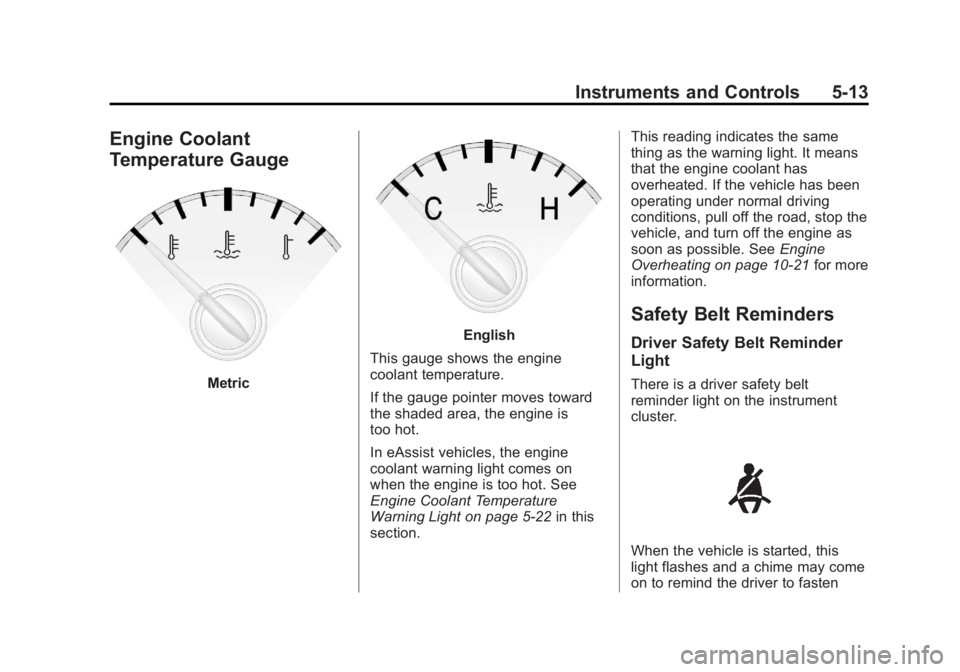
Temperature Gauge
Metric
English
This gauge shows the engine
coolant temperature.
If the gauge pointer moves toward
the shaded area, the engine is
too hot.
In eAssist vehicles, the engine
coolant warning light comes on
when the engine is too hot. See
Engine Coolant Temperature
Warning Light on page 5‑22 in this
section. This reading indicates the same
thing as the warning light. It means
that the engine coolant has
overheated. If the vehicle has been
operating under normal driving
conditions, pull off the road, stop the
vehicle, and turn off the engine as
soon as possible. See
Engine
Overheating on page 10‑21 for more
information.
Safety Belt Reminders
Driver Safety Belt Reminder
Light
There is a driver safety belt
reminder light on the instrument
cluster.
When the vehicle is started, this
light flashes and a chime may come
on to remind the driver to fasten
Page 126 of 422
Black plate (22,1)Buick LaCrosse Owner Manual - 2013 - crc - 9/7/12
5-22 Instruments and Controls
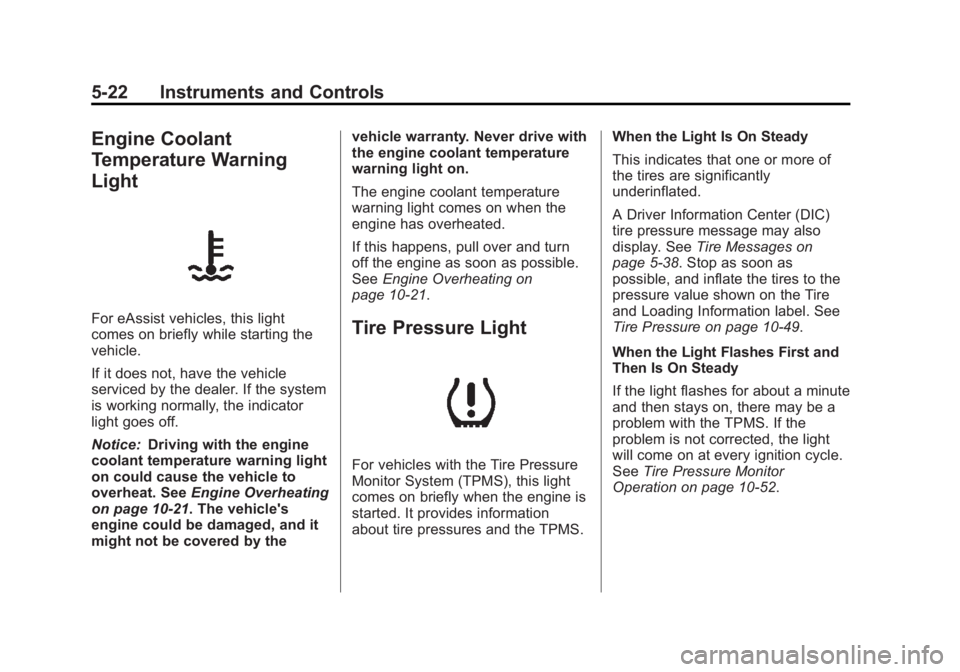
Engine Coolant
Temperature Warning
Light
For eAssist vehicles, this light
comes on briefly while starting the
vehicle.
If it does not, have the vehicle
serviced by the dealer. If the system
is working normally, the indicator
light goes off.
Notice:Driving with the engine
coolant temperature warning light
on could cause the vehicle to
overheat. See Engine Overheating
on page 10‑21. The vehicle's
engine could be damaged, and it
might not be covered by the vehicle warranty. Never drive with
the engine coolant temperature
warning light on.
The engine coolant temperature
warning light comes on when the
engine has overheated.
If this happens, pull over and turn
off the engine as soon as possible.
See
Engine Overheating on
page 10‑21.Tire Pressure Light
For vehicles with the Tire Pressure
Monitor System (TPMS), this light
comes on briefly when the engine is
started. It provides information
about tire pressures and the TPMS. When the Light Is On Steady
This indicates that one or more of
the tires are significantly
underinflated.
A Driver Information Center (DIC)
tire pressure message may also
display. See
Tire Messages on
page 5‑38. Stop as soon as
possible, and inflate the tires to the
pressure value shown on the Tire
and Loading Information label. See
Tire Pressure on page 10‑49.
When the Light Flashes First and
Then Is On Steady
If the light flashes for about a minute
and then stays on, there may be a
problem with the TPMS. If the
problem is not corrected, the light
will come on at every ignition cycle.
See Tire Pressure Monitor
Operation on page 10‑52.
Page 129 of 422
Black plate (25,1)Buick LaCrosse Owner Manual - 2013 - crc - 9/7/12
Instruments and Controls 5-25
Door Ajar Light
This light comes on in the Driver
Information Center (DIC) when a
door is open or not securely latched.
Before driving, check that all doors
are properly closed.
Information Displays
Driver Information
Center (DIC)
The Driver Information Center (DIC)
displays information about the
vehicle. It also displays warning
messages if a system problem is
detected. SeeVehicle Messages on
page 5‑32 for more information. All
messages appear in the DIC display
located in the center of the
instrument panel cluster.
On some models, the DIC may
show warning lights or indicators in
the top portion of the display. See
Warning Lights, Gauges, and
Indicators on page 5‑8 for more
information.
The vehicle may also have features
that can be customized through the
controls on the radio. See Vehicle
Personalization on page 5‑39 for
more information.
DIC Operation and Displays
The DIC has different displays
which can be accessed by using the
DIC buttons on the turn signal lever
to the left of the steering wheel. The
DIC displays trip, fuel, vehicle
system information, and warning
messages if a system problem is
detected.
The bottom of the DIC display
shows what position the shift lever
is in, the odometer, and the direction
the vehicle is driving.
In cold weather the DIC display may
change slowly. This is normal and
will move more quickly as the
vehicle's interior temperature rises.
Page 133 of 422
Black plate (29,1)Buick LaCrosse Owner Manual - 2013 - crc - 9/7/12
Instruments and Controls 5-29
Head-Up Display (HUD)
{WARNING
If the HUD image is too bright or
too high in your field of view, it
may take you more time to see
things you need to see when it is
dark outside. Be sure to keep the
HUD image dim and placed low in
your field of view.
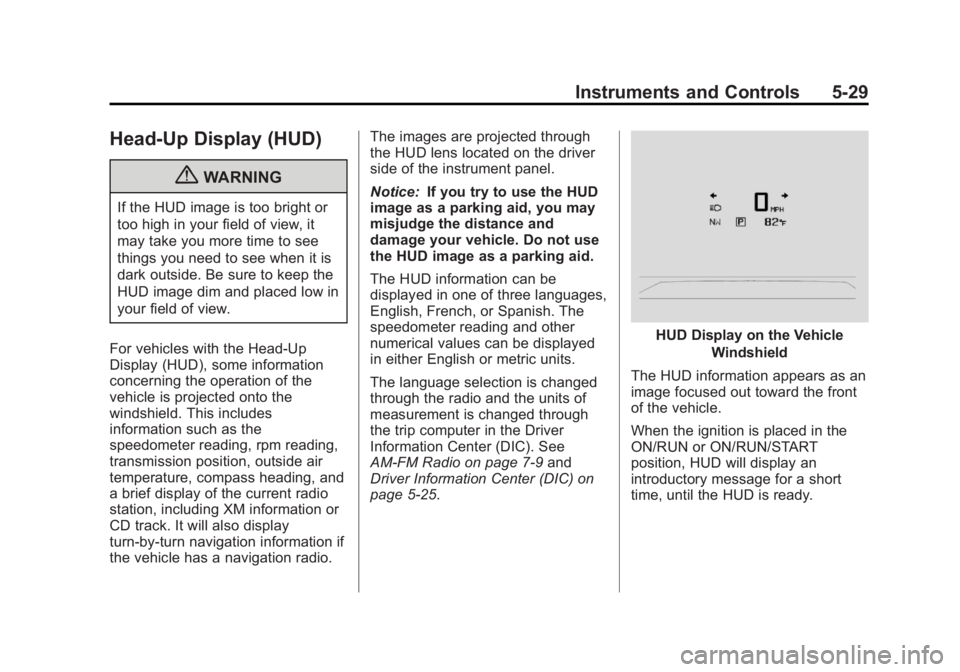
For vehicles with the Head-Up
Display (HUD), some information
concerning the operation of the
vehicle is projected onto the
windshield. This includes
information such as the
speedometer reading, rpm reading,
transmission position, outside air
temperature, compass heading, and
a brief display of the current radio
station, including XM information or
CD track. It will also display
turn-by-turn navigation information if
the vehicle has a navigation radio. The images are projected through
the HUD lens located on the driver
side of the instrument panel.
Notice:
If you try to use the HUD
image as a parking aid, you may
misjudge the distance and
damage your vehicle. Do not use
the HUD image as a parking aid.
The HUD information can be
displayed in one of three languages,
English, French, or Spanish. The
speedometer reading and other
numerical values can be displayed
in either English or metric units.
The language selection is changed
through the radio and the units of
measurement is changed through
the trip computer in the Driver
Information Center (DIC). See
AM-FM Radio on page 7‑9 and
Driver Information Center (DIC) on
page 5‑25.
HUD Display on the Vehicle
Windshield
The HUD information appears as an
image focused out toward the front
of the vehicle.
When the ignition is placed in the
ON/RUN or ON/RUN/START
position, HUD will display an
introductory message for a short
time, until the HUD is ready.