warning BUICK LACROSSE 2014 Owner's Manual
[x] Cancel search | Manufacturer: BUICK, Model Year: 2014, Model line: LACROSSE, Model: BUICK LACROSSE 2014Pages: 402, PDF Size: 4.37 MB
Page 230 of 402
Black plate (50,1)Buick LaCrosse Owner Manual (GMNA-Localizing-U.S./Canada/Mexico-
6043609) - 2014 - 2nd Edition - 10/17/13
9-50 Driving and Operating
next to the button comes on when
the feature is on and turns off when
the feature has been disabled.
Turn off parking assist when towing
a trailer.
The Rear Vision Camera (RVC), the
parking assist symbols, guidance
lines, and Rear Cross Traffic Alert
(RCTA) can be turned on or off
through the Settings menu on the
infotainment system:
1. On the infotainment system,press the Settings screen
button, or turn the MENU knob
to highlight Settings and
press MENU.
2. Select Rear Camera.
3. Press Rear Camera Display, Park Assist Symbols, Guidance
Lines, or Rear Cross Traffic Alert
and then select OFF or ON.Assistance Systems for
Driving
If equipped, when driving the
vehicle forward, Forward Collision
Alert (FCA), Lane Departure
Warning (LDW), Lane Change Alert
(LCA), and/or the Active Emergency
Braking System can help to avoid a
crash or reduce crash damage.
Forward Collision Alert
(FCA) System
The FCA system may help to avoid
or reduce the harm caused by
front-end crashes. FCA provides a
flashing red alert on the windshield,
and beeps or pulses the Safety Alert
Seat when approaching a vehicle
directly ahead too quickly. FCA also
provides a visual alert if following
another vehicle much too closely.
FCA detects vehicles within a
distance of approximately 60 m
(197 ft) and operates at speeds
above 40 km/h (25 mph). If the
vehicle has Adaptive Cruise Control (ACC), it can detect vehicles to
distances of approximately 110 m
(360 ft). See
Adaptive Cruise
Control on page 9-39.
{Warning
FCA is a warning system and
does not apply the brakes. When
approaching a slower-moving or
stopped vehicle ahead too rapidly,
or when following a vehicle too
closely, FCA may not provide a
warning with enough time to help
avoid a crash. FCA does not warn
of pedestrians, animals, signs,
guardrails, bridges, construction
barrels, or other objects. Be ready
to take action and apply the
brakes. For more information, see
Defensive Driving on page 9-3.
FCA can be disabled through
vehicle personalization. See the
“Auto Collision Preparation” portion
Page 231 of 402
Black plate (51,1)Buick LaCrosse Owner Manual (GMNA-Localizing-U.S./Canada/Mexico-
6043609) - 2014 - 2nd Edition - 10/17/13
Driving and Operating 9-51
of“Collision/Detection Systems”
under Vehicle Personalization on
page 5-43.
Detecting the Vehicle Ahead
FCA warnings will not occur unless
the FCA system detects a vehicle
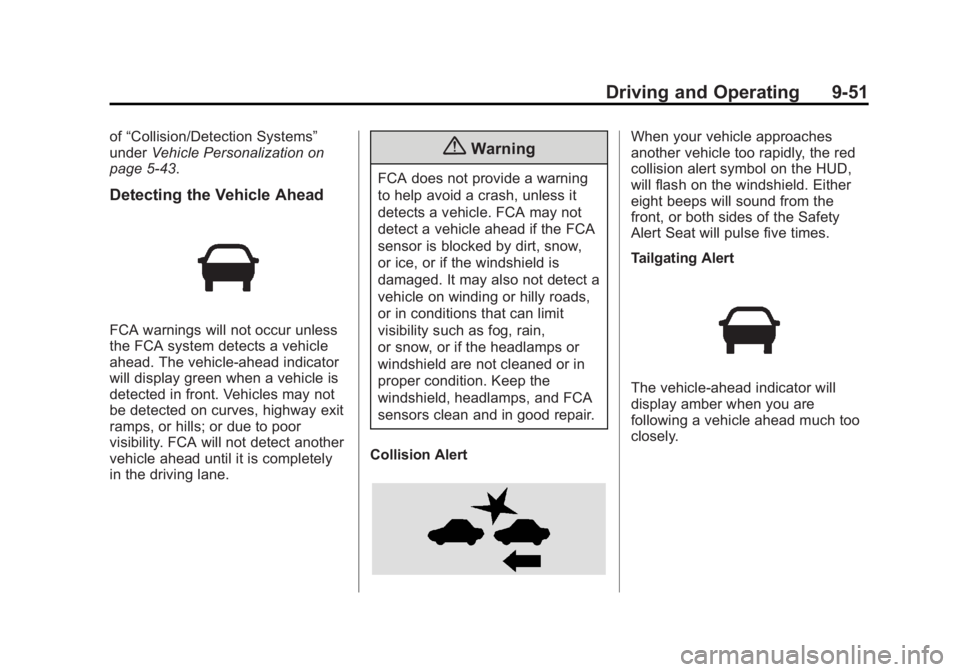
ahead. The vehicle-ahead indicator
will display green when a vehicle is
detected in front. Vehicles may not
be detected on curves, highway exit
ramps, or hills; or due to poor
visibility. FCA will not detect another
vehicle ahead until it is completely
in the driving lane.
{Warning
FCA does not provide a warning
to help avoid a crash, unless it
detects a vehicle. FCA may not
detect a vehicle ahead if the FCA
sensor is blocked by dirt, snow,
or ice, or if the windshield is
damaged. It may also not detect a
vehicle on winding or hilly roads,
or in conditions that can limit
visibility such as fog, rain,
or snow, or if the headlamps or
windshield are not cleaned or in
proper condition. Keep the
windshield, headlamps, and FCA
sensors clean and in good repair.
Collision Alert
When your vehicle approaches
another vehicle too rapidly, the red
collision alert symbol on the HUD,
will flash on the windshield. Either
eight beeps will sound from the
front, or both sides of the Safety
Alert Seat will pulse five times.
Tailgating Alert
The vehicle-ahead indicator will
display amber when you are
following a vehicle ahead much too
closely.
Page 233 of 402
Black plate (53,1)Buick LaCrosse Owner Manual (GMNA-Localizing-U.S./Canada/Mexico-
6043609) - 2014 - 2nd Edition - 10/17/13
Driving and Operating 9-53
{Warning
ACP is an emergency crash
preparation feature and is not
designed to avoid crashes. Do
not rely on ACP to brake the
vehicle.
ACP may not:
.Respond to stopped vehicles,
pedestrians, or animals.
.Detect a vehicle ahead on
winding or hilly roads.
.Detect a stopped or
slow-moving vehicle or other
object ahead.
.Detect a vehicle when
weather limits visibility, such
as in fog, rain, or snow. In
these situations, ACP sensor
performance is limited.(Continued)
Warning (Continued)
Complete attention is always
required while driving, and you
should be ready to take action
and apply the brakes and/or steer
the vehicle to avoid crashes.
Brake Preparation
When quickly approaching a vehicle
ahead, Brake Preparation reduces
brake response time by having the
brake system prepared for driver
braking to occur more rapidly.
Automatic Braking
In some imminent front-end crash
situations, if the driver has not
applied the brakes, Automatic
Braking applies the brakes to help
reduce crash damage. It may even
help avoid some very low speed
crashes.
Automatic Braking may slow the
vehicle to a complete stop to try to
avoid a potential crash. The vehicle will only hold at a stop briefly. A firm
press of the accelerator pedal will
also release Automatic Braking.
{Warning
Automatic Braking may
automatically brake the vehicle in
situations where it may be
unnecessary. It could respond to
a turning vehicle ahead,
guardrails, signs, and other
non-moving objects. This could
be uncomfortable and startling. To
override Automatic Braking, firmly
press the accelerator pedal, if it is
safe to do so.
Automatic Braking can be disabled
or reduced through vehicle
personalization. See the “Auto
Collision Preparation” portion of
“Collision/Detection Systems” under
Vehicle Personalization on
page 5-43.
Page 234 of 402
Black plate (54,1)Buick LaCrosse Owner Manual (GMNA-Localizing-U.S./Canada/Mexico-
6043609) - 2014 - 2nd Edition - 10/17/13
9-54 Driving and Operating
{Warning
Using the Automatic Collision
Preparation System while towing
a trailer could cause you to lose
control of the vehicle and crash.
Turn the system off when towing
a trailer.
Side Blind Zone
Alert (SBZA)
If equipped, the SBZA system is a
lane-changing aid that assists
drivers with avoiding crashes that
occur with vehicles in the side blind
zone (or spot) areas. When the
vehicle is moving forward, the left-
or right-side mirror display will light
up if a vehicle is detected in that
blind zone. If the turn signal is
activated and a vehicle is also
detected on the same side, the
display will flash as an extra
warning not to change lanes. Since
this system is part of the LaneChange Alert system, please read
the entire Lane Change Alert
section before using this feature.
Lane Change Alert
If equipped, the LCA system is a
lane-changing aid that assists
drivers with avoiding lane change
crashes that occur with vehicles in
the side blind zone (or spot) areas
or with vehicles rapidly approaching
these areas from behind. The LCA
warning display will light up in the
corresponding outside side mirror
and will flash if the turn signal is on.
{Warning
LCA does not alert the driver to
vehicles outside of the system
detection zones, pedestrians,
bicyclists, or animals. It may not
provide alerts when changing
lanes under all driving conditions.
Failure to use proper care when
changing lanes may result in
(Continued)
Warning (Continued)
injury, death, or vehicle damage.
Before making a lane change,
always check mirrors, glance over
your shoulder, and use the turn
signals.
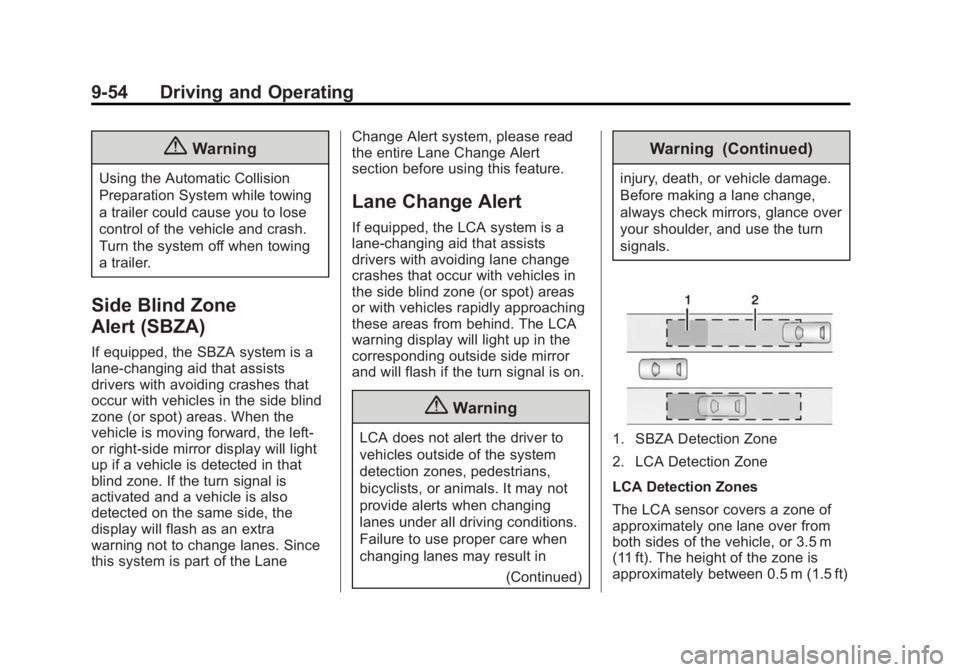
1. SBZA Detection Zone
2. LCA Detection Zone
LCA Detection Zones
The LCA sensor covers a zone of
approximately one lane over from
both sides of the vehicle, or 3.5 m
(11 ft). The height of the zone is
approximately between 0.5 m (1.5 ft)
Page 235 of 402
Black plate (55,1)Buick LaCrosse Owner Manual (GMNA-Localizing-U.S./Canada/Mexico-
6043609) - 2014 - 2nd Edition - 10/17/13
Driving and Operating 9-55
and 2 m (6 ft) off the ground. The
side blind zone warning area starts
at approximately the middle of the
vehicle and goes back 5 m (16 ft).
Drivers are also warned of vehicles
rapidly approaching from up to
70 m (230 ft) behind the vehicle.
How the System Works
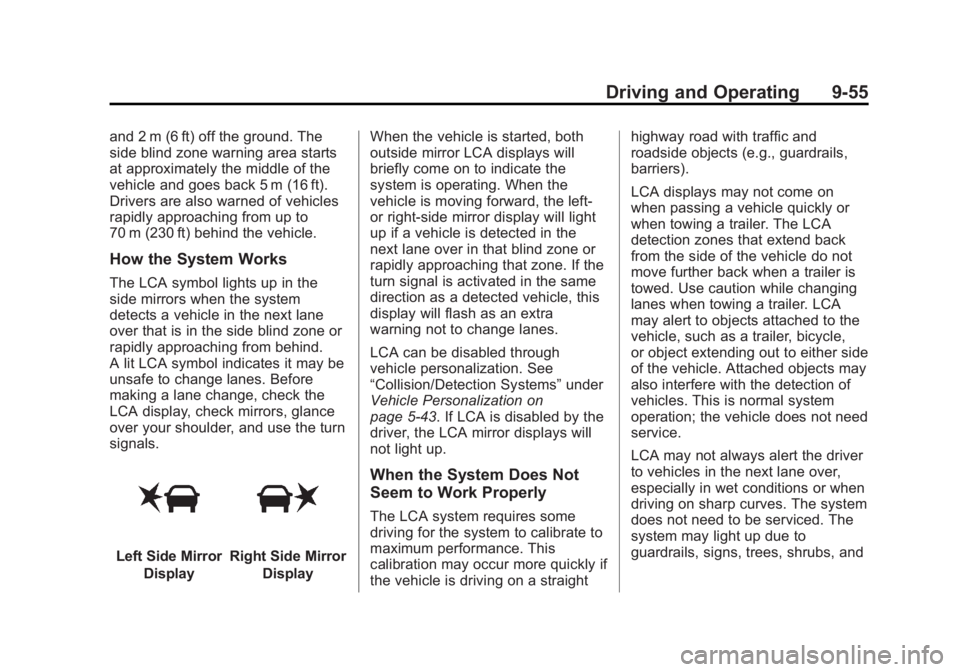
The LCA symbol lights up in the
side mirrors when the system
detects a vehicle in the next lane
over that is in the side blind zone or
rapidly approaching from behind.
A lit LCA symbol indicates it may be
unsafe to change lanes. Before
making a lane change, check the
LCA display, check mirrors, glance
over your shoulder, and use the turn
signals.
Left Side MirrorDisplayRight Side Mirror Display When the vehicle is started, both
outside mirror LCA displays will
briefly come on to indicate the
system is operating. When the
vehicle is moving forward, the left-
or right-side mirror display will light
up if a vehicle is detected in the
next lane over in that blind zone or
rapidly approaching that zone. If the
turn signal is activated in the same
direction as a detected vehicle, this
display will flash as an extra
warning not to change lanes.
LCA can be disabled through
vehicle personalization. See
“Collision/Detection Systems”
under
Vehicle Personalization on
page 5-43. If LCA is disabled by the
driver, the LCA mirror displays will
not light up.
When the System Does Not
Seem to Work Properly
The LCA system requires some
driving for the system to calibrate to
maximum performance. This
calibration may occur more quickly if
the vehicle is driving on a straight highway road with traffic and
roadside objects (e.g., guardrails,
barriers).
LCA displays may not come on
when passing a vehicle quickly or
when towing a trailer. The LCA
detection zones that extend back
from the side of the vehicle do not
move further back when a trailer is
towed. Use caution while changing
lanes when towing a trailer. LCA
may alert to objects attached to the
vehicle, such as a trailer, bicycle,
or object extending out to either side
of the vehicle. Attached objects may
also interfere with the detection of
vehicles. This is normal system
operation; the vehicle does not need
service.
LCA may not always alert the driver
to vehicles in the next lane over,
especially in wet conditions or when
driving on sharp curves. The system
does not need to be serviced. The
system may light up due to
guardrails, signs, trees, shrubs, and
Page 236 of 402
Black plate (56,1)Buick LaCrosse Owner Manual (GMNA-Localizing-U.S./Canada/Mexico-
6043609) - 2014 - 2nd Edition - 10/17/13
9-56 Driving and Operating
other non-moving objects. This is
normal system operation; the
vehicle does not need service.
LCA may not operate when the LCA
sensors in the left or right corners of
the rear bumper are covered with
mud, dirt, snow, ice, or slush, or in
heavy rainstorms. For cleaning
instructions, see "Washing the
Vehicle" underExterior Care on
page 10-84. If the DIC still displays
the system unavailable message
after cleaning both sides of the
vehicle toward the rear corners of
the vehicle, see your dealer.
If the LCA displays do not light up
when vehicles are in the side blind
zone or rapidly approaching this
zone and the system is clean, the
system may need service. Take the
vehicle to your dealer.
When LCA is disabled for any
reason other than the driver turning
it off, the Side Blind Zone Alert On
option will not be available on the
personalization menu.FCC Information
See Radio Frequency Statement on
page 13-15.
Lane Departure
Warning (LDW)
If equipped, LDW may help avoid
crashes due to unintentional lane
departures. It may provide a
warning if the vehicle is crossing a
detected lane marking without using
a turn signal. LDW uses a camera
sensor to detect the lane markings.
It only operates at speeds of
56 km/h (35 mph) or greater.
When the vehicle crosses a
detected lane marking, the LDW
indicator will flash and either three
beeps will be sounded from the left
or right side, or three Safety Alert
Seat pulses will occur on the left or
right side of the seat, depending on
the lane departure direction. LDW
will not warn if the turn signal is on
in the departure direction, or if a
sharp maneuver is made.
{Warning
The LDW system is an aid to help
the vehicle stay in the driving
lane. It does not steer the vehicle.
The LDW system may not:
.Provide enough time to avoid
a crash.
.Detect lane markings under
bad weather conditions or if
the windshield is dirty.
.Detect lane markings and will
not detect road edges.
.Warn that the vehicle is
crossing a lane marking if the
system does not detect the
lane marking.
If LDW only detects lane
markings on one side of the road,
it will only warn you when
departing the lane on the side
where it has detected a lane
marker. Even with LDW, always
keep your attention on the road (Continued)
Page 237 of 402
Black plate (57,1)Buick LaCrosse Owner Manual (GMNA-Localizing-U.S./Canada/Mexico-
6043609) - 2014 - 2nd Edition - 10/17/13
Driving and Operating 9-57
Warning (Continued)
and maintain proper vehicle
position within the lane, or vehicle
damage, injury, or death could
occur. Always keep the
windshield clean and do not use
LDW in bad weather conditions.
How the System Works
The LDW camera sensor is on the
windshield ahead of the rearview
mirror.
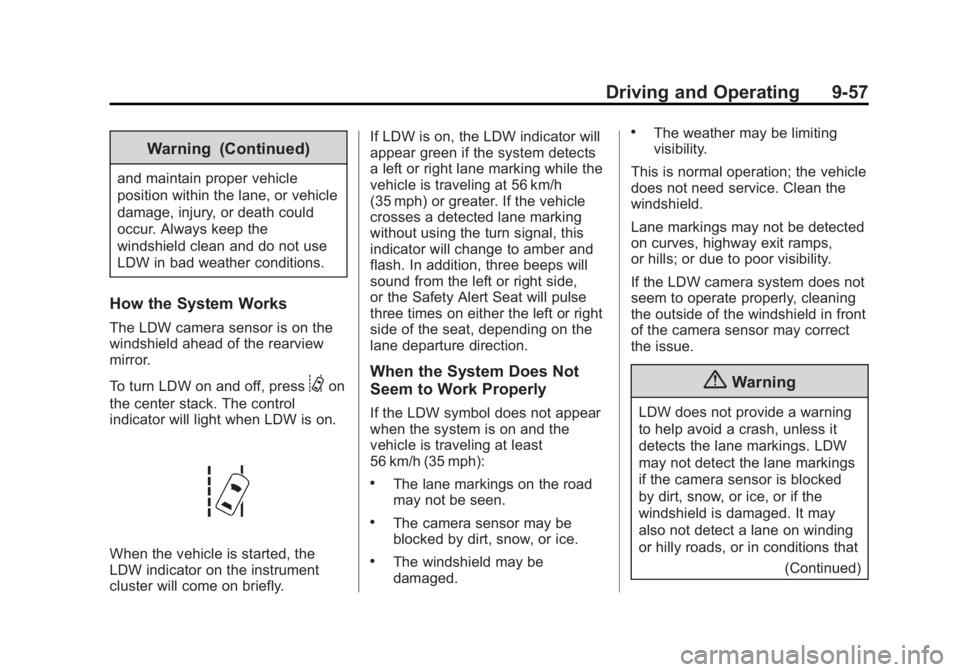
To turn LDW on and off, press
@on
the center stack. The control
indicator will light when LDW is on.
When the vehicle is started, the
LDW indicator on the instrument
cluster will come on briefly. If LDW is on, the LDW indicator will
appear green if the system detects
a left or right lane marking while the
vehicle is traveling at 56 km/h
(35 mph) or greater. If the vehicle
crosses a detected lane marking
without using the turn signal, this
indicator will change to amber and
flash. In addition, three beeps will
sound from the left or right side,
or the Safety Alert Seat will pulse
three times on either the left or right
side of the seat, depending on the
lane departure direction.
When the System Does Not
Seem to Work Properly
If the LDW symbol does not appear
when the system is on and the
vehicle is traveling at least
56 km/h (35 mph):
.The lane markings on the road
may not be seen.
.The camera sensor may be
blocked by dirt, snow, or ice.
.The windshield may be
damaged.
.The weather may be limiting
visibility.
This is normal operation; the vehicle
does not need service. Clean the
windshield.
Lane markings may not be detected
on curves, highway exit ramps,
or hills; or due to poor visibility.
If the LDW camera system does not
seem to operate properly, cleaning
the outside of the windshield in front
of the camera sensor may correct
the issue.
{Warning
LDW does not provide a warning
to help avoid a crash, unless it
detects the lane markings. LDW
may not detect the lane markings
if the camera sensor is blocked
by dirt, snow, or ice, or if the
windshield is damaged. It may
also not detect a lane on winding
or hilly roads, or in conditions that (Continued)
Page 238 of 402
Black plate (58,1)Buick LaCrosse Owner Manual (GMNA-Localizing-U.S./Canada/Mexico-
6043609) - 2014 - 2nd Edition - 10/17/13
9-58 Driving and Operating
Warning (Continued)
can limit visibility such as fog,
rain, or snow, or if the headlamps
or windshield are not cleaned or
in proper condition. Keep the
windshield, headlamps, and
camera sensors clean and in
good repair.
LDW warnings may occur due to tar
marks, shadows, cracks in the road,
or other road imperfections. This is
normal system operation; the
vehicle does not need service.
Fuel
Use of the recommended fuel is an
important part of the proper
maintenance of this vehicle. When
driving in the U.S., to help keep the
engine clean and maintain optimum
vehicle performance, we
recommend using TOP TIER
Detergent Gasolines. See
www.toptiergas.com for a list of TOP
TIER Detergent Gasolines.
If the vehicle has a yellow fuel cap,
E85 or FlexFuel can be used in the
vehicle. See E85 or FlexFuel on
page 9-60.
Recommended Fuel
Use regular unleaded gasoline with
a posted octane rating of 87 or
higher. If the octane rating is less
than 87, an audible knocking noise
may be heard. If this occurs, use a
gasoline rated at 87 octane or
higher as soon as possible. If heavy
knocking is heard when using
gasoline with a higher octane rating,
the engine needs service.
Use of Seasonal Fuels
Use summer and winter fuels in the
appropriate season. Driving or
starting could be affected if the
incorrect fuel is used. Drive the
vehicle with the engine running until
the fuel is a half tank or less, then
refuel with the current seasonal fuel.
Page 241 of 402
Black plate (61,1)Buick LaCrosse Owner Manual (GMNA-Localizing-U.S./Canada/Mexico-
6043609) - 2014 - 2nd Edition - 10/17/13
Driving and Operating 9-61
{Caution
Do not use fuel containing
methanol. It can corrode metal
parts in the fuel system and also
damage plastic and rubber parts.
That damage would not be
covered under the vehicle
warranty.
Filling the Tank
{Warning
Fuel vapors and fuel fires burn
violently and can cause injury or
death.
.To help avoid injuries to you
and others, read and follow
all the instructions on the fuel
pump island.
.Turn off the engine when
refueling.(Continued)
Warning (Continued)
.Keep sparks, flames, and
smoking materials away
from fuel.
.Do not leave the fuel pump
unattended.
.Do not reenter the vehicle
while pumping fuel.
.Keep children away from the
fuel pump and never let
children pump fuel.
.Fuel can spray out if the fuel
cap is opened too quickly.
This spray can happen if the
tank is nearly full, and is
more likely in hot weather.
Open the fuel cap slowly and
wait for any hiss noise to stop
then unscrew the cap all
the way.
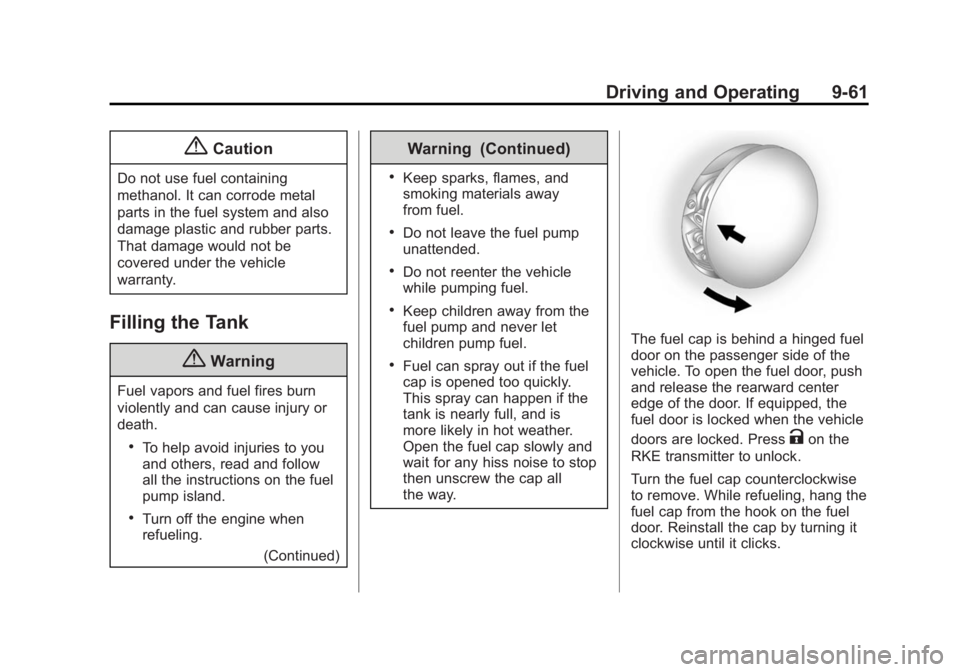
The fuel cap is behind a hinged fuel
door on the passenger side of the
vehicle. To open the fuel door, push
and release the rearward center
edge of the door. If equipped, the
fuel door is locked when the vehicle
doors are locked. Press
Kon the
RKE transmitter to unlock.
Turn the fuel cap counterclockwise
to remove. While refueling, hang the
fuel cap from the hook on the fuel
door. Reinstall the cap by turning it
clockwise until it clicks.
Page 242 of 402
Black plate (62,1)Buick LaCrosse Owner Manual (GMNA-Localizing-U.S./Canada/Mexico-
6043609) - 2014 - 2nd Edition - 10/17/13
9-62 Driving and Operating
Do not top off or overfill the tank and
wait a few seconds before removing
the nozzle. Clean fuel from painted
surfaces as soon as possible. See
Exterior Care on page 10-84.
{Warning
If a fire starts while you are
refueling, do not remove the
nozzle. Shut off the flow of fuel by
shutting off the pump or by
notifying the station attendant.
Leave the area immediately.
{Caution
If a new fuel cap is needed, be
sure to get the right type of cap
from your dealer. The wrong type
of fuel cap might not fit properly,
might cause the malfunction
indicator lamp to light, and could
damage the fuel tank and(Continued)
Caution (Continued)
emissions system. See
Malfunction Indicator Lamp on
page 5-16.
Filling a Portable Fuel
Container
{Warning
Filling a portable fuel container
while it is in the vehicle can cause
fuel vapors that can ignite either
by static electricity or other
means. You or others could be
badly burned and the vehicle
could be damaged. Always:
.Use approved fuel
containers.
.Remove the container from
the vehicle, trunk, or pickup
bed before filling.(Continued)
Warning (Continued)
.Place the container on the
ground.
.Place the nozzle inside the fill
opening of the container
before dispensing fuel, and
keep it in contact with the fill
opening until filling is
complete.
.Fill the container no more
than 95% full to allow for
expansion.
.Do not smoke, light matches,
or use lighters while
pumping fuel.
.Avoid using cell phones or
other electronic devices.