infotainment BUICK LACROSSE 2014 User Guide
[x] Cancel search | Manufacturer: BUICK, Model Year: 2014, Model line: LACROSSE, Model: BUICK LACROSSE 2014Pages: 402, PDF Size: 4.37 MB
Page 154 of 402
Black plate (44,1)Buick LaCrosse Owner Manual (GMNA-Localizing-U.S./Canada/Mexico-
6043609) - 2014 - 2nd Edition - 10/17/13
5-44 Instruments and Controls
Personalization Menus
The following list of features may be
available:
.Time and Date
.Language [Language]
.Valet Mode
.Radio
.Vehicle
.Bluetooth
.Voice
.Display
.Rear Camera
.Return to Factory Settings
.Software Information
Each menu is detailed in the
following information.
Time and Date
Manually set the time and date. See
Clock on page 5-5.
Language [Language]
Select and the following may be
displayed:
.English US
.Francais Canadian
.Espanol Latino
Select the language.
Valet Mode
To turn Valet Mode on and off, see
Valet Mode under Setting Radio
Preferences in the infotainment
manual.
Radio
To manage the radio features, see
Radio Setup under Setting Radio
Preferences in the infotainment
manual.
Vehicle
Select and the following may be
displayed:
.Climate and Air Quality
.Collision/Detection Systems
.Comfort and Convenience
.Lighting
.Power Door Locks
.Remote Lock, Unlock, Start
Climate and Air Quality
Select and the following may be
displayed:
.Auto Fan Max Speed
.Air Quality Sensor
.Auto Defog
.Auto Rear Defog
Auto Fan Max Speed
This feature will set the maximum
auto fan speed.
Select Low, Medium, or High.
Air Quality Sensor
This feature may operate the
recirculation mode automatically.
Select Off, Low Sensitivity, or High
Sensitivity.
Page 158 of 402
Black plate (48,1)Buick LaCrosse Owner Manual (GMNA-Localizing-U.S./Canada/Mexico-
6043609) - 2014 - 2nd Edition - 10/17/13
5-48 Instruments and Controls
Remote Left in Vehicle Reminder
This feature sounds an alert when
the RKE transmitter is left in the
vehicle.
Select Off or On.
Bluetooth
Select and the following may be
displayed:
.Pair New Device
.Device Management
.Ringtones
.Voice Mail Numbers
Pair New Device
Select to pair a new device. See
Pairing in Infotainment Controls
under Bluetooth in the infotainment
manual.
Device Management
Select to connect to a different
phone source, disconnect a phone,
or delete a phone. Ringtones
Press to change the ring tone for
the specific phone. The phone does
not need to be connected to change
the ring.
Voice Mail Numbers
This feature displays the voice mail
number for all connected phones.
The voice mail number may be
changed by selecting EDIT or
pressing the EDIT button and typing
in a new number, then select SAVE
or press the SAVE button.Voice
Select and the following may be
displayed:
.Prompt Length
.Audio Feedback Speed
Prompt Length
This feature adjusts the voice
prompt length.
Select Short or Long. Audio Feedback Speed
This feature adjusts the audio
feedback speed.
Select Slow, Medium, or Fast.
Display
Select and the following may be
displayed:
.Theme
.Calibrate Touchscreen
.Turn Display Off
Theme
Select to change the color, font, and
art of the displayed.
Select Contemporary, Mainstreet,
Edge, or Velocity.
Calibrate Touchscreen
Select to calibrate the touchscreen,
then follow the prompts.
Page 159 of 402
Black plate (49,1)Buick LaCrosse Owner Manual (GMNA-Localizing-U.S./Canada/Mexico-
6043609) - 2014 - 2nd Edition - 10/17/13
Instruments and Controls 5-49
Turn Display Off
Select to turn the display off. Press
anywhere on the display area or any
faceplate button to turn the
display on.
Rear Camera
Select and the following may be
displayed:
.Guidance Lines
.Rear Park Assist Symbols
Guidance Lines
Select to turn Off or On. See
Assistance Systems for Parking or
Backing on page 9-47.
Rear Park Assist Symbols
Select to turn Off or On. See
Assistance Systems for Parking or
Backing on page 9-47.
Return to Factory Settings
Select and the following may be
displayed:
.Restore Vehicle Settings
.Clear All Private Data
.Restore Radio Settings
Restore Vehicle Settings
This allows selection of restoring
vehicle settings.
Select Cancel or Restore.
Clear All Private Data
This allows selection to clear all
private information from the vehicle.
Select Cancel or Delete.
Restore Radio Settings
This allows selection to restore
radio settings.
Select Cancel or Restore.
Software Information
Select to view the infotainment
system current software information.
Universal Remote
System
See Radio Frequency Statement on
page 13-15.
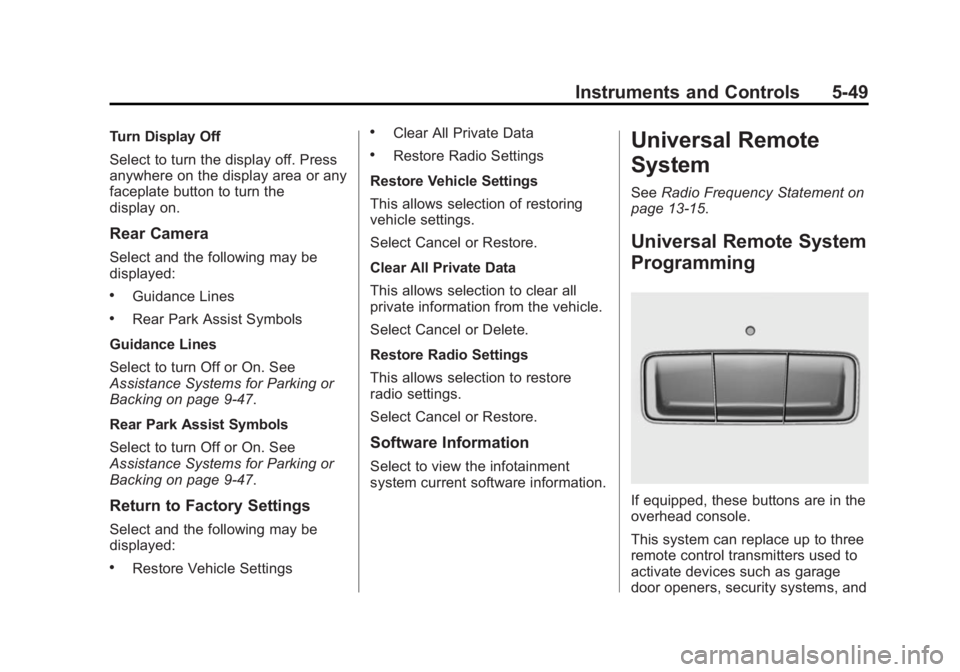
Universal Remote System
Programming
If equipped, these buttons are in the
overhead console.
This system can replace up to three
remote control transmitters used to
activate devices such as garage
door openers, security systems, and
Page 171 of 402
Black plate (1,1)Buick LaCrosse Owner Manual (GMNA-Localizing-U.S./Canada/Mexico-
6043609) - 2014 - 2nd Edition - 10/17/13
Infotainment System 7-1
Infotainment
System
Introduction
Infotainment . . . . . . . . . . . . . . . . . . . 7-1
Introduction
Infotainment
See the infotainment manual for
information on the radio, audio
players, phone, navigation system,
Rear Seat Entertainment (RSE),
and voice or speech recognition.
It also includes information on
settings.
Page 172 of 402

Black plate (2,1)Buick LaCrosse Owner Manual (GMNA-Localizing-U.S./Canada/Mexico-
6043609) - 2014 - 2nd Edition - 10/17/13
7-2 Infotainment System
2NOTES
Page 183 of 402
Black plate (3,1)Buick LaCrosse Owner Manual (GMNA-Localizing-U.S./Canada/Mexico-
6043609) - 2014 - 2nd Edition - 10/17/13
Driving and Operating 9-3
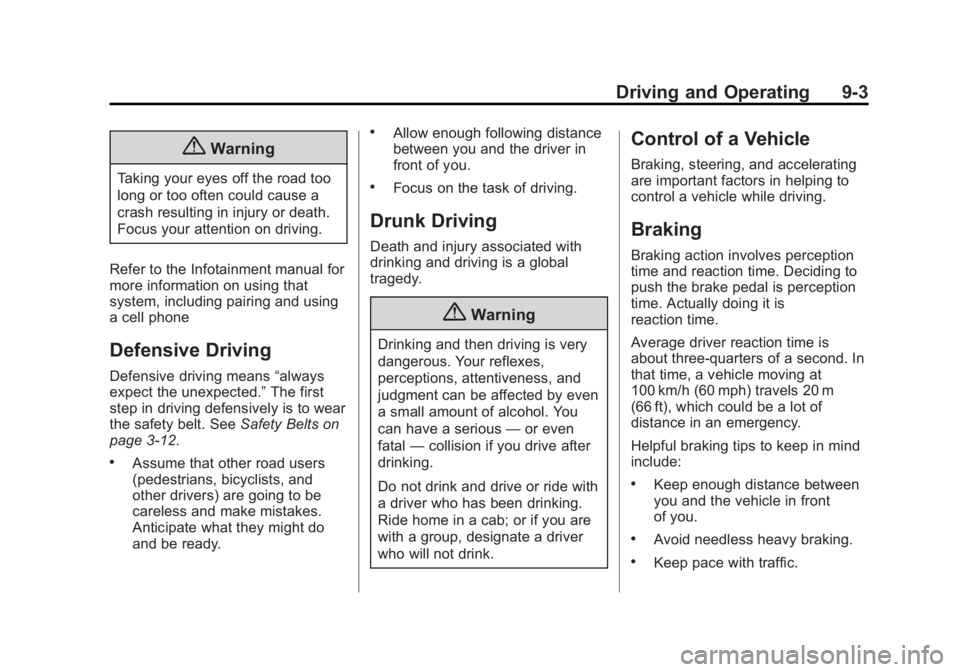
{Warning
Taking your eyes off the road too
long or too often could cause a
crash resulting in injury or death.
Focus your attention on driving.
Refer to the Infotainment manual for
more information on using that
system, including pairing and using
a cell phone
Defensive Driving
Defensive driving means “always
expect the unexpected.” The first
step in driving defensively is to wear
the safety belt. See Safety Belts on
page 3-12.
.Assume that other road users
(pedestrians, bicyclists, and
other drivers) are going to be
careless and make mistakes.
Anticipate what they might do
and be ready.
.Allow enough following distance
between you and the driver in
front of you.
.Focus on the task of driving.
Drunk Driving
Death and injury associated with
drinking and driving is a global
tragedy.
{Warning
Drinking and then driving is very
dangerous. Your reflexes,
perceptions, attentiveness, and
judgment can be affected by even
a small amount of alcohol. You
can have a serious —or even
fatal —collision if you drive after
drinking.
Do not drink and drive or ride with
a driver who has been drinking.
Ride home in a cab; or if you are
with a group, designate a driver
who will not drink.
Control of a Vehicle
Braking, steering, and accelerating
are important factors in helping to
control a vehicle while driving.
Braking
Braking action involves perception
time and reaction time. Deciding to
push the brake pedal is perception
time. Actually doing it is
reaction time.
Average driver reaction time is
about three-quarters of a second. In
that time, a vehicle moving at
100 km/h (60 mph) travels 20 m
(66 ft), which could be a lot of
distance in an emergency.
Helpful braking tips to keep in mind
include:
.Keep enough distance between
you and the vehicle in front
of you.
.Avoid needless heavy braking.
.Keep pace with traffic.
Page 204 of 402
Black plate (24,1)Buick LaCrosse Owner Manual (GMNA-Localizing-U.S./Canada/Mexico-
6043609) - 2014 - 2nd Edition - 10/17/13
9-24 Driving and Operating
Retained Accessory
Power (RAP)
These vehicle accessories can be
used for up to 10 minutes after the
engine is turned off:
.Infotainment System
.Power Windows
.Sunroof (If Equipped)
.Auxiliary Power Outlet
Power to the audio system will
continue to operate for up to
10 minutes or until the driver door is
opened.
Power to the power windows and
sunroof will continue to operate for
up to 10 minutes or until any door is
opened.
All of these features will work when
the ignition is in ON/RUN or ACC/
ACCESSORY.
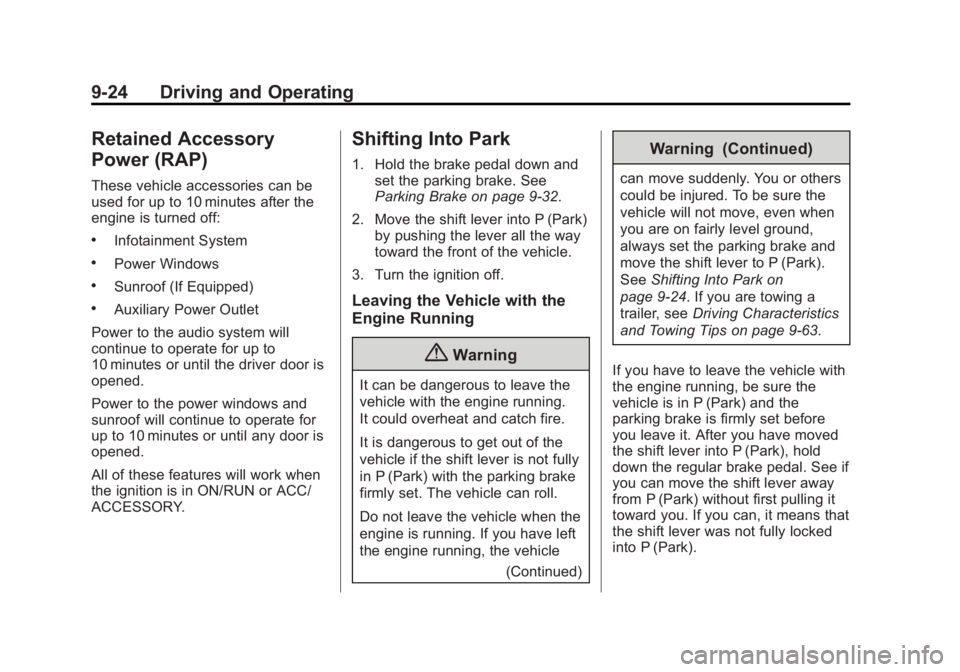
Shifting Into Park
1. Hold the brake pedal down and set the parking brake. See
Parking Brake on page 9-32.
2. Move the shift lever into P (Park) by pushing the lever all the way
toward the front of the vehicle.
3. Turn the ignition off.
Leaving the Vehicle with the
Engine Running
{Warning
It can be dangerous to leave the
vehicle with the engine running.
It could overheat and catch fire.
It is dangerous to get out of the
vehicle if the shift lever is not fully
in P (Park) with the parking brake
firmly set. The vehicle can roll.
Do not leave the vehicle when the
engine is running. If you have left
the engine running, the vehicle (Continued)
Warning (Continued)
can move suddenly. You or others
could be injured. To be sure the
vehicle will not move, even when
you are on fairly level ground,
always set the parking brake and
move the shift lever to P (Park).
SeeShifting Into Park on
page 9-24. If you are towing a
trailer, see Driving Characteristics
and Towing Tips on page 9-63.
If you have to leave the vehicle with
the engine running, be sure the
vehicle is in P (Park) and the
parking brake is firmly set before
you leave it. After you have moved
the shift lever into P (Park), hold
down the regular brake pedal. See if
you can move the shift lever away
from P (Park) without first pulling it
toward you. If you can, it means that
the shift lever was not fully locked
into P (Park).
Page 230 of 402
Black plate (50,1)Buick LaCrosse Owner Manual (GMNA-Localizing-U.S./Canada/Mexico-
6043609) - 2014 - 2nd Edition - 10/17/13
9-50 Driving and Operating
next to the button comes on when
the feature is on and turns off when
the feature has been disabled.
Turn off parking assist when towing
a trailer.
The Rear Vision Camera (RVC), the
parking assist symbols, guidance
lines, and Rear Cross Traffic Alert
(RCTA) can be turned on or off
through the Settings menu on the
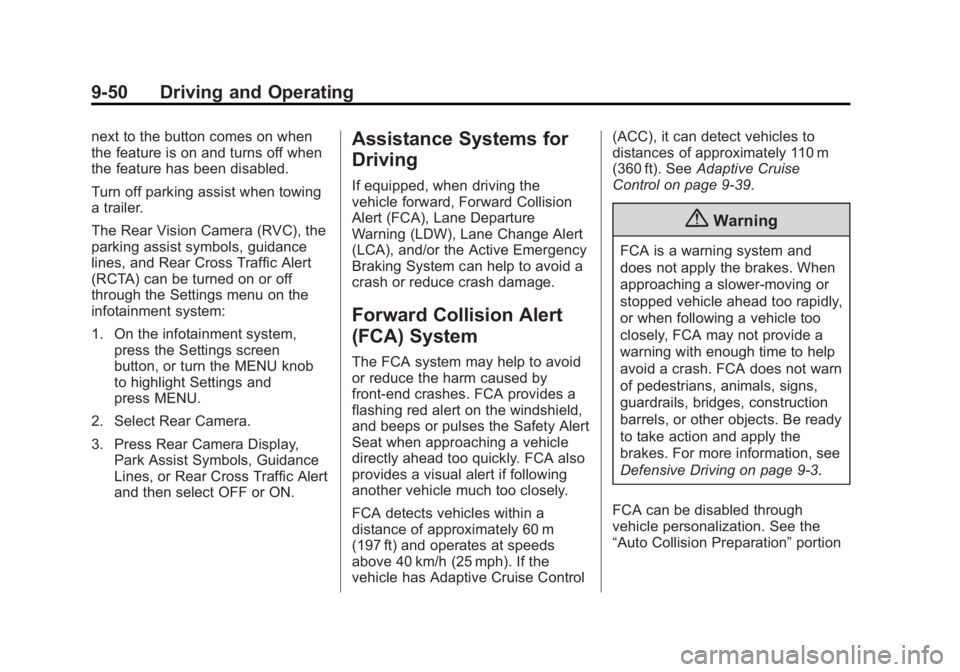
infotainment system:
1. On the infotainment system,press the Settings screen
button, or turn the MENU knob
to highlight Settings and
press MENU.
2. Select Rear Camera.
3. Press Rear Camera Display, Park Assist Symbols, Guidance
Lines, or Rear Cross Traffic Alert
and then select OFF or ON.Assistance Systems for
Driving
If equipped, when driving the
vehicle forward, Forward Collision
Alert (FCA), Lane Departure
Warning (LDW), Lane Change Alert
(LCA), and/or the Active Emergency
Braking System can help to avoid a
crash or reduce crash damage.
Forward Collision Alert
(FCA) System
The FCA system may help to avoid
or reduce the harm caused by
front-end crashes. FCA provides a
flashing red alert on the windshield,
and beeps or pulses the Safety Alert
Seat when approaching a vehicle
directly ahead too quickly. FCA also
provides a visual alert if following
another vehicle much too closely.
FCA detects vehicles within a
distance of approximately 60 m
(197 ft) and operates at speeds
above 40 km/h (25 mph). If the
vehicle has Adaptive Cruise Control (ACC), it can detect vehicles to
distances of approximately 110 m
(360 ft). See
Adaptive Cruise
Control on page 9-39.
{Warning
FCA is a warning system and
does not apply the brakes. When
approaching a slower-moving or
stopped vehicle ahead too rapidly,
or when following a vehicle too
closely, FCA may not provide a
warning with enough time to help
avoid a crash. FCA does not warn
of pedestrians, animals, signs,
guardrails, bridges, construction
barrels, or other objects. Be ready
to take action and apply the
brakes. For more information, see
Defensive Driving on page 9-3.
FCA can be disabled through
vehicle personalization. See the
“Auto Collision Preparation” portion
Page 289 of 402
Black plate (41,1)Buick LaCrosse Owner Manual (GMNA-Localizing-U.S./Canada/Mexico-
6043609) - 2014 - 2nd Edition - 10/17/13
Vehicle Care 10-41
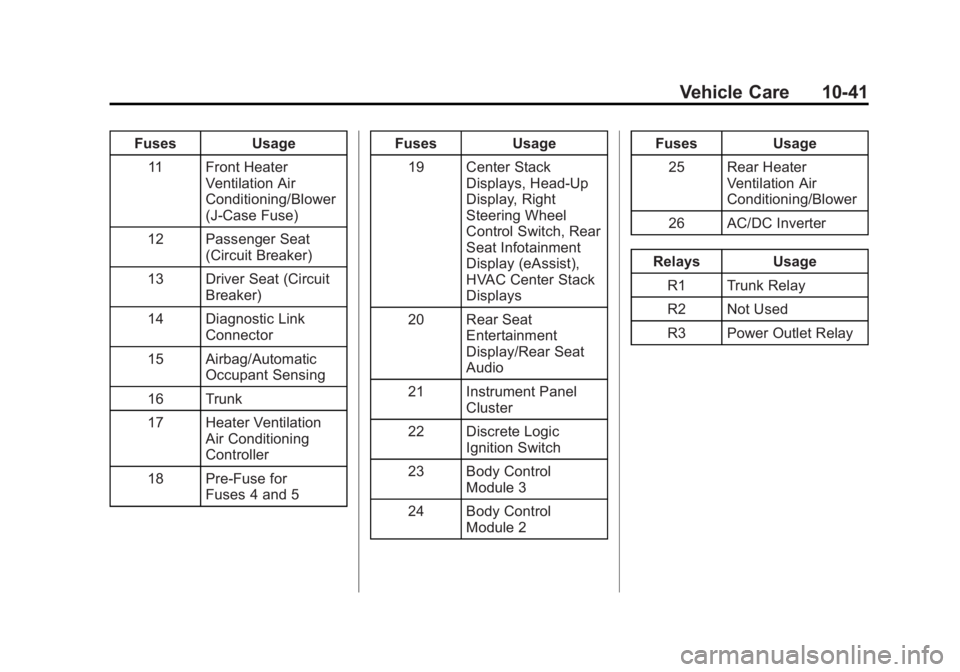
FusesUsage
11 Front Heater Ventilation Air
Conditioning/Blower
(J-Case Fuse)
12 Passenger Seat (Circuit Breaker)
13 Driver Seat (Circuit Breaker)
14 Diagnostic Link Connector
15 Airbag/Automatic Occupant Sensing
16 Trunk
17 Heater Ventilation Air Conditioning
Controller
18 Pre-Fuse for Fuses 4 and 5 Fuses
Usage
19 Center Stack Displays, Head-Up
Display, Right
Steering Wheel
Control Switch, Rear
Seat Infotainment
Display (eAssist),
HVAC Center Stack
Displays
20 Rear Seat Entertainment
Display/Rear Seat
Audio
21 Instrument Panel Cluster
22 Discrete Logic Ignition Switch
23 Body Control Module 3
24 Body Control Module 2 Fuses
Usage
25 Rear Heater Ventilation Air
Conditioning/Blower
26 AC/DC Inverter
Relays Usage
R1 Trunk Relay
R2 Not Used
R3 Power Outlet Relay
Page 363 of 402
Black plate (1,1)Buick LaCrosse Owner Manual (GMNA-Localizing-U.S./Canada/Mexico-
6043609) - 2014 - 2nd Edition - 10/17/13
Customer Information 13-1
Customer
Information
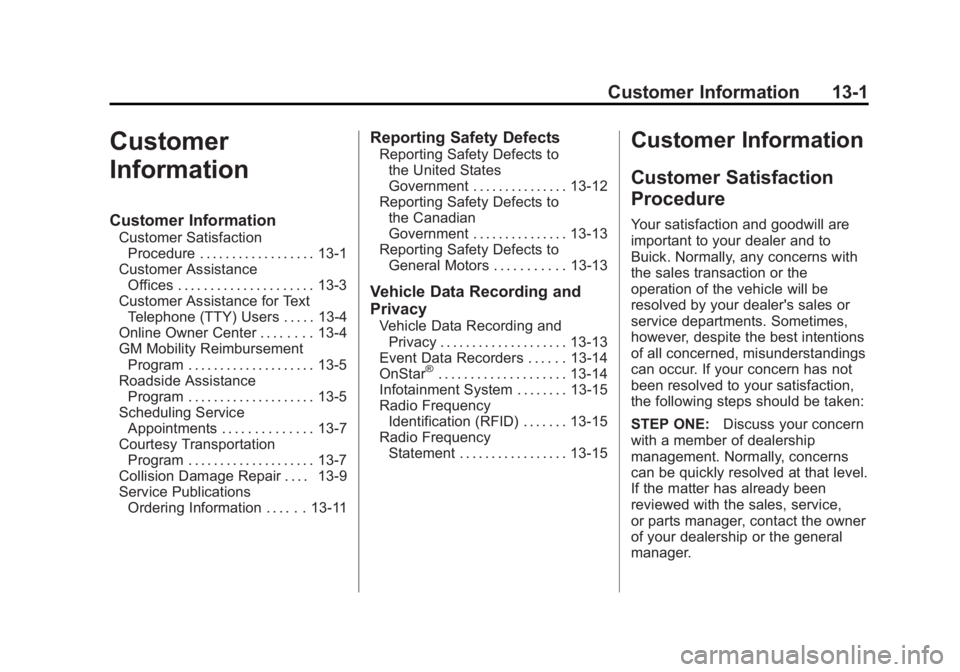
Customer Information
Customer SatisfactionProcedure . . . . . . . . . . . . . . . . . . 13-1
Customer Assistance Offices . . . . . . . . . . . . . . . . . . . . . 13-3
Customer Assistance for Text Telephone (TTY) Users . . . . . 13-4
Online Owner Center . . . . . . . . 13-4
GM Mobility Reimbursement Program . . . . . . . . . . . . . . . . . . . . 13-5
Roadside Assistance Program . . . . . . . . . . . . . . . . . . . . 13-5
Scheduling Service Appointments . . . . . . . . . . . . . . 13-7
Courtesy Transportation Program . . . . . . . . . . . . . . . . . . . . 13-7
Collision Damage Repair . . . . 13-9
Service Publications Ordering Information . . . . . . 13-11
Reporting Safety Defects
Reporting Safety Defects tothe United States
Government . . . . . . . . . . . . . . . 13-12
Reporting Safety Defects to the Canadian
Government . . . . . . . . . . . . . . . 13-13
Reporting Safety Defects to General Motors . . . . . . . . . . . 13-13
Vehicle Data Recording and
Privacy
Vehicle Data Recording andPrivacy . . . . . . . . . . . . . . . . . . . . 13-13
Event Data Recorders . . . . . . 13-14
OnStar
®. . . . . . . . . . . . . . . . . . . . 13-14
Infotainment System . . . . . . . . 13-15
Radio Frequency Identification (RFID) . . . . . . . 13-15
Radio Frequency Statement . . . . . . . . . . . . . . . . . 13-15
Customer Information
Customer Satisfaction
Procedure
Your satisfaction and goodwill are
important to your dealer and to
Buick. Normally, any concerns with
the sales transaction or the
operation of the vehicle will be
resolved by your dealer's sales or
service departments. Sometimes,
however, despite the best intentions
of all concerned, misunderstandings
can occur. If your concern has not
been resolved to your satisfaction,
the following steps should be taken:
STEP ONE: Discuss your concern
with a member of dealership
management. Normally, concerns
can be quickly resolved at that level.
If the matter has already been
reviewed with the sales, service,
or parts manager, contact the owner
of your dealership or the general
manager.