Driver information BUICK LACROSSE 2016 Owner's Manual
[x] Cancel search | Manufacturer: BUICK, Model Year: 2016, Model line: LACROSSE, Model: BUICK LACROSSE 2016Pages: 367, PDF Size: 5.33 MB
Page 6 of 367
Buick LaCrosse Owner Manual (GMNA-Localizing-U.S./Canada/Mexico-
9159288) - 2016 - CRC - 10/5/15
In Brief 5
In Brief
Instrument Panel
Instrument Panel . . . . . . . . . . . . . . . . 6
Initial Drive Information
Initial Drive Information . . . . . . . . . . 8
Remote Keyless Entry (RKE)System . . . . . . . . . . . . . . . . . . . . . . . . 8
Remote Vehicle Start . . . . . . . . . . . 8
Door Locks . . . . . . . . . . . . . . . . . . . . . 9
Trunk Release . . . . . . . . . . . . . . . . . . 9
Windows . . . . . . . . . . . . . . . . . . . . . . . . 9
Seat Adjustment . . . . . . . . . . . . . . . 10
Memory Features . . . . . . . . . . . . . . 12
Heated and Ventilated Seats . . . 12
Head Restraint Adjustment . . . . 13
Safety Belts . . . . . . . . . . . . . . . . . . . . 13
Passenger Sensing System . . . 13
Mirror Adjustment . . . . . . . . . . . . . . 14
Steering Wheel Adjustment . . . . 15
Interior Lighting . . . . . . . . . . . . . . . . 15
Exterior Lighting . . . . . . . . . . . . . . . 16
Windshield Wiper/Washer . . . . . . 16
Climate Controls . . . . . . . . . . . . . . . 17
Transmission . . . . . . . . . . . . . . . . . . 18
Vehicle Features
Infotainment System . . . . . . . . . . . 18
Steering Wheel Controls . . . . . . . 18 Cruise Control . . . . . . . . . . . . . . . . . 18
Driver Information
Center (DIC) . . . . . . . . . . . . . . . . . 19
Forward Collision Alert (FCA) System . . . . . . . . . . . . . . . . . . . . . . . 19
Front Automatic Braking (FAB) System . . . . . . . . . . . . . . . . . . . . . . . 19
Lane Departure Warning (LDW) . . . . . . . . . . . . . . . 19
Lane Change Alert (LCA) . . . . . . 20
Rear Vision Camera (RVC) . . . . 20
Rear Cross Traffic Alert (RCTA) System . . . . . . . . . . . . . . . . . . . . . . . 20
Parking Assist . . . . . . . . . . . . . . . . . 20
Power Outlets . . . . . . . . . . . . . . . . . 20
Universal Remote System . . . . . 21
Sunroof . . . . . . . . . . . . . . . . . . . . . . . . 21
eAssist Features
eAssist®Overview . . . . . . . . . . . . . 22
High Voltage Safety Information . . . . . . . . . . . . . . . . . . . 22
Automatic Engine Start/Stop Feature . . . . . . . . . . . . . . . . . . . . . . . 22
Regenerative Braking . . . . . . . . . . 23
Battery . . . . . . . . . . . . . . . . . . . . . . . . . 23
Service . . . . . . . . . . . . . . . . . . . . . . . . 23
Performance and Maintenance
Traction Control/Electronic Stability Control . . . . . . . . . . . . . . 23 Tire Pressure Monitor . . . . . . . . . . 24
Engine Oil Life System . . . . . . . . 24
E85 or FlexFuel . . . . . . . . . . . . . . . . 25
Driving for Better Fuel
Economy . . . . . . . . . . . . . . . . . . . . . 25
Roadside Assistance Program . . . . . . . . . . . . . . . . . . . . . . 25
Page 8 of 367

Buick LaCrosse Owner Manual (GMNA-Localizing-U.S./Canada/Mexico-
9159288) - 2016 - CRC - 10/5/15
In Brief 7
1.Exterior Lamp Controls 0148.
Fog Lamps 0151 (If
Equipped).
Instrument Panel Illumination
Control 0152.
Head-Up Display (HUD) 0126
(If Equipped).
2. Air Vents 0161.
3. Turn Signal Lever. See Turn
and Lane-Change
Signals 0151.
4. Instrument Cluster 0106.
Driver Information Center
Display. See Driver Information
Center (DIC) 0123.
5. Windshield Wiper/
Washer 0102.
6. Hazard Warning
Flashers 0151.
Lane Departure Warning
(LDW) 0213 (If Equipped).
Rear Parking Assist Button (If
Equipped). See Assistance
Systems for Parking or
Backing 0205. 7. Light Sensor. See
Automatic
Headlamp System 0149.
8. Infotainment 0156.
9. Heated and Ventilated Front
Seats 056 (If Equipped).
10. Dual Automatic Climate Control
System 0157.
11. Parking Brake 0190.
Traction Control/Electronic
Stability Control 0192.
12. Shift Lever. See Automatic
Transmission 0186.
13. Ignition Positions (Keyless
Access) 0175 orIgnition
Positions (Key Access) 0176.
14. Steering Wheel Controls 0101
(If Equipped).
Driver Information Center (DIC)
Buttons. See Driver Information
Center (DIC) 0123.
15. Horn 0102.
16. Steering Wheel
Adjustment 0101. 17.
Cruise Control 0195.
Forward Collision Alert (FCA)
System 0208 (If Equipped).
18. Hood Release. See Hood 0230.
19. Front Storage 098.
20. Data Link Connector (DLC) (Out of View). See Malfunction
Indicator Lamp (Check Engine
Light) 0114.
Page 9 of 367
Buick LaCrosse Owner Manual (GMNA-Localizing-U.S./Canada/Mexico-
9159288) - 2016 - CRC - 10/5/15
8 In Brief
Initial Drive
Information
This section provides a brief
overview about some of the
important features that may or may
not be on your specific vehicle.
For more detailed information, refer
to each of the features which can be
found later in this owner manual.
Remote Keyless Entry
(RKE) System
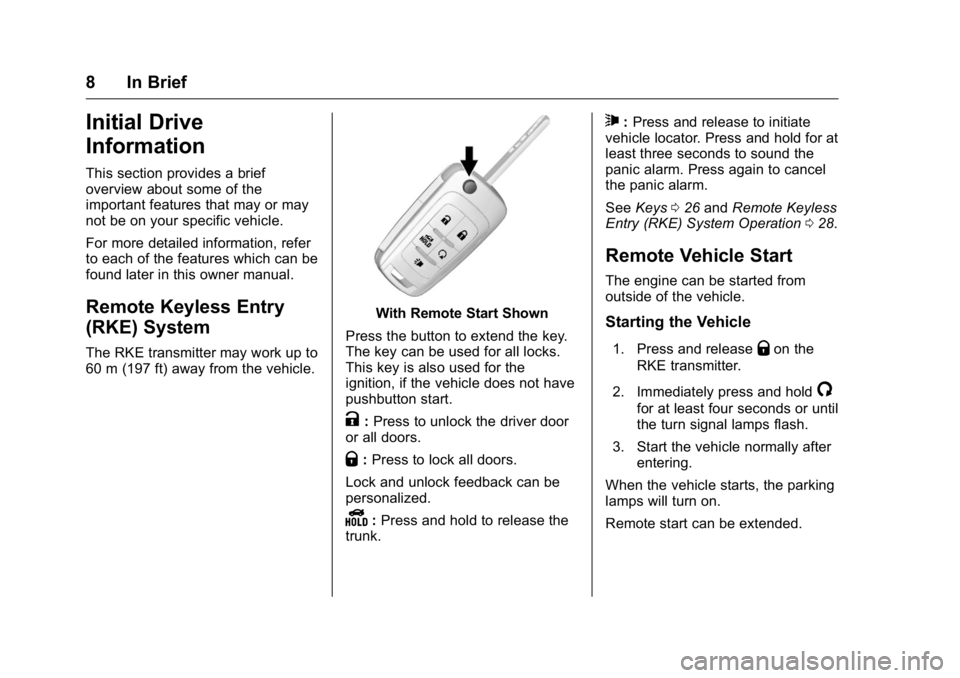
The RKE transmitter may work up to
60 m (197 ft) away from the vehicle.
With Remote Start Shown
Press the button to extend the key.
The key can be used for all locks.
This key is also used for the
ignition, if the vehicle does not have
pushbutton start.
K: Press to unlock the driver door
or all doors.
Q: Press to lock all doors.
Lock and unlock feedback can be
personalized.
Y: Press and hold to release the
trunk.
7: Press and release to initiate
vehicle locator. Press and hold for at
least three seconds to sound the
panic alarm. Press again to cancel
the panic alarm.
See Keys 026 and Remote Keyless
Entry (RKE) System Operation 028.
Remote Vehicle Start
The engine can be started from
outside of the vehicle.
Starting the Vehicle
1. Press and releaseQon the
RKE transmitter.
2. Immediately press and hold
/
for at least four seconds or until
the turn signal lamps flash.
3. Start the vehicle normally after entering.
When the vehicle starts, the parking
lamps will turn on.
Remote start can be extended.
Page 15 of 367
Buick LaCrosse Owner Manual (GMNA-Localizing-U.S./Canada/Mexico-
9159288) - 2016 - CRC - 10/5/15
14 In Brief
Mirror Adjustment
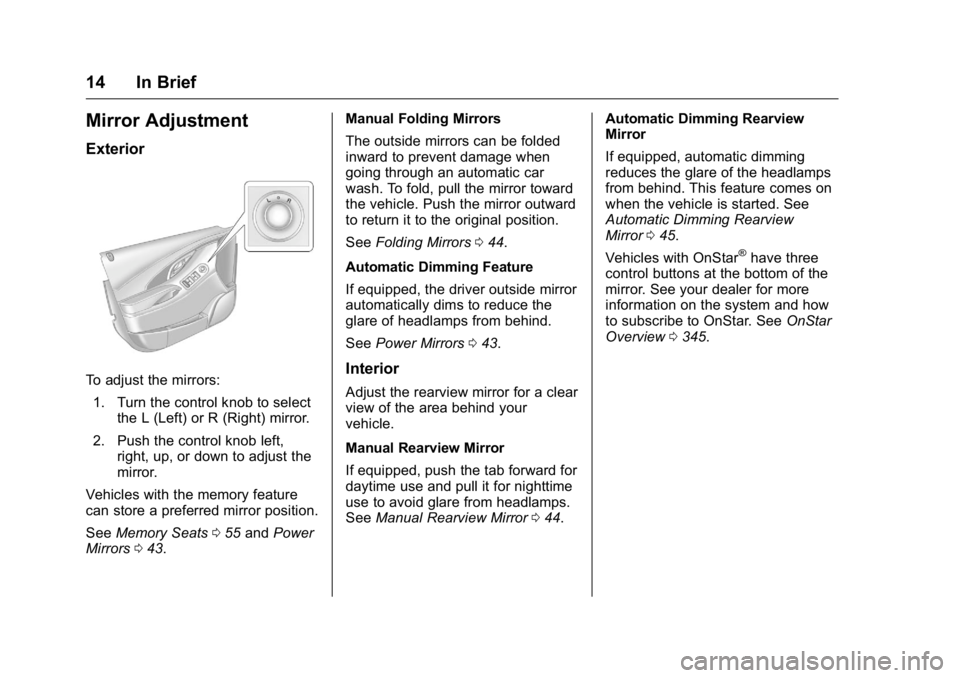
Exterior
To adjust the mirrors:1. Turn the control knob to select the L (Left) or R (Right) mirror.
2. Push the control knob left, right, up, or down to adjust the
mirror.
Vehicles with the memory feature
can store a preferred mirror position.
See Memory Seats 055 and Power
Mirrors 043. Manual Folding Mirrors
The outside mirrors can be folded
inward to prevent damage when
going through an automatic car
wash. To fold, pull the mirror toward
the vehicle. Push the mirror outward
to return it to the original position.
See
Folding Mirrors 044.
Automatic Dimming Feature
If equipped, the driver outside mirror
automatically dims to reduce the
glare of headlamps from behind.
See Power Mirrors 043.Interior
Adjust the rearview mirror for a clear
view of the area behind your
vehicle.
Manual Rearview Mirror
If equipped, push the tab forward for
daytime use and pull it for nighttime
use to avoid glare from headlamps.
See Manual Rearview Mirror 044. Automatic Dimming Rearview
Mirror
If equipped, automatic dimming
reduces the glare of the headlamps
from behind. This feature comes on
when the vehicle is started. See
Automatic Dimming Rearview
Mirror
045.
Vehicles with OnStar
®have three
control buttons at the bottom of the
mirror. See your dealer for more
information on the system and how
to subscribe to OnStar. See OnStar
Overview 0345.
Page 19 of 367
Buick LaCrosse Owner Manual (GMNA-Localizing-U.S./Canada/Mexico-
9159288) - 2016 - CRC - 10/5/15
18 In Brief
9. Recirculation/AutoRecirculation
10. A/C (Air Conditioning)
11. Power
See Dual Automatic Climate Control
System 0157.
Transmission
Automatic Transmission
Driver Shift Control (DSC)
Driver Shift Control (DSC) allows
shifting an automatic transmission
similar to a manual transmission.
DSC can be enabled through the
shift lever. See Manual Mode0188.
Vehicle Features
Infotainment System
See the infotainment manual for
information on the radio, audio
players, phone, navigation system,
Rear Seat Entertainment (RSE),
and voice or speech recognition.
It also includes information on
settings.
Steering Wheel Controls
The infotainment system can be
operated by using the steering
wheel controls. See "Steering
Wheel Controls" in the infotainment
manual.
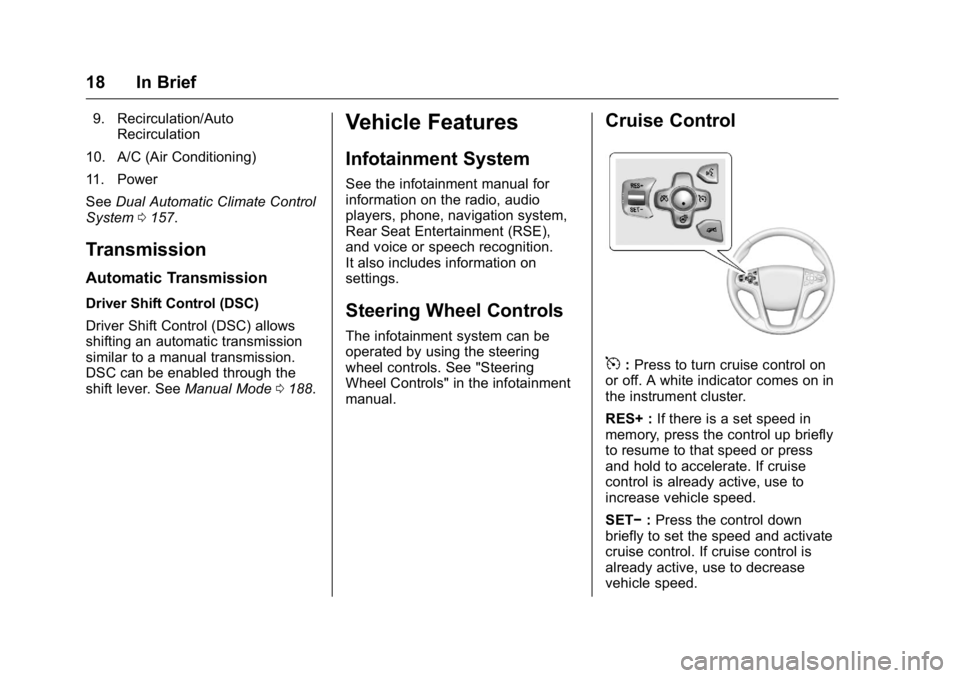
Cruise Control
5:Press to turn cruise control on
or off. A white indicator comes on in
the instrument cluster.
RES+ : If there is a set speed in
memory, press the control up briefly
to resume to that speed or press
and hold to accelerate. If cruise
control is already active, use to
increase vehicle speed.
SET− :Press the control down
briefly to set the speed and activate
cruise control. If cruise control is
already active, use to decrease
vehicle speed.
Page 20 of 367

Buick LaCrosse Owner Manual (GMNA-Localizing-U.S./Canada/Mexico-
9159288) - 2016 - CRC - 10/5/15
In Brief 19
*:Press to disengage cruise
control without erasing the set
speed from memory.
See Cruise Control 0195 and
Adaptive Cruise Control 0197 (if
equipped).
Driver Information
Center (DIC)
The DIC display is in the instrument
cluster. It shows the status of many
vehicle systems.
yorz: Press to move up or
down in a list.
SorT: PressSto open
application menus on the left.
Press
Tto open interaction menus
on the right.
V: Press to open a menu or select
a menu item. Press and hold to
reset values on certain screens.
See Driver Information Center
(DIC) 0123.
Forward Collision Alert
(FCA) System
If equipped, FCA may help avoid or
reduce the harm caused by
front-end crashes. FCA provides a
green indicator,
V, when a vehicle
is detected ahead. This indicator
displays amber if you follow a
vehicle much too closely. When
approaching a vehicle ahead too
quickly, FCA provides a flashing red
alert on the windshield and rapidly
beeps or pulses the driver seat.
See Forward Collision Alert (FCA)
System 0208.
Front Automatic Braking
(FAB) System
If the vehicle has Adaptive Cruise
Control (ACC), it also has FAB,
which includes Intelligent Brake
Assist (IBA). When the system
detects a vehicle ahead in your path
that is traveling in the same
direction that you may be about to
crash into, it can provide a boost to
braking or automatically brake the
vehicle. This can help avoid or
lessen the severity of crashes when
driving in a forward gear.
See Front Automatic Braking (FAB)
System 0210.
Lane Departure
Warning (LDW)
If equipped, LDW may help avoid
unintentional lane departures at
speeds of 56 km/h (35 mph) or
greater. LDW uses a camera sensor
to detect the lane markings. The
LDW light,
@, is green if a lane
marking is detected. If the vehicle
departs the lane, the light will
Page 24 of 367
Buick LaCrosse Owner Manual (GMNA-Localizing-U.S./Canada/Mexico-
9159288) - 2016 - CRC - 10/5/15
In Brief 23
accelerator pedal is applied, the
engine will restart. The engine will
continue to run until the next
auto stop.
AUTO STOP on the tachometer
signifies that the engine is in auto
stop mode. SeeTachometer0109
for more information. A chime will
sound when the driver door is
opened while in auto stop mode.
Remember to shift to P (Park) and
turn the ignition to LOCK/OFF
before exiting the vehicle.
See Starting the Engine 0178.
Regenerative Braking
Regenerative braking takes some of
the energy from the moving vehicle
and turns it into electrical energy.
This energy is then stored in the
vehicle's high voltage battery
system, contributing to increased
fuel efficiency.
The system works whenever the
accelerator pedal is released, and
increases the energy captured as
more brake pedal is applied.
Battery
This vehicle has a standard 12-volt
battery. Refer to the replacement
number on the original battery label
when a new standard 12-volt battery
is needed.
Vehicles with eAssist also have a
high voltage battery. Only a trained
service technician with the proper
knowledge and tools should inspect,
test, or replace the high voltage
battery. See your dealer if the high
voltage battery needs service. See
Battery - North America 0250.
Service
Never try to do your own service on
eAssist components. You can be
injured and the vehicle can be
damaged if you try to do your own
service work. Service and repair of
these high voltage components
should only be performed by a
trained service technician with the
proper knowledge and tools. See
Doing Your Own Service
Work 0229.
Performance and
Maintenance
Traction Control/
Electronic Stability
Control
The traction control system limits
wheel spin. The system turns on
automatically every time the vehicle
is started.
.
To turn off traction control, press
and release the Traction Control
System (TCS)/StabiliTrak button
on the center console behind the
shift lever.
iilluminates and the
appropriate DIC message is
displayed. See Ride Control
System Messages 0136.
. Press and release the TCS/
StabiliTrak button again to turn
on traction control.
. To turn off both TCS and
StabiliTrak, press and hold the
TCS/StabiliTrak button on the
center console behind the shift
lever, until
iandgilluminate
Page 25 of 367
Buick LaCrosse Owner Manual (GMNA-Localizing-U.S./Canada/Mexico-
9159288) - 2016 - CRC - 10/5/15
24 In Brief
and the appropriate DIC
message is displayed. SeeRide
Control System
Messages 0136.
. Press and release the TCS/
StabiliTrak button to turn on both
systems.
See Traction Control/Electronic
Stability Control 0192.
Tire Pressure Monitor
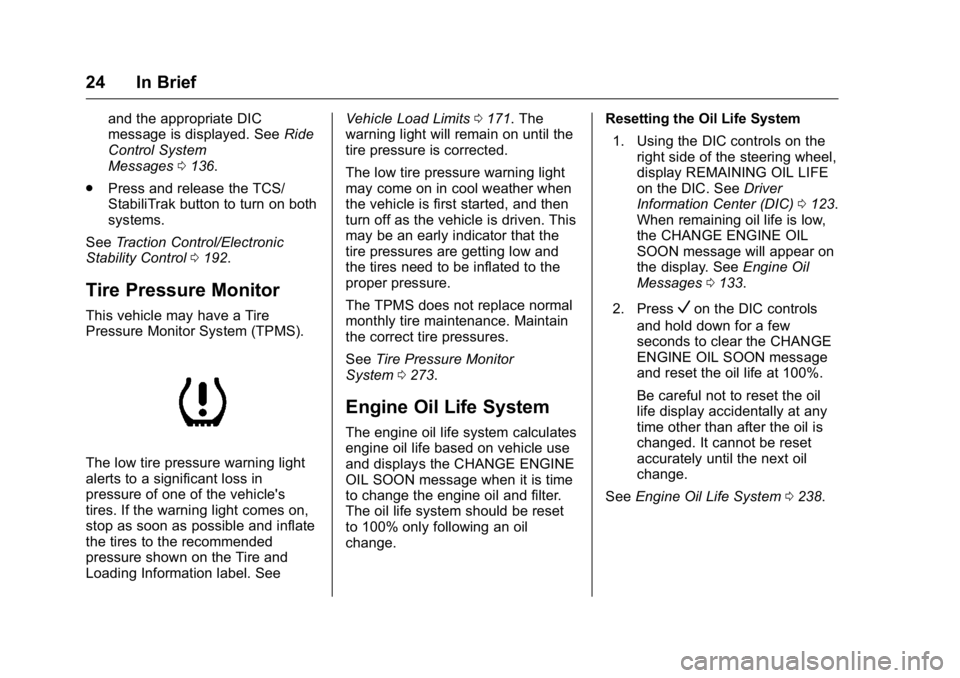
This vehicle may have a Tire
Pressure Monitor System (TPMS).
The low tire pressure warning light
alerts to a significant loss in
pressure of one of the vehicle's
tires. If the warning light comes on,
stop as soon as possible and inflate
the tires to the recommended
pressure shown on the Tire and
Loading Information label. See Vehicle Load Limits
0171. The
warning light will remain on until the
tire pressure is corrected.
The low tire pressure warning light
may come on in cool weather when
the vehicle is first started, and then
turn off as the vehicle is driven. This
may be an early indicator that the
tire pressures are getting low and
the tires need to be inflated to the
proper pressure.
The TPMS does not replace normal
monthly tire maintenance. Maintain
the correct tire pressures.
See Tire Pressure Monitor
System 0273.
Engine Oil Life System
The engine oil life system calculates
engine oil life based on vehicle use
and displays the CHANGE ENGINE
OIL SOON message when it is time
to change the engine oil and filter.
The oil life system should be reset
to 100% only following an oil
change. Resetting the Oil Life System
1. Using the DIC controls on the right side of the steering wheel,
display REMAINING OIL LIFE
on the DIC. See Driver
Information Center (DIC) 0123.
When remaining oil life is low,
the CHANGE ENGINE OIL
SOON message will appear on
the display. See Engine Oil
Messages 0133.
2. Press
Von the DIC controls
and hold down for a few
seconds to clear the CHANGE
ENGINE OIL SOON message
and reset the oil life at 100%.
Be careful not to reset the oil
life display accidentally at any
time other than after the oil is
changed. It cannot be reset
accurately until the next oil
change.
See Engine Oil Life System 0238.
Page 33 of 367
Buick LaCrosse Owner Manual (GMNA-Localizing-U.S./Canada/Mexico-
9159288) - 2016 - CRC - 10/5/15
32 Keys, Doors, and Windows
2. Insert the vehicle key of thenew transmitter into the key
lock cylinder on the outside of
the driver door and turn the key
to the unlock position five times
within 10 seconds.
The Driver Information Center
(DIC) displays READY FOR
REMOTE #2, 3, 4 or 5.
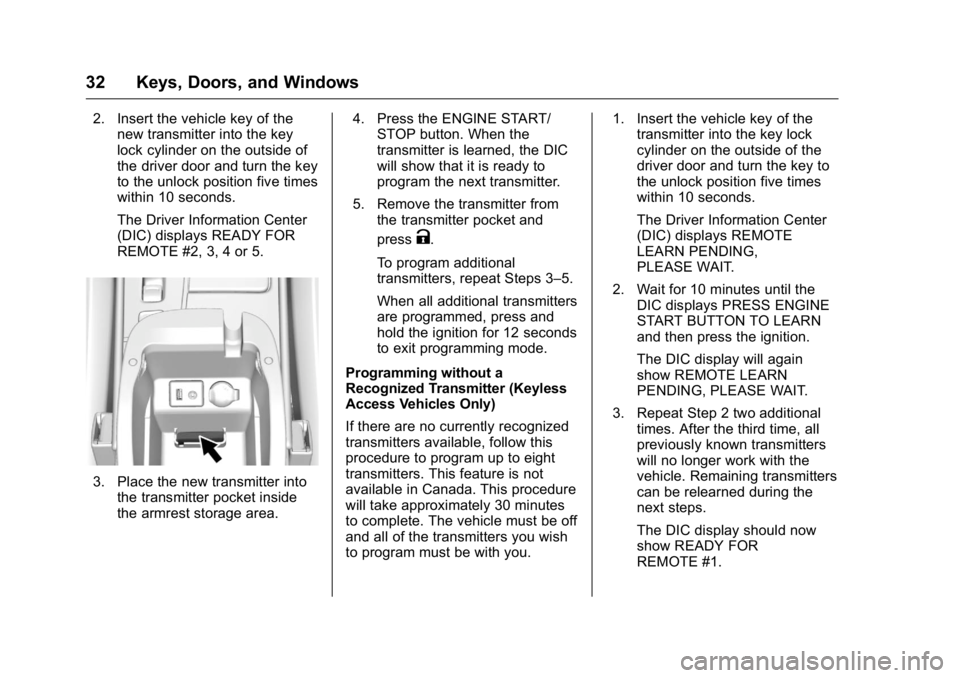
3. Place the new transmitter into
the transmitter pocket inside
the armrest storage area. 4. Press the ENGINE START/
STOP button. When the
transmitter is learned, the DIC
will show that it is ready to
program the next transmitter.
5. Remove the transmitter from the transmitter pocket and
press
K.
To program additional
transmitters, repeat Steps 3–5.
When all additional transmitters
are programmed, press and
hold the ignition for 12 seconds
to exit programming mode.
Programming without a
Recognized Transmitter (Keyless
Access Vehicles Only)
If there are no currently recognized
transmitters available, follow this
procedure to program up to eight
transmitters. This feature is not
available in Canada. This procedure
will take approximately 30 minutes
to complete. The vehicle must be off
and all of the transmitters you wish
to program must be with you. 1. Insert the vehicle key of the
transmitter into the key lock
cylinder on the outside of the
driver door and turn the key to
the unlock position five times
within 10 seconds.
The Driver Information Center
(DIC) displays REMOTE
LEARN PENDING,
PLEASE WAIT.
2. Wait for 10 minutes until the DIC displays PRESS ENGINE
START BUTTON TO LEARN
and then press the ignition.
The DIC display will again
show REMOTE LEARN
PENDING, PLEASE WAIT.
3. Repeat Step 2 two additional times. After the third time, all
previously known transmitters
will no longer work with the
vehicle. Remaining transmitters
can be relearned during the
next steps.
The DIC display should now
show READY FOR
REMOTE #1.
Page 37 of 367
Buick LaCrosse Owner Manual (GMNA-Localizing-U.S./Canada/Mexico-
9159288) - 2016 - CRC - 10/5/15
36 Keys, Doors, and Windows
Warning (Continued)
vehicle in a crash is
increased if the doors are
not locked. So, all
passengers should wear
safety belts properly and the
doors should be locked
whenever the vehicle is
driven.
. Young children who get into
unlocked vehicles may be
unable to get out. A child
can be overcome by
extreme heat and can suffer
permanent injuries or even
death from heat stroke.
Always lock the vehicle
whenever leaving it.
. Outsiders can easily enter
through an unlocked door
when slowing or stopping
the vehicle. Lock the doors
to help prevent this from
happening. To lock or unlock the doors from the
outside, press
QorKon the
Remote Keyless Entry (RKE)
transmitter or use the key in the
door. See Remote Keyless Entry
(RKE) System Operation 028.
To lock or unlock the doors from the
inside:
. Press
QorKon a power door
lock switch.
. If equipped with Keyless Access,
pushing down the manual lock
knob on the driver door will lock
all doors. Pushing down the
manual lock knob on a
passenger door will lock that
door only.
. Pulling the door handle once will
unlock the door. Pulling the door
handle again will unlatch it.
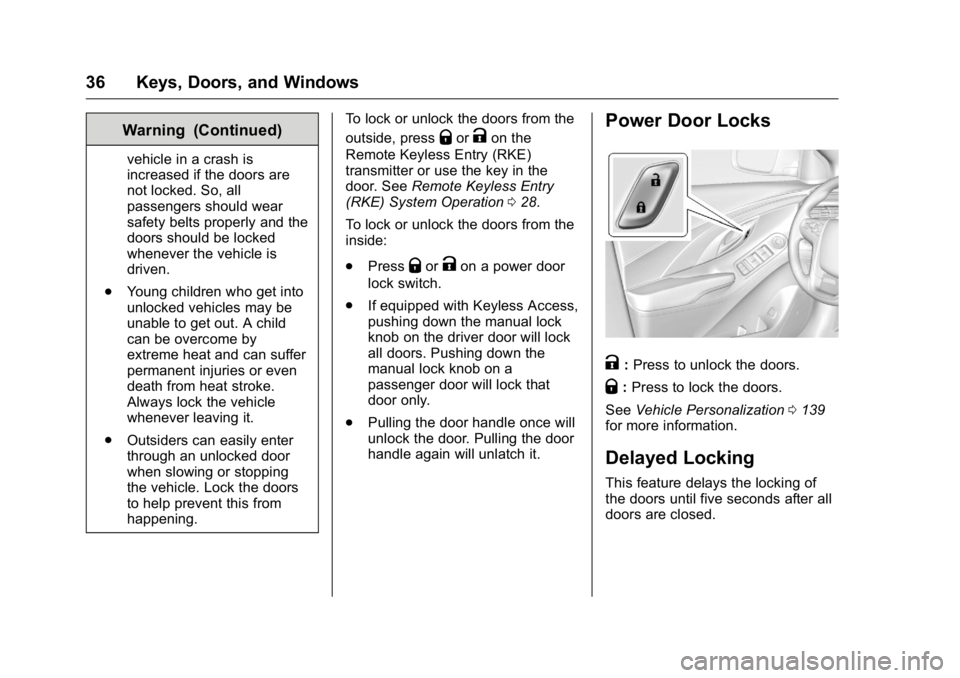
Power Door Locks
K:Press to unlock the doors.
Q: Press to lock the doors.
See Vehicle Personalization 0139
for more information.
Delayed Locking
This feature delays the locking of
the doors until five seconds after all
doors are closed.