lower control BUICK LACROSSE 2017 User Guide
[x] Cancel search | Manufacturer: BUICK, Model Year: 2017, Model line: LACROSSE, Model: BUICK LACROSSE 2017Pages: 346, PDF Size: 4.73 MB
Page 166 of 346
Buick LaCrosse Owner Manual (GMNA-Localizing-U.S./Canada-9803782) -
2017 - crc - 9/7/16
Driving and Operating 165
Steering
Electric Power Steering
The vehicle has electric power
steering, so it does not have power
steering fluid. Regular maintenance
is not required.
If power steering assist is lost due
to a system malfunction, the vehicle
can be steered, but may require
increased effort.
See your dealer if there is a
problem.
If the steering wheel is turned until it
reaches the end of its travel and is
held against that position for an
extended period of time, power
steering assist may be reduced.
If the steering assist is used for an
extended period of time, power
assist may be reduced.
Normal use of the power steering
assist should return when the
system cools down.
See specific vehicle steering
messages underVehicle Messages
0 128.
Variable Effort Steering
The steering system varies the
amount of effort required to steer
the vehicle in relation to the speed
of the vehicle.
The amount of steering effort
required is less at slower speeds to
make the vehicle more
maneuverable and easier to park. At
faster speeds, the steering effort
increases to provide a sport-like feel
to the steering. This provides
maximum control and stability.
Curve Tips
.
Take curves at a reasonable
speed.
. Reduce speed before entering a
curve.
. Maintain a reasonable, steady
speed through the curve.
. Wait until the vehicle is out of
the curve before accelerating
gently into the straightaway.
Steering in Emergencies
.
There are some situations when
steering around a problem may
be more effective than braking.
. Holding both sides of the
steering wheel allows you to turn
180 degrees without removing
a hand.
. Antilock Brake System (ABS)
allows steering while braking.
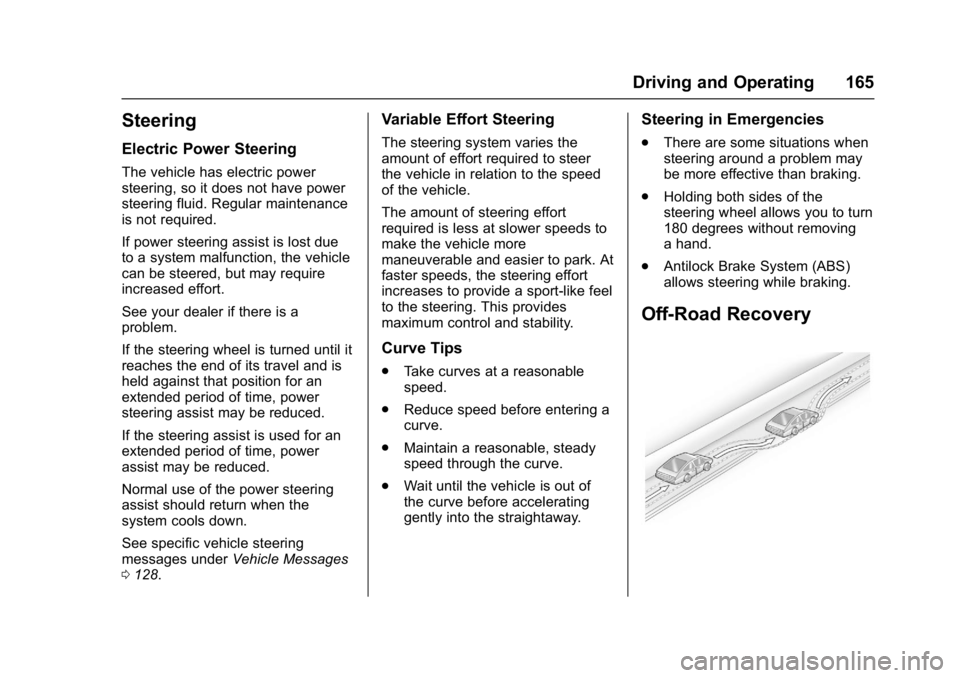
Off-Road Recovery
Page 167 of 346
Buick LaCrosse Owner Manual (GMNA-Localizing-U.S./Canada-9803782) -
2017 - crc - 9/7/16
166 Driving and Operating
The vehicle's right wheels can drop
off the edge of a road onto the
shoulder while driving. Follow
these tips:1. Ease off the accelerator and then, if there is nothing in the
way, steer the vehicle so that it
straddles the edge of the
pavement.
2. Turn the steering wheel about one-eighth of a turn, until the
right front tire contacts the
pavement edge.
3. Turn the steering wheel to go straight down the roadway.
Loss of Control
Skidding
There are three types of skids that
correspond to the vehicle's three
control systems:
.Braking Skid —wheels are not
rolling.
. Steering or Cornering Skid —
too much speed or steering in a
curve causes tires to slip and
lose cornering force. .
Acceleration Skid —too much
throttle causes the driving
wheels to spin.
Defensive drivers avoid most skids
by taking reasonable care suited to
existing conditions, and by not
overdriving those conditions. But
skids are always possible.
If the vehicle starts to slide, follow
these suggestions:
. Ease your foot off the
accelerator pedal and steer the
way you want the vehicle to go.
The vehicle may straighten out.
Be ready for a second skid if it
occurs.
. Slow down and adjust your
driving according to weather
conditions. Stopping distance
can be longer and vehicle
control can be affected when
traction is reduced by water,
snow, ice, gravel, or other
material on the road. Learn to
recognize warning clues —such
as enough water, ice, or packed
snow on the road to make a
mirrored surface —and slow
down when you have any doubt. .
Try to avoid sudden steering,
acceleration, or braking,
including reducing vehicle speed
by shifting to a lower gear. Any
sudden changes could cause
the tires to slide.
Remember: Antilock brakes help
avoid only the braking skid.
Driving on Wet Roads
Rain and wet roads can reduce
vehicle traction and affect your
ability to stop and accelerate.
Always drive slower in these types
of driving conditions and avoid
driving through large puddles and
deep-standing or flowing water.
{Warning
Wet brakes can cause crashes.
They might not work as well in a
quick stop and could cause
pulling to one side. You could
lose control of the vehicle. (Continued)
Page 168 of 346
Buick LaCrosse Owner Manual (GMNA-Localizing-U.S./Canada-9803782) -
2017 - crc - 9/7/16
Driving and Operating 167
Warning (Continued)
After driving through a large
puddle of water or a car/vehicle
wash, lightly apply the brake
pedal until the brakes work
normally.
Flowing or rushing water creates
strong forces. Driving through
flowing water could cause the
vehicle to be carried away. If this
happens, you and other vehicle
occupants could drown. Do not
ignore police warnings and be
very cautious about trying to drive
through flowing water.
Hydroplaning
Hydroplaning is dangerous. Water
can build up under the vehicle's
tires so they actually ride on the
water. This can happen if the road is
wet enough and you are going fast
enough. When the vehicle is
hydroplaning, it has little or no
contact with the road.There is no hard and fast rule about
hydroplaning. The best advice is to
slow down when the road is wet.
Other Rainy Weather Tips
Besides slowing down, other wet
weather driving tips include:
.
Allow extra following distance.
. Pass with caution.
. Keep windshield wiping
equipment in good shape.
. Keep the windshield washer fluid
reservoir filled.
. Have good tires with proper
tread depth. See Tires0254.
. Turn off cruise control.
Hill and Mountain Roads
Driving on steep hills or through
mountains is different than driving
on flat or rolling terrain. Tips include:
.
Keep the vehicle serviced and in
good shape.
. Check all fluid levels and brakes,
tires, cooling system, and
transmission. .
Shift to a lower gear when going
down steep or long hills.
{Warning
Using the brakes to slow the
vehicle on a long downhill slope
can cause brake overheating, can
reduce brake performance, and
could result in a loss of braking.
Shift the transmission to a lower
gear to let the engine assist the
brakes on a steep downhill slope.
{Warning
Coasting downhill in N (Neutral)
or with the ignition off is
dangerous. This can cause
overheating of the brakes and
loss of steering. Always have the
engine running and the vehicle
in gear.
. Drive at speeds that keep the
vehicle in its own lane. Do not
swing wide or cross the
center line.
Page 185 of 346
Buick LaCrosse Owner Manual (GMNA-Localizing-U.S./Canada-9803782) -
2017 - crc - 9/7/16
184 Driving and Operating
2. After releasing the shift lever, itwill return to the center
position.
To shift out of N (Neutral): 1. Bring the vehicle to a complete stop.
2. Shift to the desired gear.
3. After releasing the shift lever, it will return to the center
position.
Car Wash Mode (Engine Off)
To place the vehicle in N (Neutral)
with the engine off: 1. Put the ignition in OFF.
2. Put the ignition in Service Only Mode. See Ignition Positions
0 173.
3. Open the door while pressing the brake, and then shift to
N (Neutral).
4. The indicator should now show N. If it does not, repeat the
procedure.
5. When N (Neutral) is no longer needed, shift into P (Park) and
turn the ignition to OFF. Car Wash Mode (Engine On)
To place the vehicle in N (Neutral)
with the engine running:
1. Open the door while pressing the brake, then shift to
N (Neutral).
2. The indicator should now show N. If it does not, select
N (Neutral) again.
3. Shift into P (Park) upon returning to the vehicle.
D : This position is for normal
driving. It provides the best fuel
economy. If you need more power
for passing, and you are:
. Going less than 35 mph
(55 km/h), push the accelerator
pedal about halfway down.
. Going about 35 mph (55 km/h) or
more, push the accelerator all
the way down.
The transmission will shift down
to a lower gear and have more
power. To shift into D (Drive):
1. Bring the vehicle to a complete stop.
2. From the center position, move the shift lever back. If the
vehicle is in P (Park) press the
shift lever unlock button while
moving the shift lever back. D
is illuminated in red.
3. After releasing the shift lever, it will return to the center
position.
To shift out of D (Drive):
1. Bring the vehicle to a complete stop.
2. Shift to the desired gear.
3. After releasing the shift lever, it will return to the center
position.
Downshifting the transmission in
slippery road conditions could result
in skidding. See “Skidding”under
Loss of Control 0166.
Page 195 of 346
Buick LaCrosse Owner Manual (GMNA-Localizing-U.S./Canada-9803782) -
2017 - crc - 9/7/16
194 Driving and Operating
Increasing Speed While Using
Cruise Control
Do one of the following:
.Press and hold RES+ up until
the vehicle accelerates to the
desired speed, then release it.
. To increase vehicle speed in
small increments, press RES+
up briefly. For each press, the
vehicle goes about 1.6 km/h
(1 mph) faster.
Reducing Speed While Using
Cruise Control
Do one of the following:
. Press and hold SET− down until
the desired lower speed is
reached, then release it.
. To slow down in small
increments, press SET−down
briefly. For each press, the
vehicle goes about 1.6 km/h
(1 mph) slower. Passing Another Vehicle While
Using Cruise Control
Use the accelerator pedal to
increase the vehicle speed. When
you take your foot off the pedal, the
vehicle will slow down to the
previously set cruise speed. While
pressing the accelerator pedal or
shortly following the release to
override cruise control, briefly
pressing SET−
will result in cruise
set to the current vehicle speed.
Using Cruise Control on Hills
How well the cruise control will work
on hills depends upon the vehicle
speed, load, and the steepness of
the hills. When going up steep hills,
you might have to step on the
accelerator pedal to maintain your
speed. When going downhill, you
might have to brake or shift to a
lower gear to keep your speed
down. If the brake pedal is applied,
cruise control will disengage.
Ending Cruise Control
There are four ways to end cruise
control:
. Step lightly on the brake pedal. .
Press*.
. Shift the transmission to
N (Neutral).
. To turn off cruise control,
press
5.
Erasing Speed Memory
The cruise control set speed is
erased from memory if
5is pressed
or the ignition is turned off.
Adaptive Cruise Control
If equipped with Adaptive Cruise
Control (ACC), it allows for selecting
the cruise control set speed and
following gap. Read this entire
section before using this system.
ACC uses a radar sensor to detect
other vehicles. See Radio
Frequency Statement 0321. The
following gap is the following time
(or distance) between your vehicle
and a vehicle detected directly
ahead in your path, moving in the
same direction. If no vehicle is
detected in your path, ACC works
like regular cruise control.
Page 197 of 346
Buick LaCrosse Owner Manual (GMNA-Localizing-U.S./Canada-9803782) -
2017 - crc - 9/7/16
196 Driving and Operating
upwards to accelerate. If cruise
control is already engaged, use to
increase vehicle speed.
SET–:Press the control down
briefly to set the speed and activate
cruise control. If cruise control is
already engaged, use to decrease
vehicle speed.
*: Press to disengage ACC
without erasing the selected set
speed.
[: Press to select a following gap
time (or distance) setting for ACC of
Far, Medium, or Near.
The speedometer reading can be
displayed in either English or metric
units. See Instrument Cluster 0108.
The increment value used depends
on the units displayed.
Setting Adaptive Cruise Control
If
5is on when not in use, it could
get pressed and go into ACC when
not desired. Keep
5off when
cruise is not being used. Select the set speed desired for
ACC. This is the vehicle speed
when no vehicle is detected in
its path.
ACC will not set at a speed less
than 25 km/h (16 mph), although it
can be resumed when driving at
lower speeds.
To set ACC:
1. Press
5.
2. Get up to the desired speed.
3. Press and release SET–.
4. Remove your foot from the accelerator.
After ACC is set, it may immediately
apply the brakes if a vehicle ahead
is detected closer than the selected
following gap.
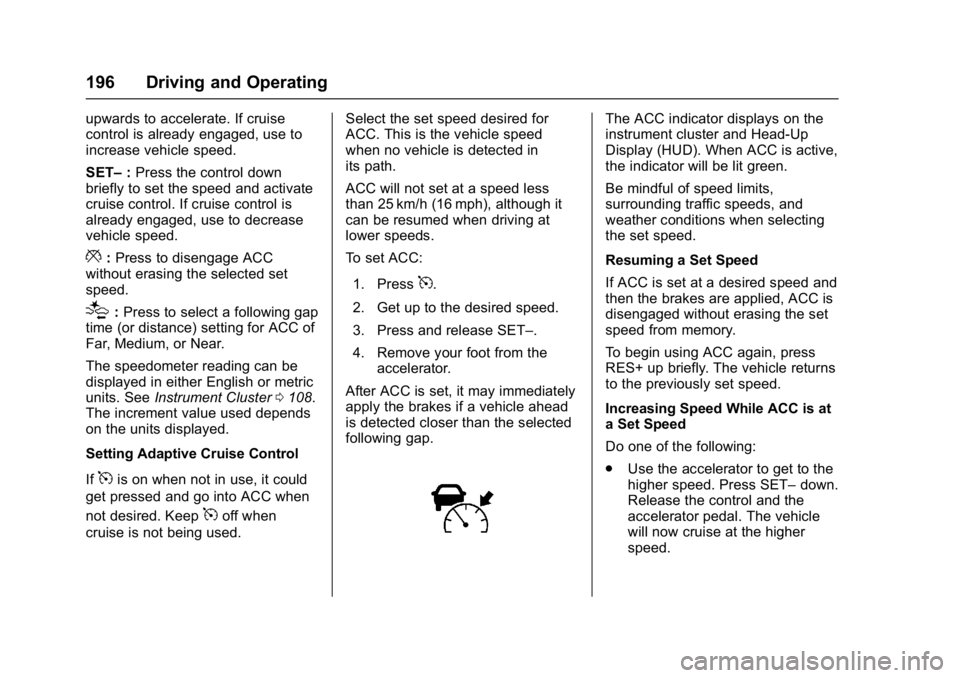
The ACC indicator displays on the
instrument cluster and Head-Up
Display (HUD). When ACC is active,
the indicator will be lit green.
Be mindful of speed limits,
surrounding traffic speeds, and
weather conditions when selecting
the set speed.
Resuming a Set Speed
If ACC is set at a desired speed and
then the brakes are applied, ACC is
disengaged without erasing the set
speed from memory.
To begin using ACC again, press
RES+ up briefly. The vehicle returns
to the previously set speed.
Increasing Speed While ACC is at
a Set Speed
Do one of the following:
. Use the accelerator to get to the
higher speed. Press SET– down.
Release the control and the
accelerator pedal. The vehicle
will now cruise at the higher
speed.
Page 198 of 346
Buick LaCrosse Owner Manual (GMNA-Localizing-U.S./Canada-9803782) -
2017 - crc - 9/7/16
Driving and Operating 197
When the accelerator pedal is
pressed, ACC will not brake
because it is overridden.
A warning message will appear
on the Driver Information Center
(DIC) and Head-Up Display
(HUD). SeeCruise Control
Messages 0130.
. Press and hold RES+ up until
the desired set speed appears
on the display, then release it.
. To increase vehicle speed in
small increments, briefly press
RES+. For each press, the
vehicle speed increases to the
next 5 km/h (1 mph) mark on the
speedometer.
When it is determined that there is
no vehicle ahead or the vehicle
ahead is beyond the selected
following gap, then the vehicle
speed will increase to the set speed.
Reducing Speed While ACC is at a
Set Speed
Do one of the following:
. Use the brake to get to the
desired lower speed. Press
SET– down and release the accelerator pedal. The vehicle
will now cruise at the lower
speed.
. Press and hold SET– down until
the desired lower speed is
reached, then release it.
. To decrease the vehicle speed in
smaller increments, press SET−
down briefly. For each press, the
vehicle speed decreases to the
next 5 km/h (1 mph) mark on the
speedometer.
Selecting the Follow Distance Gap
When a slower moving vehicle is
detected ahead within the selected
following gap, ACC will adjust the
vehicle's speed and attempt to
maintain the follow distance gap
selected.
Press
[on the steering wheel to
adjust the following gap. Each press
cycles the gap button through three
settings: Far, Medium, or Near.
When pressed, the current gap
setting displays briefly on the
instrument cluster and HUD. The
gap setting will be maintained until it
is changed. Since each gap setting corresponds
to a following time (Far, Medium,
or Near), the following distance will
vary based on vehicle speed. The
faster the vehicle speed, the further
back your vehicle will follow a
vehicle detected ahead. Consider
traffic and weather conditions when
selecting the following gap. The
range of selectable gaps may not be
appropriate for all drivers and
driving conditions.
Changing the gap setting
automatically changes the alert
timing sensitivity (Far, Medium,
or Near) for the Forward Collision
Alert (FCA) feature. See
Forward
Collision Alert (FCA) System 0207.
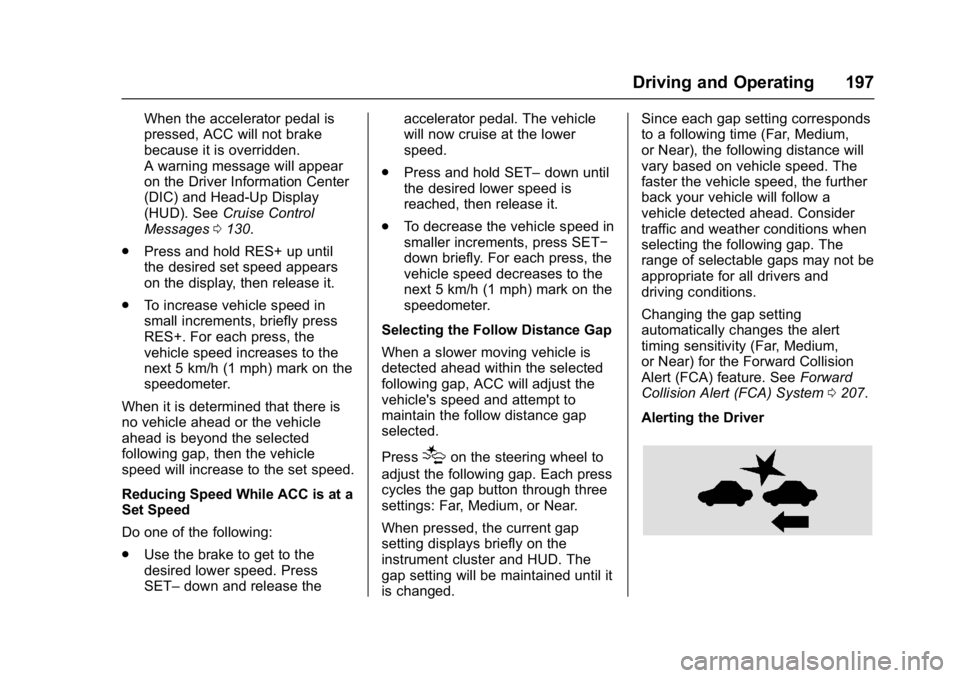
Alerting the Driver
Page 208 of 346
Buick LaCrosse Owner Manual (GMNA-Localizing-U.S./Canada-9803782) -
2017 - crc - 9/7/16
Driving and Operating 207
Forward Collision Alert
(FCA) System
The FCA system may help to avoid
or reduce the harm caused by
front-end crashes. FCA provides a
flashing red alert on the windshield,
and beeps or pulses the Safety Alert
Seat when approaching a vehicle
directly ahead too quickly. FCA also
provides a visual alert if following
another vehicle much too closely.
FCA detects vehicles within a
distance of approximately 60 m
(197 ft) and operates at speeds
above 8 km/h (5 mph). If the vehicle
has Adaptive Cruise Control (ACC),
it can detect vehicles to distances of
approximately 110 m (360 ft). See
Adaptive Cruise Control0194.
{Warning
FCA is a warning system and
does not apply the brakes. When
approaching a slower-moving or
stopped vehicle ahead too rapidly,
or when following a vehicle too
(Continued)
Warning (Continued)
closely, FCA may not provide a
warning with enough time to help
avoid a crash. It also may not
provide any warning at all. FCA
does not warn of pedestrians,
animals, signs, guardrails,
bridges, construction barrels,
or other objects. Be ready to take
action and apply the brakes. See
Defensive Driving0164.
FCA can be disabled through
vehicle personalization. See
“Collision/Detection Systems” under
Vehicle Personalization 0138.
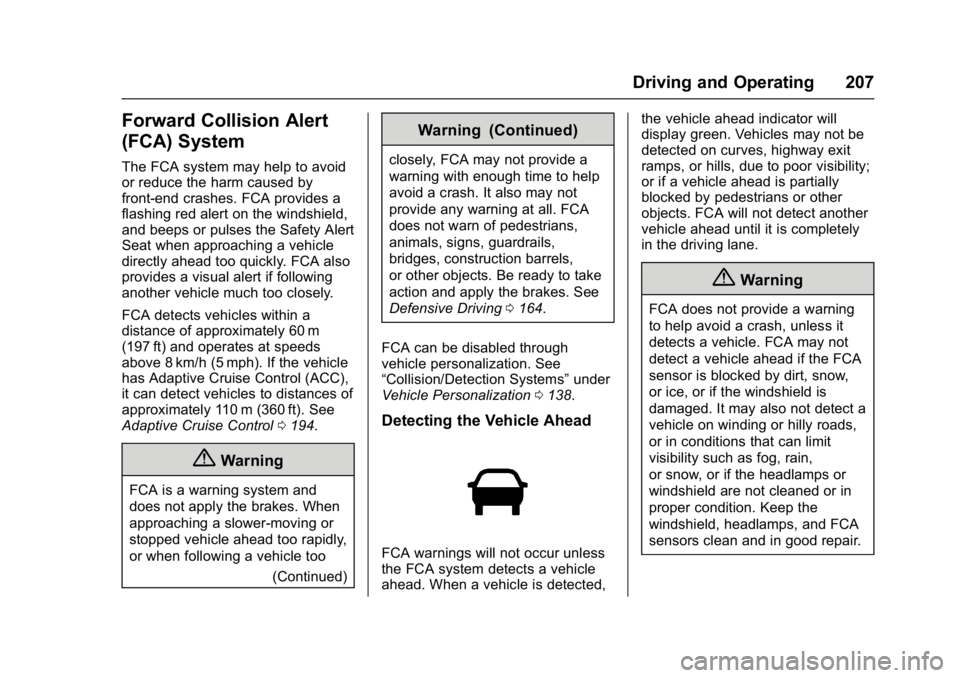
Detecting the Vehicle Ahead
FCA warnings will not occur unless
the FCA system detects a vehicle
ahead. When a vehicle is detected, the vehicle ahead indicator will
display green. Vehicles may not be
detected on curves, highway exit
ramps, or hills, due to poor visibility;
or if a vehicle ahead is partially
blocked by pedestrians or other
objects. FCA will not detect another
vehicle ahead until it is completely
in the driving lane.
{Warning
FCA does not provide a warning
to help avoid a crash, unless it
detects a vehicle. FCA may not
detect a vehicle ahead if the FCA
sensor is blocked by dirt, snow,
or ice, or if the windshield is
damaged. It may also not detect a
vehicle on winding or hilly roads,
or in conditions that can limit
visibility such as fog, rain,
or snow, or if the headlamps or
windshield are not cleaned or in
proper condition. Keep the
windshield, headlamps, and FCA
sensors clean and in good repair.
Page 218 of 346
Buick LaCrosse Owner Manual (GMNA-Localizing-U.S./Canada-9803782) -
2017 - crc - 9/7/16
Driving and Operating 217
Fuel
GM recommends the use of TOP
TIER®detergent gasoline to keep
the engine cleaner and reduce
engine deposits. See
www.toptiergas.com for a list of TOP
TIER detergent gasoline marketers
and applicable countries.
Do not use any fuel labeled E85 or
FlexFuel. Do not use gasoline with
ethanol levels greater than 15% by
volume.
Use regular unleaded gasoline
meeting ASTM specification D4814
with a posted octane rating of 87 or
higher. Do not use gasoline with a posted octane rating of less than 87,
as this may cause engine knock and
will lower fuel economy.
Prohibited Fuels
Caution
Do not use fuels with any of the
following conditions; doing so
may damage the vehicle and void
its warranty:
. For vehicles which are not
FlexFuel, fuel labeled
greater than 15% ethanol by
volume, such as mid-level
ethanol blends (16 –50%
ethanol), E85, or FlexFuel.
. Fuel with any amount of
methanol, methylal, and
aniline. These fuels can
corrode metal fuel system
parts or damage plastic and
rubber parts.
. Fuel containing metals such
as methylcyclopentadienyl
manganese tricarbonyl
(Continued)
Caution (Continued)
(MMT), which can damage
the emissions control
system and spark plugs.
. Fuel with a posted octane
rating of less than the
recommended fuel. Using
this fuel will lower fuel
economy and performance,
and may decrease the life of
the emissions catalyst.
California Fuel
Requirements
If the vehicle is certified to meet
California Emissions Standards, it is
designed to operate on fuels that
meet California specifications. See
the underhood emission control
label. If this fuel is not available in
states adopting California Emissions
Standards, the vehicle will operate
satisfactorily on fuels meeting
federal specifications, but emission
control system performance may be
affected. The malfunction indicator
lamp could turn on and the vehicle
Page 221 of 346
Buick LaCrosse Owner Manual (GMNA-Localizing-U.S./Canada-9803782) -
2017 - crc - 9/7/16
220 Driving and Operating
Warning (Continued)
.Use approved fuel
containers.
. Remove the container from
the vehicle, trunk, or pickup
bed before filling.
. Place the container on the
ground.
. Place the nozzle inside the
fill opening of the container
before dispensing fuel, and
keep it in contact with the fill
opening until filling is
complete.
. Fill the container no more
than 95% full to allow for
expansion.
. Do not smoke, light
matches, or use lighters
while pumping fuel.
. Avoid using cell phones or
other electronic devices.
Trailer Towing
General Towing
Information
Only use towing equipment that has
been designed for the vehicle.
Contact your dealer or trailering
dealer for assistance with preparing
the vehicle for towing a trailer. Read
the entire section before towing a
trailer.
For towing a disabled vehicle, see
Towing the Vehicle 0284. For
towing the vehicle behind another
vehicle such as a motor home, see
Recreational Vehicle Towing 0284.
Driving Characteristics
and Towing Tips
Driving with a Trailer
When towing a trailer:
.
Become familiar with the state
and local laws that apply to
trailer towing. .
Do not tow a trailer during the
first 800 km (500 mi) to prevent
damage to the engine, axle,
or other parts.
. Then during the first 800 km
(500 mi) of trailer towing, do not
drive over 80 km/h (50 mph) and
do not make starts at full throttle.
. Vehicles can tow in D (Drive).
Shift the transmission to a lower
gear if the transmission shifts
too often under heavy loads and/
or hilly conditions.
. Do not use Adaptive Cruise
Control when towing.
. The Forward Automatic Braking
system should be set to Off
when towing. See Forward
Automatic Braking (FAB) 0209.
. Turn off Parking Assist when
towing.
. Front Pedestrian Braking should
be on Off or Alert.