lock BUICK LACROSSE 2017 Workshop Manual
[x] Cancel search | Manufacturer: BUICK, Model Year: 2017, Model line: LACROSSE, Model: BUICK LACROSSE 2017Pages: 346, PDF Size: 4.73 MB
Page 135 of 346
Buick LaCrosse Owner Manual (GMNA-Localizing-U.S./Canada-9803782) -
2017 - crc - 9/7/16
134 Instruments and Controls
PARK ASSIST OFF
This message displays when the
Parking Assist system has been
turned off or when there is a
temporary condition causing the
system to be disabled.
REAR CROSS TRAFFIC
ALERT OFF
This message displays when the
Rear Cross Traffic Alert has been
turned off.
SERVICE FORWARD
COLLISION SYSTEM
If this message displays, take the
vehicle to your dealer to repair the
system. Adaptive Cruise Control
(ACC), Forward Collision Alert
(FCA), and/or Forward Automatic
Braking (FAB) may not work. Do not
use these systems until the vehicle
has been repaired.
SERVICE FRONT CAMERA
If this message remains on after
continued driving, the vehicle needs
service. Do not use the Lane
Departure Warning (LDW) andForward Collision Alert (FCA)
features. Take the vehicle to your
dealer.
SERVICE PARKING ASSIST
This message displays if there is a
problem with the Parking Assist
system. Do not use this system to
help you park. See your dealer for
service.
SERVICE SIDE DETECTION
SYSTEM
If this message remains on after
continued driving, the vehicle needs
service. Side Blind Zone Alert
(SBZA), Lane Change Alert (LCA),
and Rear Cross Traffic Alert (RCTA)
features will not work. Take the
vehicle to your dealer.
SIDE DETECTION SYSTEM
UNAVAILABLE
This message indicates that Side
Blind Zone Alert (SBZA), Lane
Change Alert (LCA), and Rear
Cross Traffic Alert (RCTA) are
disabled either because the sensor
is blocked and cannot detect
vehicles in the blind zone, or thevehicle is passing through an open
area, such as the desert, where
there is insufficient data for
operation. This message may also
activate during heavy rain or due to
road spray. The vehicle does not
need service. For cleaning, see
"Washing the Vehicle" under
Exterior Care
0286.
Ride Control System
Messages
SERVICE ALL WHEEL DRIVE
SYSTEM
This message displays when there
is a problem with the AWD system.
This message could be set by a
number of issues. Some may
require service of the All-Wheel
Drive system; some will not. The
vehicle will run in normal
two-wheel-drive mode when this
message has been set. This could
be caused by:
.
A vehicle or an AWD system
electronics problem.
. Various vehicle electrical issues.
Page 139 of 346
Buick LaCrosse Owner Manual (GMNA-Localizing-U.S./Canada-9803782) -
2017 - crc - 9/7/16
138 Instruments and Controls
Vehicle
Personalization
Use the audio system controls to
access the personalization menus
for customizing vehicle features.
The following are all possible
personalization features. Depending
on the vehicle, some may not be
available.
To access the personalization
menus:1. Press SETTINGS on the Home page on the infotainment
display.
2. Press the desired feature to display a list of available
options.
3. Press the desired option.
4. Press to select the desired option setting.
5. Press
hBACK to return to the
previous menu.
Personalization Menus
The following list of features may be
available:
. Time and Date
. Rear Seat Reminder
. Language
. Valet Mode
. Teen Driver
. Radio
. Vehicle
. Bluetooth
. Apple CarPlay
. Android Auto
. Voice
. Display
. Rear Camera
. Return to Factory Settings
. Software Information
. Wi-Fi
Each menu is detailed in the
following information.
Time and Date
Manually set the time and date. See
Clock 0103.
Rear Seat Reminder
This allows for a chime and a
message “Look in Rear Seat” when
the rear door has been opened
before or during operation of the
vehicle.
Select Off or On.
Language (Language)
Select Language, then select from
the available language(s).
Valet Mode
To turn Valet Mode on and off, see
“Valet Mode” under“Setting Radio
Preferences” in the infotainment
manual.
Teen Driver
See “Teen Driver” under“Settings”
in the infotainment manual.
Page 140 of 346
Buick LaCrosse Owner Manual (GMNA-Localizing-U.S./Canada-9803782) -
2017 - crc - 9/7/16
Instruments and Controls 139
Radio
To manage the radio features, see
“Radio Setup”under“Setting Radio
Preferences” in the infotainment
manual.
Vehicle
Select and the following may be
displayed:
. Climate and Air Quality
. Collision/Detection Systems
. Comfort and Convenience
. Lighting
. Power Door Locks
. Remote Lock, Unlock, Start
Climate and Air Quality
Select and the following may be
displayed:
. Auto Fan Speed
. Air Quality Sensor
. Auto Defog
. Auto Rear Defog Auto Fan Speed
This feature will set the auto fan
speed.
Select Low, Medium, or High.
Air Quality Sensor
This feature may operate the
recirculation mode automatically.
Select Off, Low Sensitivity, or High
Sensitivity.
Auto Defog
If equipped, the front defog will
automatically react to temperature
and humidity conditions that may
cause fogging.
Select Off or On.
Auto Rear Defog
This allows the Auto Rear Defog to
be turned on or off. This feature will
automatically turn on the rear
window defogger when it is cold
outside.
Select Off or On.
Collision/Detection Systems
Select and the following may be
displayed:
.
Alert Type
. Forward Collision System
. Front Pedestrian Detection
. Rear Cross Traffic Alert
. Go Notifier or Adaptive Cruise
Go Notifier
. Lane Change Alert
. Side Blind Zone Alert
Alert Type
This feature allows the alert type to
be changed for the Safety
Alert Seat.
Select Beeps or Safety Alert Seat.
Forward Collision System
This feature will turn on or off the
Forward Collision Alert (FCA) and
Forward Automatic Braking (FAB).
The Off setting disables all FCA and
FAB functions. With the Alert and
Brake setting, both FCA and FAB
Page 142 of 346
Buick LaCrosse Owner Manual (GMNA-Localizing-U.S./Canada-9803782) -
2017 - crc - 9/7/16
Instruments and Controls 141
Automatic Vehicle Hold
This allows the duration of the
Automatic Vehicle Hold to be
changed. SeeAutomatic Vehicle
Hold (AVH) 0189.
Select Long and Auto Park Brake
On or Short and Auto Park
Brake Off.
Lighting
Select and the following may be
displayed:
. Vehicle Locator Lights
. Exit Lighting
Vehicle Locator Lights
This feature will flash the exterior
lamps when
Kon the Remote
Keyless Entry (RKE) transmitter is
pressed to locate the vehicle.
Select Off or On.
Exit Lighting
This allows the selection of how
long the exterior lamps stay on
when leaving the vehicle when it is
dark outside. Select Off, 30 Seconds, 60
Seconds, or 120 Seconds.
Power Door Locks
Select and the following may be
displayed:
.
Unlocked Door Anti Lock Out
. Auto Door Unlock
. Delayed Door Lock
Unlocked Door Anti Lock Out
When on, this feature will keep the
driver door from locking when the
door is open. If Off is selected, the
Delayed Door Lock menu will be
available.
Select Off or On.
Auto Door Unlock
This allows selection of which of the
doors will automatically unlock when
the vehicle is shifted into P (Park).
Select Off, All Doors, or Driver Door. Delayed Door Lock
When on, this feature will delay the
locking of the doors. To override the
delay, press the power door lock
switch on the door.
Select Off or On.
Remote Lock, Unlock, Start
Select and the following may be
displayed:
.
Remote Unlock Light Feedback
. Remote Lock Feedback
. Remote Door Unlock
. Remote Start Auto Cool Seats
. Remote Start Auto Heat Seats
. Passive Door Unlock
. Passive Door Lock
. Remote Left in Vehicle Alert
Remote Unlock Light Feedback
When on, the exterior lamps will
flash when unlocking the vehicle
with the RKE transmitter.
Select Off or Flash Lights.
Page 143 of 346
Buick LaCrosse Owner Manual (GMNA-Localizing-U.S./Canada-9803782) -
2017 - crc - 9/7/16
142 Instruments and Controls
Remote Lock Feedback
This allows selection of what type of
feedback is given when locking the
vehicle with the RKE transmitter.
Select Off, Lights and Horn, Lights
Only, or Horn Only.
Remote Door Unlock
This allows selection of which doors
will unlock when pressing
Kon the
RKE transmitter.
Select All Doors or Driver Door.
Remote Start Auto Cool Seats
If equipped and turned on, this
feature will turn the ventilated seats
on when using remote start on
warm days.
Select Off, On-Driver and
Passenger, or On-Driver.
Remote Start Auto Heat Seats
If equipped and turned on, this
feature will turn the heated seats on
when using remote start on
cold days.
Select Off, On-Driver and
Passenger, or On-Driver. Passive Door Unlock
This allows the selection of what
doors will unlock when using the
button on the driver door to unlock
the vehicle.
Select All Doors or Driver Door.
Passive Door Lock
This allows passive locking to be
turned on or off and selects
feedback. See
Remote Keyless
Entry (RKE) System Operation 027.
Select Off, On with Horn
Chirp, or On.
Remote Left in Vehicle Alert
This feature sounds an alert when
the RKE transmitter is left in the
vehicle. This menu also enables
Remote No Longer in Vehicle Alert.
Select Off or On.
Bluetooth
Select and the following may be
displayed:
. Pair New Device
. Device Management
. Ringtones .
Voice Mail Numbers
. Text Message Alerts
Pair New Device
Select to pair a new device. See
“Pairing” in“Infotainment Controls”
under “Bluetooth” in the infotainment
manual.
Device Management
Select to connect to a different
phone source, disconnect a phone,
or delete a phone.
Ringtones
Press to change the ring tone for
the specific phone. The phone does
not need to be connected to change
the ring tone.
Voice Mail Numbers
This feature displays the voice mail
number for all connected phones.
To change the voice mail number,
select EDIT or press the EDIT
button. Type a new number, then
select SAVE or press the SAVE
button.
Page 153 of 346
Buick LaCrosse Owner Manual (GMNA-Localizing-U.S./Canada-9803782) -
2017 - crc - 9/7/16
152 Lighting
Interior Lighting
Instrument Panel
Illumination Control
The brightness of the instrument
cluster display, infotainment display
and controls, steering wheel
controls, and all other illuminated
controls, as well as feature status
indicators can be adjusted.
The knob for this feature is on the
instrument panel beside the steering
column.
Press to extend the knob, then turn
it clockwise or counterclockwise to
brighten or dim the lights.
Dome Lamps
The dome lamp controls are in the
overhead console.
To operate, press the following
buttons:
jOFF :Press to turn off the
dome lamps when a door is open.
An indicator light on the button will
turn on when the dome lamp
override is activated. Press
j
OFF again to deactivate this feature
and the indicator light will turn off.
The dome lamps will come on when
doors are opened. +
ON/OFF : Press to turn the dome
lamps on manually.
Reading Lamps
There are reading lamps on the
overhead console and over the rear
passenger doors.
Front Reading Lamps
Press the lamp lenses to turn the
front reading lamps on or off.
Page 159 of 346
Buick LaCrosse Owner Manual (GMNA-Localizing-U.S./Canada-9803782) -
2017 - crc - 9/7/16
158 Climate Controls
selected in warm weather. Press@to select recirculation; press it
again to select outside air.
Driver and Passenger
Temperature Controls : The
temperature can be adjusted
separately for the driver and the
passenger. Turn the knob clockwise
or counterclockwise to increase or
decrease the driver or passenger
temperature setting.
The driver and passenger
temperatures can also be adjusted
by touching the controls on the
touch screen.
Sync : Touch Sync on the touch
screen to link all passenger settings
to the driver settings. Adjust the
driver side temperature control to
change the linked temperature.
When the passenger settings are
adjusted, the Sync button is
displayed when the temperatures
are unlinked.
Manual Operation
CLIMATE : Press CLIMATE to
display the climate control touch
screen. ON/OFF :
Press to turn the fan on
or off.
hi: Press the fan control buttons
or the touch screen to increase or
decrease the fan speed. The fan
speed setting displays. When the
fan speed is decreased completely,
the climate control system turns off.
It will turn back on if the fan speed
is increased.
Pressing either button cancels
automatic fan control and the fan is
controlled manually. Press AUTO to
return to automatic operation.
Air Delivery Mode Control : When
the climate information is displayed,
touch
6,Y, orXon the touch
screen to change the direction of air
flow. Any combination of the three
buttons can be selected. The
selected air delivery mode button is
lit. Pressing any button cancels
automatic air delivery control and
the direction of the airflow is
controlled manually. Press AUTO to
return to automatic operation.
To change the current mode, select
one or more of the following:
6: Air is directed to the floor
outlets, with some air to the
windshield and side windows.
Y: Air is directed to the instrument
panel outlets.
X: Clears the windows of fog or
moisture. Air is directed to the
windshield.
1MAX : Air is directed to the
windshield, the fan runs at a higher
speed, and the temperature of the
air is increased if not already at
maximum. This mode overrides the
previous mode selected and clears
fog or frost from the windshield
more quickly. When the button is
pressed again, the system returns
to the previous mode setting and
fan speed.
For best results, clear all snow and
ice from the windshield before
defrosting.
A/C (Air Conditioning) : Touch A/C
on the touch screen to cycle
between the MAX, ECO, and OFF
modes. The MAX, ECO or OFF
indicator will appear on the touch
Page 160 of 346
Buick LaCrosse Owner Manual (GMNA-Localizing-U.S./Canada-9803782) -
2017 - crc - 9/7/16
Climate Controls 159
screen. If the fan is turned off, the
air conditioner will not run and the
indicator light will turn off.
Touch AUTO to return to automatic
operation and the air conditioner
runs automatically as needed. The
A/C will return to ECO a/c operation.
For MAX a/c, touch A/C. Auto stops
will occur less frequently, be shorter,
and will not occur in extremely warm
weather.
For ECO a/c, touch A/C again. This
setting balances fuel economy and
air conditioning comfort. In warm
weather conditions, auto stops may
occur more frequently, last longer,
and the vehicle interior may be
warmer during auto stops as
compared to the MAX A/C setting.
This setting allows higher humidity
inside the vehicle and window
fogging may occur before the
engine restarts.
@:Press to turn on recirculation.
An indicator light comes on. Air is
recirculated to quickly cool the
inside of the vehicle or to reduce the
entry of outside air and odors. If selected during cool or cold
weather, the windshield and
windows may fog. Turn off
recirculation to help clear the
windshield and windows.
If equipped, the Air Quality Sensor
may operate the recirculation mode
automatically. See
“Climate and Air
Quality” underVehicle
Personalization 0138.
Auto Defog : If equipped, the
climate control system may have a
sensor to automatically detect high
humidity inside the vehicle. When
high humidity is detected, the
climate control system may adjust to
outside air supply and turn on the
air conditioner. The fan speed may
slightly increase to help prevent
fogging. If the climate control
system does not detect possible
window fogging, it returns to normal
operation.
To turn Auto Defog off or on, see
“Climate and Air Quality” under
Vehicle Personalization 0138.
Rear Window Defogger
K:Press to turn the rear window
defogger on or off. An indicator light
on the button comes on to show that
the rear window defogger is on. The
rear window defogger only works
when the engine is running. It turns
off when the ignition is placed in the
ACC/ACCESSORY or LOCK/OFF
position.
The rear window defogger can be
set to automatic operation. See
“Climate and Air Quality” under
Vehicle Personalization 0138.
When Auto Rear Defog is selected,
the rear window defogger turns on
automatically when the interior
temperature is cold and the outside
temperature is about 4 °C (40 °F)
and below. The auto rear defogger
turns off automatically after about
10 minutes, or after five minutes if
the outside temperature is not
as cold.
The upper gridlines on the rear
window are antenna lines and are
not intended to heat when the
defogger is activated.
Page 162 of 346
Buick LaCrosse Owner Manual (GMNA-Localizing-U.S./Canada-9803782) -
2017 - crc - 9/7/16
Climate Controls 161
Operation Tips
.Keep all outlets open whenever
possible for best system
performance.
. Keep the path under all seats
clear of objects to help circulate
the air inside the vehicle more
effectively.
. Use of non-GM approved hood
deflectors can adversely affect
the performance of the system.Maintenance
Air Intake
Clear away any ice, snow, or leaves
from the air intake at the base of the
windshield that can block the flow of
air into the vehicle.
Passenger Compartment
Air Filter
The filter removes dust, pollen, and
other airborne irritants from outside
air that is pulled into the vehicle.
The filter should be replaced as part
of routine scheduled maintenance.
See Maintenance Schedule 0297
for replacement intervals. For more
information, see your dealer.
Service
All vehicles have a label underhood
that identifies the refrigerant used in
the vehicle. The refrigerant system
should only be serviced by trained
and certified technicians. The air
conditioning evaporator should
never be repaired or replaced by
one from a salvage vehicle.
It should only be replaced by a new
evaporator to ensure proper and
safe operation.
During service, all refrigerants
should be reclaimed with proper
equipment. Venting refrigerants
directly to the atmosphere is harmful
to the environment and may also
create unsafe conditions based on
inhalation, combustion, frostbite,
or other health-based concerns.
Page 163 of 346
Buick LaCrosse Owner Manual (GMNA-Localizing-U.S./Canada-9803782) -
2017 - crc - 9/7/16
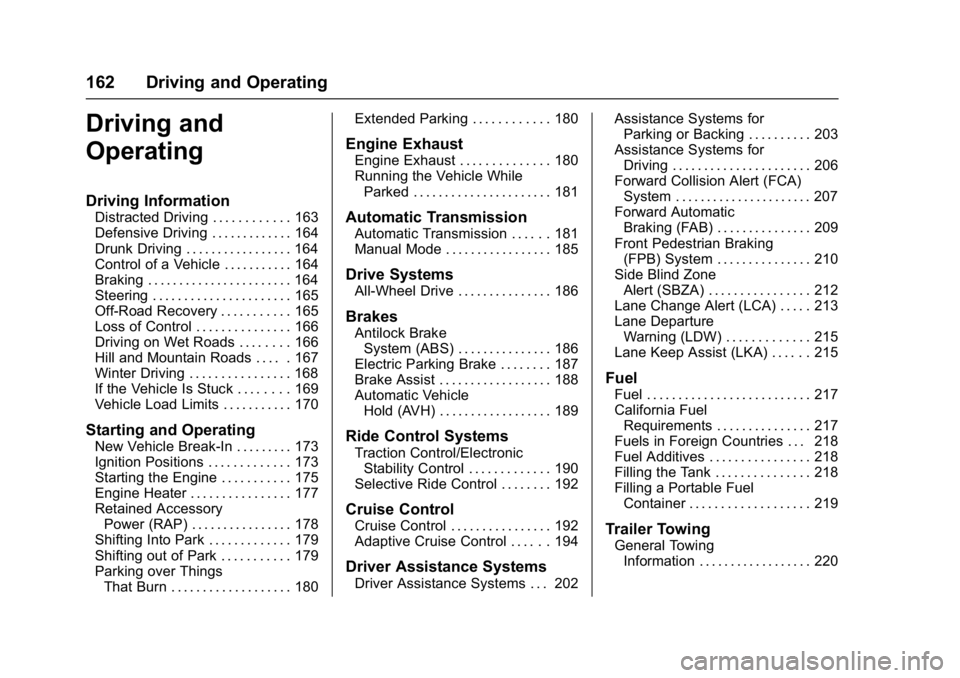
162 Driving and Operating
Driving and
Operating
Driving Information
Distracted Driving . . . . . . . . . . . . 163
Defensive Driving . . . . . . . . . . . . . 164
Drunk Driving . . . . . . . . . . . . . . . . . 164
Control of a Vehicle . . . . . . . . . . . 164
Braking . . . . . . . . . . . . . . . . . . . . . . . 164
Steering . . . . . . . . . . . . . . . . . . . . . . 165
Off-Road Recovery . . . . . . . . . . . 165
Loss of Control . . . . . . . . . . . . . . . 166
Driving on Wet Roads . . . . . . . . 166
Hill and Mountain Roads . . . . . 167
Winter Driving . . . . . . . . . . . . . . . . 168
If the Vehicle Is Stuck . . . . . . . . 169
Vehicle Load Limits . . . . . . . . . . . 170
Starting and Operating
New Vehicle Break-In . . . . . . . . . 173
Ignition Positions . . . . . . . . . . . . . 173
Starting the Engine . . . . . . . . . . . 175
Engine Heater . . . . . . . . . . . . . . . . 177
Retained AccessoryPower (RAP) . . . . . . . . . . . . . . . . 178
Shifting Into Park . . . . . . . . . . . . . 179
Shifting out of Park . . . . . . . . . . . 179
Parking over Things That Burn . . . . . . . . . . . . . . . . . . . 180 Extended Parking . . . . . . . . . . . . 180
Engine Exhaust
Engine Exhaust . . . . . . . . . . . . . . 180
Running the Vehicle While
Parked . . . . . . . . . . . . . . . . . . . . . . 181
Automatic Transmission
Automatic Transmission . . . . . . 181
Manual Mode . . . . . . . . . . . . . . . . . 185
Drive Systems
All-Wheel Drive . . . . . . . . . . . . . . . 186
Brakes
Antilock BrakeSystem (ABS) . . . . . . . . . . . . . . . 186
Electric Parking Brake . . . . . . . . 187
Brake Assist . . . . . . . . . . . . . . . . . . 188
Automatic Vehicle Hold (AVH) . . . . . . . . . . . . . . . . . . 189
Ride Control Systems
Traction Control/ElectronicStability Control . . . . . . . . . . . . . 190
Selective Ride Control . . . . . . . . 192
Cruise Control
Cruise Control . . . . . . . . . . . . . . . . 192
Adaptive Cruise Control . . . . . . 194
Driver Assistance Systems
Driver Assistance Systems . . . 202 Assistance Systems for
Parking or Backing . . . . . . . . . . 203
Assistance Systems for Driving . . . . . . . . . . . . . . . . . . . . . . 206
Forward Collision Alert (FCA)
System . . . . . . . . . . . . . . . . . . . . . . 207
Forward Automatic Braking (FAB) . . . . . . . . . . . . . . . 209
Front Pedestrian Braking (FPB) System . . . . . . . . . . . . . . . 210
Side Blind Zone Alert (SBZA) . . . . . . . . . . . . . . . . 212
Lane Change Alert (LCA) . . . . . 213
Lane Departure Warning (LDW) . . . . . . . . . . . . . 215
Lane Keep Assist (LKA) . . . . . . 215
Fuel
Fuel . . . . . . . . . . . . . . . . . . . . . . . . . . 217
California Fuel Requirements . . . . . . . . . . . . . . . 217
Fuels in Foreign Countries . . . 218
Fuel Additives . . . . . . . . . . . . . . . . 218
Filling the Tank . . . . . . . . . . . . . . . 218
Filling a Portable Fuel Container . . . . . . . . . . . . . . . . . . . 219
Trailer Towing
General TowingInformation . . . . . . . . . . . . . . . . . . 220