sport mode BUICK LACROSSE 2018 Get To Know Guide
[x] Cancel search | Manufacturer: BUICK, Model Year: 2018, Model line: LACROSSE, Model: BUICK LACROSSE 2018Pages: 16, PDF Size: 2.29 MB
Page 3 of 16
3
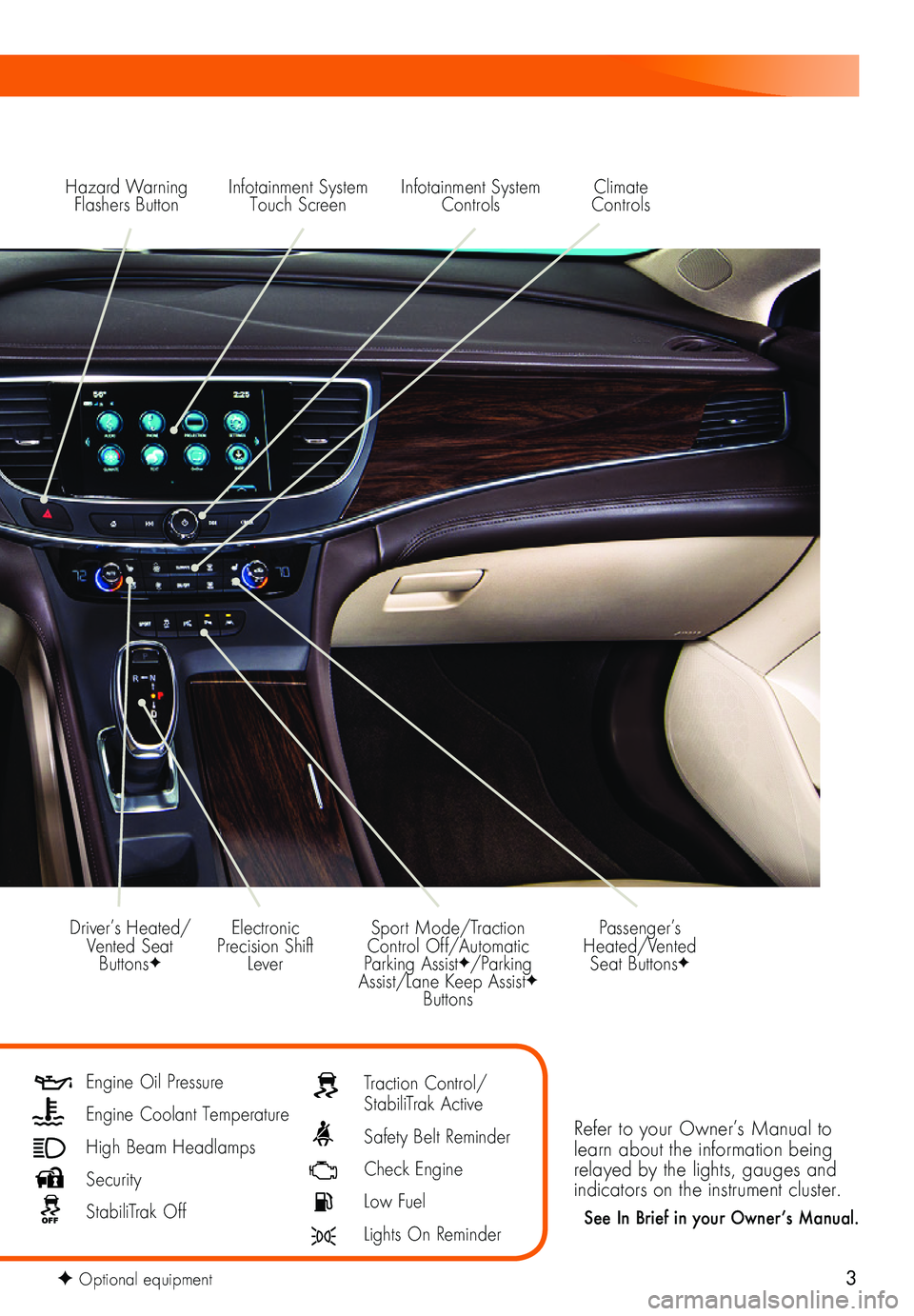
Hazard Warning Flashers ButtonInfotainment System Touch Screen
Electronic Precision Shift Lever
Driver’s Heated/Vented Seat ButtonsF
Sport Mode/Traction Control Off/Automatic Parking AssistF/Parking Assist/Lane Keep AssistF Buttons
Infotainment System Controls
Refer to your Owner’s Manual to learn about the information being relayed by the lights, gauges and indicators on the instrument cluster.
See In Brief in your Owner’s Manual.
Passenger’s Heated/Vented Seat ButtonsF
Climate Controls
Engine Oil Pressure
Engine Coolant Temperature
High Beam Headlamps
Security
StabiliTrak Off
Traction Control/StabiliTrak Active
Safety Belt Reminder
Check Engine
Low Fuel
Lights On Reminder
F Optional equipment
Page 6 of 16
6F Optional equipment
ELECTRONIC PRECISION SHIFT
SELECTIVE RIDE CONTROLF
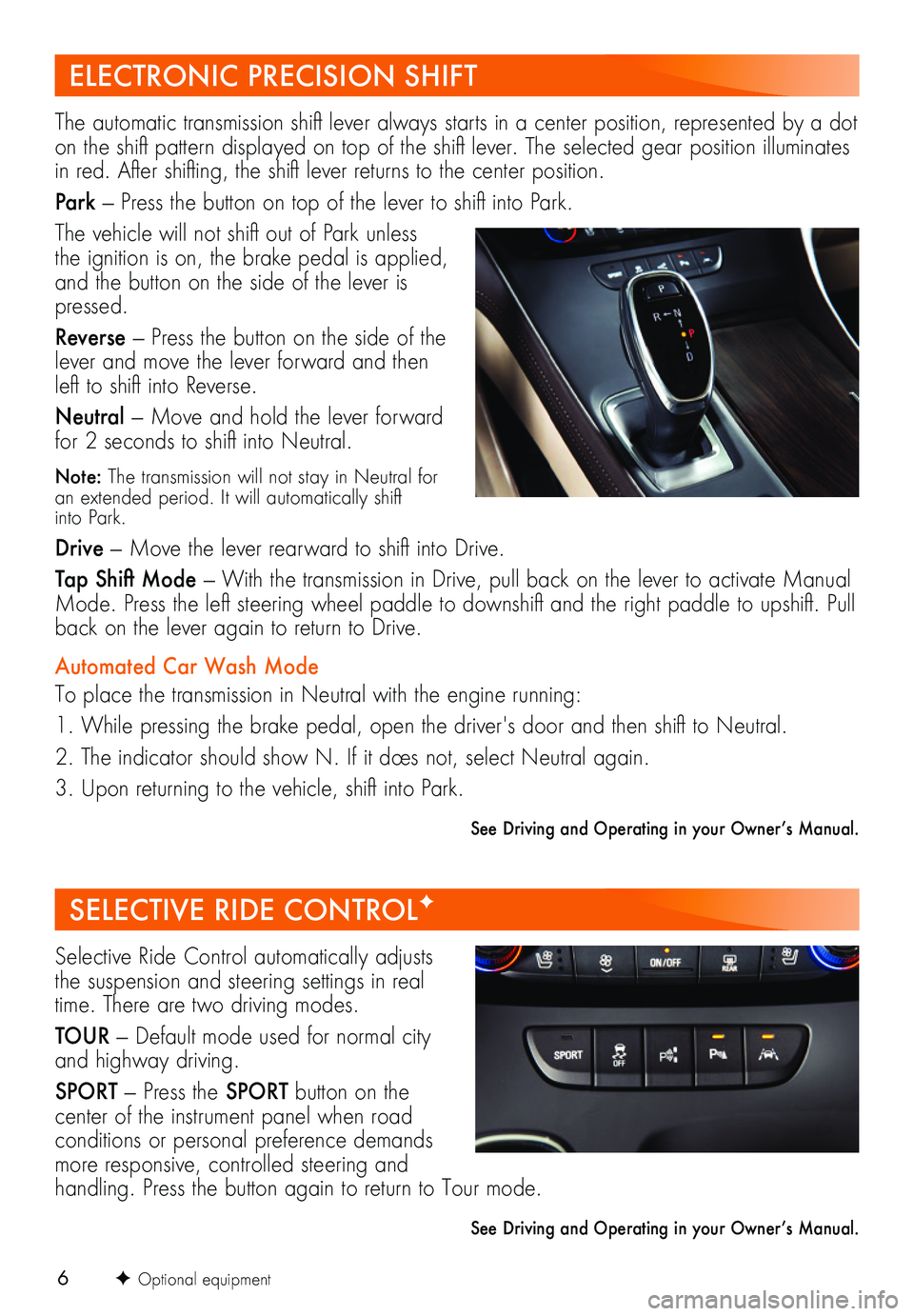
The automatic transmission shift lever always starts in a center position, represented by a dot on the shift pattern displayed on top of the shift lever. The selected gear position illuminates in red. After shifting, the shift lever returns to the center position.
Park — Press the button on top of the lever to shift into Park.
The vehicle will not shift out of Park unless the ignition is on, the brake pedal is applied, and the button on the side of the lever is pressed.
Reverse — Press the button on the side of the lever and move the lever forward and then left to shift into Reverse.
Neutral — Move and hold the lever forward for 2 seconds to shift into Neutral.
Note: The transmission will not stay in Neutral for an extended period. It will automatically shift into Park.
Drive — Move the lever rearward to shift into Drive.
Tap Shift Mode — With the transmission in Drive, pull back on the lever to activate Manual Mode. Press the left steering wheel paddle to downshift and the right paddle to upshift. Pull back on the lever again to return to Drive.
Automated Car Wash Mode
To place the transmission in Neutral with the engine running:
1. While pressing the brake pedal, open the driver's door and then shift to Neutral.
2. The indicator should show N. If it does not, select Neutral again.
3. Upon returning to the vehicle, shift into Park.
See Driving and Operating in your Owner’s Manual.
Selective Ride Control automatically adjusts the suspension and steering settings in real time. There are two driving modes.
TOUR — Default mode used for normal city and highway driving.
SPORT — Press the SPORT button on the
center of the instrument panel when road conditions or personal preference demands more responsive, controlled steering and
handling. Press the button again to return to Tour mode.
See Driving and Operating in your Owner’s Manual.