steering BUICK LACROSSE 2018 Owner's Guide
[x] Cancel search | Manufacturer: BUICK, Model Year: 2018, Model line: LACROSSE, Model: BUICK LACROSSE 2018Pages: 362, PDF Size: 5.19 MB
Page 105 of 362
Buick LaCrosse Owner Manual (GMNA-Localizing-U.S./Canada-10999169) -
2018 - crc - 3/28/17
104 Instruments and Controls
Controls
Steering Wheel
Adjustment
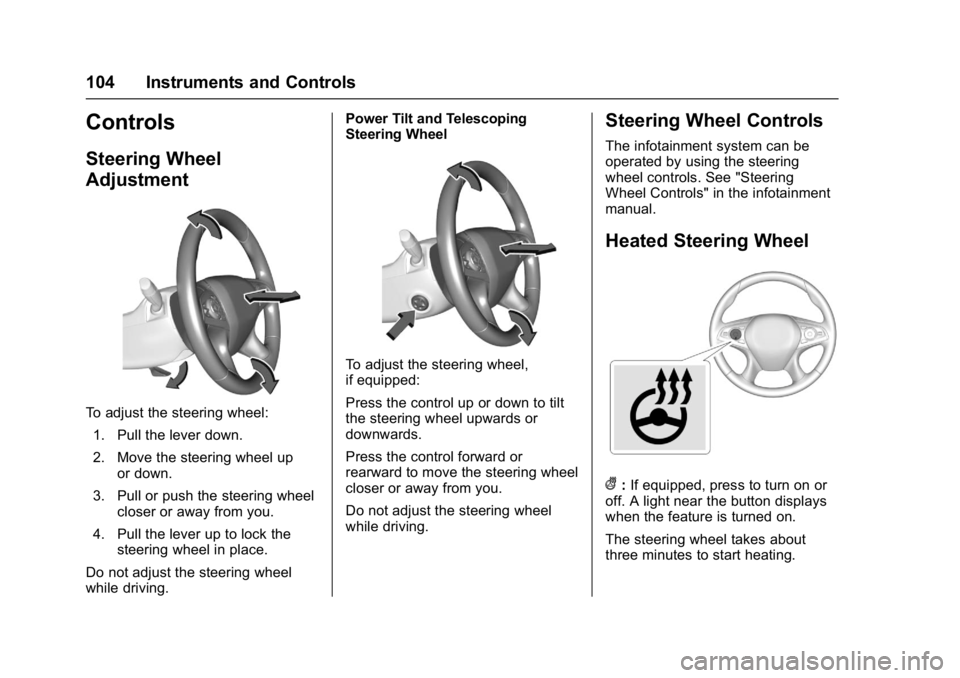
To adjust the steering wheel:1. Pull the lever down.
2. Move the steering wheel up or down.
3. Pull or push the steering wheel closer or away from you.
4. Pull the lever up to lock the steering wheel in place.
Do not adjust the steering wheel
while driving. Power Tilt and Telescoping
Steering Wheel
To adjust the steering wheel,
if equipped:
Press the control up or down to tilt
the steering wheel upwards or
downwards.
Press the control forward or
rearward to move the steering wheel
closer or away from you.
Do not adjust the steering wheel
while driving.
Steering Wheel Controls
The infotainment system can be
operated by using the steering
wheel controls. See "Steering
Wheel Controls" in the infotainment
manual.
Heated Steering Wheel
(:
If equipped, press to turn on or
off. A light near the button displays
when the feature is turned on.
The steering wheel takes about
three minutes to start heating.
Page 106 of 362
Buick LaCrosse Owner Manual (GMNA-Localizing-U.S./Canada-10999169) -
2018 - crc - 3/28/17
Instruments and Controls 105
Horn
Pressaon the steering wheel pad
to sound the horn.
Windshield Wiper/Washer
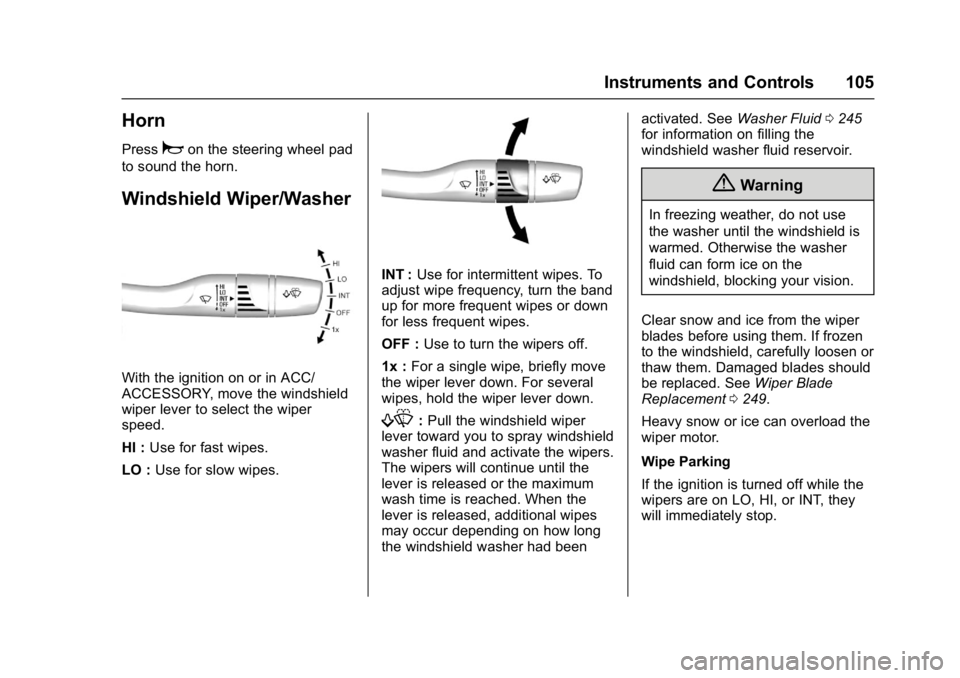
With the ignition on or in ACC/
ACCESSORY, move the windshield
wiper lever to select the wiper
speed.
HI : Use for fast wipes.
LO : Use for slow wipes.
INT : Use for intermittent wipes. To
adjust wipe frequency, turn the band
up for more frequent wipes or down
for less frequent wipes.
OFF : Use to turn the wipers off.
1x : For a single wipe, briefly move
the wiper lever down. For several
wipes, hold the wiper lever down.
f: Pull the windshield wiper
lever toward you to spray windshield
washer fluid and activate the wipers.
The wipers will continue until the
lever is released or the maximum
wash time is reached. When the
lever is released, additional wipes
may occur depending on how long
the windshield washer had been activated. See
Washer Fluid0245
for information on filling the
windshield washer fluid reservoir.
{Warning
In freezing weather, do not use
the washer until the windshield is
warmed. Otherwise the washer
fluid can form ice on the
windshield, blocking your vision.
Clear snow and ice from the wiper
blades before using them. If frozen
to the windshield, carefully loosen or
thaw them. Damaged blades should
be replaced. See Wiper Blade
Replacement 0249.
Heavy snow or ice can overload the
wiper motor.
Wipe Parking
If the ignition is turned off while the
wipers are on LO, HI, or INT, they
will immediately stop.
Page 112 of 362
Buick LaCrosse Owner Manual (GMNA-Localizing-U.S./Canada-10999169) -
2018 - crc - 3/28/17
Instruments and Controls 111
Cluster Menu
There is an interactive display area
in the center of the instrument
cluster.
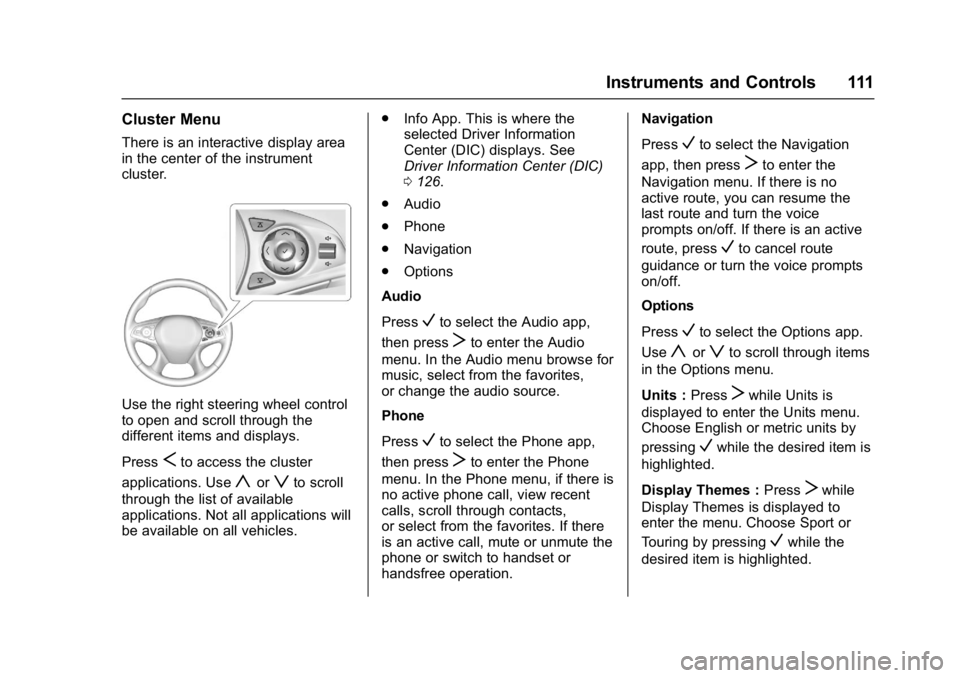
Use the right steering wheel control
to open and scroll through the
different items and displays.
Press
Sto access the cluster
applications. Use
yorzto scroll
through the list of available
applications. Not all applications will
be available on all vehicles. .
Info App. This is where the
selected Driver Information
Center (DIC) displays. See
Driver Information Center (DIC)
0126.
. Audio
. Phone
. Navigation
. Options
Audio
Press
Vto select the Audio app,
then press
Tto enter the Audio
menu. In the Audio menu browse for
music, select from the favorites,
or change the audio source.
Phone
Press
Vto select the Phone app,
then press
Tto enter the Phone
menu. In the Phone menu, if there is
no active phone call, view recent
calls, scroll through contacts,
or select from the favorites. If there
is an active call, mute or unmute the
phone or switch to handset or
handsfree operation. Navigation
Press
Vto select the Navigation
app, then press
Tto enter the
Navigation menu. If there is no
active route, you can resume the
last route and turn the voice
prompts on/off. If there is an active
route, press
Vto cancel route
guidance or turn the voice prompts
on/off.
Options
Press
Vto select the Options app.
Use
yorzto scroll through items
in the Options menu.
Units : Press
Twhile Units is
displayed to enter the Units menu.
Choose English or metric units by
pressing
Vwhile the desired item is
highlighted.
Display Themes : Press
Twhile
Display Themes is displayed to
enter the menu. Choose Sport or
Touring by pressing
Vwhile the
desired item is highlighted.
Page 119 of 362
Buick LaCrosse Owner Manual (GMNA-Localizing-U.S./Canada-10999169) -
2018 - crc - 3/28/17
118 Instruments and Controls
If the light is flashing :A
malfunction has been detected that
could damage the emission control
system and increase vehicle
emissions. Diagnosis and service
may be required.
To help prevent damage, reduce
vehicle speed and avoid hard
accelerations and uphill grades.
If towing a trailer, reduce the
amount of cargo being hauled as
soon as possible.
If the light continues to flash, find a
safe place to park. Turn the vehicle
off and wait at least 10 seconds
before restarting the engine. If the
light is still flashing, follow the
previous guidelines and see your
dealer for service as soon as
possible.
If the light is on steady : A
malfunction has been detected.
Diagnosis and service may be
required.
Check the following:
. If fuel has been added to the
vehicle using the capless funnel
adapter, make sure that it has been removed. See
“Filling the
Tank with a Portable Gas Can”
under Filling the Tank 0219.
The diagnostic system can
detect if the adapter has been
left installed in the vehicle,
allowing fuel to evaporate into
the atmosphere. A few driving
trips with the adapter removed
may turn off the light.
. Poor fuel quality can cause
inefficient engine operation and
poor driveability, which may go
away once the engine is warmed
up. If this occurs, change the
fuel brand. It may require at
least one full tank of the proper
fuel to turn the light off. See Fuel
0 218.
If the light remains on, see your
dealer.
Emissions Inspection and
Maintenance Programs
If the vehicle requires an Emissions
Inspection/Maintenance test, the
test equipment will likely connect to
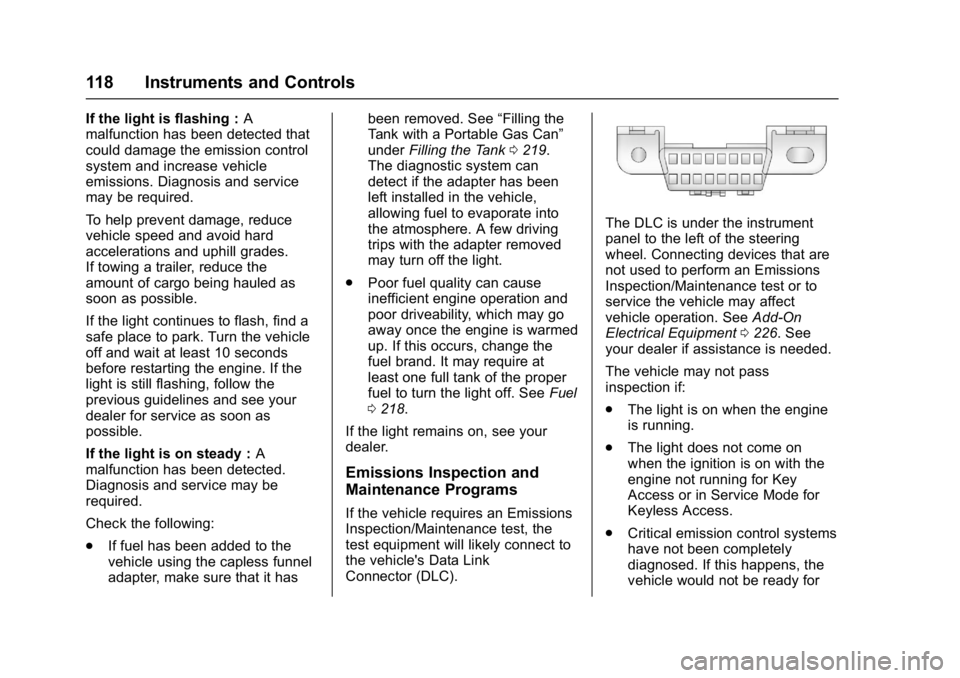
the vehicle's Data Link
Connector (DLC).
The DLC is under the instrument
panel to the left of the steering
wheel. Connecting devices that are
not used to perform an Emissions
Inspection/Maintenance test or to
service the vehicle may affect
vehicle operation. See Add-On
Electrical Equipment 0226. See
your dealer if assistance is needed.
The vehicle may not pass
inspection if:
. The light is on when the engine
is running.
. The light does not come on
when the ignition is on with the
engine not running for Key
Access or in Service Mode for
Keyless Access.
. Critical emission control systems
have not been completely
diagnosed. If this happens, the
vehicle would not be ready for
Page 121 of 362
Buick LaCrosse Owner Manual (GMNA-Localizing-U.S./Canada-10999169) -
2018 - crc - 3/28/17
120 Instruments and Controls
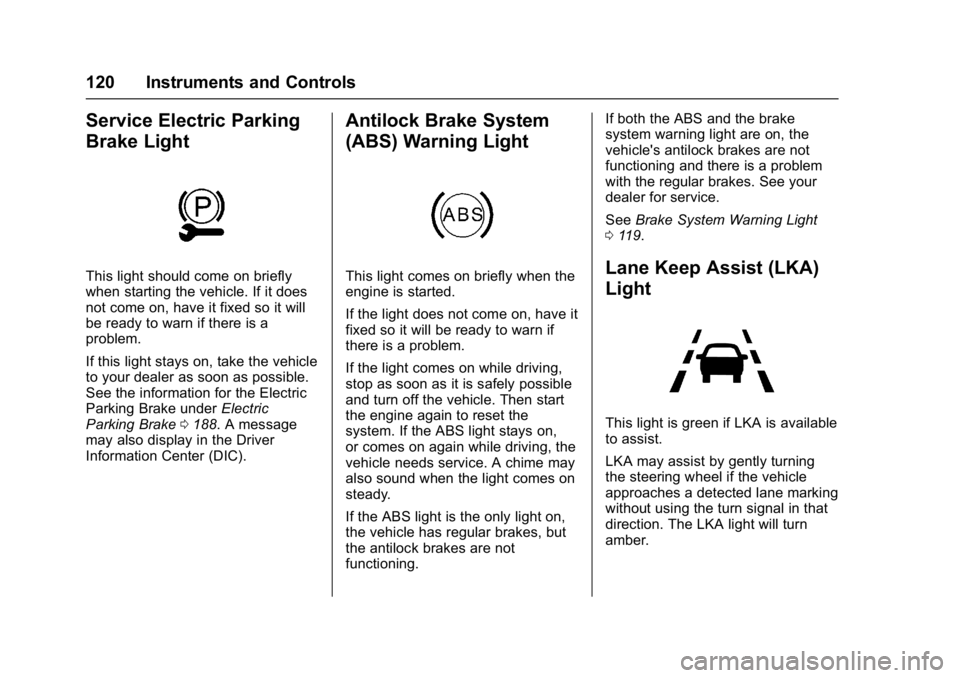
Service Electric Parking
Brake Light
This light should come on briefly
when starting the vehicle. If it does
not come on, have it fixed so it will
be ready to warn if there is a
problem.
If this light stays on, take the vehicle
to your dealer as soon as possible.
See the information for the Electric
Parking Brake underElectric
Parking Brake 0188. A message
may also display in the Driver
Information Center (DIC).
Antilock Brake System
(ABS) Warning Light
This light comes on briefly when the
engine is started.
If the light does not come on, have it
fixed so it will be ready to warn if
there is a problem.
If the light comes on while driving,
stop as soon as it is safely possible
and turn off the vehicle. Then start
the engine again to reset the
system. If the ABS light stays on,
or comes on again while driving, the
vehicle needs service. A chime may
also sound when the light comes on
steady.
If the ABS light is the only light on,
the vehicle has regular brakes, but
the antilock brakes are not
functioning. If both the ABS and the brake
system warning light are on, the
vehicle's antilock brakes are not
functioning and there is a problem
with the regular brakes. See your
dealer for service.
See
Brake System Warning Light
0 119.Lane Keep Assist (LKA)
Light
This light is green if LKA is available
to assist.
LKA may assist by gently turning
the steering wheel if the vehicle
approaches a detected lane marking
without using the turn signal in that
direction. The LKA light will turn
amber.
Page 127 of 362
Buick LaCrosse Owner Manual (GMNA-Localizing-U.S./Canada-10999169) -
2018 - crc - 3/28/17
126 Instruments and Controls
Energy Information
(eAssist)
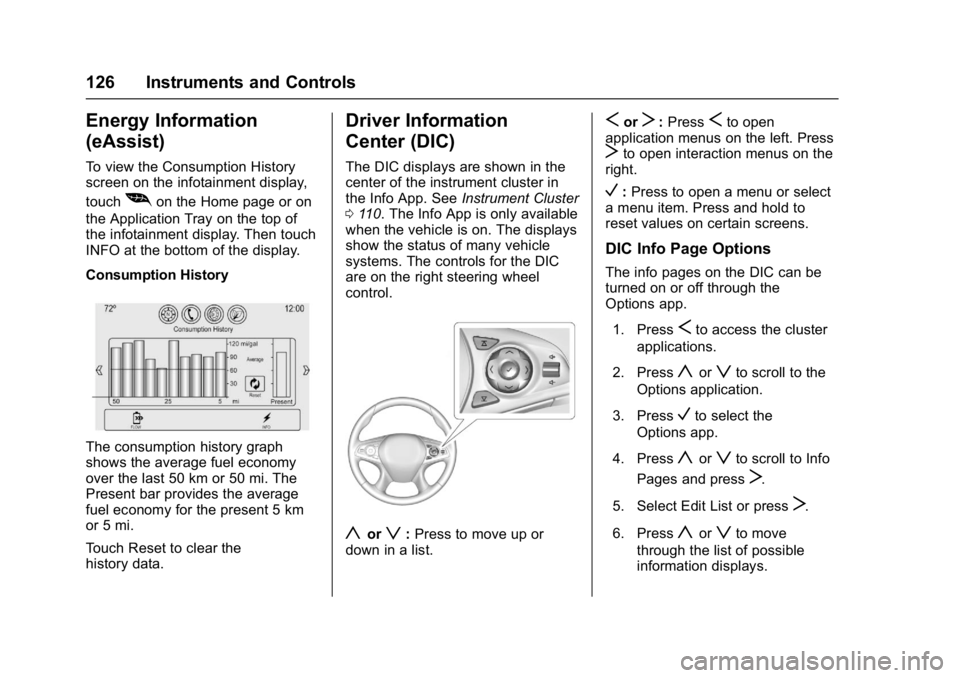
To view the Consumption History
screen on the infotainment display,
touch
[on the Home page or on
the Application Tray on the top of
the infotainment display. Then touch
INFO at the bottom of the display.
Consumption History
The consumption history graph
shows the average fuel economy
over the last 50 km or 50 mi. The
Present bar provides the average
fuel economy for the present 5 km
or 5 mi.
Touch Reset to clear the
history data.
Driver Information
Center (DIC)
The DIC displays are shown in the
center of the instrument cluster in
the Info App. See Instrument Cluster
0 110. The Info App is only available
when the vehicle is on. The displays
show the status of many vehicle
systems. The controls for the DIC
are on the right steering wheel
control.
yorz: Press to move up or
down in a list.
SorT: PressSto open
application menus on the left. Press
Tto open interaction menus on the
right.
V: Press to open a menu or select
a menu item. Press and hold to
reset values on certain screens.
DIC Info Page Options
The info pages on the DIC can be
turned on or off through the
Options app.
1. Press
Sto access the cluster
applications.
2. Press
yorzto scroll to the
Options application.
3. Press
Vto select the
Options app.
4. Press
yorzto scroll to Info
Pages and press
T.
5. Select Edit List or press
T.
6. Press
yorzto move
through the list of possible
information displays.
Page 131 of 362
Buick LaCrosse Owner Manual (GMNA-Localizing-U.S./Canada-10999169) -
2018 - crc - 3/28/17
130 Instruments and Controls
Some vehicle messages or alerts
displayed in the HUD may be
cleared by using the steering wheel
controls. SeeVehicle Messages
0 132.
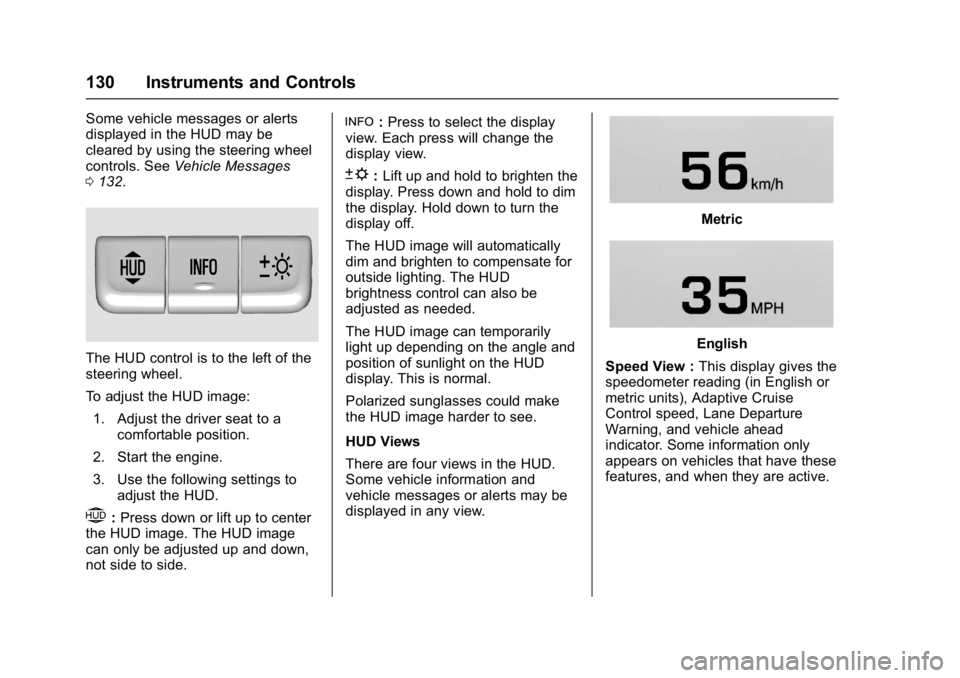
The HUD control is to the left of the
steering wheel.
To adjust the HUD image:
1. Adjust the driver seat to a comfortable position.
2. Start the engine.
3. Use the following settings to adjust the HUD.
$:Press down or lift up to center
the HUD image. The HUD image
can only be adjusted up and down,
not side to side.
!: Press to select the display
view. Each press will change the
display view.
D: Lift up and hold to brighten the
display. Press down and hold to dim
the display. Hold down to turn the
display off.
The HUD image will automatically
dim and brighten to compensate for
outside lighting. The HUD
brightness control can also be
adjusted as needed.
The HUD image can temporarily
light up depending on the angle and
position of sunlight on the HUD
display. This is normal.
Polarized sunglasses could make
the HUD image harder to see.
HUD Views
There are four views in the HUD.
Some vehicle information and
vehicle messages or alerts may be
displayed in any view.
Metric
English
Speed View : This display gives the
speedometer reading (in English or
metric units), Adaptive Cruise
Control speed, Lane Departure
Warning, and vehicle ahead
indicator. Some information only
appears on vehicles that have these
features, and when they are active.
Page 132 of 362
Buick LaCrosse Owner Manual (GMNA-Localizing-U.S./Canada-10999169) -
2018 - crc - 3/28/17
Instruments and Controls 131
Metric
English
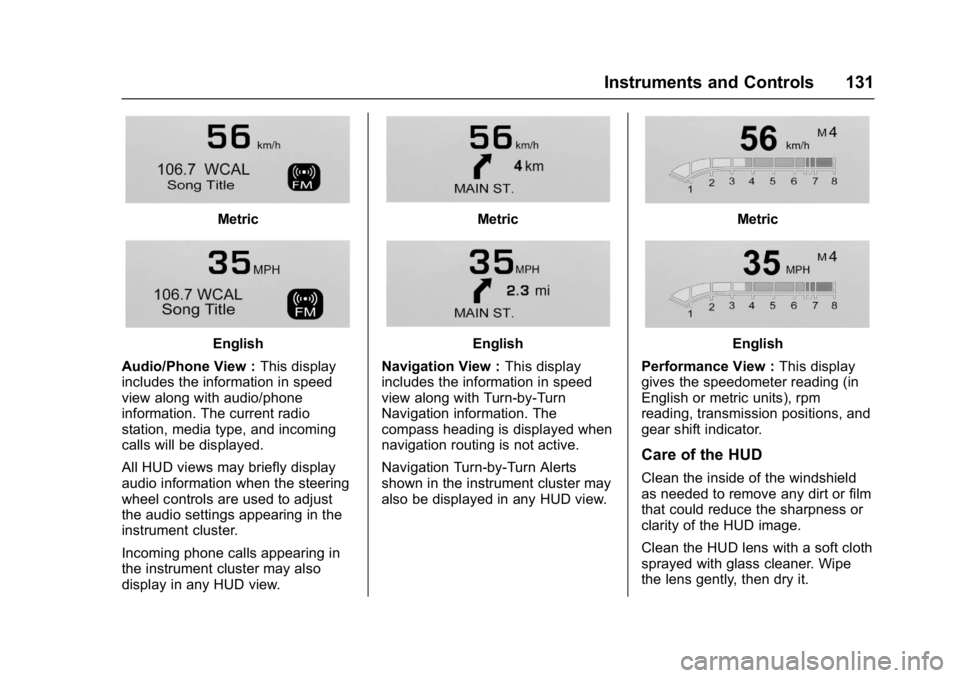
Audio/Phone View : This display
includes the information in speed
view along with audio/phone
information. The current radio
station, media type, and incoming
calls will be displayed.
All HUD views may briefly display
audio information when the steering
wheel controls are used to adjust
the audio settings appearing in the
instrument cluster.
Incoming phone calls appearing in
the instrument cluster may also
display in any HUD view.
Metric
English
Navigation View : This display
includes the information in speed
view along with Turn-by-Turn
Navigation information. The
compass heading is displayed when
navigation routing is not active.
Navigation Turn-by-Turn Alerts
shown in the instrument cluster may
also be displayed in any HUD view.
Metric
English
Performance View : This display
gives the speedometer reading (in
English or metric units), rpm
reading, transmission positions, and
gear shift indicator.
Care of the HUD
Clean the inside of the windshield
as needed to remove any dirt or film
that could reduce the sharpness or
clarity of the HUD image.
Clean the HUD lens with a soft cloth
sprayed with glass cleaner. Wipe
the lens gently, then dry it.
Page 145 of 362
Buick LaCrosse Owner Manual (GMNA-Localizing-U.S./Canada-10999169) -
2018 - crc - 3/28/17
144 Lighting
Lighting
Exterior Lighting
Exterior Lamp Controls . . . . . . . 144
Exterior Lamps OffReminder . . . . . . . . . . . . . . . . . . . 145
Headlamp High/Low-Beam Changer . . . . . . . . . . . . . . . . . . . . 145
Flash-to-Pass . . . . . . . . . . . . . . . . 145
Daytime Running Lamps (DRL) . . . . . . . . . . . . . . . 145
Automatic Headlamp System . . . . . . . . . . . . . . . . . . . . . . 145
Adaptive Forward Lighting (AFL) . . . . . . . . . . . . . . . 146
Hazard Warning Flashers . . . . . 146
Turn and Lane-Change Signals . . . . . . . . . . . . . . . . . . . . . . 147
Fog Lamps . . . . . . . . . . . . . . . . . . . 147
Interior Lighting
Instrument Panel Illumination Control . . . . . . . . . . . . . . . . . . . . . . 148
Dome Lamps . . . . . . . . . . . . . . . . . 148
Reading Lamps . . . . . . . . . . . . . . 148
Sun Visor Lamps . . . . . . . . . . . . . 149
Lighting Features
Entry Lighting . . . . . . . . . . . . . . . . 149
Exit Lighting . . . . . . . . . . . . . . . . . . 149
Battery Load Management . . . 149
Battery Power Protection . . . . . 150
Exterior Lighting Battery Saver . . . . . . . . . . . . . . . . . . . . . . . 150
Exterior Lighting
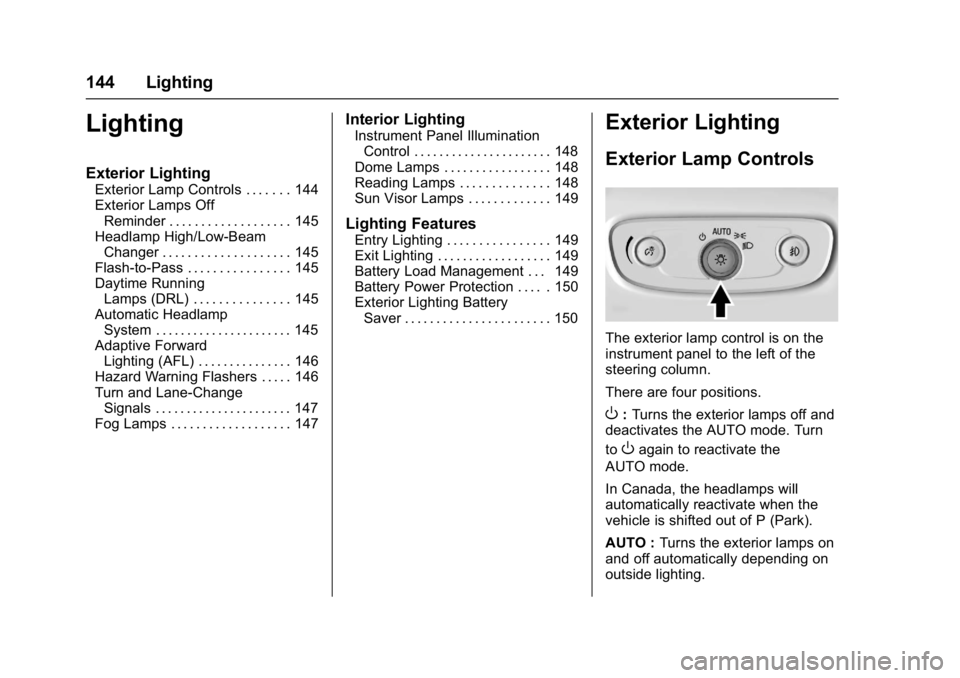
Exterior Lamp Controls
The exterior lamp control is on the
instrument panel to the left of the
steering column.
There are four positions.
O: Turns the exterior lamps off and
deactivates the AUTO mode. Turn
to
Oagain to reactivate the
AUTO mode.
In Canada, the headlamps will
automatically reactivate when the
vehicle is shifted out of P (Park).
AUTO : Turns the exterior lamps on
and off automatically depending on
outside lighting.
Page 148 of 362
Buick LaCrosse Owner Manual (GMNA-Localizing-U.S./Canada-10999169) -
2018 - crc - 3/28/17
Lighting 147
Turn and Lane-Change
Signals
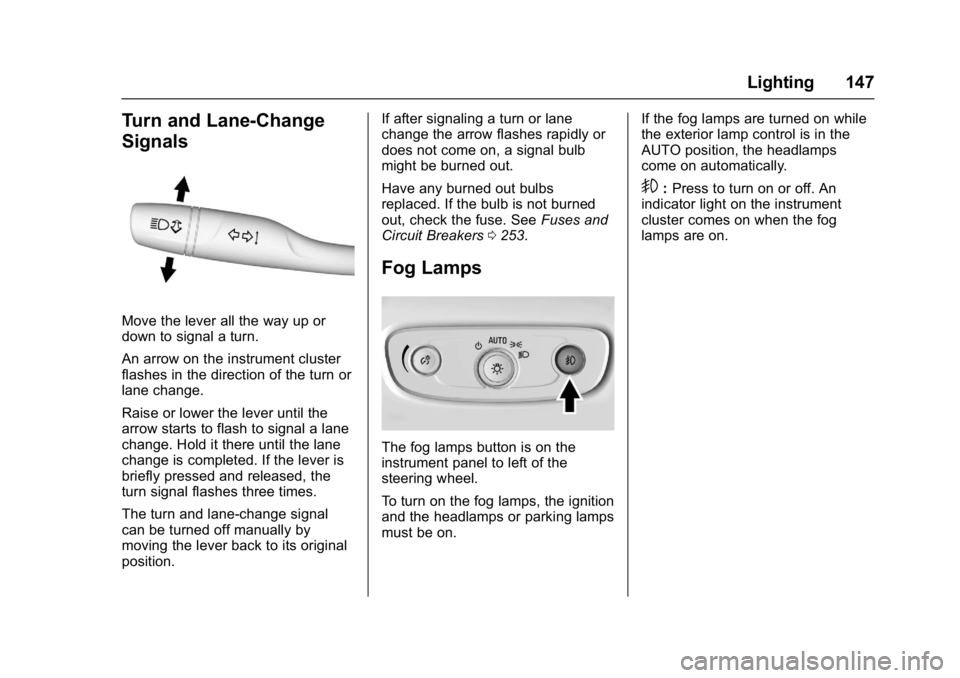
Move the lever all the way up or
down to signal a turn.
An arrow on the instrument cluster
flashes in the direction of the turn or
lane change.
Raise or lower the lever until the
arrow starts to flash to signal a lane
change. Hold it there until the lane
change is completed. If the lever is
briefly pressed and released, the
turn signal flashes three times.
The turn and lane-change signal
can be turned off manually by
moving the lever back to its original
position.If after signaling a turn or lane
change the arrow flashes rapidly or
does not come on, a signal bulb
might be burned out.
Have any burned out bulbs
replaced. If the bulb is not burned
out, check the fuse. See
Fuses and
Circuit Breakers 0253.
Fog Lamps
The fog lamps button is on the
instrument panel to left of the
steering wheel.
To turn on the fog lamps, the ignition
and the headlamps or parking lamps
must be on. If the fog lamps are turned on while
the exterior lamp control is in the
AUTO position, the headlamps
come on automatically.
9:
Press to turn on or off. An
indicator light on the instrument
cluster comes on when the fog
lamps are on.