open BUICK LACROSSE 2018 Owner's Guide
[x] Cancel search | Manufacturer: BUICK, Model Year: 2018, Model line: LACROSSE, Model: BUICK LACROSSE 2018Pages: 362, PDF Size: 5.19 MB
Page 101 of 362
Buick LaCrosse Owner Manual (GMNA-Localizing-U.S./Canada-10999169) -
2018 - crc - 3/28/17
100 Storage
Storage
Storage Compartments
Storage Compartments . . . . . . . 100
Glove Box . . . . . . . . . . . . . . . . . . . . 100
Cupholders . . . . . . . . . . . . . . . . . . . 100
Armrest Storage . . . . . . . . . . . . . . 101
Center Console Storage . . . . . . 101
Additional Storage Features
Cargo Tie-Downs . . . . . . . . . . . . . 101
Convenience Net . . . . . . . . . . . . . 102
Storage
Compartments
{Warning
Do not store heavy or sharp
objects in storage compartments.
In a crash, these objects may
cause the cover to open and
could result in injury.
Glove Box
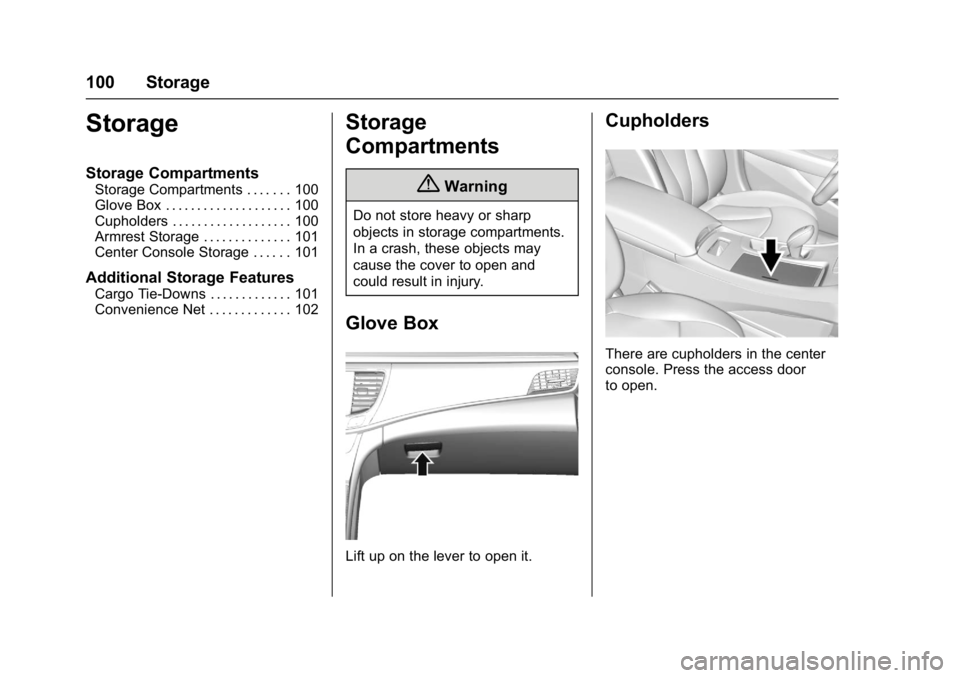
Lift up on the lever to open it.
Cupholders
There are cupholders in the center
console. Press the access door
to open.
Page 102 of 362
Buick LaCrosse Owner Manual (GMNA-Localizing-U.S./Canada-10999169) -
2018 - crc - 3/28/17
Storage 101
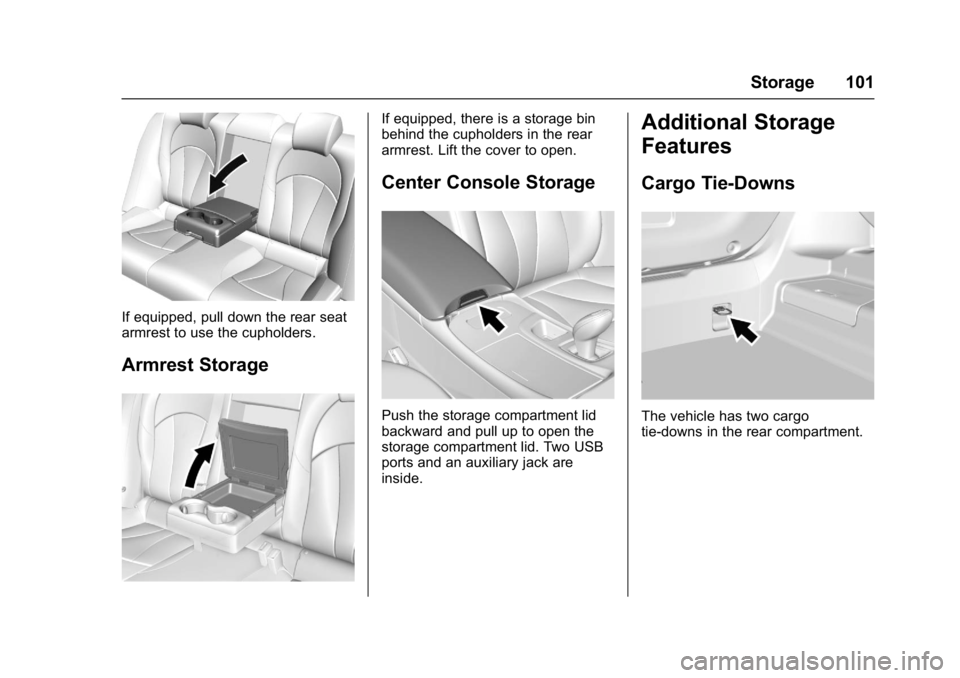
If equipped, pull down the rear seat
armrest to use the cupholders.
Armrest Storage
If equipped, there is a storage bin
behind the cupholders in the rear
armrest. Lift the cover to open.
Center Console Storage
Push the storage compartment lid
backward and pull up to open the
storage compartment lid. Two USB
ports and an auxiliary jack are
inside.
Additional Storage
Features
Cargo Tie-Downs
The vehicle has two cargo
tie-downs in the rear compartment.
Page 103 of 362
Buick LaCrosse Owner Manual (GMNA-Localizing-U.S./Canada-10999169) -
2018 - crc - 3/28/17
102 Storage
Convenience Net
Use the convenience net in the
trunk to store small loads as far
forward as possible. The net should
not be used to store heavy loads.
Attach the net so the opening is
facing up. Attach the net loops to
the cargo tie-downs on the rear
panel of the trunk.
Page 107 of 362
Buick LaCrosse Owner Manual (GMNA-Localizing-U.S./Canada-10999169) -
2018 - crc - 3/28/17
106 Instruments and Controls
If the windshield wiper lever is then
moved to OFF before the driver
door is opened or within 10 minutes,
the wipers will restart and move to
the base of the windshield.
If the ignition is turned off while the
wipers are performing wipes due to
windshield washing, the wipers
continue to run until they reach the
base of the windshield.
Compass
The vehicle may have a compass
display on the Driver Information
Center (DIC). The compass receives
its heading and other information
from the Global Positioning
System (GPS) antenna, StabiliTrak,
and vehicle speed information.
The compass system is designed to
operate for a certain number of
miles or degrees of turn before
needing a signal from the GPS
satellites. When the compass
display shows CAL, drive the
vehicle for a short distance in an
open area where it can receive a
GPS signal. The compass systemwill automatically determine when a
GPS signal is restored and provide
a heading again.
Clock
Setting the Time and Date
To set the time or date:
1. Select SETTINGS from the Home Page, then select Time
and Date.
2. Select the desired function.
To set the time or date, touch
«or
ªto change the hour, minutes,
AM, PM, day, month, or year.
To change the 12-24Hr setting,
touch 12-24Hr.
To turn clock display on and off,
touch Clock Display, then select Off
or On.
To turn Auto Set on and off, touch
Auto Set, then select Off or On.
If auto timing is set, the time
displayed on the clock may not
update immediately when driving
into a new time zone. Auto set requires an active OnStar
®
subscription.
Touch
[to go to the last menu and
save the changes or
{to return to
the Home Page.
Power Outlets
Power Outlets 12-Volt Direct
Current
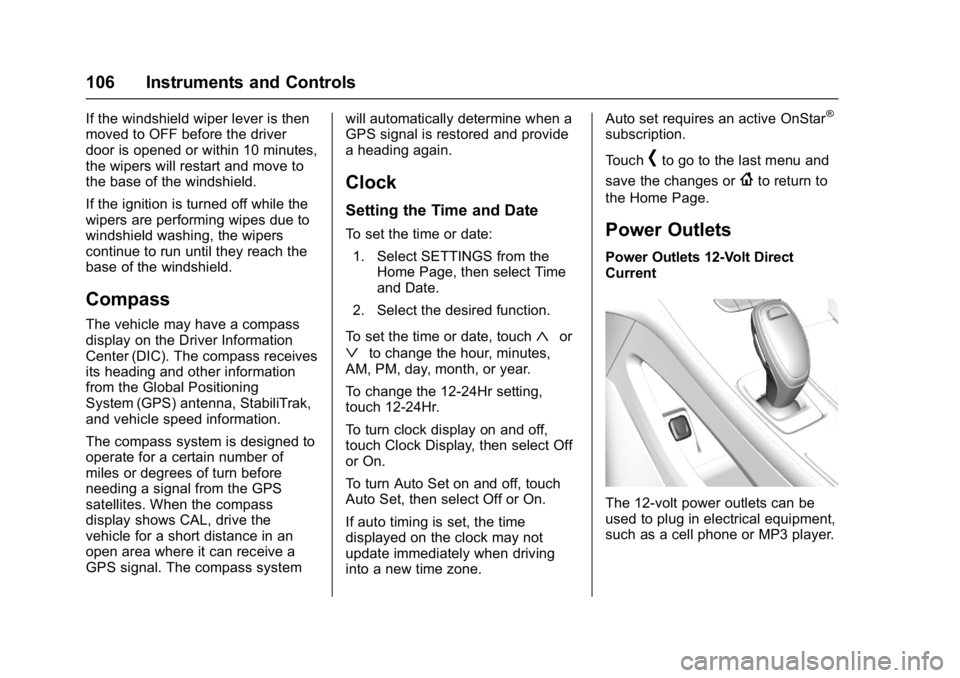
The 12-volt power outlets can be
used to plug in electrical equipment,
such as a cell phone or MP3 player.
Page 108 of 362
Buick LaCrosse Owner Manual (GMNA-Localizing-U.S./Canada-10999169) -
2018 - crc - 3/28/17
Instruments and Controls 107
The vehicle has three power outlets:
.Under the front of the center
console
. Inside the center console
storage
. On the rear of the center
console
Open the protective cover to use the
power outlet.
The outlet is powered when the
ignition is on or in ACC/
ACCESSORY, or until the driver
door is opened within 10 minutes of
turning off the vehicle. See Retained
Accessory Power (RAP) 0176.
Certain electrical accessories may
not be compatible with the
accessory power outlet and could
overload vehicle or adapter fuses.
If there is a problem, see your
dealer.
When adding electrical equipment,
be sure to follow the installation
instructions included with the
equipment. See Add-On Electrical
Equipment 0226.Caution
Hanging heavy equipment from
the power outlet can cause
damage not covered by the
vehicle warranty. The power
outlets are designed for
accessory power plugs only, such
as cell phone charge cords.
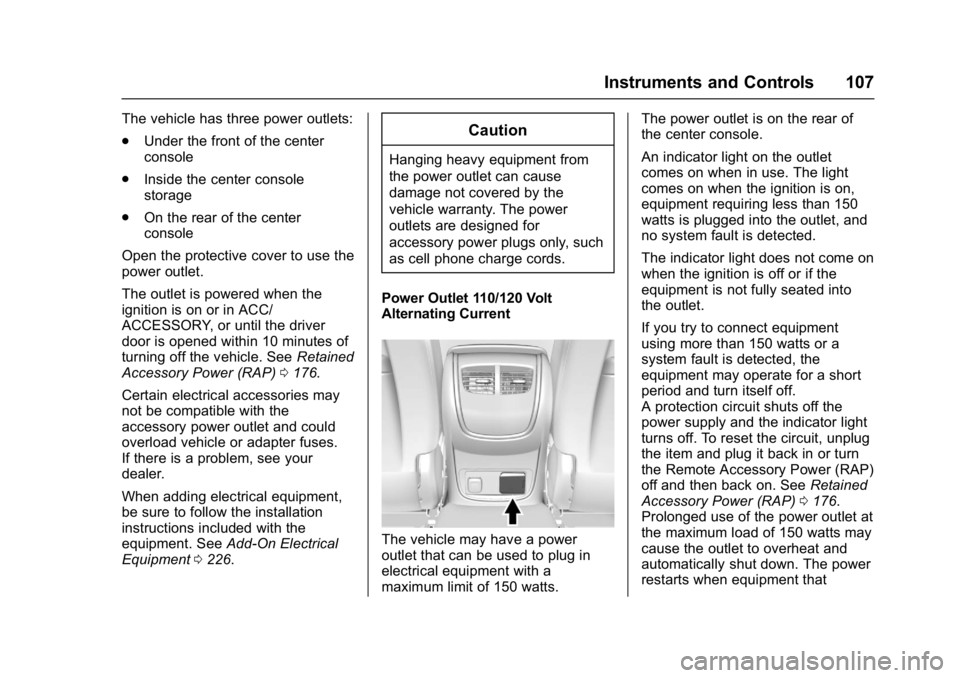
Power Outlet 110/120 Volt
Alternating Current
The vehicle may have a power
outlet that can be used to plug in
electrical equipment with a
maximum limit of 150 watts. The power outlet is on the rear of
the center console.
An indicator light on the outlet
comes on when in use. The light
comes on when the ignition is on,
equipment requiring less than 150
watts is plugged into the outlet, and
no system fault is detected.
The indicator light does not come on
when the ignition is off or if the
equipment is not fully seated into
the outlet.
If you try to connect equipment
using more than 150 watts or a
system fault is detected, the
equipment may operate for a short
period and turn itself off.
A protection circuit shuts off the
power supply and the indicator light
turns off. To reset the circuit, unplug
the item and plug it back in or turn
the Remote Accessory Power (RAP)
off and then back on. See
Retained
Accessory Power (RAP) 0176.
Prolonged use of the power outlet at
the maximum load of 150 watts may
cause the outlet to overheat and
automatically shut down. The power
restarts when equipment that
Page 112 of 362
Buick LaCrosse Owner Manual (GMNA-Localizing-U.S./Canada-10999169) -
2018 - crc - 3/28/17
Instruments and Controls 111
Cluster Menu
There is an interactive display area
in the center of the instrument
cluster.
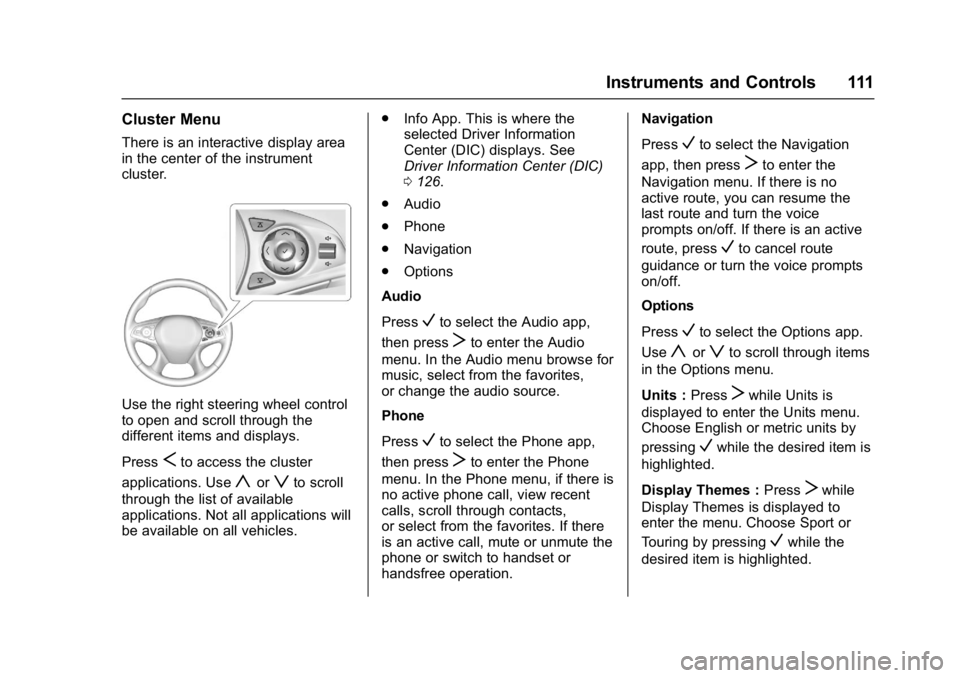
Use the right steering wheel control
to open and scroll through the
different items and displays.
Press
Sto access the cluster
applications. Use
yorzto scroll
through the list of available
applications. Not all applications will
be available on all vehicles. .
Info App. This is where the
selected Driver Information
Center (DIC) displays. See
Driver Information Center (DIC)
0126.
. Audio
. Phone
. Navigation
. Options
Audio
Press
Vto select the Audio app,
then press
Tto enter the Audio
menu. In the Audio menu browse for
music, select from the favorites,
or change the audio source.
Phone
Press
Vto select the Phone app,
then press
Tto enter the Phone
menu. In the Phone menu, if there is
no active phone call, view recent
calls, scroll through contacts,
or select from the favorites. If there
is an active call, mute or unmute the
phone or switch to handset or
handsfree operation. Navigation
Press
Vto select the Navigation
app, then press
Tto enter the
Navigation menu. If there is no
active route, you can resume the
last route and turn the voice
prompts on/off. If there is an active
route, press
Vto cancel route
guidance or turn the voice prompts
on/off.
Options
Press
Vto select the Options app.
Use
yorzto scroll through items
in the Options menu.
Units : Press
Twhile Units is
displayed to enter the Units menu.
Choose English or metric units by
pressing
Vwhile the desired item is
highlighted.
Display Themes : Press
Twhile
Display Themes is displayed to
enter the menu. Choose Sport or
Touring by pressing
Vwhile the
desired item is highlighted.
Page 113 of 362
Buick LaCrosse Owner Manual (GMNA-Localizing-U.S./Canada-10999169) -
2018 - crc - 3/28/17
112 Instruments and Controls
Info Pages :PressTwhile Info
Pages is displayed to enter the Info
Pages menu and select the items to
be displayed in the Info App. See
Driver Information Center (DIC)
0 126.
Speed Warning : The Speed
Warning display allows the driver to
set a speed that they do not want to
exceed. To set the Speed Warning,
press
Twhen Speed Warning is
displayed. Scroll to Set Speed and
press
T. PressVto set the speed.
Once the speed is set, this feature
can be turned off by pressing
V
while viewing this page. If the
selected speed limit is exceeded, a
DIC message is displayed with a
chime.
Jump Start : The Jump Start
display is used to perform an
on-board jump start for eAssist
vehicles. See “Jump Starting - North
America (On-board with eAssist
Only)” in the Index.
Software Information : Displays
the open source software
information.
Speedometer
The speedometer shows the
vehicle's speed in either kilometers
per hour (km/h) or miles per
hour (mph).
Odometer
The odometer shows how far the
vehicle has been driven, in either
kilometers or miles.
Tachometer
The tachometer displays the engine
speed in revolutions per
minute (rpm).
For vehicles with the stop/start
system, when the ignition is on, the
tachometer indicates the vehicle
status. When pointing to AUTO
STOP, the engine is off but the
vehicle is on and can move. The
engine could auto start at any time.
When the indicator points to OFF,
the vehicle is off.
When the engine is on, the
tachometer will indicate the engine’s
revolutions per minute (rpm). The
tachometer may vary by several hundred rpm’s, during Auto Stop
mode, when the engine is shutting
off and restarting.
A slight bump may be felt when the
transmission is determining the
most fuel efficient operating range.
Caution
If the engine is operated with the
rpm’s in the warning area at the
high end of the tachometer, the
vehicle could be damaged, and
the damage would not be covered
by the vehicle warranty. Do not
operate the engine with the rpm’s
in the warning area.
Page 126 of 362
Buick LaCrosse Owner Manual (GMNA-Localizing-U.S./Canada-10999169) -
2018 - crc - 3/28/17
Instruments and Controls 125
Cruise Control Light
The cruise control light is white
when the cruise control is on and
ready, and turns green when the
cruise control is set and active.
SeeCruise Control 0193.
Adaptive Cruise Control Light
This light is white when the Adaptive
Cruise Control (ACC, if equipped) is
on and ready, and turns green when
the ACC is set and active. See
Adaptive Cruise Control 0195.
Door Ajar Light
This light comes on when a door is
open or not securely latched. Before
driving, check that all doors are
properly closed.
Information Displays
Power Flows (eAssist)
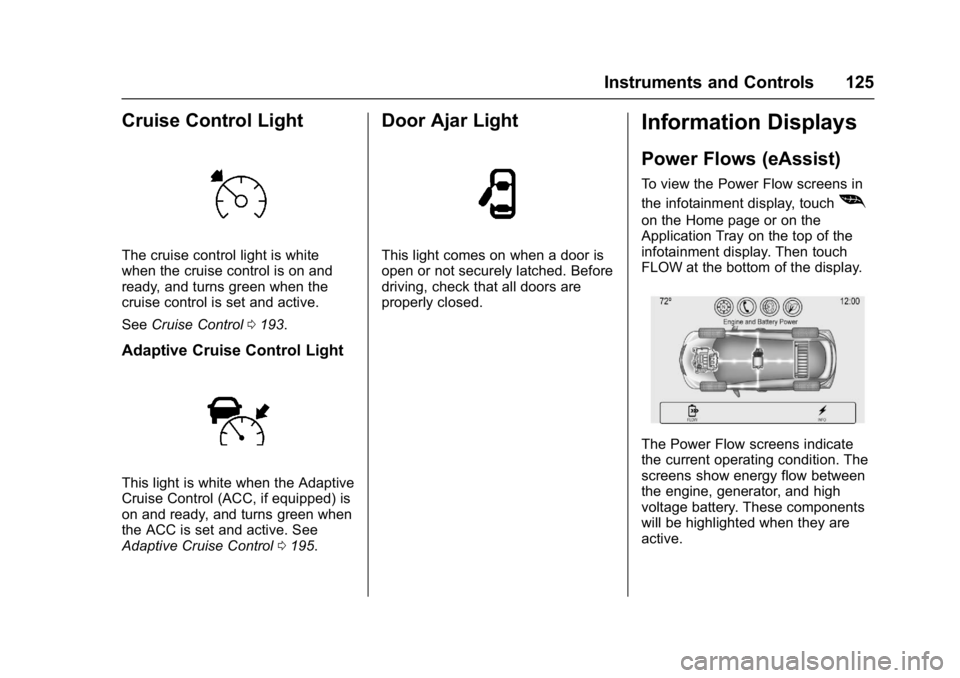
To view the Power Flow screens in
the infotainment display, touch
[
on the Home page or on the
Application Tray on the top of the
infotainment display. Then touch
FLOW at the bottom of the display.
The Power Flow screens indicate
the current operating condition. The
screens show energy flow between
the engine, generator, and high
voltage battery. These components
will be highlighted when they are
active.
Page 127 of 362
Buick LaCrosse Owner Manual (GMNA-Localizing-U.S./Canada-10999169) -
2018 - crc - 3/28/17
126 Instruments and Controls
Energy Information
(eAssist)
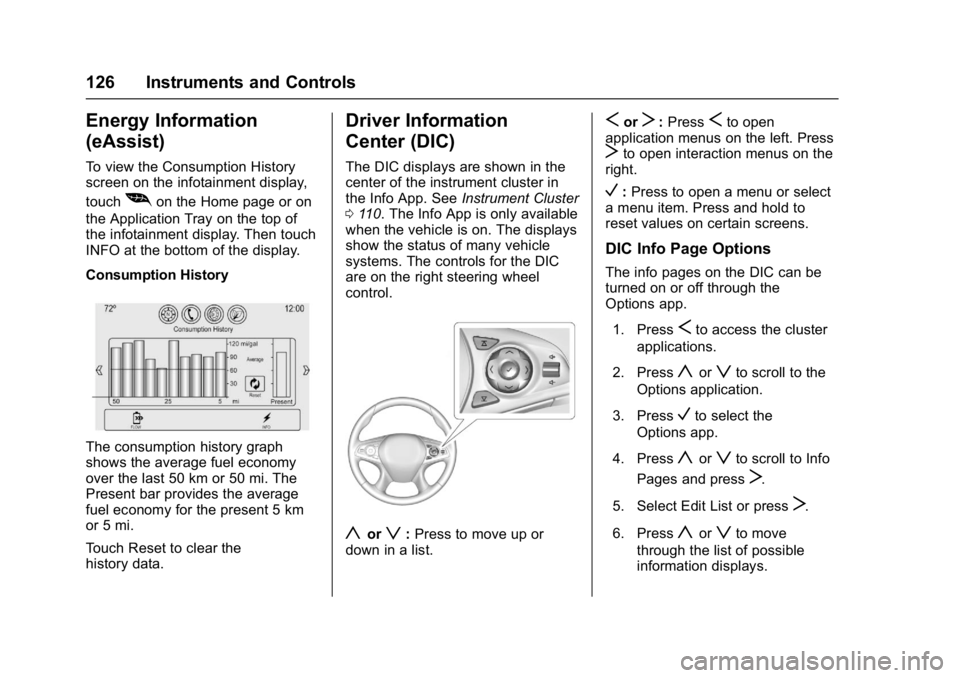
To view the Consumption History
screen on the infotainment display,
touch
[on the Home page or on
the Application Tray on the top of
the infotainment display. Then touch
INFO at the bottom of the display.
Consumption History
The consumption history graph
shows the average fuel economy
over the last 50 km or 50 mi. The
Present bar provides the average
fuel economy for the present 5 km
or 5 mi.
Touch Reset to clear the
history data.
Driver Information
Center (DIC)
The DIC displays are shown in the
center of the instrument cluster in
the Info App. See Instrument Cluster
0 110. The Info App is only available
when the vehicle is on. The displays
show the status of many vehicle
systems. The controls for the DIC
are on the right steering wheel
control.
yorz: Press to move up or
down in a list.
SorT: PressSto open
application menus on the left. Press
Tto open interaction menus on the
right.
V: Press to open a menu or select
a menu item. Press and hold to
reset values on certain screens.
DIC Info Page Options
The info pages on the DIC can be
turned on or off through the
Options app.
1. Press
Sto access the cluster
applications.
2. Press
yorzto scroll to the
Options application.
3. Press
Vto select the
Options app.
4. Press
yorzto scroll to Info
Pages and press
T.
5. Select Edit List or press
T.
6. Press
yorzto move
through the list of possible
information displays.
Page 135 of 362
Buick LaCrosse Owner Manual (GMNA-Localizing-U.S./Canada-10999169) -
2018 - crc - 3/28/17
134 Instruments and Controls
Time and Date
Manually set the time and date. See
Clock0106.
Rear Seat Reminder
This allows for a chime and a
message when the rear door has
been opened before or during
operation of the vehicle.
Select Off or On.
Language
Select Language, then select from
the available language(s).
Valet Mode
To turn Valet Mode on and off, see
“Valet Mode” under“Setting Radio
Preferences” in the infotainment
manual.
Teen Driver
See “Teen Driver” under“Settings”
in the infotainment manual.
Radio
To manage the radio features, see
“Radio Setup” under“Setting Radio
Preferences” in the infotainment
manual.
Vehicle
Select and the following may be
displayed:
. Climate and Air Quality
. Collision/Detection Systems
. Comfort and Convenience
. Lighting
. Power Door Locks
. Remote Lock, Unlock, Start
Climate and Air Quality
Select and the following may be
displayed:
. Auto Fan Speed
. Air Quality Sensor
. Auto Defog
. Auto Rear Defog
. Ionizer Auto Fan Speed
This feature will set the auto fan
speed.
Select Low, Medium, or High.
Air Quality Sensor
This feature may operate the
recirculation mode automatically.
Select Off, Low Sensitivity, or High
Sensitivity.
Auto Defog
If equipped, the front defog will
automatically react to temperature
and humidity conditions that may
cause fogging.
Select Off or On.
Auto Rear Defog
This allows the Auto Rear Defog to
be turned on or off. This feature will
automatically turn on the rear
window defogger when it is cold
outside.
Select Off or On.