CD player BUICK LESABRE 1993 Owners Manual
[x] Cancel search | Manufacturer: BUICK, Model Year: 1993, Model line: LESABRE, Model: BUICK LESABRE 1993Pages: 324, PDF Size: 17.02 MB
Page 119 of 324
@ Part 3 Comfort Controls & Audio Systems
In this part you’ll find out how to operate the comfort control systems and audio systems offered with your Buick . Be
sure to read about the particular system supplied with your vehicle
.
Part 3 includes:
Comfort Control System
........................................................ 122
Heater and Defroster
....................................................... 123. 126
Airconditioner
........................................................... 119. 125
Rear Window Defogger
.................................................... 124. 127
Ventilation
................................................................... 126
Audiosystems
.................................................................... 127
Settingtheclock
................................................. 130. 132. 134. 137
RadioControls
....................................................... 129. 130. 133
TapePlayerControls
................................................... 132. 134. 136
CDPlayerControls
............................................................ 138
Understanding Radio Reception .................................................. 127
CareofCompactDiscs
......................................................... 142
Antennacare
................................................................ 142
Care
of Cassette
Tape Player & Tapes ............................................. 141
117
-
Page 130 of 324
AM Stereo
This means the Delco@ system can receive C-QUAM@
stereo broadcasts. Many
AM stations around the country
use C-QUAM@ to produce stereo, though some
do not.
(C-QUAM@ is
a registered trademark of Motorola, Inc.)
If your D~ICO@ system can get C-QUAM@, your
“STEREO” light will come on when you’re receiving it.
I
I
A CAUTION:
Hearing damage from loud noise is almost I
undetectable until it is too late. Your hearing can I
adapt to higher volumes of sound. Sound that
Seems normal
can be loud and harmful to your
hearing. Take pibutions by adjusting the
volume control on your radio ‘to a safe sound
level before your hearing adapts to it.
To help avoid hearing loss or damage:
m Adjust the volume control to the lowest
a Increase volume slowly until you hear
setting.
comfortably and cle; f.
Before
you add any sound equipment to you
vehicle
-- like a tape player, CB radio, mobile
telephone or two-way radio
-- be sure you car
add what you want.
If you can, it’s very important
to
do it properly. Added sound equipment may
interfere with the operation
of your vehicle’s
engine, Delco@ radio or other systems, and eve1
damage them. And, your vehicle’s systems may interfere with the operation of sound e
ui ment
that has been added improperly.
So, before adding sound equip
your dealer and be sure
to check Federal r
covering mobile radio and telephone units
12s
Page 134 of 324
Clock
To set the clock:
Press the SET button.
0 Within 5 seconds, press and hold SCAN until the
correct hour appears on the display.
Press and hold SEEK until the correct minute
appears on the display.
Treble
Slide the TREBLE lever up to increase the treble
response. If station is weak or noisy, slide the TREBLE
lever down
to reduce the noise.
Bass
Slide the BASS lever up to increase the bass response.
Adjust the BASS lever to give a pleasing sound to your
ear.
DNR~
This is the Dynamic Noise Reduction button, DNR@
helps remove background hiss from the radio or tape
player. You may want to leave
it pushed in all the time.
To Play A Cassette
Your tape player is built to work best with tapes that are
30 to 45 minutes long on each side. Tapes longer than
that are
so thin they may not work well in this player.
With the radio on, push
a tape into the slot marked
AUTO REVERSE (tape side goes in first).
Once
the tape is playing, use the upper and lower knobs
for volume, balance and fade just as you did for radio.
The arrows indicate which side
of the tape is being
played. Your tape player has an auto reverse feature
which automatically plays the other side
of the tape after
the first side has played.
FWD
To advance the tape forward, press b and the tape will
rapidly go forward until you press
the 4 button or
STOP-EJECT lightly.
REV
To reverse the tape, press 4 and the tape will rapidly go
backward until you press the p button or STOP-EJECT
lightly.
132
Page 136 of 324
RCL
It tells you the time or the radio frequency. When the
ignition
is off, push RCL to display the time. With the
radio on, when the time is displayed, push
RCL to
display the frequency.
SEEK 4 or b
Pressing the SEEK 4 or b button will cause the
receiver to seek
the next lower or higher station and
stop.
SCAN
When you press SCAN, the radio will go to the next
station and pause and keep doing that until
you press
SCAN again. SC will appear in the display.
Pushbuttons
The five pushbuttons let you return to favorite stations.
You can set the pushbuttons for up to ten stations (5 AM
and 5 FM).
0 Tune in the station you want to listen to.
Press the SET pushbutton. (The display will show
SET.)
0 Within 5 seconds, push one of the five pushbuttons.
(SET will disappear from the display when the
station is set.)
Whenever you press that button, the preset station
will return.
Clock
To set the clock,
Press the SET button.
0 Within 5 seconds, press and hold SCAN until the
correct hour appears on the display.
Press and hold SEEK 4 or b until the correct
minute appears on the display.
To Adjust The Tone
Use the levers next to the display to set the bass,
midrange, and treble until
you get the sound you want.
The
60 and 250 levers adjust the bass; 1K is midrange;
and
3.5K and 1OK control the treble.
We suggest you start with the center lever
(LK) in the
midpoint position. Then move the others up or down
until you get the amount of bass and treble you like.
To Play A Cassette
Your tape player is built to work best with tapes that are
30 to 45 minutes long on each side. Tapes longer than
that are
so thin they may not work well in this player.
134
Page 137 of 324
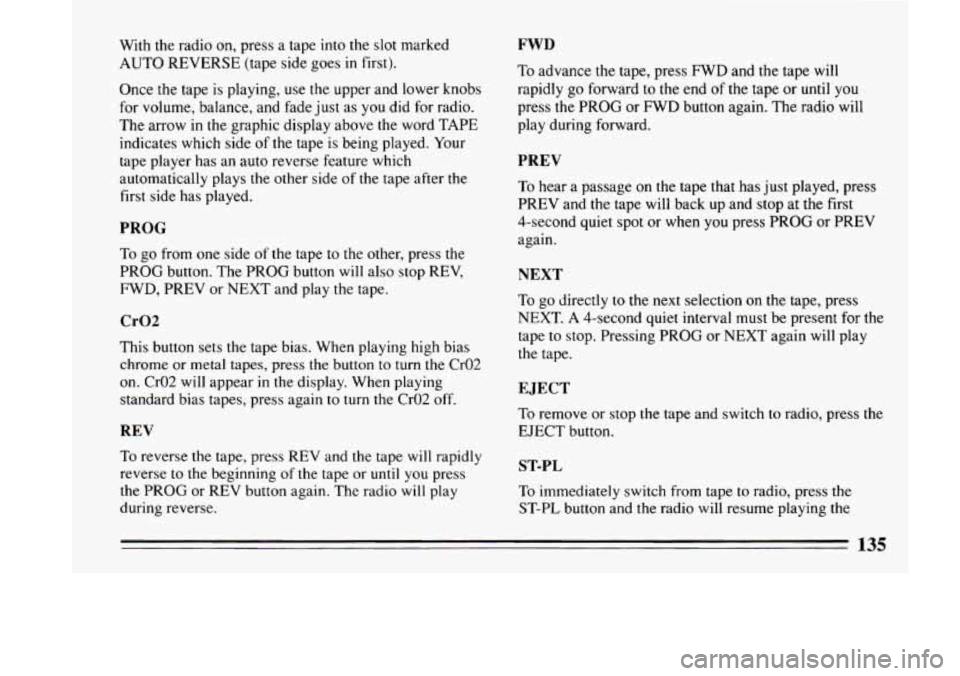
With the radio on, press a tape into the slot marked
AUTO REVERSE (tape side goes in first).
Once the tape is playing, use the upper and lower knobs
for volume, balance, and fade just as you did for radio.
The arrow in the graphic display above
the word TAPE
indicates which side of the tape is being played. Your
tape player has an auto reverse feature which
automatically plays the other side of the tape after the
first side has played.
PROG
To go from one side of the tape to the other, press the
PROG button. The PROG button will also stop REV,
FWD, PREV or NEXT and play the tape.
Cr02
This button sets the tape bias. When playing high bias
chrome or metal tapes, press the button to turn
the Cr02
on. Cr02 will appear in the display. When playing
standard bias tapes, press again to turn the Cr02 off.
REV
To reverse the tape, press REV and the tape will rapidly
reverse
to the beginning of the tape or until you press
the PROG or REV button again. The
radio will play
during reverse.
FWD
To advance the tape, press FWD and the tape will
rapidly
go forward to the end of the tape or until you
press the PROG or FWD button again. The radio will
play during forward.
PREV
To hear a passage on the tape that has just played, press
PREV and the tape will back up and stop at the first
4-second quiet spot or when
you press PROG or PREV
again.
NEXT
To go directly to the next selection on the tape, press
NEXT. A 4-second quiet interval must be present for
the
tape to stop. Pressing PROG or NEXT again will play
the tape.
EJECT
To remove or stop the tape and switch to radio, press the
EJECT button.
ST-PL
To immediately switch from tape to radio, press the
ST-PL button and the radio will resume playing the
135
Page 138 of 324
station that was tuned in when you inserted a tape.
Pressing ST-PL again will allow the
tape to resume
where it stopped.
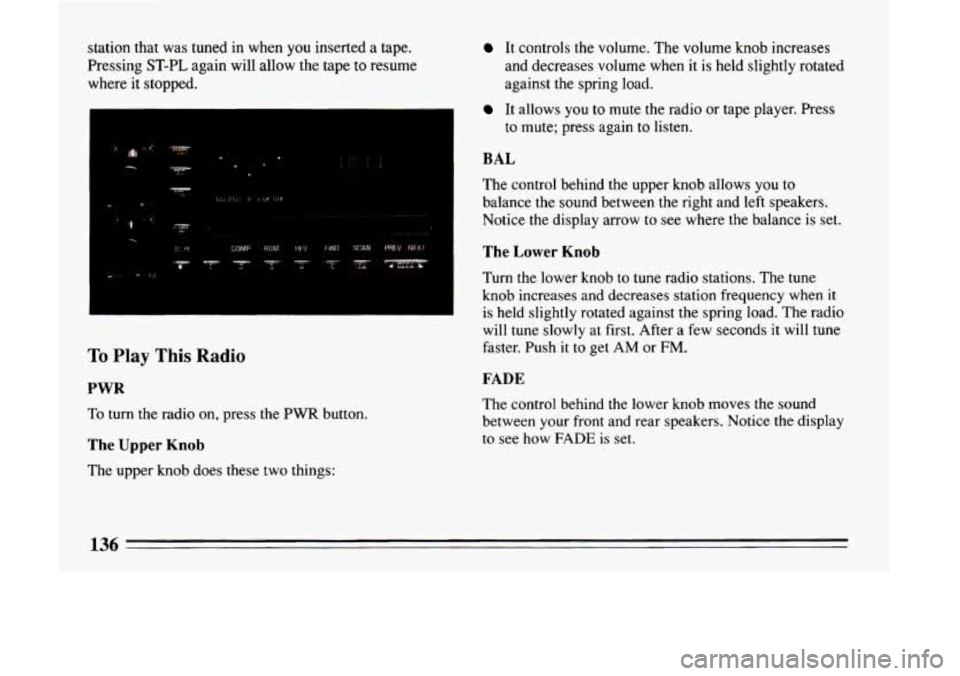
To Play This Radio
PWR
To turn the radio on, press the PWR button.
The Upper Knob
The upper knob does these two things:
It controls the volume. The volume knob increases
and decreases volume when it is held slightly rotated
against the spring load.
It allows you to mute the radio or tape player. Press
to mute; press again to listen.
BAL
The control behind the upper knob allows you to
balance
the sound between the right and left speakers.
Notice
the display arrow to see where the balance is set.
The Lower Knob
Turn the lower knob to tune radio stations. The tune
knob increases and decreases station frequency when it
is held slightly rotated against the spring load. The radio
will tune slowly at first. After a few seconds it will tune
faster. Push it to get
AM or FM.
FADE
The control behind the lower knob moves the sound
between your front and rear speakers. Notice the display
to see how
FADE is set.
Page 140 of 324
To Play A Compact Disc
Before you begin, please note: DO NOT use mini-discs
that are called singles. They won’t eject. Use full-size
compact discs only.
Press PWR
to turn the system on.
Insert a disc partway into the slot, label side up. The
player will pull it in. Wait a few seconds and the disc
should play.
If the disc comes back out, check whether:
0
0
0
0
The disc is upside down.
It is dirty, scratched, or wet.
There’s too much moisture in the air. (If there
is,
wait about an hour and try again.)
The disc player is too hot. If the disc player is very
hot, or if you’re driving on a very rough road, the
disc may come out or not play. ERR will appear in
the display.
As soon as things get back to normal, the
disc should play again.
RCL
Press RCL to see what track is playing. Press it again
within
5 seconds to see how long it has been playing.
The display will automatically return to the time of day.
The track number also appears when
you change the
volume or when a new track starts to play.
COMP
Pressing the COMP button makes soft and loud passages
more nearly equal in volume. COMP appears in the
graphic display.
RDM
The RDM button means random and when it is pressed,
it will play the tracks in random order rather than in the
sequential
1,2,3 ... order. Pressing RDM again will play
the disc in sequential order.
REV
Press and hold REV to return rapidly to a favorite
passage in a track. Release it to play the passage. Note
the counter reading in the graphic display.
138
Page 141 of 324
FWD
Press and hold FWD to advance quickly within a track.
Release it to resume playing. Watch
the graphic display
to stop at a specific passage.
PREV
Press PREV to hear the previous track. Press it again to
move back one more track.
NEXT
Press NEXT to hear the next track instead of waiting
until the present track is finished. If you hold this
button, or press
it more than once, the disc will advance
further.
STFL
Press ST/PL (Stop/Play) and the disc will stop hd the
radio will play. Press
STPL again to restart the disc at
the point where it stopped.
Press the PWR button or
turn the ignition key off to stop
the disc player. The disc stays
in the player and will
resahe playing at the point where it stopped.
EJECT
Press EJCT, the disc will eject and the radio will play.
The disc will start at track
1 when you reinsert it.
As a feature to protect the disc, if you turn off the
ignition with the disc partway out of the slot (after
eject), it will be drawn back into the player
in about 30
seconds.
The disc will play at track
1 when the radio system is
turned on again.
Anti-Theft Feature
Delco-Loc I1 is a security feature for the compact disc
player. It can be used or ignored. If ignored, the system
plays normally. If it is used, your player won’t be usable
if it’s ever stolen, because it won’t turn on.
The instructions below
tell you how to enter your
personal secret code into the system.
If your car loses
battery power for any reason, you must unlock the
system with the secret code again before the system will
turn on.
Be sure to read through the entire procedure and become
familiar with the appropriate buttons and knobs before
itarting.
k.
139
Page 143 of 324
Disabling The Theft System
Step 1. Press preset buttons 1 and 4 for 5 seconds with
ignition “On” and radio power “Off’. The display will
show “SEC”, indicating the unit is in the secure mode.
Step
2. Press the SET button. The display will show
‘600097.
Step 3. Enter the first three digits of the code following
step
6 and 7 of the preceding paragraphs. The display
will show the numbers as entered.
Step
4. Press the AM-FM button. The radio will display
“000”.
Step 5. Enter the second three digits of the code. The
display shows the number as entered.
Step
6. Press the AM-FM button. If the display shows
- - -” , the disabling sequence was successful. (The
numbers matched the user-selected code or the factory
back-up code, and the unit is
in the UNSECURED
mode.) If
the display shows “SEC”, the disabling
sequence was unsuccessful and
the numbers did not
match either of the codes, the unit will remain in the
SECURED mode.
66
Care of Your Cassette Tape Player
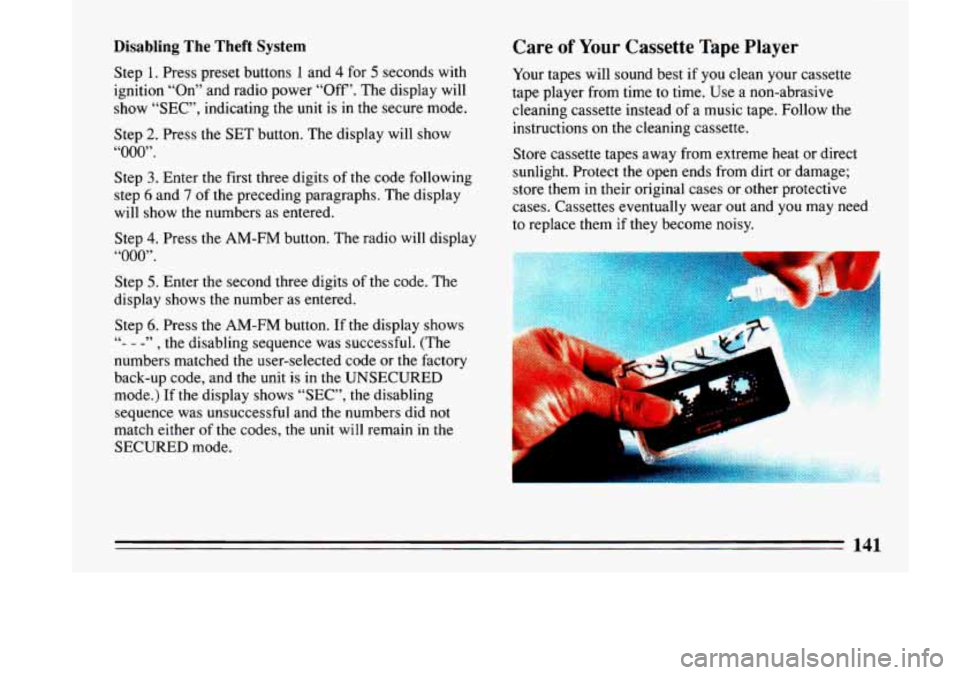
Your tapes will sound best if you clean your cassette
tape player from time to time. Use a non-abrasive
cleaning cassette instead of a music tape. Follow the
instructions on the cleaning cassette.
Store cassette tapes away from extreme heat or direct
sunlight. Protect the open ends from dirt or damage;
store them in their original cases or other protective
cases. Cassettes eventually wear out and you may need
to replace them
if they become noisy.
141
Page 308 of 324
Brake Adjustment
................................... 163
Fluid 248 .......................................
Lining Replacement. How to Drive After .......... 249
Master Cylinder
.............................. 248
Brake-Transaxle Shift Interlock
................... 73. 80
Brake System. Antilock Warning Light ............... 108
Brake System Warning Light
....................... 107
Brake Wear Indicators. Disc
....................... 162
Brakes. Antilock
................................ 160
Braking Emergencies
............................. 163
Braking if Your Engine Stops
...................... 160
Break-In. New Vehicle
............................. 68
Break-In Schedule. When Towing a Trailer
............ 189
Bulb Replacement. Headlamp
...................... 250
Bulb Replacement Taillamp
........................ 252
Bulbs. Halogen
.................................. 250
Bulbs.
Turn Signal ................................ 85
Parking ...................................... 76
PedalTravel
................................. 163
Brakes,Rear
.................................... 163
Braking 158 ........................................
Bulbchart ..................................... 274
Camper. Towing a
.............................. 189
...................................... Capacities 275
Cap. Radiator Pressure 245
Care,Appearance
................................ 262
I ............................ Carbon Monoxide in Exhaust ....................... 81
Cassette Tape Player Care
......................... 141
Cautions, Safety
.................................. 10
CB Radio, Adding a
.............................. 128
I
Cellular Telephone. Adding a ...................... 128
“Change Oil Soon” Light
.......................... 114
Change Oil. When to
............................. *239
Changing a Flat Tire
.............................. 216
Charge.Battery.. Warning Light
..................... 115 .
“Check Oil Level” Light .......................... 113
Engine Coolant
............................... 243
Engine Oil Level
.............................. 236
Power Steering Fluid
.......................... 246
Safety Belt Systems
............................ 55
Transaxle Fluid ............................... 241
Windshield Washer Fluid
.......................... 247
Chemical Paint Spotting
........................... 367
Children and Safety Belts
.......................... 41
Cleaner. Air
............... .................... 240
Aluminum Wheels
............................ 266
Inside Your Car
................................ 262
Outside Your Car
............................. 265
Top of the Instrument Panel ..................... 264
Underbody
of Your Car ........................ 267
Vinyl
or Leather .............................. 264
..................................... Chains. Tie 261
Checking BrakeFluid
.................................. 248
UndertheHood
................................. 234
.................................. Child Restraints 43
Cigarette Lighter
................................ 103
CircuitBreakers
................................. 270
City Driving 175
Cleaning ....................................
Fabric ...................................... 263
Glass
...................................... 265
PowerAntenna
............................... 142
Safety Belts 265 ..................................